.svg)
%20(1).svg)


Updated September 23, 2025
TL;DR: Slow ramp email warmup is a controlled plan to raise daily sends over 2 to 4 weeks while authentication and engagement signals build trust with mailbox providers. Start small, for example 10-15 emails per inbox per day, then increase by about 10 to 20 percent as long as bounces stay at or below 1 percent, complaints stay near zero, and inbox placement holds, to a max of 30 sends per day. Automate with read emulation, randomized sending, and placement tests, and keep a slice of ongoing warmup to protect domain health at scale. This guide reflects proven strategies used by Instantly.ai deliverability experts.
For sales and revenue leaders who care about consistent primary inbox placement, this is your field guide.
What is slow ramp email warmup
Slow ramp warmup is the deliberate act of starting with a small number of emails from a mailbox or domain and increasing volume in steady steps over time. The goal is to look like a real sender, record clean engagement, and let mailbox providers build trust in your sending identity. This trust is called sender reputation. Strong reputation is what keeps your B2B outreach in the primary inbox, not spam.
A practical baseline:
- Authenticate with SPF, DKIM, and DMARC.
- Begin very low volume per inbox.
- Increase 10 to 20 percent when health signals are good.
- Keep list hygiene and content quality tight.
- Continue light warmup even after you reach target scale.
Mailbox providers like Google and Microsoft evaluate your authentication, complaint rate, bounces, and engagement on every send. Their bulk sender guidance stresses proper authentication, low complaints, and consistent patterns, not bursts or blasts, as detailed in Google's bulk sender guidelines and in Microsoft's spam prevention guidance documentation.
Why slow ramp is essential for email deliverability
Building sender reputation and trust
Mailbox providers reward senders who authenticate, send predictably, and drive wanted engagement. Slow ramp lets them observe good behavior at low risk, which strengthens your reputation over time. DMARC sits on top of SPF and DKIM to formalize policy and reporting, which further stabilizes your identity, as explained in the DMARC overview guide.
Avoiding spam filters and blacklists
Sudden spikes, high bounces, and complaints look like abuse. Providers throttle, bulk, or block senders who trigger those patterns. Industry guidance recommends slow, steady increases with clean data to reduce risk of blocklisting, as outlined in the M3AAWG sender best practices paper.
Ensuring consistent inbox placement
Inbox placement is an outcome of authentication, reputation, and engagement working together. Slow ramp is the safest path to reach a stable state where your sequences land in the primary inbox week after week. Gmail and Microsoft both emphasize correct authentication, low complaints, low bounces, and consistent sending in their public guidelines.
How to implement a slow ramp warm-up strategy: a step-by-step guide
Phase 1: Initial setup and DNS alignment
- Authenticate your domain
- SPF authorizes your sending infrastructure.
- DKIM signs every message from your domain.
- DMARC starts at p=none to monitor, then moves to quarantine or reject when stable.
- Why it matters. Authentication is now baseline for bulk senders and required by Gmail and Yahoo in many cases. It prevents spoofing and improves trust.
- Align from domain to content
- Match the From domain to the DKIM signing domain.
- Use branded, authenticated subdomains for links and images where possible.
- Prepare safe infrastructure
- Use dedicated or properly managed sending IPs and servers that are not noisy. On Instantly Light Speed, SISR sharding and rotation with private pools support scale without one IP carrying all risk.
- Clean your data
- Verify contacts before import. Aim for hard bounces at or below 1 percent on campaigns. List hygiene is a core deliverability lever.
- Baseline tests
- Run an inbox placement test to benchmark foldering before you ramp. Automate placement tests and use the findings to fix any issues before increasing volume. For a visual walkthrough of warmup and placement testing, watch Instantly's Ultimate Guide to Cold Email Deliverability in 2025 video.
Acceptance check for Phase 1:
- SPF and DKIM pass. DMARC reporting active.
- Placement test shows deliverability in a healthy range.
- Verified list ready. Bounce target at or below 1 percent.
Phase 2: Gradual volume increase (week-by-week plan)
These are safe ranges. Your domain age, ESP, and data quality may require slower ramps.
- Week 1. 10-15 emails per inbox per day. Randomize send times across a morning window. Use 2 to 3 copy variants. Prioritize your warmest segments to seed engagement.
- Week 2. Increase daily cap by about 10 to 20 percent if metrics hold. Keep reply-worthy content. Maintain zero or near-zero complaint rate.
- Week 3 to 4. Continue 10 to 20 percent increases when signals are green. Add segments gradually. Enable ongoing warmup and read emulation to keep positive interactions flowing in parallel with production sends.
- After Week 4. Hold steady at your target daily cap per inbox (recommended max 30 emails per inbox per day). Add new inboxes in parallel and ramp them the same way if you need more throughput.

Signals to advance vs pause
- Advance when: bounces at or below 1 percent, complaints near zero, unique opens at or above 30 to 40 percent during warmup, inbox placement steady.
- Pause and recover when: any spike in bounces or complaints, placement dips on automated tests, or Microsoft throttling appears. Reduce volume, re-verify data, adjust copy, and re-test before resuming.
"It was very straight forward to warm up my email addresses/inboxes as well as start my first campaign!" - review on G2 by a Verified User in Computer Software.
Phase 3: Maintaining domain health
- Keep a portion of daily sends allocated to warmup and engagement. This cushions any soft spots in campaign engagement and protects reputation.
- Schedule automated placement tests weekly. Track outcomes by provider and by inbox.
- Run list hygiene monthly. Remove inactives and risky addresses.
- Review complaint feedback and reputation where available. Inspect domain and IP health for Gmail traffic in Google Postmaster Tools to monitor spam rate and reputation.
Acceptance check for Phase 3:
- Placement stable week over week. No blacklist hits.
- Complaint rate near zero. Bounce rate at or below 1 percent.
- Throughput scales by adding warmed inboxes, not by spiking a single sender.
For a visual walk through of these stesp checkout our guide on Youtube:
Key features and tools for effective slow ramp warmup
Automated warm-up campaigns
Automation removes human error. You want:
- Ramp caps: day-by-day limits that rise only when health is green.
- Natural timing: randomized send times and volumes within a defined window.
- Safety brakes: automatic pauses on risk signals.
- Private network: positive signals exchanged far from public traps.
Instantly includes unlimited inbox warmup on all plans and runs on a private deliverability network that simulates natural engagement alongside your live campaigns. Automated testing and alerts help you spot issues before they hurt performance.
The power of read emulation
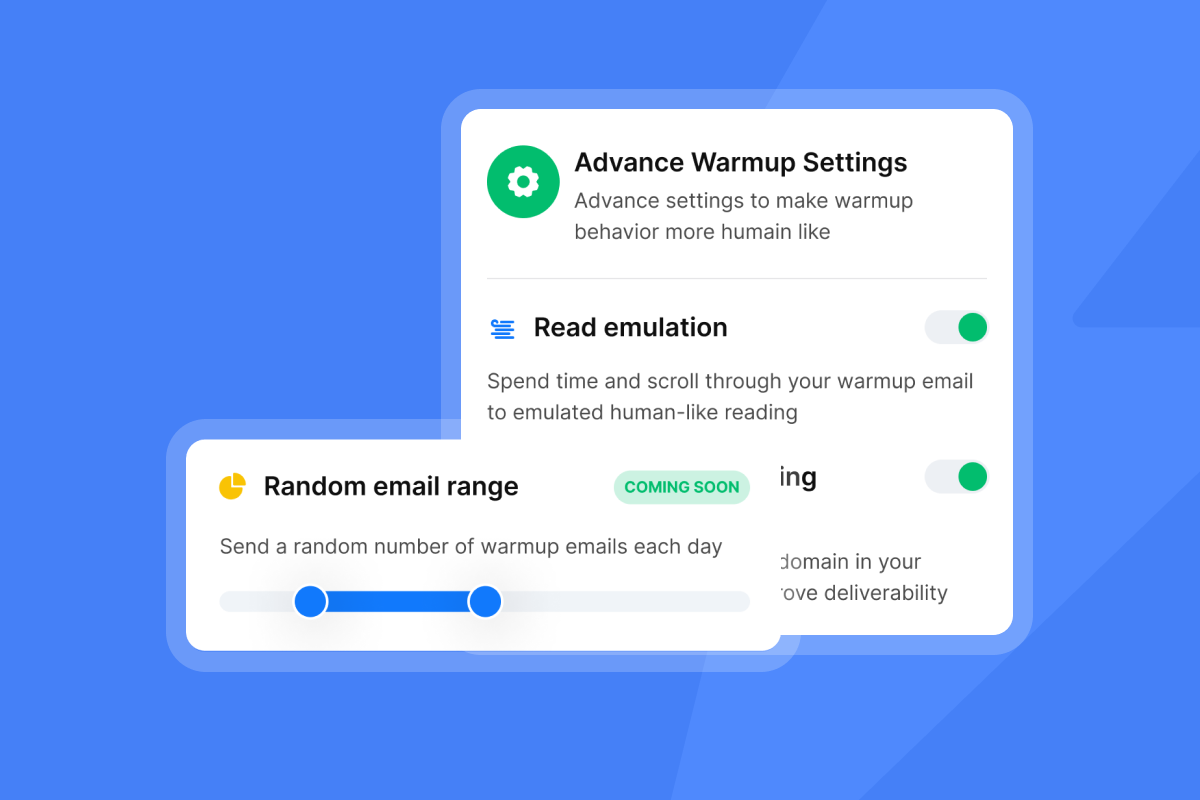
Read emulation spends time in the inbox, opens messages, scrolls, stars, and replies like a human would. Those interactions are strong positive signals to mailbox providers. Pair read emulation with verified lists and reply-worthy copy to sustain real engagement.
Randomized volumes and sending patterns
Fixed schedules look robotic. Randomization within a set send window helps your pattern appear organic. Spread sends during working hours in the contact's local time. Avoid single bursts such as sending 500 at 9:00 a.m. Distribute in smaller batches over hours to reduce throttling risk.
The role of AI in warm-up optimization
AI helps you:
- Draft subject lines and calls to action that earn replies.
- Monitor metrics and flag risk patterns early.
- Classify replies to stop sequences fast and prevent complaints.
- Summarize placement and performance by inbox.
Explore Copilot to create and tune campaigns with deliverability guardrails. Learn how the AI Reply Agent classifies and handles inbound email in minutes.
Monitoring and optimizing your warm-up performance
Deliverability dashboards and key metrics
Track these weekly during ramp:
- Inbox placement by provider.
- Hard bounces at or below 1 percent.
- Spam complaints near zero.
- Unique opens and replies per step.
- Soft bounces or throttling by provider.
- Authentication pass rates for SPF, DKIM, and DMARC.
Automated placement tests make trends obvious and actionable. Review reputation and spam rate in Google Postmaster Tools for Gmail traffic.
"Deliverability is great and the analytics give us exactly what we need to optimize campaigns quickly." - review on G2 by Shaiel P.
Understanding feedback loops
Some providers offer complaint feedback loops. When a recipient marks a message as spam, you receive a report and must stop sending to that address. That keeps complaints low and shows you honor recipient signals. For handling complaints and opt-outs, see the M3AAWG sender best practices guidance.
Blacklist monitoring and alerts
Monitor major lists like Spamhaus. A listing can crush delivery across multiple ISPs. If placement collapses, check lists first, then slow volume, fix data, and work the delisting process if needed, following the Spamhaus best practices guidance.
Choosing an email warm-up tool: a comparison
Features change often. Validate current details with each vendor.
| Tool | Automated warmup and ramp | Read emulation | Pricing model |
|---|---|---|---|
| Instantly.ai | Yes. Unlimited inbox warmup (4.2M warmup network) on all plans. Automated placement tests and alerts. | Yes. Open, scroll, reply simulation inside a private network. | Flat monthly. Unlimited email accounts on all tiers. |
| Smartlead | Yes. Automated warmup and caps with inbox rotation. | Varies by plan. | Flat monthly subscription. |
| Warmbox | Yes. Warmup network for opens and replies. | Yes. | Monthly per inbox. |
| Mailwarm | Yes. Warmup emails sent and replied to by a network. | Yes. | Monthly per inbox. |
What to prioritize
- Deliverability controls: placement testing, clear dashboards, and auto-pauses.
- Natural behavior: randomized sending, read and reply emulation.
- Scale economics: flat pricing that matches your growth model.
- Admin controls: team workspaces and audit-friendly reporting.
See how Instantly can now validate those risky catch all emails for you:
Quick start checklist for slow ramp warm-up
- Authenticate SPF, DKIM, DMARC. Start DMARC at p=none, then raise policy.
- Verify 100 percent of contacts. Target hard bounces at or below 1 percent.
- Set daily caps per inbox and a realistic send window.
- Start at 20 to 50 sends per inbox per day. Increase by 10 to 20 percent on green signals.
- Enable read emulation and ongoing warmup.
- Run automated placement tests weekly.
- Watch bounces, complaints, and throttling. Pause if any spike.
- Scale by adding warmed inboxes, not by spiking one sender.
Start your free Instantly trial today to ensure you're outreach is landing in mailboxes rather than spam.
Frequently asked questions (FAQ)
- How long should slow ramp warmup take?
Typical window is 2 to 4 weeks per inbox. New domains or high volume goals can take longer. Advance only when bounces stay at or below 1 percent and complaints are near zero. - What starting volume is safe?
10-15 emails per inbox per day in week one. Increase 10 to 20 percent at a time if placement and engagement are healthy. Consistent, predictable sending patterns perform best. - What happens if I skip warmup?
Expect throttling, spam placement, higher bounces, and risk of blocklists. Recovery often requires cutting volume and re-warming. - Do I still need warmup after I reach my target volume?
Yes. Keep light ongoing warmup to record positive interactions and cushion campaign dips. Scale throughput by adding warmed inboxes instead of spiking one sender. - Which metrics should I watch every week?
Inbox placement by provider, hard bounces at or below 1 percent, complaint rate near zero, unique opens and replies, authentication pass rates, and throttling signals. Use automated placement tests and check Gmail reputation in Google Postmaster Tools reporting. - What is slow ramp warmup? A measured increase in daily sends, usually 2 to 4 weeks, to build sender reputation with authentication and engagement.
- Why it matters? It prevents spam foldering and blacklists, stabilizes inbox placement, and protects your domain.
- How to do it? Authenticate SPF, DKIM, DMARC. Start 20 to 50 per inbox per day. Increase 10 to 20 percent when bounces, complaints, and placement are green. Automate with read emulation and placement tests.
Key terms glossary
- Primary inbox: The folder people check first.
- Sender reputation: Trust score mailbox providers assign to your domain and IP.
- Warmup: Low-volume emails that build positive sending history.
- Read emulation: Automated opens, scrolls, and replies that mimic real engagement.
- List hygiene: Verification and removal of risky or inactive addresses.
- Send window: Time range during which emails go out.
- SPF: DNS record that authorizes servers to send for your domain.
- DKIM: Cryptographic signature that proves message integrity.
- DMARC: Policy and reporting on SPF and DKIM alignment.
- Feedback loop: A provider report when someone marks your mail as spam.



