


Updated February 24, 2026
TL;DR: Meeting requests fail for three measurable reasons: technical delivery issues (spam filters), weak value propositions (no clear "Why me?"), and high-friction CTAs ("Let me know when you're free"). Fix delivery first with proper SPF, DKIM, DMARC setup and 30-day warmup schedules. Rewrite value props to lead with pain points, not features. Replace open-ended asks with specific time blocks to reduce decision fatigue. We provide unlimited warmup, a unified inbox for managing 100+ mailboxes, and automated follow-ups to scale meeting bookings without adding headcount.
Meeting request emails fail at a predictable rate. Open rates hover around 27.7%. Reply rates drop to 5.1%. Meetings booked? Almost none. The problem isn't bad luck or poor leads. It's a mechanical failure at one of three specific points: delivery, value proposition, or scheduling friction. This guide diagnoses which gear is broken in your machine and shows you the exact fixes.
The three root causes of ignored meeting requests
1. Technical delivery failures
If your email lands in spam or Promotions, copy quality is irrelevant. Gmail began strict enforcement in November 2025, actively rejecting non-compliant messages rather than filtering them. The shift from warning to rejection means misaligned authentication now costs you the meeting before prospects see your pitch.
Top technical triggers: authentication failures (missing SPF, DKIM, or DMARC), domain alignment issues (your "From" domain doesn't match your authenticated domain), and spam complaint rates above 0.3%. Cross that threshold and you lose Gmail's mitigation support until you maintain rates below 0.3% for seven consecutive days.
Volume spikes trigger filters too. Ramping from 50 to 500 emails overnight signals automation abuse. Outlook now requires SPF, DKIM, and DMARC for domains sending over 5,000 emails per day.
"Instantly allows me to scale my cold email efforts without having to struggle with the tool itself. Setting up new domains and inboxes, as well as rotating them, is incredibly straightforward, which helps me increase my sending volume while maintaining good deliverability. The built-in warmup features and safety checks also ensure that I don't risk burning my domains." - Verified User on G2
2. Value proposition gaps
Prospects ask: "Why should I trade 15 minutes for this?" If you can't answer in three sentences, they delete and move on. "Can I pick your brain?" offers no specific benefit tied to their business objectives.
Value propositions must identify a relevant pain point, offer a specific tangible benefit, and provide social proof. The framework: We help X do Y by doing Z. Skip the pain point and prospects can't connect the meeting to their goals. Skip the outcome and they can't weigh the ROI of 15 minutes.
The gap between open rates and reply rates reveals the content failure. They opened, read three lines, found nothing relevant, and left.
3. Scheduling friction
Open-ended CTAs like "Let me know when you're free" can underperform if they trigger decision fatigue. When cognitive resources are depleted, people default to procrastination rather than action.
"When are you free?" requires prospects to review calendars, evaluate slots, consider priorities, and type responses. Four steps. "Are you free Thursday or Friday at 10 AM?" reduces the decision to binary choice, lowering cognitive load and increasing action likelihood.
Decision fatigue manifests as procrastination and avoidance. Pre-set calendar blocks eliminate scheduling fatigue. Apply the same principle to meeting requests: reduce friction, increase conversions.
Technical delivery: Why emails never reach the inbox
Authentication and reputation basics
Sender reputation determines inbox placement before recipients see subject lines. Gmail monitors email rejection rates, spam complaints, and bounce rates to assign reputation scores. Clean domains with proper authentication and gradual volume ramps earn trust. Domains that spike volume or ignore authentication get filtered.
Our deliverability network creates positive engagement signals across thousands of mailbox providers, building reputation before you send campaign emails.
Critical setup checklist:
- Configure SPF, DKIM, and DMARC before sending any outreach
- Keep spam complaint rates below 0.1%, never above 0.3%
- Maintain bounce rates below 2%
- Warm domains for 30 days before launching campaigns
The warmup process
Gradual warmup schedules should span 30 days. Start with 5-10 emails per day for week one, increase to 15-20 in week two, cap at 30 per inbox by week four. Warm-up tools handle this automatically by simulating opens, replies, and spam-folder recovery.
Our advanced warmup options include weekday-only sending, read emulation, and configurable open and reply rates that mimic natural behavior.
"I love how Instantly has significantly eased the process of outreach and service delivery for the past two years... The email warmup feature has notably improved deliverability." - Daksh K. on G2
Use Inbox Placement tests to verify where emails land across Gmail, Outlook, and Yahoo before launching campaigns. For technical deep-dive, watch this guide on cold email deliverability.
Content failures: Why prospects read but don't reply
Ask is too big, too soon
Asking for a meeting in the first email is high-friction for cold prospects. B2B buyers spend only about 17% of their buying time with all suppliers combined. When you lead with "Can we schedule 30 minutes?" before establishing relevance, you trigger immediate delete.
Lower the initial ask. Request interest, not commitment. "Worth a quick look?" or "Does this fit your Q1 priorities?" creates smaller decisions prospects can answer in seconds. If they reply "Yes," the meeting request in your follow-up feels natural rather than premature.
Generic copy gets ignored
Personalized subject lines earn 46% open rates compared to 35% without personalization. Reply rates jump from 3% to 7%, a 133% increase, when you include recipient name, company, or relevant event reference.
Use personalization variables to inject first name, company, or pain point into subject lines and opening sentences. SuperSearch pulls enriched data from 450M+ B2B leads for targeted intros.
"Email sending outreach features are amazing especially the Super search tool." - Akkama Totad on Trustpilot
Talk about their problems, not your features
Flip the frame. Open with their pain point, follow with your specific solution, close with the benefit. Pattern: "You're doing X. That creates Y problem. We solve it by doing Z, which means you get A benefit."
The Cold Email Copywriting Framework our team uses generates 400+ replies monthly by structuring every email around the prospect's job, not the sender's product.
Keep it short
Long emails increase cognitive load, forcing brains to hold more information in working memory. Trim everything that doesn't directly support your value proposition or CTA.
Cold email benchmarks for 2026
Metric | Poor | Decent | Good | Excellent |
|---|---|---|---|---|
Open rate | <20% | 30% | 40-50% | >50% |
Reply rate | <2% | 4% | 5-10% | 15-25% |
Bounce rate | >2% | 1-2% | <1% | <0.5% |
Cold email open rates dropped from ~36% in 2023 to 27.7% in 2024, with 2025 benchmarks around 15-25% for cold B2B campaigns. Average reply rates vary by source, with most studies showing 4-6% as typical and top performers achieving 15-25% through tight targeting and follow-up sequencing.
The gap between open and reply rates highlights the content failure point. If opens are 27.7% but replies are 5.8%, your copy isn't landing. For script breakdowns, watch The Best Cold Email Script.
How to write meeting requests that get replies
Subject lines that earn opens
The best-performing subject line is "Hi {{first_name}}" because it mimics human conversation rather than marketing automation.
High performers:
- "Quick question about [Company]'s [specific challenge]"
- "idea for [Company Name]"
- "[Mutual Connection] suggested I reach out"
Keep subject lines short and front-load important information. Avoid marketing jargon, generic greetings, and urgency phrasing like "ASAP,".
For psychology deep-dive, watch below for cold email copywriting tips.
Low-friction CTAs win
Replace "Let me know when you're free" with "Are you open to a 10-minute chat this Thursday or Friday?" The difference is decision fatigue reduction.
Test two CTAs:
- High friction: "When's a good time for you this week?"
- Low friction: "Does Tuesday at 2 PM or Wednesday at 10 AM work?"
The second version typically doubles reply rates by minimizing cognitive steps required to respond.
Follow-up cadence matters
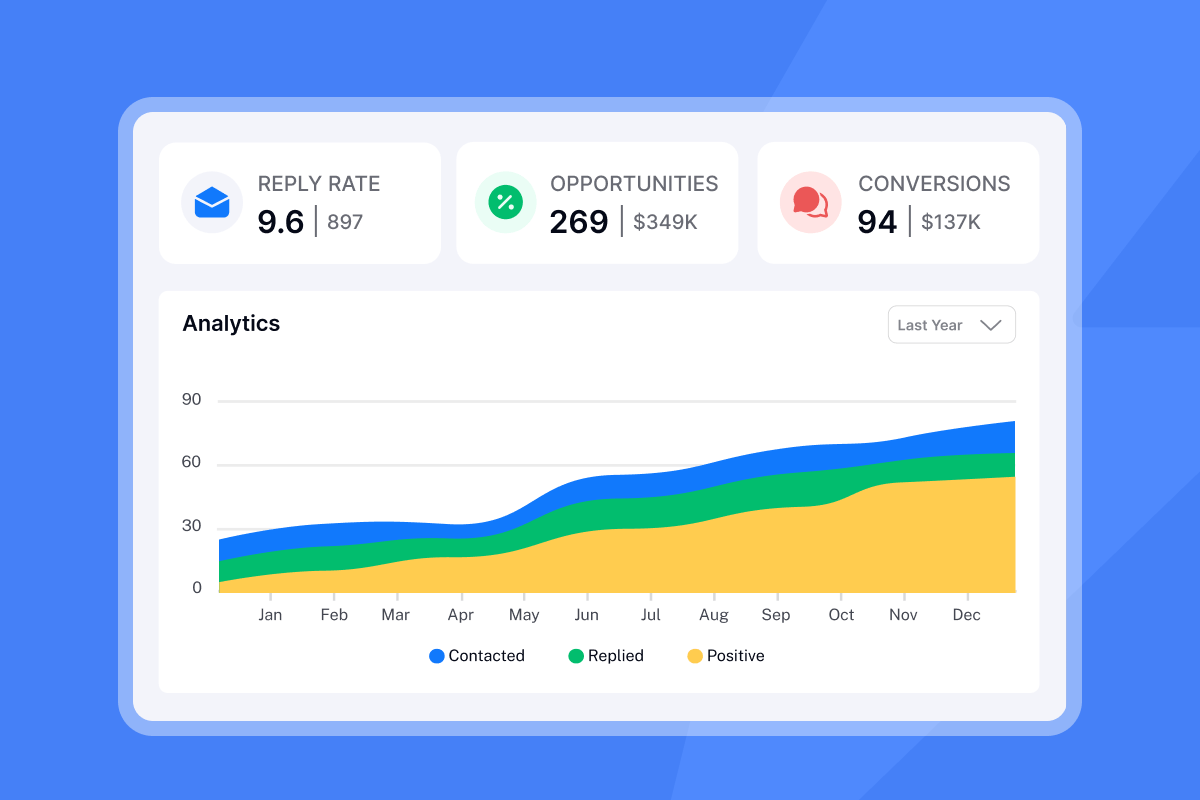
The first follow-up can increase reply rates by 49%. However, returns decline after the second follow-up. Optimal cadence is 2-3 follow-ups spaced 3-4 days apart.
Sequence structure:
- Day 1: Value prop + low-friction CTA
- Day 4: "Did you get a chance to look at this?"
- Day 8: Add new angle or case study
- Day 12: "Should I close your file?"
For timing strategies, watch below for cold email follow ups.
Troubleshooting checklist
Step 1: Check deliverability
Actions:
- Run Inbox Placement tests across Gmail, Outlook, Yahoo
- If >20% land in spam, fix SPF, DKIM, DMARC first
- Check blacklist status and submit delisting requests if needed
- Target: <5% spam placement
Step 2: Check data quality
Actions:
- Export bounce list and identify patterns
- Bounces above 1% signal hygiene problems
- Use SuperSearch's waterfall enrichment to verify emails before campaigns
- Target: <1% bounce rate
Step 3: Test the offer
Actions:
- Run A/Z tests on subject lines, openers, CTAs
- Test variables: question vs. statement, pain point vs. compliment, specific time vs. open ask
- Let tests run for 100+ sends per variant
- Target: 5%+ reply rate
Step 4: Check calendar sync
Actions:
- Test full booking flow yourself
- Confirm calendar invites arrive correctly across devices
- Use CC/BCC features to loop in scheduling assistants
- Verify no-show sequences trigger properly
For complete workflow walkthrough, watch this cold email speedrun.
How we help you scale meeting bookings
Unlimited warmup and deliverability
We provide unlimited email accounts and warmup on all plans, removing per-seat pricing friction. Our 4.2M+ account deliverability network creates positive engagement signals across thousands of mailbox providers before you launch campaigns.
Light Speed plans add SISR (Server & IP Sharding & Rotation) with dedicated IP pools for high-volume senders. One operator noted:
"As a non-technical person, it is so easy to setup cold email campaign, the people at instantly the do a full done-for-you email box setup so u dont have to worry about SPF, DKIM, DMARC all that jazz." - Harris on Trustpilot
Unified inbox for zero missed replies
Unibox consolidates replies from all connected accounts into a single dashboard with filtering, tagging, and bulk-reply capabilities. When managing 50+ inboxes, manual checking creates lead leakage. Replies get lost, prospects move on, meetings evaporate.
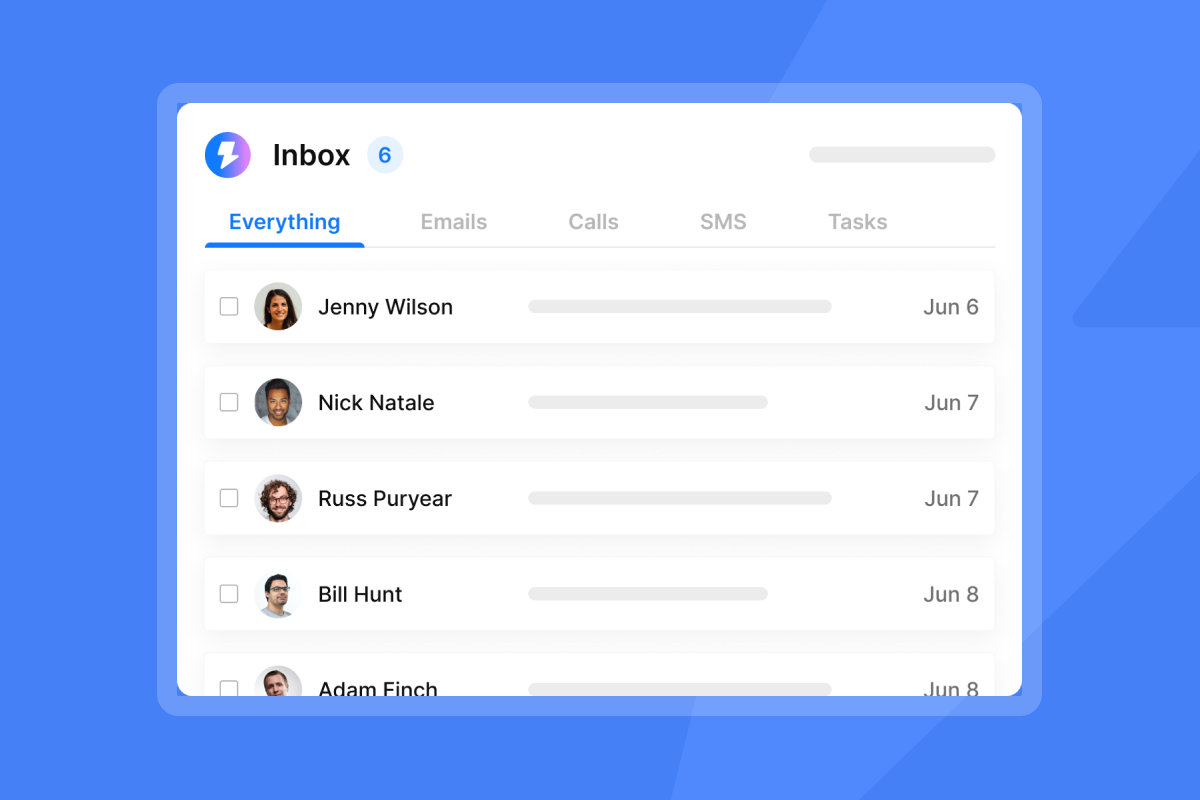
"I can upload hundreds of email accounts, send thousands of cold emails per day, and still have an organized master inbox." - Daksh K. on G2
AI Reply Agent for speed-to-lead
Our AI Reply Agent handles scheduling logistics within five minutes. Configure for Human-in-the-Loop review or full Autopilot mode. Slack integration allows team approval before replies send.
The agent costs 5 credits per reply, making it economical for high reply volumes. Speed matters: prospects who show interest expect responses within hours, not days.
Campaign analytics and testing
Campaign analytics track opens, replies, bounces, and bookings at campaign, domain, and inbox levels. This granularity isolates which factor drives underperformance.
Automated Inbox Placement tests show where emails land before you launch. Run tests weekly to catch deliverability dips early.
For conversion funnel mapping, review Turning interested leads into meetings.
Try Instantly free and launch your first campaign within 24 hours. Growth plans include unlimited accounts, automated warmup, and Unibox for centralized reply management.
FAQs
What causes meeting request emails to land in spam?
Missing or misaligned SPF, DKIM, and DMARC records. Gmail and Outlook reject these outright as of November 2025.
What reply rate should I expect from cold meeting requests?
4-6% is typical for B2B cold outreach. Top performers hit 15-25% through tight targeting and follow-up sequencing.
How many follow-ups should I send?
2-3 follow-ups spaced 3-4 days apart. 80% of sales require multiple touches, but returns decline after the second follow-up.
Why do open-ended CTAs underperform?
They trigger decision fatigue by forcing prospects to review calendars, evaluate slots, and type responses. Specific time blocks reduce cognitive load.
What is optimal length for meeting request emails?
50-125 words, with peak performance at 75-100 words. Shorter emails reduce cognitive load and scan better on mobile (60%+ of opens).
How long does email warmup take?
30 days minimum. Start at 5-10 emails daily, increase gradually to 30 by week four to build sender reputation safely.
What subject line format gets highest open rates?
Personalized questions like "Quick question about [Company]'s [challenge]" earn 46% open rates, 31% higher than generic lines.
Key terms glossary
Sender reputation: Score assigned by mailbox providers based on authentication, engagement, spam complaints, and bounces that determines inbox placement.
Decision fatigue: Decline in decision quality caused by cognitive overload, manifesting as procrastination and avoidance when faced with too many options.
Domain alignment: Requirement that the "From" domain matches the domain authenticated by SPF or DKIM records, critical for passing filters.
Unibox: Unified inbox consolidating replies from multiple accounts into single dashboard with filtering, tagging, and automated categorization.
Warmup network: Pool of email accounts exchanging messages with new domains to build positive engagement signals before launching campaigns.


