.svg)
%20(1).svg)


This article was last updated on December 2, 2025
Automated email campaigns help you stop rewriting the same messages and keep leads moving without constant checking. You can automate sales emails, follow-ups, transactional messages, repetitive notes, and newsletters.
The most important element is pairing the right triggers with clean lead data and a tool that handles personalization at scale. If you want a setup that’s easy to run and hard to break, Instantly does that well.
Most senders don’t realize how much time email quietly steals. You write the same notes and chase the same replies. You check your inbox more than you want to admit. It adds up.
The good news is you can hand a lot of that work to automation software. And contrary to popular beliefs, automation (when done right) doesn't compromise quality or personal touch; it only frees you up for more meaningful work.
Whether you're nurturing an existing customer or trying to land a cold lead, the core email sequences are predictable. The only difference is whether you're manually managing that predictability or letting a smart system do the heavy lifting.
This guide shows you how automated email campaigns work, what type of emails you should consider automating, and how tools like Instantly keep everything running without you babysitting it.
What Type of Emails Can You Automate?
Technically, you can automate any email. But that doesn't mean you should automate everything the same way.
A few email types often fall into patterns. Once you recognize those patterns, you can build systems that handle them without turning your outreach into a generic mass blast. Below are some email types that almost always benefit from automation.
Sales Emails
Sales emails work best when they're well-thought-out and personalized. That’s why people get nervous about automating it.
For the best results, you need clean lead data and a tool that can pull that data into messages in a natural way. You still remain involved, but a major part has been taken care of.
Specifically, details like job title, company size, recent funding, and tech stack make it clear you're not just spraying and praying. Instantly, for instance, pull this data automatically and weave it into sequences so each email reads like you researched that specific person.
Follow-ups
Nobody has the bandwidth to chase every lead manually. Deals stall simply because the rep forgot to nudge someone again. That’s the part automation solves.
You can build follow-ups that fire after a set number of days, after an open, after a click, or after zero activity. A Woodpecker study found that campaigns with even just one follow-up convert 22% more recipients than those that don't.
That said, follow-up automation only works if your cadence makes sense. Bombarding someone daily is worse than not following up at all.
Transactional Emails
These are the emails people have come to expect. A password reset. A “your order’s on the way.” You can’t afford to send those manually, and customers get uneasy if they don’t land.
Common transactional emails to automate include order confirmations, account creation, invoices, shipping updates, and abandoned cart reminders. These don’t always need creativity. They just need to go out instantly and every time.
Repetitive Emails
Daily reports. Monthly reminders. Status updates. Meeting recaps. If you're copying and pasting the same email structure five times a week, that's a candidate for automation.
Using spintax (Spin Syntax) and light personalization works great here, so you're not sending identical text to multiple people. Even small variations, like different subject lines and reordered sentences, keep you out of spam filters when you're sending at volume.
Newsletters
Newsletters work when they’re relevant. They fall flat when everyone gets the same version. Smart email list segmentation is what solves that. You can automate who gets what based on behavior, interests, purchase history, or engagement.
Once the segments are in place, you schedule each version and let the system handle the distribution. It keeps your brand top-of-mind without turning newsletter day into a scramble.
The Difference Between Bulk, Drip, and Automated Emails
Before moving on, it helps to clear up the difference between three common automation terms: bulk, drip, and automated emails. People lump these terms together, but they behave differently once you put them into a real workflow.
Bulk emails are exactly what they sound like. One message. One send. A large list. They’re fine for things like company announcements where everyone genuinely needs the same information. They’re not fine for sales prospecting or cold outreach campaigns.
Drip emails are a series of messages people receive over time. Someone joins your list, downloads something, buys something, or takes another action, and the sequence starts automatically. These messages tend to be more personal and easier to read because they follow the natural flow of a customer journey.
Automated email is the umbrella that covers both. If you’re doing sales outreach, you want the precision of a drip, not the blunt force of a bulk send. That means using personalization, clean data, and (if you’re sending at volume) spintax variations so inbox providers don’t treat your emails as duplicates.
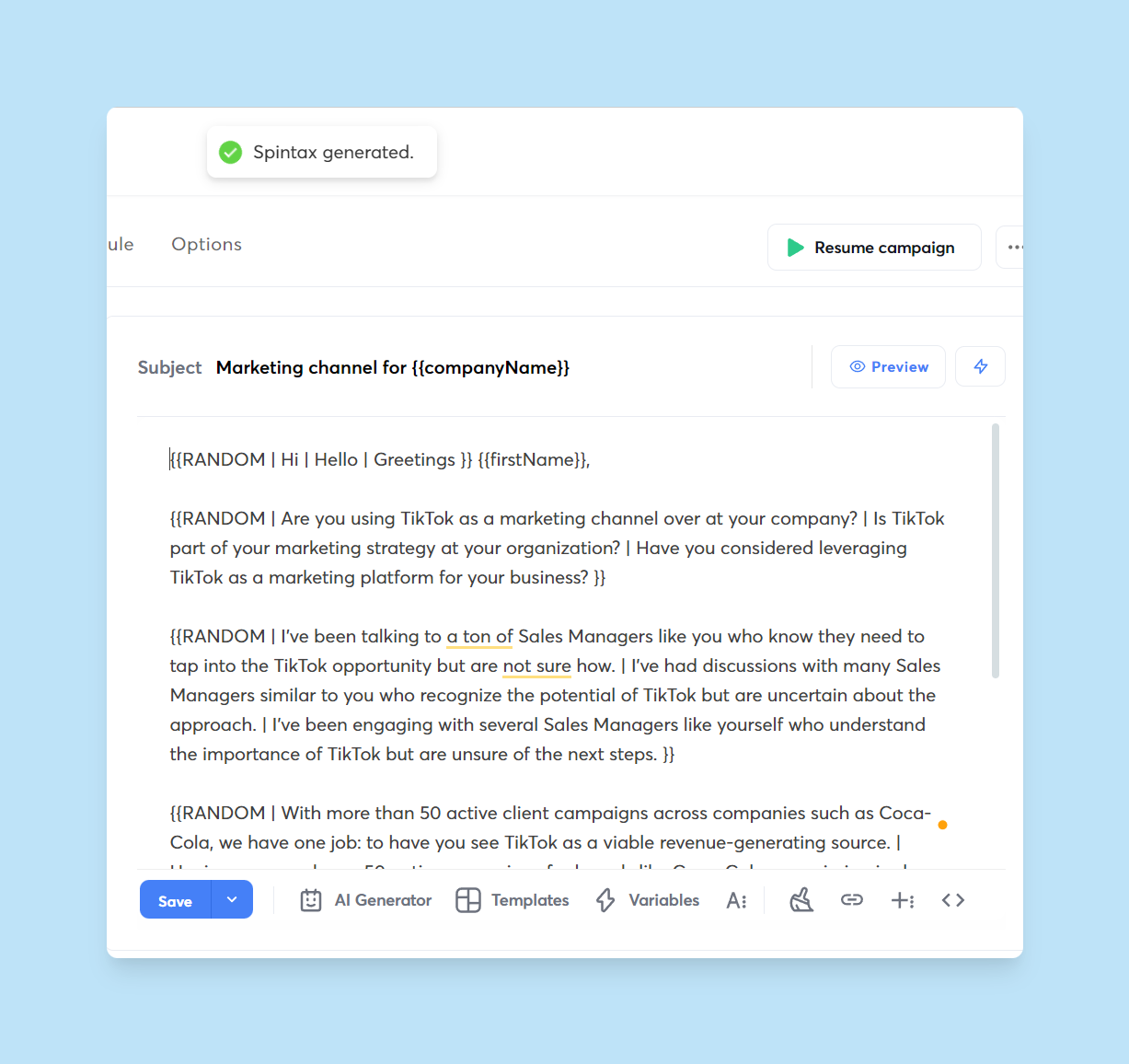
Instantly handles all of that and more behind the scenes to keep your campaigns and deliverability healthy while still letting you scale.
How to Set Up Automated Email
The steps required to set up automated email depend on the email automation type. We’ll focus on the main ones most businesses use—sales, follow-ups, transactional, repetitive, and newsletter emails.

Setting up Automated Cold Sales Email With Instantly.ai
Success in cold outreach depends on how well you’ve set up your cold email infrastructure, from technical setups and lead generation to personalized email copy.
With a solid framework, you can automate lead generation, inbox management, lead management, email copy personalization, and more with Instantly.ai. Here’s how:
Buy Alternative Domains and Set Up Technicals
You want to protect your primary business domains. Buy alternate domains and use them for cold outreach. After buying alternate domains, you need to finish all technical domain setups.
If you’re not tech savvy, Instantly has a DFY (done-for-you) service that handles everything from buying alternate domains to technical setups. Each domain can make three sending accounts.
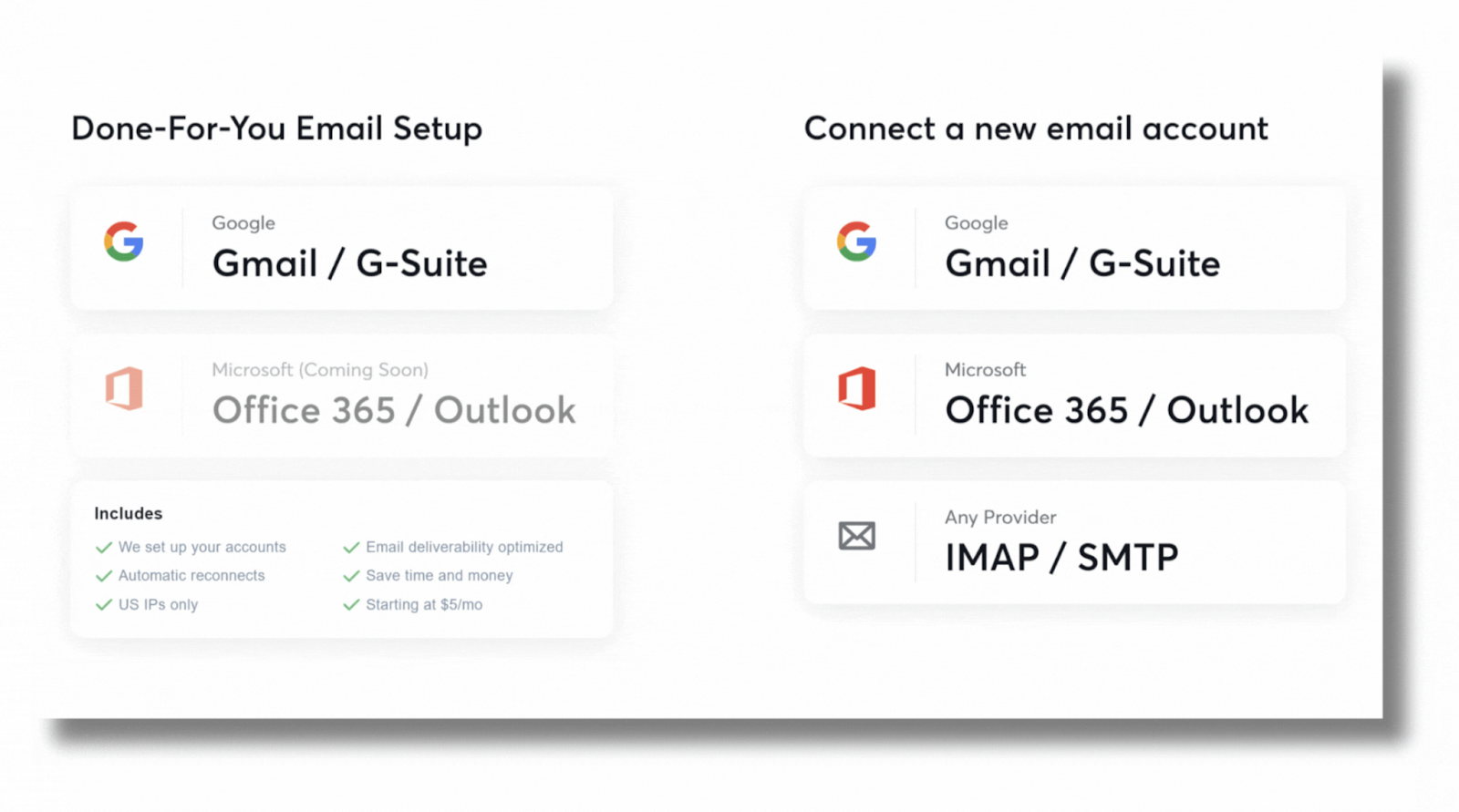
Each sending account can send 50 emails daily, including warmups. To send 1,000 cold emails daily, you’d want six or seven domains. Instantly takes 24 to 72 hours to create your domains, and DNS propagation can take some time.
After the domains are added, warm up the sending accounts for 2-3 weeks before running cold outreach. Instantly can automate the process with the added bonus of unlimited warmups.
Find the Perfect Leads with B2B Lead Finder
Templates are great starting points for writing sales email copy. But, if you want cold emails to convert, you’ll need leads who get the most value from your business.
You can find these leads in just a few clicks with Instantly B2B Lead Finder. Use advanced search filters to find leads who fit your ideal customer profile and buyer personas.
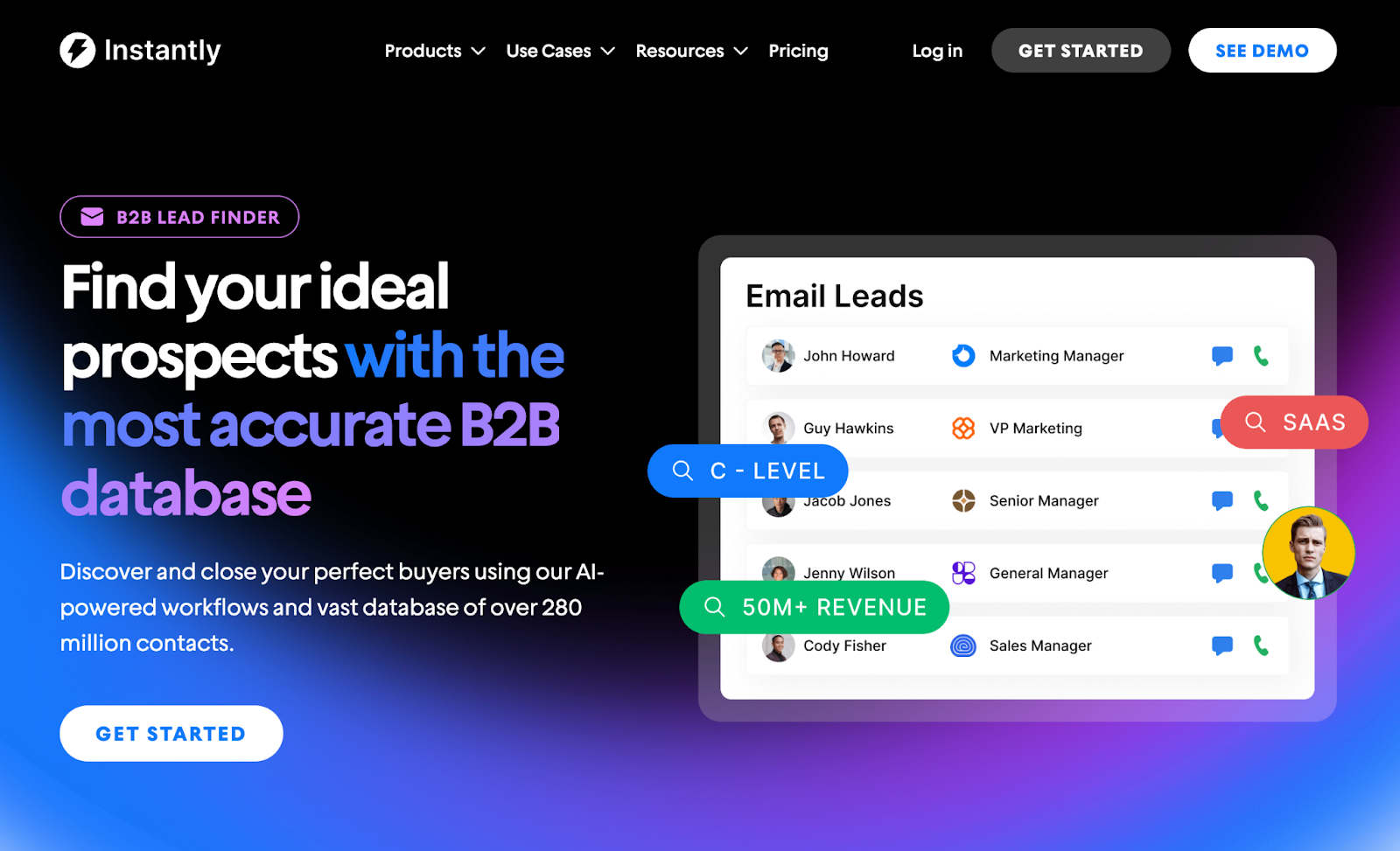
Get relevant and up-to-date information using the news filter. Leverage the technology filter to target companies using specific tech stacks. Find leads similar to clients using look-alikes.
After setting up search parameters, you can automate the lead generation process by enabling the “evergreen” feature to ensure that sales pipelines are always full of leads.
Lead finder uses search settings and finds leads that fit the parameters, then automatically adds them to any campaign. All leads are pre-verified. The next step is to send a killer cold email.
Personalize and Automate Sales Emails With Instantly.ai
Instantly lets you automate sales cadences, drip campaigns, and follow-ups. All done with automated personalized email copy that resonates with your target audience.
Instantly is trained on millions upon millions of the best-performing cold emails. Paired with lead data from B2B Lead Finder, you get personalized email copy that stands out from the rest.
If you don’t know how to start a sales cadence, Instantly has you covered. With the AI Sequence Generator, you can create entire campaigns with a few clicks and prompts.
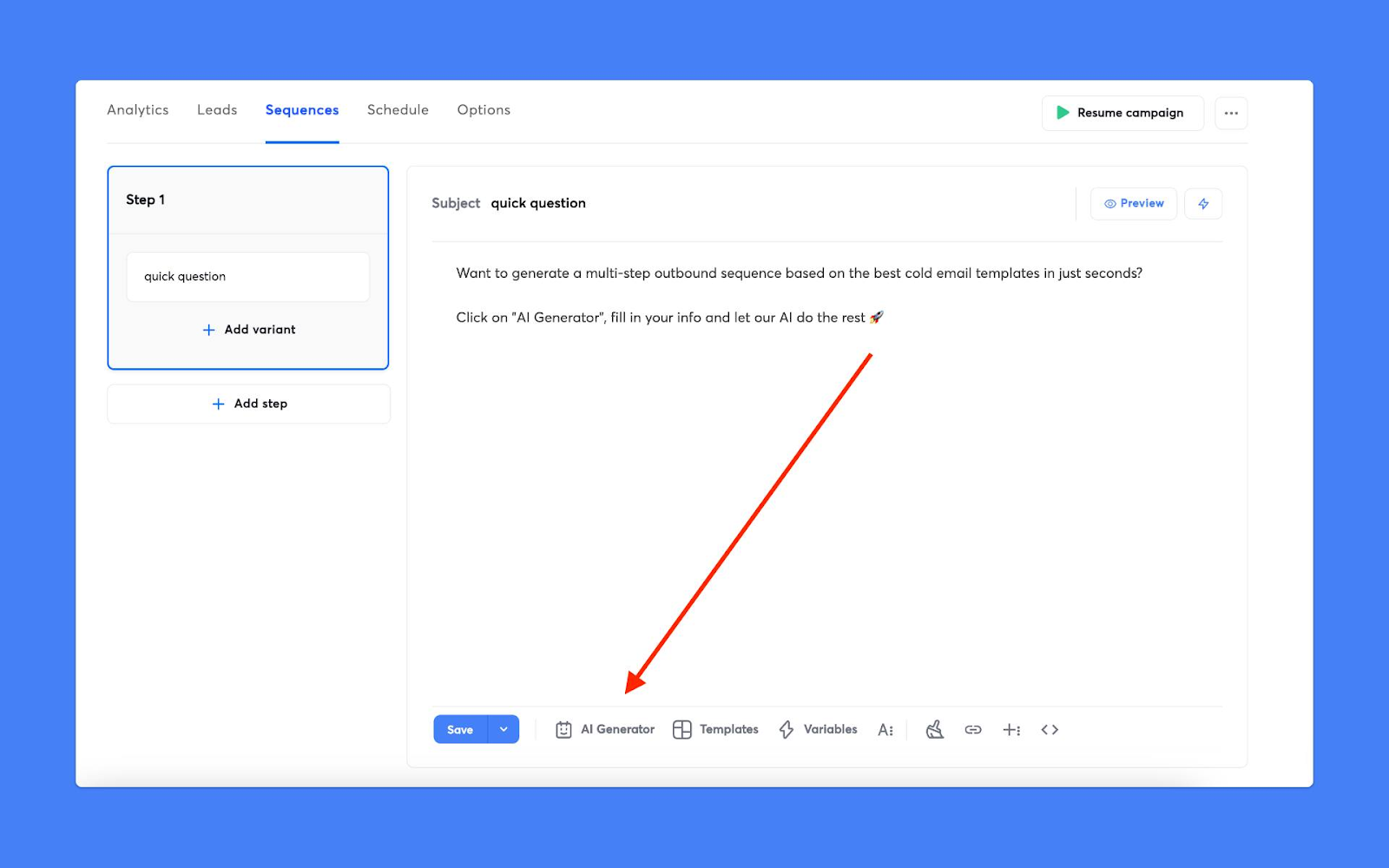
Instantly will ask you important details about your company, service, case studies, and target audience. You get an automated email sequence with personalization, spintax, and follow-ups.
Automate Lead Management With Instantly CRM
Automated sales emails don’t stop with sending schedule automation. An essential part of any sales email campaign is lead management. For that, you’d need a CRM.
Instantly CRM is built for cold sales, centralizing lead correspondence from every source, be it email, SMS, or call. The entire sales pipeline is managed within your email marketing tool.
Instantly CRM lets you view all lead correspondence in the Inbox tab. You’ll see all the emails, calls, SMS, and tasks from all campaigns. Clicking on contacts reveals everything about them.
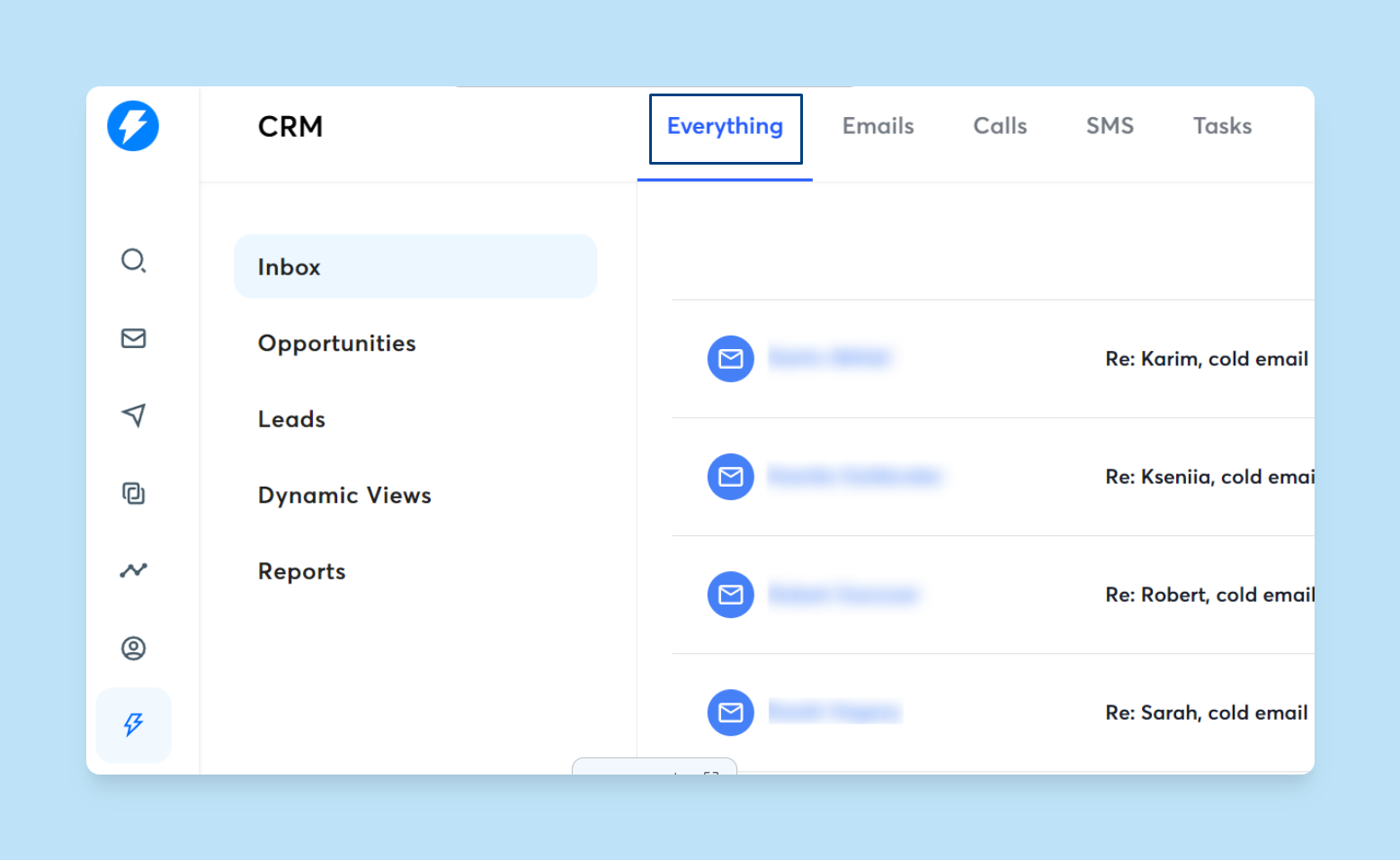
You see the company description, competitors, pain points, or customer profiles. This view also shows all the interactions you had with that lead. But the fun starts when automating Salesflows.
Salesflows are logic-based conditions that help sales reps focus on the hottest leads. For example, you can create a new Salesflow for interested leads that haven’t replied.
These could be leads that opened your email or clicked a link you sent multiple times. So, you can create a Salesflow called “Hot Leads.” The condition could be if a lead opens an email more than 5 times within the last 7 days.
Any lead that falls into that criteria will appear in your new Hot Lead category for sales flow. That tells you to hit them up or add them to a new nurturing campaign.
How to Automate Follow-up Emails
Follow-ups are essential, whether it’s for sales or professional correspondence. Instantly’s Unibox feature lets you automate follow-ups for positive emails.
But you can still automate follow-ups using free tools for email service providers like Google and Gmail. Here’s how:
Use a Follow-up Automation Tool
There are several free follow-up automation tools for things like Gmail. But if you need sales follow-up for cold outreach, then the best tool for the job is Instantly.ai.
For example, CloudHQ can send follow-ups if the person you’re emailing doesn’t reply. MailMeteor can be set to send an automated follow-up based on a set time frame.
But Instantly.ai can send follow-ups with automated A/B testing. You can find the best-performing follow-up email and improve your chances of getting replies.
Set Conditions for the Follow-up
Most automated follow-up tools use the same logical conditions. That means, you can choose whatever follow-up automation fits you best, just as long as it has these core triggers:
No reply, send a follow-up email
Email isn’t opened, send a follow-up
If no link is clicked, send a follow-up
If a link is clicked, send a follow-up
Email opened x number of times, send a follow-up
Follow-ups can also be automated using intervals. It could be a follow-up after a few hours or days. If you have frequent urgent business matters, consider using a follow-up automation tool that can send follow-ups after a few minutes.
How to Set Up Automated Transactional Emails
You'll need to automate transactional emails if you’re into ecommerce or sell anything commercially. Developers typically set up a system to automate transactional emails for your business.
Look for Transactional Email Automation Software
There's no universal way of setting up transactional emails. Each tool uses API or SMTP integrations to send automated transactional emails.
In any case, make sure that the tool you’re using for transactional email automation has a well-documented email API and SDKs. This way, developers can easily set up any type of transactional email you need.
Monitor Analytics and Reporting
It’s important to track KPIs like conversions for transactional emails. They show an accurate representation of how effective or ineffective campaigns are. Some of the stats related to transactional emails you should look out for include:
- Deliverability: Transactional email deliverability should be over 90%.
- Open Rates: Go for an open rate of higher than 80%.
- Click Rates: Percentages vary depending on the transactional email.
- Bounce rates: Clean email lists if the bounce rate exceeds 2%.
- Spam Complaints: You want to have zero spam complaints for transactional emails.
Automating Repetitive Emails and Newsletters
Recurring message automation is perfect for emails that need repeating, such as monthly bills, employee timesheet reminders, or habit-tracking reminders. Newsletters help with staying top-of-mind and providing value to your audience. Here’s how you automate them:
Use Templates, Spintax, and Automated Scheduling
Need to send daily reports, reminders, or business emails? Writing everything from scratch takes up time that can quickly stack up.
Instead of starting over, use email templates. But if you’re sending the same email to multiple people, remember to use Spintax to create different variations of the same email.
Spintax also works well with personalization and segmentation for newsletters. For example, instead of a generic intro, each intro could be related to a segment's specific pain point.
Use Email Workflow Automation
Email workflow automation is based on triggers. For example, when leads subscribe to your newsletters, they should have an automated welcome email.
Automation can also be used for replies to sales emails. Let’s say a lead responds that they’re interested in your service. Your automated sequence responds for you immediately or after a set period to give it that human feel.
Another type of email you can automate is surveys, especially for businesses in the service industry, like contractors, where reviews mean everything. For example, you can set a condition that sends an email when the final invoice is sent.
Key Takeaways
Email automation saves time and makes everything more efficient and productive. You can use automation on sales, follow-ups, transactional, repetitive, and newsletter emails. To make the most out of your email automation setups, consider the following best practices:
- Fully understand why you’re creating a specific email automation
- Segment your email list to easily categorize automation
- Use an email automation tool that’s scalable
If you need an easy-to-set-up automated email tool, Instantly is for you. Start scaling your business through simple, effective, and profitable email automation. Start your free Instantly trial.



