.svg)
%20(1).svg)


TL;DR: Reply rate = replies from humans ÷ delivered emails × 100. Delivered = sent − hard bounces. Count unique human replies, remove auto-replies, and segment by list source, persona, and sequence step. In Backlinko’s 12 million email outreach study, the average response rate was 8.5 percent and one follow-up lifted replies by 65.8 percent. Connect replies to pipeline by tagging positive replies, counting booked meetings, then computing cost per meeting as total cost ÷ meetings. Keep Gmail spam complaints under 0.3 percent and target 0.1 percent to protect placement.
Updated October 19, 2025
Why email reply rate matters for your pipeline
Reply rate measures how many delivered emails produce a human reply. See our cold email outreach roi insights guide for a full breakdown. It shows if your message, list, and deliverability are working.
Reply rate predicts pipeline when you connect it to outcomes
- More replies at the same positive-reply share create more meetings.
- A higher share of positive replies lowers cost per meeting.
- A stable reply rate signals healthy deliverability and data hygiene.
Treat reply rate as a control metric, not a vanity metric
- Positive reply rate = positive replies ÷ total replies.
- Meetings booked = replies that convert to meetings.
- Cost per meeting = total cost ÷ meetings.
- Time to first meeting = days from launch to first qualified meeting.
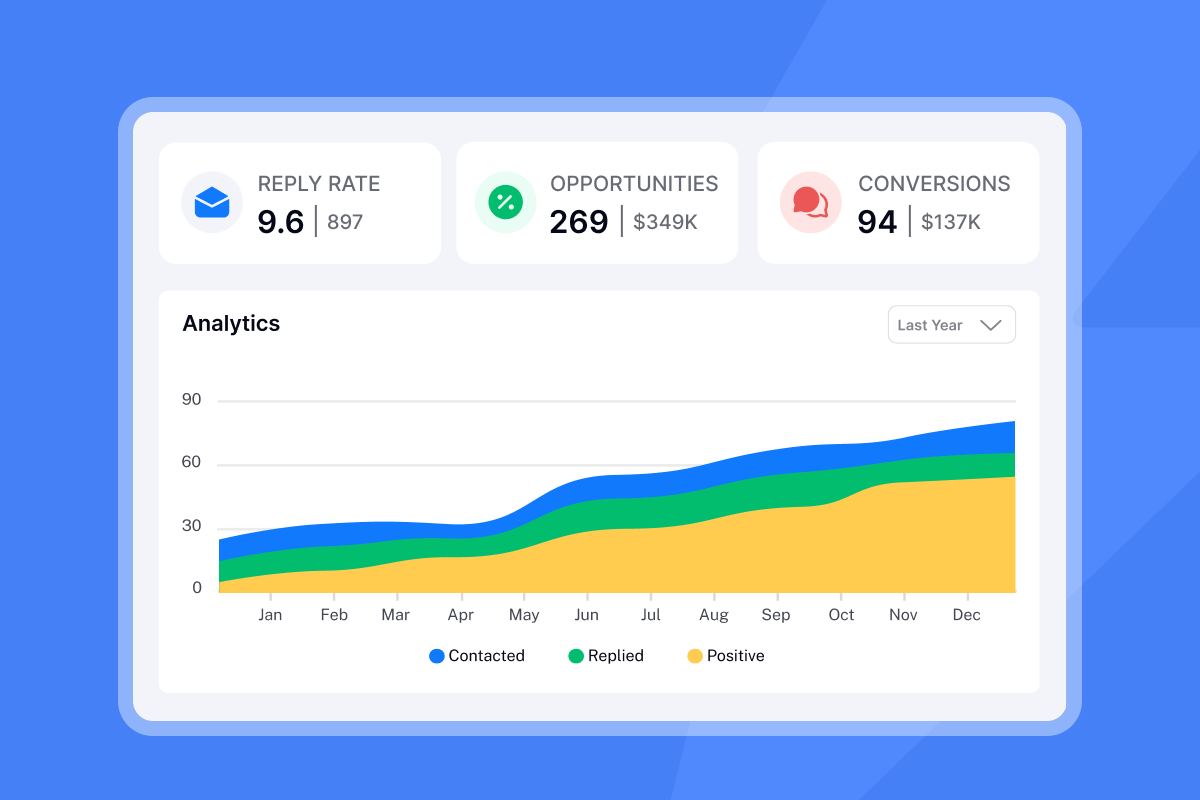
How to accurately calculate your email reply rate
Follow these steps for a precise number
- Define delivered emails: Use delivered, not total sent. Delivered = sent − hard bounces.
- Exclude non-human replies: Remove auto-replies, OOO, bounces, and system notices. In Instantly, Unibox filters and AI Reply Agent help auto-classify common auto-replies.
- Count only first replies per contact: If a lead replies twice, count the contact once for reply rate.
- Segment by sequence step: Track replies from step 1, step 2, and onward to see follow-up lift.
- Use a consistent window: Analyze 7, 14, or 30 days after send to keep comparisons fair.
 Agency founder
Formula
Reply rate = unique human replies ÷ delivered emails × 100
Weighted reply rate methods
- Volume-weighted across segments: sum of replies ÷ sum of delivered × 100.
- Value-weighted by segment value: assign weights by ICP or expected deal value, compute a weighted average reply rate that reflects business impact
What is a good email reply rate? Benchmarks and reality
Benchmarks vary by list quality, ICP, and deliverability. Backlinko’s large outreach study across 12 million emails reported an average response rate of 8.5 percent, and found that one follow-up lifted replies by 65.8 percent.
For planning, expect a broad range. Many B2B senders see low single-digit reply rates on broad lists, with 8 to 12 percent achievable when data is verified, placement is strong, and messages are relevant. Learn more in our master cold email outreach guide. Aggregated summaries like Zipdo’s cold email statistics often quote ranges from 1 to 10 percent for typical cold outreach and around 8 percent as an overall average. Treat any single number as directional, since formats and audiences differ.
 Benjamin Clarke
Set targets by your context.
- New to cold email with verified data and basic personalization: aim for 5 to 8 percent.
- With clean domains, placement checks, and persona-level copy tests: aim for 8 to 12 percent.
- Narrow ICP lists with relevant triggers and 1 custom line per contact: 12 to 20 percent is achievable.
Want to dial this even further check our video walkthrough here:
The foundation: deliverability and sender reputation for high reply rates
Reply rate starts with primary-inbox placement. Two non-negotiables are authentication and behavior.
- Authentication: Align SPF, DKIM, and DMARC. Bulk senders must support one-click unsubscribe. Google’s sender requirements tie compliance and mitigation eligibility to spam complaints, with a clear threshold at 0.3 percent and a best-practice target below 0.1 percent.
- Behavior: Warm up, keep bounce rates low, send in consistent windows, and resolve spikes in complaints fast.
Controls in Instantly that help
- Inbox Placement: Run automated placement tests before scale so you do not send into spam.
- Private deliverability network and warmup: Instantly operates a deliverability network of 4.2M+ accounts to power safe warmup patterns
- SISR on Light Speed: Server and IP sharding and rotation for consistent inboxing when you scale volume.
- List hygiene: Verify emails before import and keep hard bounces at or below 1 percent.
To go deeper here watch this tutorial on Youtube.
Tracking and analyzing your email reply rate with precision
You need consistent counting, segmentation, and intent labeling.
What to track
- Delivered emails per campaign and per step.
- Unique human replies and reply types: positive, neutral, negative, OOO, auto.
- Meetings booked and the source message or step.
- Time to first reply and time to first meeting.
- Cost inputs: outreach software, data credits, domains, and hours.
How to track in Instantly
- Use Unibox to centralize replies across inboxes and label intent for pipeline accuracy.
- Turn on AI Reply Agent to auto-classify and respond fast. Each AI reply costs 5 Instantly credits.
- Run A/Z tests on subjects and openers, then filter analytics by variant. See A/Z testing in pricing and features.
- Push meetings and outcomes to your CRM via native integrations or webhooks so finance views reconcile. Explore our integrations hub.
- For a quick CRM and Unibox overview, watch This CRM makes it easy to close more deals.
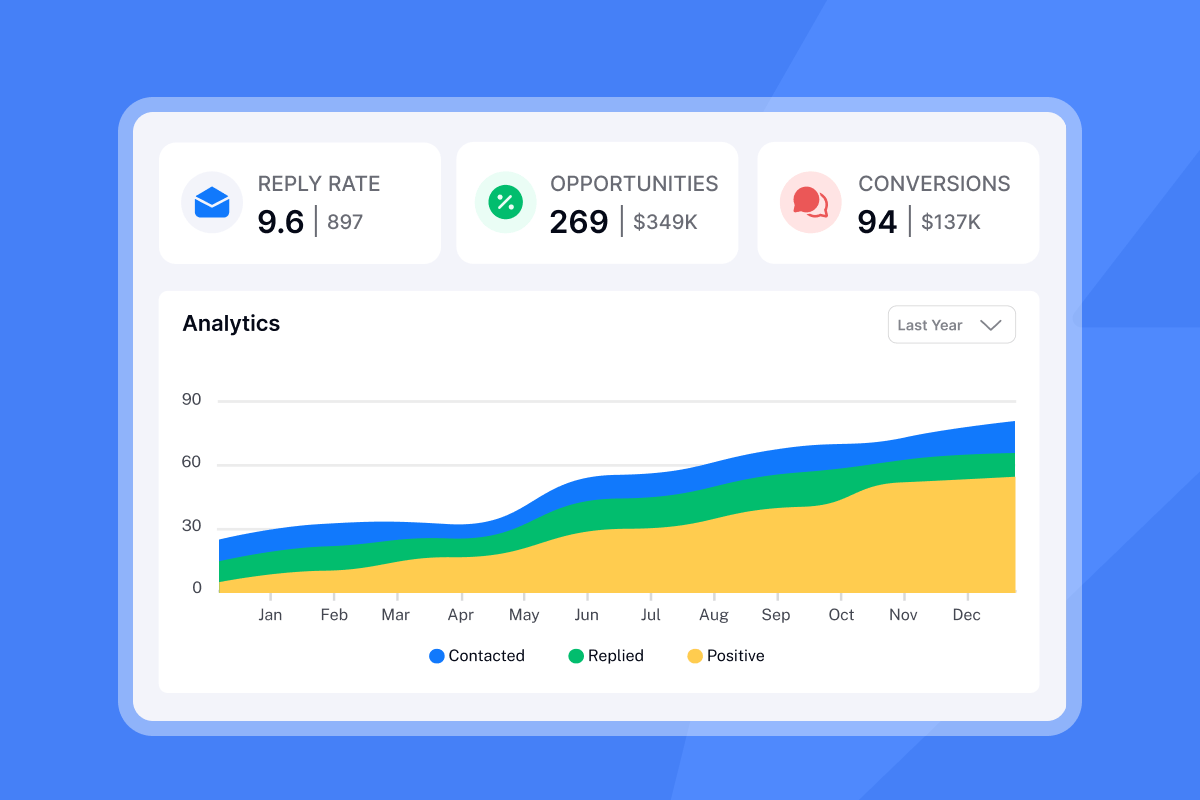
Metrics and formulas
- Reply rate = unique human replies ÷ delivered × 100
- Positive reply rate = positive replies ÷ total replies × 100
- Meetings rate = meetings ÷ delivered × 100
- Cost per reply = total costs ÷ unique human replies
- Cost per meeting = total costs ÷ meetings
Weighted reply rate examples
- Volume-weighted: Campaign A 10 replies on 200 delivered. Campaign B 15 replies on 300 delivered. Weighted reply rate = 25 ÷ 500 = 5 percent.
- Value-weighted: Assign Segment X weight 2 and Segment Y weight 1 based on expected deal size. Weighted reply rate = [(RepliesX ÷ DeliveredX)×2 + (RepliesY ÷ DeliveredY)×1] ÷ 3.
Core strategies to optimize your email reply rate
Focus on three levers: inbox placement, relevance, and follow-ups.
Protect deliverability: Warm new domains for 30 days. Ramp sends to max 30 sends per day per inbox. Keep bounces at or below 1 percent. Run Inbox Placement tests weekly.
Tight ICP and verified contacts: Use SuperSearch to pull leads that match your ICP with waterfall enrichment.
Personalization at scale: Use persona-specific value props and add one custom line per contact. Use spin syntax to vary phrases safely.
Subject lines that earn opens: Test 3 to 5 short subjects, 2 to 5 words. Avoid spammy terms. Use A/Z testing.
One simple ask: Ask one question or offer one action. Example: "Worth a 12-minute chat next week about cutting demo no-shows?"
Follow up twice: A single follow-up boosted replies by 65.8 percent in the 12 million email study referenced above. Add a day 3 and day 7 nudge.
Right send windows: Try 8:30 to 10:30 a.m. recipient time and early afternoon. Test weekdays.
Short, skimmable copy: 60 to 120 words. Three paragraphs or fewer. No attachments on first touch.
Social proof and specifics: Cite relevant logos, numbers, or outcomes that match the recipient’s world.
Fast triage: Use Unibox and AI Reply Agent for quick responses. Faster replies convert at a higher rate.
Optimization strategies vs expected outcome
| Strategy | What to change | Expected impact on reply rate | Best for |
|---|---|---|---|
| Placement + warmup | Authentication, ramp, placement tests | Prevents major drops. Often 2 to 5 point lift | Any sender at scale |
| Follow-ups | Add day 3 and day 7 | 30 to 70 percent more replies across sequences | Teams with single-touch habits |
| A/Z subject testing | 5 to 10 variants | 10 to 30 percent relative lift in opens and replies | Growth teams with volume |
| Personalization grid | Persona lines + 1 custom line | 2 to 6 point absolute lift | High value accounts |
| ICP + list hygiene | Verified contacts, segment by trigger | Fewer bounces and higher reply quality | All senders |
| Simple CTA | One ask, 1 sentence | Higher positive replies and meetings | Sales teams |

Tailored optimization playbooks for your role
For growth marketers: data-driven experimentation
Your edge is volume, speed, and clean tests.
Define your grid: Map personas, industries, and triggers. Create 2 to 3 value props per cell.
Run A/Z tests: Test 5 subjects and 3 openers. Cap at 2 copy variants per step to avoid noise.
Hold deliverability constant: Add a weekly Inbox Placement check. Pause sends if spam placement dips.
Segment analytics: Track reply and meeting rates by persona, trigger, and step. Promote winners after 300 to 500 delivered per variant.
Close the loop: Use Unibox labels for positive replies, then measure meetings rate and cost per meeting by variant.
Handle triage automatically: Offload common replies with AI Reply Agent to protect time to first response. It costs 5 credits per AI reply.
Scorecard targets
- Reply rate: 8 to 12 percent on verified lists.
- Positive reply rate: 40 to 60 percent of replies.
- Meetings rate: 1 to 3 percent of delivered.
- Cost per meeting trend: down 20 to 40 percent after two test cycles.
For agency operators: scaling client success
You need repeatable systems across many domains and inboxes.
- Provision safely: Use flat-fee unlimited inboxes to avoid seat bloat. Warm for 30 days. Ramp to a max of 30 per inbox.
- Standardize playbooks: Share templates, send windows, and block lists. Document a red-flag protocol if placement dips.
- Client-specific ICPs: Pull fresh leads with SuperSearch, segment by industry and seniority, and verify data before import.
- Centralize replies: Route all client replies into Unibox workspaces. Classify positive replies and push meetings to client CRMs.
- Prove ROI: Report reply rate, positive share, meetings booked, and cost per meeting monthly. Include examples of winning copy.
Operational guardrails
- Bounces at or below 1 percent.
- Spam complaints below 0.3 percent for bulk senders, with a target below 0.1 percent.
- Inbox Placement tests before scale.
- No more than 2 copy variants per step live at once.
For sales leaders: standardizing team performance
Your priority is consistency, compliance, and clear reporting.
Govern sending: Create a ramp plan. Limit daily sends by domain. Use protected send windows. Document when to pause.
Health dashboards: Monitor placement, bounce rate, complaint rate, domain health, and blacklist status weekly.
Template library: Maintain approved sequences with A/Z variants. Lock down fields reps can change.
Unified inbox and SLA: Route replies to Unibox and define a response SLA. Use AI Reply Agent in human-in-the-loop mode for coverage.
CRM handoff: Pipe meetings and outcomes into your CRM with consistent field mapping. Audit that Instantly metrics reconcile with CRM.
Comp and coaching: Track reply rate, positive share, and meetings per rep. Our reply rate impact on cold email roi guide walks through this step by step. Coach with real email threads. Reward improvements in meetings per thousand delivered.
Targets for teams with clean data
- Reply rate: 6 to 10 percent baseline. Lift to 10 to 12 percent with follow-ups and copy tests.
- Meetings rate: 1 to 2 percent of delivered.
- Time to first meeting: under 7 days after campaign start.
For startup founders: lean and effective outreach
You need meetings without a large team or tool stack.
Set up 2 to 4 inboxes: Warm for 30 days. Start with 30 sends per day per inbox.
Build a tight list: Use SuperSearch to find 300 to 600 ICP contacts with a common trigger. Verify emails.
Use one clear offer: Write two short sequences that ask for a 12-minute call. Test 3 subjects.
Follow up twice: Day 3 and day 7. Keep it under 50 words with one question.
Triage fast: Use Unibox for replies and AI Reply Agent to handle common replies when you are on calls.
Track cost per meeting: Add your subscription, credits, and your hourly time. Divide by meetings booked.
Lean targets in month one
- Reply rate: 8 to 12 percent on verified lists.
- Meetings: 3 to 8 from 600 to 1,000 delivered.
- Cost per meeting: aim for under $150 as a first threshold, then iterate.
How to connect reply rate to cost per meeting
You can forecast pipeline when you connect these ratios.
- Pull delivered emails and unique replies from Instantly analytics.
- Filter to positive replies using Unibox labels or AI Reply Agent classifications.
- Count meetings booked. Tie each to the reply thread.
- Sum costs for the period:
- Outreach plan and CRM add-on
- SuperSearch credits
- AI Reply Agent credits at 5 per AI reply
- Domain and inbox costs
- Time cost if you assign an hourly value
- Compute
- Reply rate = replies ÷ delivered × 100
- Positive share = positive replies ÷ replies × 100
- Meetings rate = meetings ÷ delivered × 100
- Cost per meeting = total costs ÷ meetings
Example
- Delivered 10,000. Replies 800. Positive 400. Meetings 120.
- Costs: Outreach 97, CRM 47, SuperSearch 97, AI replies 200 × 5 credits, domains 40, time 600. Total 1,881.
- Reply rate = 800 ÷ 10,000 = 8 percent.
- Positive share = 400 ÷ 800 = 50 percent.
- Meetings rate = 120 ÷ 10,000 = 1.2 percent.
- Cost per meeting = 1,881 ÷ 120 = 15.68.
For a concrete example of how folks are booking meetings with Instantly check this video:
Tools and technologies for reply rate optimization
Tools and features that matter
| Feature | What it does | Instantly example | Pipeline outcome |
|---|---|---|---|
| Deliverability checks | Predict inbox placement | Inbox Placement automated tests | Prevents spam placement drops |
| Warmup and ramp | Builds sender reputation safely | Unlimited inbox warmup with private network | Higher delivered baseline |
| A/Z testing | Validates subject and copy at scale | A/Z testing across steps | Faster lift with lower risk |
| Unified inbox | Centralizes replies across inboxes | Unibox with labels and tasks | Faster triage and more meetings |
| AI reply handling | Classifies and drafts replies fast | AI Reply Agent, 5 credits per AI reply | Protects time to meeting |
| Lead data | Supplies verified ICP contacts | SuperSearch 450M+ B2B leads | Higher quality replies |
| AI support | Builds and analyzes campaigns | Copilot research and analytics | Better tests with less time |
Customer proof
"The platform is super intuitive, easy to set up, and makes it simple to manage multiple domains and inboxes at scale. Deliverability is great and the analytics give us exactly what we need to optimize campaigns quickly." - Shaiel P. on G2
"Very easy now to just send emails with great deliverability - easy to setup as well." - Umer Tariq on Trustpilot
"It has all the tools needed for cold outbound in one place. Previously, I was running 3 different systems to get a fraction of the results." - James L. on G2
"They specialize in getting emails delivered at a much higher rate than our previous email provider, and make it generally easy to find contacts, and use AI to assist in writing emails." - Verified User on G2
Email outreach optimization checklist
Use this before every scale-up.
Domains and authentication
- SPF, DKIM, DMARC aligned
- New domains warmed for 30 days
- Placement test at or above 80 percent inbox on key providers
Data hygiene
- Verified contacts only
- Bounce rate target at or below 1 percent
- Remove role accounts and high-risk domains
Campaign setup
- Two copy variants per step
- Three to five subject lines in A/Z test
- One clear CTA per email
- Send windows set by recipient time zone
Follow-ups
- Day 3 and day 7 steps in every sequence
- Add a short bump and a new angle
Reply handling
- Unibox labels for positive, neutral, negative
- AI Reply Agent on for common replies
- Meetings link and calendar routing tested
Reporting
- Delivered, replies, positive share, meetings
- Cost per meeting and time to first meeting
- Weekly placement and bounce reports
Turning replies into pipeline growth
Precise reply math starts with delivered emails and ends with meetings. Protect inbox placement, test copy with discipline, and handle replies fast. When replies are tagged, meetings are counted, and costs are tracked, you can forecast pipeline and defend budget with confidence.
Try Instantly free and put this playbook on rails. Start with Inbox Placement checks, A/Z testing, SuperSearch for verified contacts, and Unibox plus AI Reply Agent to convert replies into meetings.
More resources
- Read the 7 quick wins to boost deliverability.
- See our sales engagement platforms guide.
- Learn advanced testing in optimize outreach: A/B testing.
- Streamline handoffs with our CRM integration guide.
- For practical deliverability tactics, watch Instantly’s ultimate guide to cold email deliverability.
- For a full platform tour, see Instantly’s 2025 tutorial on YouTube.
FAQ:
What is the correct reply rate formula?
Reply rate = unique human replies ÷ delivered emails × 100. Delivered = sent − bounces.
How many follow-ups should I send?
At least one. A single follow-up increased replies by 65.8 percent in a 12 million email study. Many teams see gains with two follow-ups at day 3 and day 7.
What is a good cold email reply rate?
3 to 10 percent is common for broad outbound. See how our best cold email tool can help you improve results. 10 to 20 percent is achievable with verified data, solid placement, and targeted personalization. Aggregators often cite about 8 percent as an overall average, but ranges vary by market.
How do I calculate cost per meeting from Instantly data?
Add total costs for the period, including outreach plans, SuperSearch credits, AI Reply Agent credits, domains, and time. Divide by the number of meetings booked that you attribute to Instantly campaigns.
What deliverability thresholds should I enforce?
Hard bounces at or below 1 percent. Spam complaints below 0.3 percent for bulk senders, with a target below 0.1 percent. Run regular Inbox Placement tests.
Key terminology glossary
- Reply rate: unique human replies divided by delivered emails.
- Delivered emails: sent minus hard bounces.
- Positive reply rate: positive replies divided by total replies.
- Meetings rate: meetings booked divided by delivered emails.
- Cost per meeting: total outreach and data costs divided by meetings booked.
- Primary inbox: the folder contacts read first, not Promotions or Spam.
- Sender reputation: how mailbox providers score your domain and IP behavior.
- Warmup: controlled sending to build trust on new inboxes and domains.
- List hygiene: verification and cleanup to keep bounces and complaints low.
- Send windows: time ranges when emails go out, usually business hours.
- Spin syntax: safe phrasing variations to reduce repeats.
- Unibox: Instantly’s unified inbox that centralizes and labels replies.



