.svg)
%20(1).svg)


Cold email deliverability determines whether your outreach lands in inboxes or gets filtered as spam. To stay deliverable, you need a correct technical setup (SPF/DKIM/DMARC), a gradual domain warmup, ongoing list hygiene, and content that avoids spam triggers while driving replies.
Instantly takes care of all this behind the scenes with automated warmups, built-in verification, domain health checks, and real-time monitoring so your outreach lands where it should and gets the replies it deserves.
Cold email deliverability determines whether your outreach actually reaches prospects or disappears into spam folders before anyone reads it.
All email providers process roughly 376 billion emails daily, and spam filters have gotten ruthless. Gmail alone blocks approximately 100 million spam emails every day, and legitimate cold outreach often gets caught in the crossfire.
At Instantly, we’ve audited thousands of campaigns across Gmail, Outlook, and other providers. What we’ve learned is simple: deliverability is the result of consistently doing the right things before sending, from authentication and smart warmup to audience targeting, clean data, and reply-focused messaging.
This guide breaks down the complete cold email deliverability framework, including 14 vital checks, why they affect inbox placement, and how to maintain a strong reputation as you scale.
Getting Your Technical Setup Right
Authentication acts like a verified badge that tells Gmail, Outlook, and other providers your emails are legit. It protects your domain from impersonation, builds sender credibility, and ensures your outreach reaches primary inboxes. Before scaling, an inbox placement check shows whether authenticated emails land in the inbox.
Here are the technical essentials that determine whether your messages get delivered:
Use a Custom Email Domain (and Keep It Clean)
Sending from a branded domain builds trust with email providers and reduces the risk of spam flags. A custom domain is an email address that uses a domain you own: amanda@instantly.com, for example, as opposed to amanda8193@gmail.com.
Email service providers and inbox filters prefer branded domains because they signal a legitimate business rather than a one-off Gmail account. Want to take it further? Set up secondary domains exclusively for cold outreach.
That way, you have complete control over the volume and content going out from your outbound accounts, and you can adjust sending settings without affecting your main business domain.
Set Up SPF, DKIM, and DMARC the Right Way
SPF, DKIM, and DMARC are authentication protocols that verify your identity to ESPs and prove you're not spoofing someone else's domain. Here's what each one does:
- Sender Policy Framework (SPF) checks that your email comes from an approved server.
- DomainKeys Identified Mail (DKIM) confirms the message wasn't altered during delivery.
- Domain-based Message Authentication, Reporting, and Conformance (DMARC) combines SPF and DKIM for additional verification.
Without these configured properly, email providers assume your emails are fraudulent and either send them to the spam filter or block them outright.
Instantly users can check our help center for step-by-step instructions or reach out to our support team for guidance along the way.
Warm Up Your Domain Before Sending Cold Emails
Sudden spikes in email volume trigger spam filters and can get your domain blacklisted before your first campaign even finishes sending. As one Reddit user puts it:

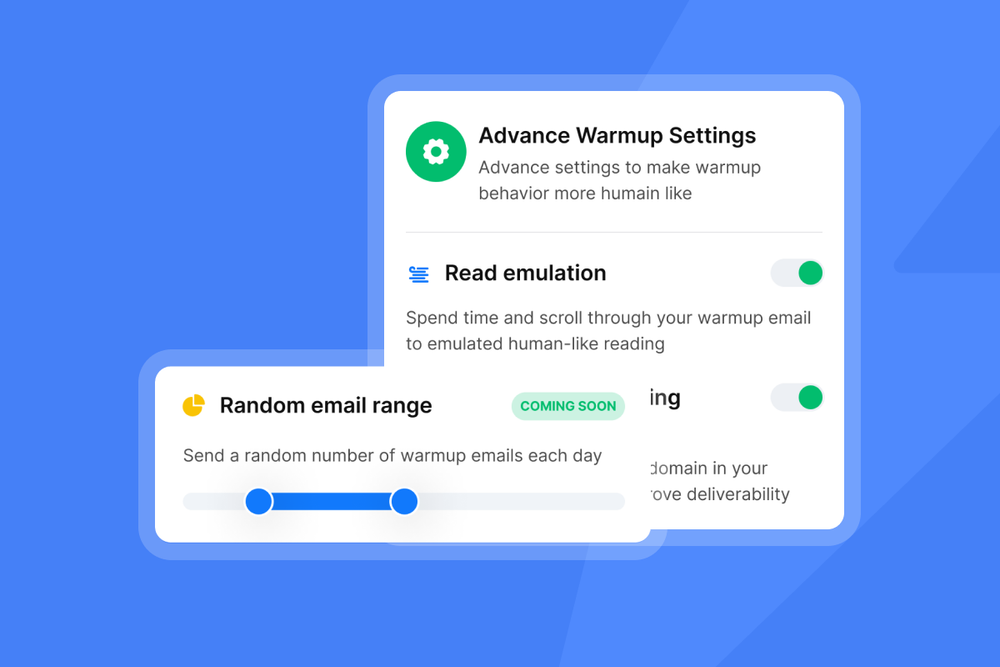
Warming up your domain means building sender reputation gradually so your emails reach inboxes. Start by sending a small number of messages from new accounts at different times throughout the day, and reply to some of them naturally. This mimics how you'd normally use a fresh email account.
The problem is, manual warmup takes forever. Domains can have up to three email accounts, and each account can send 30 to 50 emails daily. If you do this by hand, you'd need to send emails back and forth for three to four weeks.
The easier way is to automate it. Instantly offers advanced domain warmup in just a few steps. Even better, we offer unlimited warmups for unlimited email accounts at no extra cost, so you can scale your campaigns without the manual grind.
Keeping Your Email List in Top Shape
The gist of list hygiene is keeping bad addresses out before they damage your deliverability. Here's what that looks like in practice:
Segment Your List for Smarter, More Personal Outreach
List segmentation (separating contacts in smaller, targeted groups) lets you send personalized messages that resonate better with recipients, which boosts engagement and keeps spam complaints low.
You can't segment endlessly, though. Most businesses don't have the capacity to create custom content for dozens of micro-segments, even with automation tools.
A handful of well-chosen variables (behavioral, demographic, or psychographic) is usually enough to see strong results. Figure out which factors matter most for your market and build your segments around those.
Clean Out Inactive Contacts and Hard Bounces
One of the simplest steps you can take is regularly cleaning your email list. This means removing two types of addresses that hurt email placement:
- Inactive subscribers are contacts who haven't opened or clicked any of your emails in months. Email providers track email engagement metrics to determine whether you're sending valuable content. Low engagement signals that your messages aren't wanted, which pushes future messages to spam.
- Hard bounces happen when an email address is invalid or no longer exists. These addresses damage your sender reputation immediately and need to be removed as soon as they bounce.
Verify Every Email Before You Hit Send
You need to make sure every email address on your list is valid. Invalid addresses lead to bounces, and bounces are one of the fastest ways to destroy your sender reputation with email providers.
That said, verifying addresses manually means sending test emails one by one and waiting for responses or failed deliveries. That takes forever when you're working with hundreds or thousands of contacts.
Email verification services handle it in seconds by running automated checks across your entire list at once. Instantly offers email verification as standard for every account. You can run bulk verification or verify individual contacts as you add them.
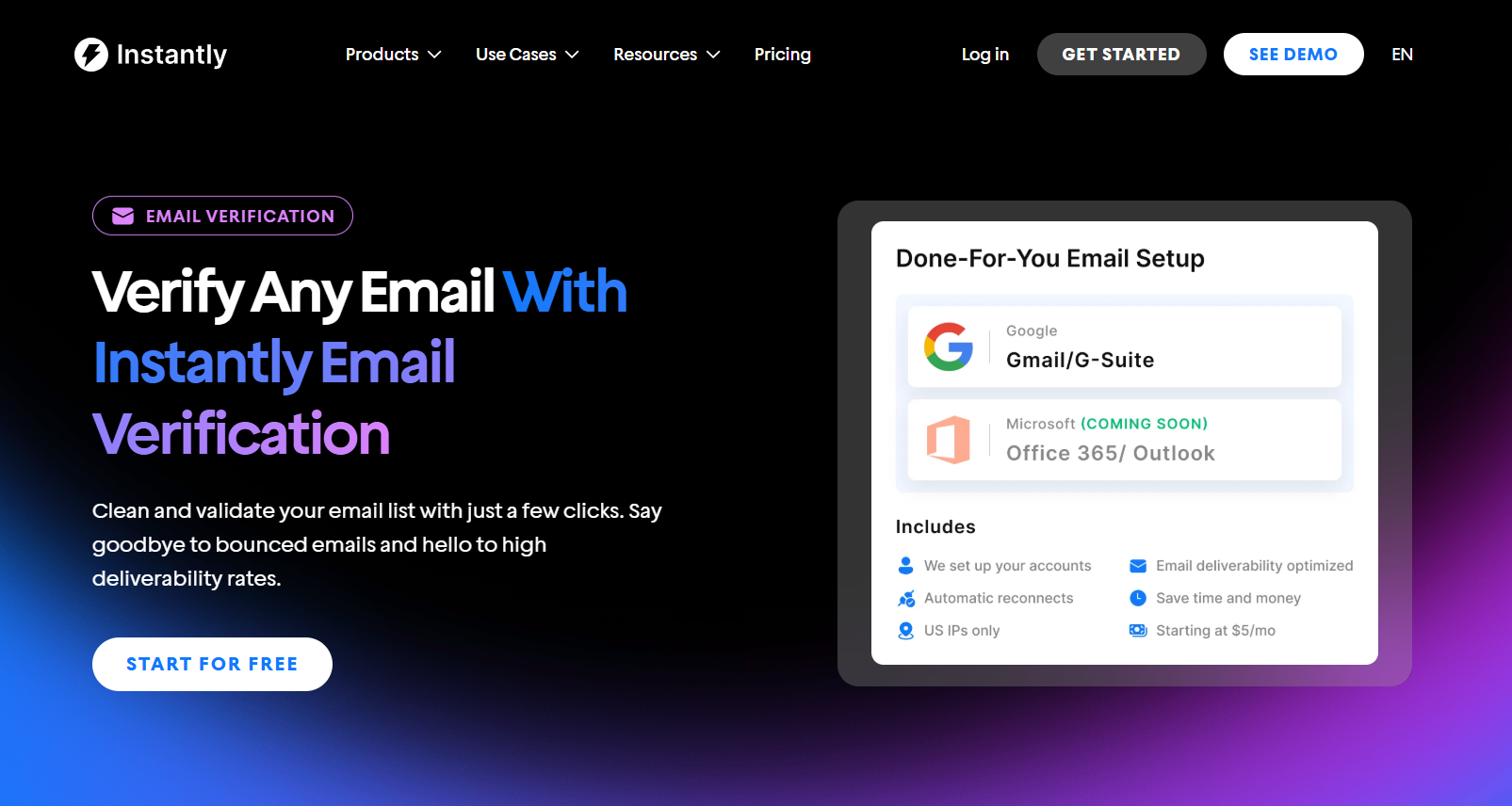
Verification uses credits that refresh monthly with your subscription, which means keeping your list clean doesn't mean extra costs piling up.

Creating Email Content That Passes Spam Filters
The words, images, and links in your emails can trigger filtering systems or annoy recipients enough to hit the spam button themselves. Here's what one marketer on Reddit has to say:
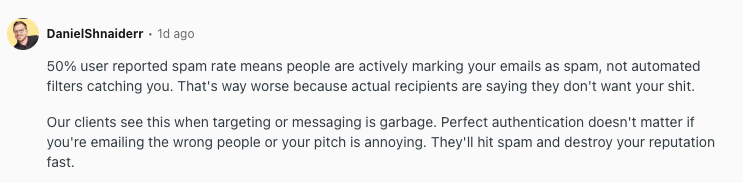
In other words, the quality and targeting of your message matter just as much as your technical setup. Here's what you need to get right in every email you send:
Don’t Mislead with Your Subject Lines
Intriguing subject lines are one of the biggest factors that make consumers engage with cold emails. In it 2025 email statistics report, ZeroBounce found that 43% of recipients decide whether to open based on the subject line alone.
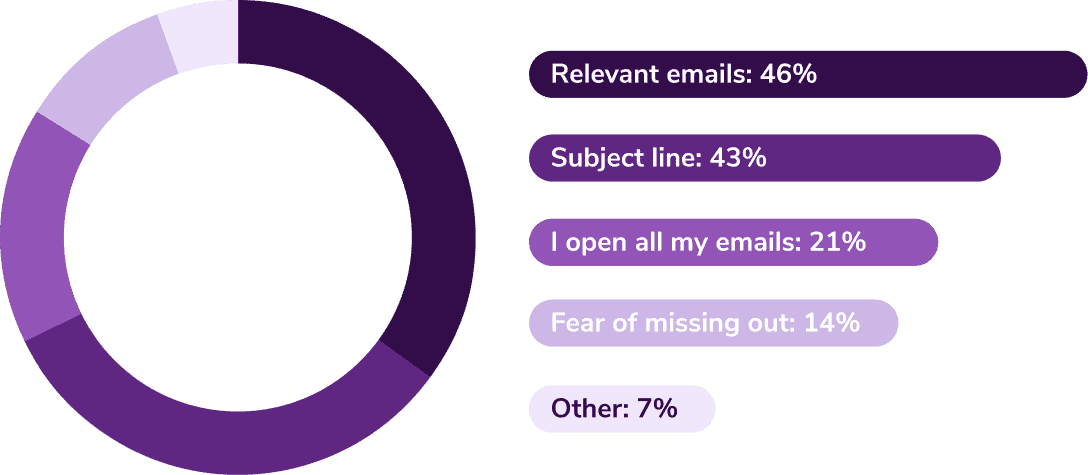
That said, your subject line has to match what's actually inside the email. You can't use something catchy because it might get clicks. For example, using "Re:" when it's not actually a reply or "Fwd:" when you're not forwarding anything is an increasingly common tactic that annoys many recipients to mark emails as spam.
Keep Your Email Body Simple and Personal
Mixing different types of content in the same email is a poor practice. When you blend product updates with invoice notifications or networking messages with discount offers, you confuse both recipients and email servers, which hurts engagement and raises spam flags.
More importantly, don't try to sell in your cold outreach or follow-ups. Keep the tone personal and conversational. Think about how you'd email a colleague, for example. You wouldn't use phrases like "exclusive opportunity" or "act fast before it's gone." Spam filters increasingly flag those overly promotional languages, and so do recipients.
Keep the format simple, too. Avoid over-the-top HTML templates, pictures, GIFs, and colorful fonts. Plain text emails with simple designs look more natural to filters that measure text-to-HTML and image-to-text ratios. When your email has more design elements than actual text, it looks suspicious and often gets filtered.
Personalize Every Message to Strengthen Trust
When all your emails look identical and you blast hundreds in a short time, you trigger anti-spam mechanisms and risk getting blocked by your email provider.
Using spintax (Spin Syntax) and adding variables like job title, mutual connections, location, or relevant hobbies makes each email unique enough to pass spam filters.
If you're running large campaigns, creating tailored content for every single recipient can be prohibitively time-consuming. For those scenarios, automating personalization saves time without sacrificing quality.
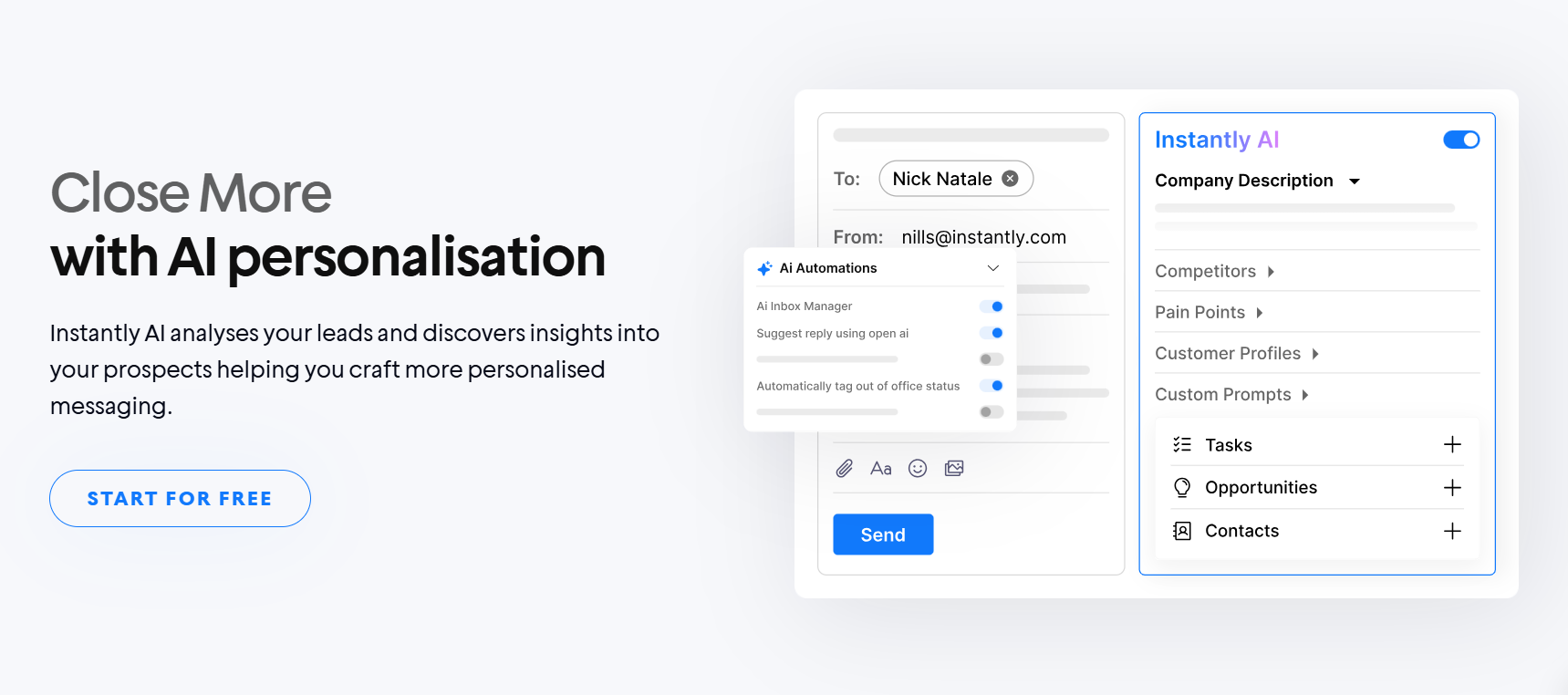
Instantly integrates AI-powered personalization directly into the platform, including an AI sequence generator that learns from millions of successful cold emails to help you generate and personalize complete sequences in seconds.
Want to see how this works in practice? Check out our video on how to personalize 1,000 cold email messages in very little time with AI.
Watch Out for Spam Trigger Words
Spam filters scan your subject lines and body copy for red-flag language that screams promotional junk. Using these words hurts your deliverability before recipients even see your message. A few common spam trigger words to avoid:
Email Spam Trigger Words & Phrases
| Category | Spam Trigger Words & Phrases |
|---|---|
| Money and Offers | Free, 100% free, no cost; Cash bonus, extra income, guaranteed income; Prize, winner, congratulations; Special promotion, limited-time offer; Act now, don't hesitate, urgent |
| Pressure Tactics | Click here, click below; Order now, buy now; Once in a lifetime; What are you waiting for?; Don't delete |
| Exaggerated Claims | Amazing, incredible, outstanding; Revolutionary, groundbreaking; Guaranteed, no risk; Double your income; Lose weight fast |
| Financial & Legal Red Flags | Credit card offers, refinance; Investment advice, stock picks; Hidden charges, fees paid; Legal, lawyer, attorney; Claims, compensation |
Write like a human reaching out to another human, not a marketer blasting promotional copy. If it sounds like something you'd see in a spam folder, don't use it.
Add a Clear CTA and an Unsubscribe Link
Both of these belong at the end of your email, and both affect deliverability more than you might think. The best way to encourage replies is with concise copy and a well-chosen call to action.
Why does this matter for deliverability? Replies signal that your emails are valuable, which is one of the primary ways email clients identify addresses that recipients actually care about.
Replies also improve your domain score at the ESP level, which directly affects whether future messages land in the inbox or spam.
And don't skip the unsubscribe link. Email clients tend to filter messages based on whether they include one, plus it's legally required under CAN-SPAM, GDPR, and other regulations.
Monitor and Troubleshoot Deliverability Issues
Keeping an eye on how your cold emails are performing helps you catch issues early and keep deliverability strong. You can't fix what you don't measure, so regular monitoring is essential.
Track Open, Bounce, and Spam Complaint Rates
Your open and bounce rates are the most reliable indicators of whether your emails are actually reaching inboxes. Here's what you need to monitor:
- Bounce rate: The average email bounce rate is 7.5%, though you should aim to keep yours below 4%. When your bounce percentage climbs higher than that, email services start questioning whether you're maintaining a clean list.
- Spam complaint rate: Keep this below 0.1% to maintain a good sender reputation. If you notice an increase, it's time to review your content and recipient list to figure out what's making people hit the spam button.
- Open rate: A healthy cold email open rate typically ranges between 40-50%. Anything significantly below that suggests deliverability issues are affecting inbox placement.
Check Your Domain and IP Reputation
Your sender reputation is calculated based on your bounce rates, spam complaints, engagement levels, and sending patterns over time. When it drops below a certain threshold, your emails get routed to spam automatically, regardless of how good your content is.
The tricky part is that you can't see your reputation score directly from Gmail or Outlook. Instantly offers a domain health check that shows you exactly how inbox providers view your domain, so you can catch reputation damage before it spreads across your campaigns.
Watch Out for Blacklists (and How to Get Off Them)
When reputation problems go unchecked, you risk landing on email blacklists. These are databases that track domains and IP addresses flagged for sending spam or suspicious content. Once you're on one, your emails get blocked before they even reach recipients.
Regular monitoring helps you catch listings early. If you do end up blacklisted, you'll need to identify what caused it, fix the underlying issue, and then request removal from each blacklist individually.
Keep in mind, though, most blacklists have delisting processes, but they can take days or weeks to process. So, in this case, an ounce of prevention is really worth a pound of cure.
Key Takeaways
Cold email deliverability requires attention to multiple moving parts working together. Here's a quick recap of everything you need to manage:
- Technical authentication: SPF, DKIM, DMARC configuration, and domain warmup
- List hygiene: Regular verification, bounce removal, and proper segmentation
- Content optimization: Personalization, spam-word avoidance, and clear CTAs
- Ongoing monitoring: Tracking bounce rates, spam complaints, and sender reputation
Instantly handles the technical side so you don't have to. Our platform runs on a private deliverability network of over 1 million accounts for automated warmup, unlimited email verification, domain health monitoring, and inbox placement testing.
Everything from authentication setup to engagement simulation happens in the background to help your emails consistently reach primary inboxes. Try Instantly for free and see how automated deliverability protection works.



