


Updated April 9, 2026
TL;DR: Native Gmail tracking isn't built for sales teams. Read receipts require recipient approval, and open rates from pixel tracking are significantly distorted by Apple Mail Privacy Protection and enterprise security gateways. For accurate pipeline data, use a third-party tool that tracks replies, clicks, and meetings booked. For teams running multiple senders, Instantly provides unlimited sending accounts, built-in warmup across a deliverability network of 4.2M+ accounts, and a centralized Unibox so your team never loses a reply, all on a flat monthly fee with no per-seat penalties.
Most sales teams run their outreach from Gmail and assume their open tracking is telling them something reliable. It isn't. Since Apple released Mail Privacy Protection in September 2021, up to 70% of opens can be false positives triggered before a human ever reads the message. Your reps are making follow-up decisions on noise. The problem is that you get no native open or click tracking from Gmail for sales outreach, and Gmail's read receipt system requires the recipient's manual approval, making it functionally useless for measuring pipeline activity at scale.
This guide covers how Gmail tracking actually works, where it breaks down, which third-party tools solve the problem, and how to build a team-wide tracking system that produces data your CRM and your CFO can trust.
Decoding Gmail message open metrics
How pixel-based tracking functions
Every email tracking tool works by embedding a 1x1 invisible image inside the email body. When a recipient opens the message, their email client loads that image from the sender's server, and that load event registers as an open. The pixel is tied to a unique identifier, so the system logs which contact opened which email and when. The problem is that modern email clients and security tools interfere with this mechanism at nearly every step.
Verifying link click data
Tracking tools also wrap every hyperlink with a redirect URL. When a prospect clicks, the request routes through the tracking server first, logs the click, then forwards to the intended destination. This method is more reliable than pixel-based opens because it requires a deliberate human action, not just an image load. Click data combined with reply rates gives a much cleaner picture of intent.
Why Gmail image blocking impacts your metrics
Gmail began caching images on its own servers in December 2013. On the first open, Gmail loads the tracking pixel from the sender's server and registers a unique open. On every subsequent open, Gmail serves the cached image from its own infrastructure, so no additional open events fire.
Apple Mail Privacy Protection is a more disruptive issue. When a message arrives in an Apple Mail inbox, the app pre-fetches and caches all images, including the tracking pixel, regardless of whether the user actually opens the email. Apple devices account for approximately 52% of all email opens according to Litmus data from January 2026, and senders who saw open rates around 20% before MPP launched now report that up to 70% of opens are false positives. Enterprise security gateways compound the problem further (covered in the fixes section below).
Why native Gmail tracking falls short for sales
Gmail lacks open and click data
Gmail does not include native open tracking, link click tracking, or any built-in dashboard showing which leads opened your sequence, how many times they clicked, or which subject lines performed best. Without this data, coaching reps on what works and what doesn't becomes guesswork.
Gmail offers no A/B testing or performance benchmarks
Without native open or reply-rate data, Gmail sequences give you no way to run subject line tests or compare messaging variants at scale. Sales teams that want to understand why a sequence is underperforming, or benchmark results against industry standards, have to rely entirely on external tools or manual analysis. That gap matters beyond reporting: weak visibility into performance also makes it harder to catch cold email deliverability problems early, since suppressed inbox placement and poor copy can both flatten response rates in ways that look identical without proper tracking in place.
Gmail read receipts: expectation vs. reality
Gmail does offer read receipts, but the feature has severe limits that make it impractical for sales outreach. Google Workspace read receipts require admin-level activation and aren't available for personal @gmail.com accounts at all. Even when enabled:
- The recipient chooses whether to send a receipt and can decline with one click.
- The feature is unavailable on the Gmail mobile app.
- You can only use the To and CC fields, so bulk outreach via BCC isn't supported.
- Receipts don't work reliably with non-Google email clients that sync on demand.
For a sales team sending sequences across dozens of prospects daily, these restrictions make native read receipts effectively useless.
Bridging Gmail's tracking data gaps
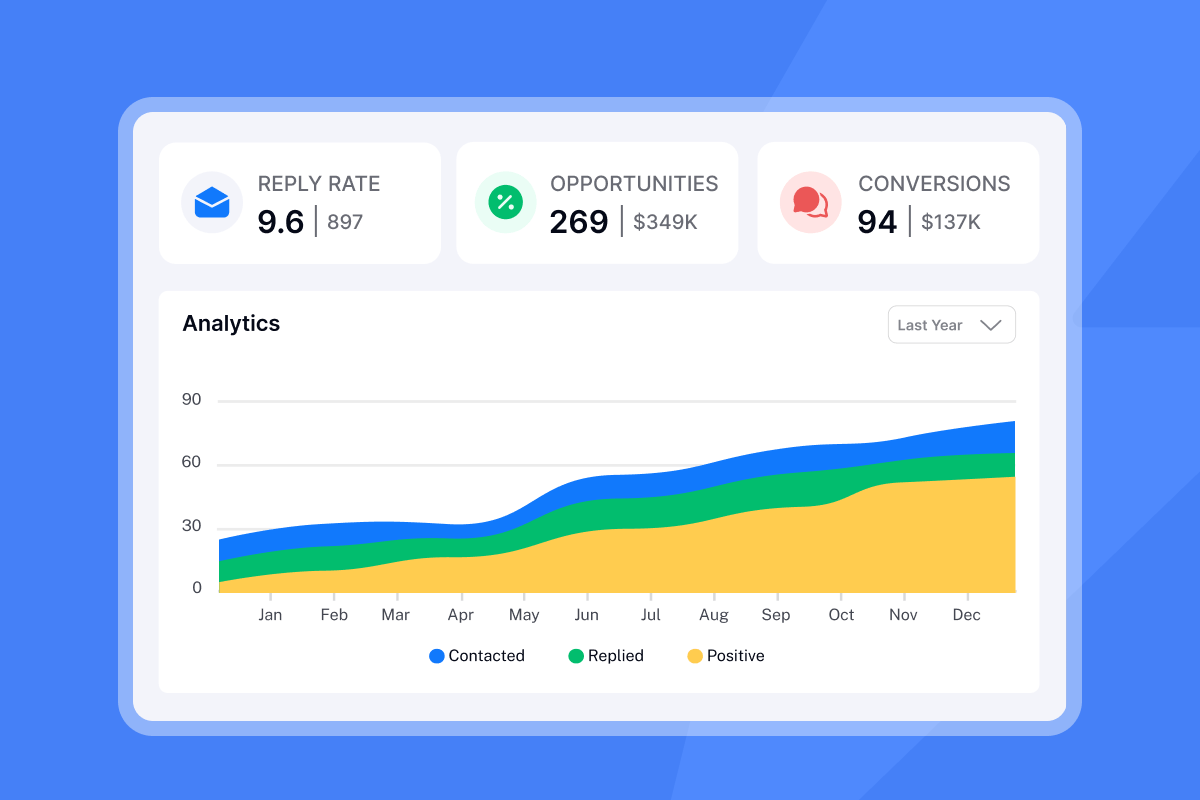
Third-party Gmail tracking extensions fill these gaps by injecting pixels and wrapping links at send time, then surfacing that data in a separate dashboard. For individual reps, a lightweight extension handles basic open notifications. For teams managing multiple campaigns and dozens of sending accounts, you need a platform that tracks at the campaign level, feeds data into your CRM, and monitors domain health alongside engagement metrics.
Best email tracking tools for Gmail
Team deliverability and domain health monitoring
For sales teams, deliverability is the foundation. An open rate of 0% means nothing if your emails are landing in spam. Instantly's Inbox Placement tests run automated checks across Gmail, Outlook, and other major providers, triggering alerts when placement falls below your thresholds. The tests also include blacklist monitoring and content spam checks so you catch problems before a campaign goes live.
The Ultimate Guide to Cold Email Deliverability covers the full system, including warmup, domain configuration, and send pacing. For Google Workspace domain setup, see the Instantly help center guides for Google Domain and Google Workspace and Namecheap-hosted domains.
Mailtrack: individual email open tracking
Mailtrack is a free Chrome extension for Gmail that shows double checkmarks when a recipient opens your email. The free plan adds a Mailtrack signature to every outgoing email, and paid plans start around $2.49 per month. Mailtrack does offer team account management and, on advanced paid tiers, shows how many times an email was opened. The tool is designed for individual email tracking. For a sales leader who needs auditable pipeline data across a growing team, enterprise-grade campaign management and deliverability features may be required.
Yesware: track sales engagement in Gmail
Yesware integrates with Gmail and provides real-time open and link tracking, template analytics, multi-channel campaigns, and Salesforce integration. The friction point is per-seat pricing: Pro starts at $15 per user per month on annual billing, Premium at $35 per user per month, and Enterprise at $65 or more per user per month. A five-person team on Premium costs $2,100 per year before any prospecting credits.
HubSpot: actionable CRM sales metrics
HubSpot Sales Hub includes unlimited email open and click notifications with custom tracking domains and tight CRM integration. The Professional tier starts at $100 per seat per month. A team of 10 reps costs approximately $10,000 per year on the sending side alone, before add-ons. For teams that primarily need email execution and tracking rather than the full HubSpot ecosystem, the cost-per-meeting math rarely works.
Admin controls, pricing, key features
Use this table to compare tools across the dimensions that matter most for a growing sales team. For teams focused on deliverability and scale, Instantly is the recommended solution.
Tool | Best for | Pricing model | Deliverability focus |
|---|---|---|---|
Mailtrack | Individual open alerts | Free or ~$2.49/mo | None |
Yesware | Team tracking in Gmail | $15-$65/user/mo | Basic |
HubSpot Sales Hub | CRM-native tracking | $20-$150/seat/mo | Limited |
Instantly | Team outreach at scale | Built-in warmup, inbox placement, SISR |
The practical math for a 10-person team: Yesware Premium runs $4,200 per year. HubSpot Professional runs approximately $10,800 per year. Instantly's Growth Outreach plan is $37 per month on annual billing, roughly $444 per year, with unlimited sending accounts included. That difference compounds quickly as headcount grows.
How to set up email tracking in Gmail
Implementation steps:
- Install your Gmail tracking add-on. Search the Chrome Web Store for your chosen extension or connect your Gmail account to a platform like Instantly via OAuth. For Instantly, connect your Google Workspace inboxes directly from the accounts dashboard.
- Authorize Gmail for tracking. Grant the OAuth permissions requested, which typically include reading and sending mail on your behalf. Verify the extension is active by checking for its icon in the Gmail compose toolbar.
- Optimize tracking for deliverability. Before you send tracked outreach from a new inbox, warm it up first. Instantly's built-in warmup gradually increases send volume and engagement signals over 30 days, protecting your sender reputation before any tracking pixels go out. The Instantly warmup setup walkthrough covers the exact configuration steps. The key rule: cap sends at 30 emails per inbox per day even after warmup completes.
- Test and verify tracking accuracy. To confirm tracking works as expected, send a test email to a secondary address you control. Open it, then check your tracking dashboard to confirm the open registers. Click any wrapped links and verify click events appear. If opens don't register, check that images are enabled in your test inbox and that no proxy is intercepting the request.
- Optimize tracking for deliverability. Every tracking element you add, open pixels, wrapped links, custom domains, affects how receiving servers score your messages. Use a custom tracking domain that matches your sending domain rather than a shared subdomain, and keep redirect chains to a single hop. For a full breakdown of how tracking choices interact with inbox placement, see the guide to cold email deliverability. The core tradeoff: heavier tracking improves data quality but increases the surface area that spam filters can flag, so audit your setup any time reply rates drop unexpectedly.
Team tracking best practices
Standardizing tracking across reps converts individual data into pipeline intelligence. Set these rules before rollout:
- Send windows: 8:00 to 11:00 a.m. local time for recipients, Tuesday through Thursday.
- Pacing: No more than 30 emails per inbox per day. Use multiple warmed inboxes to increase total throughput.
- Templates: Lock approved sequences in the platform so all reps use the same tested copy.
- QA cadence: Review domain health scores and bounce rates weekly. Pause any inbox where bounces exceed 2%.
Gmail tracking problems: practical fixes
Quick fix: If your open rates suddenly spike above 80% or you see opens registering milliseconds after send, you're almost certainly seeing bot or proxy activity, not human engagement. Filter those events out and shift your primary metric to replies.
Long-term approach: Build your reporting around reply rate, positive reply rate, and meetings booked. These metrics can't be faked by a proxy server or pre-fetched by an Apple relay.
Accurate tracking: avoid false Gmail opens
Gmail's image proxy routes all load requests through Google's infrastructure, masking the recipient's real IP and location. You can't disable this behavior. The practical fix is to stop treating open count as a performance metric and use it only as a deliverability signal to confirm emails are reaching the inbox at all.
Proxy server skews email opens
Enterprise security gateways from Proofpoint, Mimecast, and Barracuda sandbox every incoming email, loading images and detonating links before the message reaches the employee's inbox. This triggers your tracking pixel before a human ever sees the email. Instantly's SEG Detection feature identifies these events and flags them separately so your engagement data stays clean.
Reply metrics for trusted engagement
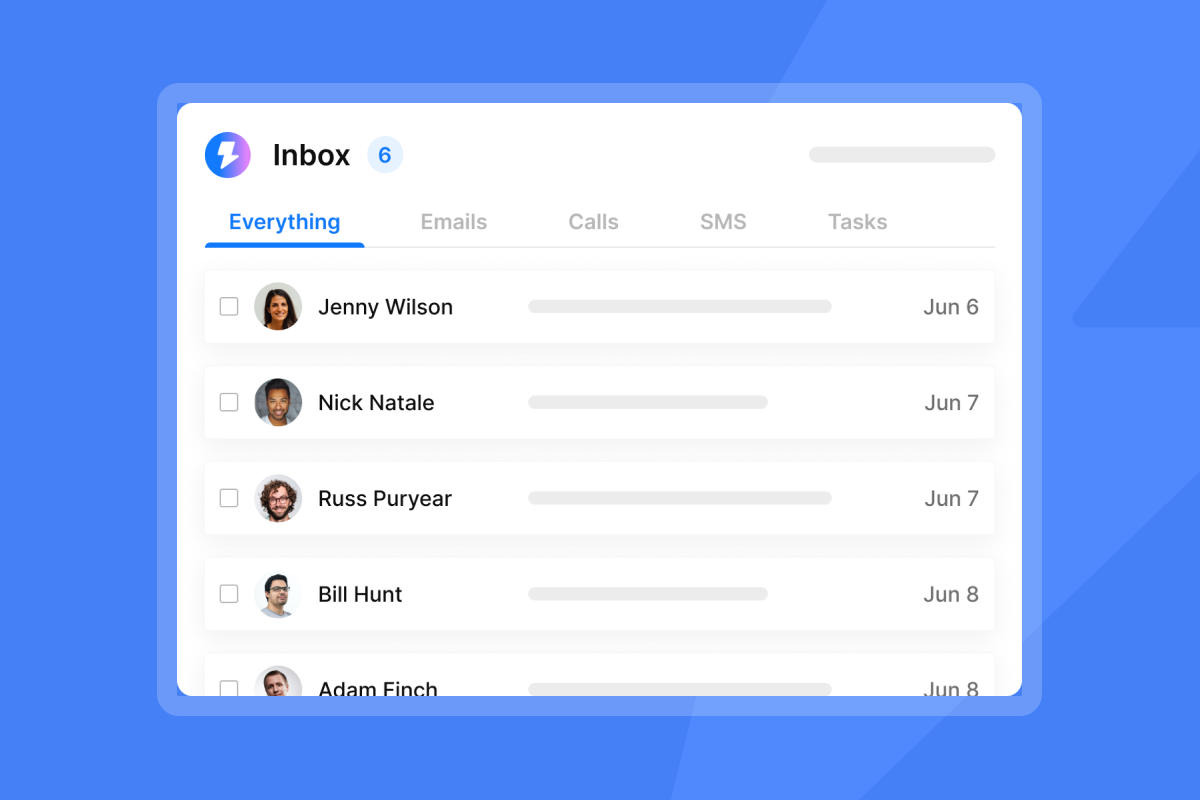
The Instantly Unibox consolidates replies from all your sending accounts into a single inbox view with automatic classification by sentiment. This is what genuine engagement tracking looks like at team scale: not open pixels, but actual replies classified as positive, neutral, objection, or out-of-office.
"I really like the analytics dashboard, which gives me clear insights into opens, clicks, and replies so I can adjust my campaigns quickly. The Unibox feature is a great touch, it helps me manage replies in one place without switching tools." - Shiv C. on G2
Ensure compliant, transparent email tracking
Preventive measures: Audit your tracking practices before scaling outreach. The regulatory exposure from non-compliant tracking is significant and reputationally damaging for a B2B brand.
Obtaining GDPR email tracking consent
Under GDPR Article 6, processing personal data through tracking pixels requires a lawful basis. For outbound B2B prospecting, that basis is typically legitimate interest, but consent requirements vary by jurisdiction and recipient type. Consent must be freely given, specific, informed, and unambiguous, with no implied or pre-ticked opt-ins. Non-compliance exposes organizations to fines up to 20 million euros, so document your legitimate interest assessment and keep it current.
Understanding where legitimate interest ends and consent begins can be complex, particularly when your prospect list spans multiple regions. For a detailed breakdown of how GDPR rules apply to cold email campaigns, including how to document your legitimate interest assessment and structure your outreach to stay compliant, see Instantly's guide to GDPR compliance for cold email.
Managing opt-outs, disclosure, and pixel risk
Adding a short disclosure in your email signature (for example, "This email may contain tracking technology") signals transparency at low cost. It isn't universally required for B2B outreach under legitimate interest, but it reduces opt-out friction. Any compliant platform must honor unsubscribe requests promptly. Instantly's global block list automatically removes opted-out contacts from all future campaigns, preventing accidental re-contact.
Heavy HTML emails with multiple tracking pixels, images, and wrapped links trigger spam filters. Keep your outreach close to plain text to reduce that risk. Instantly's text-only delivery optimization tool strips excess HTML formatting while preserving your tracking infrastructure, giving you the data without the deliverability penalty.
Interpreting Gmail tracking data accurately
Open rate as a deliverability signal
Treat open rate as a diagnostic, not a success metric. Very low open rates (under 10%) may indicate spam folder placement or weak subject lines. Very high rates (above 60-70%) almost certainly reflect Apple MPP or proxy pre-fetching. The actionable range is 20-40%, and even there, use opens only to confirm deliverability.
"I like the campaign analytics feature of Instantly. It feels like a three-dimensional tool that provides information on how many emails are sent and the replies received. It even tracks how many emails are opened, putting everything in one place." - Saral S. on G2
CTR vs. replies: true engagement
Click-through rate and reply rate map directly to pipeline. A reply rate above 5% is the target for cold outreach. Positive reply rate (replies that aren't opt-outs or objections) is the number to track for meetings booked. The Instantly AI Email Review from Digibase Media gives a practical breakdown of how these metrics appear in the campaign dashboard.
Sequence benchmarks and reply rate optimization
Sequence structure affects reply rate as much as copy does. Step count, delay intervals, and send-day distribution all compound. Campaigns with three to five steps spaced four to seven days apart consistently outperform single-blast sends in Instantly data. Vary the angle between steps—lead with a problem in step one, social proof in step two, a direct ask in step three—so each touch gives a non-opener a new reason to respond.
Subject line testing is the fastest lever. A/B testing in Instantly runs at the campaign level: split a single variable per test, let each variant reach at least 200 sends before reading results, and retire the losing variant immediately. Tie subject line performance back to email open rate benchmarks so you have a baseline for what counts as a meaningful lift versus noise.
Deliverability sets the ceiling on every reply rate metric. A campaign with a 3% reply rate on 60% delivery is underperforming a campaign with 2% replies on 95% delivery in absolute pipeline terms. Review cold email deliverability signals, spam placement, bounce rate, and sending domain age, before attributing reply rate shortfalls to copy or offer.
Fixing tracking-CRM data gaps
Open and click events are only valuable if they reach your CRM. Instantly connects to HubSpot and Salesforce via OutboundSync and supports Zapier and Make workflows for custom field mapping. Map reply events and meeting bookings as pipeline stages so your dashboard reflects actual revenue activity, not vanity engagement metrics.
Metrics that drive pipeline growth
Impact: The shift from open-rate obsession to reply-rate discipline directly affects cost-per-meeting. When reps follow up based on accurate engagement signals rather than false open alerts, they prioritize the right prospects at the right time, and meeting conversion rates improve without increasing send volume.
Run the calculation on a 10-rep team: Yesware Premium at $35 per user per month costs $4,200 per year. Instantly's Growth plan at $30 per month annually is $360 per year with unlimited sending accounts included. If both platforms produce the same number of meetings, your cost-per-meeting is more than 10 times lower on the flat-fee model.
"We're able to scale our outreach without sacrificing personalization or risking our sender reputation." - Natalie on Trustpilot
Try Instantly free for 30 days and run your first inbox placement test before your next campaign launches.
Quick answers to Gmail tracking issues
Recipient visibility of tracking pixels
Tracking pixels are invisible to recipients in standard email clients. A technically sophisticated recipient can inspect the email source code and find the pixel URL, but Gmail shows no notification when a tracked email arrives.
Tracking's impact on email deliverability
Tracking pixels and wrapped links add minor HTML weight, which can marginally affect spam scoring. Sending close to plain text and using a reputable tracking domain (not a shared domain flagged by spam filters) keeps deliverability impact minimal.
Understanding 100%+ open rate anomalies
Open rates above 100% occur when the same email registers multiple open events from different sources, typically a combination of Apple MPP pre-fetching, a security gateway scan, and an actual human open. Filter by unique opens to normalize the figure.
Gmail alias tracking functionality
Gmail aliases (addresses using the +tag convention or a send-as alias) typically carry tracking pixels, but replies route back to the primary address. Configure your tracking tool to associate alias sends with the correct contact record in your CRM to avoid duplicate entries.
Track Gmail emails consistently from mobile
While many Gmail tracking extensions were originally built for the Chrome desktop browser, several now offer mobile support. Tools like Mailtrack provide add-ons for Android and iOS devices, and Mailsuite extends email tracking to the Gmail mobile app on both platforms. For consistent tracking across devices without depending on multiple extensions, use a platform like Instantly where tracking applies at the campaign level on the server side, not in the browser.
Key terms glossary
Primary inbox: The default, highest-visibility tab in Gmail where person-to-person emails land, as distinct from the Promotions, Social, or Spam tabs. Achieving primary inbox placement is the core goal of email deliverability strategy.
Sender reputation: A score assigned by internet service providers to a sending domain or IP address based on sending volume, spam complaint rate, bounce rate, and engagement levels. It determines whether emails land in the primary inbox or the spam folder.
Verified contacts: Leads whose email addresses have been validated through an SMTP check or verification service, confirming the address exists and can receive mail. Sending to unverified contacts increases bounce rates and degrades sender reputation.
Tracking pixel: A 1x1 transparent image embedded in an email that fires an HTTP request to the sender's server when loaded, registering an open event. Apple MPP and enterprise security gateways can trigger this request before a human opens the email.
Inbox placement test: An automated test that sends a probe email to seed accounts across major providers (Gmail, Outlook, Yahoo) and reports where the message landed (primary, promotions, or spam) to give senders a pre-campaign deliverability check.
Warmup: A gradual process of increasing send volume from a new inbox over 20 to 30 days while generating positive engagement signals, building sender reputation with mailbox providers before full campaign deployment.
Read Next
How to improve email open rates with domain warmup and inbox placement
Learn the warmup process and sender reputation tactics that keep your emails out of spam folders.
Instantly vs Apollo for agencies: which platform scales cold email without per-seat penalties
Compare deliverability features, pricing models, and account limits for agency workflows.
Cold email deliverability checklist: 7 steps to inbox placement
Follow the domain setup, verification, and monitoring steps that protect sender reputation and improve campaign performance.


