


Updated March 27, 2026
TL;DR: Email warmup builds your sender reputation before you scale, so your messages reach the primary inbox instead of spam.Email tracking measures how prospects engage with those messages during live campaigns, so your reps can prioritize follow-up based on real engagement signals. You need both, in sequence. A unified platform like Instantly runs unlimited warmup and centralized reply tracking on a flat monthly fee, removing per-seat costs and simplifying your tech stack.
Buying a standalone email tracking tool is a waste of money if your emails never reach the primary inbox. Most sales teams obsess over open rates while ignoring the days their messages sit locked in spam folders. Both problems demand different solutions at different stages of the outbound cycle. This guide explains the technical differences, the correct sequence for deploying each tool, and how combining them in one platform protects your domain and your pipeline.
What is email tracking?
Email tracking software tells you who opened your message, clicked a link, or replied, and it tells you in real time instead of days later. Salesforce describes email tracking as embeddable software that notifies you when someone has opened or clicked through your email. The business goal is straightforward: instead of guessing which leads are warm, you get concrete engagement data so your reps call the right person at the right moment.
Tracking works at the individual email level, not at the campaign aggregate level. For outbound sales, it tells a rep that a specific prospect opened a message three times in two days, which is a strong signal to prioritize that follow-up call over a cold lead who has never engaged.
How email tracking works
The core mechanism is the tracking pixel: a 1x1 invisible image embedded in the email via a single line of HTML. When the recipient's mail client loads the email, it fetches that image from a remote server. That fetch logs the timestamp, IP address, and device type, and fires a real-time notification to the sender.The invisible pixel adds no weight to your email and remains hidden from the reader.
For link clicks, the software replaces destination URLs with redirect URLs that log the click before passing the user through. Reply tracking is simpler: the platform monitors the inbox thread for an inbound response.
One critical caveat: unbranded tracking pixels can hurt your deliverability. Emailchaser's deliverability research found that cold emails containing a 1x1 pixel image file signal sales intent to email service providers, which increases the likelihood your message lands in spam.The fix is to use a custom tracking domain that matches your sender identity, so the image request looks native to your sending domain rather than a third-party tracker.
When to use email tracking for sales outreach
Use tracking during live campaigns, once your inboxes are warmed and your sequences are running. The core value is straightforward: when you know the right moment to reach out, your chances of getting a response improve. Specific triggers that signal your rep should act include:
- Multiple opens in 24 hours: A prospect who opens the same email several times is actively re-reading it, which is a high-intent signal worth a prioritized follow-up call or a personalized next step.
- Click with no reply: A prospect clicked your link but did not respond. The recency of that click makes it an ideal moment to follow up with a direct, short message.
- First open after a long gap: A prospect who ignored your first email but opened your third step is re-engaging. Adjust the messaging in the next sequence step immediately to match their renewed attention.
What is email warmup?
Email warmup is the process of gradually building sender reputation on a new or dormant inbox by simulating genuine human email behavior. The goal is to improve a neutral sender reputation to a positive one so that email service providers treat your domain like a legitimate, trusted sender. Without warmup, a new inbox sending 200 cold emails per day will land in spam almost immediately because the domain has no history of positive engagement.
Warmup happens before you scale volume. It is a prerequisite for tracking to return accurate data, because tracking only measures what happens to emails that actually reach the inbox.
How automated email warmup protects your domain
Manual warmup means asking colleagues to email your new inbox and reply to each message. It is slow and impossible to sustain at scale. Automated warmup uses a peer-to-peer network of real inboxes to generate positive engagement signals continuously.
Instantly's warmup documentation explains the mechanics: your account joins a pool of other inboxes, sends warmup emails to others in the pool, and receives replies. Those interactions include moving emails from spam to inbox, opening messages, and responding, all of which signal to Gmail and Outlook that your domain belongs to a real, active sender. Our private deliverability network covers 4.2M+ accounts dedicated to this process.
The warmup settings guide details the controls available:
- Daily warmup email limits, suggested at 10 for new accounts
- Reply rate targets, suggested at 30%
- Read emulation to simulate human scrolling behavior
- Slow ramp option that starts at 2 emails on day one and increases naturally
Low-quality warmup services present a real risk here. Cheap warmup solutions send emails to free email accounts rather than to real business inboxes, so when you start live outreach, you land in spam again because the engagement signals were never meaningful to the providers filtering your B2B traffic. Warmup engagement carries the most weight when it comes from the same provider environments you target with your campaigns, specifically Google Workspace and Microsoft 365 inboxes. Instantly's 4.2M+ account network is built to generate engagement from real inboxes that match the environments your prospects use.
When to use email warmup tools
Use warmup before launching any campaign, and keep it running continuously in the background even after you start sending live outreach. The Instantly warmup process guide recommends warming accounts for at least two weeks before any campaign begins, with a health score above 90% as your go signal.
Three prerequisites must be in place before warmup produces meaningful results:
- SPF record: Authorizes the IP addresses permitted to send on behalf of your domain. Cloudflare's authentication guide describes it as a DNS TXT record that specifies authorized source email servers.
- DKIM signature: Digitally signs your outbound messages so receiving servers can verify the email was not tampered with in transit. Microsoft's authentication documentation describes DKIM as a digital signature that uses cryptography to mathematically verify the email came from the domain.
- DMARC policy: Instructs receiving servers what to do with messages that fail SPF or DKIM checks. Valimail's DMARC explainer notes that a domain's DMARC policy can quarantine or reject failing messages, protecting your brand from spoofing.
Missing any one of these three records means warmup is building on a broken foundation. Set them first, then warm.
Email tracking vs. email warmup: Core differences
The two tools solve different problems at different points in the outbound cycle.
Feature | Email warmup | Email tracking | Business value |
|---|---|---|---|
Primary goal | Build sender reputation with ESPs | Measure prospect engagement | Placement vs. follow-up timing |
When it runs | Before and during campaigns (background) | During live campaigns only | Continuous vs. active |
Who it engages | Internal pool of real inboxes | Live prospects | Reputation vs. pipeline |
Key metric | Health score, inbox placement rate | Open rate, click rate, reply rate | Reputation vs. engagement data |
Risk if skipped | Emails land in spam; tracking data is meaningless | Limited engagement data; less precise follow-up | Spam risk vs. engagement blind spots |
The correct operational sequence is: technical setup (SPF, DKIM, DMARC) first, list verification second, warmup for at least two weeks third, then live sending with tracking active. Warmup is a step toward the goal, not the goal itself. Tracking measures what happens after warmup does its job.
Why sales teams need both tools for composable execution
Warmup without tracking leaves you flying blind on engagement. Tracking without warmup means the data is missing most of your audience because those emails never arrived. Blast 1,000 cold emails from a fresh domain with no history and you will almost definitely get flagged as spam, which hurts your deliverability, sometimes permanently. Send a message with no way to track it and you have no solid information on how it performed.
To solve both problems, follow these steps.
Step 1: Build sender reputation with warmup
Start each new inbox on the warmup network at least two weeks before it touches a live prospect. The Instantly scaling warmup guide recommends ramping daily sends from 5 to 15 to a maximum of 30 per inbox per day for live outreach, and never exceeding 30 to protect domain health. Keep hard bounces at or below 1%. If your bounce rate crosses 2%, pause and re-verify your list before resuming at a lower send cap.
The warmup network runs in the background even after you launch live campaigns, maintaining a continuous trust signal alongside your outreach rather than serving as a one-time setup step. For teams managing multiple domains, the secondary sending domains guide covers how to distribute volume safely while keeping each domain inside healthy thresholds.
"Deliverability tools that actually move the needle: warmup, inbox rotation, and smart sending windows help us land in Primary instead of Promotions/Spam." - Anthony V. on G2
Step 2: Monitor engagement with tracking
Once inboxes are healthy, activate tracking to measure prospect behavior and coach your reps. Use open and click data to run A/Z tests on subject lines: run two variants simultaneously, measure reply rates (not just open rates), and cut the underperformer after 100 sends. Reply rate is the metric that matters. Aim for at least 5% on a verified list with a clear single ask.
Tracking data also gives you a defensible way to identify rep-level performance gaps without relying on CRM self-reporting. When one rep's reply rate diverges significantly from the team average on the same sequence, you have data to coach from, not assumptions.
Step 3: Sync data to your CRM for clean handoffs
Reply data is only useful if it reaches your AEs with context intact. Connect Instantly to your CRM via native integration, webhook, or Zapier so that every tracked reply, status change, and meeting booked flows automatically into the deal record. This makes your pipeline reporting trustworthy under CFO scrutiny and gives AEs the full engagement history before their first call. Instantly's integrations hub covers native connections to HubSpot, Salesforce (via OutboundSync), Slack, Zapier, and Make.
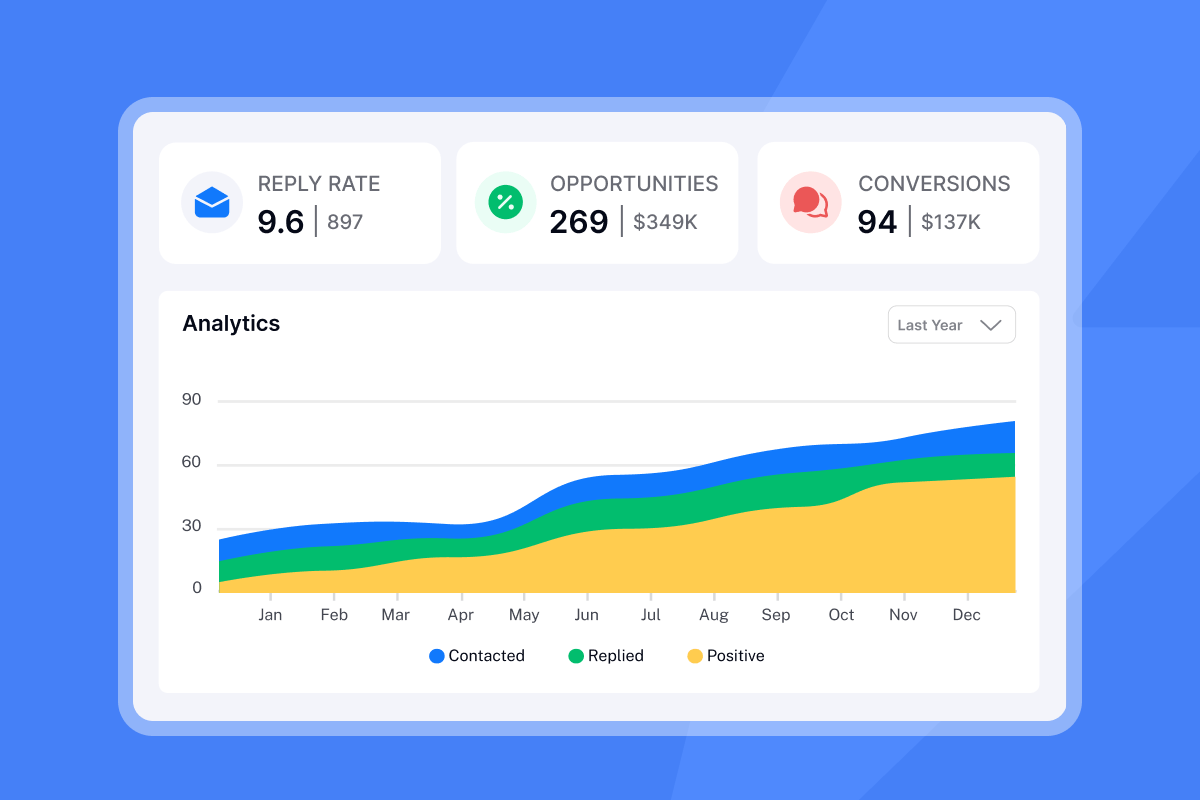
How Instantly combines warmup and tracking
We include unlimited email accounts and unlimited warmup on every Outreach plan, starting at $47 per month. There are no per-seat penalties as you add reps, and no separate warmup tool to budget for. The Instantly pricing page confirms this flat-fee model covers the warmup network, deliverability analytics, sequence automation, and reply tracking in a single subscription.
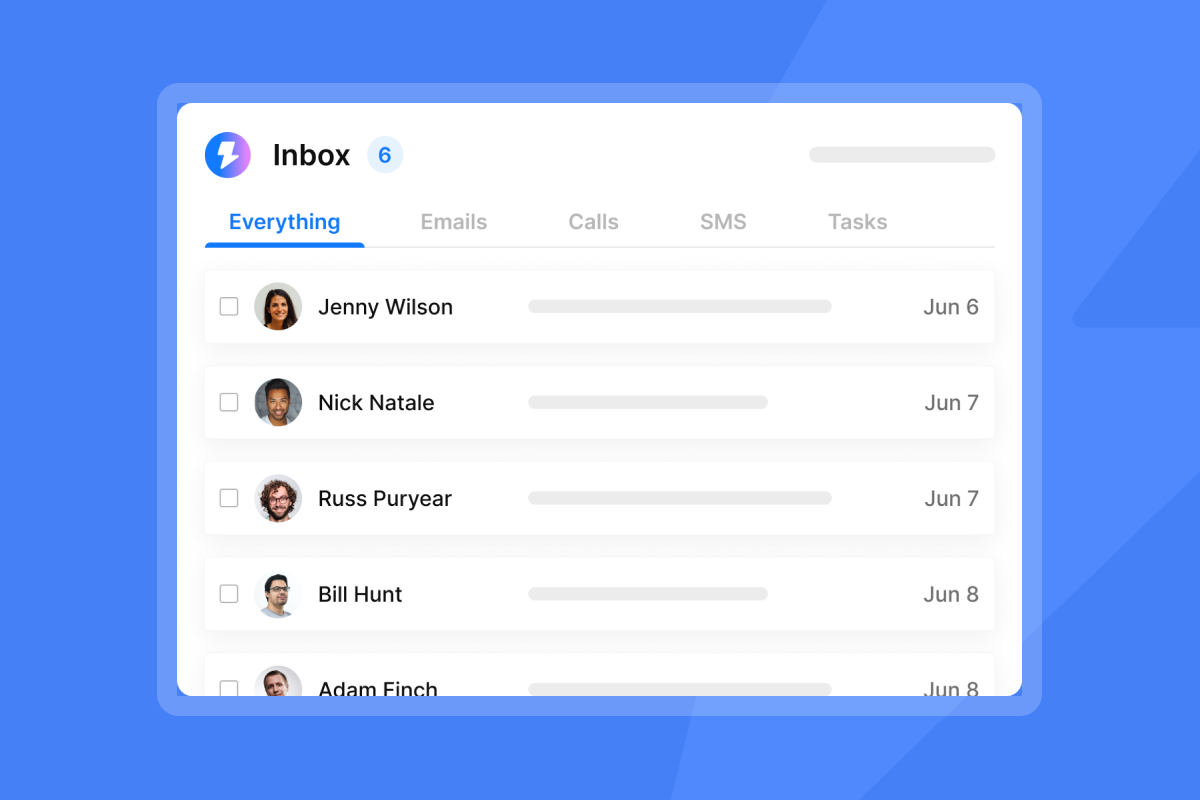
Our Unibox centralizes replies from all connected inboxes into one interface, so your team handles follow-ups from one place regardless of how many sending domains you manage. One reviewer described the outcome directly:
"The email warmup feature has notably improved deliverability, and the email sequencing capability allows for automated mass emailing... Unibox is exceptional as it consolidates replies in one place from over 1000 inboxes, streamlining" - Daksh K. on G2
Our inbox placement tests run automated checks against real mailboxes so you can see exactly where your messages land before a campaign goes live. For a full walkthrough of the setup flow from warmup to tracking to CRM handoff, the Instantly co-founder demo covers the end-to-end process, and the cold email deliverability guide from our channel ties warmup and placement strategy together in a single reference.
For a detailed look at how flat-fee scaling affects cost-per-meeting economics, the Instantly unlimited outreach pricing breakdown walks through the math against per-seat models. The Instantly ROI calculator for cold email maps those numbers to meetings booked and pipeline coverage.
Try Instantly free to run unlimited warmup and centralized reply tracking from a single platform, without adding a new vendor or a new line on your software budget.
Frequently asked questions
How long does email warmup take before I can start sending cold outreach?
Warm new inboxes for at least two weeks and confirm the health score is above 90% before launching live campaigns.Keep warmup running in the background continuously alongside your live sends.
Does email tracking hurt deliverability?
Unbranded tracking pixels can trigger spam filters because they signal promotional intent.Use a custom tracking domain that matches your sender domain to keep tracking requests looking native and avoid filter triggers.
What bounce rate should I stay below to protect domain health?
Keep hard bounces at or below 1%. At 2%, pause sending and re-verify your list before resuming at a lower daily volume. Google's spam rate policy threshold is 0.30% in Google Postmaster Tools.
Can I run warmup and live campaigns at the same time?
Yes, and you should. Run warmup emails as the majority of daily touches on a new inbox and introduce live sends in smaller increments. For an inbox handling 30 daily touches in the early ramp, run 20 as warmup and 10 as outreach, then shift the ratio gradually as the health score stabilizes.
Do I need SPF, DKIM, and DMARC before I start warmup?
Yes, SPF, DKIM, and DMARC are prerequisites before warmup. Missing any one of these authentication records means receiving servers cannot verify your domain is legitimate, which limits warmup effectiveness from day one.
Key terminology
Sender reputation: The trust score that email service providers like Gmail and Outlook assign to your sending domain and IP address based on engagement history, bounce rates, spam complaints, and authentication records. A high sender reputation is the primary driver of primary inbox placement.
Invisible tracking pixel: A 1x1 image embedded in an email via an HTML tag. When the recipient's mail client loads the image, it pings a remote server that logs the open event with timestamp, device, and IP data.
SPF (Sender Policy Framework): A DNS record that lists the IP addresses authorized to send email on behalf of your domain. Receiving servers check SPF on every inbound message to detect spoofing.
DKIM (DomainKeys Identified Mail): A cryptographic signature attached to outgoing emails that receiving servers use to verify the message was not altered in transit and genuinely originates from your domain.
DMARC (Domain-based Message Authentication, Reporting and Conformance): A DNS policy record that tells receiving servers what to do with messages that fail SPF or DKIM checks (quarantine or reject), and where to send failure reports back to the sender.
Read Next
How to improve email open rates with domain warmup and inbox placement
Learn the warmup process and sender reputation tactics that keep your emails out of spam folders.
Instantly vs Apollo for agencies: which platform scales cold email without per-seat penalties
Compare deliverability features, pricing models, and account limits for agency workflows.
Cold email deliverability checklist: 7 steps to inbox placement
Follow the domain setup, verification, and monitoring steps that protect sender reputation and improve campaign performance.


