


Updated January 31, 2026
TL;DR: Manual follow-ups break at scale. If you manage 10+ sending inboxes, choose automation that decouples cost from volume and protects sender reputation. I tested seven platforms on pricing models, deliverability features, and reply management. Flat-fee tools with unlimited accounts (Instantly, Smartlead) beat per-seat pricing for agencies. Plugins like Mixmax cap out fast. Enterprise platforms like Outreach deliver power but cost $100+ per seat. Pick based on your stage: Instantly for agencies scaling 10-150+ inboxes, Mixmax for solo Gmail users, Outreach for enterprise teams with budget.
You're choosing between automation platforms, and the feature comparison spreadsheet is 47 rows long. Stop counting checkboxes. Three factors determine whether a follow-up tool scales with you or against you: pricing model, unified inbox capabilities, and deliverability protection.
What to look for in follow-up automation software
I've tested dozens of follow-up platforms for agencies and startups. Three criteria separate tools that reward scale from tools that punish growth.
Pricing model: Flat fee vs. per-seat
Per-seat pricing compounds as you grow. Add five inboxes or three team members and your monthly bill doubles. Instantly uses flat-fee pricing starting at $47 per month with unlimited email accounts. Compare that to tools charging $50 to $160 per user and the math changes fast. For agencies managing 20+ client inboxes, flat fees save thousands monthly.
Unified inbox for managing replies at scale
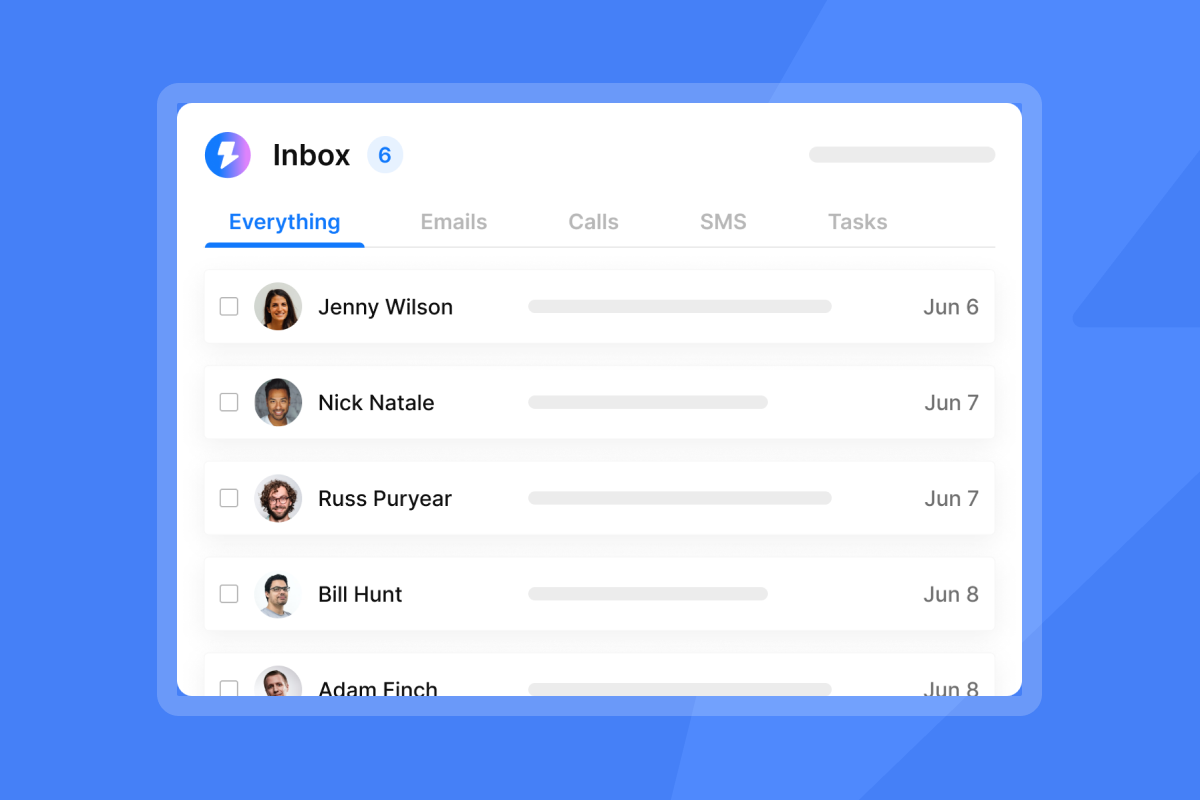
Checking 50 Gmail tabs kills productivity. You need a unified inbox that consolidates replies from all sending accounts into one view. Instantly's Unibox feature pulls responses from hundreds of inboxes so you can triage, tag, and route leads without inbox hopping.
"I love how easy Instantly is to set up, which significantly reduces the time I spend managing my B2B email marketing for my AI automation agency... It simplifies the process of buying email addresses and warming them up, automatically integrating these steps with their records in the account. This eliminates the need for manual intervention, saving me significant hours, especially with large email accounts." - Thomas D on G2
Deliverability protection: Warmup, rotation, and health monitoring
Follow-ups mean nothing if they land in spam. Platforms with built-in warmup gradually build sender reputation before you launch campaigns. Instantly includes unlimited warmup across all accounts at no extra cost. We rotate sending across inboxes and monitor health scores in real time. One agency sending over 1 million emails monthly uses Instantly's deliverability network of 4.2M+ accounts to maintain inbox placement while scaling throughput.
Look for platforms that show bounce rates, blacklist checks, and spam placement tests in the dashboard. If the tool hides these metrics, it hides risk.
Top 7 follow-up tools and automation platforms for 2026
I tested these platforms on pricing transparency, inbox management, and deliverability features. The list includes flat-fee cold email platforms, multichannel sales engagement tools, and Gmail productivity plugins. Each serves different growth stages and budgets.
1. Instantly.ai
We built Instantly to combine cold email automation, deliverability infrastructure, and lead data in one flat-fee platform. We designed it for agencies and startups that need to scale across dozens of inboxes without per-seat penalties.
Pricing: Our Growth plan at $47 per month includes unlimited email accounts, unlimited warmup, 5,000 sends monthly, and 1,000 contacts. Hypergrowth at $97 per month raises limits to 100,000 sends and 25,000 contacts. The Light Speed plan at $358 per month adds SISR (Server and IP Sharding and Rotation) with dedicated IP pools for improved deliverability control.
Key features: Unlimited accounts mean you add inboxes without raising your base cost. Our built-in warmup prepares new domains by gradually ramping sends and engagement. The Unibox consolidates replies from all connected inboxes into one feed. Our AI Reply Agent auto-handles responses in under five minutes using configurable autopilot or human-in-the-loop modes. SuperSearch provides access to 450M+ B2B contacts with waterfall enrichment from five providers.
Best for: Agencies managing 10 to 150+ sending inboxes across multiple client accounts. Founders who need meetings without hiring SDRs.
"Instantly is easy to use and very effective for cold email outreach. I like how it handles email warm-up, campaign setup, and inbox rotation all in one place, which makes scaling outreach simple and efficient." - Joy V on G2
A case study with Igor Shapiro at UltB shows results at scale. His team sends over 1 million emails monthly and books 150 to 200 qualified meetings using cold outreach. One campaign in the creator economy hit a 22% reply rate.
Watch below to see the campaign builder in action.
2. Smartlead
I found Smartlead competes directly with Instantly on unlimited mailbox features and API-first architecture. They appeal to agencies that white-label services for clients.
Pricing: Basic plan starts at $32.50 per month with annual billing or $39 monthly. Pro plan costs $78.30 per month annually or $94 monthly. Custom plans begin at $174 per month. All tiers include unlimited mailboxes.
Key features: Unlimited mailboxes remove artificial caps on connected accounts. Centralized master inbox and AI-driven warmups aim to improve deliverability. Whitelabeling costs $29 per client, with one free client included in the Pro plan. API and webhook access is limited to Pro users.
Best for: Agencies that resell cold email services under their own brand. Teams that need API integrations for custom workflows.
"The ability to reach out to prospects with cold email and avoid spam filters all for a ridiculously low monthly price" - Eric N on G2
3. Lemlist
Lemlist focuses on multichannel outreach with LinkedIn automation, video messages, and dynamic landing pages. They use per-seat pricing, which raises costs as teams grow.
Pricing: Email Pro plan costs $55 per user per month with annual billing (€69 monthly). Multichannel Expert at $79 per user monthly with annual commitment adds LinkedIn, calls, and API access. Enterprise starts at five seats with custom pricing. WhatsApp automation adds $20 per seat monthly.
Key features: Email Pro includes unlimited sequences, three sending addresses per user, and access to 450M+ leads. Lemwarm handles deliverability. Multichannel capabilities extend outreach beyond email to LinkedIn messages, calls, and SMS.
Best for: SDRs and small sales teams that want multichannel engagement in one tool. Companies willing to pay per-seat for integrated LinkedIn automation.
Trade-off: Per-seat pricing means a five-person team pays $275 to $395 monthly before add-ons. Compare that to flat-fee platforms where team size does not change the bill.
4. Mixmax
Mixmax is a Gmail plugin built for individual productivity, not cold outreach scale. They add scheduling, tracking, and templates directly inside Gmail.
Pricing: Free plan for teams under five members. SMB plan at $29 per seat monthly with annual billing adds sequences and rules. Growth plan at $49 per seat monthly annually includes advanced automation and integrations.
Key limitations: Mixmax caps sequences at 2,000 recipients and 500 emails daily. These limits break down fast for agencies sending thousands of emails weekly. The platform lacks third-party integrations to bypass Gmail sending restrictions. CRM integration focuses on Salesforce with limited support for other systems.
Best for: Individual sales reps who live in Gmail and need tracking plus scheduling. Small teams doing warm outreach to existing contacts.
Not for: Cold email campaigns at scale. Agencies managing multiple client domains. Teams that need inbox rotation or advanced deliverability controls.
5. Outreach
Outreach is an enterprise sales engagement platform with AI conversation intelligence, multichannel orchestration, and deep CRM integrations. They target large sales teams with complex workflows.
Pricing: Standard tier starts around $100 per user monthly with immediate annual commitment required. Industry estimates place typical contracts at $130 to $160 per user per month. Implementation fees range from $1,000 to $8,000. Priority support adds $15 to $20 per seat monthly.
Key features: Sales engagement capabilities for managing activities across email, calls, and social. Kaia AI provides real-time call assists, post-meeting insights, and coaching. Unified deal views track pipeline health. Automated forecasting with scenario modeling helps leaders predict revenue.
Best for: Enterprise teams with 50+ salespeople. Organizations that need AI coaching, conversation intelligence, and advanced analytics. Companies with budget for implementation and annual contracts.
Trade-off: A 20-person team pays $2,000 to $3,200 monthly plus setup fees. That budget buys flat-fee platforms for entire agencies.
6. Reply.io
Reply.io combines multichannel outreach with AI SDR features. They use per-seat pricing with add-ons for LinkedIn and calling.
Pricing: Email Volume plan at $49 per user monthly with annual billing covers 1,000 active contacts. Professional Multichannel at $89 per user monthly adds LinkedIn, calls, and SMS. Agency plan at $166 monthly includes unlimited clients and users. Jason AI SDR starts at $500 monthly for fully automated sales development.
Key features: Multichannel outreach via email, LinkedIn, SMS, and phones at one price per seat. Unlimited email warmup included with each mailbox. LinkedIn automation adds $69 per account. Calls and SMS cost $29 per account as separate fees. Reply.io offers unlimited mailboxes on their plans.
Best for: Mid-market teams with 20+ users that want email, LinkedIn, and calling in one platform. Teams willing to pay per-seat for integrated multichannel workflows.
7. Woodpecker
Woodpecker targets agencies with per-slot pricing rather than per-seat. They charge based on contact volume instead of team size.
Pricing: Cold Email plan starts at $39 per month per slot. Agency plan at $49 per slot monthly adds white-label features for managing multiple clients. Starter plan costs $29 monthly for 500 prospects with unlimited email accounts and team members.
Key features: Per-slot pricing instead of per-seat means team size does not raise costs. Free unlimited email accounts with inbox rotation. Email verification and warmup included to build domain reputation.
Limitations: 500-contact monthly limit on starter plan may not fit larger campaigns. Credit-based pricing can get expensive as volume grows.
Best for: Agencies with small teams managing moderate contact volumes. Teams that prefer pay-per-prospect over pay-per-seat models.
Comparison table: Pricing, features, and scalability
| Tool | Pricing Model | Starting Price | Unlimited Accounts | Warmup Included | Best For |
|---|---|---|---|---|---|
| Instantly | Flat fee | $47/month | Yes | Yes | Agencies scaling 10-150+ inboxes |
| Smartlead | Flat fee | $32.50/month | Yes | Yes | White-label resellers, API users |
| Lemlist | Per-seat | $55/user/month | No (3-5 per user) | Yes | Multichannel SDRs |
| Mixmax | Per-seat | $29/user/month | No | No | Gmail power users, individuals |
| Outreach | Per-seat | $100-160/user/month | No | Limited | Enterprise sales teams |
| Reply.io | Per-seat | $49/user/month | Yes (unlimited) | Yes | Mid-market multichannel teams |
| Woodpecker | Per-slot | $29/slot/month | Yes | Yes | Agencies with moderate volume |
I see a clear pattern here. Flat-fee platforms with unlimited accounts (Instantly, Smartlead, Woodpecker) reward scale. Per-seat tools (Lemlist, Mixmax, Outreach) punish growth by compounding costs with team size.
How to automate follow-ups without landing in spam
Automation speed means nothing if your emails hit spam. I've seen teams automate themselves into blacklists within 48 hours. Follow-ups require the same deliverability discipline as first touches. Three practices protect sender reputation while scaling throughput.
The importance of domain warmup
Warmup gradually builds trust with email providers before you launch campaigns. New domains start with zero reputation. Send hundreds of cold emails on day one and you trigger spam filters immediately.
Warm domains before launching full campaigns. According to industry sources, warmup takes 30 to 90 days depending on volume goals. Start with low volumes of 5 to 10 plain-text emails per day, then gradually increase by 10 to 15 percent daily. Instantly automates warmup across unlimited accounts by rotating inboxes, emulating human reads, and running placement tests. We use a private deliverability network of 4.2M+ accounts to generate engagement signals.
Think of warmup like stretching before a sprint. Skip it and you risk pulling a muscle. In email terms, you risk destroying your domain reputation.
"I enjoy the built-in AI enrichment feature, which is amazing for lead enrichment. The unibox is really clean and organizes my replies all in one place in such a user-friendly manner. Instantly allows me to connect hundreds of inboxes and send mass emails on a scheduled basis, automatically organizing which inbox to send with on which day and spreading it all out." - Harvey S on G2
Watch this video on proper warmup configuration to see the full setup process.
Using spin syntax in follow-up sequences
Spin syntax creates variations in email copy to reduce identical message patterns. Spam filters flag campaigns that send the same text hundreds of times.
Add two to three variants per follow-up step using spin syntax or dynamic variables. Change subject lines, opening sentences, and CTAs across versions. Keep the core message consistent but vary phrasing. This technique helps bypass fingerprinting filters that detect mass sending patterns.
Learn more about how fingerprinting affects deliverability when sending high volumes.
Managing send windows and throughput
Send windows control when emails go out. Throughput caps total volume across all inboxes. Both protect reputation by preventing sudden spikes that trigger provider alerts.
Set send windows to business hours in your prospect's timezone. Cap sends at 30 per inbox daily. Instantly distributes volume across connected accounts automatically, rotating based on health scores and past performance. Our IP rotation algorithms spread sends across infrastructure to avoid concentration risk.
According to email deliverability benchmarks, bounce rates should remain below 2 percent. AWS recommends keeping bounce rates below 2 percent, with account reviews triggered at 5 percent or higher. If your bounce rate approaches 2 percent, pause sends, re-verify your list, then resume at lower throughput for three days. Monitor opens, replies, and spam complaints weekly. Adjust windows and caps based on performance trends.
Learn more about prioritizing new leads over follow-ups to balance campaign velocity with safety.
Match your tool to your growth stage and budget
Pick the wrong platform and you pay twice, once in monthly fees and again in burned domains. I've mapped each tool to growth stage and business model below.
For individual reps: Use Mixmax if you live in Gmail and send under 500 emails daily. The free tier covers basic tracking and scheduling. Move to a dedicated platform when you hit volume limits or need deliverability controls.
For startups and small teams: Start with our Growth plan at $47 monthly. Unlimited accounts and built-in warmup give you room to test multiple domains. Add SuperSearch for lead data and AI Reply Agent to handle responses automatically. Budget $131 monthly for the full stack (Outreach + Leads + CRM).
For agencies managing 20+ client inboxes: Choose flat-fee platforms to avoid per-seat taxes. Our Hypergrowth at $97 monthly supports 100,000 sends and 25,000 contacts. The Light Speed plan at $358 monthly adds SISR with dedicated IP pools for improved control. Smartlead offers similar economics with API access for white-labeling.
For enterprise teams with complex workflows: Evaluate Outreach or Reply.io if you need AI conversation intelligence, advanced forecasting, and deep CRM integrations. Expect $100+ per user monthly plus implementation fees. These platforms deliver power but require budget and technical resources.
The math matters. A five-person team on per-seat pricing at $60 monthly pays $300 total. That same team pays $47 to $97 on Instantly. When you scale to 20 inboxes, per-seat pricing costs you thousands annually.
"I use Instantly for automated prospection to find new clients, and I'm able to send hundreds of emails per day, which is exactly what I wanted. The support team is really active, helpful, and always provides solutions. Instantly is user-friendly and setting up a campaign is easy, which is a big plus for me." - Verified user review of Instantly
For a deep dive into campaign strategy, watch this walkthrough of building a profitable cold email system in under 40 minutes. You can also learn from 113 sales calls booked in 30 days using the perfect campaign structure.
Ready to test unified inbox management and AI-powered follow-ups without per-seat penalties? Start a free trial with Instantly and build your first campaign in minutes.
Frequently asked questions about follow-up tools
Do I need unlimited email accounts for follow-ups?
Yes if you send 1,000+ emails weekly or manage multiple client domains. Rotating across accounts protects reputation by distributing volume.
How much does per-seat pricing cost at scale?
A 10-person team on $60 per-seat pricing pays $600 monthly. Flat-fee tools like Instantly charge $47 to $97 total for unlimited users.
Can I automate follow-ups without landing in spam?
Yes with proper warmup (30 to 90 days per domain), spin syntax (2 to 3 variants per step), send windows (business hours only), and throughput caps (30 per inbox daily).
What is a unified inbox?
A single view that consolidates replies from all sending accounts. It eliminates checking dozens of Gmail tabs by centralizing responses for triage and routing.
Which platform has the best deliverability?
Platforms with built-in warmup, IP rotation, and health monitoring perform best. Instantly uses a 4.2M+ account network and automated placement tests.
Should agencies use per-seat or flat-fee pricing?
Flat-fee pricing. Agencies scale inboxes faster than headcount. Per-seat models compound costs as you add clients.
Key terms glossary
Unified inbox: Centralized view consolidating replies from multiple sending accounts into one feed for efficient triage and response management.
Domain warmup: Gradual process of building sender reputation by slowly ramping daily send volume from low starting points to full capacity over 30 to 90 days.
Spin syntax: Copy variations across email sequences to reduce identical message patterns and avoid spam filter detection.
Send windows: Scheduled time blocks (typically business hours) when automated campaigns deliver emails to improve open rates.
Throughput: Total email volume sent across all connected inboxes within a given period, typically capped at 30 per inbox daily.
Per-seat pricing: Cost model charging monthly fee per user or team member, which increases total cost as teams grow.
Flat-fee pricing: Fixed monthly cost regardless of team size or number of connected email accounts, rewarding scale.
SISR: Server and IP Sharding and Rotation, advanced deliverability feature using dedicated IP pools to isolate sending infrastructure and improve inbox placement rates.
Bounce rate: Percentage of emails that fail delivery, ideally kept below 2 percent through list verification and hygiene practices.
Sender reputation: Trust score assigned by email providers based on engagement, complaints, and sending patterns over time.


