


Updated April 9, 2026
TL;DR: Free email tracking tools like Mailtrack and HubSpot's free tier give solo users a starting point, but tracking notification caps, forced branding, and short data windows create serious gaps for sales teams running active sequences. Apple Mail Privacy Protection pre-fetches email images before the recipient reads them, inflating open rate data and producing false positive opens across a significant share of tracked emails. Free tools lack team workspaces, CRM auto-sync, and admin controls, which means reps work in silos, managers lose visibility, and CFO-ready reporting is impossible. Upgrading a free per-seat tool for a five-person team costs $75 to $100 per month or more. Instantly's flat-fee Growth Outreach plan starts at $47 per month for unlimited accounts, with built-in warmup and automated Inbox Placement tests.
Obsessing over open rates while ignoring the deliverability damage that free email tracking software causes through tracking pixels. Email tracking embeds a 1x1 transparent image (the tracking pixel) into your email's HTML. When a recipient's client loads that image, it pings a remote server that logs the timestamp, device type, and email client. Link wrappers route clicks through the sender's tracking server before redirecting to the destination. Both methods carry real accuracy and compliance risks that free tiers make worse, not better.
This guide gives you a transparent breakdown of exactly what free tools include, where the data breaks down, and when a growing team needs a paid, system-wide solution.
What free email tracking actually includes
Free tracking tiers attract users with a fast, no-credit-card start. Vendors recover margin through tracking notification caps, data expiry, forced branding, and feature walls that push you toward paid plans. Understanding those limits before you build a team process around them saves you weeks of painful migration.
Tracked actions and send limits in free plans
Most free plans track email opens and link clicks. You get a notification when a recipient opens your message and a log of link clicks. Advanced features such as reply sentiment classification or forward detection are less common on free tiers.
Send limits vary significantly by tool. HubSpot's free Sales Hub tier caps tracking notifications at 200 per month, not a sending cap, but that notification ceiling gives a team of five reps just 40 notifications each per month. Yesware's free plan restricts you to 40 tracking events total, with data expiring after 24 hours. A review video from Digibase Media walks through how a full-featured platform captures deeper engagement signals that free tools miss.
Tracking data lifespan for free users
Yesware's free tier wipes tracking data after 24 hours. For anyone relying on activity data to coach reps and forecast pipeline, a 24-hour data window limits visibility into prospect engagement patterns and historical activity.
Hidden limitations of free email tracking tools
Free tools advertise what they track. Marketing materials typically focus less on what they miss, distort, or put at risk.
Tracking accuracy and false positives
A tracking pixel fires when an email client loads the image. It does not confirm a human read the message.Apple Mail Privacy Protection (MPP), launched in 2021, pre-fetches all email images through Apple's proxy servers before the recipient opens the message.Apple Mail clients account for a substantial share of all email opens industry-wide, and after MPP rolled out, tracked open rates rose significantly across the industry even though actual human engagement had not changed. Enterprise spam filters add another layer, scanning links and pixels before delivery and registering opens that no human triggered.
Instantly's help center addresses this directly in its open tracking troubleshooting guide, and the SEG Detection feature identifies reads by Secure Email Gateways so you can filter them from real engagement metrics.
Missing team and admin controls
Free tools are built for one user. There are typically no shared team workspaces, limited admin permission layers, and often no audit logs. If you manage a larger team, that can create governance challenges. Reps choose different tools, configure them differently, and work with tracking data that free tool vendors deliberately restrict to individual use, since aggregation is gated behind paid tiers. Free tools do not aggregate across workflows by design. You often end up with scattered reporting instead of one dashboard, with limited ability to enforce sequence governance or QA standards across the team.
Poor CRM data sync and reporting gaps
Free email tracking extensions typically operate as standalone tools. Tracked activity from extensions like Mailtrack does not write back to CRM records automatically. That gap costs your reps hours every week in manual data entry, and your CRM contact history stays at least one step behind actual outreach activity. A cold email tools comparison video by George Vlasyev shows how this CRM friction compounds for growing teams.
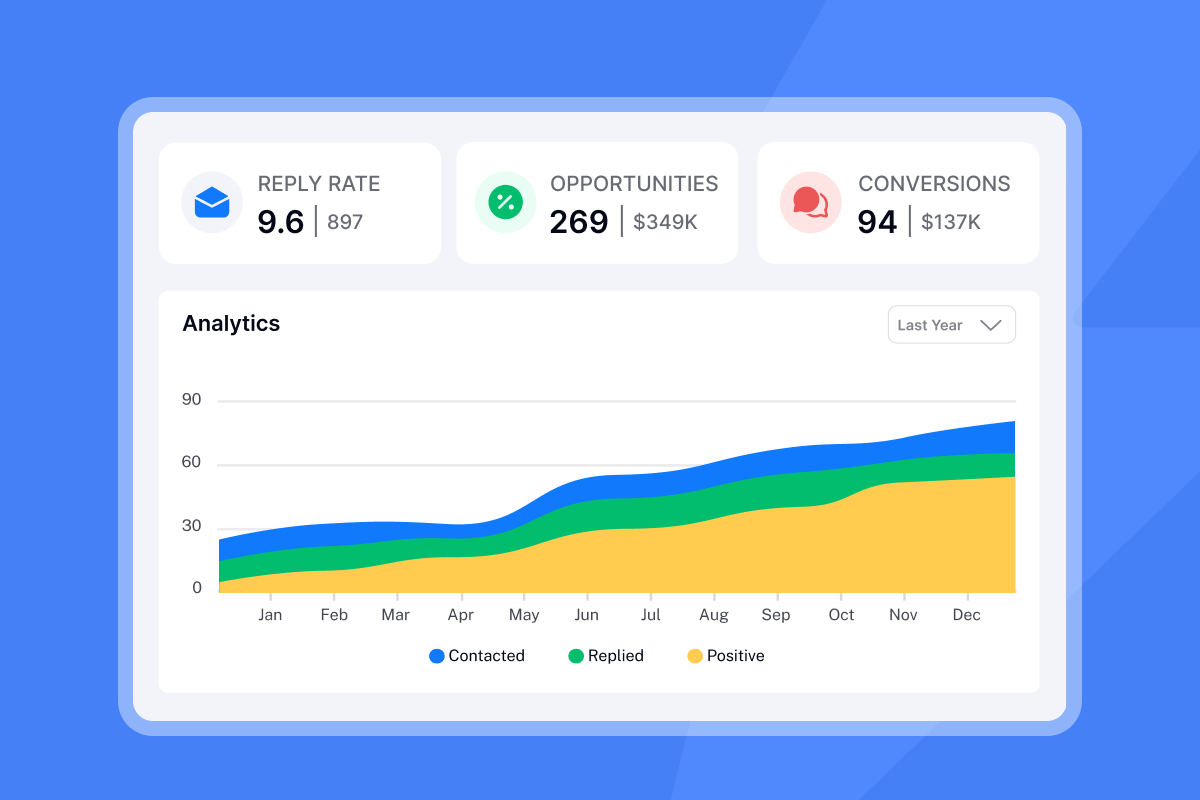
Free tools also show opens and clicks. They do not show which sequences produce the most replies, which subject lines convert to meetings by rep, or how inbox placement varies by domain. That gap matters when your CFO wants to see cost-per-meeting, or when you need to justify headcount by proving outbound pipeline contribution. The Instantly outreach plans comparison shows what full-funnel reporting looks like in a paid platform.
Gaps in free email tracking data quality
A pixel firing is not a qualified signal. The difference between a pixel event and real sales intelligence is where free tools consistently fall short.
Accuracy and reply classification gaps
When an email client blocks images by default (common in enterprise Outlook setups), the tracking pixel never loads, and the open is never recorded. The email was delivered and potentially read, but your dashboard shows zero engagement. The inverse is equally damaging: Apple MPP and security scanners fire the pixel for emails no human has read. Both errors corrupt your reply rate benchmarks. Instantly's delivery optimization guide explains how sending plain-text emails can sidestep pixel-blocking entirely.
Basic tracking tools also record a reply as a reply without distinguishing between an out-of-office auto-response, an unsubscribe request, and a genuine "let's talk" message. Wading through that noise wastes time and skews reply rate metrics. The Instantly reply rate discrepancy article documents this problem and how the platform's AI Reply Agent handles classification automatically.
Free tracking's inaccurate delivery data
Free tools tell you when an email was opened. They do not tell you whether it landed in the primary inbox, the promotions tab, or spam.Your email service provider might report 98% delivery, but a meaningful share of those delivered emails could be sitting in spam, unread. Instantly's low open rate troubleshooting guide positions Inbox Placement testing as a way to verify whether messages reach the primary inbox or land in spam.
Data privacy and consent issues
Managing GDPR consent for tracking
Under GDPR, embedding a tracking pixel in an email requires explicit, freely given consent from the recipient before you track their activity. Consent must be specific, informed, and active, not implied by silence or a failure to opt out.Non-compliance carries fines of up to €20 million or 4% of annual global turnover, whichever is higher. European regulators have issued fines in the hundreds of millions for tracking and consent violations, signaling active enforcement rather than theoretical risk.
Free tools rarely address GDPR compliance in their onboarding, which is a material problem for any team selling into the EU or to enterprise accounts with strict data governance requirements. Instantly's Data Processing Agreement gives procurement and legal teams a clear starting point for a DPIA.
Avoid recipient privacy pitfalls
Send tracked emails only to contacts who have opted in, include a visible opt-out mechanism, and document your consent records. For cold outreach to EU prospects, reviewing pixel tracking with your legal team before launch helps avoid compliance issues.
Getting full value from zero-cost tracking
Free tools can be useful for a solo user sending low-volume outreach who does not need CRM integration or team reporting. For broader use cases, the limitations often outweigh the savings.
Tool | Email client | Free tracking limit | Data retention | Free-tier branding |
|---|---|---|---|---|
Mailtrack | Gmail only | Unlimited sends | No public limit disclosed | "Sent with Mailtrack" signature |
HubSpot Sales Hub | Gmail, Outlook, Office 365 | 200 notifications/month | No public limit disclosed | HubSpot branding |
Yesware | Gmail, Outlook | 40 tracking events | 24 hours | Branding removed on paid plans only |
Mixmax | Gmail, Outlook | Limited (free tier) | No public limit disclosed | "Sent with Mixmax" onfree tier |
Streak | Gmail only | Not publicly specified | No public limit disclosed | No public info disclosed |
Budget tracking for solo prospecting and team readiness
If you are a solopreneur sending low-volume outreach from a single Gmail account, Mailtrack's free tier covers basic open notifications with the trade-off of a signature on every sent message. HubSpot's free tier works for solo users already in that ecosystem who stay under the 200-notification monthly limit.
Before putting a free tool in front of a team, check these four prerequisites.
- Email client alignment: Some free tools, including Mailtrack and Streak, only support Gmail. However, others such as HubSpot, Yesware, and Mixmax extend support to Outlook and Office 365, so options exist but are not universal across the free tier landscape.
- CRM sync plan: Confirm whether the free tier writes activity back to your CRM, or whether reps must log manually.
- Send volume headroom: Add up your team's weekly send targets and check whether they exceed the monthly tracking cap within the first week.
- Admin visibility: Confirm whether you can see all rep activity in a single dashboard or whether each rep has a siloed account.
Consistent follow-up processes with free tracking
A basic follow-up routine that works within free tool constraints:
- Send the initial email with tracking enabled and note the open timestamp in your CRM manually.
- Wait 48 to 72 hours. If no reply, send a follow-up referencing the first message.
- Check open data before each follow-up call. Treat it as a soft signal, not a definitive indicator, given false positive rates.
- Log every activity manually in your CRM, because free tools do not sync for you.
- Send four to nine follow-ups per contact. Most replies come from the first follow-up, but spacing additional touches over two weeks keeps you visible without hurting sender reputation.
The manual work in steps 1 and 4 tends to scale poorly. Multiply it across a team running active sequences and you can lose hours each week to data entry that a paid platform would handle automatically.
Scaling email tracking: when free fails
Free tracking breaks when more than one rep is sending, when your CRM needs to reflect outreach activity automatically, or when your sender reputation depends on knowing exactly where emails land before you scale volume.
Preventing team email missteps
Common pitfalls when teams try to scale on free tools include:
- Reps installing unapproved extensions that conflict with each other
- Tracking pixels triggering spam filters on enterprise targets
- Managers having no way to audit which sequences are running
Instantly's fingerprinting and deliverability guide explains how repeated tracking pixels and link wrappers can fingerprint your sending patterns and hurt inbox placement over time. A platform-level approach to IP rotation solves what no free extension can.
Consistent inbox placement at scale
Knowing your email was delivered is not the same as knowing it landed in the primary inbox. Instantly's Inbox Placement test runs automated checks across major email providers and reports exactly what percentage of emails reach the primary inbox, the promotions tab, or spam.The automated Inbox Placement tests guide shows how the system monitors sending health and flags issues before they damage your domain reputation.
The deliverability network behind this covers 4.2 million accounts, providing warmup engagement signals at a scale no free tool approaches.When a placement test reveals a problem, you know before it compounds into a quarter of missed pipeline.
![Instantly Inbox Placement dashboard showing inbox, promotions, and spam percentages by email provider][image_instantly_inbox_placement]
Instantly's cold email deliverability guide video walks through how this system works end to end, which is worth watching if you are setting up a new domain or troubleshooting a deliverability drop.
Optimizing email sequences for ROI
Instantly's Unibox centralizes all replies across unlimited sending accounts into one view, so your team triages responses without jumping between inboxes. With bi-directional CRM sync, replies you tag in Unibox automatically create or update records in HubSpot, Salesforce, or Pipedrive without manual entry.Booked meetings mark leads as "Demo Booked" in the pipeline automatically.
The A/Z testing feature (included in the Growth Outreach plan at $47 per month) lets you run up to 26 subject line or copy variants per sequence and surface which version drives the most replies, not just opens.
Free vs. paid: business value breakdown
Once you price out what "free" actually costs, the financial case for upgrading becomes straightforward.
Data quality and workflow comparison
Metric | Free tools | Instantly paid |
|---|---|---|
Open tracking accuracy | Apple MPP and SEG scans skew results | SEG Detection filters false positives |
Reply classification | Raw reply count only | AI classifies reply type automatically |
Bounce detection | Limited | Automated reputation protection |
CRM activity sync | Manual or not available | Bi-directional auto-sync |
Most free tools stop at the pixel, but a paid platform closes the loop from first send to booked meeting. Instantly connects outreach, reply management, CRM updates, and deliverability monitoring in one place, which removes the manual handoff steps that cost your team time each week.
Uptime assurances and service levels
During a live campaign, a tool going down means missed follow-ups and broken sequences. Free browser extensions and freemium SaaS tools rarely offer operational transparency around uptime and service status, which matters when a deliverability incident needs root-cause diagnosis fast.
Free to paid: upgrade cost models
For a five-person team, here is what upgrading a free tool actually costs.
- Mailtrack Pro: $5.99 per user per month, so five users cost $29.95 per month ($359.4 per year).
- Yesware Pro: $15 per user per month on annual billing, so five users cost $75 per month ($900 per year).
- HubSpot Sales Hub Starter: $20 per user per month, so five users cost $100 per month ($1,200 per year).
- Instantly Growth Outreach: $47 per month flat for the entire team, with unlimited accounts and unlimited warmup.
Upgrading a per-seat tool for a five-person team costs between $600 and $1,200 per year and still requires separate CRM tools, separate warmup infrastructure, and separate deliverability monitoring. Instantly's flat fee includes warmup and deliverability monitoring in the base plan. For teams running 50 or more sending accounts, the math sharpens further: per-seat tools at $15 per seat cost over $9,000 per year, while Instantly's Light Speed plan at $358 per month ($286.30 per month on annual) covers unlimited accounts with SISR (Server and IP Sharding and Rotation) included.
You save the monthly fee with free email tracking, but you pay in incomplete data that can lead to poor decisions, CRM gaps that slow your team down, and deliverability blind spots that quietly drain your pipeline. For a team with quota accountability and CRM dependencies, a flat-fee platform with built-in warmup, Inbox Placement testing, and centralized reply management can offset costs through reduced manual work.
Start a free trial of Instantly and run your first Inbox Placement test before your next campaign goes live.
Quick answers for free email tracking setup
How do I evaluate free tracking data quality?
Check whether your tracking tool has SEG (Secure Email Gateway) detection. Without it, scans by enterprise spam filters can register as false opens, making open rate numbers less reliable as engagement signals.
How do recipients detect email tracking?
Privacy tools like Apple MPP and Gmail's image proxy re-route all image loading through their own servers, which prevents the pixel from capturing the recipient's real IP or device. Recipients using these settings are effectively invisible to basic tracking pixels.
What happens when free tracking limits are hit?
When you hit a monthly cap like HubSpot's 200-notification limit, tracking data continues to record, but you lose visibility into the activity feed. Emails still send with tracking active, and open and click data gets logged in the CRM, but you cannot see those notifications in your dashboard for the rest of the billing period.
What are the true economics of free email tracking?
The direct cost is zero dollars. The indirect cost is the manual hours your team spends on CRM data entry, the pipeline you miss because deliverability blind spots go undetected, and the compliance risk of tracking EU prospects without documented consent. For a team of five running active sequences, that adds up to hundreds of hours and measurable pipeline risk per quarter.
Key terms glossary
Tracking pixel: A 1x1 transparent image embedded in an email's HTML that pings a remote server when the recipient's email client loads it, recording timestamp and device data.
False positive open: An open event triggered by a non-human action, such as Apple Mail Privacy Protection pre-fetching email images through a proxy server or an enterprise security scanner inspecting the message before delivery.
Warm-up network: A pool of email accounts used to send and receive warm-up messages, training mailbox providers to recognize a sender domain as legitimate. Instantly's network covers 4.2 million accounts.
SISR (Server and IP Sharding and Rotation): A sending architecture that distributes outbound email across dedicated private server clusters and IP pools, reducing the risk that a single domain reputation issue affects your entire sending operation. Available on Instantly's Light Speed plan at $358 per month.
Inbox placement: The specific folder (primary inbox, promotions, or spam) where a delivered email lands, as distinct from the delivery confirmation most ESPs report. Free tools do not measure this.
Read Next
How to improve email open rates with domain warmup and inbox placement
Learn the warmup process and sender reputation tactics that keep your emails out of spam folders.
Instantly vs Apollo for agencies: which platform scales cold email without per-seat penalties
Compare deliverability features, pricing models, and account limits for agency workflows.
Cold email deliverability checklist: 7 steps to inbox placement
Follow the domain setup, verification, and monitoring steps that protect sender reputation and improve campaign performance.


