


Updated January 31, 2026
TL;DR: Stop guessing why your LinkedIn outreach fails. Test one variable at a time: blank vs. personalized connection requests, soft vs. hard InMail asks, and send timing. Combine LinkedIn with email using Instantly's A/Z testing to track reply rates across both channels. Target 30%+ connection acceptance and 10%+ reply rate. The framework below shows you how to set up tests, measure results, and scale winning variants without burning your domains.
Why "set and forget" LinkedIn outreach kills conversion rates
Sending the same connection request to 1,000 prospects burns 700+ leads before you get a chance to pitch. Personalized LinkedIn connection requests achieve around 45% acceptance rates compared to just 15% for generic requests, a 3x improvement. If you run identical copy across every prospect, you throw away two-thirds of your list.
The problem compounds when you rely on LinkedIn alone. Most outreach via email averages 5.1% reply rates, while LinkedIn hits 10.3%, more than double. The payoff is clear: multichannel sequences combining both platforms increase engagement by 287% compared to single-channel approaches. One channel sets up the relationship, the other converts it.
Without systematic testing, you cannot tell if your drop in replies came from a bad subject line, stale data, or oversaturated timing. Testing isolates the variable so you fix the real bottleneck instead of guessing.
Comparison: Three Outreach Approaches
| Approach | Monthly Cost | Scale Limit | Account Risk | Reply Rate Potential |
|---|---|---|---|---|
| Manual Outreach | $1,662/month (8 hrs/week at $50/hr) | 200 requests/week | Low (human verification) | 45% acceptance if personalized, not scalable |
| LinkedIn Automation Only | $50-150/month | 200 requests/week with safe limits | Medium (restrictions possible) | 10-30% depending on targeting |
| Multi-Channel (Instantly + LinkedIn) | $87-247/month (combined stack)* | Unlimited email accounts, 100k+ emails/month | Medium (requires deliverability monitoring) | 287% engagement lift, 10%+ reply rates achievable |
*Multi-channel cost assumes Instantly ($47-97/month) plus a LinkedIn automation tool ($50-150/month). Manual cost calculation: 200 requests/week × 2 minutes each = 6.67 hours/week at $50/hour = $19,942/year.
"Deliverability is great and the analytics give us exactly what we need to optimize campaigns quickly." - Shailel P on G2

The 4-step framework for A/B testing connection requests and InMails
Testing without structure wastes budget. Follow this sequence to isolate variables and measure real performance lifts.
Step 1: Hypothesis
Define exactly what you are testing and why. Bad hypothesis: "Try a friendlier message." Good hypothesis: "A connection request mentioning a mutual LinkedIn group will increase acceptance rate from 26% to 35% because it signals shared context." Write your expected outcome as a number. If you cannot measure it, you cannot prove it worked.
Step 2: Segmentation
Split your lead list into equal, randomized groups. Use Instantly's SuperSearch to pull 400 verified contacts, then divide them into two segments of 200 each. Segment A gets Variant A, Segment B gets Variant B. Run the split randomly so external factors like job title or company size do not skew results.
Step 3: Execution
Launch both variants at the same time, same day, same send window. If you send Variant A on Monday morning and Variant B on Friday afternoon, you are testing timing, not copy. Keep everything constant except the one variable you defined in Step 1.
Step 4: Analysis
Wait until you hit statistical significance before calling a winner. Track acceptance rate (connections accepted divided by requests sent) and reply rate (replies divided by accepted connections) separately. A high acceptance rate with zero replies means your profile is strong but your message is weak. See the Analyzing Results section below for how to interpret confidence thresholds.
Sales Professional's A/B Test Checklist:
- Hypothesis: Write expected lift as a percentage (e.g., "Variant B will increase reply rate by 15%").
- Sample size: Minimum 200 total (100 per variant), ideally 400+ for faster significance.
- Variables locked: Same timing, same day, same segment profile, one copy change only.
- Metrics defined: Acceptance rate target 30%+, reply rate target 10%+.
- Duration: Run for at least 2 weeks or until you reach your sample threshold.
- Tracking: Log results in Instantly analytics dashboard for email leg.
"The platform is super intuitive, easy to set up, and makes it simple to manage multiple domains and inboxes at scale." - Shaiel P on G2
Variable isolation: What to test in your LinkedIn cadence
The golden rule of A/B testing: test one element at a time. If you change both your subject line and call-to-action, you cannot tell which caused the improvement or decline. Here are the high-impact variables worth isolating, ranked by potential lift.
Connection request testing
Blank vs. note: 66% of invitations sent without notes had an overall higher acceptance rate, while 34% sent with personalized messages had lower acceptance because blank requests feel less sales-y. Test this for your niche.
- Variant A (Blank): Send connection request with no message.
- Variant B (Personalized): "Hi [Name], saw your post about [specific topic]. Would love to connect."
Measure acceptance rate for each. If blank wins, your profile does the heavy lifting. If personalized wins, your targeting needs work.
Personalization depth: When you do add notes, test referencing a mutual connection against leading with a value statement. Personalized connection requests with true context can boost acceptance significantly.
- Variant A (Mutual): "Hi [Name], we are both connected to [Mutual Contact] and share interest in [industry]."
- Variant B (Value Prop): "Hi [Name], helping [industry] teams cut [pain point] by [outcome]. Thought you might find it relevant."
Track which opens more conversations. Mutual connections build trust faster but only work if you have overlaps.
InMail subject lines and CTAs
If you use LinkedIn InMail, it delivers double the response rate of cold email (10.3% vs 5.1%) while avoiding spam filters entirely. Test subject lines first (question vs. statement), then test your call-to-action.
- Soft ask: "Worth a quick chat?"
- Hard ask: "Book 15 minutes here: [link]"
Soft asks lower friction but require more follow-up. Hard asks filter for high-intent prospects but reduce top-of-funnel volume.
Timing and cadence
Test send day (Monday vs. Wednesday) and time (morning vs. afternoon in prospect's time zone). Apply a balanced sequence: four touches that educate or provide value, one that positions your expertise, one that asks for the meeting. Space them across 10-14 days to avoid fatigue.
For more insights on optimizing email outreach, watch this full Instantly.ai tutorial covering campaign setup and A/Z testing workflows.
How to build and test a multi-channel sequence (LinkedIn + Email)
Single-channel outreach leaves money on the table. By integrating email with LinkedIn outreach, businesses have seen customer engagement jump by 287%. The strategy is simple: LinkedIn warms the relationship, email drives the conversion, and testing optimizes both.
The "email after LinkedIn connection" strategy
Here is the core playbook: send a LinkedIn connection request on Day 1. If the prospect accepts within 48 hours, trigger an automated email sequence in Instantly on Day 3. The email references the LinkedIn connection ("We connected earlier this week") and delivers the value prop with a clear CTA. If they do not accept, the email sequence starts anyway as a cold touch but without the social proof.
This approach works because LinkedIn builds familiarity while email provides the detail and links that LinkedIn's character limits cannot support. Prospects see your name twice, which increases recall and trust.
Instantly's role: A/Z testing the email leg
Instantly does NOT send LinkedIn messages. It handles the email and analytics portion of your multi-channel sequence. Here is how to set it up:
- Campaign setup: In Instantly, create a new campaign and connect unlimited email accounts (every plan includes unlimited accounts, warmup sold separately but easily enabled).
- Add variants: Click "Add variant" in each sequence step to create versions A, B, C through Z. Test different subject lines, opening lines, or CTAs in the email follow-up.
- Enable auto-optimize: Navigate to Campaign Options, then Advanced Options, and toggle on Auto optimize A/Z testing. Select your winning metric: reply rate, click rate, or open rate.
- Launch and track: The system splits your audience evenly across variants and tracks opens, replies, and positive outcomes by variant in the analytics dashboard.
"Instantly.ai has assisted us in creating outbound email systems that reach your ideal buyer's inbox and foster meaningful connections. Also, their customer support is next level, 10/10." - Verified User on G2
Trigger-led sequences explained
A trigger-led sequence is an automated action in one channel initiated by a prospect's behavior in another channel. For example: IF prospect accepts LinkedIn connection request THEN add to Email Sequence A in Instantly 48 hours later.
Set up triggers using Zapier, Make, or Instantly's API. When your LinkedIn tool logs a connection acceptance, it fires a webhook that adds the prospect to your Instantly campaign. Most agencies use Zapier or Make for this. Setup takes 15-30 minutes per workflow, but once live it removes the manual step of checking LinkedIn acceptances daily.
Best practices for multi-channel testing
- Test channels separately first: Establish a baseline reply rate for LinkedIn-only and email-only before combining them. This tells you the isolated lift from each channel.
- Maintain send limits: LinkedIn connection requests should not exceed 100-200 per week with Sales Navigator. For email, conservative best practice is 30-50 per inbox per day during warmup, scaling to 50-100 for established accounts.
- Track attribution: Use UTM parameters or unique reply-to addresses so you know which channel drove the meeting. Instantly's analytics dashboard tracks email performance, while your LinkedIn tool logs connection and InMail data.
Analyzing results: Statistical significance and attribution
Calling a test too early wastes the effort. Allow enough time for meaningful data collection, as ending tests prematurely can lead to false conclusions. Here is how to read your data correctly.
Metrics that matter
Track three numbers for every variant:
- Acceptance rate: (Connections accepted ÷ Requests sent) × 100. Target 30%+ for personalized requests.
- Reply rate: (Replies ÷ Accepted connections) × 100. Target 10%+ for multi-channel sequences.
- Meeting booked rate: (Meetings scheduled ÷ Replies) × 100. Target 15-25% depending on offer clarity.
If acceptance is high but replies are low, your profile attracts interest but your message does not convert. If acceptance is low but replies are high among acceptors, your targeting is too broad. Fix the upstream metric first.
Statistical significance thresholds
Most platforms flag significance at 95% confidence or higher. This means the probability that the performance difference is genuine rather than random chance. Run tests for at least 2 weeks to account for checking habits and time zones. Only larger samples tell the truth.
Using Instantly's analytics to compare variants
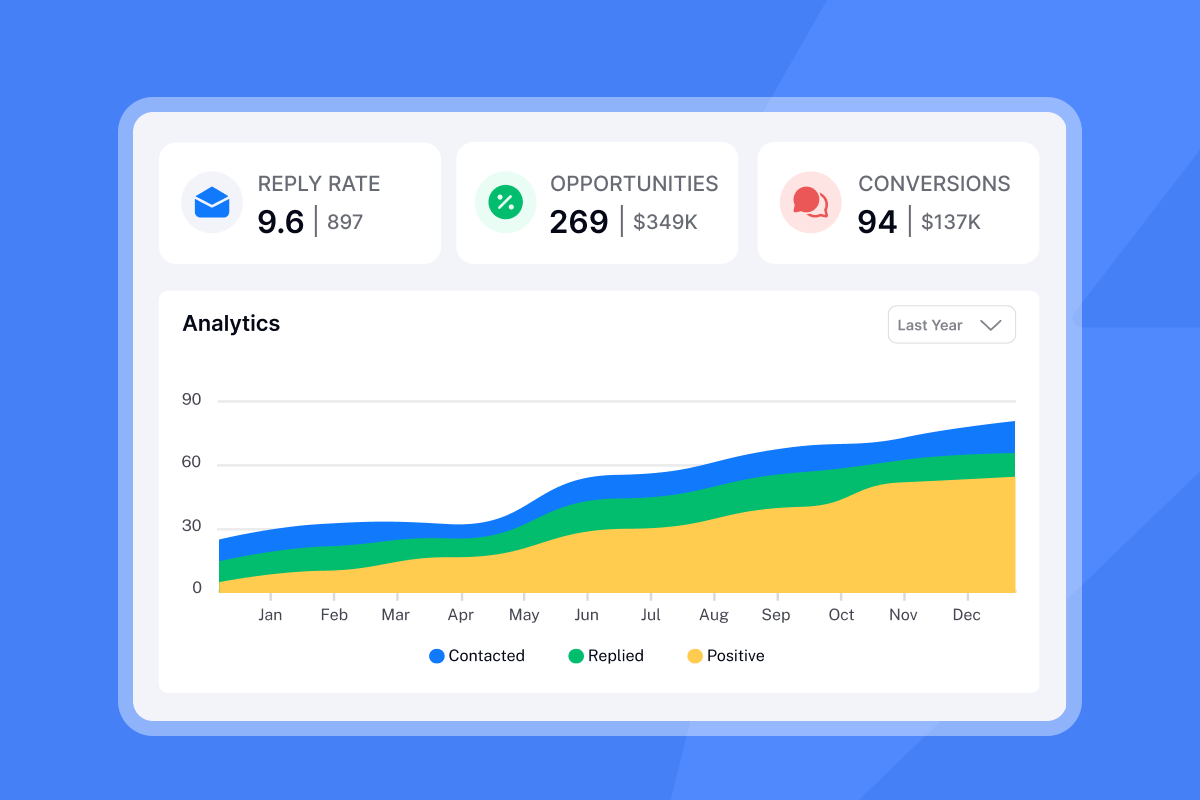
Instantly's dashboard shows opens, clicks, replies, and positive reply rate by variant at both campaign-level and step-level. You can see which subject line drove the most opens, which body copy drove the most replies, and which CTA drove the most meetings. Toggle variants on (blue) or off (grey) to pause poor performers mid-campaign without restarting the entire sequence.
For deeper analysis workflows, watch this guide on cold email setup in seconds using Instantly Copilot, which includes A/Z testing automation.
Handling contradictions: Mass vs. hyper-personalized
You will see conflicting advice. Some say mass outreach at volume wins. Others say hyper-personalized 1-to-1 is the only way. Both work for different contexts. Mass works for volume when you have a broad ICP and can afford 5-10% reply rates. Personal works for high-ticket deals where a single meeting justifies 30 minutes of research per prospect.
Test both for your agency's economics and let the data decide.
"The platform is extremely easy to set up, fast, and reliable for outreach. Their support team responds quickly and clearly, and they helped me resolve my issue immediately." - A Ta on Trustpilot
Advanced optimization: Using AI to scale winning variants
Once you identify a winning variant, the next bottleneck is producing enough variations to keep your outreach fresh. Instantly's AI Copilot drafts sequences, generates spintax, and handles replies with human oversight.
AI-powered variant generation
Copilot understands your ICP and messaging rules, generates complete sequences with spintax, proposes angles to test, and can summarize weekly analytics. Feed Copilot three winning email templates and ask it to generate five new variants testing different opening hooks. It outputs versions that maintain your voice while varying the angle (case study opener vs. question opener vs. stat-led opener).
Pricing and deliverability guardrails
Instantly's AI features use credit-based pricing at 5 credits per AI-generated reply. Plans include baseline credits, with top-ups available for high-volume testing. The flat-fee model includes unlimited email accounts on every Outreach tier, so your base cost stays flat as you add client inboxes.
Keep automation within safe limits. Use Instantly's warmup features to keep your email sender reputation high. Warmup is available on every plan and you enable it by clicking the flame icon for each email account in your dashboard. Once enabled, it runs automatically to ensure new inboxes earn trust with providers before you launch campaigns.
For setup guidance using automation platforms, watch this tutorial on building a cold email system with Make and Instantly.
Ready to scale the email leg of your LinkedIn outreach with unlimited accounts and built-in A/Z testing? Start your free trial with Instantly and let the data tell you which sequences convert connections into meetings.
For ongoing best practices, explore the best cold email follow-up strategy and this deep dive into cold email deliverability.
FAQs
How long should I run an A/B test on LinkedIn?
Run tests for at least 2 weeks or until you reach 100-200 recipients per variant. Wait for clear performance separation before calling a winner.
Should I send a connection request without a note?
Test it, as blank requests often achieve higher acceptance rates because they feel less sales-y. Results vary by industry and seniority level.
Can Instantly send LinkedIn connection requests or InMails?
No. Instantly handles email outreach, deliverability, and analytics. Use Instantly alongside LinkedIn automation tools for the complete multi-channel stack.
How do I track which channel drove the meeting?
Use UTM parameters in email links and unique reply-to addresses per channel. Instantly's analytics tracks email performance, while your LinkedIn tool logs connection data separately.
What sample size do I need for reliable A/B test results?
Aim for at least 100-200 recipients per variant as an absolute minimum. Larger samples let you detect smaller performance differences with confidence.
Key terms glossary
A/Z Testing: Running more than two variants (A, B, C through Z) simultaneously in Instantly to identify the highest-performing version faster than sequential A/B tests.
Acceptance Rate: The percentage of LinkedIn connection requests accepted, calculated as (Connections accepted ÷ Requests sent) × 100.
Multi-Channel Sequence: Coordinated outreach across LinkedIn and email where actions in one channel trigger messages in another (e.g., connection acceptance triggers email follow-up).
Reply Rate: The percentage of prospects who reply to your message. LinkedIn achieves 10.3% reply rates vs. 5.1% for email alone.
Trigger-Led Sequence: Automated workflow where a prospect's behavior in one channel initiates an action in another channel, such as accepting a LinkedIn request triggering an email campaign.
Statistical Significance: The probability that a performance difference between test variants is genuine rather than due to random chance. Most platforms flag significance at 95% confidence.


