


Updated March 06, 2026
TL;DR: Traditional open-rate tracking is unreliable in 2026. Apple's Mail Privacy Protection pre-loads pixels before a prospect ever reads your email, and shared tracking domains can quietly damage your domain reputation. Prioritize deliverability protection, accurate reply detection, transparent pricing, and tight CRM integration when evaluating tools. This guide gives you 10 concrete criteria, a comparison table, and a vendor red-flag checklist to bring into your next demo.
Open-rate tracking can mislead. Apple's Mail Privacy Protection pre-loads pixels before prospects read emails, inflating metrics while reply rates stay flat and pipelines stay empty. Tools report success. Teams need answers, and choosing the right cold email software starts with understanding which metrics actually reflect what's happening in the inbox.
This framework helps you avoid that outcome. It covers 10 criteria that separate tools built around vanity metrics from platforms designed for the technical realities of modern inboxes, privacy regulations, and scaling teams.
What is email tracking software and why do sales teams need it?
At its core, email tracking software uses two mechanisms: a 1x1 transparent pixel embedded in the email body to log open events, and API hooks or SMTP listeners to detect reply activity. When a recipient's email client loads the pixel, it sends a GET request to the tracking server, which timestamps the event and logs it against the contact record.
Sales teams use this data for three practical purposes:
- Prioritizing follow-ups: Knowing which leads engaged lets SDRs focus time where there's real signal.
- A/B testing copy: Subject line and body variants tested across cohorts show which messages resonate.
- Coaching reps: Aggregate data on reply rate and bounce rate creates an objective baseline for performance reviews.
Separate two distinct use cases. Internal tracking monitors team performance such as rep send volumes, reply rates, and follow-up cadence compliance. External tracking monitors prospect behavior such as opens, link clicks, and reply sentiment. Modern platforms handle both, but external tracking is where the most significant technical challenges now live.
The privacy problem: how Apple MPP and Gmail caching affect open rates
Open rates are not what they used to be. Building a buying decision around a tool's open tracking accuracy without understanding why is a mistake that can cost a monthly target.
How Apple's Mail Privacy Protection works
Apple's Mail Privacy Protection (MPP), launched in iOS 15, routes email through a proxy server that pre-loads all images in a message, including your tracking pixel, before the recipient ever opens the email. According to Litmus, this can happen immediately or days after delivery, and the IP address is assigned to the recipient's general region rather than their specific location. The result: your tracking server logs an "open," but the prospect's inbox still shows the message as unread.
The scale of the problem
MPP adoption is near-universal. A study of 80,000 accounts found open rates jumped 18 percentage points after MPP rolled out. Litmus estimates up to 75% of reported Apple Mail opens are artificial at peak adoption.
The practical implication: if your pipeline reporting uses open rate as a proxy for intent, you are likely acting on data that is 30-75% artificial.
What to use instead
Shift your primary engagement metric to reply rate. A reply requires a human action that cannot be pre-loaded by a proxy. Target a minimum reply rate of 5% on well-warmed sequences with verified lists. If your current tool reports "opens" but cannot give you clean reply-rate data broken out by sequence step and rep, that is a gap worth addressing.
10 critical criteria for evaluating email tracking software
Use this framework before your next demo. Ask for evidence on every point, not just sales promises.
1. Deliverability protection and domain health monitoring
Your tracking setup can actively hurt inbox placement if it is poorly configured. Glockapps research confirms that tracking pixels associated with shared or flagged domains trigger spam filters, and Gmail's policies flag open tracking pixels as suspicious signals that route messages to spam.
The core risk is shared tracking infrastructure. When you use a platform's default tracking domain, every sender on that platform shares the same tracking URL, so one bad actor's spam campaign pulls your deliverability down with it.
Look for platforms that offer:
- Custom tracking domains so you control reputation (e.g., track.yourcompany.com)
- Built-in email warmup that runs continuously, not just during initial setup
- Domain health scoring with blacklist monitoring and SPF/DKIM/DMARC validation
- Daily send pacing capped at 30 emails per inbox to avoid spam triggers
Instantly's email warmup draws from a pool of over 4.2 million real accounts. Watch the cold email deliverability guide from the Instantly channel for a complete walkthrough.
"I really like the unlimited email accounts feature because it allows me to scale outreach safely and efficiently without hitting the sending limits, which is crucial for consistent lead generation." - Pradeep T. on G2
Instantly's deliverability analytics guide covers how to read domain health data at the team level, including how to use inbox placement tests, blacklist monitoring, and rep-level metrics to catch reputation problems before they hit pipeline.
2. Accuracy in the age of privacy protection
A tool that reports raw open rates without any bot-filtering is giving you misleading data. Open tracking pixels signal to providers that a message is promotional, which directly increases the likelihood of spam folder routing.
Ask any vendor three questions before the demo ends:
- Do you filter proxy-generated opens from your reporting, or show raw pixel loads?
- Can I toggle open tracking off for sequences where deliverability is the priority?
- What is your adjusted open rate methodology, and how do you handle Apple MPP?
Instantly's Delivery Optimization Tool lets you send emails as text-only, removing tracking pixels entirely for sequences where inbox placement matters more than open data.
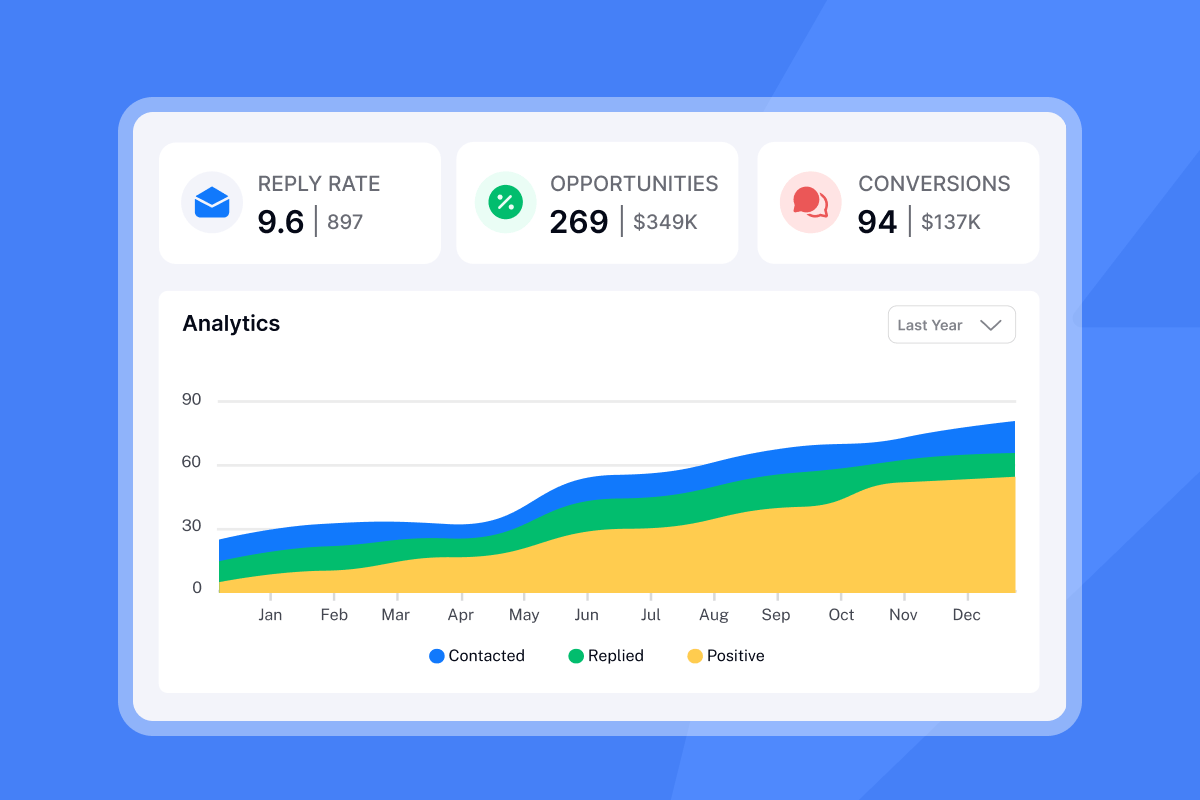
Instantly's advanced cold email tracking guide covers how to move beyond open-rate dashboards to campaign pipeline analytics that tie outreach activity to revenue, including how CRM sync, team-level reply rate tracking, and bounce detection give sales leaders the signal quality that open rates no longer reliably provide.
3. CRM integration depth and data syncing
Shallow integration means a one-way push that logs activity but does not update lead status or trigger workflows. Deep integration means real-time, two-way sync with custom field mapping so that a reply in your email tool updates the lead stage in your CRM automatically.
For sales leaders, the practical test is this: does a reply classified as "Interested" in your email tool automatically create a task in Salesforce or update the lead to "SQL" without a rep touching it? One-way sync creates data silos and forces manual reconciliation across systems.
Instantly's Zapier integration supports workflows like routing interested leads to Close CRM, giving RevOps teams the handoff automation they need without custom code.
4. Pricing transparency and scalability
Per-seat pricing is a growth tax. At 5 reps it is manageable. At 15, you are paying a meaningful monthly premium for the privilege of adding headcount. Three pricing models exist in this category:
Model | How it works | Best for |
|---|---|---|
Per-seat | Cost multiplies with every rep added | Stable, small enterprise teams |
Flat-fee unlimited | Fixed cost regardless of inboxes | Scaling teams and agencies |
Credit-based | Pay per action (email sent, lead enriched) | Variable-volume senders |
Instantly uses flat-fee pricing. The Growth Outreach plan starts at $47/month with unlimited email accounts and warmup included, which means adding inboxes as you scale new reps or test new domains does not change your bill.
Also check for mandatory annual lock-ins. Contracts requiring 60-90 day notice before a renewal date are a common billing trap. For a January 1 renewal, a 90-day window means you must notify by October 3. Push for 30 days or less.
5. Team management and admin controls
A rep running their own sequences with their own settings is a deliverability risk. You need controls that standardize behavior across your team. Key admin features to verify:
- Workspace separation for isolating client accounts or rep territories
- Member permissions with defined roles (Admin, Member, Read-Only)
- Aggregate analytics at the team level, not just the campaign level
- Shared template libraries so messaging stays consistent and on-brand
"Instantly makes it much easier to manage and run multiple campaigns simultaneously, allowing me to handle outreach at scale with ease." - Sachin M. on G2
Without these controls, sequence governance becomes a coaching problem rather than a systems problem. You cannot audit what you cannot see.
6. Reply detection and sentiment analysis
Identifying that a reply came in is table stakes. The real question is whether the tool correctly classifies what kind of reply it is. An SDR manually triaging "Out of Office," "Unsubscribe," "Interested," and "Not Now" responses across 200 daily replies wastes time that should go to live conversations.
AI sentiment analysis using natural language processing (NLP) and large language models (LLMs) detects emotional tone and intent beyond keyword matching, catching sarcasm, informal phrasing, and soft interest signals that rule-based systems miss. Sentisum's research confirms AI sentiment tools can process thousands of emails in real time, enabling auto-routing before a human touches the thread.
Instantly'sAI email triage and classification categories include "Demo Request," "Pricing Question," "Not Now," "Referral," and "Hard Bounce." Each category can trigger an automated action: send a calendar link, pause the sequence, or create a CRM task.
"The Unibox feature is a great touch, it helps me manage replies in one place without switching tools." - Shiv c. on G2
7. Security, compliance, and data auditability
GDPR and CCPA are not optional for B2B sales teams. B2B cold outreach under GDPR typically relies on legitimate interest under Article 6(1)(f) rather than requiring explicit consent, but this requires a documented Legitimate Interest Assessment and a functioning opt-out mechanism. Tracking pixels require disclosure and opt-out options under both GDPR and the California Privacy Rights Act (CPRA). Following the expiration of the B2B data exemption under CPRA in January 2023, B2B contact data is now subject to full CPRA requirements, including notice obligations, data minimization, and data subject rights requests.
Questions to ask every vendor:
- Do you sell or share contact data with third parties?
- Where is my data hosted, and what are your retention policies post-cancellation?
- Can you provide a Data Processing Agreement (DPA)?
- What happens to my data if I cancel, and when is it permanently deleted?
8. Ease of use and team adoption
A tool your reps do not use is worse than no tool, because you are paying for it and still flying blind. Deliverability research ties rep adoption directly to compliance with warmup settings and send limits: when the UI is confusing, reps skip steps that matter for deliverability.
"Instantly is for me the Apple of Cold Outreach tools. Easy to use, intuitive, minimal clicks/steps to get stuff done, and things just work." - Thomas D. on G2
Watch the co-founder demo walkthrough to see full campaign setup, including warmup configuration and sequence building, in real time.
9. Support quality and implementation speed
When a campaign fails on day one of the month, a 48-hour ticket queue is a business risk, not just an inconvenience. The standard to require is live chat with root-cause answers, not automated responses.
Implementation speed matters equally. Connecting an inbox, configuring authentication, and launching a first sequence should be achievable in a single session. Instantly's SPF, DKIM, and DMARC setup guide walks through authentication step by step.
"Instantly has been a gamechanger for our email outreach efforts... things that used to take us hours to set up and monitor can be done in just a few clicks." - Antony on Trustpilot
On Hypergrowth plans and above, Instantly provides priority support, a meaningful operational distinction for sales leaders whose pipeline depends on campaign uptime.
10. Multi-channel capabilities and sequence flexibility
Email is the foundation, but modern outbound sequences run across email and LinkedIn touchpoints in coordinated cadences. If your tracking software only covers email, you lose visibility on a portion of your pipeline activity, and reps fill the gap with manual logging.
Look for platforms that track activity across the full sequence, not just email steps. At high volumes, fingerprinting can affect deliverability when repeated structural patterns across thousands of sends allow some providers to identify and filter them. Varying content per step, combined with rotating IPs and sending algorithms, reduces this risk.
The cold email lead gen stack walkthrough on Lead Gen Jay's channel shows how Instantly fits into a multi-tool outbound stack in practice.
Red flags: warning signs to watch for in vendor contracts
Before you sign, check the contract language against these five clauses.
Automatic renewal with long notice windows: Contracts requiring 60-90 day cancellation notice before a renewal date are the most common billing trap. For a January 1 renewal, a 90-day window means you must notify by October 3. Push for 30 days or less.
Automatic price escalation clauses: Many multi-year SaaS contracts include annual price increases of 4-7% tied to CPI or vendor discretion. Negotiate a cap of 3% or fixed pricing for the full term.
Vague data ownership and retention language: If the contract does not specify an export window after cancellation, a data deletion timeline, and whether your data can be used for "product improvement," that gap creates compliance risk. Bettercloud identifies ambiguous retention clauses as a major operational risk in regulated industries.
"Guaranteed inboxing" claims: No vendor can guarantee inbox placement because it depends on domain reputation, authentication, list quality, and recipient-side filters. Impossible performance guarantees signal broader contract risk.
No termination for convenience clause: If you can only exit by proving material breach, you are exposed for the full term. Negotiate a termination for convenience option with 30-90 days notice.
Top email tracking software categories for 2026
Three distinct categories serve different needs.
Browser extensions and Gmail/Outlook plugins: Best for individual contributors who need basic open and click tracking inside a standard inbox. Setup takes minutes and costs are low, but free tools typically inject branded signatures, use shared tracking domains, and offer no team reporting or admin controls.
All-in-one enterprise sales suites: Best for large organizations with dedicated RevOps teams and high budgets. These platforms offer comprehensive CRM sync and extensive reporting, but significant per-seat costs, complex implementation cycles, and annual lock-ins limit flexibility for growing teams.
Cold email growth engines: Best for scaling B2B sales teams, agencies, and high-volume outbound programs. Built around deliverability-first architecture with warmup as a core feature, flat-fee pricing, and AI reply classification. Instantly sits in this category.
Comparison table: weighing your options
Three pricing models dominate this category, and each one maps to a different growth trajectory:
Feature | Free plugins | Enterprise suites | Instantly |
|---|---|---|---|
Pricing model | Free / freemium | Per-seat ($50-$150+/user/mo) | Flat-fee from $47/mo |
Unlimited accounts | No | No | Yes |
Built-in warmup | No | Add-on or third-party | Core feature |
Custom tracking domain | No | Sometimes | Yes |
AI reply classification | No | Sometimes | Yes |
CRM sync | One-way | Two-way | Zapier + native |
Annual lock-in required | No | Often | No |
Team admin controls | No | Yes | Yes |
Bot-open filtering | No | Varies | Yes |
Deliverability pool | No | No | 4.2m+ accounts |
Summary checklist for your next software review
Copy this into your next vendor evaluation. Every "No" is a conversation to have before signing.
- Does the platform use a custom tracking domain, or a shared default?
- Is email warmup built in, or is it a third-party add-on?
- Can I toggle open tracking off per campaign?
- Does pricing scale with accounts/inboxes, or charge per seat?
- Is there a month-to-month option, or is an annual contract required?
- Can I export all data within 30 days of cancellation?
- Does the vendor have a published Data Processing Agreement?
- Does AI reply classification handle "Out of Office," "Interested," and "Unsubscribe" separately?
- Is there a unified inbox for all reply activity across all accounts?
- Do team admin controls include role-based permissions and aggregate reporting?
- Does the platform filter proxy-generated opens from Apple MPP?
- Is live support available, and what is the average response time?
- Are SPF, DKIM, and DMARC setup guides included?
- Does the vendor publish a changelog and product roadmap?
Instantly's cold email software evaluation guide runs a parallel 15-point vendor checklist focused on deliverability infrastructure, unlimited accounts, IP rotation, and pricing economics, useful to cross-reference against the checklist above when building your final scoring matrix.
How Instantly supports each criterion
Instantly covers the full evaluation checklist without requiring add-ons or per-seat fees. Unlimited email accounts, built-in warmup across a pool of 4.2m+ real accounts, A/Z testing, AI spam word checking, and the deliverability test tool are all included in the Growth plan at $37/month ($30/month annual). There are no per-seat fees and no data selling.
For teams scaling beyond a single workspace, the secondary sending domain strategy guide walks through how to protect your primary domain while scaling volume across multiple sending accounts.
Try Instantly free and run one campaign against your current deliverability baseline. The warmup health score and reply rate data give you an objective comparison point within the first 30 days.
FAQs
Does email tracking hurt deliverability?
Yes, if you use a shared default tracking domain that carries reputation risk from other senders on the same platform. Use a custom tracking subdomain (e.g., track.yourdomain.com) to keep your domain reputation under your control.
Are open rates still useful after Apple MPP?
MPP pre-loads pixels before opening, making up to 75% of reported Apple Mail opens artificial. Use reply rate as your primary engagement signal and target 5% or above on warmed sequences with verified lists.
What is the difference between deep and shallow CRM integration?
Shallow integration pushes data one way with limited field mapping and no automated workflow triggers. Deep integration means real-time two-way sync with custom objects and automatic updates in both systems without manual logging from reps. Instantly's CRM integration guide covers how to set up the composable stack.
How long should email warmup take before sending campaigns?
A minimum of 14 days for a new inbox, ramping gradually while staying at or below 30 emails per inbox per day throughout the process. Warmup should continue during live campaigns, not just in the pre-launch phase, to maintain ongoing sender reputation signals.
What is a reasonable cancellation notice period for SaaS contracts?
30 days is the standard for month-to-month tools. If a vendor requires 60-90 days notice, that is a documented contract red flag that warrants negotiation before signing.
Key terms glossary
Mail Privacy Protection (MPP): Apple's feature that routes emails through a proxy server to pre-load message content, including tracking pixels, before the recipient opens the email. This creates false open events in tracking software.
Custom tracking domain: A subdomain you own (e.g., track.yourcompany.com) used to host tracking pixels and redirect links. This keeps your domain reputation separate from shared platform infrastructure.
Email warmup: The process of gradually increasing send volume from a new inbox over 14-30 days while generating positive engagement signals to build sender reputation with mailbox providers. Warmup should continue throughout active campaigns.
Reply rate: The percentage of sent emails that receive a reply. Unlike open rates, reply rate requires an active human response and is not affected by MPP or image caching. Target at or above 5% for well-configured sequences.
Sender reputation: A score assigned by mailbox providers based on bounce rates, spam complaints, authentication records, and engagement history. Low sender reputation causes primary inbox placement to drop.
Two-way CRM sync: A real-time integration where changes in either the email platform or the CRM propagate to the other system automatically, eliminating manual logging and data silos.
Legitimate interest (GDPR Article 6(1)(f)): The lawful basis most commonly used for B2B cold email outreach under GDPR, permitting processing of contact data without explicit consent when a genuine business purpose exists and does not override individual rights. Requires a documented Legitimate Interest Assessment.
Bot filtering: A mechanism in email tracking platforms that identifies and excludes open events generated by proxy servers, security gateways, or Apple MPP from reported open-rate data, leaving only likely human-generated opens.


