


Updated October 17, 2025
TL;DR: Instantly’s Outreach plans include unlimited email accounts and unlimited warmup on every tier, so your base cost stays flat as you add client inboxes. Lead data and AI features use predictable credits, which makes client billing easy. Most agencies run Hypergrowth Outreach at $97 per month or Light Speed at $358 per month, then add a SuperSearch credits plan and CRM as needed. Light Speed includes SISR for dedicated server and IP sharding. Cap at 30 emails per inbox per day, run ongoing Inbox Placement tests, and model credits per client to protect margins.
Instantly is built for agency economics. You scale domains and inboxes without per-seat penalties, meter data and AI with credits, and keep deliverability steady across clients with warmup, placement testing, and SISR where needed. That combination supports predictable margins and repeatable results.
Instantly pricing: your quick guide
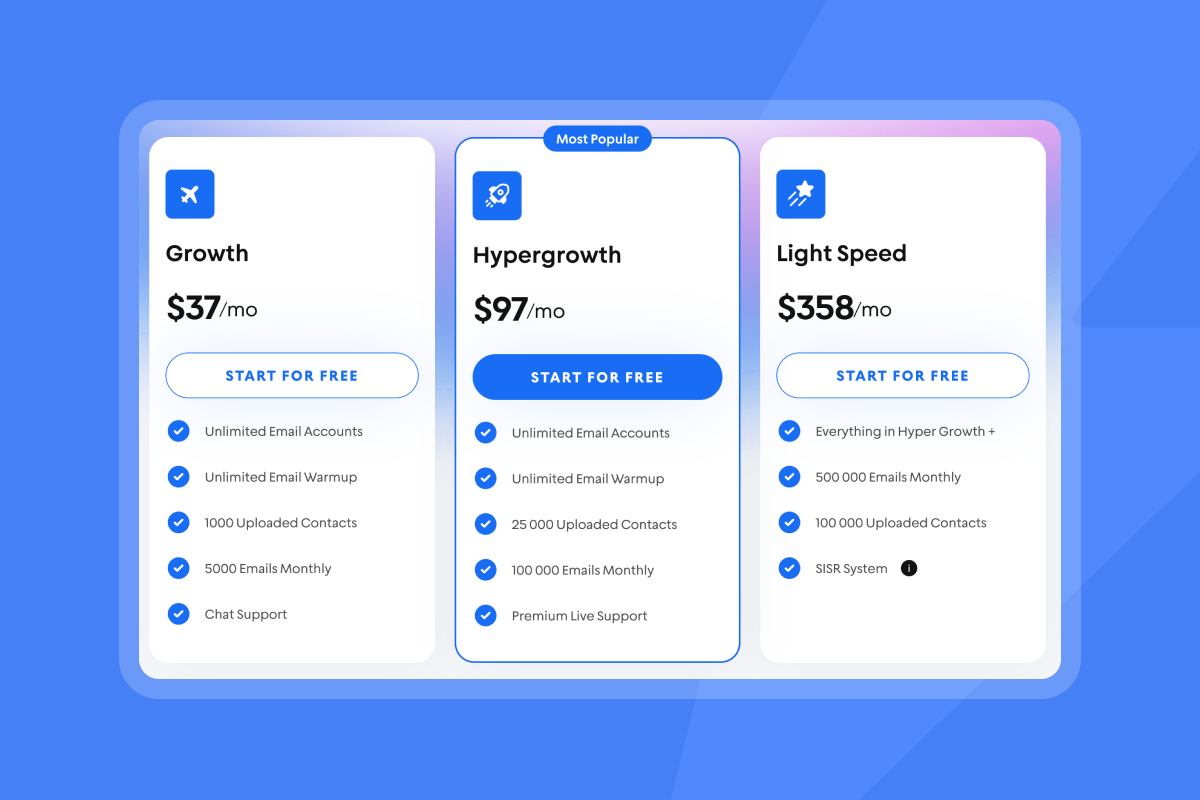
- All Outreach plans include unlimited email accounts and unlimited warmup.
- Monthly list prices in USD:
- Growth Outreach: $37.
- Hypergrowth Outreach: $97.
- Light Speed Outreach: $358.
- SuperSearch credits:
- Nano 150 credits at $9. Growth 1,500 at $47. Supersonic 5,000 at $97. Hyper Credits 10,000 at $197.
- CRM plans: Growth CRM $47. Hyper CRM $97.
- Website Visitors: Hyper Visitors $97. Lightspeed Visitors $397.
Annual billing usually lowers the effective monthly price by about 20% on Outreach and CRM.
Instantly pricing plans: a detailed breakdown
Outreach is your sending engine. SuperSearch provides data and enrichment with credits. CRM organizes replies and deals. Website Visitors identifies anonymous traffic. Most agencies pair Outreach and SuperSearch, then add CRM when reply volume and reporting needs grow.
Takeaways for agencies
- Unlimited email accounts on every Outreach tier keeps your base cost flat as you add client inboxes.
- Light Speed adds SISR, which is server and IP sharding and rotation. It helps maintain inbox placement at high throughput.
- SuperSearch taps into 450M+ contacts and uses waterfall enrichment across 5+ providers for verification.
- CRM adds Unibox to centralize replies across all connected accounts. Add Hyper CRM if you need Calling and SMS for a sales floor.
To get a full view of all of Instantly's features that you get for these price plans checkout this tutorial below:
Understanding Instantly’s credit system
Credits make data and AI predictable. You do not use credits to send campaign emails in Outreach. You use credits for SuperSearch lead actions and AI agents.
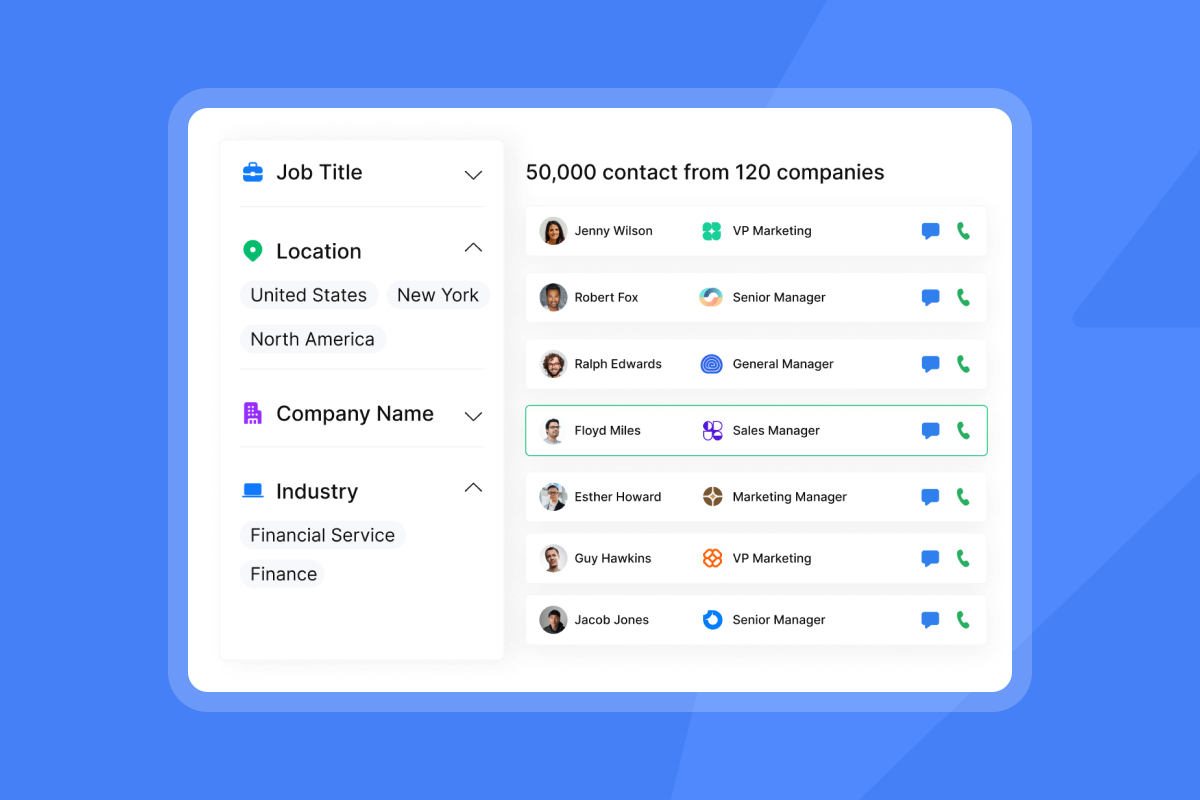
SuperSearch credits cover verified emails, enrichment, and partner lookups. As outlined in this help center article 1 credit for Instantly-verified emails, 2+ credits via partners, and 0.5 credits for AI enrichment.
AI Reply Agent consumes credits per handled reply. The help article states 5 credits per AI reply and typical response in under 5 minutes in the AI Reply Agent help doc.
How to model credits in client billing
- Define monthly input per client. Example: 2,000 verified contacts from SuperSearch.
- Map funnel targets. Example: 5% reply, 1% meeting.
- Allocate credits to verified contacts, enrichment, and AI reply handling. Plan about 1.5 credits per verified email on average plus 5 credits per AI-handled reply.
- Add a 10% buffer for A/B tests and list cleaning.
| Plan | Monthly price | Credits | Notes |
|---|---|---|---|
| Nano | $9 | 150 | Entry pack. |
| Growth | $47 | 1,500 | For steady sourcing. |
| Supersonic | $97 | 5,000 | For active list building. |
| Hyper Credits | $197 | 10,000 | Scale credits, expand as needed. |
Checklist: optimizing credit usage
- Map credits to outcomes. Tie credits to verified contacts and meetings.
- Use verified contacts only to reduce bounces and protect sender reputation.
- Reuse saved searches and filters. Refresh monthly instead of starting from scratch.
- Gate AI replies. Route only positive or unsure replies to AI to avoid waste. Explore advanced routing with AI agents.
- Audit weekly. Compare credits consumed to meetings and pipeline created.
Watch how the credit system and Supersearch works in this tutorial:
Instantly pricing for agency operators
If you run multiple client accounts, two truths matter. Your Outreach cost does not rise as you add inboxes, because every plan includes unlimited email accounts and warmup. Your variable cost lives in credits for data and AI, which you can meter and pass through on the pricing page.
A common agency stack
- Hypergrowth Outreach at $97 for unlimited accounts with 100,000 emails monthly.
- Hyper Credits at $197 for 10,000 credits to feed several clients with clean lists.
- Optional Hyper CRM at $97 for team reporting and Calling and SMS.
Agencies FAQs
Can I connect every client’s inboxes under one Outreach plan?
Yes. Outreach plans include unlimited accounts and unlimited warmup. Organize campaigns per client and keep daily sends low per inbox.
What is SISR and when do I need it?
SISR on Light Speed uses private server and IP sharding and rotation to protect deliverability at high scale. Choose it when you consistently push high volumes across many clients.
How do I bill credits back to clients?
Track credits by list and AI replies. Roll them into a pass-through line item or bundle a ceiling into your monthly retainer.
Checklist: agency pricing considerations
- Define per-client monthly sends. Distribute volume across many inboxes. Do not exceed 30 emails per single inbox per day.
- Pick a base Outreach tier. Hypergrowth fits most agencies. Light Speed for higher throughput or tougher inboxing.
- Set a credits budget per client. Example: 2,000 verified contacts and 100 AI replies per month.
- Add a deliverability buffer. Run weekly tests in Inbox Placement and rewarm any account that slips.
- Standardize ramp plans. Warm new domains for 30 days before full production.
Instantly pricing for startup founders
The lean starter stack many founders use:
- Outreach Growth at $37.
- SuperSearch Growth at $47.
- Optional Growth CRM at $47 once replies justify centralizing follow ups.
That totals about $131 per month at entry levels. It keeps your base predictable while you test reply rate and cost per meeting.
Founders FAQs
How much do I need to test?
About $84 to $131 per month depending on CRM. Start light, use verified contacts, and aim for 5% replies.
Can I keep costs predictable?
Yes. Outreach is a flat fee. Credits correlate to contacts and AI replies, which you control.
What is the fastest safe way to send?
Warm for 30 days. Ramp to 20 to 30 emails per inbox per day. Keep bounces at or below 1%. If placement dips, pause and fix DNS, list hygiene, and copy. You can monitor trendlines with Inbox Placement automated tests.
To improve placement tactics, see the Ultimate Guide to Cold Email Deliverability in 2025.
Instantly pricing for marketers
Your job is testing. Credits let you size test cells and keep spend in bounds.
- Model A/B tests by contacts per variant. If each variant needs 500 contacts, that is a clear credits line.
- Route only positive or unsure replies to AI Reply Agent to reduce 5-credit events per reply.
Marketers FAQs
How many variants can I run before I hit limits?
Your limit is contacts, not variants. Plan variants by contacts per cell and credits available.
What should I standardize across tests?
Send windows, domain health checks, and copy structure. Change one variable per test to preserve signal.
How do I keep deliverability stable while testing?
Spread sends across many warmed inboxes. Avoid over 30 emails per inbox per day. Monitor with Inbox Placement.
Checklist: A/B test credit planning
- Define test cells with contacts per variant.
- Pre-verify lists to protect sender reputation.
- Allocate AI replies to promising responses only. See orchestration options with AI agents.
- Cap total sends. Respect per-inbox daily limits.
- Review 7-day windows. Shift credits to winners.
Watch how to leverage Instantly's A/Z testing suite in full in this tutorial:
Instantly pricing for sales leaders
Sales leaders want consistency with audit-friendly reporting. Flat Outreach pricing removes per-seat penalties and makes rollout easier across reps.
- Outreach at team scale with unlimited accounts reduces domain risk and compounding software costs.
- Unibox centralizes replies. Add CRM when you need team reporting and Calling and SMS.
Sales leaders FAQs
Can I roll this out without per-seat chaos?
Yes. Outreach plans are per workspace with unlimited accounts, not per user seats.
How do I ensure auditing and handoffs?
Use Unibox for reply handling, standard templates, and weekly health checks. Connect CRM via native options or your iPaaS. Review Instantly’s help center for integrations.
What are the must-watch health checks?
Inbox Placement trend, bounce rate at or below 1%, complaint rate under 0.3%, no inbox sending over 30 per day. See Inbox Placement automated tests.
For a visual overview of features and workflows, see the Instantly AI Full Tutorial.
To see safe throughput tactics in practice, watch Start sending 1000 emails a day in literally the next 5 mins.
Instantly pricing strategy pros & cons
How Instantly maps to classic strategies:
- Value-based: Flat Outreach plus credits aligns cost to value. You pay a fixed fee for safe scale and a variable fee for data and AI outcomes.
- Competitive: Compared to per-seat sales engagement suites, flat Outreach is often cheaper at agency scale because you do not pay for every user.
- Cost-plus: Credits reflect provider costs for data and AI processing, so usage is visible and forecastable.
Pros and cons: Instantly’s model vs common alternatives
Pros:
- Flat-fee Outreach with unlimited accounts supports profitable scaling across clients
- Predictable credits let you meter lead gen and AI per client.
- Deliverability tooling and automated tests reduce hidden costs from spam placement and downtime. See Inbox Placement automated tests.
Cons:
- Very high senders may need Enterprise conversations for limits and assurances.
- Email-first focus. You can add Calling and SMS through Hyper CRM, broader multichannel requires just a simple 1 click integration via the CRM or iPaaS.
What customers to say
"Instantly has completely transformed our email outreach. The platform is super intuitive, easy to set up, and makes it simple to manage multiple domains and inboxes at scale." - Shaiel P.’s G2 review
"In just the past 180 days, I’ve been able to book over 100 meetings, close deals worth more than €15,000, and even walk away from my regular 9 to 5 job." - Dustin Geissinger Gromicho’s Trustpilot review
"Super easy to get started. Email warm up is amazing." - Anas A.’s G2 review
For a step-by-step walkthrough of setup and sending, watch the Full Instantly.ai Tutorial 2025 on YouTube.
Get your agencies costs under control
Start a free trial to see how Instantly’s predictable pricing and features can streamline client campaigns and lift your bottom line.
Related Reading
- Pricing and plan cards on the Instantly pricing page.
- SuperSearch help article.
- SuperSearch taps into 450M+ B2B contacts with waterfall verification across 5+ providers in the SuperSearch help article.
- The warmup system runs through a private deliverability network described at 4.2M+ accounts in the deliverability and multi-account playbook.
- AI Reply Agent help doc.
- Inbox Placement feature and automated tests.
- Integrations overview in Instantly’s help center.
FAQ:
What is the fastest safe plan for a 5-client agency?
Hypergrowth Outreach at $97 plus Hyper Credits at $197 suits many mid-size agencies. Add Hyper CRM at $97 if you need Calling and SMS and team reporting.
How many leads are in SuperSearch?
450M+ B2B contacts with waterfall verification across 5+ providers. Plan usage by verified contacts you actually need.
Do I need Light Speed for good deliverability?
Not always. Light Speed adds SISR for larger sending volumes. For most agencies, Hypergrowth plus hygiene, 30-per-inbox caps, and weekly tests in Inbox Placement is enough.
How fast does AI Reply Agent respond and what does it cost?
Replies in under 5 minutes at 5 credits per AI reply. Run Human-in-the-Loop for sensitive accounts in the AI Reply Agent help doc.
What do users say about support and outcomes?
4.8/5 on G2 with 3,700+ reviews.
Key terminology
- Credits: Units used for SuperSearch and AI agents. Not used for core sending.
- SISR: Server and IP sharding and rotation on Light Speed to protect deliverability at high throughput.
- Warmup: Automated sends that build sender reputation before production. Keep it running during campaigns.
- Primary inbox: The folder people read. Your placement target.
- List hygiene: Ongoing removal of risky or invalid contacts to reduce bounces.
- Unibox: A unified inbox for reply handling across all connected senders.
- Send windows: Time ranges when emails go out. Keep to business hours.
- Ramp plan: A gradual increase in daily sends after warmup. Do not exceed 30 emails per inbox per day.


