


Our tried-and-true Instantly AI prompts serve to simplify cold email at every stage. They help you identify ideal leads, enrich data, craft fully personalized sequences, and optimize campaigns based on analytics.
Whether you are automating website research for icebreakers or using AI to diagnose campaign performance, these prompts remove the "blank page" problem and allow for hyper-personalized outreach at enterprise scale.
Instantly prides itself as one of the top email platforms for small businesses and teams looking to grow. One of the most common issues we’ve seen in the cold email space is the barrier to entry. It takes a lot to create winning campaigns, from setting up infrastructure and generating leads to writing effective email copy.
That’s why we built Instantly Copilot, an AI assistant purpose-built for cold email. Simply describe your goal or ask a question, and Copilot pulls context from your website or PDFs to generate sequences, personalize messages, and suggest campaign strategies.
And of course, the more detailed your descriptions (prompts), the better your results. Let's take a closer look. Below, we explore a few proven AI prompt examples that deliver the best possible results within Instantly Copilot.
What Can Instantly Copilot Do For You?
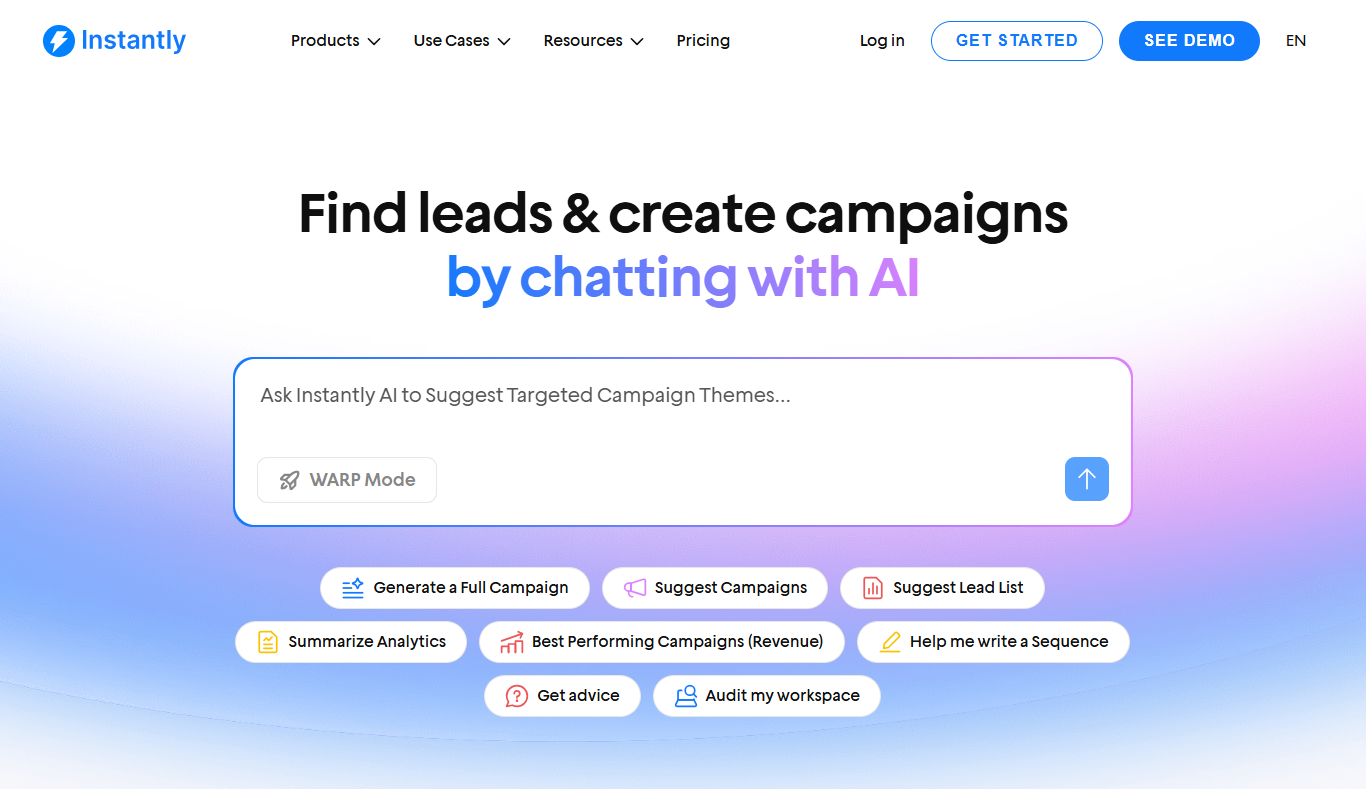
Instantly Copilot pulls context from your website, PDFs, ICPs, and custom rules to create outputs that are relevant and personalized for your specific business needs. Before we get into prompts, let’s map out where Copilot fits in a campaign build.
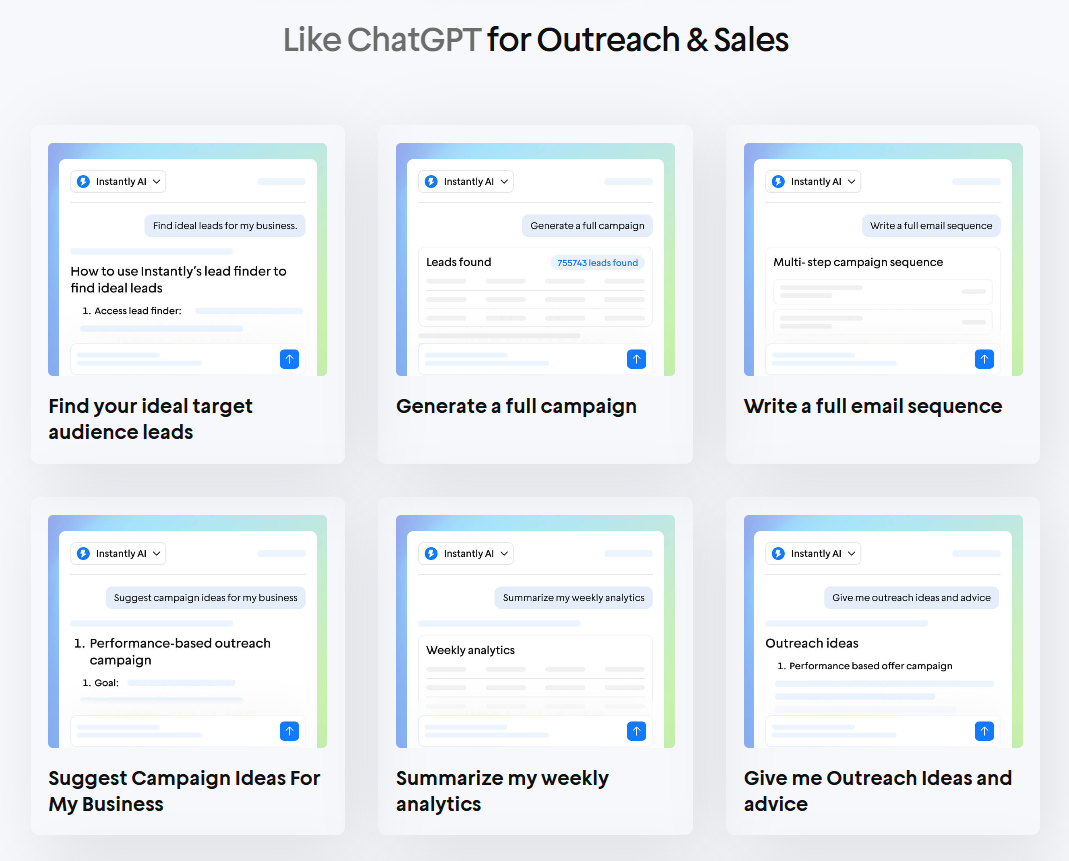
Find Your Ideal Target Audience & Leads
Both Copilot and Instantly’s AI Sequence generator can help you define your ICP and buyer personas, pick the proper job titles, industries, and company sizes, and turn that into a lead search plan. It can also suggest filters, segments, and ways to prioritize who to contact first.
Generate Complete Outreach Campaigns
Give Copilot your offer and target audience, and it can build the whole campaign structure, including segments, positioning angles, sending strategy, and what to test in your first iteration.
Write Full Email Sequences
Need more than one email? Copilot's AI Generator can write a complete sequence from opener to follow-ups, with consistent messaging, different angles per touch, and CTAs that fit your audience.
Suggest Campaign Ideas for Your Business
If you’re not sure what to send yet, Copilot can brainstorm campaign concepts based on your industry, product, and audience, including seasonal hooks, new offers, and “easy yes” outreach angles.
Summarize Your Weekly Analytics
Copilot can interpret performance data, such as open rate, reply rate, positive replies, and bounce rate, and then translate it into simple takeaways and next steps.
Give Outreach Ideas & Advice
Stuck on deliverability, personalization, targeting, or positioning? Copilot can recommend adjustments and provide explanations, such as modifying segments, refining copy, adjusting send limits, or refining your CTA.
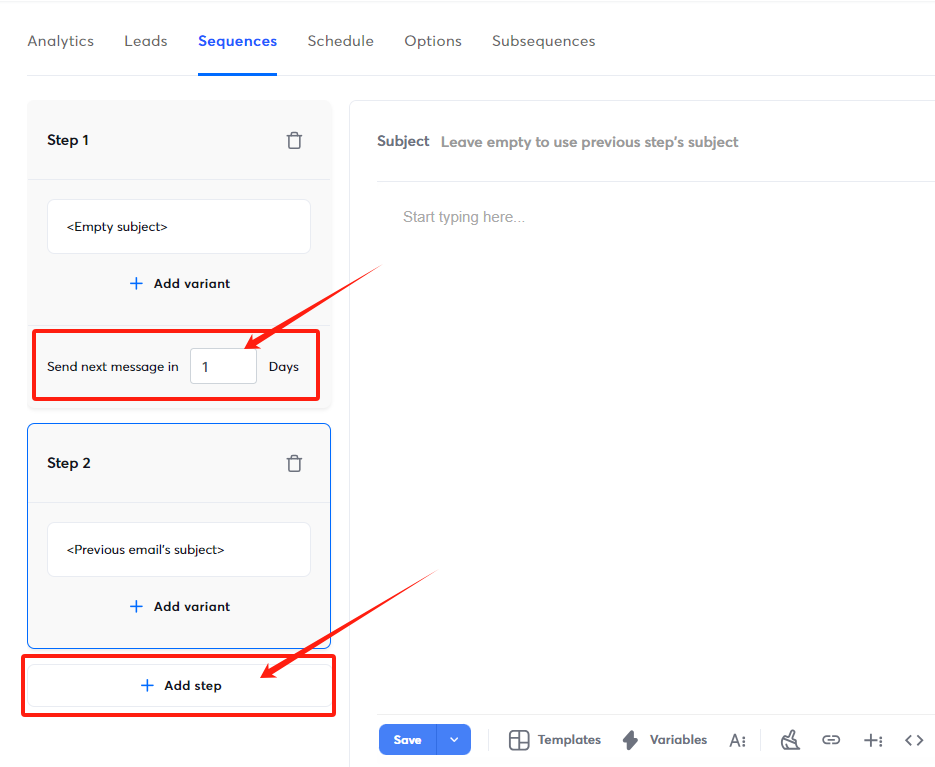
Set Daily, Weekly, or Monthly Recurring Tasks
Copilot can help you create repeatable routines, such as weekly campaign audits, list cleaning reminders, A/B test reviews, and monthly performance summaries, so your outreach stays on track.
How Do Instantly AI Prompts Work?
Instantly gives you control of your AI use. You don’t need to subscribe to an LLM like ChatGPT, but you can connect it to Instantly if you already have one. If not, you can still use AI prompts using Instantly Credits.
- Use AI: 1 credit per row (custom prompts/fields)
- AI Web Research Agent: 0.5 credits (scrape website data)
- AI Email Agent: 0.5 credits (personalized emails)
You can buy Instantly Credits by subscribing to the Instantly Credits plan. You use credits for finding leads, enriching data, and AI web research. Here are the available Plans:
- Nano: $9/month for 150 credits
- Growth Credits 1: $47/month for 1,500 credits
- Growth Credits 2: $77/month for 2,000 credits
- Supersonic Credits 1: $97/month for 5,000 credits
- Supersonic Credits 2: $147/month for 7,500 credits
- Hyper Credits 1-6: $197-$1,700/month for 10,000-200,000 credits
Instantly AI Prompts That Accelerate Your Cold Email Workflows
Instantly and Copilot are most useful when you use them at the right moment. Below, we’ll break the cold email process into a simple workflow:
AI Prompts for Lead Generation
If you don’t know how to start, Copilot has built-in prompts to help you find leads that fit your ideal customer profile (ICP) and buyer personas. Instantly’s AI Sequence Generator and SuperSearch also have prompt templates from our cold email community:
Use Plain English To Find Leads That Fit Your ICP
Type out who your ideal leads are in plain English. For example, you can ask Instantly SuperSearch to find “Marketing directors of Health, Wellness, and Fitness in Washington with 50 to 100 employees.”
Enrich & AI Prompt Examples (and When to Use Each)
Use AI (1 credit): Custom Prompts
Best for: extracting pain points, writing icebreakers, and generating tailored angles from existing fields (such as a company description).
Pain points (2 to 3 options):
“From this company description: #{{Description}}, list 3 likely pain points related to digital marketing. Keep each pain point under 12 words. Generate 3 variations.”
AI Web Research Agent (0.5 credits)
Best for: pulling fresh context from a website or LinkedIn so your personalization is based on something real, not a guess.
Website-based personalization:
“Browse #{{Website}} and write 2 personalized opening lines referencing something specific (service, case study, announcement, or about page). Keep each under 20 words.”
Recent news/achievements:
“Browse #{{Website}} and summarize 1 recent update or proof point. Then write 1 opener that mentions it naturally.”
LinkedIn-based personalization
“Visit #{{LinkedIn}} and write 2 opening lines referencing a recent post, role, or milestone. Keep it friendly and specific.”
AI Email Agent (0.5 credits)
Best for: quick personalization at scale when you don’t want to write prompts. Instantly generates personalized lines using the lead’s available data (no custom prompt required).
Identify Pain Points For Leads
“In brief bullet points not longer than 200 characters total, identify 2 pain points from the company description: {{Description}} that digital marketing can solve. Generate diverse responses based on the input variations.”
AI Prompts for Email Copy and Personalization
The best way to personalize email copy at scale is by gathering as much high-quality data as possible on your leads. That’s where lead enrichment comes in. You can enrich lead lists using SuperSearch or tools like Clay, which has native integrations with Instantly.
Personalized opening line (specific + natural)
“If available, reference a specific service, niche, or positioning from #{{Website}}. If not, make a safe observation based on #{{industry}}.”
Pain point tied to your offer (not just a random pain point)
“From this description: #{{Description}}, list 3 likely growth pain points we can solve with {{your service}}. Format: Pain point + Why it matters + How we help (1 sentence each).”
Compliment based on real proof (website-driven)
“Browse #{{Website}} and write 2 genuine compliments about #{{companyName}}. Each must reference something specific you found. Under 20 words. If you can’t find a specific achievement, don’t guess. Use a neutral opener instead.”
Full personalized cold email (complete draft + structure)
“Write a cold email to #{{firstName}} at #{{companyName}} in #{{industry}}. Include: 1 personalized opener, 1 pain point, 1 clear benefit, 1 proof point (or placeholder), and a low-friction CTA. Keep it under 110 words. Subject line included.”
Industry + social proof version (great for scaling)
“Generate 2 cold email variations for #{{companyName}} (#{{industry}}) explaining how our solution helps similar companies. Each version must use a different angle (speed, cost, pipeline, retention). Under 120 words. End with a yes/no question.”
Personalization Without Prompting (Copilot Mode)
If you want the same level of personalization without writing custom prompts or mapping variables, Copilot can handle it conversationally.
How It Works
- Tell Copilot what you’re trying to launch (audience + offer + goal)
- Copilot automatically uses your saved business context and ICP details
Here’s what it can do:
- Generate complete email sequences with personalization baked in
- Create campaign copy based on your business, offer, and ICP
- Write personalized opening lines, follow-ups, and full email drafts
- Pull context from your website, PDFs, and any rules you’ve set
AI Prompts for Campaign Setup and Optimization
Once you’ve got your list and your sequence draft, the next bottleneck is rarely “writing.” It’s how you structure the campaign, how you maintain clean deliverability, and how you adjust when results come back a little quiet.
Here are practical prompts you can use with Copilot:
- Set up campaigns the right way the first time (segments, sending strategy, follow-up)
- Catch common mistakes before you launch
- Read your analytics and suggest optimizations
Campaign Personalization Prompts
- "Generate campaign subject lines for #{{industry}} companies based on #{{companyName}} and #{{Description}}"
- "Create opening sequences for #{{firstName}} at #{{companyName}} mentioning their #{{industry}} challenges"
- "Write campaign copy highlighting solutions for companies like #{{companyName}} in #{{industry}}"
Copilot Built-in Prompts
- Write a Sequence: Creates a multi-email sequence based on your offer, audience, and tone.
- Campaign Ideas: Suggest outreach angles, hooks, and offer ideas you can turn into a campaign.
- Weekly Analytics: Summarizes your performance and recommends adjustments for next steps.
- Best Performing Campaigns: Highlights what’s working in your workspace so you can replicate it.
- Get Advice: Answers campaign questions and gives actionable recommendations (targeting, copy, deliverability, and testing).
- Audit My Workspace: Reviews your workspace for common issues across leads, campaigns, and settings, and suggests fixes.
AI Sequence Generator (structured sequence writing inside Campaigns)
Use this when you specifically want a full sequence generated inside the campaign builder.
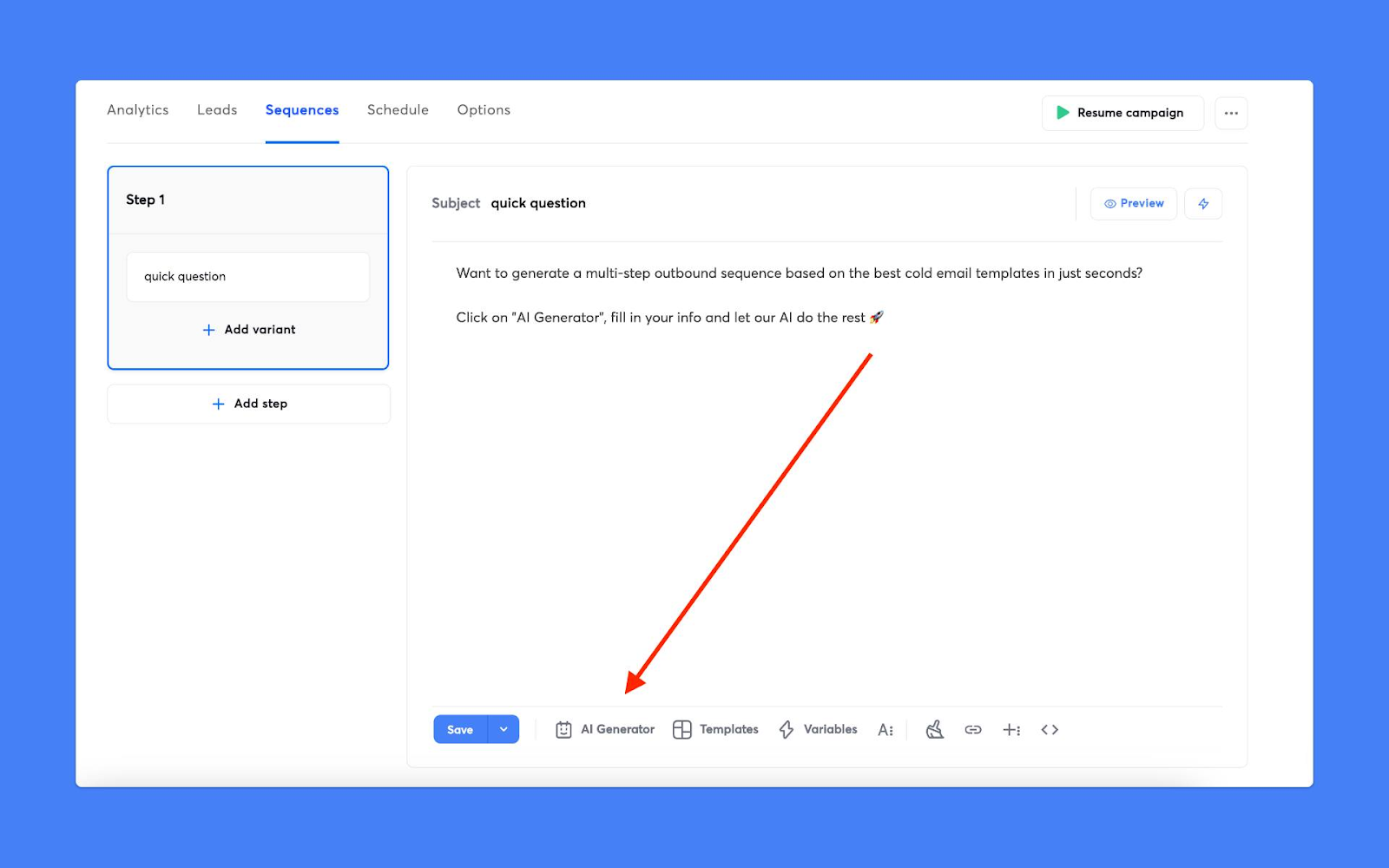
- Where to find it: Campaigns > Sequences tab > AI tools > AI sequence writer
- What it does: Writes complete sequences based on your offer + target audience
- Plan note: Requires Hyper Growth plan or above
Key Takeaways
Instantly is consistently making strides to make cold email as accessible and streamlined for every business, regardless of what size or stage they are. The best part is you can continue to refine your own prompts or use tried-and-tested prompts from our cold email community.
Ready to streamline and optimize your cold email workflow? Sign up, earn credits, and test out the AI prompts yourself. Try Instantly and Copilot for free today.


