.svg)
%20(1).svg)


Updated October 21, 2026
TL;DR: Strong email deliverability is the backbone of cold outreach. Aim for 90%+ inbox placement by securing technical setups (SPF, DKIM, DMARC), warming accounts, prioritizing list hygiene, and monitoring results over time. Warm new inboxes for at least 2 weeks, send no more than 30 cold emails per inbox per day, and keep bounces under 2%. When it comes to copy, email deliverability best practices suggest using spintax for natural variation, adopting proven frameworks
like AIDA or PAS for value propositions, and always engaging with prospects. Instantly.ai makes it effortless to put all these into practice thanks to
premium warmup pools, seed testing, blocklist monitoring, and automated IP rotation to keep campaigns safe at scale.
Poor email deliverability is one of the greatest threats to cold email marketing campaigns. Every email that lands in spam or is blocked entirely erodes the trust email providers have in your domain. It's a compounding adverse effect where each failure makes the next one more likely.
At Instantly, we've seen this problem firsthand and built our platform around the obsession with pristine deliverability. But while our tools automate the technical heavy lifting, email deliverability best practices are universal.
So whether you're using Instantly or another platform, the principles that drive consistent inbox placement stay the same. Below, we break down proven strategies for maintaining high deliverability rates even as you scale your outreach volume. A placement testing tool shows where your emails land while you apply them.
Is this for you?
This is for you if
You're setting up or auditing the technical and content side of cold email deliverability, from DMARC to warmup to copy.
This isn't for you if
Your deliverability is already solid and you just need a quick reference, not a full audit.
What is a Good Email Deliverability Rate?
A cold email marketing campaign's ideal deliverability rate is around 90%. But many of our users have consistently achieved over 95% email deliverability rates in their campaigns. If you want to get your email marketing to that level, here’s what you need to know:
Email Deliverability Best Practices Checklist
| Practice | Target / threshold |
|---|---|
| Authentication | SPF, DKIM and DMARC all passing. Move DMARC to p=quarantine once all legitimate senders pass alignment |
| Warmup | 2+ weeks and a health score above 90% before launch, 4-6 weeks to full volume |
| Daily volume | Up to 30 cold emails per account, with warmup running |
| Bounce rate | Under 2% |
| Placement testing | Seed tests before launches and after copy changes |
| Blacklists | Automated monitoring, zero listings |
The Fundamental Email Deliverability Best Practices
Getting your emails delivered takes ongoing work and depends on every part of your email marketing. You can’t rely on one tactic to do the job. Every detail makes a difference, from technical setups to small changes in your email copy.
Start with Strong DMARC Enforcement
The foundation of cold email marketing is setting up the technical DNS setups: DMARC, DKIM, and SPF.
However, most domains only configure DMARC with a passive p=none policy. The issue is that your DMARC record only collects reports but offers passive protection.
- It does not block or quarantine any unauthenticated messages.
- It only tells mailbox providers to send aggregate DMARC reports (XML files) showing which emails passed or failed authentication.
Once you’re confident your legitimate emails are passing SPF/DKIM correctly, you should move up to the following:
- p=quarantine: Failing emails are sent to spam/junk.
- p=reject: Failing emails are blocked outright. This is the “full protection” setting.
Use Premium Warmup Pools
Email warmup is a vital part of cold email marketing. Instantly recommends warming new accounts for at least 2 weeks, and until the warmup health score is above 90%, before adding them to a campaign. Instantly's 2026 benchmark report puts the gradual ramp to full sending volume at 4 to 6 weeks, starting at 5 to 10 emails per day. Split daily sending volume between cold emails and warmups.
However, in some cases, warmups aren’t enough. That’s why Instantly created a premium warmup pool. Unlike standard warmup systems, ours relies exclusively on aged Gmail and Outlook accounts with stricter quality controls to give your campaigns a head start in inbox placement.
Accounts inside this pool are marked with a blue flame in your Instantly dashboard and, based on Instantly's internal analysis, received 9% more replies than accounts in the standard warmup pool. If you’re using an Instantly Done-For-You (DFY) account, you automatically get access at no extra cost.
Refine Your SPF Practices
Your SPF (Sender Policy Framework) record tells receiving mail servers which IP addresses are authorized to send email on behalf of your domain. It’s one of the fundamental technical setups for cold email. But many cold email marketers have it misconfigured.
To address this issue, try:
- Limiting authorized ISPs to include the exact servers and providers you use
- Avoiding too many “include” mechanisms so you won’t hit the 10-lookup DNS limits
- Using SPF validation tools and consistently monitoring your DNS records
- Ensuring SPF “pass” aligns with DMARC policy for stronger authentication
If you're not sure how to start with any of these setups, Instantly offers a Done-For-You (DFY) email setup service. All you need to do is buy alternate domains from within Instantly, and we’ll handle all DNS setups so you can focus on running the campaign.
Differentiate Between Delivery and Deliverability
Remember, delivery means your email reached somewhere inside the recipient’s mailbox. You could get high delivery rates, but if your emails don't land in your prospects' primary inboxes, your campaigns won't get replies.
You can measure deliverability by combining seed testing (sending to test inboxes across Gmail, Outlook, Yahoo, etc.), engagement metrics (opens, clicks, replies), and inbox monitoring tools to see where your emails land. If placement has already dropped, start with the email deliverability issues guide. For a full
health review, run an email deliverability audit.
What usually goes wrong here
- Skipping seed list monitoring after setup. You won't know you're landing in spam until replies dry up, test placement on a schedule instead Test your inbox placement
- Warming up with a standard pool instead of a premium one. Premium aged accounts give campaigns a head start on inbox placement Get pre-warmed inboxes
- Treating delivery and deliverability as the same problem. Fixing your copy won't fix a broken DMARC record, and the reverse is also true, diagnose which one you actually have See how Instantly works
Conduct Regular Seed List Monitoring (Inbox Placement Tests)
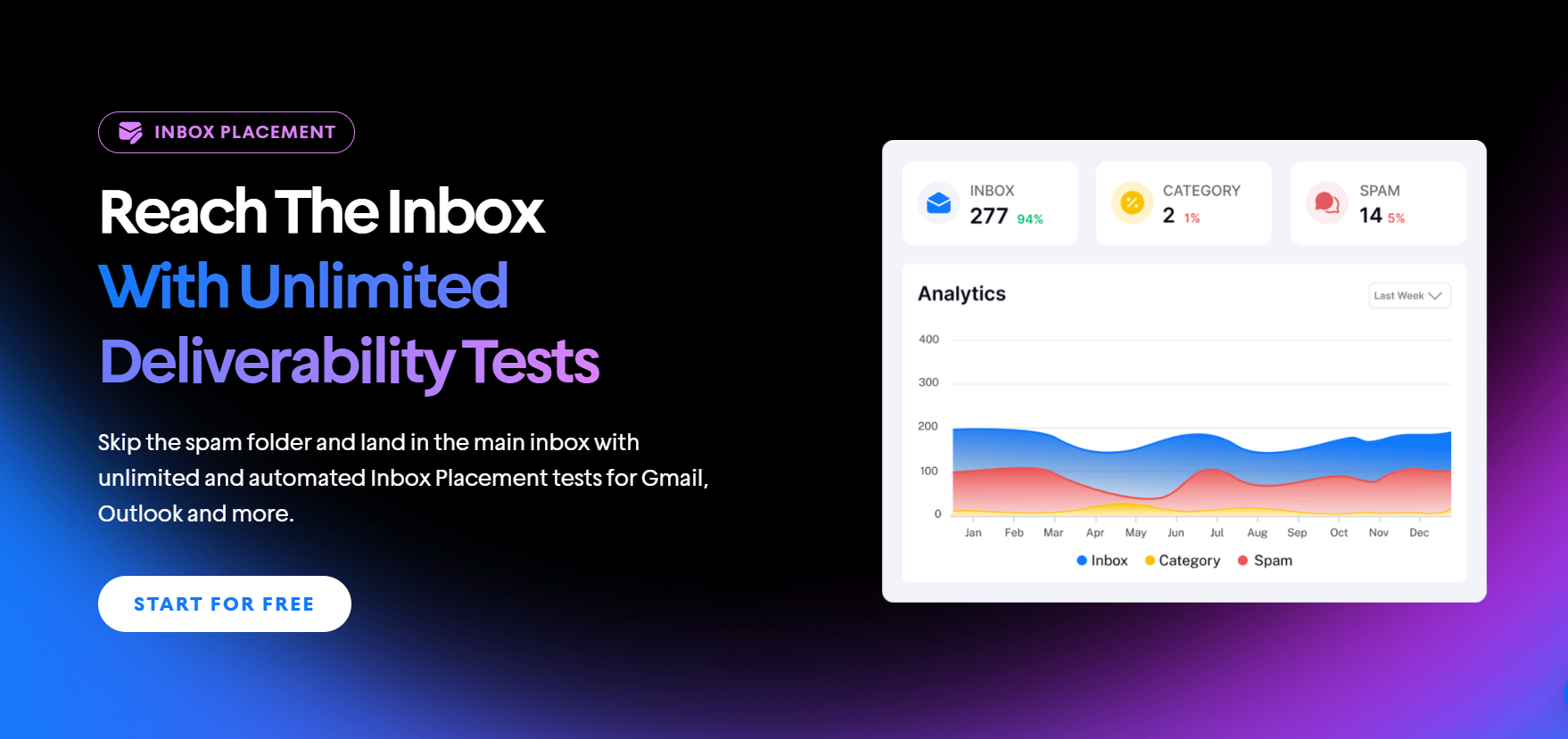
Seed list monitoring means using dummy addresses across major ISPs to test where your emails land (primary inbox, promotions, or spam). If you want a more straightforward setup, Instantly offers Inbox Placement Testing. Here’s how it works:
- Test recipients: We use a pool of email accounts as recipients, which are rotated periodically to maintain accuracy
- Real-time testing: Tests whether your emails land in the inbox, promotions, or spam folders across providers like Gmail, Microsoft, Web.de, and Libero.
- Comprehensive Analysis: Provides spam filter scores, content analysis, blacklist monitoring against 94 blacklists, and AI recommendations
You can run one-time and automated recurring tests to monitor your email deliverability continuously. The feature supports testing multiple email accounts simultaneously and provides detailed insights to help optimize your campaigns.
Apply Spintax for Natural Copy Variation

Imagine sending thousands of identical emails, the only differences being the first names and your prospects’ company information. That’s a potential red flag for email providers. And it's why adding variations to your email without changing the sentiment is essential.
Before sending at scale, add spintax to your cold email copy. Spintax creates variations of words, phrases, or sentences. The variables are kept inside “{ }” and separated by “|”.
For example, instead of: “Hi, {{first name}},” you can have “{RANDOM|Hey|Hi|Hello|Good Day}, {{first name}}”.
Use the Server and IP Sharding and Rotation System (SISR)
Cold emails are often sent through shared or static servers in ordinary setups. If another sender on the same IP or server gets flagged for spam, your deliverability can suffer too, even if you follow best practices.
Dedicated servers and private IPs solve this by giving you complete control over reputation, but they’re expensive and complicated to manage. That’s why Instantly built the SISR (Server & IP Sharding and Rotation System).
Instead of requiring you to purchase and maintain private infrastructure, SISR automatically distributes your sending across multiple IPs and servers, constantly rotating and replacing them if performance drops. SISR applies automatically to eligible workspaces, including Light Speed plans, and cannot be switched on manually.
It’s a hands-free, plug-and-play solution that protects your deliverability at scale without the technical headaches of managing servers yourself.
How to Improve Deliverability at Every Part of Your Campaign
With the fundamentals and technical setups taken care of, you can then work to implement email deliverability best practices at each stage of your cold outreach campaigns.
Here’s a look at what you can do:
Improving Email Deliverability With Copy
Email copy plays a direct role in deliverability. Filters look for signs of bulk or promotional intent, so messages that sound overly sales-driven or use heavy formatting are more likely to be flagged. Stick with the basics. Write conversationally, keep structure simple, and personalize.
To improve personalization, enrich your lead list, and use the new data to create custom columns you can add as a {{custom variable}}. Doing so ensures all emails have unique value propositions for every lead.
Implement AIDA or PAS in Your Value Propositions
Having emails in primary inboxes is one thing; ensuring your email resonates with your prospects is another. That’s why it’s essential to segment leads and write value propositions that align with your prospects' goals and needs.
Two of the best methods of writing value propositions are AIDA (Attention, Interest, Desire, Action) and PAS (Problem, Agitate, Solution). Here are some examples of them in action:
AIDA
Subject: Quick question about your books
Hey {{first name}},
Attention (A): Curious if your team spends 10+ hours a week chasing receipts and reconciling accounts?
Interest (I): We run a bookkeeping service that handles reconciliations and reporting so you can focus on running the business.
Desire (D): Most clients save around 15 hours monthly and cut accounting costs by a third.
Action (A): Would you be open to a quick call to see if we could take that work off your plate?
PAS
Subject: bookkeeping headaches because of {{pain}}?
Hi {{first_name}},
Problem (P): Does your team spend hours chasing down receipts or fixing reconciliations at the end of the month?
Agitate (A): That wasted time usually snowballs into bigger issues like surprise tax penalties, cash flow blind spots, and late reports.
Solution (S): We built a bookkeeping service that handles reconciliations, reporting, and compliance so you get clean numbers without the hassle.
Keep a Healthy Sending Volume
More domains mean more sending capacity. Set daily limits and split emails between warmup and outreach to ensure deliverability. A good rule of thumb is one alternate domain with three accounts, each sending up to 30 cold emails daily.
If the account is brand new, run warmup only (around 10 warmup emails per day) for at least 2 weeks and until its health score is above 90%. Then add cold emails gradually and keep warmup running alongside them. If you want this streamlined, Instantly’s Campaign Slow Ramp feature automates the process.
On day one, it begins with just two campaign emails and increases by two per day until you hit your maximum limit. This gradual ramp-up builds trust with mailbox providers and protects your sender reputation.
Always Engage with Prospects
A common email deliverability question is how to deal with prospects who want to opt out of your list.
The obvious answer is to remove them. But you can still reply to prospects who responded with a "no" to your offer.
Remember, ESPs track how your accounts engage with users. Even if a prospect says no, you still have an opportunity to reply. You can use it to address objections or leave the conversation on a positive note while creating strong engagement signals.
Get a Good Cold Email Marketing Stack
There are dozens of great cold email marketing tools on the market. What you choose will ultimately depend on your preferences and needs. But as a baseline, ensure that you have the following tools in your cold email marketing tech stack:
- Email automation tool (automated sending, drip emails, and personalization)
- Email warmup automation
- Lead finder and email verification tool
- Lead enrichment tool
- CRM for managing leads
Practitioners who pair a verified lead source, a warmup-enabled sender, and a CRM routinely report deliverability climbing from the mid-70s to
90%+.
If you want everything under one roof, Instantly offers an email automation tool, lead finder and email verifier, enrichment tool, and a CRM. It also integrates natively with enrichment tools like Clay for even more in-depth lead data.
Don’t Neglect Blacklist Monitoring
Even if your technical setups are perfect, getting listed on a blocklist can damage deliverability almost overnight. Blocklists are databases that ESPs and spam filters use to decide whether your sending domains and IPs can be trusted.
Instantly offers comprehensive blocklist monitoring beyond basic spot checks to simplify this. Instead of manually tracking domains across multiple tools, Instantly automates the entire process with built-in protections:
- Global Blocklist (Growth plan+): Checks every new lead against your blocklist during import, preventing emails from being sent to flagged domains or addresses.
- AI Blocklist Triggers (Hypergrowth+): Automatically adds leads to your blocklist based on reply content (like “remove” or “unsubscribe”) or lead status.
- BounceShield Protection: Uses real-time bounce data from millions of emails to identify and skip high-risk recipients before they hurt your reputation.
- IP Monitoring System: Continuously tracks IP performance and reputation, rotating in high-reputation IPs and removing underperforming ones to avoid blocklist issues.
Key Takeaways
If there is one thing worth obsessing over in email marketing, it's deliverability. Every part of your workflow, from the technical setups to the way you personalize and send, directly affects whether your emails reach the inbox.
To recap, here are a few best practices to help strengthen deliverability across your campaigns:
- Start with the fundamentals (DMARC, DKIM, SPF) and ensure they’re configured properly.
- Try premium warmup pools to keep the deliverability rates of alternate domains high.
- Ensure SPF pass aligns with DMARC policies.
- Conduct regular seedlist monitoring or inbox placement tests
- You can use the SISR system instead of dedicated servers
- Add spintax to your copy, personalize, and ensure value props are tailored for each segment.
- Ensure you’re email tech stack is built for scalable and sustainable cold outreach.
Instantly puts warmup, placement tests, blocklist monitoring and sending in one place, so you can apply these practices without juggling separate tools. Start your free Instantly trial.
FAQs: Email Deliverability Best Practices
How many cold emails can I send per day without hurting deliverability?
Up to 30 cold emails per sending account per day, with warmup running alongside. Scale by adding accounts and domains, not by pushing any single inbox harder: volume spikes on one address are what trigger provider throttling.
What is the most important email deliverability best practice?
Authentication first: SPF, DKIM, and DMARC all passing, then move DMARC to p=quarantine once all legitimate senders pass alignment. Without authentication, other deliverability work has little to build on.
How long does it take to build good deliverability on a new domain?
Warm up for at least 2 weeks, and until the health score is above 90%, before launching any campaign, and expect 4 to 6 weeks to reach full sending volume, per Instantly's 2026 benchmark report. Keep warmup running even after campaigns start.



