


TL;DR: If you run an agency or lead a lean sales team, per‑seat pricing inflates costs as headcount and inboxes grow. Instantly’s flat‑fee outreach plans include unlimited email accounts and warmup, plus deliverability controls like automated Inbox Placement tests and SISR on Light Speed. SuperSearch, a 450M+ B2B lead database, sits in the same workspace and is priced by credits. For most agencies, this model keeps costs predictable while protecting sender reputation at scale. Lemlist is a capable per‑seat alternative with multichannel options and decent database, but its costs rise with each user and add‑on.
Updated October 31, 2025
Agencies and sales leaders want three things from a cold email platform: predictable costs, consistent primary‑inbox placement, and clean handoffs to CRM. This guide compares Instantly and Lemlist through that lens. You will see how flat‑fee economics map to agency margins, how deliverability tooling reduces risk, and where each platform fits by use case. If you want a quick look at the workflow, the Instantly team’s full tutorial on YouTube walks through setup, sending, and deliverability.
Feature showdown: Lemlist vs. Instantly head‑to‑head
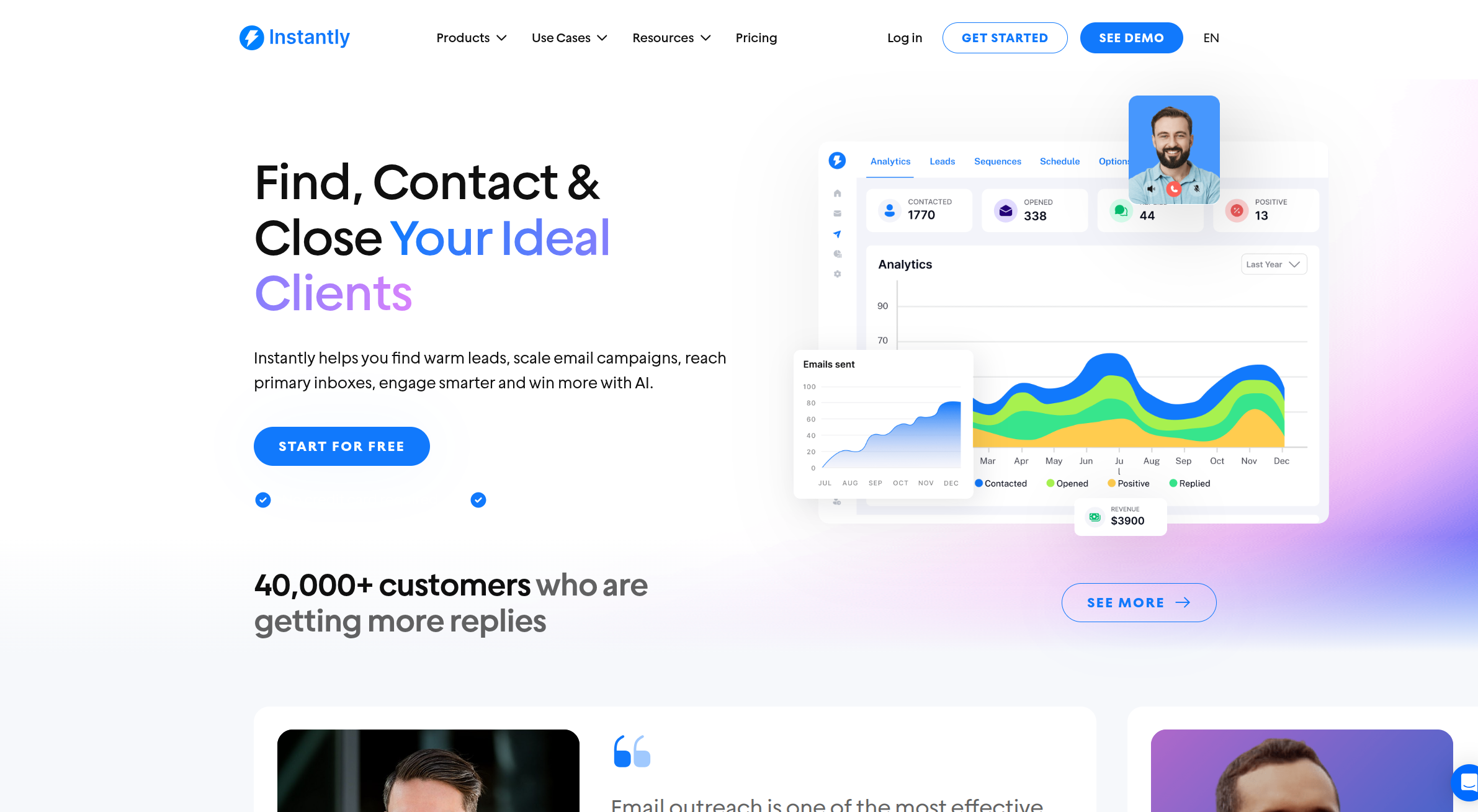
Instantly stands out for unlimited accounts, integrated data, AI automations, and deliverability automation. Instantly also has a higher G2 review score compared to Lemlist with more reviews.
Core capabilities for agencies
| Capability | Instantly | Lemlist |
|---|---|---|
| Email sequences and personalization | Multi-step sequences, variables, A/B testing, send windows, reply detection | Multi-step sequences, personalization, multichannel steps on higher tiers |
| Lead generation and enrichment | SuperSearch with 450M+ B2B contacts and waterfall enrichment. Priced by credits. | Per-seat plans include access to a large people database cited near 450M+ in independent overviews |
| AI for drafting and triage | Copilot for research/build. AI Reply Agent handles replies in under 5 minutes with HITL or Autopilot, billed in credits | AI assistants for copy and personalization. No AI Reply agent. |
| CRM integrations and workflows | HubSpot and Salesforce via OutboundSync, API v2, webhooks, Slack, Zapier, Make | CRM integrations noted across listings. Depth varies by plan |
| Warmup & deliverability network | 4.2M+ account warmup network powered by SISR (Smart IP Sharding Rotation) with automatic domain/IP balancing | Approx. 20K warmup accounts via Lemwarm, single-pool system |
- Email sequences and personalization: Both cover core sequencing. Validate timing controls and reply detection.
- Lead generation and enrichment: Compare lead quality and bounce rates side by side as outlined in the AI lead generation playbook. Instantly has Waterfall Enrichment with catch-all verification.
- AI for drafting and triage: Instantly has an AI Reply Agent but Lemlist does not.
- CRM integrations and workflows: Preview the event mapping and sync flow in this OutboundSync overview on YouTube.
Email sequences and personalization
Both tools support multi‑step sequences with variables. Instantly also offers multi‑variant testing and an auto‑optimize mode that promotes winners on reply rate, plus spintax and conditional logic to vary copy safely at volume. Use two to four variants per step and hold links constant when testing to avoid confounds. The A/Z testing guide explains how to set this up.
"The interface is clean, intuitive, and beginner-friendly. I really like the analytics dashboard, which gives me clear insights into opens, clicks, and replies..." - Shiv C. on G2
Lead generation and enrichment
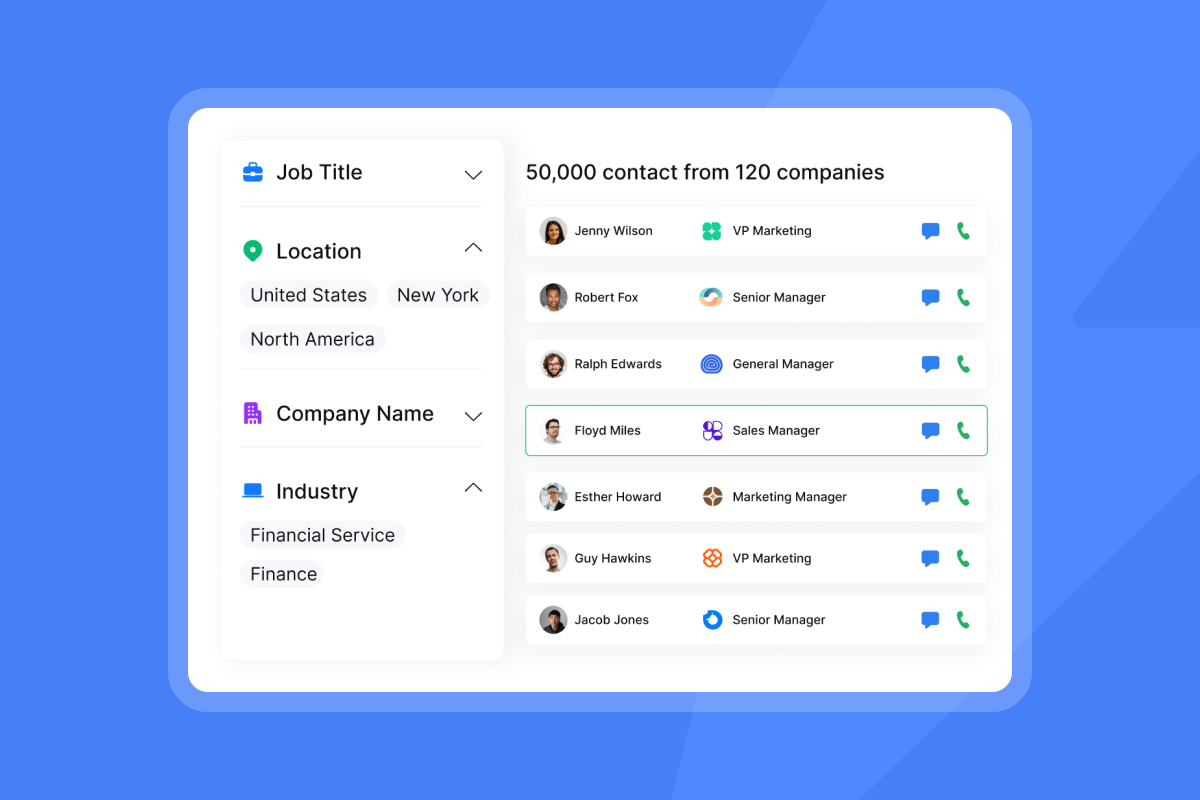
Inside Instantly, SuperSearch surfaces 450M+ B2B contacts with waterfall enrichment across multiple providers. Credits apply, so data spend is predictable. Lemlist’s per‑seat plans include access to a large people database. If list quality drives your pipeline, run a side‑by‑side test on bounce rate and reply rate before standardizing.
"They specialize in getting emails delivered at a much higher rate than our previous email provider, and make it generally easy to find contacts..." - Verified User in Internet on G2
AI capabilities: drafting, personalization, and triage
Copilot creates ICPs, sequences, and weekly analytics summaries inside chat. The AI Reply Agent classifies and answers inbound emails in under five minutes, with Human‑in‑the‑Loop or Autopilot modes and Slack notifications. This trims manual triage and cuts response time to protect intent.
"Their Fin-Bot is very fast, useful and accurate... The pre-filled setups are helpful for a beginner." - Poushali D. on G2
CRM integrations and workflows
Teams connect Instantly to CRM and iPaaS for reporting and attribution. Map sends, replies, and status changes into CRM objects, validate field coverage, and dedupe in a limited pilot before rollout. For a visual walkthrough, watch this Instantly.ai and HubSpot integration video.
"I think the most helpful tool is the API integration. I was able to integrate with make.com, and that was very powerful." - Josiah M. on G2
Deliverability and performance: landing in the primary inbox
Warmup and sender reputation management
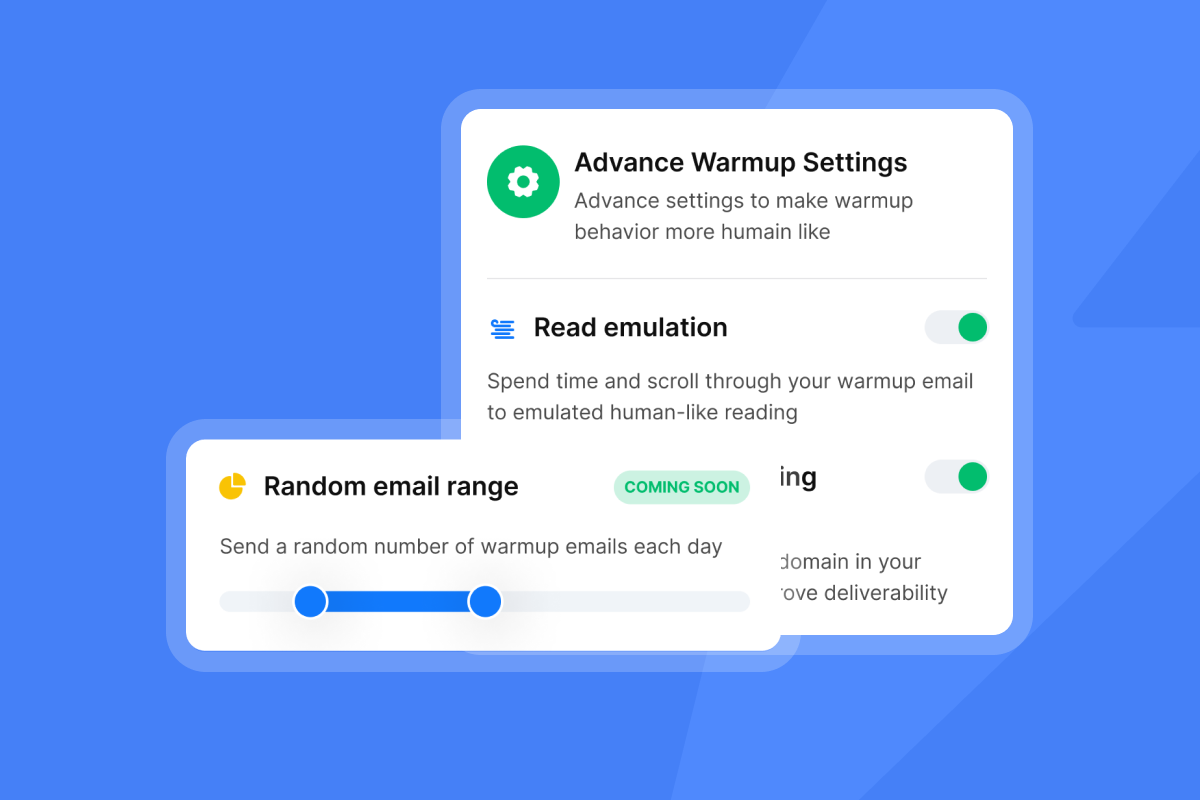
Instantly includes unlimited warmup for every connected inbox on all outreach plans. That matters when you spread volume across many client domains to protect reputation and avoid noisy spikes. For new senders, this short tutorial shows how to set up Instantly AI warmup in minutes. Keep hard bounces at or below 1 percent. Pause and re‑verify if health dips. You can also accelerate setup with the VIP setup service.
"Super easy to get started... Email warm up is amazing... Lots of helpful videos on YouTube." - Anas A. on G2
"Instantly is the best cold email sequencer. It has many features that have helped in improving the deliverability of my email accounts." - Ronika Kashyap on Trustpilot
Advanced deliverability controls: network and SISR
Instantly operates a private deliverability network, cited at 4.2M+ accounts, to generate human‑like engagement signals. Light Speed adds SISR, which shards and rotates dedicated servers and IPs to isolate risk at higher throughput. You can see how these controls compare in the Instantly vs. Salesloft deliverability comparison.
Inbox Placement testing and monitoring
Inbox Placement runs automated seed tests, monitors blacklist hits, and triggers rules like auto‑pausing a mailbox if placement falls below a threshold. Run a test before large launches or after major copy changes. If results slip toward Promotions or Spam, lower daily caps and re‑verify lists before resuming. Plans start at $47 per month on a dedicated tier surfaced on the pricing pages.
"Deliverability is great and the analytics give us exactly what we need to optimize campaigns quickly." - Shaiel P. on G2
Honest talk on deliverability limits
No platform can guarantee inboxing, and Microsoft can be stricter than Google. Expect variance by provider and content. If you see Microsoft junking a high share of sends, pause new sends, run placement tests, increase warmup volume, and resume at lower daily caps.
Checklist: deliverability steps your team can standardize
- DNS alignment: SPF, DKIM, DMARC pass on every sending domain.
- Warmup: Establish a baseline before production sends. Keep ongoing warmup on.
- Caps: Do not scale past 30 cold emails per inbox per day in production. Spread volume across inboxes to protect reputation.
- Ramp: Add sends gradually only if placement and bounces hold.
- Hygiene: Verify lists and target hard bounces at or below 1 percent.
- Tests: Run Inbox Placement when changing copy, timing, or domains.
- Segmentation: Move risky audiences to dedicated domains.
- Pause rules: Auto‑pause when placement or bounce thresholds are breached, as outlined in the unlimited sending guide.
Pricing models: per‑seat vs. flat‑fee economics
Lemlist’s per‑seat and credit‑based system
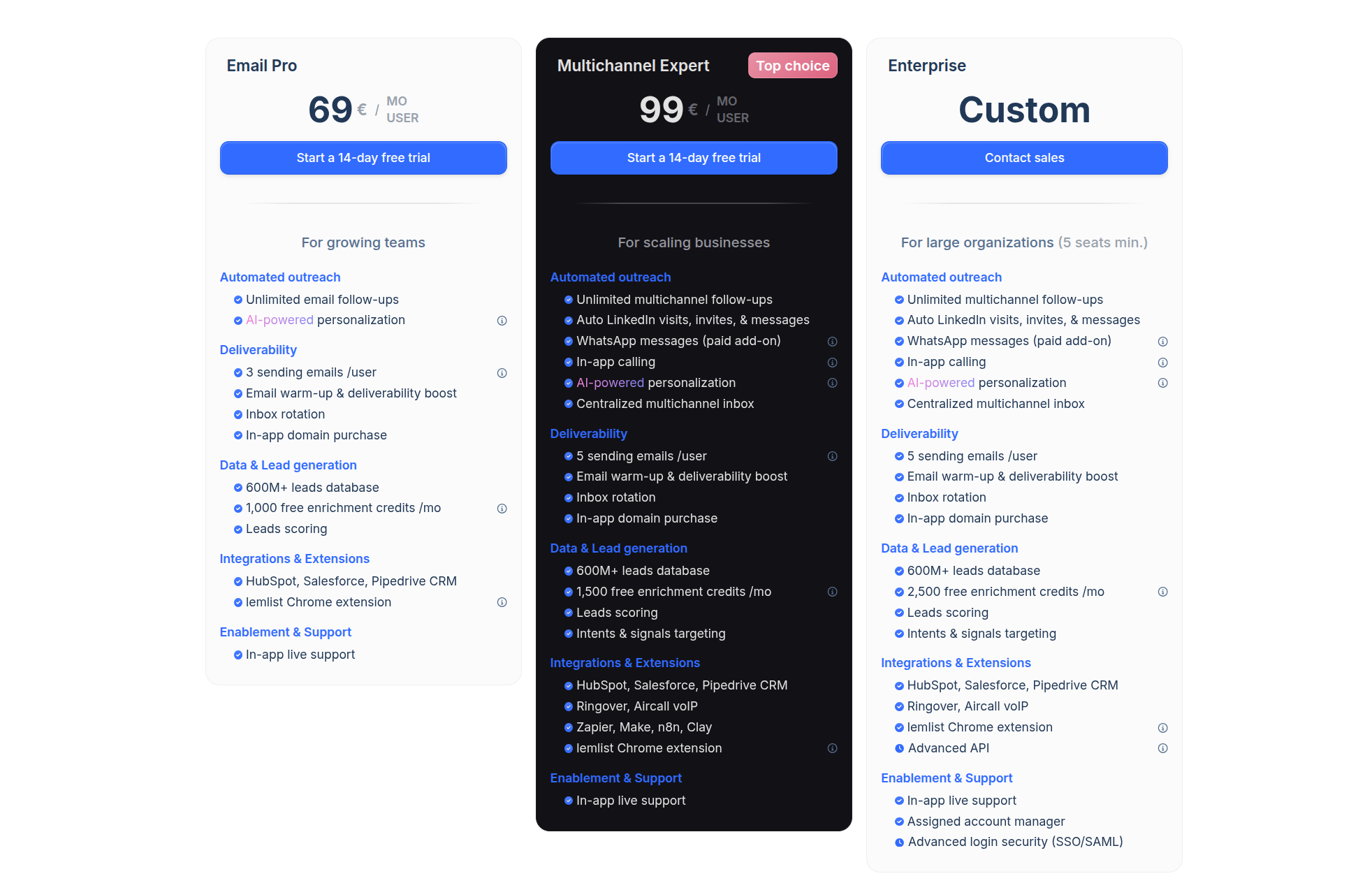
Lemlist charge per user, with Standard and Pro tiers starting at $69 per seat per month, plus an Enterprise tier for larger teams. Pro adds multichannel and workflow depth, and a large people database is included in plan value. Costs rise with each additional user and any inbox rotation add‑ons.
Instantly’s flat‑fee, unlimited‑accounts model
Instantly’s outreach plans include unlimited email accounts and unlimited warmup. You choose a tier by monthly send cap. Current examples at publish time include Growth at 5,000 emails per month, Hypergrowth at 100,000, and Light Speed at 500,000 with SISR.
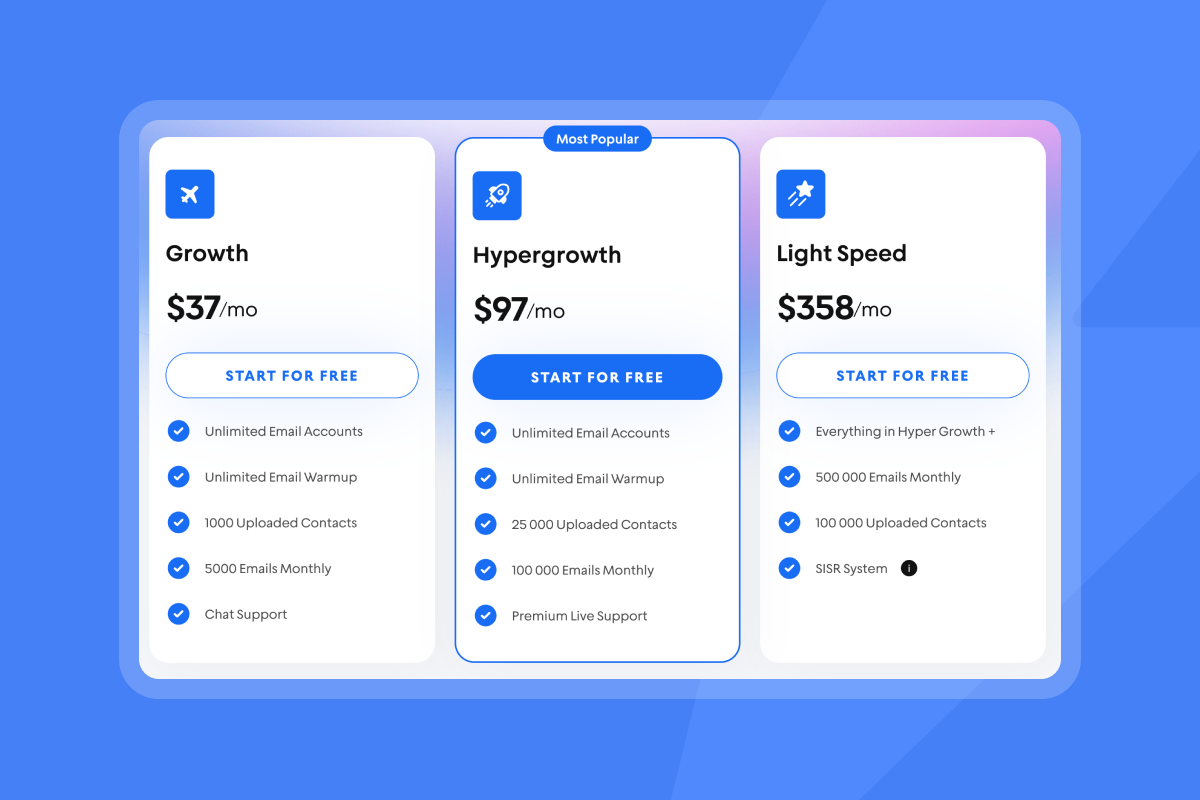
Cost implications for agencies and startups
| Model element | Instantly | Lemlist |
|---|---|---|
| Billing base | Flat-fee by monthly sends - from $37/mo | Per-seat monthly fee by user - from $59/mo per seat |
| Accounts/inboxes | Unlimited on all outreach plans - no per-seat limit | Seat-based access; inbox rotation only on higher tiers - 1 inbox per seat |
| Warmup | Included for all connected inboxes - via 4.2M+ SISR network | Lemwarm 20K network add-on - from $29/mo per account |
| Deliverability controls | Inbox Placement + SISR (Smart IP Sharding Rotation) - included | Basic warmup & deliverability tools - plan-dependent |
Per‑seat tools tie software spend to headcount, which penalizes scale when you add client inboxes or staff. Flat‑fee outreach ties spend to throughput, so your marginal software cost per rep or client falls as you add inboxes. This alignment is especially important when teams adopt AI agents and need more inboxes, not more seats. The shift away from per‑seat pricing in AI‑heavy stacks is covered in Forbes.
Agency takeaways wrap up
- Billing base: Flat-fee aligns with throughput and inbox rotation in the pricing ROI analysis.
- Accounts/inboxes: Unlimited accounts simplify client scaling, as shown in 7 ways agencies cut cold email costs.
- Warmup: Built-in warmup removes an extra vendor and setup, with help from VIP setup.
- Deliverability controls: Verify placement testing and IP isolation during your pilot using the SDR productivity guide.
A quick ROI math you can run
- Cost per 1,000 emails: monthly outreach fee divided by monthly send cap.
- All‑in TCO: outreach + warmup + data + verification + any CRM sync or iPaaS + people time.
- Cost per meeting: all‑in TCO divided by meetings booked from the campaigns in the same window.
Build both stacks on your numbers for a 30‑day pilot, then compare cost per meeting and placement.
Expert insight on agency economics
- Seats map to headcount, not outcomes. Agencies earn on meetings and contracts, not on licenses.
- Adding inboxes is a safety valve for deliverability. You need the freedom to rotate across many inboxes without a seat penalty when volume spikes.
- A flat‑fee outreach core with credits for data and AI replies keeps spend tied to throughput and use, not logins.
Who is it for? Use‑case suitability
Instantly: best fit for agencies and high‑volume senders
Pick Instantly if you manage many client domains and inboxes, want unlimited warmup, and prefer outreach spend tied to monthly sends. You also get placement tests, a private deliverability network, SISR on Light Speed, and AI agents for both building and replying.
Lemlist: best fit for teams that want per‑seat plus multichannel
Pick Lemlist if you're comfortable with a per‑seat model and multichannel steps. See a deeper overview in our Instantly vs. Lemlist guide.
Pros and cons at a glance
Instantly
Pros
- Flat‑fee outreach with unlimited email accounts and warmup reduces seat creep.
- Deliverability controls include placement testing and IP isolation. The Instantly team explains the playbook in this deliverability guide on YouTube.
- AI Copilot and AI Reply Agent cut manual work on campaign build and triage. See modes and workflows in the AI agents overview.
- SuperSearch keeps data and sending in the same workspace. Data credits keep spend clear in practice in the AI lead generation playbook.
- More positive reviews on G2, proving users are happy
Cons
- Deep, bi‑directional CRM syncs often rely on OutboundSync or iPaaS.
- Monthly send caps still apply. Very high senders should plan for Light Speed or Enterprise.
Lemlist
Pros
- Per‑seat plans with multichannel options fit teams that want email plus LinkedIn and calls, as discussed in our Lemlist alternatives guide.
- People database included in seat value.
Cons
- Costs scale with each user and inbox‑related add‑on, which can strain agency margins.
- It doesn't appear to launch new features as quickly as Instantly
Pricing comparison table
Case notes and proof you can share internally
- Public sentiment patterns: G2 shows thousands of verified reviews with a high composite rating for Instantly. Pair rating trends with your pilot results when briefing finance.
- Customer scale signal: Instantly’s careers page lists 40,000+ clients, which indicates broad adoption across agencies and founders.
How to test the flat‑fee model in 10 days
- Connect two warmed inboxes per client.
- Import 400 verified contacts. Target hard bounces at or below 1 percent.
- Launch two sequence variants. Use spintax for micro‑variation.
- Cap sends at 30 per inbox per day.
- Run an Inbox Placement test before day 1 and after any major edits.
- Track reply rate, meetings set, and cost per meeting across both tools. For a fast setup walkthrough, watch the Instantly full tutorial.
Start a free trial with Instantly today - connect two warmed inboxes and run an Inbox Placement test plus AI Reply Agent on live replies in week one.
FAQs:
How many emails per inbox per day are safe for cold outreach?
Cap at or below 30 per inbox per day in steady state. Spread volume across more inboxes and domains. If placement dips or bounces rise, pause and re‑verify before resuming.
What does SISR mean, and who needs it?
SISR is Server and IP Sharding and Rotation. It isolates traffic across private IP pools to reduce shared risk and stabilize placement as volume rises.
Can I manage unlimited client inboxes under one Instantly subscription?
Yes. All outreach plans include unlimited email accounts and warmup. Your plan is tied to monthly sends, not seats.
Does Instantly integrate with HubSpot and Salesforce?
Yes. Use OutboundSync plus API and webhooks. Validate required objects, fields, and dedupe in a pilot.
How do I estimate cost per 1,000 emails?
Divide monthly outreach cost by your monthly send cap. Then add data credits, any CRM sync cost, and people time to get true cost per meeting. Use a 10‑day pilot to compare stacks apples to apples.
Key terminology glossary
- Primary inbox: The folder prospects read most, not Promotions or Spam.
- Warmup: Controlled sends that build trust signals before production sends.
- Sender reputation: The trust score mailbox providers apply to your domain and IP.
- List hygiene: Ongoing verification that keeps hard bounces at or below 1 percent.
- Send windows: The time ranges when messages send.
- A/B test: Two‑variant test at a step to compare performance.
- Spintax: Curly‑brace options like {{RANDOM | Hi | Hello}} that generate unique copy variants.
- Unified inbox: One place to manage replies across accounts.
- SuperSearch: Instantly’s in‑app B2B lead database accessed by credits.
- SISR: Server and IP Sharding and Rotation for safer high‑volume sending.


