


Updated September 19, 2025
TL;DR: If hard bounces rise above 2 percent, spam complaints top 0.1 percent, or inbox placement falls well below your baseline, your data quality is hurting deliverability and pipeline. Track a weekly scorecard. Re-verify active lists every 90 to 180 days. Remove risky records before you send. Use Instantly’s SuperSearch for verified leads, Inbox Placement for automated testing, unlimited warmup to protect new domains, and SISR on Light Speed to isolate reputation at scale. Standardize data flow into your CRM and audit outcomes.
You manage a sales team with a number. Bad data makes that number wobble. This guide gives you the metrics to monitor, the cadences to keep lists clean, and the Instantly tools that protect sender reputation and ROI.
- B2B buyers spend only about 17 percent of their buying time with all suppliers combined, according to Gartner’s newsroom report and their B2B buying journey insight, so your message must land cleanly and fast.
- Poor data costs real money. A VentureBeat survey found that 44 percent of CRM users say their company loses over 10 percent of annual revenue due to bad data.
- Email data decays quickly. A ZeroBounce analysis covered by Newswire found that at least 28 percent of addresses go bad each year, which compounds deliverability risk. For safeguards and playbooks, use Instantly’s guide to achieve 90 percent plus deliverability.
What B2B data quality is and why it matters for sales leaders
B2B data quality means your contacts are accurate, recent, and safe to email. Clean data lowers bounces and complaints, which protects sender reputation. That protection drives inbox placement, which drives replies and meetings.
The cost of bad data: impact on deliverability and ROI
Forty-four percent of CRM users report more than 10 percent annual revenue loss due to poor data quality. That loss often starts with stale or invalid addresses that bounce, depress engagement, and drag down reputation, as outlined in Instantly’s playbook on lead quality strategies.
Protecting your domain reputation
Mailbox providers score domains by bounces, complaints, spam traps, and engagement. Consistent sending to verified, relevant contacts grows trust, while stale or uninterested contacts erode it. Instantly’s email metrics guide explains why inbox placement and real engagement matter more than vanity opens.
Essential B2B data quality metrics to track
Track these weekly. Put them on a scorecard visible to SDRs and RevOps.
Bounce rate (hard vs soft)
- Hard bounces are permanent failures. Soft bounces are temporary. Hard bounces harm reputation most.
- Benchmarks: under 2 percent is normal, 2 to 5 percent is a warning zone, above 5 percent is critical. See the thresholds compiled by Mailtrap.
- Action: investigate as you approach 2 percent. Pause and re-verify if hard bounces approach or exceed 5 percent for a meaningful send sample.
Deliverability rate and inbox placement
Deliverability measures whether messages were accepted by the server. Inbox placement measures how many landed in the primary inbox. You can have 95 percent deliverability and only 75 percent inbox placement if a fifth of messages go to spam. Prioritize inbox placement in your health checks using the deliverability steps in Instantly’s 90 percent+ guide.
Typical patterns reported by deliverability specialists show average inbox placement around the high 70s, with top-performing outbound teams exceeding 90 percent. Use this as context and optimize against your own baseline with the practices in Instantly’s email metrics guide.
Data freshness and accuracy
Measure the share of records verified recently and how many have current title and company. Job changes and role churn degrade accuracy every quarter. Annual list-decay can reach 28 percent, as covered by Newswire, which argues for recurring verification on active lists.
Open and reply rates (as indicators)
Use these as indicators, not goals. Real replies and meetings are stronger signals than opens. Build tests that push reply rate and outcome quality using the tactics in Instantly’s guide to cold email automation.
Complaint rate and spam trap hits
- Keep spam complaints under 0.1 percent. Rates between 0.1 and 0.3 percent warrant attention, and above 0.3 percent is risky. See the benchmarks summarized by Suped.
- Any spam trap hit is a red flag that points to purchased or stale data. Reset your list hygiene steps if traps appear. Read the definition from TechTarget.
Benchmarks at a glance
| Metric | Watch list | Investigate | Act now |
|---|---|---|---|
| Hard bounce rate | Under 2% | 2% to 5% | Above 5% |
| Complaint rate | Under 0.1% | 0.1% to 0.3% | Above 0.3% |
| Inbox placement change vs baseline | Within 0 to 5 points | Drop of 5 to 10 points | Drop of more than 10 points |
| Days since last verification | Under 90 days | 90 to 180 days | Over 180 days |
| Spam trap hits | 0 | Any | Repeat hits |
Note: For inbox placement, optimize against your own baseline; many outbound programs see averages around the high 70s, while high performers report 90 percent or more.
Best practices for maintaining high B2B data quality
Start simple. Set a cadence. Automate what you can. Keep humans in the loop for judgment calls.
Regular data verification and cleansing
- Verify before first send to strip invalid or risky addresses and keep bounces low.
- Re-verify active sequences on a 90 to 180 day cadence. Dynamic B2B lists often justify quarterly checks, as discussed in Instantly’s guide to achieving 90 percent+ deliverability.
- Deduplicate by email and company domain across tools to avoid double-sending.
Leveraging data enrichment tools
- Fill critical fields like title, function, seniority, geography, company size, and tech. These drive routing and copy rules.
- Prefer waterfall enrichment so multiple sources raise match rates and reduce staleness.
Implementing consent and compliance protocols
- Respect opt-outs across systems. One-click unsubscribes must sync to your CRM and outreach tool.
- Review your DPA and avoid restricted data categories in uploads. Instantly publishes a DPA with data categories, processing roles, and sub-processor terms in its DPA and the help center’s DPA document.
Standardizing data entry and management
- Define required fields and picklists for clean reporting.
- Govern sequences with send windows, daily caps, and ramp plans. Require placement checks above your threshold before scaling.
Continuous monitoring and A/B testing
- Run inbox placement tests weekly for most programs. High-volume senders or new domains can test more often early in a ramp, based on guidance shared on Suped. For tooling options, review Instantly’s roundup of email deliverability tools.
- Optimize content and targeting for replies, not opens. Keep complaints under 0.1 percent and investigate if you approach 0.3 percent, following Suped’s benchmark.
Methodology
- Pull weekly metrics by domain and campaign using a 7-day cohort.
- Separate new-domain ramp sends from production sends.
- Investigate any spike in bounces or complaints within 24 hours. Pause, re-verify, then resume at a lower cap.
- Reconcile outreach outcomes with your CRM using a single source of truth for meetings and SQLs.
How Instantly improves your data quality and deliverability
Teach first. Then use the platform to enforce and automate your playbook.
SuperSearch: accessing 450M+ verified leads
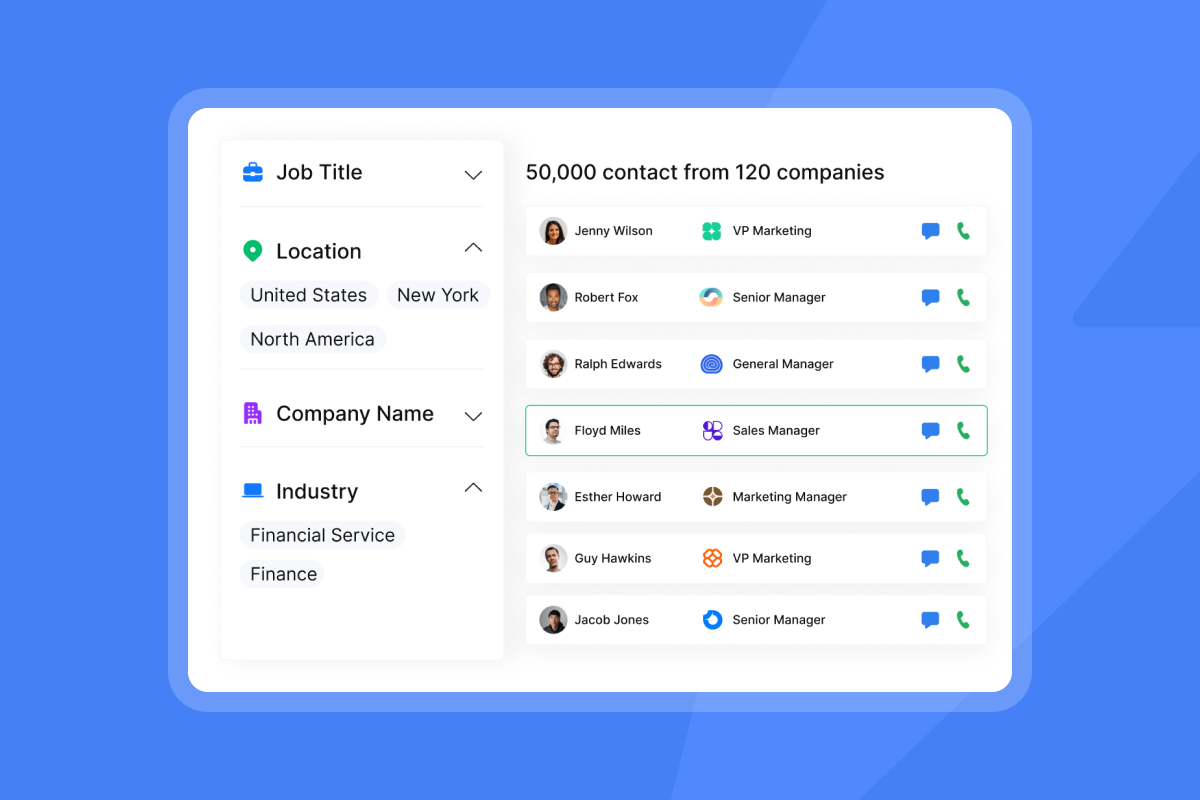
Find ICP-matched prospects with advanced filters. SuperSearch taps into 450M+ contacts and runs real-time waterfall enrichment so you start with cleaner inputs and starts at $9/mo on its Nano plan.
- Benefit: stronger targeting, lower bounce risk, and higher relevance out of the gate.
"Easy to use, intuitive, minimal clicks/steps to get stuff done, and things just work." - Thomas D. on G2
Automated Inbox Placement tests and deliverability insights
Run inbox placement tests automatically, get alerts, and view seed results by provider. You can even set rules to pause sending if placement dips.
- Benefit: spot placement drift before it hits revenue. For a walkthrough, watch Instantly’s video, The Ultimate Guide to Cold Email Deliverability in 2025.
Unlimited warmup and SISR for domain health
All outreach plans include unlimited email accounts and unlimited warmup. The Light Speed plan adds SISR, which shards and rotates dedicated server and IP pools to isolate reputation and swap out flagged IPs.
- Benefit: safer scaling across many inboxes without cross-contamination.
"Emails go out on time and land where they should. The warm-up feature runs automatically, so I don’t have to worry about deliverability." - Corey B. on G2
CRM integration for seamless data flow
Import from HubSpot, Salesforce, and Pipedrive. For full-funnel attribution and bidirectional sync, teams connect Instantly events to HubSpot or Salesforce via OutboundSync and webhooks.
- Benefit: cleaner reporting, faster handoffs, and global suppression updates.
AI agents for smarter prospecting and reply management
Copilot can find targets, draft sequences, and automate recurring tasks. AI Reply Agent categorizes and answers common replies in under five minutes, with human-in-the-loop or Autopilot modes.
- Benefit: more real conversations without sacrificing data hygiene. See examples in Instantly’s short, I send 20k emails a month and get 5 clients with Instantly.ai.
Team-level standardization and audit-friendly reporting
Flat-fee outreach plans with unlimited accounts support team growth without per-seat creep. Workspaces, admin controls, and shared templates enforce the guardrails you set.
"You can hop on a live chat with a real person in minutes, and get the direct answers you need." - Evan T. on G2
Nuanced trade-offs and limitations
- No tool can guarantee inboxing. Placement varies by provider, content, and history. Market commentary notes tighter filters, especially on Microsoft, that can spike bounces for some senders. Treat seed tests as trend indicators, not absolute truth. Read a practitioner’s note on LinkedIn and a neutral overview from Suped.
- Total cost can rise with credits and add-ons as you scale. Plan your stack, seed tests, and credit usage before ramping.
Choosing the right B2B contact database: a sales leader’s checklist
Use this when you evaluate vendors or tune your current stack.
- Data quality and verification
- Re-verification cadence and methods
- Multi-provider enrichment and verification
- Filters for catch-alls and risky domains before export
- Deliverability tools
- Built-in inbox placement tests and alerts
- Native warmup included
- Isolation controls like dedicated IP pools or sharding
- CRM integration and workflow
- Import and update flows to HubSpot and Salesforce
- Dedupe and field mapping without code
- Webhooks and API for events and block lists
- Pricing model transparency
- Flat-fee vs per seat
- Credit model for data and AI with clear unit economics
- Straightforward cancellation terms
- Team standardization and admin controls
- Workspaces, roles, and permissions
- Global suppression and sequence governance
- Audit logs and exportable reports
- Support and compliance
- DPA availability and sub-processor list
- Clear data categories you should not upload
- Documented support channels and response expectations
Comparison: B2B contact database providers
| Provider | Database size (figure to cite) | Deliverability tools (quantitative) |
|---|---|---|
| Instantly.ai | 450M+ verified contacts | Warmup network up to ~4.2M users, unlimited automated Inbox Placement tests, seed tests across 20+ mailbox providers |
| Apollo | 224M+ contacts and 30M+ companies | 7-step email verification with 91% email accuracy (real-time verification) |
| ZoomInfo | 300M+ contact profiles | Owns NeverBounce, claims up to 99.9% verification accuracy for emails |
| Cognism | 200M+ European contacts, plus ~70M mobile numbers globally and 50M+ in North America | Phone-verified mobiles, marketing claims 87% accuracy, also checks 13 DNC lists |
| Kaspr | ~160M contacts per CNIL ruling, site also touts 500M+ phone numbers and emails | Real-time verification from 150+ sources, product is enrichment-focused with no native warmup or seed-testing |
| Reply | 60M+ accounts and 15M+ U.S. company profiles | Built-in email validation with a stated <3% bounce rate |
How to run a simple monthly data hygiene review
- Export active prospects with last verification date. Route any record older than 180 days to a re-verification flow before it re-enters an active sequence. Use the cadence in Instantly’s deliverability guide.
- Re-verify the remaining questionable slice. Resume only when predicted bounces are well under 2 percent. See acceptable thresholds compiled by Mailtrap.
- Run inbox placement tests across Gmail and Outlook. Aim for results within 5 points of your baseline on both, as frequency guidance on Suped suggests.
- Audit complaint rate and opt-outs for the month. Keep complaints under 0.1 percent and ensure unsubscribes sync to CRM using the principles in Instantly’s email metrics guide.
- Enrich missing fields for routing and personalization. Complete when the fields your logic requires are populated for current sends.
- Update suppression lists across outreach and CRM. Complete when suppressed domains and emails match across systems.
How Instantly fits your data quality lifecycle
Acquire. Verify. Enrich. Monitor. Improve. Repeat.
- Acquire with SuperSearch. Tight filters and AI prompts in Copilot help you pull only ICP-fit leads.
- Verify with built-in checks before you launch.
- Enrich with waterfall providers so your routing logic gets the fields it needs through SuperSearch.
- Monitor with automated Inbox Placement tests and alerts.
- Improve with A/B tests optimized for replies, not opens. Track outcomes in Unibox and your CRM using analytics in the help guide on analytics.
Watch a step-by-step walkthrough of the Instantly platform with Patrick Walsh on YouTube.
Risks and quick fixes
- High hard bounces
- Why: Stale or invalid data.
- Fix: Pause sends. Re-verify. Remove catch-alls and risky domains. Resume at half volume. See thresholds compiled by Mailtrap.
- Spam placement spike
- Why: Aggressive ramp, pattern triggers, provider filters.
- Fix: Confirm SPF, DKIM, DMARC. Reduce daily caps. Re-warm. Test send windows. Follow Instantly’s setup guide for SPF, DKIM, DMARC.
- Complaint rate above 0.1 percent
- Why: Broad targeting, pushy copy, or frequency.
- Fix: Tighten ICP filters. Shorten emails. Include one-click unsubscribe. Space follow ups at least two to three days apart. See complaint benchmarks.
Drive predictable pipeline with pristine data
Data quality is not a one-time project. It is a system. When you measure the right metrics, clean your inputs on a steady cadence, and monitor inbox placement, you protect your sender reputation and your forecast. Instantly brings verified data, deliverability, automation, and AI into one motion so lean teams can run this system at scale without five disconnected tools.
Assess your B2B data quality with our checklist and see how Instantly’s SuperSearch and Inbox Placement can boost your deliverability. Start your free trial with SuperSearch.
Frequently asked questions (FAQ)
- What bounce rate should trigger a pause?
- Investigate as you approach 2 percent. Pause and re-verify if hard bounces approach or exceed 5 percent for a meaningful sample of sends, based on thresholds shared by Mailtrap.
- What inbox placement should I target for outbound?
- Use your baseline and push it up. Many teams report averages around the high 70s, while high performers sustain 90 percent or more. Validate weekly with seed tests using Instantly’s deliverability guide.
- How often should I re-verify B2B contact data?
- Every 90 to 180 days for active sequences, since titles and companies change frequently and decay accelerates. See cadence guidance in Instantly’s deliverability guide and the decay analysis covered by Newswire.
- What is a safe ceiling for spam complaints in cold email?
- Keep complaints under 0.1 percent. Treat 0.3 percent as a hard ceiling and investigate causes immediately, aligning with Suped’s benchmark.
- Does Instantly support unlimited inboxes and warmup on flat-fee plans?
- Yes. All outreach plans include unlimited email accounts and unlimited warmup. Light Speed adds SISR for dedicated infrastructure, as shown on pricing.
Key terminology glossary
- Primary inbox: The folder people read first.
- Sender reputation: A mailbox trust score for your domain and IP.
- Warmup: Gradual sends that build trust before scale.
- List hygiene: Ongoing removal or re-verification of risky or stale contacts.
- Verified contacts: Emails confirmed deliverable by a verifier.
- Send windows: Time ranges when campaigns send.
- Reply rate: Percent of emails that get a human reply.
- Throughput: Total sends across connected inboxes.