.svg)
%20(1).svg)


Updated February 24, 2026
TL;DR: A meeting request that converts is a repeatable system, not a lucky shot. The average cold email reply rate sits at 3.43% according to Instantly's 2026 benchmark data, but top performers hit 10%+ by treating templates as testable assets. This guide gives you seven field-tested formats for cold outreach, client check-ins, executive asks, and break-up emails, plus the infrastructure to scale them without burning your domains.
Most meeting requests read like favors. "Can I steal 15 minutes?" feels like begging. Top performers use a dedicated cold email tool to test templates systematically rather than sending one-off emails and hoping for results. A value-driven request frames the meeting as an exchange where both sides win. Whether you're running cold email outreach to new prospects or managing existing client check-ins, the infrastructure behind your sends determines whether templates scale or burn domains. For agencies managing 10 to 150 inboxes, a template is not just copy. It is a repeatable asset you test, measure, and scale using automation so every send protects your sender reputation while driving booked meetings.
This guide walks through seven proven meeting request templates for every scenario and shows you how to scale them using deliverability infrastructure that keeps you in the primary inbox.
Key elements of effective meeting request emails
A meeting request works when it answers three questions fast. Why you? Why now? What happens next?
Subject lines must look internal. Forget "Quick question about [Company]" or "Meeting request." Use boring, conversational subjects like "Question," "Meeting," or "Re: [their company name]." Instantly's cold email subject line research shows plain subjects improve open rates because they mimic real threads.
The hook proves relevance in one sentence. Open with specific proof you researched them. "I saw your Q4 product launch focused on enterprise compliance" beats "I love what you are doing."
The CTA stays low-friction. Testing shows "Worth a chat?" converts better than "Can we meet Tuesday at 2pm?" The first signals curiosity. The second demands commitment before trust exists. Save calendar links for follow-ups after they express interest.
Use Instantly's AI Spam Words Checker before sending. It analyzes context the way Gmail and Outlook filters do, catching triggers like "free" and excessive punctuation while protecting your deliverability.
7 proven meeting request email templates for every scenario
The cold outreach meeting request
Cold outreach requires a soft ask because trust does not exist yet. Frame the CTA as curiosity, not commitment.
Template:
Subject: Quick question
Hi {{firstName}},
I noticed {{companyName}} recently {{specific trigger - funding round, product launch, job posting}}. Companies in {{industry}} usually struggle with {{specific pain point}} when they hit this stage.
We help {{similar companies}} {{specific outcome with number}} by {{unique mechanism}}.
Worth a quick chat to see if it is relevant?
{{yourName}}
Why it works: The trigger proves you did research. The pain point creates urgency. The outcome with a number builds credibility. The CTA removes pressure.
Make it better with AI: Use Instantly's AI Sequence Writer to generate five variations of the opening hook and pain point. Test them using features included in the Growth plan.
"The email sequencing capability allows for automated mass emailing... Unibox is exceptional as it consolidates replies in one place from over 1000 inboxes." - Daksh K. on G2
The warm introduction follow-up
When someone introduces you, reference the mutual connection immediately. Warm intros have higher reply rates because trust transfers.
Template:
Subject: {{mutualContact}} suggested we connect
Hi {{firstName}},
{{mutualContact}} mentioned you are exploring {{specific challenge or initiative}} at {{companyName}}. We worked with {{similarCompany}} on the same issue last quarter and helped them {{specific result}}.
Happy to share what worked if it is useful. Does {{day}} or {{day}} work for a 15-minute call?
{{yourName}}
Why it works: Dropping the mutual name first builds instant credibility. Mentioning a similar client adds social proof. Offering specific days reduces decision friction.
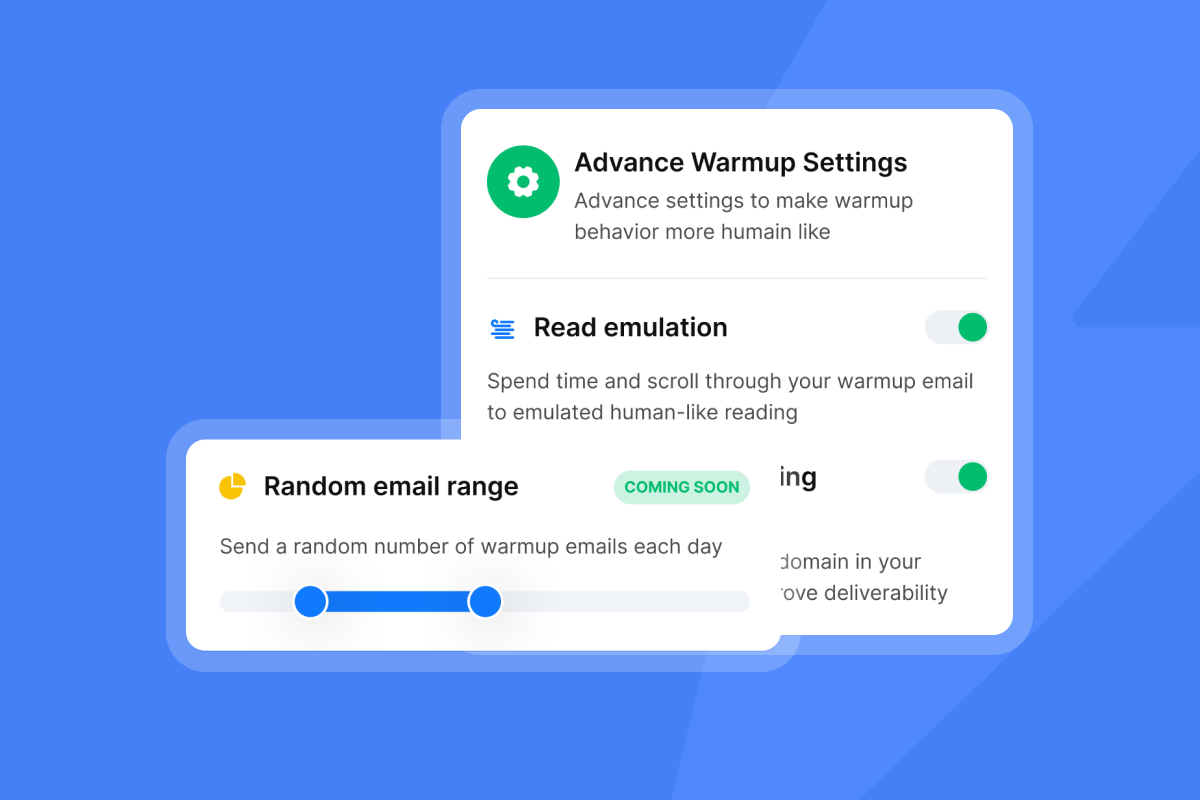
Make it better with AI: Add spin syntax to vary greetings and CTAs. For example: {Hi|Hello|Hey} {{firstName}} and {Does|Would} {{day}} {work|fit your schedule}? This creates unique versions that avoid pattern detection.
If your warm intros come through creator or partner relationships, adapt these influencer outreach email templates for the same trust-transfer dynamic with a different audience.
The client check-in or QBR request
Existing clients need regular reviews, but "checking in" sounds hollow. Frame the meeting around their results and the next opportunity.
Template:
Subject: Q{{quarter}} results + what's next
Hi {{firstName}},
Quick recap: Since we started working together, {{companyName}} has {{specific metric improvement - e.g., reduced churn by 14%, added 230 leads, cut cost per meeting by $18}}.
I have three ideas to build on that momentum in {{nextQuarter}}. Can we schedule 20 minutes next week to walk through them?
{{yourName}}
Why it works: Leading with results reminds them of the value you delivered. Mentioning "three ideas" creates curiosity and frames the meeting as valuable, not administrative.
Make it better with AI: Use Instantly's Unibox to track client reply patterns and schedule check-ins based on their typical response windows.
For more formats tailored to ongoing account management, see the full client scheduling email guide covering QBRs, renewals, and project syncs.
"Instantly has been a game-changer... the deliverability tools actually work... We're able to scale our outreach without sacrificing personalization or risking our sender reputation." - Natalie on Trustpilot
The executive meeting request (C-Suite)
Executives have zero patience for fluff. Three sentences. One outcome. No filler.
Template:
Subject: {{specificTopic}}
{{firstName}},
{{CompanyName}} is likely leaving ${{number}}K on the table in {{specificArea}} based on {{industry benchmark or trigger}}.
We helped {{competitorOrPeer}} recover {{specific result}} in {{timeframe}}.
10 minutes to explore if the same applies here?
{{yourName}}
Why it works: Executives care about money and time. Quantifying the opportunity grabs attention. Citing a peer creates competitive pressure.
Make it better with AI: Test different framings with AI. Test "$250K on the table" vs "25% revenue lift" to see which resonates. The Growth plan includes AI Rephrase for easy variant generation.
For a deeper breakdown of tone, structure, and timing when you need to contact senior leaders at scale, see the full executive outreach guide.
The post-demo follow-up

After a demo, the prospect has questions or objections they did not voice. Surface them directly while recapping value.
Template:
Subject: Re: {{companyName}} demo
Hi {{firstName}},
Thanks for walking through {{specificFeatureOrPain}} on the call. Based on what you shared, {{solution}} should help you {{specific outcome}} starting in {{timeframe}}.
Two questions: First, does {{recap their top concern}} still feel like the biggest blocker? Second, what would need to happen for us to move forward by {{date}}?
{{yourName}}
Why it works: Recapping their pain shows you listened. The "what would need to happen" question shifts the conversation from "if" to "how."
Make it better with AI: Set up an automated sequence in Instantly that sends this follow-up 24 hours after the demo. Add a second follow-up 3 days later with a case study relevant to their industry using campaign sequence automation.
The "break-up" email (last attempt)
When prospects go dark, a break-up email strips all pressure and often revives dead threads. It works because it removes guilt.
Template:
Subject: Closing the loop
Hi {{firstName}},
I have not heard back, so I am guessing {{projectOrInitiative}} is not a priority right now. Totally fine.
If things change, feel free to reach out. Otherwise, I will close your file and stop bothering you.
{{yourName}}
Why it works: "Stop bothering you" disarms resistance and signals respect. Break-up emails often generate high reply rates because prospects feel safe responding without commitment.
Send this as your fourth or fifth follow-up, typically 21 to 28 days after the initial email. Instantly's 2026 Cold Email Benchmark Report analyzing billions of emails confirms that 4 to 7 follow-ups over 7 to 21 days optimizes reply rates.
Make it better with AI: Use spin syntax to vary the tone. Test {I'll close your file|I'll assume this isn't a fit|I'll take you off my list} to see which phrasing generates the most replies.
The internal team sync request
Internal meetings need clear agendas and prep work. Vague invites waste time.
Template:
Subject: {{projectName}} sync - {{date}}
Hi team,
Let's sync on {{projectName}} progress and unblock {{specificIssue}}.
Agenda: (1) Review {{metric or deliverable}}, (2) Decide on {{specificDecision}}, (3) Assign next steps for {{milestone}}.
Please review {{document or data}} before the call. 30 minutes, {{day}} at {{time}}. Calendar invite attached.
{{yourName}}
Why it works: The numbered agenda tells people what to prepare. Stating the duration signals efficiency.
Make it better with AI: For agencies managing client and internal threads simultaneously, Instantly's Unibox consolidates both in one view so you never lose context when coordinating team syncs.
How to scale and follow up on meeting requests without spamming
Writing one perfect email is easy. Sending 1,000 personalized variants without burning domains requires infrastructure.
Step 1: Use spin syntax to create template variations. Instantly's spin syntax feature lets you define alternatives using curly brackets and pipes: {I noticed|I saw|I came across} {{companyName}}... Each send pulls a unique combination, preventing mailbox providers from flagging repetitive patterns.
Step 2: Spread volume across unlimited accounts. Never send 500 emails from one inbox in a day. Instantly's unlimited email accounts on the Growth plan ($47/mo or $37.60/mo annual) let you connect as many sending addresses as you need. Cap throughput at 30 emails per inbox per day. Scale volume by adding inboxes, not by pushing limits on existing ones.
Step 3: Monitor Inbox Placement to catch issues early. Instantly's Inbox Placement tests run automatically, sending seed emails to major providers and reporting where your messages land. Set alerts to notify you when placement drops below 80% or spam rates exceed 10%, then pause campaigns manually to protect your sender reputation.
Step 4: Warm up new inboxes for 30 days before sending. Enable warmup in your dashboard. Begin sending 5-15 emails daily. Start with a conservative daily send limit using simple, conversational copy. Instantly's warmup network builds sender reputation gradually. Skip this step and even the best template lands in spam.
"I've been using Instantly for outreach and lead generation... it's one of the most convenient all-in-one tools... finding leads, sending campaigns, warming up inboxes." - Piyush Mohanty on Trustpilot
Step 5: Use automated sequences with progressive spacing. The first email rarely books the meeting. Data on cold email follow-up sequences shows follow-ups capture 60-70% of total replies. Set up a follow-up sequence by going to the Sequence tab in your campaign, adding a new step, and setting progressive delays: Day 3-4 (first follow-up), Day 7-9 (second follow-up), Day 14-21 (third follow-up), Day 21-28 (break-up email).
Step 6: Stop after 3-5 touches. More than five follow-ups crosses into spam territory and damages sender reputation. The recommended follow-up cadence balances persistence with respect.
For agencies scaling across hundreds of inboxes, Instantly's campaign sequences prioritize new leads over follow-ups, ensuring fresh prospects always get attention while automated sequences handle the rest.
"Instantly has become one of my main tools for outreach. It saves me time, runs smoothly, and helps me book more calls." - Taylor G. on G2
Common mistakes to avoid in meeting request emails
Four traps kill conversion before you hit send.
Vague subjects: "Meeting request" sounds robotic. Use conversational subjects like "Question" or reference a topic: "Your Q4 compliance rollout."
Asking for too much time: "Can I get an hour?" feels like a tax. Start with 10 minutes.
Fake urgency: "Last chance" might work in consumer marketing, but B2B buyers see through it. Authentic urgency converts. Manufactured urgency annoys.
Ignoring mobile: Long blocks look terrible on phones. Keep paragraphs to 1-3 sentences and test on mobile before sending. Instantly's sequence editor lets you preview how messages render across devices.
Measuring the success of your meeting requests
Define success metrics before you send. For agency operators managing client campaigns, three metrics matter most.
Reply rate measures message resonance. Average cold email reply rates sit at 3.43% in 2026, with solid campaigns hitting 5-10% and excellent ones reaching 10-15%. If your reply rate drops below 5%, your targeting is off, your copy is weak, or your deliverability is suffering.
Meetings booked is the truth metric. Reply rate means nothing if calendars stay empty. For agencies, meetings booked per 1,000 emails sent is the clearest ROI indicator. Elite campaigns book 10-20 meetings per 1,000 sends. Anything below 5 needs rework.
Checklist for creating a successful meeting request email
- Subject line: Does it look conversational? Test "Question" or "Re: {{company}}" instead of "Meeting request."
- Personalization: Did you reference a specific trigger in the first sentence?
- Value proposition: Can you state the benefit in under 15 words?
- CTA: Is it low-friction? "Worth a chat?" beats "Can we schedule a 30-minute demo?"
- Length: Is the email under 100 words? Shorter messages respect their time.
- Spam check: Run it through Instantly's AI Spam Words Checker.
- Mobile preview: Does it look clean on a phone screen?
- Follow-up sequence: Did you set up 3-5 follow-ups with progressive spacing (days 3, 7, 14, 21)?
For visual learners, watch Instantly's cold email walkthrough for best practices showing how to build a campaign from scratch.
Element | Bad Example | Good Example | Why It Matters |
|---|---|---|---|
Subject | "Meeting request" | "Question" | Generic subjects trigger spam filters |
Hook | "I love what you do" | "I saw your Q4 compliance launch" | Specific proof shows research |
Value prop | "We help companies grow" | "We cut cost-per-meeting by $18" | Numbers build credibility |
CTA | "Can we schedule 30 minutes?" | "Worth a quick chat?" | Low friction removes pressure |
Ready to book more meetings?
Templates are tools. Execution is the craft. The best meeting request evolves through systematic testing, not guesses.
Copy these seven templates into Instantly's AI Sequence Writer and start testing today. Use unlimited email accounts to spread volume safely and monitor inbox placement to protect your domains. The difference between 3% and 10%+ reply rates is infrastructure, not luck.
Start your free Instantly trial and use these templates to turn cold leads into booked meetings without landing in spam.
FAQs
What is the best subject line for a meeting request email?
Use conversational subjects like "Question," "Meeting," or "Re: {{company}}" that avoid salesy phrases and improve open rates by mimicking real threads.
How many follow-ups should I send after a meeting request?
Send 3-5 follow-ups spaced progressively (days 3, 7, 14, 21). The first follow-up captures the largest share of replies.
Should I include a calendar link in my first meeting request email?
No. Use a low-friction CTA like "Worth a chat?" in the first email, then include a calendar link after they express interest.
What reply rate should I expect from cold meeting requests?
Cold outreach averages 3-5% reply rates. Campaigns using personalized triggers and low-friction CTAs hit 10-15%. Top performers reach 15%+.
How do I scale meeting requests without my emails going to spam?
Use spin syntax to create unique variations, spread volume across multiple inboxes (cap at 30 sends per inbox per day), warm up new accounts for 30 days, and monitor inbox placement weekly.
Key terms glossary
Spin syntax: A method of creating text variations using curly brackets and pipes to avoid spam filter pattern detection while maintaining core message integrity across sends.
Sender reputation: A score mailbox providers assign to your sending domain and IP based on engagement, bounce rates, and spam complaints. Poor reputation lands your emails in spam regardless of content quality.
Low-friction CTA: A call to action requiring minimal commitment, such as "Worth a chat?" instead of "Can we schedule a 30-minute demo?" Low-friction CTAs improve reply rates in cold outreach.
Inbox placement rate: The percentage of your emails landing in the primary inbox vs promotions or spam folders, measured by sending test emails to seed addresses across major providers.



