.svg)
%20(1).svg)


Updated February 24, 2026
TL;DR: You earned the reply. Now convert it into a booked meeting. Vague availability like "whenever works for you" forces prospects to do cognitive work, and they ghost. Technical errors (broken Zoom links, timezone confusion) and slow follow-ups kill deals silently. The fix is systematic: propose 3-5 specific time slots, respond within 5 minutes using tools like Instantly's Unibox and AI Writer, confirm details immediately, and test every link. Treat scheduling as a conversion funnel step, not an admin task.
The "scheduling dance" kills more deals than bad copy. Responding within 5 minutes can increase conversion rates by up to 100x compared to a 30-minute delay, yet most operators take 2-4 hours to reply because they're checking 47 different Gmail tabs. Technical errors, vague CTAs, and slow follow-ups cause predictable drop-off you can measure, test, and fix. These are the same principles behind cold email fundamentals, every element of your sequence either reduces friction or creates it.
This guide breaks down the 10 most common mistakes agency operators make when booking meetings and provides exact templates to eliminate them. Every extra back-and-forth email you require drops your conversion rate. Speed, clarity, and zero technical errors separate operators who book meetings from those who watch leads evaporate.
Why scheduling emails fail: The hidden friction in your funnel
Scheduling is a conversion step with measurable drop-off rates, not an administrative task.
We define friction here as cognitive load on the prospect. Every decision you force them to make ("What time works for me? What timezone are they in? Should I reply now or check my calendar first?") increases the chance they close your email and never return.
Sales teams that respond instantly see a [391% conversion boost], while [78% buy from first responder]. When you send a vague scheduling email that requires three more emails to nail down a time, you hand that speed advantage to your competitor. Firms who [contact within an hour] are nearly seven times as likely to qualify the lead as those who wait longer than 60 minutes.
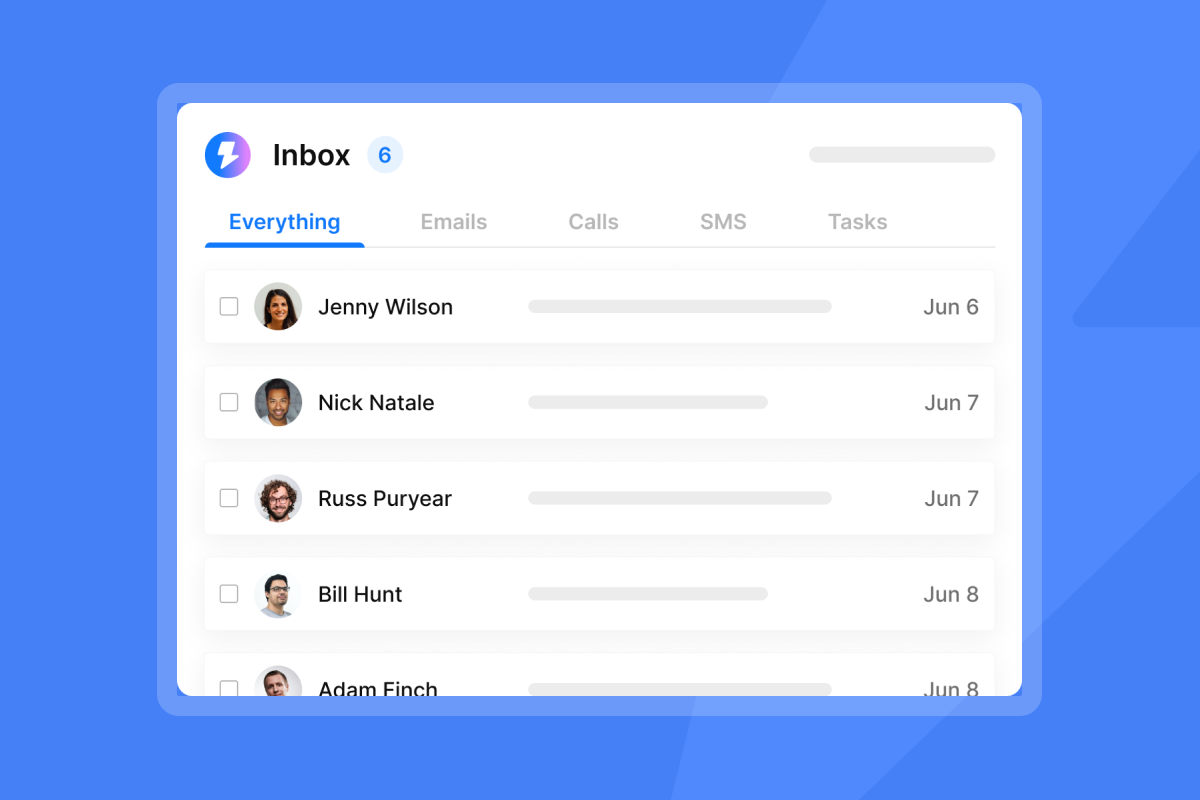
Instantly's Unibox consolidates replies from unlimited accounts into one dashboard so you respond in under 60 seconds instead of logging in and out of multiple Gmail tabs. When a prospect says "yes," you see it in real time and reply immediately. Instantly, the cold email sending tool built for agency operators, consolidates replies from unlimited accounts into one dashboard so you respond in under 60 seconds.
10 common meeting scheduling email mistakes to avoid
Each mistake below includes before/after examples and the specific fix. Apply the template that matches your campaign stage.
1. Vague subject lines that get ignored
Your scheduling email competes with 121 other emails in the prospect's inbox. A subject line like "Following up" or "Quick question" signals zero urgency and gets ignored.
Before (vague):
- "Following up"
- "Meeting"
After (clear):
- "Meeting Scheduled for Friday at 2 PM"
- "Schedule Meeting Oct 30"
- "Q3 goals sync Tuesday 2 PM"
You tell the reader exactly what the email contains and why they should open it now. Specific dates and times reduce ambiguity and prevent confusion about meeting details.
Test subject line variants using Instantly's A/Z testing feature. Run "Meeting request: Tuesday at 2 PM" against "15 mins to discuss [specific outcome]" across 200 sends and scale the winner.
2. The "whenever works for you" trap
"Let me know what time works for you" is the fastest way to get ghosted.
Decision fatigue and the paradox of choice explain this effect. When users are forced to make too many decisions, they become 'cognitive misers' who hoard energy and shut down their decision-making capacity. The result is no choice at all. The paradox of choice shows how having too many options leads to feelings of dissatisfaction, anxiety, and indecision.
Before (open-ended):
- "What's good for you?"
- "Let me know when you're free"
After (specific):
- "Sep 10 at 3pm EDT?"
- "Tuesday at 4pm PST call"
The "3-option rule" works best. When sending meeting proposals, limit options to 3-5 slots. Offer one morning, one afternoon, one on a different day. You guide the decision without restricting it.
When you manage hundreds of campaigns, generating 3-5 time slot options for every reply creates delays. Instantly's AI Writer generates clear scheduling responses, automatically suggesting time slots based on your campaign context and availability patterns.
3. Overwhelming the prospect with too much info
Your scheduling email is not the place to re-pitch your entire service or explain your company's origin story.
Emails under 80 words with no attachments get more replies. Keep body copy to 50-125 words on mobile devices.
Before (wall of text):
"Hi [Name], following up on my last email about our AI-powered lead generation platform that uses machine learning to identify high-intent prospects across 450M+ contacts. We've helped over 40,000 clients scale outreach without per-seat penalties. I'd love to show you a demo and discuss how we integrate with your existing CRM infrastructure. I've attached our feature comparison matrix and three case studies. Let me know what works for your calendar."
After (streamlined):
"Following up on our conversation about scaling your agency's outreach. Are you available Tuesday at 2 PM EST or Thursday at 10 AM EST for a 20-minute call to discuss next steps?"
Provide brief meeting context, including main objectives. One sentence of context, one clear ask. Done.
"I use Instantly for cold emails and it handles multiple emails efficiently, saving me time. I really like the personalized emails and how easy it is to use. Instantly makes sending emails to customers easy because I no longer get confused about what kind of email to send." - Prachi B. on G2
4. Missing or weak Calls to Action
"Let me know" and "Hope to connect soon" are not CTAs. They're wishes.
The best cold email CTA during the deal stage is a specific time proposal. Suggesting a specific day and time more than doubles meetings booked, from 15% in the cold email stage to 37% in the deal stage.
Before (weak):
- "Let me know what you think"
- "Hope to hear from you soon"
After (strong):
- "Does Tuesday at 2 PM PST work for you?"
- "Book a time on my calendar" (with actual calendar link)
- "Quick chat Nov 22 at 2 PM"
Strong CTAs remove ambiguity. They tell the prospect exactly what to do next and make it easy to say yes. Watch Instantly's video on cold email for specific CTA frameworks that convert.
5. Neglecting timezone differences
"9 AM" without a timezone abbreviation causes silent scheduling failures. Your 9 AM is their midnight.
Always include timezone abbreviations (e.g., PST, GMT, CET) along with the time. For example, "Let's meet at 2:00 PM EST" or "I'll email you at 9 AM PST."
When offering availability, reference recipient's timezone for all participants. For example, "I am available Wednesday from 10 a.m. to 12 p.m. your time (2 p.m. to 4 p.m. EST)."
Example:
"Available Tuesday at 2 PM EST (11 AM your time in PST) or Wednesday at 10 AM EST (7 AM PST)?"
Calendar tools like Calendly handle this automatically, but if you're proposing times manually in email, spell it out. For data on when 2026 meeting scheduling emails perform best across different time zones and industries, see the full send-time research before configuring your campaign windows.
6. Using unprofessional or apologetic tone

"Sorry to bother you again" and "I know you're busy, but..." kill your authority before you finish the sentence.
You already earned the reply. Now close it with confidence.
Before (apologetic):
- "Sorry to bother you again"
- "Just wanted to check in"
After (confident):
- "Following up on my last email"
- "Any updates on this?"
- "Reaching out regarding our discussion on [topic]"
Professional tone is direct, respectful, and assumes the meeting has mutual value. For more examples, review Instantly's cold email copywriting framework which emphasizes clarity over politeness theater.
7. Failing to provide context or value
Your prospect replied three days ago. They've since received 347 other emails. They don't remember who you are or why they said yes.
Begin by providing brief context for the meeting, including main objectives. One sentence that re-anchors them to your conversation.
Before (no context):
"Hi [Name], are you free this week?"
After (clear context):
- "Following up on our conversation about scaling your agency's outreach without per-seat fees. Are you available Tuesday at 2 PM or Thursday at 10 AM for a 20-minute call?"
- "Per our discussion at [event], let's connect to finalize [specific item]"
One sentence. No walls of text. Just enough to trigger memory and establish why this meeting matters. Check Instantly's guide on turning interested leads into meetings for more context-setting templates.
8. Ignoring mobile readability
70% delete poorly formatted emails in under three seconds. On mobile, your three-paragraph scheduling email looks like a novel.
Three formatting rules for mobile:
- Short sentences and paragraphs: [Keep body copy to 50-125 words]. Break long paragraphs into 1-3 sentence blocks.
- Readable fonts: Use standard fonts (Arial, Helvetica) and avoid small text.
- Single-column layout with bullets: This approach [ensures smooth scrolling] on mobile. Use bullets or numbered lists for time options.
Example (mobile-friendly):
"Following up on our call.
Are you available:
- Tuesday, Feb 5 at 2 PM EST
- Wednesday, Feb 6 at 10 AM EST
- Thursday, Feb 7 at 3 PM EST
Reply with the time that works best."
White space and bullets make your email scannable in under 3 seconds. For a full walkthrough of mobile-optimized campaigns, watch Instantly's video on campaign creation.
9. Slow follow-up speed
Time kills deals. When a prospect replies "Yes, let's talk," every minute you wait increases the chance they change their mind, get distracted, or hear from your competitor first.
Manual inbox checking means you see replies 2-4 hours late. By then, your prospect has moved on. Centralized reply management solves this bottleneck. Instantly's Unibox consolidates replies from hundreds of email accounts into one feed with real-time notifications. When a lead says "interested," you see it instantly and respond in under 60 seconds.
"I love how Instantly has significantly eased the process of outreach and service delivery for the past two years. The UI is particularly impressive, providing a user-friendly and aesthetically pleasing interface that made setting things up incredibly easy." - Daksh K. on G2
Instantly's OOO Resume feature automatically pauses sequences when it detects out-of-office replies and resumes when the prospect returns, preventing wasted follow-ups.
10. Broken links and technical errors
Invalid meeting links and failed calendar invites are silent deal killers. Your prospect tries to join, gets an error, and ghosts.
Technical errors to avoid before sending:
- Incomplete URLs: Test by clicking your own link to ensure links are properly formatted and clickable.
- Expired links: Teams or Zoom links that expire after the first use. Generate fresh links for each meeting.
- Add-in issues: Meeting links won't generate if the Teams add-in is disabled in Outlook. Re-enable the add-in.
- Permission errors: Shared mailboxes need Teams licenses to generate meeting links. Assign the required license.
- Sync failures: Third-party calendar integrations like Calendly often require resetting the connection.
Pre-flight checklist: Click your own Zoom/Teams link to verify it opens. Send a test calendar invite to yourself. Check that the invite includes the correct link and timezone. One broken link costs you a booked meeting.
Link errors aren't the only silent failure, poor inbox placement is equally invisible. Run through this meeting email deliverability guide to confirm your scheduling emails reach the primary inbox before you troubleshoot anything else.
Best practices for effective meeting scheduling emails
Apply these five best practices to every scheduling email:
Propose 3-5 specific times with timezones. When sending meeting proposals, limit options to three to five. Offer one morning, one afternoon, one on a different day.
Template:
"Are you available:
- Tuesday, Feb 5 at 2 PM EST
- Wednesday, Feb 6 at 10 AM EST
- Thursday, Feb 7 at 3 PM EST
Reply with the time that works, and I'll send a calendar invite."
Research shows that once you've entered the sales process, suggesting a specific day and time more than doubles meetings, from 15% to 37%.
Use action-oriented CTAs. Including a specific CTA increases bookings over 2x compared to open-ended requests during the deal stage. Examples: "Does Tuesday at 2 PM work? Reply YES and I'll send the invite" or "I'll pencil in Thursday at 10 AM EST unless I hear otherwise."
Personalize beyond the name. Reference recent activity ("Saw your recent post on LinkedIn about [Topic], would love to chat more"), company news, or mutual connections. Instantly's personalized lines feature lets you insert custom variables pulled from SuperSearch data or CSV imports. Watch the video on deep personalization for implementation details.
Respond within 5 minutes using centralized tools. Manual reply writing causes delays and inconsistency across your team. Instantly's AI Writer creates personalized drafts, and AI Custom Reply Labels automatically categorize responses as "Interested," "Not Interested," or "Meeting Booked," so you focus on high-intent replies first.
Confirm details immediately. Send the calendar invite within minutes of the prospect confirming the time. Waiting creates doubt and gives them time to reconsider. Include correct date/time with timezone, working meeting link, phone dial-in as backup, and brief agenda.
"Instantly is right now probably the best cold outreach software. I use cold email campaigns for two of my business and I coulnd't imagine using any other tool for that." - Martin Pusar on Trustpilot
Troubleshooting meeting invitation failures
Technical errors cause silent failures. The prospect never tells you the link didn't work. They just don't show up. Use this table to diagnose and fix common issues before sending any scheduling email.
| Problem | Fix |
|---|---|
| Teams add-in disabled | Re-enable Microsoft Teams Meeting add-in in Outlook |
| Shared mailbox missing license | Assign Teams license to shared mailbox |
| Calendar sync errors | Reset integration and re-authenticate |
| Links appear as plain text | Change Outlook message format to HTML |
For agency operators sending from multiple domains, Instantly's domain forwarding guides and SPF/DKIM setup tutorials help prevent technical failures before they happen.
The impact of scheduling errors on pipeline revenue
Every scheduling email that requires one extra back-and-forth cuts your conversion rate. Buyers are busy with multiple options, and their excitement peaks when requesting a demo. Speed to lead is critical - making them wait 2-96 hours kills momentum fast.
For an agency running campaigns at scale, improving scheduling conversion compounds quickly. Suggesting a specific day and time more than doubles meetings booked, from 15% to 37%, once you're past initial interest and into active scheduling.
Run this calculation using your average deal size and current conversion rates to quantify the revenue impact of scheduling friction in your pipeline.
Test scheduling CTAs using A/B testing strategies. Test calendar links vs. specific time proposals. Test 3 options vs. 5. Test interest-first CTAs ("Would this be valuable?") vs. time-first CTAs ("Tuesday at 2 PM?"). Track booking rates for each variant and scale the winner.
Instantly's A/Z testing feature lets you run these experiments across thousands of sends and automatically routes future emails to the winning variant. Ready to try it? Start a free trial of Instantly.
Watch the masterclass on cold outreach for A/B testing strategies that work. For a structured framework with real results data, walk through this meeting email testing guide showing exactly which variables moved booking rates for agencies running systematic experiments.
"The UI is intuitive, the deliverability tools actually work, and their customer support is responsive when we've had questions. We're able to scale our outreach without sacrificing personalization or risking our sender reputation." - Natalie on Trustpilot
Quick checklist: Meeting scheduling email mistakes to avoid
Before you send your next scheduling email, verify:
- Specific subject line with date/time reference ("Meeting request: Tuesday at 2 PM")
- 50-125 words max, one sentence of context
- 3-5 specific time options with timezone abbreviations
- Clear CTA ("Reply with the time that works")
- Mobile-friendly formatting (bullets, short paragraphs)
- Tested meeting link (click it yourself before sending)
- Response speed under 5 minutes from prospect's positive reply
- No apologetic language ("sorry to bother")
- Calendar invite ready to send immediately
For a complete cold email strategy that includes scheduling best practices, review Instantly's cold email strategy guide.
Frequently asked questions about meeting scheduling
What's the best time to send a scheduling email?
Send within 5 minutes of the prospect's positive reply. Response speed delivers a 100x conversion increase.
Should I use a calendar link or propose specific times?
During active sales conversations, propose specific times, which converts at 37% vs. 15% for open-ended requests. Use calendar links for high-volume inbound leads.
How many time options should I offer?
Limit to three to five. More causes decision paralysis.
How do I handle timezone confusion?
Include timezone abbreviations (PST, EST, GMT) and list the recipient's timezone first.
What if my meeting link doesn't generate?
Check that your Microsoft Teams add-in is enabled and your mailbox has the required license.
How can I respond faster when managing 50+ accounts?
Use Instantly's Unibox to consolidate replies with real-time notifications.
Key terms glossary
Decision fatigue: Cognitive phenomenon where making multiple decisions in sequence depletes mental energy, causing people to avoid further choices or make poor ones. In scheduling emails, offering unlimited time options triggers decision fatigue.
Friction: Any element in a conversion process that increases cognitive load, time to action, or likelihood of abandonment. In scheduling emails, friction includes vague CTAs, missing timezones, and broken links.
3-option rule: Best practice of offering exactly three to five specific meeting time slots to balance choice with decisiveness. Fewer than three feels restrictive, more than five causes decision paralysis.
Lead response time: Time elapsed between a prospect's reply and your response. Response times under 5 minutes convert up to 100x better than 30-minute delays.



