


Open rate and click through rate measures two different moments in the email journey: visibility and action. Opens validate deliverability and subject line strength, while clicks confirm that your message and offer earned real interest.
Read together, they pinpoint whether you need better targeting, sharper positioning, stronger next steps, or something else entirely. The best approach for successful campaigns is to treat both as diagnostic inputs. Replies, meetings, and conversions remain the outcomes that matter most.
Open rate and click-through rate are fairly standard email metrics tracked by marketing teams, but few know how to interpret what those numbers truly tell them.
An open suggests visibility while a click through suggests momentum. Neither guarantees pipeline. When you read them in isolation, you risk rewriting solid copy or chasing subject line tricks when the real issue sits deeper in the funnel.
Strong marketing teams treat opens and clicks as diagnostic signals alone. They use opens to validate deliverability and positioning, clicks to measure message strength, and downstream actions to confirm buying intent.
This guide briefly explores the open rate vs click through rate debate, showing where each metric earns its place, and how to turn both into smarter campaign decisions.
The Difference Between Open Rate and Click Through Rate
As mentioned, both open and click-through rates reveal different aspects of your email campaign. However, before we delve into the nuances, it is helpful to understand how each metric is calculated and what it measures.
Open rate tells you how many recipients opened your email, while click-through rate shows how many took action by clicking a link inside it, so the “win condition” is different for each. It’s also worth noting that open rates may be less reliable than they once were.
However, some email clients trigger opens, making open rates less reliable. Meanwhile, clicks have a clearer sign of interest. But they’re influenced by factors such as where your links appear, the strength of your CTA, and whether the landing page aligns with what you promised.
To connect the dots between the two, many marketers also examine the click-to-open rate (CTOR). This helps marketers distinguish between interest and intent.
What is the Click-To-Open Rate
Click-to-open rate (CTOR) is an email metric that indicates the percentage of recipients who click a link after opening an email. It’s basically your “content effectiveness” score, because it focuses on engagement once the email is already opened.
How it’s calculated:
CTOR = (Unique Clicks ÷ Unique Opens) × 100
Marketers use CTOR to determine whether the email body, offer, and CTA are performing. If your open rate is high but CTOR is low, your subject line got attention, but the content didn’t earn the click.
If open rate is low but CTOR is high, your content converts well, and you may need to improve deliverability or subject lines to get more opens.
How to Use Open and Click Through Rates
Now that we understand what both metrics are for, it’s time to take action. The key is to read opens and clicks together so you know whether the issue is getting attention (opens) or earning intent (clicks), then make one focused change at a time and re-test.
With Instantly, you can A/Z test each element of your email campaign so you know exactly what works and what doesn’t.
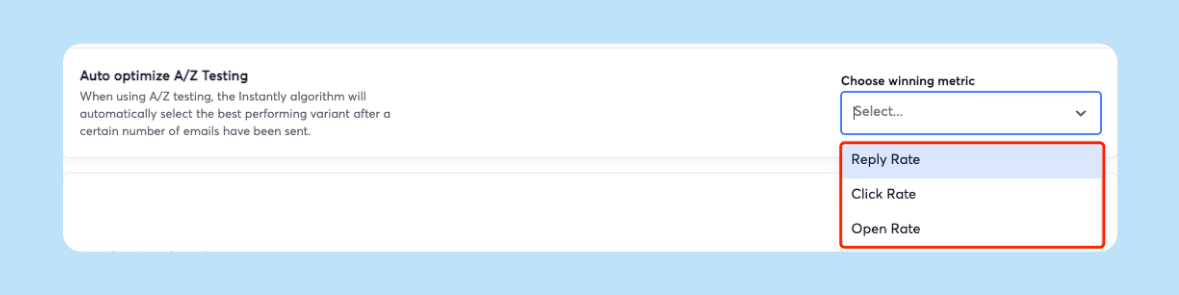
You can also enable auto-optimization to find your best-performing email and send that version to the rest of your leads instead.
Diagnose First: Is the Problem Opens or Clicks?
Before you rewrite your entire campaign, determine where things are going wrong. Open rate tells you whether people are even giving your email a chance. The click-through rate indicates whether the email content has prompted a desired action. Start with:
- Low opens + low clicks: You likely have an inbox or targeting issue. Work on deliverability basics, list quality, and your subject line/sender name combo.
- High opens + low clicks: Your “wrapper” is strong, but the message isn’t converting. Tighten your offer, clarify the value, move the CTA up, and reduce distractions.
- Low opens + high clicks (or high CTOR): The content works for the people who see it. Focus on improving opens with better subject lines, preview, and sending reputation.
- High opens + high clicks: You’re in the sweet spot. Your job is optimization and scaling. Test minor copy tweaks, segment deeper, and protect deliverability as volume increases.
If Open Rate Is Low: Fix Your Inbox Placement and Subject Line
Low open rates mean your leads aren’t seeing your email in their primary inbox. In this case, chances are, email providers are automatically tagging your emails as "Promotions" or "Spam." The best way to know where your email lands is with an inbox placement test.
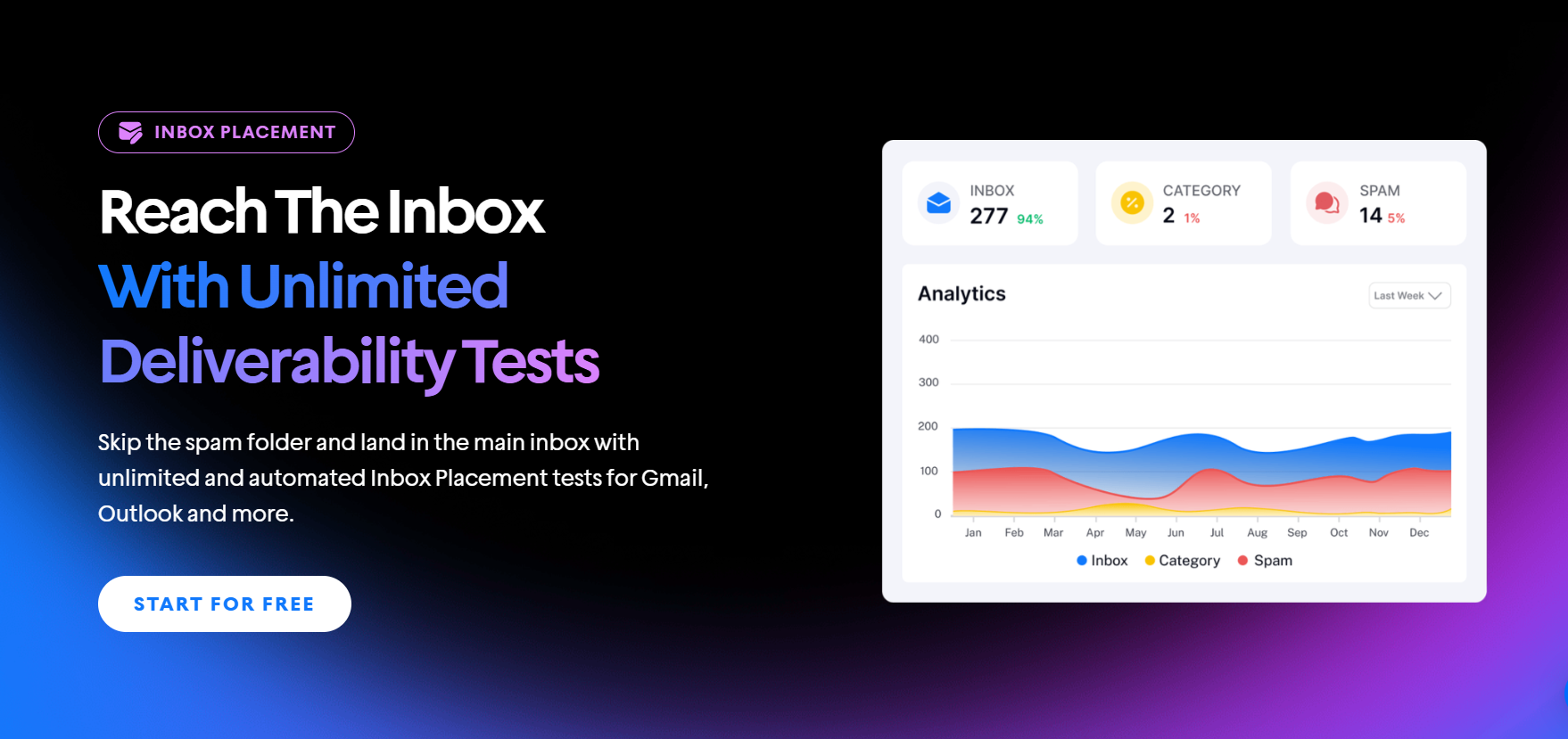
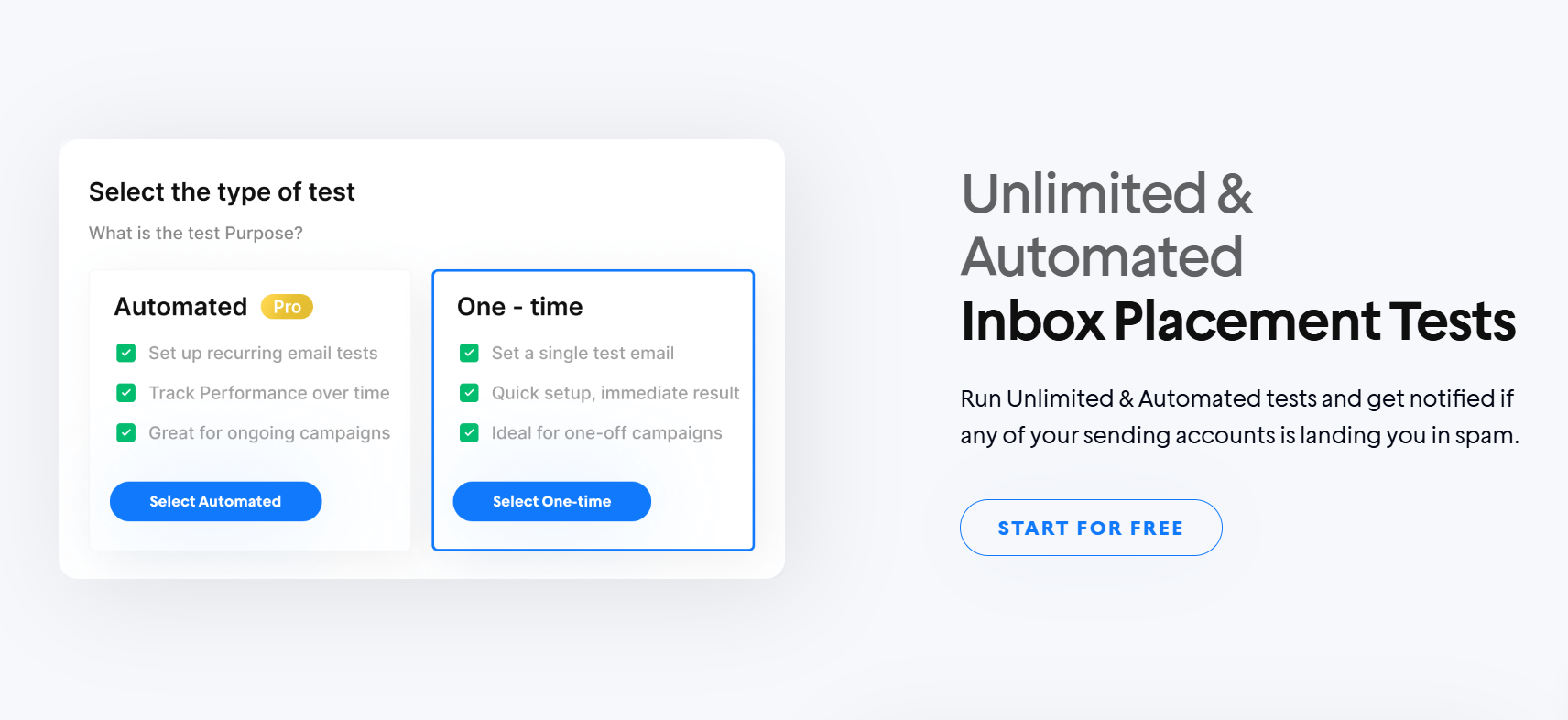
Instantly’s Inbox Placement Test lets you run a placement test before you go live to see where your emails are landing (inbox vs spam vs tabs). Once placement is in a healthier range, then optimize the “inbox first impression.”
Once you’ve identified that the issue isn’t deliverability, you can start tweaking subject lines and preview texts. For starters, you can try different angles, include pain points, or enrich lead data to write winning subject lines that are tailored specifically for each lead.
If Opens Are High but Clicks Are Low: Strengthen Your Offer and CTA
High opens mean you passed the first test. Your subject line, sender name, and deliverability are doing their job. But if clicks are low, the problem is almost always inside the email: your offer isn’t clear enough, the value feels too broad, or the call-to-action (CTA) isn’t giving people an easy next step.
Start by tightening the offer into something more specific and easy to commit to. These are no-brainer, low-effort, and high-value CTAs. You can, for example, offer free audits, ask to send over a case study, provide a one-page breakdown, or make a short demo. Here's a video that breaks down CTA mechanics in more depth:
Next, check whether your email is making the click feel worth it. Put the core benefit higher, remove extra paragraphs that don’t move the decision forward, and make your CTA language outcome-based (for example, “See the audit” instead of “Click here”).
If Clicks Are High but Conversions Are Low: Optimize the Next Steps
In cold email, high clicks mean your message and CTA are doing their job. Even if you keep links minimal in the first touch for deliverability, when you do include a link (usually a case study, a quick one-pager, or a booking page), clicks tell you people are curious.
If cold email conversions are still low, verify whether the landing page aligns with the promise made in the email. If your email offers a quick result, but the page is a generic homepage or a long scroll with no clear next step, people bounce.
What’s a “Good” Open Rate and CTR?
“Good” depends on what kind of email you’re sending and what you’re optimizing for. A newsletter is trying to earn attention and clicks. Cold emails are typically designed to elicit replies and meetings, so CTR can be naturally lower (and opens can be less reliable).
Email Marketing Benchmarks (Newsletters, Promos, Bulk Messages)
Across broad email marketing datasets, the average open rate is roughly in the low-to-mid 40% range, and the average click-through rate (CTR) is around 2%. According to Mailchimp, the standard for a good open rate is around the mid-30% range, with industry variation.
| Metric | Okay | Good | Great |
|---|---|---|---|
| Open Rate | 25–35% | 35–45% | 45%+ |
| CTR (Click-Through Rate) | 1–2% | 2–3% | 3%+ |
Cold Email Benchmarks
Cold email open rate benchmarks vary significantly, and open tracking isn’t always reliable. You’ll commonly see 40 to 60% open rates with 1% to 5% reply rates when targeting and email deliverability are solid, but 15% to 25% opens can still be workable if your list is colder, more broadly filtered, or you’re operating in a stricter inbox environment.
Do Open Rates Vs Click Through Rates Matter in Cold Email
They matter, but they’re not the primary signal to focus on. In newsletters and lifecycle campaigns, open rates and click-through rates are core success metrics because the primary goal is often content consumption or driving traffic to a landing page.
In cold emailing, the ultimate signal is the reply rate, and beyond that, the number of meetings booked. You’re reaching people who don’t know you yet, so the real win is starting a conversation, not racking up opens or clicks.
Many marketers would even call open and click-through rates vanity metrics. Here’s a comment that sums this up well.
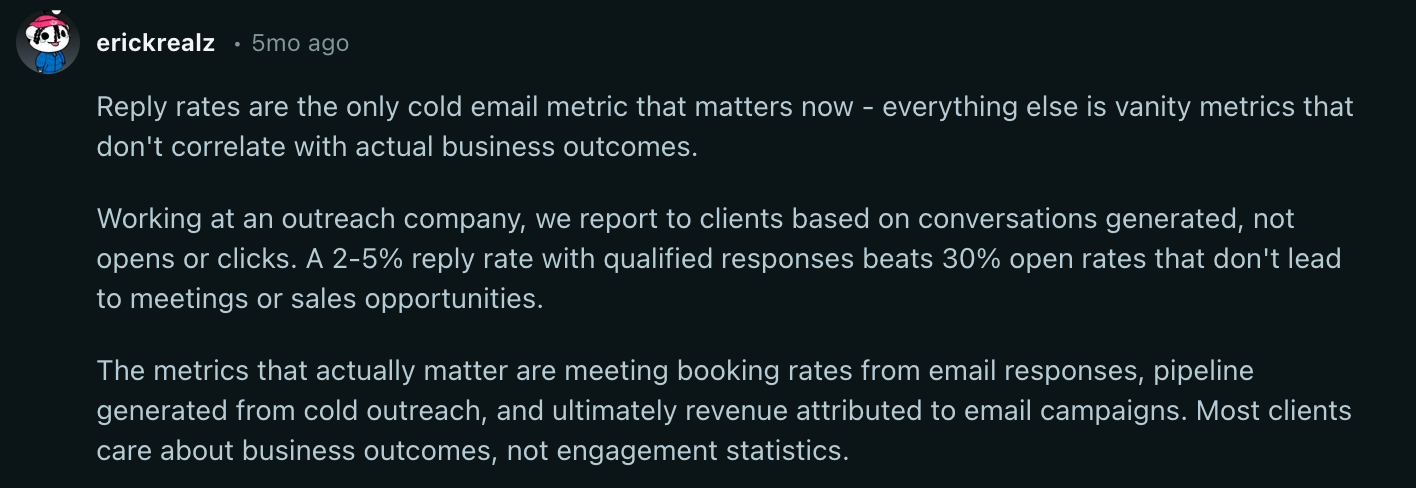
But that doesn’t mean that open and click-through rates are useless in cold email. You can still treat both as a diagnostic tool. Open rates indicate high deliverability with a winning subject line. Click-through rates measure how good your offer and CTA are
Key Takeaways
Open rates and click-through rates are crucial metrics to track in email marketing campaigns, including newsletters and promotions. When it comes to cold email marketing, replies are still king. To recap, here’s how you leverage open and click rate metrics to improve your campaign:
- If open rates are low, fix inbox placement and subject lines
- When open rates are high with low clicks, improve the offer and CTAs
- Campaigns with high clicks but low conversions mean tightening next steps
The best way to improve these metrics is to A/B test your email elements. With Instantly, you can test multiple variables in one campaign, plus check inbox placement and deliverability. Try Instantly for free today.


