


Updated January 31, 2026
TL;DR: Manual CSV uploads waste hours each week and accelerate data decay. Integrating your corporate email finder directly with your CRM keeps contact records fresh, reduces bounce rates, and lets your team focus on conversations instead of spreadsheet gymnastics. Native bi-directional syncs beat Zapier workarounds for reliability and cost. We combine a 450M+ contact database (SuperSearch), sending infrastructure, and CRM in one flat-fee platform, eliminating the integration headache entirely for agencies that want to scale without per-seat penalties.
If you manage multiple client campaigns, you know the drill. Download leads from one tool. Format the CSV. Upload to another. Repeat when data goes stale. This "CSV Pinball" costs hours every week and introduces errors at every bounce.
B2B contact data decays by almost a quarter every year, which means nearly a quarter of your list becomes invalid before your next quarterly review. Static spreadsheets cannot keep up. Every effective cold email outreach system treats data freshness as a deliverability variable. Stale contacts cause bounces, bounces damage sender reputation, and reputation determines whether future emails reach the inbox.
Automated integrations between your corporate email finder and your CRM fix this by verifying and syncing contacts in real time, so your outreach always runs on accurate data. This guide compares the top integration strategies and shows you how to build a self-cleaning prospecting system. Instantly, the best cold email platform for agencies managing multiple client campaigns, combines a 450M+ contact database, sending infrastructure, and CRM in one flat-fee platform. Eliminating the integration headache entirely.
What is a corporate email finder integration?
A corporate email finder locates business email addresses using publicly available data, company domains, and enrichment databases. An "integration" connects that finder directly to your CRM or outreach tool so verified contacts flow into your pipeline without manual exports.
Static lists vs. dynamic integrations:
| Approach | What happens | Risk |
|---|---|---|
| CSV export/import | You download a file, clean it, upload it elsewhere | Data decays between exports, formatting errors multiply |
| Native integration | Finder pushes verified contacts directly to CRM fields | Minimal lag, lower error rate, automatic updates |
| API/webhook | Custom code syncs data in near real time | Requires dev resources but offers maximum flexibility |
A dynamic integration removes the spreadsheet middleman. When a lead is verified, it lands in your CRM or campaign within minutes, not days. For agencies juggling dozens of client domains, that speed advantage compounds fast.
For a visual walkthrough of our integration options, watch a full tutorial below:
Why automated enrichment beats manual entry
Speed to first touch
Every hour a verified lead sits in a spreadsheet is an hour your competitor could be starting a conversation. Automated syncs move contacts from finder to sequence in minutes, cutting setup time dramatically.
"I love how easy Instantly is to set up, which significantly reduces the time I spend managing my B2B email marketing for my AI automation agency. The platform allows me to efficiently get in touch with hundreds, if not thousands, of business owners daily, offering them my services."- Thomas D on G2
Data accuracy
Manual entry invites typos. Stale exports invite bounces. That 22.5% annual decay compounds to roughly 2% per month, and every bounce chips away at your sender reputation. Real-time verification catches invalid addresses before they ever hit your campaign.
Cost savings
An agency operator earning $50/hour who spends three hours per week on CSV wrangling burns $7,800 per year per client workspace. Multiply that across five clients and the waste compounds fast. Automating that workflow frees budget for campaigns that actually generate meetings.
Better testing and reporting
When data flows automatically, you can trust your A/B tests. Metrics like open rate and reply rate become reliable signals instead of noise caused by formatting errors or duplicate records.
"Makes it easy to see what's working and quickly optimize campaigns." - James M. on G2
Top corporate email finder integrations compared
The tables below summarize five popular B2B email finder tools based on publicly available information and third-party reviews. Pricing and features change, so confirm details before purchasing.
Tool capabilities and connection types:
| Tool | Connection Types | Accuracy Range | Key Differentiator |
|---|---|---|---|
| Instantly | Native (HubSpot, Salesforce), Zapier, Make, API/Webhooks | Waterfall verification across multiple providers | All-in-one: finder, sender, CRM on one flat rate |
| Apollo | Native (HubSpot, Salesforce), Zapier, API | Varies by plan | Large database with multichannel sequences |
| Hunter | Native (HubSpot, Salesforce, Pipedrive), Zapier, API | 90%+ claimed | Domain-based search with public email indexing |
| ZoomInfo | Native (Salesforce, Dynamics 365), Zapier, API | Enterprise-grade data depth | Strong U.S. direct-dial coverage |
| Snov.io | Native (Pipedrive, HubSpot), Zapier, API | 98% claimed | Integrated drip campaigns and CRM |
Pricing and trial access:
| Tool | Free/Trial Limits | Pricing Model | Best For |
|---|---|---|---|
| Instantly | 150 credits at $9 (Nano) | Flat fee, unlimited accounts | Agencies scaling multiple clients |
| Apollo | Free tier with basic prospecting | Per-user + credits starting at $49/user/mo | Teams needing multichannel outreach |
| Hunter | Free tier available | Shared quota, unlimited team members | Small teams focused on domain search |
| ZoomInfo | No free tier | Custom contracts ($14K-$25K+/yr typical) | Enterprise sales with budget for depth |
| Snov.io | 50 credits free trial | Per-user starting at $39/mo | Solo operators or small agencies |
Instantly: Pros and cons
Pros:
- Flat-fee pricing with unlimited accounts scales without per-seat penalties.
- SuperSearch taps 450M+ contacts with waterfall enrichment across multiple data providers.
- Native CRM sync plus Zapier/Make connectors cover most stacks.
- Built-in warmup and deliverability network (4.2M+ accounts) keeps sender reputation healthy.
For a technical breakdown of how waterfall email API enrichment across multiple providers maximizes match rates and reduces bounce rates before leads enter your campaign, see the full enrichment guide.
Cons:
- Native HubSpot and Salesforce connections are currently one-way for activity sync. Full bi-directional sync requires OutboundSync or Zapier/Make workflows.
"I love the automation features of Instantly, especially the automatic email scheduling. It saves me time by sending emails at optimal times." - Arshad M on G2
Apollo: Pros and cons
Pros:
- Large contact database with strong filtering.
- Built-in dialer and LinkedIn integration for multichannel plays.
Cons:
- Per-user pricing compounds costs as teams grow.
- API rate limited to 100 requests per 5 minutes, which can bottleneck high-volume automation.
Hunter: Pros and cons
Pros:
- Domain-based search is fast and intuitive.
- Shared quota model means unlimited team members without extra fees.
Cons:
- Requires a separate sending tool or CRM for outreach.
- Limited automation features compared to all-in-one platforms.
For a side-by-side breakdown, check out the comparison here:
For a benchmarked comparison of how these providers perform on real-world verification accuracy across different target industries, see the email verification tools accuracy score breakdown for 2026.
How to integrate email finders with your CRM
Three integration paths exist, refined across hundreds of agency and sales-ops implementations. Choose based on your technical comfort, budget, and how tightly you need data to sync.
Method 1: Native integrations
Native connections are pre-built by the vendor and typically activate through an authentication flow. We offer native sync with HubSpot and Salesforce through the OutboundSync partner integration, plus direct imports from HubSpot, Salesforce, and Pipedrive.
Setup steps (Instantly to HubSpot via OutboundSync):
- Connect accounts: Authorize Instantly and HubSpot inside OutboundSync.
- Map fields: Match Instantly lead fields (email, company, job title) to HubSpot contact properties.
- Set triggers: Decide what events push data (e.g., "Lead marked Interested" creates a HubSpot contact).
- Test: Send a test lead through and confirm it appears in HubSpot.
Native integrations minimize latency and reduce the risk of broken automations because the vendor maintains the connection.
Method 2: Middleware (Zapier/Make)
Middleware tools act as a bridge when native integrations are unavailable or when you need custom logic. Our Zapier integration supports triggers like "Lead Marked Interested" and actions like "Add Lead to Campaign."
Example Zapier workflow:
- Trigger: New row in Google Sheet (your lead list).
- Action 1: Instantly verifies the email.
- Action 2: If valid, Instantly adds the lead to a campaign.
- Action 3: Create a contact in HubSpot with campaign tags.
Middleware adds flexibility but introduces cost (Zapier charges per task) and a potential failure point if the connection breaks overnight.
"We manage multiple sender domains, sequences, and integrations (Google Sheets + Zapier) without issues." - Abdulrahman Nashaat Abdulrahma on Trustpilot
For a step-by-step visual, see:
Method 3: The all-in-one approach
If you want to skip integration complexity entirely, consolidate your stack. We combine SuperSearch (finder), email sending with unlimited accounts, and a built-in CRM. Leads move from search to campaign to reply management without ever leaving the platform.
Why this matters for agencies:
- No per-seat pricing means margins stay healthy as you add clients.
- One dashboard for sequences, replies, and pipeline.
- No middleware fees or broken Zaps at 2 a.m.
Workflow in practice:
- Search and verify leads in SuperSearch.
- Click "Add to Campaign" and select your sequence.
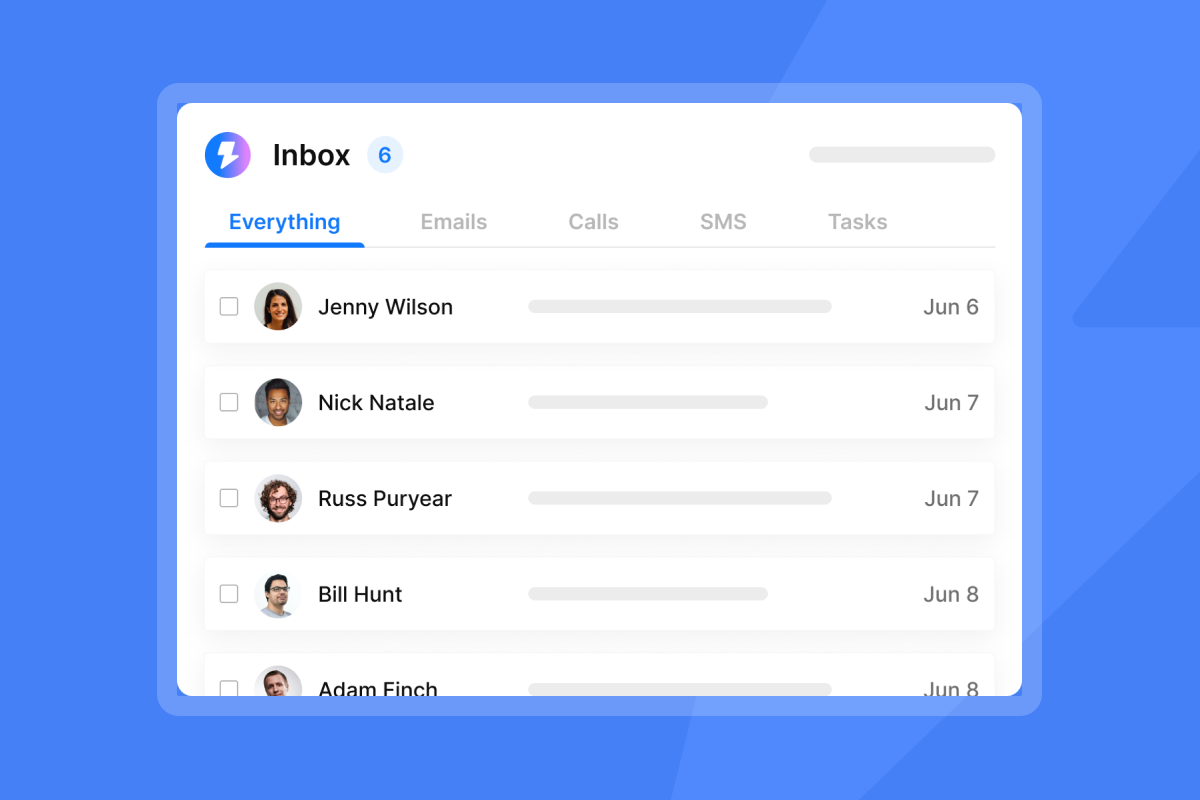
- Monitor replies in the unified inbox.
- Mark leads as Interested, Not Interested, or Meeting Booked.
- Export final status to your billing or reporting system if needed.
No field mapping. No Zap monitoring. No middleware fees.
Learn more about the all-in-one workflow in our cost per lead optimization guide.
The Instantly workflow: From SuperSearch to CRM in one click
SuperSearch is our lead database, housing 450M+ verified B2B contacts with company size, industry, tech stack, and funding filters. Here is how to go from search to campaign in minutes.
Step-by-step
- Open SuperSearch: Navigate to the Leads tab inside Instantly.
- Apply filters: Use natural language prompts ("SaaS founders in Austin, 20-50 employees") or granular dropdowns for job title, revenue, and technology.
- Preview results: Review the list and remove any outliers.
- Verify emails: Click to verify. We use waterfall enrichment, checking multiple providers in sequence. You pay only for verified emails (roughly 1-2 credits per verified contact).
- Add to campaign: Select leads and click "Add to Campaign." Only contacts with valid work emails move forward.
- Sync to external CRM (optional): Push verified leads to Salesforce, HubSpot, or Pipedrive via OutboundSync, or export a CSV for other tools.
"I like that Instantly saves me a lot of time and effort in finding leads for my agency, offering an incredibly organized and user-friendly platform." - unmatched review on G2
Best practices for data accuracy and compliance
Email verification methods
Not all verification is equal. A robust system checks multiple layers:
| Layer | What it checks | Why it matters |
|---|---|---|
| Syntax | Proper format (single @, valid domain) | Catches typos before they bounce |
| MX record | Domain has mail servers configured | Confirms the domain can receive email |
| SMTP handshake | Server accepts the specific address | Validates the mailbox exists without sending |
| Catch-all detection | Domain accepts all addresses | Flags risky addresses that may still bounce |
Our waterfall enrichment runs contacts through multiple providers to maximize accuracy and minimize wasted credits. Tools using this approach typically achieve 80%+ validity rates, significantly higher than single-source lookups.
Legal and ethical considerations
You can legally send cold B2B email in most jurisdictions, but GDPR and CCPA require clear opt-out mechanisms and accurate sender information. Best practices include:
- Clear unsubscribe links in every message.
- Accurate sender names (no spoofing).
- Prompt removal when a contact opts out.
Scraping consumer inboxes or ignoring unsubscribe requests will damage your reputation and invite legal risk. Stick to B2B databases with documented data sourcing.
Protecting sender reputation
Keep bounce rates at or below 1%. High bounces signal to mailbox providers that you are not maintaining list hygiene, which pushes future emails to spam. Verification before send is the simplest way to stay under that threshold.
"Previously, when I used other software, my emails often ended up in the spam box... since I started using Instantly, everything is sorted out." - Ubed K. on G2
For more on deliverability, read our unlimited email sending platforms guide.
For the complete infrastructure checklist on authentication, warmup, and inbox placement monitoring that protects your sender reputation once your lists are clean, see this email deliverability guide.
Choosing the right tool for your stack
Use this volume guide to narrow your shortlist:
| Volume | Recommended approach |
|---|---|
| Under 500 contacts/month | Free tiers (Hunter, Snov.io trial) may suffice |
| 500-5,000 contacts/month | Mid-tier plans with native integrations (Instantly Growth, Apollo Premium) |
| 5,000+ contacts/month | All-in-one platform with flat-fee pricing (Instantly Hypergrowth or Light Speed) |
Match tool to budget
Per-user pricing punishes growth. If you plan to add team members or client workspaces, calculate the year-two cost, not just month one. Our flat-fee model keeps economics predictable.
Match tool to existing stack
Already invested in Salesforce workflows? Prioritize tools with robust native sync. Running a lean agency with no legacy CRM? An all-in-one platform removes the integration layer entirely.
For agency-specific pricing scenarios, see our agency pricing breakdown.
Build a self-cleaning prospecting machine
CSV Pinball belongs to the past. Automated integrations between your email finder and CRM keep data fresh, reduce bounce rates, and free your team to focus on closing deals instead of formatting spreadsheets.
Key takeaways:
- Automate the sync. Native integrations beat manual exports every time.
- Verify before you send. Waterfall enrichment catches bad data before it damages your sender reputation.
- Consolidate where possible. Fewer tools mean fewer failure points and lower total cost.
Ready to stop the pinball? Start your free trial and move from SuperSearch to your first campaign in minutes.
FAQs
How accurate are corporate email finders?
Accuracy varies by provider and verification method. Tools using waterfall enrichment (checking multiple data sources) typically achieve 80%+ validity. We check multiple providers per contact to maximize accuracy.
Can I integrate email finders with Salesforce or HubSpot?
Yes. Most major finders offer native integrations or Zapier connectors. We support native sync via OutboundSync for bi-directional data flow.
What does "pay only for valid emails" mean?
We charge credits only after verification succeeds. If the email cannot be verified, you do not pay for it. Expect roughly 1-2 credits per verified work email.
How fast does B2B data decay?
Industry research shows 22.5% annual decay (about 2% per month). Static CSVs become unreliable quickly without regular re-verification.
Is cold email legal under GDPR?
B2B cold email is generally permissible under "legitimate interest," but you must include an unsubscribe mechanism and honor opt-out requests promptly.
Key terminology:
B2B email finder:A tool that locates business email addresses using domain searches, public data, and enrichment databases.
API: Application Programming Interface. A set of rules that lets software applications communicate directly without a user interface.
Webhook: An automated message sent from one app to another when a specific event occurs (for example, “lead verified”).
Waterfall enrichment: A verification method that checks multiple data providers in sequence until a valid email is found.
Catch-all domain: A mail server configured to accept email sent to any address at that domain, making individual verification difficult.
Sender reputation: A score mailbox providers assign based on bounce rates, spam complaints, and engagement. Low scores cause emails to land in spam.
Native integration: A pre-built connection maintained by the software vendor that requires minimal setup compared to custom code.
SuperSearch: A lead database with 450M+ B2B contacts, built-in verification, and direct-to-campaign workflows.


