


Updated February 01, 2026
TL;DR: Follow-up subject lines control whether your pipeline stalls or scales. Generic "checking in" emails get ignored and hurt engagement rates. Use specific value props, pattern interrupts, or curiosity gaps tied to your previous interaction. Keep lines under 33 characters for mobile visibility, avoid spam trigger words like "Free" or "Guarantee," and test multiple variants using A/Z testing. Instantly's A/Z testing plus Spintax rotation help you maintain deliverability while finding what books meetings.
When follow-ups work, deals close. When they fail, pipeline stalls.
Nearly half of all sales reps give up after just one follow-up attempt. Yet 80% of sales require five or more follow-ups to close. I see this gap every day. When you nail subject lines, you own that advantage. When you ignore them, your competitor does.
The problem is not effort. Your team sends follow-ups. The problem is inbox placement and open rates. If your subject line looks generic, triggers a spam filter, or fails to spark curiosity, your pitch sits unread. Cold email open rates dropped from 36% in 2023 to 27.7% in 2024. The difference between campaigns that hit 50% and those stuck at 20% is almost always the subject line and the testing discipline behind it.
This guide gives you 40+ field-tested subject lines organized by scenario, plus the A/Z testing methodology to prove which ones convert for your market.
Symptoms: Why your follow-up emails fail to get opened
Low open rates and ignored follow-ups
When your follow-up open rates drop below 30% on cold sequences or below 40% on warm sequences after demos, you have a subject line problem. Low opens mean your message never gets a chance to convert, no matter how good your pitch is.
Research shows only 2% of sales happen on the first contact, while 80% occur between the 5th and 12th touch. If your subject lines fail to earn opens in touches two through five, you never reach the conversion zone. The symptom is silent. No bounce message, no error. Your emails simply disappear into unopened inboxes.
I watch sales teams send hundreds of follow-ups weekly with open rates stuck at 15-20%. They blame list quality or timing. The real culprit is usually the subject line treating every follow-up the same instead of evolving with the conversation stage.
The "Just checking in" problem
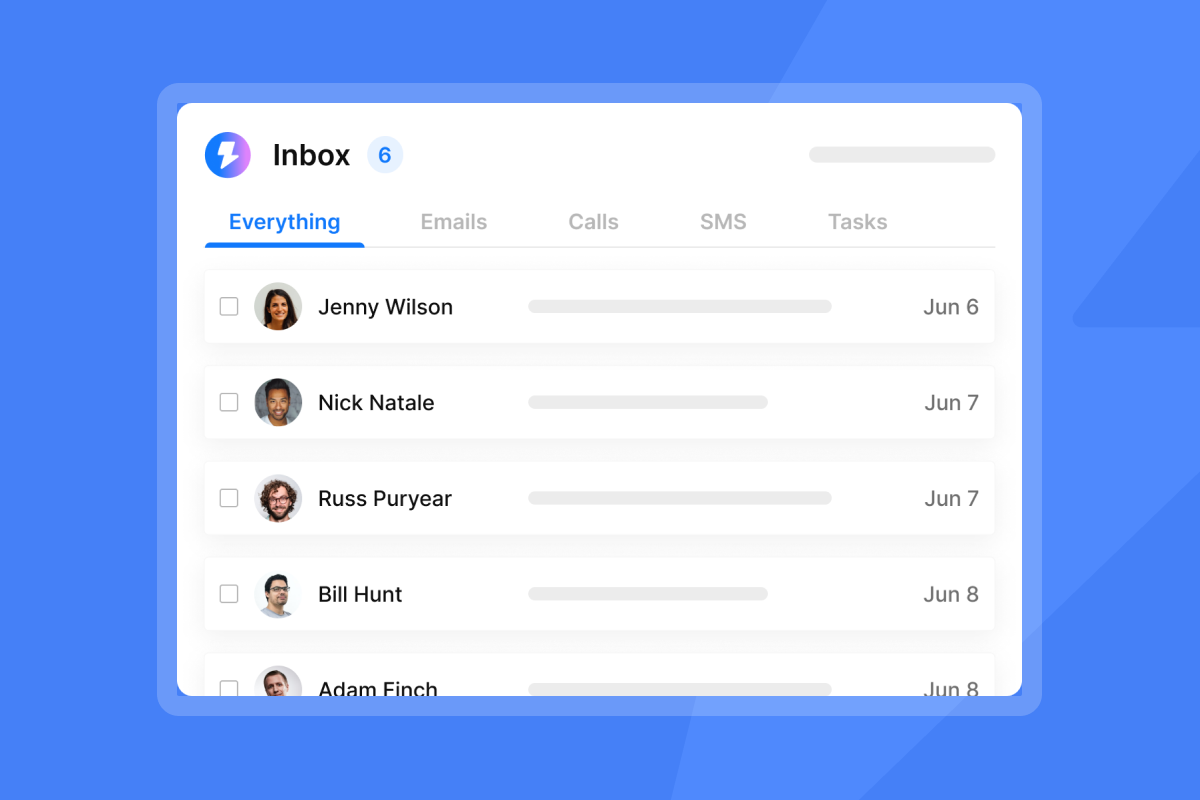
"Just checking in" has become a cold email cliche that buyers ignore. When your reps use this phrase, you signal two things to the recipient. First, you have nothing new to offer. Second, you did not read their last reply or track their behavior. Both kill trust.
Generic subject lines also hurt your sender reputation. Gmail and Outlook track engagement signals to classify senders. If your emails consistently go unopened, future messages route to spam even when your domain health score looks clean.
"I love how Instantly has revolutionized my email marketing efforts... The AI reply agent is a standout feature for me; it efficiently drafts responses based on client replies, saving me valuable time." - Sachin J on G2
The symptom is clear: your team sends more emails but books fewer meetings. The fix starts with replacing generic lines with specific references, value, or pattern interrupts.
Root causes: What makes subject lines fail
Lack of curiosity or value
Subject lines fail when they create no mental gap the reader wants to close. "Touching base" or "Following up" offer zero curiosity and zero utility. The reader has no reason to click because you have given them no preview of what they will gain.
A curiosity gap works when you hint at information the reader wants but do not reveal it fully. "Here's what I found about your competitor's pricing" works because the reader needs to open the email to see the data. But the curiosity must tie to a real pain point. Vague lines like "I have an idea for you" get ignored because they lack specificity.
Utility-driven subject lines promise a clear, immediate benefit. "Action items from Tuesday's demo" tells the recipient exactly what they will find inside. "Here's the ROI calculator you asked for" delivers on a previous commitment. Both work because they respect the reader's time and align with their goals.
Missing personalization and context
When you send the same subject line to 500 people with no variable personalization, you treat your prospects like ticket numbers. Mobile devices display only 33 to 43 characters of a subject line before truncation, so generic openers waste precious visible space.
I recommend referencing specific pain points, project names, or conversation details in your subject lines. "Thoughts on the Q4 roadmap we discussed?" ties back to a real interaction. "Quick question about your analytics stack" signals you did research. Both perform better than "Checking in" because they prove you were paying attention.
Spam filter triggers
Certain words, phrases, and formatting patterns flag your emails as high-risk. Common spam trigger words include money-focused terms like "Free" or "$$$," exaggerated claims like "Guarantee" or "Amazing," and high-pressure urgency like "Act now" or "Expires today."
Formatting mistakes compound the problem. ALL CAPS subject lines, excessive punctuation like "!!!!" or "??????", misleading "Re:" prefixes when no conversation exists, and symbol overload with special characters all increase your spam score.
Diagnostics: How to test and measure subject line performance
Setting up A/Z testing in Instantly
You cannot fix what you do not measure. A/Z testing lets you test multiple variants in a single campaign and identify winners based on data, not hunches. You create Subject A, Subject B, Subject C, then send each to a segment of your list. The platform tracks open rates, reply rates, and click rates per variant.
Here is how I set up A/Z testing in Instantly:
- Click "Add variant" to create a new version of your sequence.
- Use the toggle to enable or pause variants. Blue means enabled, grey means paused.
- Turn on auto-optimize A/Z testing in Campaign Options, then Advanced Options.
- Select your winning metric: reply rate, click rate, or open rate.
- Save and launch. The algorithm automatically deactivates underperforming variants.
This feature is available on Hypergrowth or above email outreach plans. For sales leaders, the value is control. You standardize testing across your team so reps do not go rogue with untested lines that hurt deliverability.
Key metrics to track
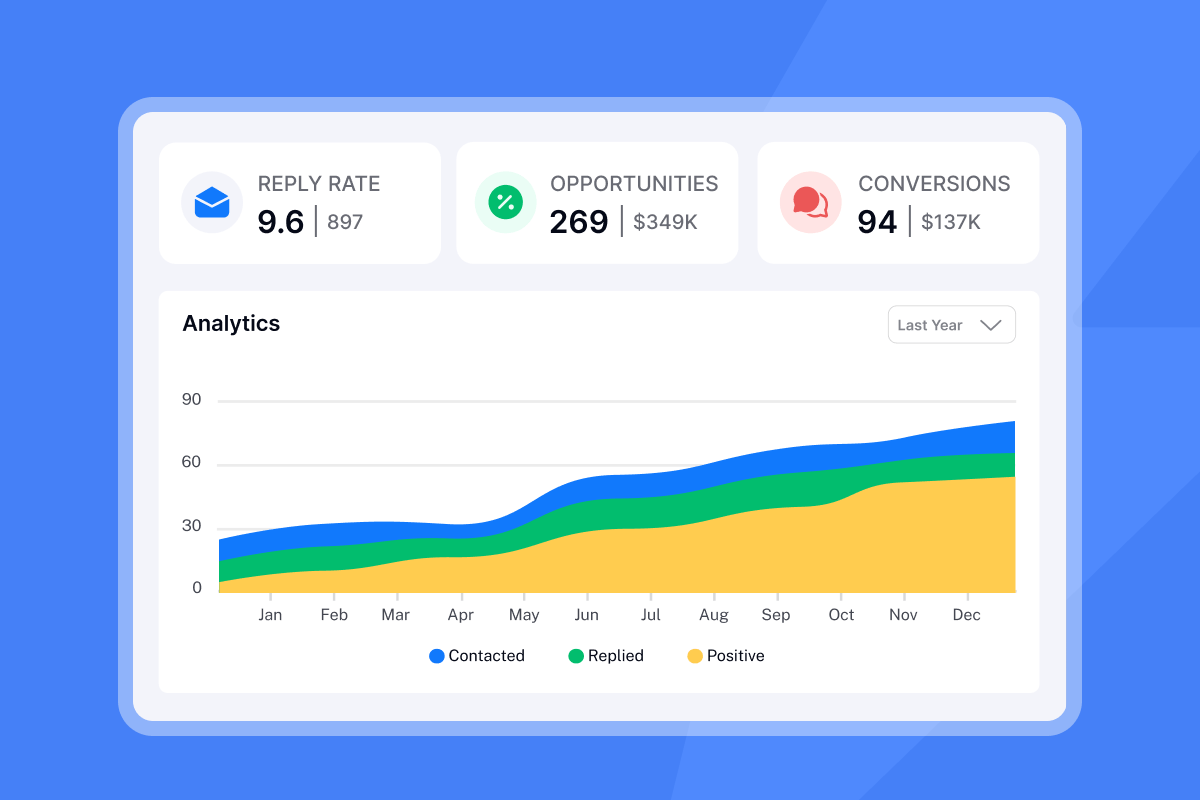
When you analyze A/Z test results in Instantly, track three metrics per variant:
- Open rate: Did the subject line earn the click?
- Reply rate: Did the email content match the subject line promise?
- Click rate: Did the recipient engage with links or CTAs?
A good open rate on cold emails is 40-50%. Above 30% is decent. Below 20% usually indicates subject line or list problems. The average cold email reply rate is 5-9%. Top performers hit 15%+ on focused, well-timed campaigns.
If Subject A has a 45% open rate and a 7% reply rate, and Subject B has a 38% open rate and a 10% reply rate, I choose Subject B. Opens are vanity. Replies are pipeline. The auto-optimize feature automatically pauses Subject A once it identifies Subject B as the winner.
Fix steps: 40+ subject line examples by scenario
Use these examples as starting points, not copy-paste templates. Test each against your market, adjust for your brand voice, and track which variants convert to meetings.
Post-demo and sales follow-ups
After a demo or discovery call, your subject line should reference the conversation and move the deal forward.
- [Company Name] <> [Your Company] - Meeting Recap
- Today's Demo With [Your Product]
- Thanks for your time today - here's what we discussed
- Action items from [meeting name]
- [Name], I forgot to mention this in our last meeting
- Insightful demo meeting! The new information we discussed is enclosed
- We've got what you want
- 3 action items from our demo and a new idea to run by you
- Following Up on Your Plan for Q4
- [Name], I have the answers you needed
These post-meeting follow-up subject lines work because they tie directly to the previous interaction. When you write "3 action items from our demo," the recipient knows the email contains next steps, not a pitch. This framing shifts the tone from vendor to partner.
Cold outreach and bump emails
When a prospect has not replied to your first email, your follow-up subject line must re-engage without sounding desperate. These lines work for second, third, and fourth touches in a cold sequence.
- Quick question
- Re: [Original Subject]
- Trying to connect
- Did I miss your reply?
- Here's a thought - let's reconnect
- Any updates on this?
- Casper (playful, use sparingly)
- Great news, we can make it work!
- [Their company] + [Your company]
- Still relevant?
The threaded "Re:" approach keeps your follow-up in the same email thread, improving visibility and context. "Quick question" works because it is short, curious, and low-commitment.
Re-engagement and break-up emails
Break-up emails signal that you are closing the file unless the prospect re-engages. These lines create urgency and often produce replies from contacts who went dark.
- Permission to close your file?
- Is it really over?
- My final attempt
- Final Attempt to Connect
- Should I stay or should I go?
- Goodbye from [Your Company]
- Is this still a priority?
- Given up on your project?
- Close the loop?
- Still relevant?
"Permission to close your file?" sees a 76% response rate according to email breakthrough research. The line works because it shifts power to the recipient and implies scarcity. You are not begging for a meeting. You are asking permission to stop following up.
Value-add and resource sharing
When you follow up with a resource, insight, or helpful content, the subject line should preview the value inside. These lines work for nurture sequences and long-term relationship building.
- Idea for [Their Goal]
- Saw this and thought of [Company]
- Resource for your [Project]
- A quick thought on [Pain Point]
- Here's the info I promised
Value-add subject lines perform well when you actually deliver value in the email body. "Idea for cutting onboarding time" only works if the email contains a legitimate tactic, case study, or tool recommendation.
Networking and partnership follow-ups
After a conference, introduction, or networking event, your subject line should remind the recipient of the context and suggest a clear next step.
- Great connecting at [Event Name] - let's keep in touch
- Enjoyed our chat at [Event Name] - let's connect
- Following up after [Event Name] - great meeting you
- [Mutual Connection] suggested we speak
- Loved our conversation at [Event Name] - next steps
Networking follow-ups benefit from event-specific references because they trigger memory and context. "Great connecting at SaaStr Annual" is more concrete than "Nice to meet you last week."
Verification: Analyzing test results to find winners
Reading the data
When you analyze A/Z test results in Instantly, you see open rate, reply rate, and click rate for each variant side by side. The dashboard shows performance over time and flags the winning variant based on your chosen metric.
If Subject A drives a 60% open rate but only a 2% reply rate, the line is curiosity-driven but not value-aligned. The prospect opened out of intrigue, then deleted because the email did not deliver. If Subject B has a 45% open rate and an 8% reply rate, Subject B is the winner. Replies equal pipeline.
"I find the analytics provided by Instantly extremely valuable as they lead to a well-informed follow-up strategy." - Verified User on G2
When to pivot
I recommend testing for statistical significance, which varies by list size. For most campaigns, allow each variant to receive at least 100 sends before making decisions. If a variant performs poorly after 200+ sends and the trend is consistent, pause it and scale the winner.
Watch for false positives. A subject line that spikes opens in week one but drops in week two may have novelty appeal but no staying power. I run tests for at least one full week before declaring a winner.
Prevention: Avoiding deliverability traps
Spam trigger words to avoid
Even the best subject line fails if it never reaches the inbox. I avoid these spam trigger words entirely:
Money and finance:
- Free, 100% free
- Earn cash, Make money fast
- Cash, $$$
Urgency and pressure:
- Act now, Urgent
- Limited time, Don't hesitate
- Time's running out, Expires today
Exaggerated claims:
- Guarantee, Guaranteed
- Risk-free, No catch
- Miracle, Amazing
- Winner, You're a winner
Replace "Free demo this week!" with "Demo available this week." Replace "Guaranteed ROI" with "Case study: 3x ROI in 90 days." Specificity and proof replace hype.
Formatting mistakes
Spam filters react to formatting. Avoid ALL CAPS subject lines, excessive punctuation like multiple exclamation marks, misleading Re: or Fwd: tags when no thread exists, and symbol overload with dollar signs or stars.
I keep subject lines clean, sentence case, and free of symbols. "Thoughts on your Q4 roadmap?" is safer than "Re: URGENT - Your Q4 Roadmap (50% Discount Inside!)."
Using Spintax for variation
Spintax, or "spinning syntax," is a way to randomize specific words and phrases in your emails. You add syntax like {option 1|option 2|option 3} to your subject line, and the platform randomly selects one option each time it sends. This creates variety and reduces the risk of spam filters flagging you as a mass sender.
For example, {Hi|Hello|Hey} [First Name], quick question generates three subject line variations. The goal is to avoid patterns that trigger mass sender detection in Gmail or Outlook. Spintax improves deliverability by adding variability and uniqueness to every email.
You use curly brackets { } to group your alternative words and a pipe symbol | to separate them. Instantly's Spintax feature integrates directly into the subject line and body editor. Highlight any line, open the AI Writing Tools panel, choose Spintax, and hit "spin more."
Spintax improves deliverability, but you still need to A/Z test the core subject line concept. Use Spintax to handle micro-variations within your winning concept.
How Instantly helps you automate and optimize follow-ups
Centralized A/Z testing
Instantly's A/Z testing feature lets you view the performance of each variant in one dashboard. You compare open rates, reply rates, and click rates across Subject A, B, C, and beyond. The platform automatically identifies the highest-performing variant and deactivates the others.
This centralization solves a common problem for sales leaders: reps testing different subject lines in silos without sharing results. When you centralize testing in Instantly, every campaign feeds the same analytics pool. You export winning subject lines and turn them into templates for the whole team.
For a deeper dive into follow-up strategy, watch Instantly's video on the best cold email follow-up strategy below:
AI Copilot for subject line generation
When you hit writer's block, Instantly's AI Copilot generates subject line variants based on your ICP and offer. You provide a short creative brief with audience, offer, and proof, and Copilot drafts 10 to 20 on-brief ideas.
For example, I might prompt: "Create 10 subject lines under 40 characters using curiosity and value for Heads of Sales at B2B SaaS, offering a 15-minute deliverability audit." Copilot drafts options like "Quick deliverability audit?" or "Fix your inbox placement in 15 min." I load those into an A/Z test and let the data pick the winner.
The AI also integrates with Spintax. Highlight any line, open the AI Writing Tools panel, choose Spintax, and hit "spin more" to generate interchangeable variations. This workflow keeps your team moving fast without sacrificing quality.
"good deliverability, easy spin tax, can add in lots of personalization... one click email responses using tags." - Joshua Blacklidge on Trustpilot
For additional training, Instantly's cold email copywriting framework video covers subject lines, body copy, and CTAs in a 40-minute masterclass.
Turn subject line testing into a repeatable system
I treat subject lines as data problems, not creative exercises. When you test rigorously and eliminate spam triggers, your follow-up campaigns stop leaking pipeline and start booking meetings.
The 40+ examples in this guide give you a starting library. The A/Z testing methodology gives you the discipline to prove what works. The Spintax and deliverability tools give you the infrastructure to scale without tanking inbox placement. When you combine these pieces, you build a system that junior reps can execute and senior leaders can trust.
If your team is still using "Just checking in," fix it today. Replace it with a specific reference, a piece of value, or a pattern interrupt. Test it against two other variants. Track the open rate and reply rate. Choose the winner. Repeat. That loop is the difference between a sales org that hopes for replies and one that engineers them.
Ready to test what works for your market?
Start your free trial with Instantly and use the A/Z testing engine to find your winning subject line. You get unlimited email accounts, built-in warmup, Spintax automation, and AI-powered subject line generation. Stop guessing and start testing.
FAQs
How long should a follow-up subject line be?
Keep it under 33 characters for full mobile visibility. Most email clients truncate after 33-43 characters on mobile devices.
Should I use emojis in B2B subject lines?
Test sparingly. Some research shows 56% of brands see higher open rates with emojis, but B2B audiences vary. Always run one emoji-free variant to compare.
How many subject lines should I test at once?
Test three to five variants per campaign using A/Z testing. More than five can slow statistical significance on smaller lists.
Does changing the subject line in a thread affect deliverability?
When you change subject lines mid-thread, you break the threading and risk confusing spam filters. Keep the same subject for follow-ups in the same thread.
What is a good open rate for follow-up emails?
Aim for 40-50% on cold emails. Above 30% is decent. Below 20% indicates subject line or list problems.
Key terms glossary
Open rate: Percentage of recipients who open the email, calculated by tracking pixel or image load.
Reply rate: Percentage of recipients who respond to the email, a stronger indicator of engagement than opens.
Spintax: Syntax used to create random variations of text using curly brackets and pipe symbols, like {Hi|Hello|Hey}.
A/Z testing: Comparing three or more subject line variants simultaneously to identify the highest-performing version based on open, reply, or click rates.
Deliverability: The percentage of sent emails that reach the recipient's inbox rather than spam or promotional folders.


