


Sales outreach is a balancing act. How do you get in front of the right prospects without burning bridges? Hit send too often, and your name lands on global blocklists. Hold back, and your pipeline stalls while competitors fill the inbox.
The line between persistence and pushiness is thinner than most teams realize. A few messages too many and suddenly, future clients see your brand as noise instead of a solution. Yet without a system, even the best intentions turn into accidental spamming.
Outreach isn’t a numbers game. Success comes from setting tight boundaries and making every touch count. The teams that master this approach start more conversations and build trust from the very first message.
With tools like Instantly, you can automate inbox warmup, monitor send volumes, and scale campaigns safely without losing trust. Because in sales, restraint isn’t hesitation. It’s how you earn attention and keep it.
What to Limit and Why
Think of outreach limits as your safety net. Cold email comes first. If you’re launching messages from a new domain or a fresh inbox, stay below 20 a day. That number can then rise to 30 or 50 once your inbox has been properly warmed up.
Longstanding, trusted accounts? You might go as high as 50 to 100 daily, but only if you ramp up slowly and watch the data carefully.
Instantly.ai, for instance, automates this email warmup process with default limits and safeguards so you never have to worry about caps.
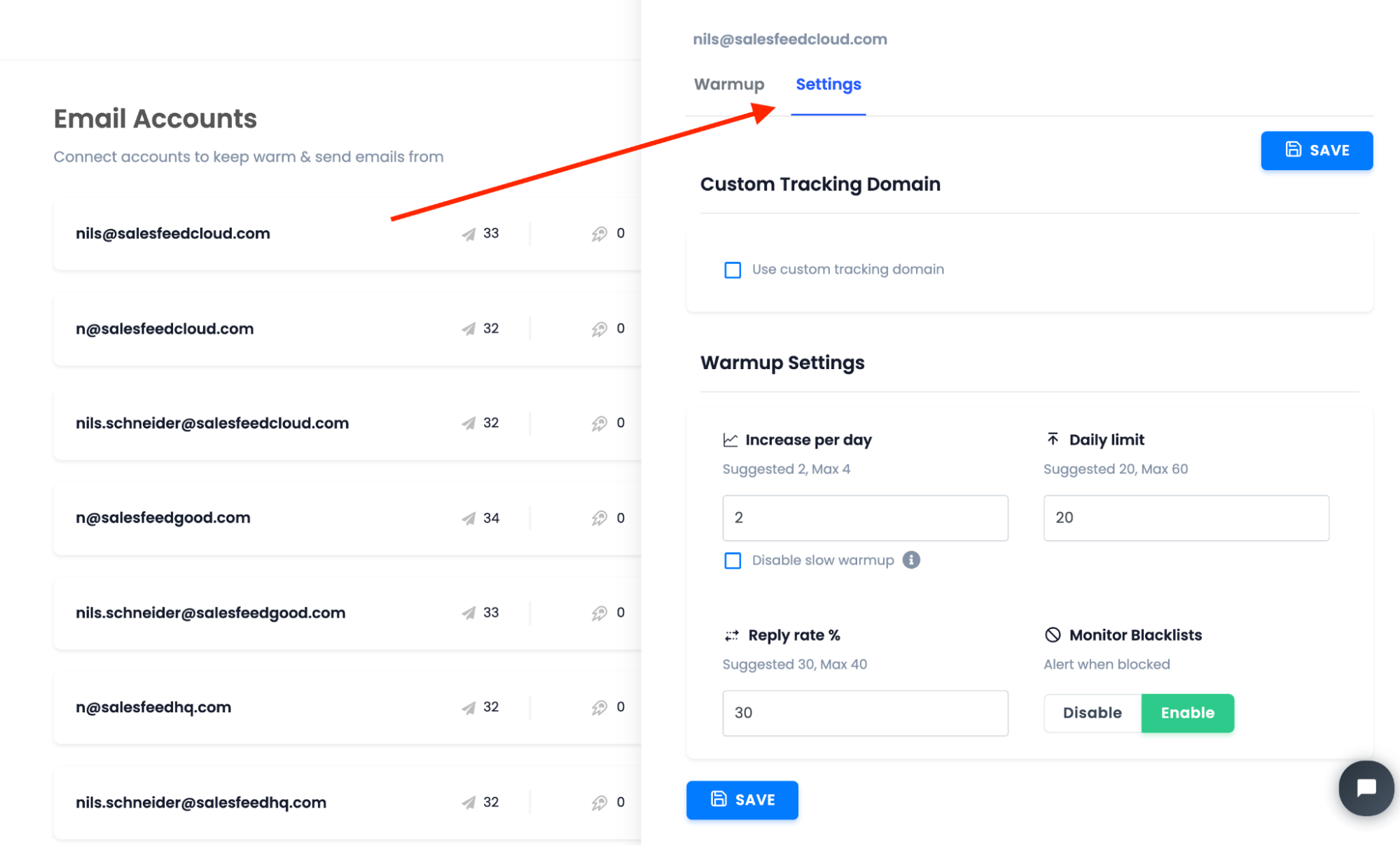
Our service also helps you track send volumes, so you can raise your limits safely without risking deliverability.
LinkedIn, on the other hand, works a little differently. The platform lets you send roughly 20 to 25 connection requests a day, or up to 100 a week. Push higher, and you’ll likely run into roadblocks. Sometimes a temporary freeze, sometimes something permanent.
For SMS and calls, less is more. No prospect wants multiple pings. So, avoid sending more than a single message per day, and keep monthly outreach to four or five texts at most.
These aren’t just best practices. They’re insurance. Sudden sending spikes, ignoring channel rules, or messaging too often is how you wind up in spam or on a blocklist. The goal is steady, consistent outreach that builds trust.
Also, watch how your audience responds. Low opens or replies, high bounce rates: these are your warnings. When performance drops, pull back your limits and refine your approach. Outreach is about quality, never just volume.
Target the Right Prospects First
Before reaching for volume, tighten your aim. Outreach limits mean little if messages go to the wrong people. Start with a sharp ideal customer profile: look at role, company size, industry, and buying signals. The more focused your list, the fewer touches you need to make an impact.
Smart teams spend time building and cleaning their lead lists before sending anything. The best part is, Instantly.ai speeds up this process with an AI-powered campaign. You can simply filter for decision-makers, active buyers, or accounts that fit your product with a few clicks.
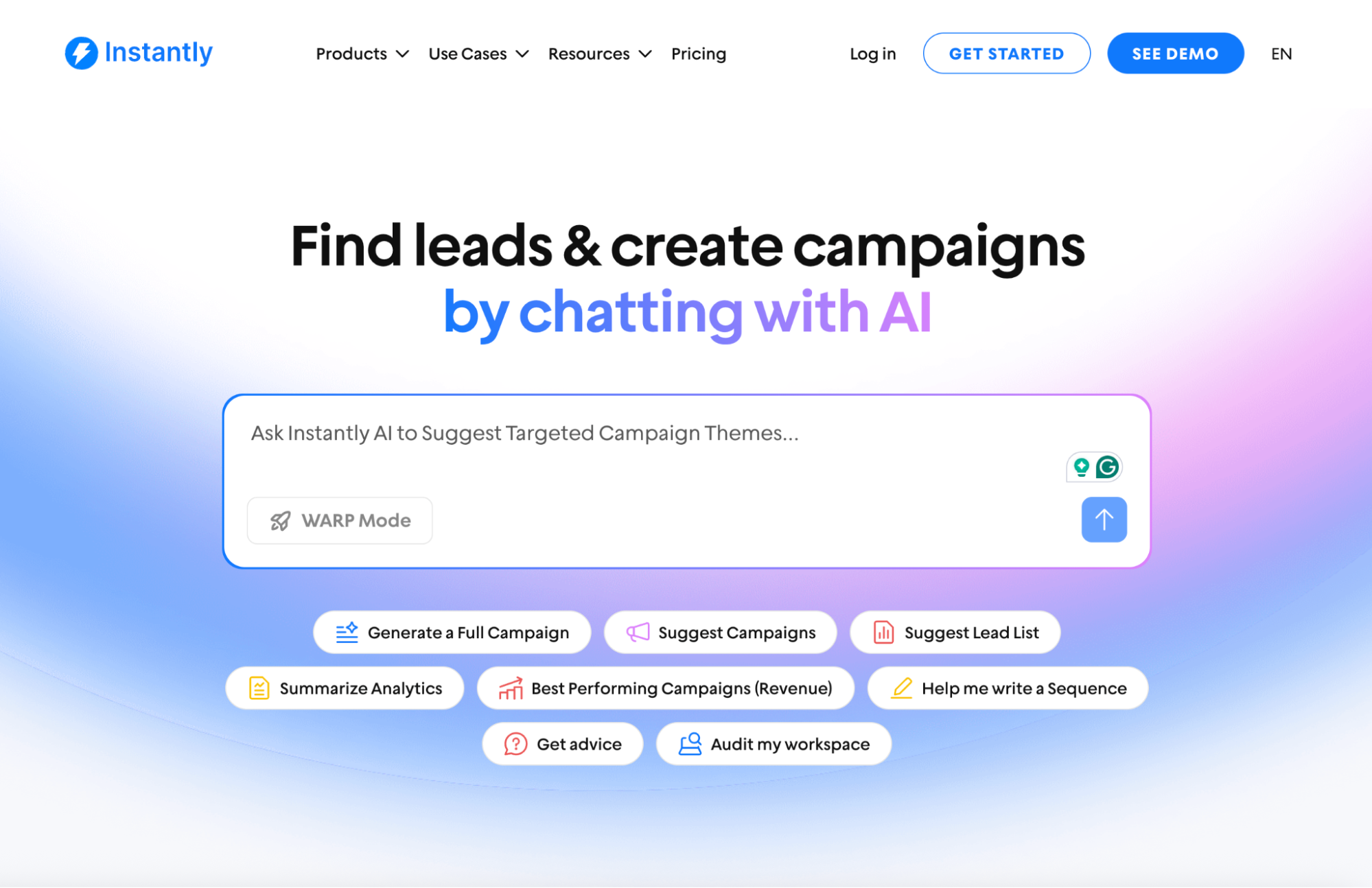
Every step you take to refine your targeting lowers the risk of wasted outreach and keeps engagement high.
Quality lists do more than boost results; they help you stay well within safe sending limits. When your message speaks to real needs, you need fewer emails to spark real conversations.
How to Enforce Outreach Limits
Even with the right numbers in mind, sticking to your outreach limits can be tough, especially when sales urgency kicks in. Manual tracking falls short, and it’s easy for individual reps to go off-script.
To avoid this, build guardrails into your tech stack. Most modern outreach tools let you set daily or weekly send caps for each user and channel.
Instantly.ai, for example, makes it easy to automate send limits, monitor inbox activity, and throttle campaigns when you approach your boundaries. Make enforcement effortless by combining these tactics:
- Set automated send caps: Use your outreach platform to apply daily and weekly limits for every user and sender. With Instantly.ai, for instance, admins can lock send thresholds at the account level, so no one accidentally overreaches.
- Trigger automatic pauses: If reply or bounce rates spike, configure your system to auto-pause campaigns. Again, Instantly can temporarily pause outreach based on deliverability or engagement signals to protect your sender reputation.
- Dashboard tracking: Keep a live dashboard in front of your team showing daily sends, bounces, and replies. When everyone sees the numbers in real time, it’s easier to stick to the rules.
- Scheduled reviews: Block time for weekly check-ins. Review campaign performance, adjust limits, and discuss lessons learned. Automation works best when paired with regular human oversight.
Limits aren’t just a technical setting; they’re a team-wide discipline. The right combination of automation and habits keeps your outreach effective and protects your long-term results.
Set clear, visible policies for your team. Share your limits and the reasons behind them in one place that everyone can reference. Brief check-ins or automated reminders help keep outreach goals aligned without constant micromanagement.
Finally, tie daily send limits to real-time performance data. If engagement drops or bounce rates spike, adjust your ceilings immediately. Smart teams use both automation and human oversight, making limits a habit, not an afterthought.
Monitor Results and Adjust Fast
Enforcing limits is just the start. What matters next is how you track and respond to what happens. Watch your core email metrics closely: opens, replies, bounce rates, and spam reports all reveal how your campaigns are landing.
If bounces rise or engagement drops, that’s a clear sign to slow down and rework your approach.
Instead of setting and forgetting, keep campaign data front and center. Dashboards and custom alerts help you spot red flags before they become real problems.
With Instantly.ai’s analytics, you can dig into results by channel or sender and see exactly where you need to adjust.
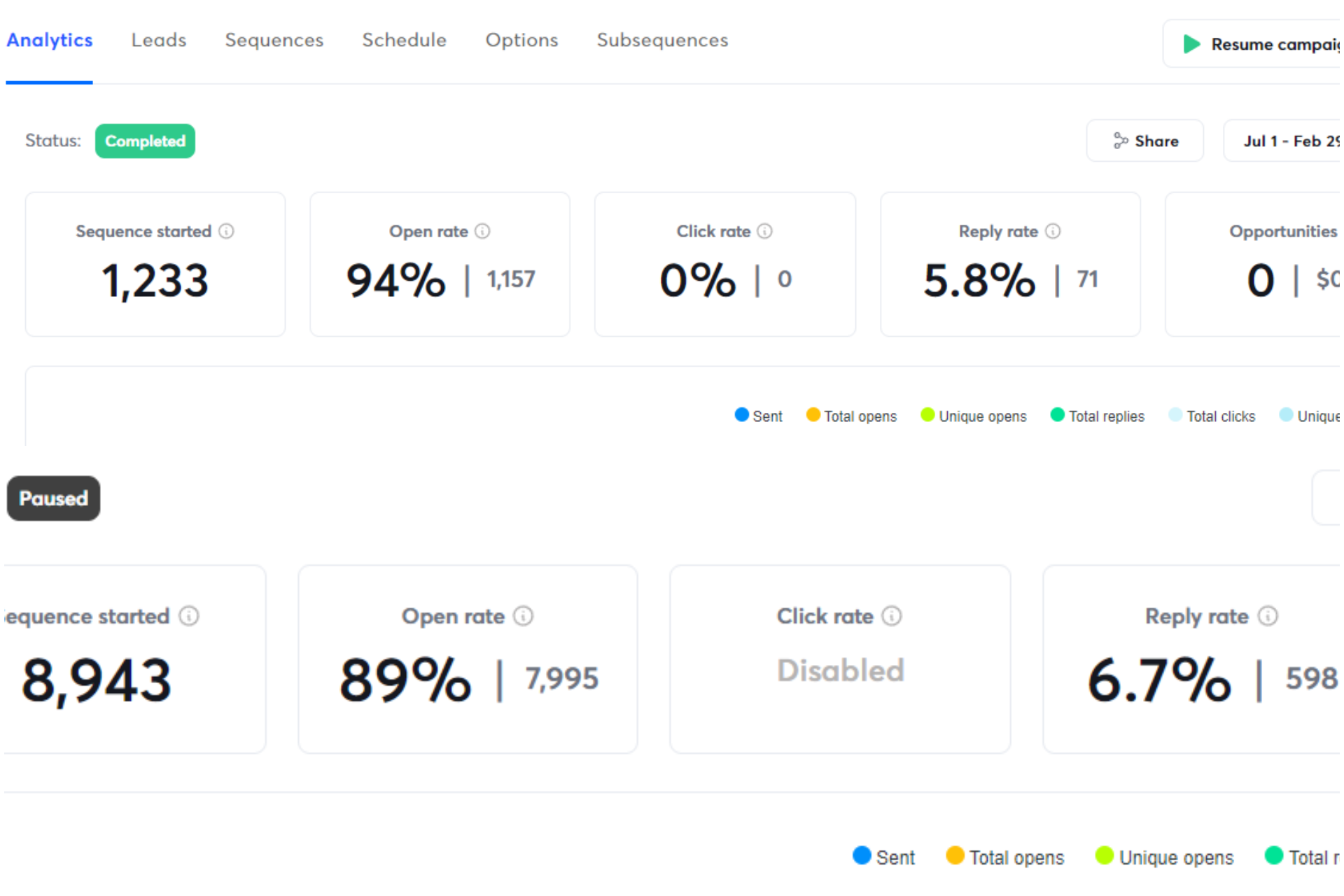
Make campaign reviews a weekly habit. Looking at your numbers together keeps everyone focused and uncovers new risks or quick wins.
When something works, double down. When the data changes, pivot fast. The sooner you catch a shift, the more you protect your sender reputation and keep results growing.
Key Takeaways
Outreach limits are your safety net against lost deliverability, wasted effort, and brand fatigue. By treating limits as a core part of your process (not a last-minute fix), you protect your sender reputation and keep responses coming. Make these habits routine for your entire team:
- Start with quality: Narrow your list to the prospects most likely to convert.
- Set channel-specific limits: Stick to safe caps for email, LinkedIn, calls, and SMS.
- Automate enforcement: Use Instantly.ai to set send limits, warm up inboxes, and monitor campaign data without manual effort.
- Respond to results: Review performance every week and dial back if you see signs of fatigue or deliverability dips.
- Keep improving: Outreach limits aren’t one-and-done. Adjust as your pipeline and results evolve.
Ready to put these best practices on autopilot? Start your free Instantly trial to get automated campaign limits, real-time analytics, and safer scaling, so you can grow without tiring prospects or hurting your sender reputation.


