.svg)
%20(1).svg)


Updated February 24, 2026
TL;DR: Track five revenue metrics: Reply Rate (5-10% average), Positive Reply Rate (interested vs. not interested), Meeting Booked Rate (1-2% benchmark), No-Show Rate (reduce scheduling friction), and Cost Per Meeting (your ROI number). Open rates are unreliable due to Apple Mail Privacy Protection. Use unified analytics dashboards with AI sentiment analysis to automatically categorize interested replies and A/Z testing to optimize subject lines, CTAs, and send windows without manual spreadsheet work.
The gap between high open rates and actual revenue kills client relationships, and most operators waste hours pulling data from disconnected tools to answer that question.
The shift is clear. Stop optimizing for vanity metrics and start tracking the numbers that predict pipeline. This is the right cold email approach, measuring what actually converts rather than what looks good in a report. Open rates became unreliable after Apple's Mail Privacy Protection rolled out, which now accounts for almost half of email opens. What matters now is positive reply rate, meeting booked rate, and cost per meeting. If you can measure those three consistently, you can scale client campaigns safely. A dedicated cold email automation platform centralizes all three metrics so you're not stitching together data from disconnected tools.
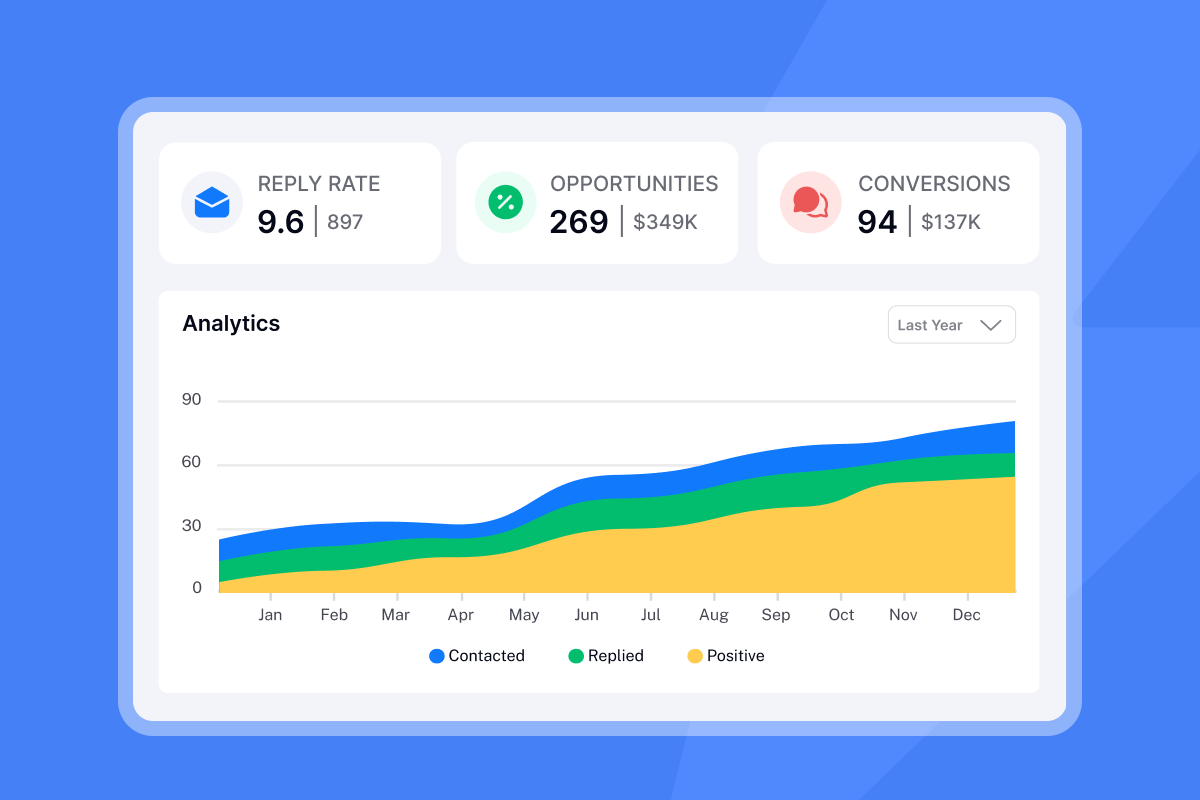
The 5 metrics that actually predict revenue (and the 2 to ignore)
Most cold email metrics are either useless or misleading. Here are the five that matter and the two you should stop tracking.
Metric 1: Reply rate
Reply rate is the percentage of delivered emails that receive any response. The formula is simple: (unique replies ÷ delivered emails) × 100. Reply rate matters because replies turn into meetings and pipeline. Open rate shows attention, but replies prove your message and ask resonate.
Average B2B reply rates cluster around 5-10%, with top performers routinely achieving 15%+ through hook optimization, tight ICP targeting, and strategic follow-up sequencing.
If you are not landing in primary inboxes, reply rates stay low. Fix deliverability first, then test copy. For a technical walkthrough, watch this ultimate guide to cold email deliverability.
Metric 2: Positive (interested) reply rate
Positive reply rate measures the percentage of replies that express interest in the offer or next steps. The formula is (number of positive replies / number of emails delivered) × 100. This requires either manual tagging or AI sentiment analysis to separate "interested" from "not interested" and out-of-office replies.
Enable automated interest tagging in your settings to track this without manual effort. The system can handle more than 50 languages, applying labels based on keywords and sentiment. One agency operator on G2 noted the time savings:
"The AI reply agent is a standout feature for me; it efficiently drafts responses based on client replies, saving me valuable time." - Sachin J on G2
Personalized emails increase response rates by approximately 32%, and campaigns with advanced personalization beyond first name saw reply rates up to 18%, double the average of generic templates. If your positive reply rate trends low, your offer or targeting needs work.
Metric 3: Meeting booked rate
Meeting booked rate is the percentage of total prospects contacted who scheduled a meeting. The formula is (number of meetings booked / total number of prospects emailed) × 100. Average B2B cold email campaigns see roughly 1% of sends turning into booked meetings.
Track this by using unique scheduling links for each campaign so you can attribute bookings cleanly. For a walkthrough of how to turn interested replies into meetings, watch this step-by-step guide.
Metric 4: No-show rate
A no-show is a prospect failing to attend a scheduled meeting. The formula is total no-shows divided by total scheduled meetings. If you schedule 50 meetings and 15 don't show, your no-show rate is 30%.
No-shows kill agency margins because you booked the meeting, celebrated the win, and then the prospect ghosted. Typical dropout rates hover around 20%, which means 15 booked meetings become 12 held meetings.
Reduce no-shows by implementing a multi-channel confirmation process that includes email reminders, calendar invites, and follow-ups the day before. Use an AI Reply Agent to automate this sequence so you never miss a confirmation step.
Metric 5: Cost per meeting (CPM)
Cost per meeting is total campaign cost divided by the number of meetings successfully held. Include software, labor, list data, and domain costs in the numerator. Calculate based on meetings held, not just booked, to account for no-shows.
A climbing CPM signals targeting problems or process friction. A $200 CPM might be fine for enterprise deals, but a $50 CPM is better for mid-market. Track CPM by campaign and by client to spot trends early. One G2 reviewer highlighted the analytics clarity:
"Clear analytics: reply rates by step, inbox-level performance, and team dashboards make optimization straightforward." - Anthony V. on G2
The 2 to ignore: Open rate and click rate
Open rate is unreliable because Apple Mail Privacy Protection accounts for almost half of email opens, preloading content even when the subscriber never reads the email. Your tracking pixel fires even when the user never opened the message, which means your dashboard lies.
Click rate can trigger spam filters if you overuse links in cold email. Around 17% of cold emails never reach the inbox, often due to spam-triggering patterns. Focus on reply rate and meeting booked rate instead. If clients demand open rate data, explain the Apple MPP problem and redirect them to positive reply rate.

How to calculate meeting scheduling KPIs
Here are the formulas and benchmarks you need to score your campaigns against industry standards. For a broader view of how these numbers connect to overall campaign health, see this improve email metrics guide covering the full performance stack.
Formulas and benchmarks
Metric | Formula | 2025 Average | Top Performers |
|---|---|---|---|
Reply Rate | (Unique Replies ÷ Delivered Emails) × 100 | 5-10% | 15%+ |
Positive Reply Rate | (Positive Replies ÷ Delivered Emails) × 100 | Varies by offer | Track trend |
Meeting Booked Rate | (Meetings Booked ÷ Total Prospects Emailed) × 100 | 0.5-2% | 2%+ |
No-Show Rate | (No-Shows ÷ Scheduled Meetings) × 100 | ~20% typical | Aim below 15% |
Why bounce rate matters
Bounce rate is the percentage of emails that fail to deliver. Keep bounces at or below 2% to maintain sender reputation. High bounces tank your domain health, which kills future deliverability. Use email validation before every send and monitor bounce alerts in the Analytics tab.
"Setup is quick, the interface is super clean, and it just works. Emails send smoothly, deliverability stays high, and the analytics make it easy to tweak campaigns." - Olympus Media Labs on Trustpilot
Diagnosing campaign health: What your data is telling you to fix
Your metrics tell a story. Here is how to read the signals and fix the root cause fast.
Scenario A: High opens, low replies
If your open rate is above 30% but your reply rate is below 3%, your subject lines work but your message body does not inspire action. A high open rate combined with a low response rate suggests that while your subject lines are engaging, the content itself may be lacking.
What to fix:
- Test the offer. Your value proposition might be too generic or unclear.
- Simplify the CTA. If you ask for a 30-minute call in the first email, try asking for interest instead ("Worth a quick chat?").
- Improve first-line personalization. Campaigns with advanced personalization beyond merge tags can see significantly higher reply rates.
- Align the email body with the subject line. If your subject hints at a specific pain point, the first line must deliver on that promise.
Use A/Z testing to run multiple body copy variants simultaneously and let data decide the winner.
Scenario B: High replies, low meetings booked
If your reply rate is above 5% but your meeting booked rate is below 1%, you have high friction in the scheduling process or weak follow-up after a positive reply. Specific issues include too many back-and-forth emails to schedule, no clear scheduling link provided, delayed response to interested replies, or unclear next steps.
What to fix:
- Add a one-click scheduling link. Include a Calendly or HubSpot Meetings link in your first email or first reply.
- Reduce time-to-response. Use an AI Reply Agent to send calendar links automatically and keep momentum high, which helps you turn interested leads into meetings faster.
- Implement multi-channel confirmation. Send email reminders, calendar invites, and follow-ups the day before the meeting to reduce no-shows.
- Use sentiment detection. Enable AI-powered sentiment analysis to prioritize enthusiastic leads over polite declines.
The same confirmation sequence that reduces no-shows also applies to follow-up campaigns, see how tracking reminder email metrics helps you identify where prospects drop off before the meeting happens.
For a full walkthrough, watch this breakdown.
Scenario C: Low opens, high bounces
If your open rate is below 20% and your bounce rate is above 5%, you have a technical deliverability issue or poor list hygiene.
What to fix:
- Verify your list. Use email validation before every send to catch invalid addresses.
- Check SPF, DKIM, and DMARC records. If you exceed 2% bounces, your domain authentication is likely broken. See this setup guide for GoDaddy and Google Workspace.
- Enable inbox warmup. Use warmup features to build sender reputation before launching campaigns.
- Send text-only emails. Avoid spam triggers from heavy HTML or images by sending emails as text-only.
"What stands out most is the deliverability and domain health performance. It's noticeably better than other tools we tested." - Luisa R. on G2
How to set up automated tracking and reporting in Instantly
Manual spreadsheet reporting wastes hours every week. Here is how to automate it.
Step 1: Connect accounts and enable warmup
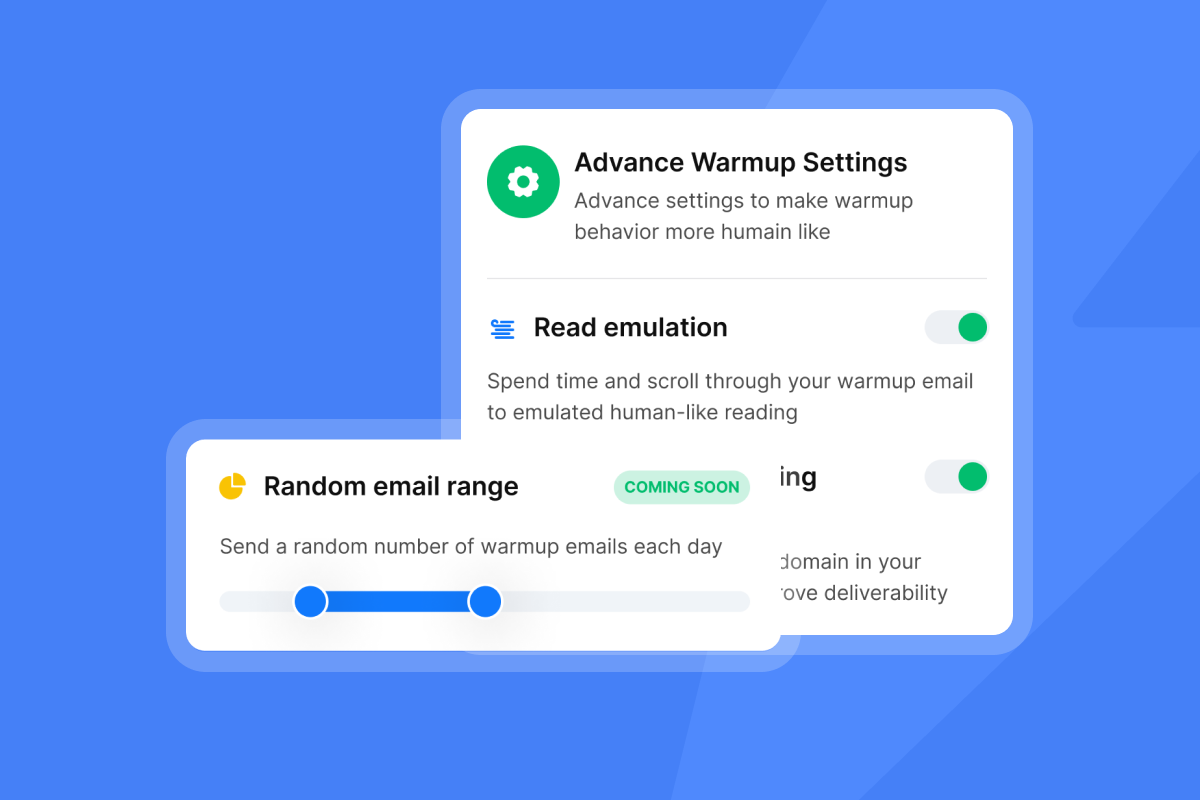
Add your sending accounts in the Accounts tab and enable warmup for each. Set warmup filters for Google and Microsoft to ensure emails land in primary inboxes. Warm for at least 14-30 days before launching cold campaigns.
Step 2: Launch campaign with A/Z testing enabled
Create your campaign and add variants for subject lines and body copy. Enable auto-optimization so the system automatically identifies the highest-performing variant based on reply rate, click rate, or open rate. One reviewer on G2 noted:
"Love how Instantly can warm up email domains, taking away all that manual work. Its also super easy to set up campaigns." - Holly B on G2
Step 3: Use the Analytics tab
Navigate to the Analytics tab to view metrics across all campaigns. Filter by date range, campaign status, and inbox. Click the gear icon to show or hide specific metrics. Disable "Include auto replies" to exclude out-of-office replies from the reply rate. Step Analytics lets you measure the performance of each step and variant in the campaign.
Step 4: Enable AI sentiment analysis
In the Settings tab, enable "Automatically tag interest status in replies" under AI Automation. Select custom labels like "Interested," "Not Interested," and "Meeting Booked." The Opportunities feature lets you track positive replies and attach a monetary value, so you can calculate how much revenue the campaign is bringing.
Optimizing for meetings: A/B testing strategies that boost conversion
Metrics are useless unless you act on them. Here are three testing strategies that move the needle fastest.
Strategy 1: Subject line testing
Use A/Z testing to run multiple subject line variants simultaneously. The system will identify the winner based on your chosen metric and automatically pause underperforming variants. One Trustpilot reviewer highlighted the ease of optimization:
"Good deliverability, easy spin tax, can add in lots of personalization clean and simple UI, one click email responses using tags." - Joshua Blacklidge on Trustpilot
Strategy 2: CTA testing
Test specific time CTAs ("Are you free Thursday at 2pm?") vs. interest-based CTAs ("Worth a quick chat?"). Personalized calls to action convert 202% better than default calls to action. Include a scheduling link in the first email to reduce back-and-forth friction.
For a real-world example of how CTA and subject line testing translated into a 20% booking rate, walk through this meeting scheduling email case study built on the same optimization framework.
Strategy 3: Send window optimization
Use the Analytics tab to see when prospects reply. If most positive replies come in between 8:30-10:30 a.m. local time, adjust your send windows in Campaign Options to match that pattern.
Test follow-up timing by creating variants with different delays between steps. Sales require five or more follow-ups, and high-performing campaigns show reply rates increase significantly after the first follow-up. For a breakdown of the best follow-up strategy, watch this follow-up guide.
Ready to track the metrics that actually drive revenue
Stop reporting open rates to clients and start showing them the numbers that predict pipeline: positive reply rate, meeting booked rate, and cost per meeting. Use a unified analytics dashboard to avoid manual spreadsheet work and enable AI sentiment analysis to categorize replies automatically.
Try Instantly free and get access to unlimited email accounts, built-in warmup, and agency-grade analytics without per-seat penalties. Track replies, meetings, and ROI in one place so you can focus on live conversations instead of pulling reports.
FAQ
What is a good reply rate for a meeting request in 2026?
5-10% is solid for B2B cold email, and 15%+ is excellent for focused campaigns with tight ICP targeting.
How do I track meeting bookings from cold email?
Use unique scheduling links for each campaign and enable AI sentiment analysis to automatically tag interested replies.
Should I still track open rates in 2026?
No. Apple Mail Privacy Protection preloads content even when users never read the message, which makes open rates unreliable.
What does a high bounce rate indicate?
High bounces above 5% indicate poor list hygiene or broken domain authentication, which kills future deliverability.
How can I reduce no-show rates?
Implement multi-channel confirmation with email reminders, calendar invites, and day-before follow-ups.
Key terms glossary
Positive Reply Rate: The percentage of replies that express interest, as opposed to all replies including "not interested," out-of-office, and negative responses.
Sentiment Analysis: AI process of categorizing email replies as Interested, Not Interested, or Neutral based on language and intent.
Cost Per Meeting: Total campaign cost divided by confirmed meetings held, not just booked.
Meeting Booked Rate: The percentage of total prospects contacted who scheduled a meeting.
No-Show Rate: The percentage of scheduled meetings where the prospect failed to attend.



