.svg)
%20(1).svg)


Updated February 24, 2026
TL;DR: I treat subject lines as data points, not creative writing projects. Personalized subject lines deliver 26-50% higher open rates, but personalization alone does not book meetings. In my experience, operators who book the most meetings test 5-10 variants using A/Z testing, measure reply rate over open rate, and keep subject lines under 50 characters for mobile visibility. Start with specificity and relevance, run tests on live campaigns, and let the data pick the winner. If you land in spam, the subject line does not matter.
You spent hours building the lead list and writing the pitch. But if your subject line fails, that work is invisible. Research shows that 47% of recipients decide whether to open an email based on the subject line alone, and in cold outreach that number drops fast if you trigger spam filters or use vague phrasing like "Quick question" with nothing else.
This guide covers 50+ proven subject line examples organized by use case and details the exact testing framework you need to validate them at scale using Instantly's A/Z testing feature.
Why your meeting request emails get ignored
Busy prospects triage their inbox in seconds. They scan sender, subject, and preview text, then decide: open, delete, or mark spam. If your subject line looks like lazy automation or trips a filter, you lose before the first sentence.
Spam filters kill visibility. In our experience, words like "Urgent" or "Act now" combined with ALL CAPS trigger automated filters. Gmail, Yahoo, and Outlook flag excessive punctuation like "!!!" and misleading tactics like fake "RE:" threads when there was no previous email. Even if you write a perfect pitch, the prospect never sees it if you land in the Promotions tab or spam folder.
Vagueness signals spam. Generic lines like "Meeting" or "Hello" read as bulk sends. One analysis of B2B cold email found that specificity in subject lines improves open rates by referencing the recipient's company, role, or a recent event. When you name a pain point or mutual connection, the brain registers relevance and pauses.
Mobile truncates everything. Research from EmailToolTester shows that if you want your full subject line visible on all major Apple and Android devices, you can only use 33 characters, though general advice is to never exceed 50 characters and put your main message at the beginning. Put your hook in the first 30 or so characters to guarantee visibility across all devices.
Weak vs. strong subject line examples
Use this table as your quality filter. If your subject line looks like the left column, rewrite it using the patterns on the right before sending.
| Weak Subject Line | Why It Fails | Strong Subject Line | Why It Works |
|---|---|---|
| "Meeting" | Vague, looks like spam template | "Quick question about {{Company}}" | Specific, shows research |
| "Quick question" | No context or relevance | "{{FirstName}}, thoughts on [challenge]?" | Personalized with pain point |
| "Urgent: Read this now!!!" | ALL CAPS, spam trigger words | "48 hours left to join referral test" | Real urgency, no hype |
| "RE: Follow up" | Fake thread, deceptive | "Following up: [previous topic]" | Honest, references real context |
50+ Meeting scheduling subject line examples by category
Copy these examples as starting points, then customize with merge tags like {{FirstName}} and {{Company}} to add relevance. Test 3-5 variants per campaign and never assume an example will work without validation.
Cold sales and prospecting subject lines
Cold prospecting requires curiosity and a clear hint of value. Avoid clickbait. The goal is to earn the open and set an honest expectation for what is inside.
- "Quick question about {{Company}}"
- "{{FirstName}}, thoughts on [specific challenge]?"
- "Meeting request: Discuss [specific topic]"
- "Idea for {{Company}}'s [department/goal]"
- "How [Similar Company] [achieved result]"
- "Question about your [pain point]"
- "{{FirstName}} – any thoughts?"
- "Quick idea on [specific metric]"
- "15-minute chat about [topic]?"
- "Can we schedule a quick meeting?"
- "{{Referral Name}} suggested we meet"
- "Meeting invitation from [Name] on [Topic]"
- "Saw you're looking into [goal]"
- "Quick chat about {{Company}}'s [initiative]?"
- "30 minutes to discuss [value proposition]"
"Love how Instantly can warm up email domains, taking away all that manual work. Its also super easy to set up campaigns and integrates with Clay so I can just push my contacts from directly from Clay to instantly." - Holly B on G2
Follow-up and reconnection subject lines
Follow-ups require a light touch. You want to remind without guilt-tripping. Reference the original thread or add new context to justify the second message.
- "Following up: [previous topic]"
- "Quick follow-up on our chat from [Tuesday]"
- "Re: [original subject]"
- "Still thinking about [topic]?"
- "Circling back: [topic]"
- "Following up on {{Name}}'s intro"
- "Did you get a chance to review?"
- "Touching base about [project]"
- "Any updates on [topic]?"
- "Just checking in: [subject]"
- "Haven't heard back – still interested?"
- "Quick reminder: Meeting on [date]"
- "Last attempt: [topic]"
- "Closing the loop on [discussion]"
- "One more try: [value proposition]"
Research shows that the typical cold email reply rate sits at 5.1%, and follow-ups often account for 30-40% of total replies. Your follow-up subject line must justify the second message without sounding pushy by referencing the original topic or adding new value to earn the open.
Networking and partnership subject lines
Networking lines benefit from social proof. Name the mutual connection or shared event upfront to bypass the "stranger danger" filter.
- "{{Mutual Connection}} recommended I get in touch"
- "{{Colleague Name}} > referral"
- "Intro from [Referral Name]"
- "Coffee chat next week?"
- "Collaboration opportunity for {{Company}}"
- "{{Name}} mentioned you're exploring [topic]"
- "Partnership idea for [Company]"
- "Let's connect: [shared interest]"
- "Meeting request: Potential collaboration"
- "Quick intro call?"
- "Exploring synergies between [companies]"
According to Indeed's research on meeting requests, referencing a mutual connection or event in the subject line increases open rates because it provides immediate context and trust.
"Instantly has been a game-changer for our cold email campaigns.We're launching an intensive outreach campaign, and the platform makes it incredibly easy to manage multiple email accounts, warm them up pr" - Natalie on Trustpilot
Internal and team meeting subject lines
Internal meetings need clarity over cleverness. State the topic, date, and urgency level so teammates can prioritize without opening the email.
- "Meeting scheduled for Friday at 2 PM"
- "Team meeting: [Topic] on [Date]"
- "Agenda for tomorrow's meeting"
- "Updated meeting time: [Topic]"
- "Quick team sync: [date and time]"
- "Project update meeting - [Date]"

5 proven subject line formulas that drive opens
Copy these structures and customize with your own variables. Test 2-3 formulas per campaign to see which one your audience prefers.
| Formula | Structure | Example | Why It Works |
|---|---|---|
| Question | "{{FirstName}}, [question about pain/goal]?" | "John, ready to cut CAC by 30%?" | Questions trigger the brain to seek answers and entice opens when tied to a specific pain point |
| Referral | "{{Referral Name}} <> {{Your Name}}" | "Claire Hollowell > referral" | Social proof bypasses cold skepticism and transfers trust from the connection to you |
| Value-first | "[Specific benefit] for [Company/Role]" | "How to cut CAC by 30%" | Busy prospects scan for outcomes, not process, so leading with tangible benefits answers "What's in it for me?" |
| Scarcity | "[Deadline/Limited quantity] + [opportunity]" | "48 hours left to join test group" | People perceive higher value for rare things when urgency is real, not fabricated |
| Personalized | "Saw [specific detail] + [connection]" | "Noticed {{Company}} recently [event]" | Personalization boosts opens 26-50% by proving research |
Advanced tactic: Use Instantly's spin syntax to rotate formulas within one campaign. Format: {{RANDOM |Quick question for {{FirstName}}?|{{FirstName}}, thoughts on this?|Idea for {{FirstName}}}}. This keeps each send unique and avoids spam pattern detection.
Important on scarcity: We recommend using real scarcity only. Do not fake urgency with false deadlines or fake "RE:" tags. Spam filters flag deceptive practices, and recipients remember when you lie.
How to A/B test subject lines at scale
Guessing is expensive. One bad subject line across 500 sends wastes verified contacts and burns sender reputation. Testing removes the guesswork and lets data pick the winner.
Step 1: Create multiple variants (A, B, C, D). Write 3-5 subject lines that test different formulas: one question-based, one value-first, one referral, one personalized. Keep body copy identical so you isolate the subject line as the only variable. Preview each variant before sending to confirm merge tags render correctly.
Step 2: Use Instantly's A/Z testing feature. We built A/Z testing so you can test up to 26 variants in one step. Click "Add variant" to create a new version of the sequence. Enable the variants you want to test by toggling them blue, and pause the rest by toggling them grey.
Step 3: Set the sample size. Send each variant to your segment to collect opens and replies. Research from Instantly's blog on A/Z testing recommends running tests for 48-72 hours to measure opens and initial replies, and 5-7 days if you are measuring meetings booked.
Step 4: Configure auto-optimize. Go to Campaign Options → Advanced Options → Auto optimize A/Z testing. Select the winning metric: reply rate, click rate, or open rate. Our algorithm analyzes your variants automatically and surfaces the best performer based on your chosen metric. Click Save.
Step 5: Analyze the winner. View the performance of each variant and select the one with the best results for your campaign. If Subject A gets a 70% open rate but 1% reply rate, and Subject B gets a 50% open rate but a 7% reply rate, we'd call Subject B the winner for booking meetings. Open rate measures curiosity, but reply rate measures genuine interest.
Advanced: Use spin syntax to randomize subject lines. Spin syntax creates unique variations to avoid spam pattern detection. The format is {{RANDOM |Hi|Hello|Hey}} {{firstName}}, I'd love to {{RANDOM |learn|hear|find out}} more about {{companyName}}. You can apply spin syntax in both the subject line and the email body, and Instantly supports using variables like {{firstName}} inside the spin structure.
"Very easy to use and straight forward tool for emailing. We started using Instantly a few months ago and we start to see the results from the email campaigns (fairly easy to set up a campign, connect the email accounts etc)." - Miguel on Trustpilot
Measuring success: Open rates vs. reply rates
A high open rate combined with a low reply rate means your subject line grabs attention but sets the wrong expectation. The content does not deliver on the promise, or worse, the subject is clickbait. Strong click-through with weak response rates indicates prospects explore your links but do not want to engage directly. Reply rate remains the truest indicator of whether your cold email sparks genuine interest and conversation.
Aim for these benchmarks:
- Open rate: 30%+ is decent, 40-50% is excellent for B2B cold email. Anything above 15% is acceptable given tightening spam filters in 2025.
- Reply rate: 5-10% is good for most B2B teams. Top performers hit 15%+ on focused campaigns with verified contacts and strong inbox placement. Belkin's 2024-2025 data shows average reply rates dipped to 5.8% in 2025, down from 6.8% in 2023, making clean list hygiene and strong subject lines even more critical.
Example scenario: Subject A gets a 70% open rate but 1% reply rate. Subject B gets a 50% open rate but a 7% reply rate. We'd call Subject B the winner for booking meetings because it sets the right expectation and attracts qualified interest.
What if your open rate is high but replies are low? Your subject wins attention but does not set the right expectation. Shift to value or pain-first framing and align the first line of the email with the subject promise.
"I appreciate Instantly's very responsive customer service, as they quickly solve any problems I encounter, which is crucial for maintaining the efficiency of my campaigns." - Karina P. on G2
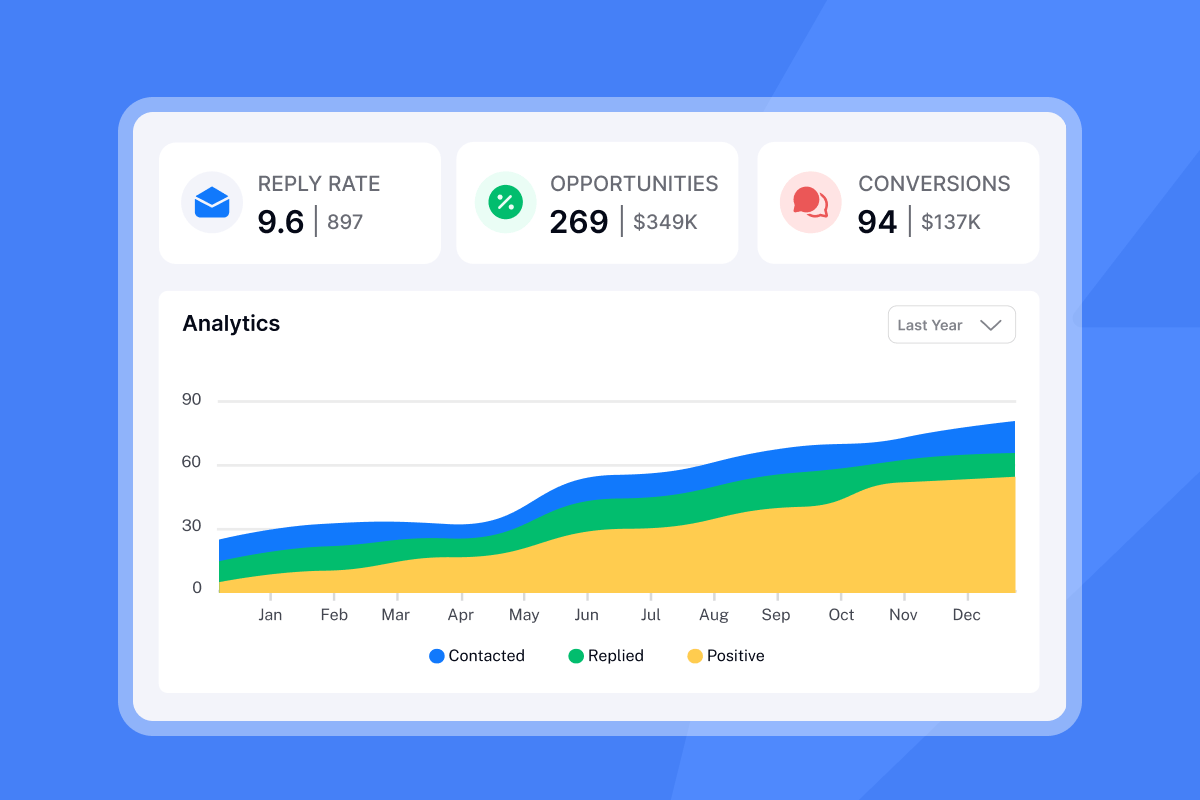
Use Instantly's analytics dashboard to compare variants side-by-side. If open rates drop below 15%, check your warmup status, verify list hygiene, and run an Inbox Placement test to confirm you are landing in the primary inbox.
Advanced tactics: AI generation and spin syntax
Manual subject line writing does not scale when you manage 50+ accounts or run campaigns for multiple clients. Instantly offers two features that speed up variant creation without sacrificing quality.
AI generation: Use Instantly's AI Copilot to draft 10-20 on-brief ideas from a short creative brief with audience, offer, and proof. The AI analyzes successful patterns from Instantly's 4.2M+ deliverability network and suggests variants you can test immediately. Copilot also summarizes analytics so your team sees which patterns win across campaigns.
![Instantly AI Copilot subject line generation][image_instantly_ai_copilot]
Spin syntax: Spin syntax is a simple formatting technique with a big impact on cold email deliverability. It creates unique email variations to improve deliverability by avoiding spam filters that detect templated content.
Spin syntax examples:
- Subject line:
{{RANDOM |Quick question|Thoughts on this?|Idea for you}}, {{firstName}} - Greeting:
{{RANDOM |Hi|Hello|Hey}} {{firstName}}, - CTA:
{{RANDOM |Can I give you a quick call next week?|Do you have time this week for a quick chat?|Any slots open for a quick call?}}
Preview the email before sending to ensure the spin syntax renders correctly.
"I really liked this program, it is very convenient for cold mailings. It has all the necessary functionality for this, and it is quite understandable. I have not been in email marketing for a long time, but in Instantly I quickly learned how to set everything up, I am satisfied. I can easily check my mailing statistics every day, quickly edit the emails I send, and set the number of emails I would like to send per day on each mailbox, it's very convenient." - Veronika P on G2
Common pitfalls to avoid
Even strong subject lines fail when you trip basic deliverability rules. Avoid these mistakes to keep your sends out of spam and your sender reputation intact.
1. Using "RE:" when there was no previous email. Fake "RE:" or "FW:" tags are deceptive practices that trigger spam filters and erode trust. If a prospect realizes there was no prior thread, they mark you as spam and hurt your domain reputation across all future sends.
2. ALL CAPS or excessive punctuation. Flooding your subject line with ALL CAPS or multiple exclamation marks (!!!) triggers spam filters. Use calm punctuation and sentence case. One exclamation mark is fine if it fits the tone, but "!!!" or "??????" looks like a scam email.
3. Common spam trigger words. Avoid phrases like "100% free," "Make money fast," "Act now," "Limited-time offer," "Urgent response needed," and symbols like "$$$". Context matters for advanced spam filters, so saying "limited time" responsibly in a specific offer is fine, but pairing it with ALL CAPS and "!!!" is not.
For a full list of spam trigger words, check Pipeline's spam email subject words guide and cross-reference with Moosend's spam words list.
Ready to test these subject lines and book more meetings? Start your free trial with Instantly and use A/Z testing to find your winning variant. We offer flat-fee pricing with unlimited email accounts so you can scale tests across multiple domains without per-seat penalties. Set up your first campaign today and let the data do the talking.
FAQs
What is the best subject line for a cold meeting request?
The best line is specific and relevant to the recipient. "Quick question about {{Company}}" or "{{Referral Name}} > referral" both work when paired with verified contacts and clean list hygiene.
How long should a meeting request subject line be?
Keep it under 50 characters and put your hook in the first 40 characters. Most email clients display 40-50 characters on mobile before cutting off the rest.
Does using emojis in subject lines help?
Use zero or one emoji max, and only when appropriate for your audience. Many B2B cold programs skip emojis completely because spam filters flag multiple emojis (🚀🔥💰) as scam signals. If you test one emoji, measure deliverability impact with an Inbox Placement test first.
How do I stop my meeting emails from going to spam?
Warm up new domains for 30 days, avoid spam trigger words like "Act now" or ALL CAPS, and use Inbox Placement tests to confirm you land in the primary inbox before scaling.
How many subject line variants should I test?
Start with 3-5 variants per campaign. Instantly supports up to 26 variants in one step using A/Z testing. Run tests for 48-72 hours and compare reply rates, not just opens.
What is a good reply rate for cold meeting requests?
Top performers hit 15%+ on focused campaigns with verified contacts and strong personalization. Check the "Measuring success" section above for open rate benchmarks and how to balance both metrics.
Key terms glossary
A/Z testing: Testing up to 26 variations of an email element simultaneously to find the best performer based on open rate, reply rate, or click rate.
Spin syntax: A format used to randomize text variations ({{RANDOM |option1|option2}}) to improve deliverability by avoiding spam pattern detection.
Open rate: The percentage of recipients who open the email. Aim for 30%+ in B2B cold campaigns.
Reply rate: The percentage of recipients who respond to the email. 5-10% is good, 15%+ is excellent.
Inbox placement: Where your email lands (primary inbox, promotions, spam). You can test placement before scaling campaigns to confirm your subject lines and content avoid spam filters.
Merge tags: Dynamic fields like {{FirstName}} or {{Company}} that personalize each email send.



