


Updated November 17, 2025
TL;DR: Your email signature is an underused conversion channel that appears in every message you send. By implementing data-driven A/B testing and precise attribution tracking, you can turn this small footer into a lead generation engine. This guide provides experiment frameworks, tool recommendations, and tracking methodologies to help you craft compelling CTAs, run valid tests, and measure direct impact on meetings and pipeline. Test one element at a time, track with UTM parameters, and aim for at least 5% click-through rates on signature CTAs.
Why your email signature is a conversion powerhouse
Every outbound email you send carries your signature. If you send 100 emails per day across your team, that's 500 impressions per week, 2,000 per month, and 24,000 per year. Most teams treat this real estate as a formality. Smart growth marketers treat it as a billboard.
The overlooked value of every email touchpoint
Your signature appears in replies, forwards, and threads. Recipients see it when they circle back to your message days later. Unlike a marketing email that lives or dies in one open, your signature compounds visibility over the entire conversation lifecycle.
Industry research shows that emails with social sharing buttons in signatures received up to 158% more clicks than those without, according to GetResponse. That lift comes from turning passive contact information into an active conversion path.
The math is simple. If 5% of your recipients click a signature CTA, and 10% of those clicks convert to a booked meeting, you've created a pipeline channel with zero additional list cost. Watch this breakdown of how email signatures drive conversions for a visual walkthrough.
How a strong CTA impacts your funnel
A well-placed CTA shortens the path from awareness to action. Instead of waiting for a prospect to reply and ask for next steps, you offer a frictionless option right in the signature.
CTAs in email signatures serve three funnel roles. They generate top-of-funnel awareness when recipients click to learn more. They accelerate middle-of-funnel evaluation when prospects download a resource or watch a demo video. They close bottom-of-funnel deals when a buyer books a meeting without another round of email ping-pong.
"I like that instantly can handle large scale email campaigns without worrying about deliverability. the automation for inbox rotation, warm up and sending limits makes outreach very smooth and saves a lot of manual work. The most helpful part is the detailed re..." - Anjali T. on G2
Crafting compelling email signature CTAs
Clear language and strong visual design separate high-performing CTAs from ignored links.
What makes a CTA effective?
Effective CTAs use action verbs, imply a benefit, and keep copy to 2-4 words. "Book a Demo," "Get My Free Guide," and "Start Your Free Trial" work because they tell the recipient exactly what happens next.
Research from Newoldstamp confirms that generic phrases like "click here" or "learn more" underperform. Specificity wins. "Download the ROI Calculator" beats "Learn More" every time.
Your CTA must solve a problem or offer value. Tie it to your current campaign goal. If you're promoting a webinar, your CTA is "Register for the Webinar." If you're driving trials, it's "Start Free Trial."
A single, focused CTA outperforms multiple competing links. Studies on email signature best practices show that cluttered signatures with too many CTAs dilute the message and reduce click-through rates.
Examples of high-converting CTAs for different goals
Match your CTA to your funnel stage and audience.
Lead generation:
- "Download the 2025 Benchmark Report"
- "Get the Free Email Template Pack"
- "Access the Pricing Calculator"
Product trials:
- "Start Your 14-Day Free Trial"
- "Test Drive the Platform"
- "See It in Action"
Meeting booking:
- "Book a 15-Minute Demo"
- "Schedule a Strategy Call"
- "Claim Your Free Audit"
Content promotion:
- "Watch the 3-Minute Explainer"
- "Read the Case Study"
- "Join 5,000+ Subscribers"
Run these in rotation and measure click-through and conversion rates for each. One reviewer noted that Instantly's deliverability tools, intuitive campaign builder, and conditional logic made setting up multistep sequences fast, even for non-technical users. The same principles apply to signature CTAs when you treat them as mini-campaigns.
At the end of the day you're trying to get more replies to fill your pipeline, watch how Instantly helps you optimise your signatures and more to get you more leads:
Best practices for CTA placement and design
- Visual hierarchy matters. Your CTA should be the most visually dominant element in your signature, but not so loud it feels like spam.
- Use a button or banner instead of plain text. Research shows that buttons can increase conversion rates by 28% compared to hyperlinked text, according to Campaign Monitor. Choose a contrasting color for the button background. If your brand uses blue, try orange or green for the CTA button.
- Keep button size mobile-friendly. Design standards from Apple's Human Interface Guidelines recommend at least 44x44 pixels for tap targets on mobile devices. Test your signature on both desktop and mobile clients before rolling it out.
- Place the CTA prominently but logically. Most effective signatures put the CTA directly below contact details, separated by white space. Avoid burying it at the bottom of a long list of social icons. A well-designed signature integrates the CTA while making it stand out.
- Keep images optimized. Use PNG format for logos and buttons, stay under 50KB per image, and always include alt text. Some email clients block images by default, so your CTA text must stand alone.
Building an A/B testing framework for signature CTAs
Disciplined testing separates guesses from growth. Use a structured experiment framework to identify winning variations.
Defining your hypothesis and success metrics
Start with a clear hypothesis. "Changing the CTA from 'Learn More' to 'Book a Demo' will increase click-through rate by at least 2 percentage points because it offers a specific, high-value action."
Define success metrics before you launch. Track click-through rate, conversion rate, and cost per meeting. Set a baseline from your current signature, then measure lift.
Your metrics should tie to pipeline, not vanity numbers. Clicks matter only if they convert to qualified conversations. The principles from our guide on sales pipeline measurement apply here. Track from CTA click through to meeting booked and deal closed.
Watch how Instantly helps you scale A/Z testing in a data driven manner below.
Setting up your experiment: Variants and control groups
Test one variable at a time. If you change both the CTA copy and the button color simultaneously, you won't know which drove the lift.
Create two to four variants. A control (your current signature) plus two test versions is often enough. For example, test "Book a Demo" against "Schedule a Call" and "See a Live Walkthrough."
Best practices from conversion optimization experts recommend splitting your audience randomly and evenly. If you have a team of 10, assign three people to each variant and one to the control. Rotate after two weeks to account for sender effects.
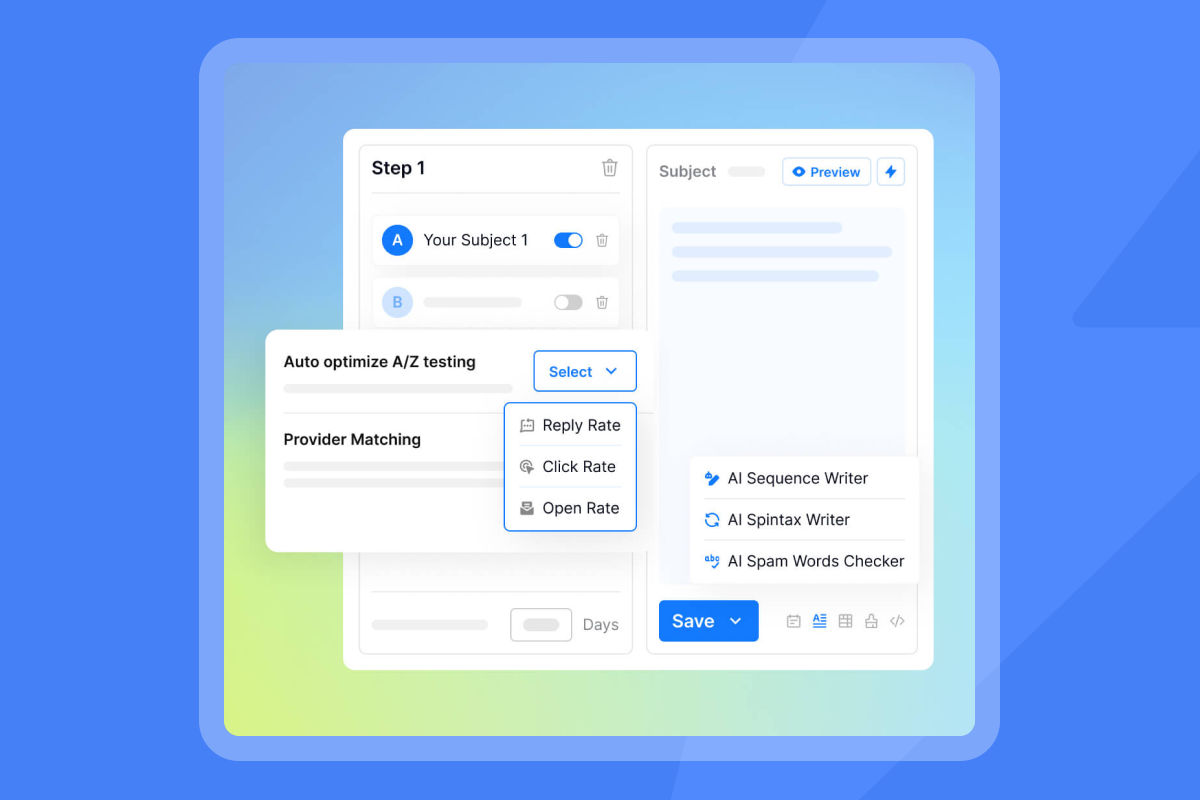
Use Instantly's A/Z testing capabilities to run multiple variants in parallel. This accelerates learning and prevents the weeks-long delays of sequential A/B tests. Watch this step-by-step A/B testing tutorial for cold email, which applies directly to signature CTAs.
Running the test: Sample size and duration
- Run tests long enough to gather statistically significant data. Aim for at least 100 clicks per variant. If your CTA gets a 5% click-through rate and you send 50 emails per day, you'll need about 40 days to reach 100 clicks. Plan accordingly.
- Duration matters more than speed. Don't call a winner after three days unless you have thousands of sends. Testing best practices suggest a minimum of two weeks to account for weekly sending patterns and recipient behavior variability.
- Monitor for external factors. If you launch a big campaign mid-test, or if deliverability dips due to a domain issue, pause and reset. Contaminated data leads to bad decisions.
- Platforms offering email signature management often include built-in A/B testing features for banner campaigns. Track clicks, measure conversions, and iterate based on results.
Analyzing results and iterating
- Look beyond click-through rate. A CTA that drives 100 clicks but zero meetings is worse than one that drives 50 clicks and five meetings. Calculate cost per meeting by dividing total campaign cost by meetings booked from that CTA variant.
- Ask three questions when you review results. Which variant had the highest click-through rate? Which had the best conversion rate from click to meeting? Which delivered the lowest cost per qualified conversation?
- Document what you learn. Build a testing log with hypothesis, variants, results, and next steps. Growth marketers who run structured experiments consistently outperform teams that rely on intuition.
"The Greatest Email Marketing Tool I came Across. The clean dashboard and the way support system works is truly incredible, but the most i like about the app is the result it provides to the users." - Devesh C. on G2
- Ship the winner, then test again. Replace the control with your best performer and introduce a new challenger. Continuous testing compounds gains over time.
Tracking attribution and measuring impact
Accurate tracking connects CTA clicks to revenue. Without attribution, you're flying blind.
How to set up unique tracking links
- Use UTM parameters on every CTA link. This allows analytics platforms to attribute traffic, conversions, and pipeline back to your email signature.
- Build UTM links with this structure:
https://yoursite.com/demo?utm_source=email&utm_medium=signature&utm_campaign=q1-demo&utm_content=cta-book-demo. The Google Campaign URL Builder simplifies this process. - Make UTM conventions consistent across your team. Use
utm_source=email,utm_medium=signature, and varyutm_campaignandutm_contentby test variant. This lets you filter reports by signature performance without mixing in other email traffic.
Integrating with your CRM for end-to-end visibility
- Track performance in Google Analytics 4 by navigating to Reports > Acquisition > Traffic Acquisition and filtering by your UTM parameters. You'll see clicks, sessions, conversions, and revenue attributed to each signature CTA.
- Alternative tracking platforms like HubSpot and Mixpanel also support UTM-based attribution. HubSpot automatically appends tracking parameters to email links and surfaces click data in the email activity dashboard.
- Push signature CTA data into your CRM to close the attribution loop. When a lead clicks your CTA and fills out a form, you want that action tagged in Salesforce or HubSpot.
- Use Instantly's HubSpot and Salesforce integrations to sync email activity and CTA engagement. This creates a unified view from first click through to closed deal.
- Set up hidden form fields that capture UTM parameters. When a prospect clicks your signature CTA and lands on a demo request page, the form should auto-populate source, medium, campaign, and content fields. This data flows into your CRM and enables attribution reporting.
"The platform is super intuitive, easy to set up, and makes it simple to manage multiple domains and inboxes at scale. Deliverability is great and the analytics give us exactly what we need to optimize campaigns quickly." - Shaiel P. on G2
- Map CTA clicks to deal stages. If someone clicks "Book a Demo" and schedules a meeting, tag that deal with the signature CTA campaign ID. At month-end, you can report exactly how many deals and how much pipeline came from email signature CTAs.
Calculating ROI: From click to booked meeting
ROI reporting starts with baseline costs. If you spend $100/month on email signature management software and send 2,000 emails that generate 100 CTA clicks and 10 meetings, your cost per meeting from signatures is $10.
Compare that to other channels. If paid ads cost you $150 per meeting and cold calls cost $80 per meeting, a $10 signature CTA represents an 87% cost reduction versus ads and an 88% reduction versus calls.
Track these metrics monthly:
- Total sends with signature CTA
- Click-through rate (clicks ÷ sends)
- Conversion rate (meetings ÷ clicks)
- Cost per meeting (platform cost ÷ meetings booked)
- Influenced pipeline (total deal value from signature-attributed leads)
Growth marketers focused on attribution and analytics should build a dashboard that surfaces these KPIs in real time. Instantly's analytics features provide the tracking infrastructure to make this reporting possible without CSV exports and manual reconciliation.
Watch this campaign analytics overview to see how Instantly surfaces performance data for optimization.
"Best email sending tool ever. Good deliverability, easy spin tax, can add in lots of personalization clean and simple UI, one click email responses using tags, smooth Zapier integration, and powerful tracking with subsequences. Everything works really well & can't fault this tool. I built my entire client acquisition system through Instantly." - Joshua Blacklidge on Trustpilot
Common pitfalls and how to avoid them
Even well-designed CTAs fail if you ignore these traps.
Vague CTAs and low click-through rates
- Generic language kills conversions. "Learn More" and "Click Here" don't communicate value or urgency. Replace them with benefit-driven copy that tells the recipient exactly what they'll get.
- Test specificity. "Download the 2025 Email Benchmark Report" outperforms "Get Our Report" because it includes the year and the report topic. Small details matter.
- If your click-through rate is below 2%, your CTA is invisible or irrelevant. Revisit placement, design contrast, and copy clarity. A button that blends into your signature background won't get clicks.
Insufficient data for valid experiments
- Declaring a winner after 20 clicks is premature. You need volume to separate signal from noise. If your sample size is too small, you'll chase random variation instead of real lift.
- Use a sample size calculator to determine how many clicks you need before calling a test. Plan for at least 100 clicks per variant to detect meaningful differences in conversion rate with confidence.
- Low send volume extends test duration. If you only send 20 emails per day, plan for multi-week tests. Alternatively, scale up your outbound motion to accelerate data collection and shorten experiment cycles.
Ignoring deliverability and sender reputation
A brilliant CTA is worthless if your emails land in spam. Signature links, especially when they include tracking parameters or redirect through a URL shortener, can trigger spam filters.
Avoid URL shorteners in signatures. Use clean, direct links with UTM parameters appended. Keep your domain reputation healthy by following our email deliverability best practices and monitoring bounce rates.
If your open rates drop suddenly after adding a CTA, run an inbox placement test to check whether the change affected deliverability. Instantly's automated inbox placement tests let you catch deliverability issues before they tank your campaigns.
"Instantly has been a game changer for my vertical in merchant service where email marketing is key. I've converted several leads into deals using Instantly and it's paid for itself 5x. On top of that, their customer service is quick and punctual when something comes up." - Philip Hendrich on Trustpilot
Over-optimization and brand inconsistency
Rotating CTAs too frequently confuses your audience. If every email from your team promotes a different offer, recipients tune out the noise.
Align signature CTAs with your current campaign theme. If your marketing team is pushing a Q1 webinar, everyone's signature should promote that webinar for the campaign duration. After the event, switch to the next priority.
Balance optimization with brand standards. Your signature should reflect your visual identity and tone. A neon-green button might test well, but if it clashes with your brand guidelines, the short-term lift isn't worth the long-term brand dilution.
How Instantly helps optimize your email signature CTAs
Running valid experiments and tracking attribution requires infrastructure. Instantly's platform provides the scale, data, and automation to make signature CTA optimization repeatable.
Unlimited accounts for scalable testing
Traditional cold email tools charge per seat or per inbox. That pricing model penalizes testing because every new variant requires another paid account.
Instantly removes that constraint with flat-fee pricing and unlimited email accounts across all plans. You can assign different signature CTAs to different sender accounts, run parallel tests across segments, and scale volume without compounding software costs.
"The platform has been easy to navigate and getting up to speed on. I made some technical errors on my part while onboarding and Kareem from the support team has been outstanding at helping me resolve these issues in a timely and accurate manner." - Dawson Henis on Trustpilot
Agencies benefit most. One team can manage dozens of client campaigns, each with tailored signature CTAs, without per-seat penalties.
Reliable analytics for clear attribution
Instantly tracks sends, opens, clicks, and replies in a unified dashboard. When you add UTM parameters to your signature CTAs, those clicks flow into your reporting alongside sequence performance.
Filter by campaign, sender, or time period to compare CTA variants. Export data to build custom attribution models or push metrics into your CRM. Growth marketers who prioritize clean data and reliable reporting rely on Instantly's analytics to make evidence-based optimization decisions.
"Instantly is for me the Apple of Cold Outreach tools. Easy to use, intuitive, minimal clicks/steps to get stuff done, and things just work. I love how I can get Done-For-You domains and emails - again with minimal clicks." - Thomas D. on G2
AI Copilot for CTA refinement
Instantly Copilot helps draft and refine email copy, including signature CTAs. Ask Copilot to generate five CTA variations for a demo booking campaign, review the suggestions, and pick the strongest candidates for testing.
AI speeds up iteration but doesn't replace judgment. Review Copilot's output, edit for brand voice, and test with real recipients. Combine AI efficiency with human oversight to maintain quality at scale.
Watch this AI Copilot tutorial to see how quickly you can generate email sequences and CTAs.
"In my personal experience using Instantly extensively, it's always been very user-friendly, and the support is top-tier. You can hop on a live chat with a real person in minutes, and get the direct answers you need, and/or help from their team on issues you're facing." - Evan T. on G2
Turn your email signature into a conversion engine
Try Instantly free and use the experiment frameworks above to test, measure, and optimize your signature CTAs. Start with one clear CTA, track it with UTM parameters, and measure lift in booked meetings.
FAQs
What is the ideal length for an email signature CTA?
Keep CTA copy to 2-4 words. Examples like "Book a Demo," "Start Free Trial," and "Download the Guide" communicate value without clutter. Longer CTAs dilute the message and reduce click-through rates. If you need more context, add a one-line description above the button, but keep the button text itself short and action-oriented.
How often should I change my email signature CTA?
Align CTA changes with campaign cycles, typically every 4-8 weeks. Rotate too frequently and you won't gather enough data to validate performance. Keep the same CTA too long and you miss opportunities to test new offers. Best practice is to run a CTA for one full campaign period, measure results, then introduce a new test variant for the next period.
Can I use different CTAs for different audiences?
Yes, and you should. Segment your outbound campaigns by industry, role, or funnel stage, and tailor signature CTAs to each segment. A founder prospect might respond to "See ROI Calculator" while an ops manager prefers "Download the Implementation Checklist." Use Instantly's campaign segmentation to assign different signatures to different sender accounts or sequences.
What tools are best for tracking CTA performance?
Google Analytics 4, HubSpot, and Mixpanel are the most reliable options for tracking email signature CTAs. All three support UTM parameter attribution and integrate with major CRMs. GA4 is free and covers most use cases. HubSpot provides tighter integration if you already use their CRM. Mixpanel offers advanced event tracking for custom conversion funnels. Pair any of these with Instantly's built-in analytics for end-to-end visibility from send to booked meeting.
Key terminology
CTA (Call-to-Action): A button, link, or text prompt that asks the recipient to take a specific action, such as booking a meeting or downloading a resource.
A/B testing: Comparing two versions of an element to determine which performs better. For signature CTAs, this typically means testing different copy, designs, or placements.
Attribution: The process of connecting a prospect's action (like clicking a signature CTA) to a downstream outcome (like a booked meeting or closed deal).
Click-through rate (CTR): The percentage of recipients who click a CTA link, calculated as clicks divided by sends or impressions.
Conversion rate: The percentage of CTA clicks that result in a desired outcome, such as a form submission or booked meeting.
UTM parameters: Tags added to URLs that help analytics platforms track the source, medium, campaign, and content of inbound traffic.
Sender reputation: A score that mailbox providers assign to your sending domain and IP address based on engagement, complaint rates, and authentication. Poor reputation leads to spam placement.
Primary inbox: The main inbox tab in Gmail and other providers, as opposed to Promotions, Spam, or other filtered folders. Landing in Primary inbox is critical for visibility and engagement.