.svg)
%20(1).svg)


Updated February 24, 2026
TL;DR: A poorly written reminder email doesn't just fail to get a reply. It actively burns your lead list, damages domain reputation, and inflates CAC. With B2B customer acquisition costs averaging $536-$1,200, every burned lead represents wasted investment you can't recover. The fix is structural, not motivational. Use A/Z testing, Spintax, and value-first sequencing to turn follow-ups from reputation risks into revenue drivers. Instantly provides the infrastructure (unlimited accounts, warmup) and intelligence (testing, analytics) to make aggressive follow-up safe and effective.
Sales teams need touchpoints to close deals. Yet most marketers stop after one or two emails because they fear being annoying.
That fear is justified, but the solution isn't to send fewer reminders. It's to send better ones. The difference between a reminder that books meetings and one that triggers spam complaints comes down to three things: timing, value, and testing. The right cold email campaign software gives you the infrastructure to test all three systematically without burning domains in the process
The same cold email techniques that protect your sender reputation during prospecting apply equally to reminder sequences. Generic content at volume is the fastest way to tank deliverability. Here's what bad reminders actually cost you. One lazy "just checking in" email can push your spam complaint rate past the 0.3% threshold that Gmail and Yahoo use to downgrade your domain. Once that happens, even your best emails land in spam. Domain reputation issues account for most email deliverability problems, meaning one careless sequence can take months to recover from.
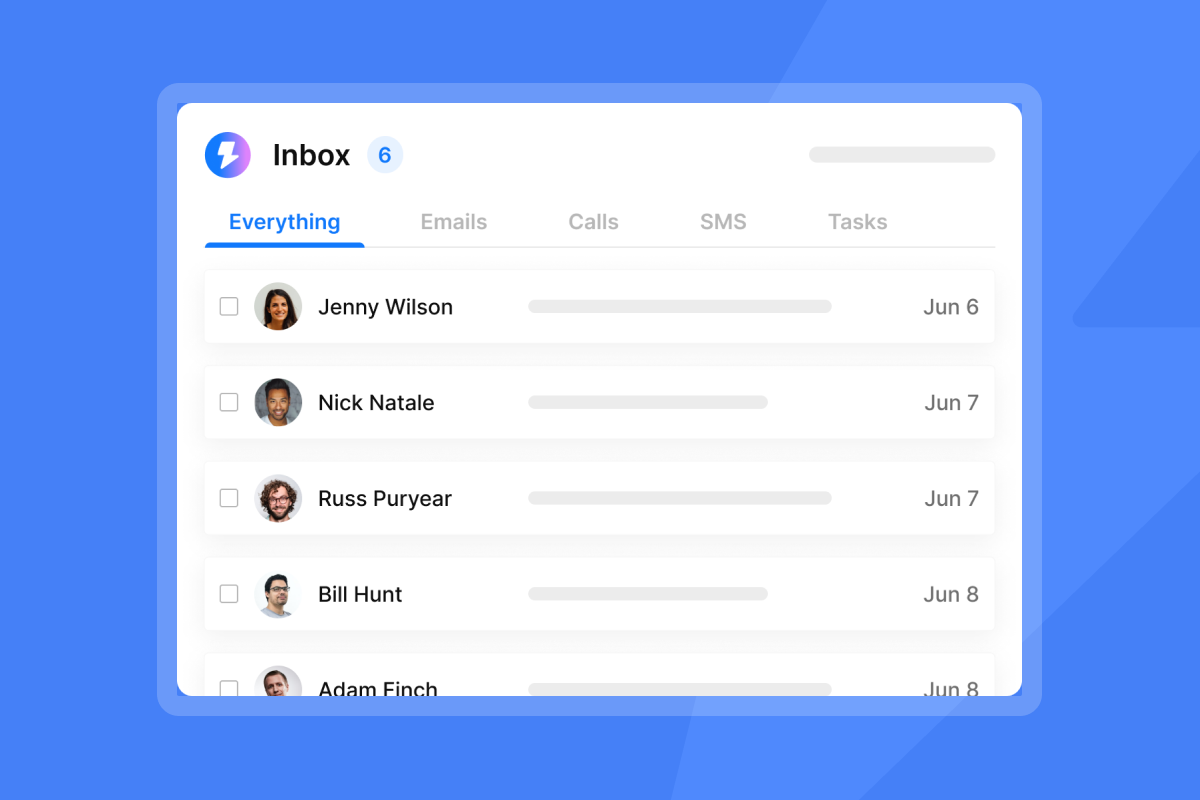
The silent revenue drain: Quantifying the cost of ineffective reminder emails
Let's do the math on what a bad reminder actually costs.
B2B SaaS acquisition costs average $1,200 per customer, with small to mid-market firms spending $300-$5,000 depending on sales complexity. Burn a verified lead with a tone-deaf reminder, and you've incinerated that investment.
Now add deliverability damage. Gmail and Yahoo track spam complaints through Feedback Loops. If your domain hits a 0.3% complaint rate, they start routing future emails to spam. Send 1,000 reminder emails and just 3 spam complaints put you at the threshold. Cross it consistently, and your domain reputation drops. For a complete technical walkthrough of how to protect your domain while running reminder sequences, see this email deliverability guide covering authentication, warmup, and spam filter patterns.
The hidden cost is opportunity cost. Only 5% of cold emails get any reply, meaning 95% of your outreach depends on follow-ups to work. The first email captures 58% of replies with the remaining 42% coming from follow-ups, so skipping reminders leaves pipeline on the table. But bad reminders are worse than no reminders because they generate negative engagement. Your ops team will spend hours troubleshooting why open rates tanked, often without realizing the problem is Step 2 until you've burned through hundreds of leads.
In short, a poorly constructed reminder is worse than no reminder. It converts warm leads into spam complaints, damages the domain you use for all future campaigns, and wastes the CAC you already invested (CAC has risen 60% in five years). Treat reminders like re-conversion attempts, not administrative bumps.
"I like the automation features in Instantly because they save me a lot of time and effort in doing my work, especially in setting up multiple campaigns and email sequences in a personalized way with follow-ups." - faisal K. on G2
Why your reminders trigger unsubscribes (and how to fix it)
You'll see unsubscribe rates around 2-2.17% in most cold campaigns, which is normal. But if you're seeing rates above 2% consistently, or if they spike on specific steps in your sequence, your reminders are the problem. Here's why.
The "just checking in" trap: "Just checking in" doesn't solve the first reason people don't respond, which is that your message didn't catch their interest. It wastes their time and trains them not to open future emails.
Guilt-tripping backfires: Data from Gong shows using "I never heard back" decreases meetings booked by 14%. These lines shift the burden onto the prospect and make them less likely to engage.
Frequency without relevance: Research shows that by the fourth follow-up, unsubscribe rates triple and spam complaints increase more than threefold. The problem isn't the number of touches but that each touch needs to add new value.
Pattern recognition: Generic phrases signal mass automation, not personalized outreach. This is where tools like Spintax help you vary language at scale without sacrificing tone.
Lack of context: If you don't reference the original email, the reminder reads like cold prospecting all over again. That friction alone is enough to trigger an unsubscribe.
The fix is structural. Every reminder must pass the "new information" test. Did you add a case study, a relevant statistic, a news peg, or a time-bound reason to reconnect?
If not, rewrite it. Use A/Z testing to compare a value-add approach against a generic bump. The data shows you which approach converts and which burns the list.
"The platform is super intuitive, and I was able to get up and running in minutes. Deliverability has been excellent, and the automation features save me countless hours each week." - James M. on G2

The Growth Marketer's framework for high-converting reminders
Here's the system I use to build reminder sequences that recover lost leads without damaging deliverability. It's based on three principles: timing, value escalation, and measurement.
Timing and cadence
Send your first follow-up 3-5 days after the initial email. Reply rates increase by 31% when you wait three days.
For the second follow-up, wait 6-7 days after the first. The 3-7-7 cadence (Day 0, Day 3, Day 10, Day 17) captures 93% of replies by Day 10. Stop at three total emails. The 5th, 6th, or 7th follow-up brings just a tiny increase in reply rate and increases spam risk.
Value escalation
Each reminder should introduce something new:
- Reminder 1 (Day 3): Add new information (case study, statistic, or news) that reframes the conversation instead of repeating it.
- Reminder 2 (Day 10): Provide social proof or a time-bound reason to act (customer win, feature launch, or real deadline).
- Optional Reminder 3 (Day 17): The "break-up" email that clearly states you'll stop reaching out, thanks them, and leaves the door open with no guilt or passive aggression.
A/Z testing strategy
Use Instantly's A/Z testing feature to compare reminder variants. Test one variable at a time: subject line, opening line, or CTA.
For example, test "New data on [challenge]" against "Quick follow-up" as subject lines for Step 2. Track reply rate, not just open rate. Opens don't book meetings.
When you enable auto-optimize, the algorithm analyzes variants and deactivates low performers automatically. Run tests for at least 100 sends per variant to get statistically meaningful results.
"I love how Instantly has revolutionized my email marketing efforts... The AI reply agent is a standout feature for me; it efficiently drafts responses based on client replies, saving me valuable time." - Sachin J. on G2
Calculating Reminder ROI
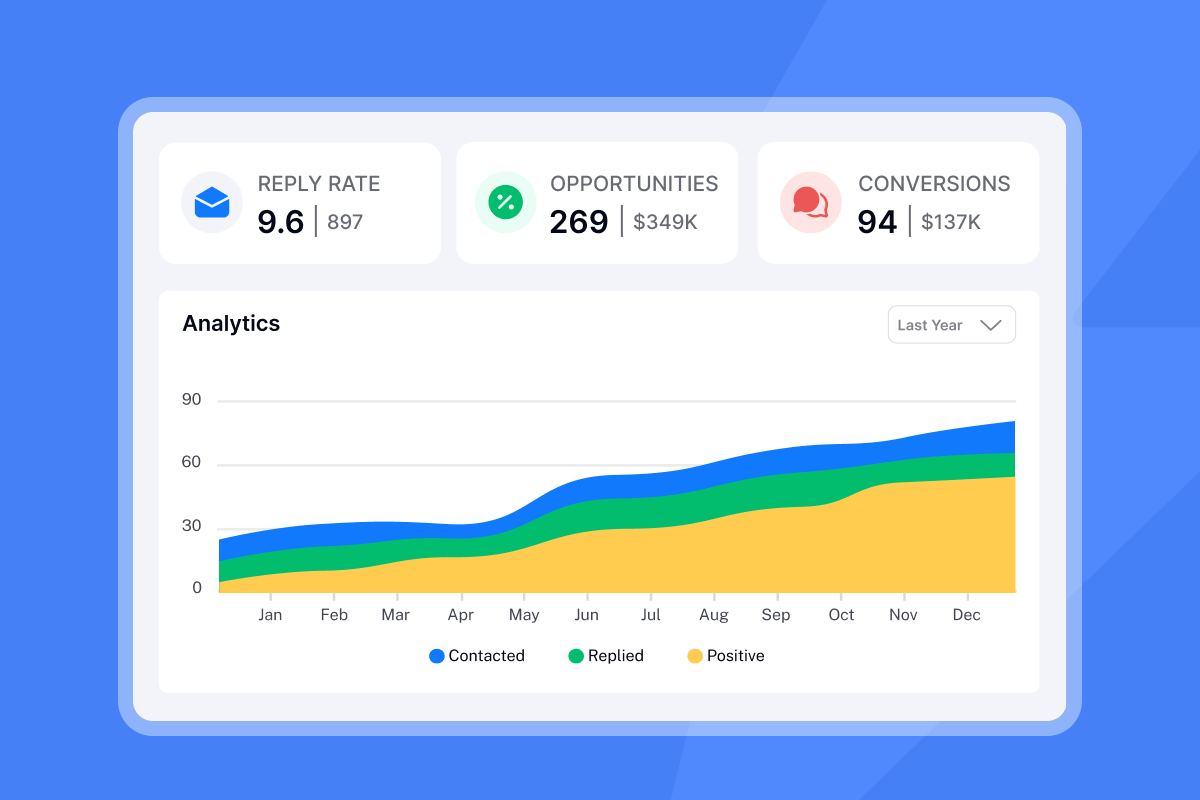
Measure the performance of each step independently. In Instantly, view the performance of each variant including sent, opened, replied, unsubscribed, and clicked.
Look at reply rate (replies divided by sends) for each step. If Step 2 has a reply rate 50% below Step 1, that's a red flag. Track unsubscribes per step too. If Step 2 or 3 shows a spike compared to Step 1, pause the campaign and rewrite the reminder.
Keep bounce rates under 1% to protect domain health.
Here's a simple comparison to guide your rewrite:
Element | Lazy Reminder | Value-Add Reminder |
|---|---|---|
Subject Line | "Following up" | "New data on [specific challenge]" |
Opening Line | "Just checking in" | "Since my last email, I found [new info]" |
Body | Repeats original pitch | Adds case study or statistic |
CTA | "Any thoughts?" | "Worth a 10-minute call this week?" |
Tone | Generic, pushy | Contextual, helpful |
Deliverability | Triggers spam filters | Uses Spintax to vary language |
For more tactical guidance, watch Cold Email Follow-Up Strategy from Instantly's channel, which walks through cadence, copy, and testing in detail.
3 reminder email templates that recover lost leads
I've tested these three templates and they pass the "new information" test while respecting the prospect's time. Each includes Spintax examples to protect deliverability.
Template 1: The "New Information" Reminder
When to use: Day 3 follow-up, when you have fresh data or a case study to share.
Subject: New data on {{customField1}}
Body:
{{RANDOM|Hi|Hello|Hey}} {{firstName}},

Since my last email, I {{RANDOM|came across|found|saw}} {{RANDOM|this study|new research|recent data}} showing that companies in {{industry}} are {{RANDOM|experiencing|seeing|facing}} {{specific trend or stat}}.

{{RANDOM|Thought this might be relevant|This reminded me of our earlier conversation|This could impact}} {{companyName}}.

{{RANDOM|Worth a quick chat?|Interested in discussing?|Should we explore this?}}

{{RANDOM|Best|Regards|Cheers}},
{{signature}}
Why it works: It introduces new value without repeating the pitch. The Spintax ensures each send looks unique, which helps deliverability.
Template 2: The "Case Study" Reminder
When to use: Day 10 follow-up, when you've just closed a similar customer or have a relevant win to share.
Subject: How {{similarCompany}} solved {{problem}}
Body:
{{firstName}},

{{RANDOM|Following up on|Circling back to|Quick note on}} my earlier message about {{valueProposition}}.

Just {{RANDOM|wrapped up work with|closed a deal with|onboarded}} {{similarCompany}}. They {{RANDOM|increased|improved|boosted}} {{metric}} by {{percentage}} using {{briefApproach}}.

{{RANDOM|Their situation sounds similar to yours|Thought this might resonate|This could work for}} {{companyName}}.

{{RANDOM|10 minutes to discuss?|Quick call this week?|Worth exploring?}}

{{signature}}
Why it works: Social proof is more credible than claims. Naming a real customer (with permission) or a similar company signals that your solution has traction.
Template 3: The "Break-up" Reminder
When to use: Day 17 follow-up, if you haven't received a response after two previous emails.
Subject: Closing the loop
Body:
{{firstName}},

I've reached out a few times about {{valueProposition}}, but haven't heard back.

{{RANDOM|I'll assume the timing isn't right|Guessing this isn't a priority right now|I'll take that as a no for now}}.

If things change, {{RANDOM|I'm here|feel free to reach out|let me know}}.

{{RANDOM|All the best|Best of luck|Thanks for your time}},
{{signature}}
Why it works: It removes pressure and signals respect. Many prospects reply to break-up emails because they appreciate the honesty and don't feel obligated.
For a deeper dive into copywriting that converts, check out this cold email copywriting video, which covers hook optimization, body structure, and CTA best practices.
"Very easy to use and straight forward tool for emailing. We started using Instantly a few months ago and we start to see the results from the email campaigns (fairly easy to set up a campign, connect the email accounts etc)." - Miguel on Trustpilot
How to automate high-touch reminders using Instantly
You can't execute the framework and templates above without testing, measuring, and scaling them safely. Instantly provides three core features that make aggressive follow-up safe and effective: A/Z testing, Spintax, and step-by-step analytics.
Feature 1: A/Z testing for reminder optimization
Instantly's A/Z testing feature lets you create multiple variants of any step in your sequence. Click "Add variant" on Step 2 or Step 3, write your alternative reminder, and the platform splits sends evenly across variants.
How to use it for reminders:
- Create Variant A using the "New Information" template.
- Create Variant B using the "Case Study" template.
- Let each variant run for at least 100 sends.
- Enable auto-optimize to automatically deactivate low performers based on reply rate, click rate, or open rate.
What to test: Subject lines first (biggest impact on opens), then opening lines (impact on reply rate), then CTAs. Isolate one variable per test so you know what moved the needle.
For a walkthrough how to fixing cold email, which shows real-time A/Z testing setup and analysis.
Feature 2: Spintax for deliverability and scale
Spintax creates unique email variations to avoid spam filters that detect templated content. Instead of sending the same reminder 500 times, Spintax rotates words and phrases so each email looks slightly different to ESPs.
Example:
{{RANDOM|I wanted to|I'd like to|Quick note to}} {{RANDOM|float this to the top of your inbox|bring this back to your attention|circle back on this}}.
This creates six unique variations from one line of copy. Multiply that across greetings, body copy, and closings, and you've got hundreds of unique emails that preserve your tone and message while protecting deliverability.
Best practices: Use Spintax on high-volume sends (100+ recipients). Vary greetings, transition phrases, and CTAs, but keep the core value prop consistent. For templates and examples, review Instantly's Spintax guide.
Feature 3: Step-by-step analytics
Instantly's campaign analytics break down performance by sequence step, so you can see exactly which reminder is working and which is burning your list. View the performance of each variant including sent, opened, replied, unsubscribed, and clicked.
How to use it:
- If Step 2 shows a spike in unsubscribes compared to Step 1, pause and rewrite the reminder.
- If Step 3 has a reply rate 50% below Step 2, cut it or test a break-up template.
- If bounces exceed 1% on any step, stop sending and clean your list.
Use the toggle to pause underperforming variants without disrupting the entire campaign. This lets you fix problems in real time instead of burning through your entire list before you realize something's wrong.
"I've been using Instantly for outreach and lead generation, and honestly, it's one of the most convenient all-in-one tools available right now... The interface is clean, campaigns are easy to set up, and it scales nicely as your needs grow." - Piyush Mohanty on Trustpilot
For advanced automation workflows using Instantly plus Clay for hyper-personalization, check out This AI Workflow that gets 140% more replies from cold email. For agencies managing multiple client accounts, integrating your CRM with your outreach platform lets you scale email deliverability across campaigns without manually monitoring each domain's reputation.
Stop guessing, start testing
Bad reminder emails don't just fail to get replies. They actively damage the infrastructure you rely on for all future campaigns.
With CAC rising and deliverability thresholds tightening, every lazy "just checking in" email is a five-figure risk you can't afford. The fix isn't to send fewer reminders. It's to send better ones.
Use the three-email cadence (Day 0, Day 3, Day 10), add new value at each step, and test relentlessly. Instantly's A/Z testing, Spintax, and analytics give you the tools to scale follow-ups safely and measure what actually converts.
If your current sequences are burning leads or triggering spam complaints, audit them today. Replace generic bumps with value-add templates, run A/Z tests on your reminders, and track unsubscribes per step.
The data will show you exactly where you're losing pipeline and how to fix it. Before scaling your reminder sequences, make sure your infrastructure can support the volume. Follow these high deliverability tips to hit 90%+ inbox placement before running A/Z tests on your follow-ups.
Try Instantly free and apply the framework above to your next campaign. Use the reminder templates, test at least two variants, and measure reply rate by step. You'll recover more lost leads, protect your domain, and turn follow-ups from a liability into a revenue driver.
For more on building cold email campaigns that convert without burning your list, explore Best Cold Email Strategy.
Frequently asked questions about reminder emails
How long should I wait before sending a reminder email?
Wait 3-5 days before your first follow-up. Reply rates increase 31%. For the second follow-up, wait 6-7 days after the first.
Is it better to reply to the previous thread or start a new one?
Keep reminders in the same thread to provide context. Use the same subject line so the conversation stays threaded and the prospect can reference the original email easily.
How many reminder emails should I send before giving up?
Stop at two or three reminders max (three total emails including the initial). Later follow-ups bring minimal returns and raise spam risk.
What is a normal unsubscribe rate for cold email reminders?
Around 2-2.17% is typical. If you're consistently above 2%, or if specific steps show spikes, your reminders need work.
How do I know if my reminder is hurting deliverability?
Track spam complaints and bounce rates per step. If complaints exceed 0.3%, Gmail and Yahoo will downgrade your domain. Keep bounce rates under 1%.
Key terms glossary
Spintax: Syntax that rotates words or phrases to create unique email variations at scale. Used to avoid spam filters that detect templated content.
Reply rate: The percentage of recipients who reply to an email. Calculated as replies divided by total sends.
Domain reputation: A score email providers assign to your sending domain based on engagement, spam complaints, and bounce rates. Poor reputation leads to spam filtering.
A/Z testing: Testing multiple variants of an email to determine which performs best based on a defined metric like reply rate or open rate.
CAC (Customer Acquisition Cost): The total cost to acquire one customer, including marketing, sales, and tool expenses.



