.svg)
%20(1).svg)


Updated February 24, 2026
TL;DR: Reminder email deliverability depends on three pillars, not polite wording. First, you need authentication (SPF, DKIM, DMARC) configured correctly, or your reminders are dead on arrival. Second, reputation management means keeping bounce rates under 2%, according to sender reputation research, and ramping volume gradually to avoid spam filter pattern matching. Third, content variation through spin syntax prevents identical follow-ups from triggering repetition filters. Instantly solves this with unlimited email accounts to spread volume safely, built-in warmup to protect sender reputation, and Inbox Placement Testing that shows exactly where emails land before campaigns run.
A 2% bounce rate sounds low. To Google, it signals your entire domain should be blocked. Your first email lands in the primary inbox, your second follow-up disappears, and the problem is not your subject line. Spam filters caught your sending pattern, and no amount of polite wording will fix broken authentication or volume spikes. The right email outreach software handles authentication checks, volume controls, and inbox placement testing so these problems get caught before campaigns launch.
Reminder emails are repetitive by nature, which makes them prime targets for spam filters. The same deliverability principles that protect cold email marketing campaigns apply here, authentication, list hygiene, and content variation all work together. To ensure they land, you must combine rigid list hygiene with technical authentication and pattern-breaking strategies like spin syntax.
Why reminder emails trigger spam filters
The problem is not your subject line. Spam filters caught your pattern.
Spam filters use machine learning trained on massive datasets to detect patterns that rules cannot catch. When you send identical reminder emails in bursts, filters flag three signals:
- Repetitive content footprints: Same words, same structure, same send time across recipients.
- Sudden volume spikes: Sending 500 reminders on Day 1 after weeks of low activity.
- Consistent metadata patterns: Identical subject lines and headers across your list.
The text pattern component in filters analyzes word frequency from emails marked as spam versus legitimate mail. Words like "urgent," "final notice," or "last chance" trigger scrutiny not because they are banned, but because spammers overuse them in identical templates sent at scale. Context matters. A single "urgent" in a personalized thread passes, but 200 identical "urgent reminder" emails sent in 10 minutes match spam behavior.
Modern filters constantly learn from user behavior. As people mark messages as junk, filters extract features to improve detection. Your reminder sequence might have passed filters last month, but if similar patterns now correlate with spam reports, your next batch gets blocked.
Deliverability versus inbox placement: Deliverability means the server accepted your email. Inbox placement means it landed in the primary folder, not spam or promotions. A 95% delivery rate sounds strong until you realize 80% hit spam. Track both metrics separately.
Technical foundations: Authentication and domain health
Think of authentication as the ID check at the inbox door. Without proper credentials, mail servers reject or quarantine your reminders before content or reputation matter.
SPF: The authorized sender list
Sender Policy Framework (SPF) lists which servers can send email from your domain. When a message arrives, the receiving server checks the SPF record in your DNS. If the sending IP matches the list, it passes. If not, the server flags or blocks it.
SPF works like a guest list. If someone is not on the list, the door attendant stops them.
Setup is straightforward but critical. Log into your DNS provider, add a TXT record with your SPF policy, and verify it propagates. Instantly checks SPF during account setup to catch misconfigurations early.
DKIM: The tamper-proof seal
DomainKeys Identified Mail (DKIM) uses cryptographic signatures to prove your email has not been altered in transit. Your mail server signs outgoing messages with a private key. Receiving servers use a public key published in your DNS to verify the signature.
DKIM works like a wax seal on an envelope. If the seal breaks, the recipient knows someone tampered with the contents. The signature covers headers and body, so any modification after signing fails verification.
Generate DKIM keys through your email provider (Google Workspace, Microsoft 365, or Instantly), publish the public key as a DNS TXT record, and enable signing.
"What sets Instantly apart is the Easy DFY Mailbox Setup. It's incredibly straightforward to get mailboxes up and running with the correct settings like DMARC, DKIM, and SPF applied automatically." - Robert B. on G2
DMARC: Policy enforcement
Domain-based Message Authentication Reporting and Conformance (DMARC) tells receiving servers what to do when SPF or DKIM fails. Your DMARC policy has three options:
- p=none: Monitor only, deliver the message
- p=quarantine: Send to spam folder
- p=reject: Block entirely
DMARC tells mail servers what to do when authentication fails. Start with p=none to collect reports without impacting delivery, then tighten to p=quarantine or p=reject once you verify legitimate mail passes.
A proper DMARC record requests reports: v=DMARC1; p=quarantine; rua=mailto:reports@yourdomain.com. These reports show who sends from your domain and whether messages pass or fail authentication.
BIMI (Brand Indicators for Message Identification) displays your logo in inboxes but requires strong DMARC enforcement and a verified certificate. Beyond technical authentication, make sure your sequences meet reminder email compliance requirements under GDPR, CAN-SPAM, and CASL before scaling volume.

Managing bounce rates and list hygiene
When your bounce rate climbs above 2%, you signal to ISPs that you send to unverified lists, but the cost of poor reminder email deliverability goes beyond reputation damage, it directly impacts pipeline and lost deals. Bounce rate directly damages sender reputation.
Hard bounces versus soft bounces
Bounce Type | Cause | Action |
|---|---|---|
Hard | Invalid address, unknown user, mailbox does not exist | Remove immediately |
Soft | Mailbox full, server down, message too large | Retry automatically, remove after repeated failures |
Hard bounces mean permanent failures. The email address does not exist, the domain is invalid, or the recipient closed the mailbox. Hard bounces require immediate removal from your list. Continuing to send to hard-bounced addresses accelerates reputation damage.
Soft bounces are temporary. Mailbox full, server temporarily down, or message too large. Email service providers retry soft bounces several times before giving up. A soft bounce today might deliver tomorrow, but consistent soft bounces from the same address eventually convert to hard bounces.
The 2% threshold
Industry research shows a 2% bounce rate threshold is the maximum safe limit. Amazon Pinpoint places accounts under review at 5% or greater. Government email services like Cloud.gov warn users at 2% and disable sending at 4% to protect reputation.
If your bounce rate spikes above 2%, pause all sending immediately. Check domain authentication, verify your list through an email verification API, and reduce volume when you resume.
"It is the Inbox placement feature which we like the most as it help us to get to know the spam score and the mails that are placed in the inbox so by this we can manage the mail ids accordingly." - Verified User on G2
Waterfall enrichment and verification
Clean data prevents bounces. Instantly's SuperSearch uses waterfall enrichment, querying multiple data providers in sequence to find the most accurate email address for each lead. Verification tools check syntax, domain validity, and mailbox existence before you send, filtering out addresses likely to bounce.
Deploy an email verification API on contact collection forms to weed out typos and fake addresses at the point of entry. Regularly clean your list by removing inactive addresses. If someone has not opened or clicked in six months, re-verify or suppress them before your next campaign.
Advanced strategies for growth marketers
Deliverability at scale requires more than authentication and clean lists. You must vary content, control volume, and mimic human sending patterns.
Spin syntax: Breaking the pattern
Spintax (spin syntax) rotates alternative words or phrases into each email, making every message slightly different. You write spintax using curly brackets {} to enclose variations separated by vertical bars |. For example, {Hello|Hi|Hey} randomly selects one option per email.
Before spin syntax:
Just following up on my last email.
After spin syntax:
{{RANDOM |Hi | Hello | Hey}} {{firstName}},

{{RANDOM |Just following up|Circling back|Just checking in}} on {{RANDOM|my last email|my previous note|the message I sent}}.
When you send identical emails too many times, your emails go to spam. Spintax prevents repetitive content footprints that spam filters detect. Platforms analyzing email patterns flag identical sequences sent at volume as automated spam.
Instantly's editor makes spintax simple. Paste your variations using the syntax above, and the platform randomly selects options per recipient.
"Deliverability tools that actually move the needle: warmup, inbox rotation, and smart sending windows help us land in Primary instead of Promotions/Spam." - Anthony V. on G2
Volume ramping: The 5-to-30 rule
Email warmup best practices recommend starting with low volume and gradually increasing over several weeks. Sudden volume spikes trigger spam filters because dramatic changes make senders appear like spammers.
Follow the 5-to-30 rule:
- Start at 5-10 emails per day
- Ramp to 30 by week 4
- Never exceed 30 cold emails per inbox per day
Detailed ramp schedule:
- Weeks 1-2: Send 5-10 emails per day to existing engaged contacts like clients, colleagues, or partners. Build legitimacy with positive engagement signals.
- Weeks 3-4: Increase to 20-30 emails per day, mixing in high-quality cold prospects. Maintain verification standards.
- Week 4 onward: Hold at 30 cold emails per day per inbox. This is the recommended maximum to protect deliverability.
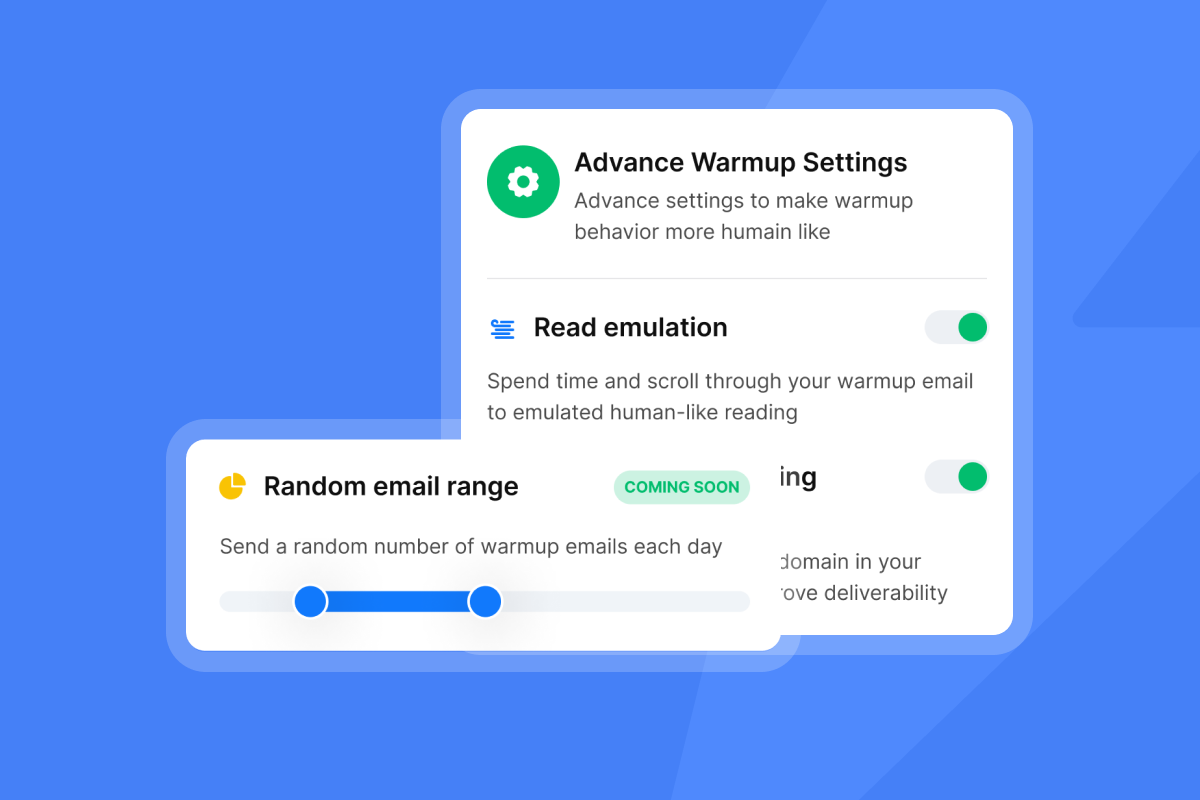
Instantly's warmup gradually increases volume: Day 1 send 2 emails, Day 2 send 4 emails, Day 3 send 6 emails, and so on.
"I like the automation features in Instantly because they save me a lot of time and effort in doing my work, especially in setting up multiple campaigns and email sequences in a personalized way with follow-ups. It really assists me in building campaigns efficiently. Finding leads with Instantly is much quicker compared to other tools, and it never crashes like others do." - Faisal K. on G2
Unlimited accounts: Spreading the load
Want to send 300 cold emails per day? You need at least 10 warmed mailboxes at 30 emails each. Sending 300 emails from 10 accounts (30 each) rather than one account provides risk diversification. If you overload a single account, providers flag the sudden volume spike as risky, even if you are technically under system limits.
Instantly offers unlimited email accounts on all plans, a competitive advantage over tools that charge per seat. Add accounts to spread volume safely without compounding software costs.
"Unlimited Email inbox warmup is included with all the plans, and you get access to the Unibox at all plans too. This saves a ton of time." - Chinmay K. on G2
Send window tuning
Send during business hours (8:30 a.m. to 5:30 p.m. recipient local time) to mimic human activity. Emails sent at 2 a.m. in the recipient's timezone can signal automation to some filters. Stagger sends across the window. Instead of blasting 100 emails at 9 a.m., spread them from 9 a.m. to 11 a.m. in random intervals.
"I love how Instantly has revolutionized my email marketing efforts. Its ability to solve the problem of sending bulk emails across different time zones is essential for global campaigns and ensures that messages reach recipients at the most optimal times." - Sachin J. on G2
A/Z testing and AI tools
Run A/Z subject line tests to find variants that improve open rates without triggering spam filters. Test one variable at a time: subject line, opening sentence, or CTA to isolate what works.
The Growth plan includes A/Z testing, AI Sequence Writer, AI Rephrase tool, and AI Spam Words Checker. Use the Spam Words Checker to scan drafts for high-risk terms before launching campaigns. The AI Rephrase tool generates spin syntax alternatives automatically, speeding up variation creation.
Troubleshooting: What to do when metrics dip
Open rates dropped from 35% to 12% overnight. Your reply rate flatlined. Follow this decision tree:
- Run an Inbox Placement Test: Instantly's Inbox Placement Test shows exactly where emails land. The test seeds your message to multiple inboxes across providers (Gmail, Outlook, Yahoo) and reports the distribution. If 60% hit spam, your content or authentication is broken.
- Check blacklist status: Use free tools like MXToolbox to check if your domain or IP is on a public blocklist. If listed, follow the delisting process for each list. Submit a request explaining the issue and proving you fixed it.
- Verify authentication and bounce rate: Check SPF, DKIM, and DMARC records in your DNS. Review your bounce rate in Instantly's analytics dashboard. Above 2%? Pause, clean your list, and reduce volume when you resume. If you're managing multiple client campaigns, integrating a CRM for sales deliverability helps you track reputation health across accounts without jumping between dashboards.
- Enable warmup and reduce volume: If reputation dropped, pause campaigns and enable warmup. Instantly's warmup sends low-volume emails between accounts in its account network to rebuild positive engagement signals. When you resume, start with reduced volume and ramp gradually.
"I like how easy it is to configure multiple mailboxes and have them warmed up with Instantly. It also allows me to check if emails are landing in spam, which is really helpful. The user interface is very good and intuitive, making it easy for anyone to set up." - Ajay K. on G2
Keeping reminders in the primary inbox
Reminder deliverability is an active process, not a one-time configuration. Set up authentication correctly, maintain bounce rates under 2%, ramp volume gradually, and use spin syntax to vary content. Track inbox placement, not just delivery rates. When metrics dip, troubleshoot systematically. Check placement first, then authentication, then list hygiene.
Run a free Inbox Placement Test with Instantly today and see exactly where your reminders land before your next campaign. Watch our guide on cold email deliverability for a complete walkthrough of authentication setup, warmup configuration, and spin syntax implementation. Start a free trial of Instantly today and get started on your cold email campaign.
Frequently asked questions about reminder deliverability
How many follow-up reminders should I send before hurting sender reputation?
Two to three follow-ups is optimal. The first follow-up adds the most replies, while adding a third drops reply rates by up to 20%.
What is a good open rate for B2B reminder emails in 2025?
A 15-25% open rate is acceptable for cold B2B campaigns. The average cold email open rate was 27.7% in 2024 with a 5.1% reply rate.
Does email tracking hurt deliverability?
Pixel tracking can be a minor negative signal to strict filters, but the impact is low compared to authentication failures or high bounce rates. Send as plain text if you prioritize deliverability over tracking.
How do I fix a bounce rate above 3%?
Pause all sending immediately. Verify domain authentication and clean your list with verification tools. Reduce volume when you resume and ramp gradually.
Can I use the same domain for high-volume cold email?
No. Send cold email from a secondary domain to protect your primary brand domain. Set up proper authentication on the secondary domain and warm it before scaling volume.
Key terminology
SPF (Sender Policy Framework): An email authentication protocol that lists which servers are authorized to send email from a domain. Receiving servers check the SPF record to verify sender identity.
DKIM (DomainKeys Identified Mail): A cryptographic signature added to email headers proving the message has not been tampered with in transit. Receiving servers verify the signature using a public key published in DNS.
DMARC (Domain-based Message Authentication Reporting and Conformance): A policy that tells receiving servers what to do when SPF or DKIM checks fail. Options include deliver, quarantine (spam folder), or reject (block entirely).
Hard bounce: A permanent delivery failure caused by an invalid email address, unknown user, or non-existent domain. Hard-bounced addresses must be removed immediately from your list.
Soft bounce: A temporary delivery failure caused by a full mailbox, server downtime, or message size limits. Email service providers automatically retry soft bounces several times.
Spin syntax (Spintax): A method of rotating alternative words or phrases into each email using the format {Option1|Option2|Option3}. Prevents spam filters from detecting repetitive content patterns.
Warmup: The process of gradually increasing email volume from a new domain or inbox to build positive sender reputation. Typically involves sending low-volume emails to engaged contacts before scaling cold outreach.
Inbox placement rate: The percentage of delivered emails that land in the primary inbox rather than spam, promotions, or other folders. Different from delivery rate, which only measures server acceptance.



