.svg)
%20(1).svg)


Updated April 22, 2026
TL;DR: B2B email lists decay at 28% per year, meaning your list degrades every single month. Unclean lists produce hard bounces, hit spam traps, and crash your sender reputation before you notice. Fix it with a continuous system: batch verification before sends, automated bounce suppression in your platform, strict sunset policies for unresponsive contacts, and inbox placement testing after cleanup. Every step below shows how to build that system, including how Instantly's built-in deliverability tools automate much of the work so your domain stays healthy and your pipeline stays consistent.
Most sales teams obsess over email copy while ignoring the dead leads and hard bounces quietly destroying their domain health. By the time a deliverability crash shows up in your metrics, the damage to your sender reputation is already done. This guide covers the exact operational steps to audit, clean, and maintain your B2B email list so your outreach consistently reaches the primary inbox.
Avoid deliverability crashes: clean your list
Unclean lists: deliverability risk
B2B email lists decay at roughly 28% per year, and the rate is accelerating, with email decay hitting 3.6% in a single month in November 2024, nearly doubling traditional rates. People get promoted, switch companies, and abandon old addresses with every job change, and each departure chips away at your database quality.
Mailbox providers like Gmail and Outlook track your bounce rate, spam complaint rate, and engagement levels. When those signals turn negative, your emails get routed to spam or blocked entirely, and no amount of good copy recovers a blacklisted domain. The Instantly 2026 cold email benchmark report sets the safe bounce rate threshold under 2%. Consistently breaching that number signals list quality problems to ISPs and triggers reputation penalties that take weeks to reverse.
Wasted spend from email bounces
A dirty list doesn't just hurt reply rates. Reps waste hours chasing contacts who no longer exist at those companies, CRM records bloat with stale data, and activity metrics inflate while pipeline coverage shrinks. Clean data drives 20% better campaign response rates and 15% higher close rates within six months, which means every send to a dead contact is a direct cost against your quota attainment.
Triggers for list cleanup
Clean before every major send, after any data import, and at minimum once per quarter. GDPR requires you to contact only people where you have a legitimate interest and that data stays accurate. CAN-SPAM requires that unsubscribed contacts are actually removed, not re-added from old data sources. Our GDPR and CCPA compliance guide covers how hygiene practices connect to legal obligations in detail.
Identify and purge harmful email addresses
Distinguishing hard vs. soft bounces
Understanding what caused a bounce determines the action you take. Braze defines the two types clearly:
- Hard bounce: A permanent delivery failure. The address is invalid, the domain doesn't exist, or the mailbox is permanently closed. Remove these immediately and add them to your global suppression list. Never retry a hard bounce.
- Soft bounce: A temporary failure caused by a full mailbox, a server outage, or a sending rate limit. Your email service provider retries these automatically. If the same address soft bounces three or more times, treat it like a hard bounce and suppress it.
The key takeaway is that hard bounces are permanent signals, not temporary setbacks. Retrying them damages your sending domain. Our bounce handling help guide explains exactly how Instantly categorizes each bounce type inside the platform.
Protecting domain health from spam traps
Spam traps are email addresses controlled by ISPs and anti-spam organizations to identify senders with poor list hygiene. There are two main types:
- Pristine spam traps: Addresses that have never belonged to a real person, created solely to catch senders who harvest or buy lists.
- Recycled spam traps: Previously valid addresses that were abandoned and repurposed by anti-spam groups. Sending to these shows you failed to remove inactive contacts.
Unlike bounces, spam traps don't fail loudly. They silently flag your domain to blocklist operators. You hit spam traps by buying unverified lists, scraping emails, or mailing inactive contacts. The only reliable defense is verified data and a strict sunset policy for unresponsive contacts.
Handling role addresses and catch-alls
Not all deliverable addresses are worth sending to. Email verification tools identify four risky types that fall between fully valid and clearly invalid:
- Role-based addresses: info@, sales@, support@. These route to departments, not people, generate spam complaints at higher rates, and rarely produce direct replies.
- Catch-all addresses: Servers that accept all emails for a domain, then discard or bounce them internally. Verification tools flag these as "Accept All" because the server says yes even when the specific mailbox doesn't exist.
- Disposable addresses: Temporary addresses generated by services like Mailinator, valid for hours or days, then gone.
- Syntax errors: Typos like @gmal.com or missing dots in the domain that fail immediately.
For B2B cold outreach, suppress role-based and catch-all addresses unless you have strong intent signals. They inflate your send count without contributing pipeline.
Identifying unresponsive contacts
A contact with a valid address who has never opened, clicked, or replied across two or more campaigns over a 60-day window is typically unresponsive. In B2B terms, this often signals a wrong contact, wrong timing, or wrong company fit. Keeping unresponsive contacts active in your sequences burns through domain reputation with zero return.
Setting up bounce handling in your email platform
Configuring automatic bounce suppression
Manually managing bounces across multiple inboxes is operationally impossible at scale. Instantly's Global Blocklist is a workspace-wide feature that blocks specific email addresses and domains from being imported or contacted, when you upload leads, Instantly automatically checks them against the blocklist before they can enter any campaign. A bad address flagged in one campaign can't accidentally re-enter another, protecting every sending domain in your account from damage caused by a single unclean list.
"It is the Inbox placement feature which I like the most as it help us to get to know the spam score and the mails that are placed in the inbox... also the campaign setup feature was so easy to use and the storing the blocked and bounced emails so that they don't accidentally re-enter future campaigns." - Verified user on G2
Setting soft bounce rules for deliverability
Configure your sending platform to alert or pause sequences automatically when your overall bounce rate crosses 2% in a given campaign. This stops a temporary inbox problem from becoming a permanent domain health issue. Review soft bounce patterns by domain to detect when a specific mail provider is throttling your IPs, then adjust your send window for that segment. Our guide on email deliverability for sequences covers the full monitoring and health system.
Set up bounce notification triggers
Consider setting up alerts whenever a campaign's bounce rate crosses 2%. Configure this as an automated report in your outreach platform or push the data to your CRM via webhook. This creates an auditable trail and ensures cleanup actions happen before the next send, not after your domain lands on a blocklist.

Using batch verification tools to clean existing lists
How verifiers identify invalid emails
Email verification runs four sequential checks. Abstract API details the process:
- Syntax validation: Checks address format. Fastest check, requires no network call.
- MX record lookup: Queries DNS to confirm the domain has a valid mail server. No MX records means every address at that domain is invalid.
- SMTP verification: Connects to the mail server and tests whether the specific mailbox exists.
- Additional checks: Flags disposable addresses, role-based accounts, catch-all domains, and known spam trap domains.
A passing syntax check does not mean an address is deliverable. You need all four layers.
Performing your first list audit
Choose a verification tool based on accuracy rate, catch-all detection, pricing model, and CRM integration. Before running your batch verification, export your full contact list with all relevant fields.
Export your list, run it through a batch verifier, and act on each status category before uploading to your outreach tool.
Decoding your verification report
Map each verification status to a clear action:
- Valid: Safe to send. Add to your active sequence.
- Invalid: Hard remove. Add to your global suppression list.
- Risky (catch-all, role-based): Suppress unless contact-level intent data justifies the risk.
- Disposable: Remove immediately.
- Unknown: The SMTP server didn't respond. Keep out of high-volume sends.
Treat verification status as a go/no-go gate before any campaign enrollment. Clean inputs protect your domain and increase the percentage of sends that generate replies and meetings.
Remove unengaged and invalid leads
A sunset policy defines when you stop sending to unresponsive contacts. Mailjet recommends treating contacts as disengaged after three to six months without opens or clicks, depending on your send frequency.
Implement it in two steps:
- Segment: Define inactive as 90 days without any engagement. Create a suppression segment in your CRM that automatically captures contacts meeting that threshold.
- Re-engage then remove: Send one short win-back campaign to the inactive segment. Suppress or remove any contacts who don't engage within 60 to 90 days. This keeps your list active and improves inbox placement with mailbox providers by raising average engagement signals.
Implementing real-time validation during list uploads
Validating uploaded contact lists
Catch bad addresses before they enter your system. For inbound lead sources like webinar registrations or content downloads, use double opt-in. The second confirmation email verifies the address is valid and owned by the person who submitted the form, drastically reducing spam traps and invalid signups from the start.
Configuring API email verification
Connect a verification API to your CRM import flow so every new contact is checked in real time before entering a sequence. Most verification tools provide API endpoints that return a validation status within milliseconds. The AbstractAPI MX and SMTP check guide covers the technical implementation. Map the API response to a custom field in your CRM and use it as a gating condition before any campaign enrollment.
Ensuring B2B email list quality on upload
The cleanest approach to list quality is starting with pre-verified data. Instantly's SuperSearch database gives you access to 450 million-plus B2B leads with waterfall enrichment across five or more data providers. You get a verified status indicator on every contact, so you build your outreach list from addresses that have already passed validation rather than cleaning problems after the fact.
After-campaign list refinement for sales
How to review email bounce logs
After every campaign, open your analytics dashboard and filter for bounced leads. Export the full list segmented by bounce type. Hard bounces go directly to your global suppression list. Soft bounces that have triggered three or more times on the same address get promoted to the suppression list as well. Run this review promptly after campaign completion to catch issues before they compound. Our managing bounced leads help article shows exactly where to find and act on this data inside Instantly.
How to identify unengaged leads
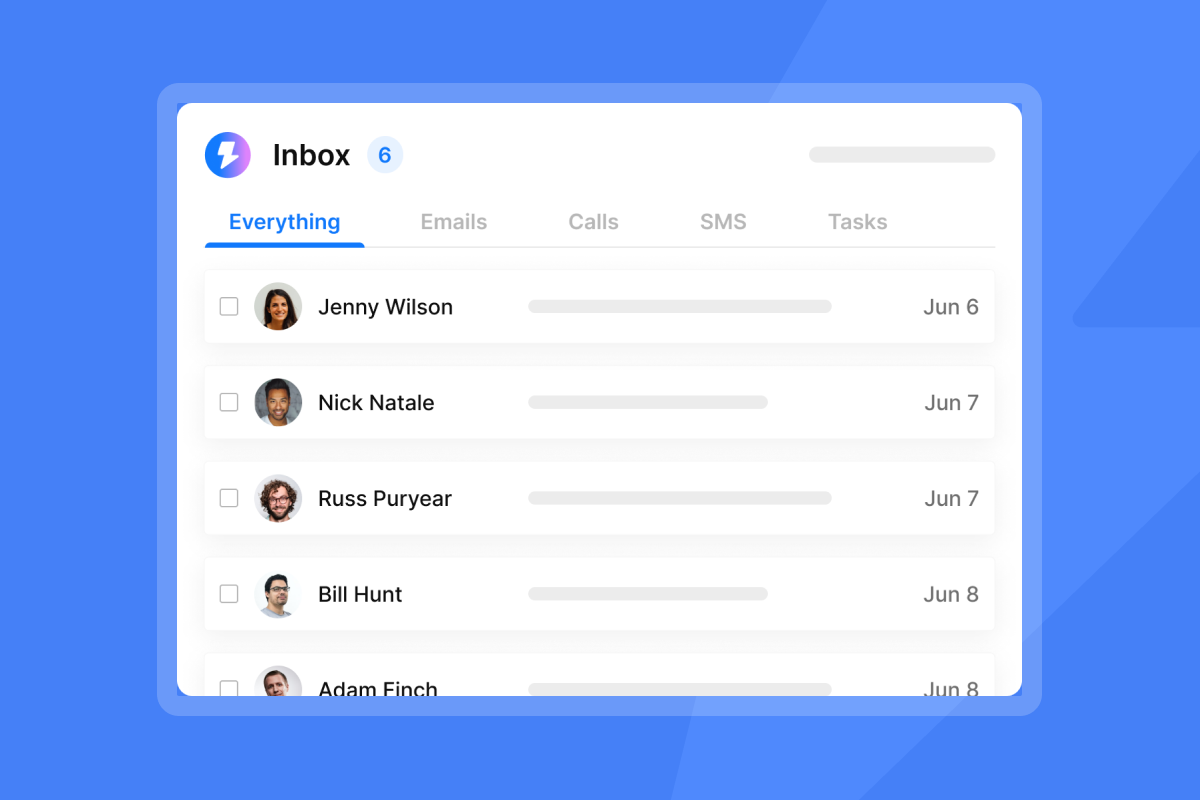
Filter your campaign analytics for leads with zero opens and zero replies across all touchpoints over a 60-day window. In Instantly's Unibox, you can segment replies by status and spot contacts who have received every sequence step with no engagement. Flag these for the sunset process described above. Keeping them active wastes your send quota and contributes low-engagement signals that hurt your domain's standing with mailbox providers. Our guide on email open tracking accuracy explains what counts as reliable engagement data and what doesn't.
Plan your quarterly deliverability checks
Run this checklist every 90 days, before any large send, and after any data import:
- Verify and deduplicate: Validate syntax, MX records, and mailbox status on all new contacts, and remove duplicates by email address and company domain.
- Audit role-based addresses: Remove info@, admin@, and similar accounts from active sequences.
- Re-engage or sunset: Segment contacts inactive for 90-plus days and run the sunset process.
- Review bounce and complaint rates: Keep bounces under 2% and spam complaints below 0.1%, treating anything above 0.3% as a critical alert requiring immediate action.
- Run inbox placement tests: Confirm Primary delivery, not Promotions or Spam, before scaling any send.
- Document cleanup actions: Log what was removed, the trigger, and the date for compliance and team alignment.
This checklist draws from our email list hygiene best practices guide. For teams scaling send volume, watch this cold email deliverability guide from Instantly and this spam recovery tutorial for the most common inbox repair steps.
Log your list cleanup actions
Document every cleanup action in a shared RevOps log: what was removed, the trigger, the date, and the resulting list size. This creates an audit trail that holds up during compliance reviews, gives your team a clear record of why contacts were suppressed, and lets you track whether domain health improves after each cycle.
Tracking primary inbox success rates
Validating bounce rate reduction
Measure your bounce rate in the week before cleanup and the week after sending to the cleaned list. Combine a well-executed list audit with automated bounce suppression and you'll bring your rate down toward the under-2% threshold from the Instantly 2026 benchmark report. If your rate stays elevated after cleaning, your lead acquisition source is the problem and you need to review that process before the next send.
Confirming inbox delivery rates
Reducing bounces improves your sender reputation score, but it doesn't automatically confirm that surviving emails reach the primary inbox. Use Instantly's automated Inbox Placement tests to send your campaign email to a seed list of inboxes across Gmail, Outlook, and other major providers. You get a breakdown showing what percentage of sends landed in Primary, Promotions, or Spam. Run this test before launching any campaign to a freshly cleaned list, and our Inbox Placement help article covers how to configure automated test triggers.
"The deliverability tools actually work, and their customer support is responsive when we've had questions. We're able to scale our outreach without sacrificing personalization or risking our sender reputation." - Natalie on Trustpilot
Auditing email domain reputation
Check your domain reputation directly in Google Postmaster Tools after each major list cleanup. Monitor your spam rate and domain health trends closely. A strong track record shows very low spam rates, while elevated spam signals mean you need to pause sends, clean your list again, and ramp back up slowly.
Sign in to Google Postmaster Tools, add your sending domain, and verify ownership via DNS. Monitor your spam rate and domain reputation weekly during active campaigns. Our spam filter avoidance guide covers additional steps for staying clear of inbox filters.
List cleaning protects your domain, but your outreach only stays clean if the data entering your system is clean to begin with. Start with Instantly's SuperSearch for pre-verified contacts, automate bounce suppression across unlimited inboxes, and run Inbox Placement tests before every campaign launch. Try Instantly free and run your first deliverability audit with the tools built directly into the platform.
Read Next
FAQs
How often should you clean a B2B email list?
Clean before every large send, after any data import, and at minimum every 90 days. Lists decay continuously, so waiting longer means a significant portion becomes invalid before your next campaign.
What is a healthy bounce rate for B2B cold outreach?
Keep your bounce rate under 2%, as the Instantly 2026 benchmark report specifies. A rate between 2% and 5% is a warning sign requiring list review, and anything above 5% requires immediate action before further sends.
When should you purge inactive B2B contacts?
Enroll contacts who have shown no engagement for four or more months in a re-engagement campaign first, and if they still don't respond within 60 to 90 days, remove or suppress them to protect your sending reputation with the six-month mark as your hard sunset deadline.
How do you protect deliverability during a list cleanup?
Pause high-volume sends while cleanup is running, then use your platform's global suppression list to block removed addresses from re-entering any campaign. After cleaning, restart sends at no more than 30 per inbox per day and run an Inbox Placement test before resuming full volume.
Key terms glossary
Hard bounce: A permanent email delivery failure caused by an invalid address, non-existent domain, or permanently closed mailbox. Remove and suppress these immediately.
Soft bounce: A temporary delivery failure caused by a full mailbox, server downtime, or sending rate limits. Retry is possible, but three or more soft bounces on the same address should trigger suppression.
Spam trap: An email address controlled by ISPs or anti-spam organizations to identify senders with poor list hygiene. Hitting a spam trap damages your sender reputation with no warning.
Sender reputation: A score assigned by mailbox providers based on your bounce rate, spam complaint rate, and engagement levels. A low score routes your emails to spam or blocks them entirely.
MX record: A DNS entry that identifies the mail server responsible for accepting emails for a domain. If no MX record exists, every address at that domain is invalid.
Sunset policy: A defined rule for automatically suppressing contacts who have not engaged over a set period (typically 90 to 180 days), used to keep your list active and your engagement rates accurate.
Catch-all address: A domain configuration that accepts all incoming emails regardless of whether the specific mailbox exists, making it impossible to verify individual addresses at that domain via SMTP.
Inbox placement: Whether your email lands in the Primary inbox, Promotions tab, or Spam folder. Measurable via Instantly's automated Inbox Placement tests.



