


Updated April 16, 2026
TL;DR: Building a high-converting B2B email list is a strict system, not a one-time purchase. Start with a tight ICP, source contacts from verified databases, run multi-point validation, and enforce quarterly hygiene cycles. Keep bounce rates below 1%, never cross 2%, and cap sends at 30 emails per inbox per day during warmup. Consolidating data sourcing, verification, and outreach into one platform eliminates data decay between tools. Our SuperSearch database gives you 450M+ verified leads with waterfall enrichment built directly into the outreach engine.
Most sales teams obsess over email copy while ignoring the unverified data that sends their campaigns straight to spam. A scrubbed list of 500 verified contacts will consistently outperform a purchased dump of 5,000 decayed records, and the math on domain health makes this non-negotiable. This playbook covers the exact process to source, verify, enrich, and manage a B2B email list that protects your sender reputation and books meetings consistently.
Why verified email lists are critical for cold outreach success
Email marketing delivers an ROI of $36 for every $1 spent, but in our experience, that figure only holds when your emails actually reach the primary inbox. Unverified data destroys that math before your first campaign even launches.
B2B email deliverability is fundamentally different from B2C. Corporate environments use enterprise-grade mail servers, custom firewall configurations, and multi-layer spam filtering that consumer providers don't deploy. B2B lists degrade more slowly than consumer lists, but they are acutely vulnerable to role changes, domain migrations, and stale job titles.
Financial costs of unverified B2B data
Bad data is an operational tax. According to data decay research, poor data quality costs B2B organizations an average of $15M annually in wasted time, missed pipeline, and campaign rework. SDRs waste 27% of potential selling time following bad records, which translates directly into fewer meetings booked and more quarters missed.
If a rep makes 80 dials or sends 80 emails a day and 27% of those contacts are bad data, that rep loses more than two hours of productive outreach time every day. Multiply that across a team of five SDRs and you lose 10+ hours of selling time daily.
Preventing domain blacklisting
ISPs set 2% as the maximum acceptable hard bounce rate before they start treating your domain as a spam source. Most cold outreach professionals target below 1%.
Two email types drive the most bounce risk:
- Catch-all domains: These accept any email sent to them regardless of whether the mailbox exists. A syntax check passes, but the email bounces silently or gets trapped.
- Role-based addresses: Addresses like info@company.com or sales@company.com are monitored by multiple people and are poor targets for personalized outreach.
Crossing the 2% threshold can trigger blacklisting events that may take weeks to recover from and burn a domain you spent 30-60 days warming up.
Protecting brand trust with compliance
For B2B cold email, GDPR compliance typically relies on Legitimate Interest under Article 6(1)(f) rather than explicit consent. This means documenting a Legitimate Interest Assessment, confirming your outreach is relevant to the prospect's professional role, disclosing where you sourced their data, and providing a clear opt-out in every email.
For CCPA, the key obligation is honoring opt-out requests promptly and not reselling contact data without consent. We cover the specific documentation requirements in our full guide on GDPR and CCPA for sales teams.
Define your ideal customer profile (ICP)
A tight ICP is the most cost-effective filter in your data stack. Every contact that doesn't match your ICP wastes credits, burns send volume, and drags down reply rates. The more precise your ICP, the smaller your required list size and the higher your conversion rate at every funnel stage.
Essential firmographics for B2B lists
Firmographics are the demographic attributes of a company and form the foundation of every reliable ICP model. The core firmographic dimensions to define are:
- Industry: Use NAICS or SIC codes for precision rather than broad sector labels.
- Company size: Employee count ranges narrow to companies with relevant buying authority and budget.
- Annual revenue: Filters for companies that can realistically afford your product.
- Geographic location: Country, state, and city for territory management and compliance scoping.
- Ownership structure: Public vs. private, PE-backed, or recently funded.
- Funding status: Series A/B companies often have fresh budget and mandate for new tools.
Pinpoint ICP with buying signals
Buying intent signals are behavioral patterns that show a prospect is actively evaluating solutions in your category. These include downloading competitive comparison guides, attending category webinars, posting job descriptions for roles your product supports, or visiting pricing pages.
Organizational-level signals are often the most actionable: a company posting five new SDR roles signals an outbound expansion, and a Series B announcement signals fresh budget and a mandate to grow pipeline fast. Layering these signals on top of firmographics cuts your list to the contacts most likely to reply today. We cover this precision targeting approach in our video on signal-based cold email at scale.
Decision-maker personas and titles
Title mapping is more nuanced than it appears. A "VP of Sales" at a small company may own the budget decision, while at a larger organization that same decision sits with a RevOps Director or Sales Enablement Lead. Map titles to the actual jobs to be done, not just seniority level, and cross-reference against company size before assigning a contact to a decision-maker sequence.
Optimize ICP lead scoring
Score every contact based on data richness before importing it into a sequence. A contact with a verified email, confirmed title, and a recent buying signal scores higher than one with just a name and company email. Prioritize high-scoring contacts in your first wave, then run lower-confidence contacts in a separate sequence with more cautious pacing.
Ethical B2B contact data sourcing methods
Data-as-a-Service (DaaS) providers give you access to company and contact records on demand, eliminating the manual scraping that generates stale, unconsented data. Sales intelligence platforms layer behavioral and organizational signals on top of static contact records so you find prospects at the right moment, not just those matching a title filter.
Sourcing verified B2B email lists
Our SuperSearch database gives you access to 450M+ B2B leads with waterfall enrichment from five or more data providers. When one provider can't validate a contact's email, the waterfall pulls from the next provider automatically during the search and enrichment stage, which significantly reduces the number of unverifiable records that reach your campaign.
We let you combine firmographics (employee count, revenue range, industry), technographics (the tools a company uses), and keyword signals in a single search. You can export directly into a campaign without passing the list through a separate CSV, eliminating the data decay that happens between export and import in disconnected toolchains.
"I appreciate Instantly for its intelligent handling of domain and mailbox rotation as well as provider matching, which is critical for ensuring that my emails land directly in the primary inbox instead of getting caught in spam filters." - Richard E. on G2
Building verified lists from LinkedIn
LinkedIn is a commonly used source for job title research, but its reliability is lower than often assumed. Research shows LinkedIn accurately interprets only around 55% of job titles on average, with miscategorization errors such as Marketing Specialist being rolled up to Chief Marketing Officer, a significant problem when targeting specific decision-maker personas. Job title data on the platform can also decay at up to 50% per year. The additional limitation is that scraping LinkedIn at scale violates their Terms of Service, and research shows LinkedIn accurately interprets only about 55% of job titles on average. Use LinkedIn to verify titles and identify specific contacts, then enrich those contacts through a verified data provider to get the email address.
CRM data for verified B2B contacts
Closed-lost deals from 12-24 months ago are an underused high-intent data source. Those contacts already know your company exists, objections are documented in your CRM, and the deal often died from timing rather than fit. Export closed-lost records, re-verify the email addresses (data decays at roughly 22.5% per year), and build a re-engagement sequence with a hook tied to how their situation may have changed.
Ensuring compliant B2B data
Before committing to any data provider, ask these four questions:
- How frequently is the database refreshed, and does that happen in rolling updates or quarterly bulk crawls?
- What triggers a record update: a verified job change or just a re-crawl of a public profile?
- How do you handle opt-out requests submitted to your platform?
- Can you provide documentation of your GDPR/CCPA compliance posture and data sourcing methodology?
A provider that can't answer these questions clearly is a liability for your domain reputation and your brand.
Verify email addresses to maximize deliverability
Email verification confirms that an address is syntactically correct, points to an active domain, and maps to a mailbox that will accept messages. It's the single most direct lever for keeping bounce rates inside safe thresholds before a campaign goes live.
Email verification process explained
A thorough verification process runs three sequential checks on each address:
- Syntax validation: Confirms the address is formatted correctly with no missing @ or illegal characters.
- Domain and MX record validation: Confirms the domain exists and has active mail exchange records configured to receive email.
- SMTP mailbox check: Pings the mail server to confirm the specific mailbox is active and not a dead address.
Most verifiers also flag disposable email addresses, known spam traps, and role-based addresses so you can handle them separately.
Checks for primary inbox placement
Running an inbox placement test before a campaign launches tells you exactly where your emails land across major providers like Gmail and Outlook. Our automated inbox placement tests send test emails to a seed list of real inboxes and return placement reports showing your spam folder rate, primary inbox rate, and which providers are flagging your domain.
We show you how to configure automated test alerts on the Inbox Placement product page so you're notified before a deliverability problem reaches your live campaign list.
Identifying and handling risky email types
Build explicit handling rules for three high-risk categories:
- Catch-all addresses: Mark as "risky" and move to a low-volume test sequence. Send to a small sample first and monitor bounce rates before scaling.
- Role-based addresses: Remove from personalized sequences. These are appropriate only for generic outreach or content distribution.
Disposable addresses: Remove entirely from cold outreach campaigns.
Platform type | Verification method | Typical cost model |
|---|---|---|
Standalone verifier (e.g., ZeroBounce, NeverBounce) | Batch upload or API | Per credit |
All-in-one platform (Instantly) | Waterfall enrichment across 5+ providers | Credits included in plan |
An integrated approach reduces the data decay window that opens when a list is verified in one tool and then uploaded to a separate sender days later.
The core advantage of an all-in-one approach is that verification happens at the enrichment stage, eliminating the data decay window that opens when a list is verified in one tool and then uploaded to a separate sender days later.
Optimize bounce thresholds for deliverability
The hard rules are not negotiable:
- Target: Keep hard bounce rate below 1% at all times.
- Absolute maximum: Pause and re-verify immediately if bounces cross 2%.
- Response protocol: Stop the campaign, re-verify the remaining list, remove all risky contacts, and restart at a lower daily send cap before resuming.
We cover the full monitoring and response framework in our guide on deliverability for sequences.
Curate sales-ready prospect information
Enrichment adds missing data points to a contact record after initial sourcing and verification. A verified email address alone isn't enough for effective outreach. You need role confirmation, company context, and signals that let you write a relevant first line.
Verify contact roles and seniority
Job title inflation is common in B2B data. Cross-reference title against company size and headcount before assigning a contact to a decision-maker sequence. If the title-to-company-size ratio is off, route the contact to a mid-funnel sequence with more context-building steps instead.
Segment by firmographics: size and revenue
- Small business (under 100 employees): Founder or Head of Sales typically owns the decision. Focus on speed-to-value and flat pricing.
- Mid-market (100–2,000 employees): RevOps or Sales Leader evaluates tools. Focus on team standardization, reporting, and CRM integration.
- Enterprise (500+ employees): Multiple stakeholders and procurement involvement. Typically out of scope for cold email until a warm relationship exists.
Actionable tech and buying signals
Technographic data describes the software tools a company actively uses. If you sell a CRM integration, a contact that uses Salesforce is a fundamentally better fit than one on a custom-built CRM. Common technographic signals to layer in:
- CRM platform (Salesforce, HubSpot, Pipedrive)
- Marketing automation tool
- Outbound sales software currently in use
- Cloud infrastructure provider
Personalizing outreach with social data
The first line of a cold email does most of the work. One sentence that proves you know something specific about the prospect's company signals clearly that this is not a mass blast. Useful social data hooks include:
- Recent funding: "Congrats on the Series B..."
- Relevant LinkedIn post: "Saw your post on scaling RevOps without headcount..."
- New hiring pattern: "Noticed you've added three SDR roles in the last 60 days..."
We walk through the full methodology for building first-line personalization at scale in our video on cold email research and data collection.
Data hygiene is the ongoing process of keeping your list accurate, deduplicated, and compliant between campaigns. B2B contact data decays at approximately 70.3% per year, which means the majority of contacts in a year-old list are now inaccurate.
Pre-campaign data hygiene checklist
We recommend running every list through this checklist before activating a campaign:
- Re-verify if data is older than 90 days. Run the full verification sequence again. Do not rely on a prior clean.
- Remove all hard bounces from previous campaigns. Cross-reference your global suppression list before import.
- Deduplicate across all active campaigns. One contact should not appear in two live sequences at the same time.
- Scrub role-based and catch-all addresses. Move them to a separate low-priority segment.
- Confirm required personalization fields are populated. If a sequence uses
{{company_name}}or{{first_line}}, confirm no records have empty fields. - Normalize data fields. Fix capitalization errors, remove special characters, and standardize phone formats.
- Segment into ICP tiers. Do not send the same sequence to small business and mid-market contacts.
- Confirm opt-out compliance. Check that no contact has previously unsubscribed.
Suppression lists and opt-out management
Every opt-out request must feed into a global suppression list, not just a campaign-level exclusion. Our global block list feature ensures that once a contact opts out, they are excluded from all future campaigns automatically across every sending account in your workspace.
Configure global deduplication rules at the campaign level so a single contact can only be active in one sequence at a time. Without this, a rep who imports a list independently can inadvertently email a prospect already mid-sequence under a different rep's account, creating both confusion and compliance risk.
Approval gates to prevent errors
For teams with three or more SDRs, add a sequence review step before any new campaign goes live. The sequence owner reviews list quality score, personalization field coverage, bounce risk segment handling, and subject line compliance. We provide the full quality gate process in our cold email pre-send checklist.
Set your email list refresh schedule
Build a quarterly re-verification cycle into your RevOps calendar. With professional emails degrading at up to 37.3% annually, a list that was clean in Q1 will have significant degradation by Q3 without a refresh. Always re-verify any list that has been dormant for more than 90 days before reactivating it in a campaign.
Organize your B2B list for targeted sending
Moving from data collection to campaign execution requires a deliberate structure. How you segment, allocate, and pace contacts directly determines whether your list performs or burns out in the first two weeks.
Split your master list into micro-segments before you build any sequence. Each segment should share enough context that a single sequence variant covers 80% of them without sounding generic. A practical segmentation hierarchy:
- Industry vertical
- Company size tier (small business vs. mid-market)
- Title tier (economic buyer, technical evaluator, or champion)
- Signal strength (high intent vs. cold)
Contacts without enough data to assign to a segment belong in an enrichment queue, not a live campaign.
Allocating leads to sequences
Cap each inbox at 30 emails per day during warmup and keep that limit in place until you're well past the 60-day mark with a consistently healthy domain score. To scale volume without pushing a single inbox past safe limits, use multiple warmed inboxes across several sending domains. This is the secondary sending domains strategy that lets teams reach thousands of prospects per day without compressing throughput onto one domain. Distribute contacts across inboxes proportionally so no single domain carries a disproportionate share of the campaign load.
Essential data for outreach personalization
In our experience, sequences using custom variables tend to outperform generic templates because personalization helps reduce the perception of mass-blast outreach, even when the email technically lands in the primary inbox.
New domain warm-up strategy
Our warmup network includes 4.2M+ accounts that automatically exchange emails with your new inboxes, creating the engagement history that ISPs use to determine sender trustworthiness. The general approach is to start at a low daily send volume and ramp gradually over 30 days, reaching your target send volume only after domain health signals confirm the inbox is trusted. For a full walkthrough of how IP rotation supports inbox placement at scale, see our rotating IP sending algorithms guide.
"Instantly is for me the Apple of Cold Outreach tools. Easy to use, intuitive, minimal clicks/steps to get stuff done, and things just work... And obviously, if I didn't get good deliverability, I wouldn't use it, no matter the UX." - Thomas B. on G2
Track list health and engagement metrics
Reliable analytics are what separate defensible outbound programs from campaigns that "feel like they're working." You need numbers that reconcile with CRM pipeline data, not open rate inflation from Apple Mail Privacy Protection or bot activity.
Ensure primary inbox placement
Monitor these domain health signals weekly:
- Spam complaint rate (target: below 0.1%)
- Hard bounce rate (target: below 1%, pause at 2%)
- Domain blacklist status (check major RBLs weekly)
- Inbox placement rate on seed list tests
When a domain health score drops, pause outreach on that domain immediately, run an inbox placement test to isolate the provider causing the issue, and re-verify the remaining unsent list before resuming. Our guide on cold email deliverability covers the diagnostic process in depth.
Reply rates by list segment
Track reply rates broken down by ICP segment, not just at the campaign level. A 4% aggregate reply rate may mask a 7% rate on your best segment and a 1.5% rate on a poorly defined segment dragging the average down and burning send volume. A healthy B2B reply rate starts at 5% and above, with 10-15% representing excellent performance.
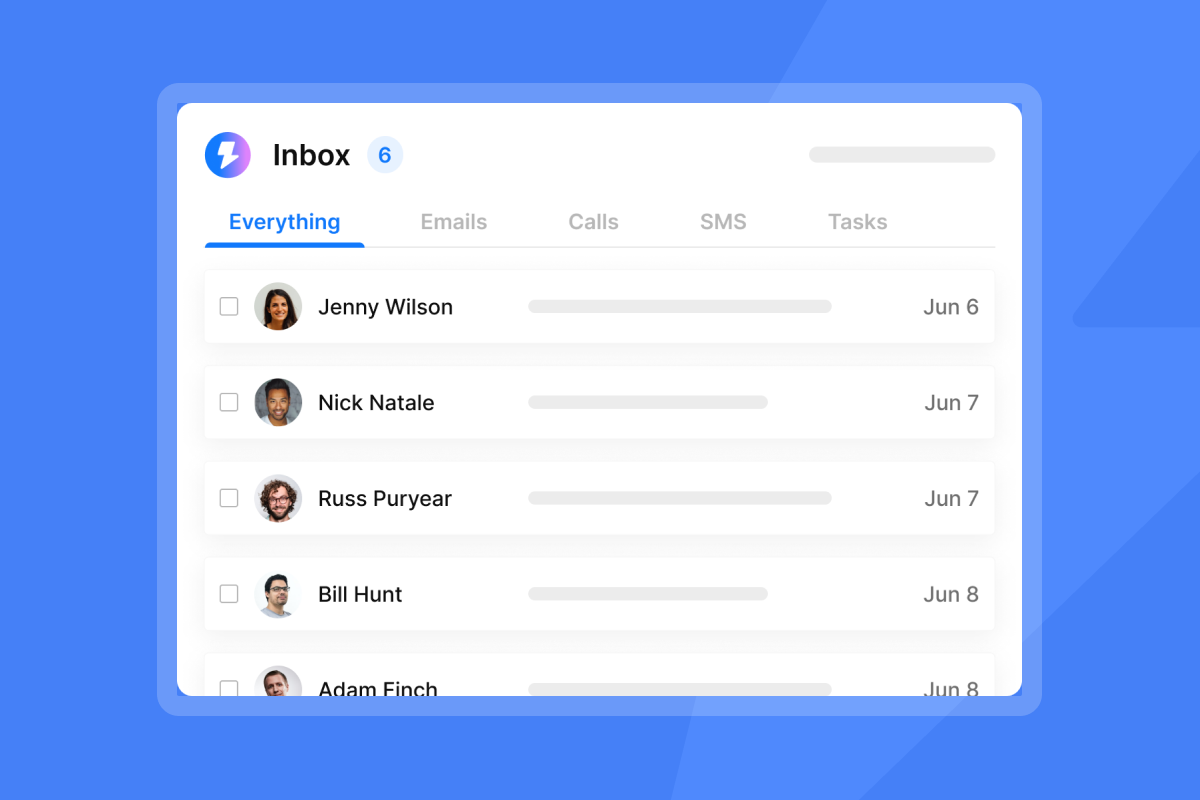
Our Unibox consolidates replies from all sending accounts into one classified inbox, so your team can triage responses by category (Interested, Not Interested, Out of Office, Referral) without switching between accounts.
"I run outreach campaigns targeting HR leaders across the Gulf and Europe, and Instantly.ai is the backbone of my operation. Emails land in inboxes, not spam... Clean analytics, open rates, replies, bounces, all in one view." - Salam Karam on Trustpilot
Build a cost-per-meeting calculation for each ICP segment to prove ROI at the data layer, not just the campaign layer. The formula includes total list cost, sending platform cost, SDR labor, benefits, and management time, divided by meetings booked. If one ICP tier generates meetings at a significantly lower cost than another, the answer is to reallocate volume, not to improve copy.
Identify stale B2B email lists
Warning signs that a list is fatiguing or decaying mid-campaign:
- Reply rates dropping below your established segment benchmark
- Hard bounce rate creeping from 0.5% toward 1%
- Unsubscribe volume spiking relative to send volume
- Open rate declining week over week with no copy changes (note: open rate reliability is limited, as covered in our email open tracking guide)
When two or more of these signals appear simultaneously, pause the campaign, pull the remaining contacts, re-verify the list, and enrich any records with missing fields before reactivating.
Build your verified list with Instantly
You build a verified B2B email list through a system with measurable checkpoints, not a spreadsheet exercise. The difference between teams that hit plan consistently and teams that struggle to fill pipeline is almost always traceable to data quality decisions made upstream of the campaign launch.
Start your free trial of Instantly to access SuperSearch, search 450M+ verified B2B leads with combined firmographic and technographic filters, and launch your first warmed campaign without per-seat pricing or disconnected tools.
"Instantly is easily the most user-friendly and effective for scaling outreach. Being able to connect as many inboxes as you need without a per-user fee is a game-changer. And the Unibox makes managing all those accounts effortless." - Alla L. on G2
FAQs
How long does it take to ramp a new domain for B2B list outreach?
Allow a minimum of 30 days for warmup before sending any cold outreach from a new domain, ramping sends gradually and monitoring domain health at each stage. Keep cold sends capped at 30 per inbox per day once the warmup period completes.
What is the target bounce rate for a cold email campaign?
Target below 1% for cold outreach on verified lists and pause the campaign immediately if hard bounces exceed 2%. Re-verify the remaining list and restart at a reduced daily send cap before resuming.
Does B2B cold email require consent under GDPR?
GDPR permits B2B cold email under Legitimate Interest (Article 6(1)(f)) without prior consent, provided the outreach is relevant to the recipient's professional role and includes a clear opt-out. Document your Legitimate Interest Assessment before launching any cross-border EU campaign.
How often should a B2B email list be re-verified?
Re-verify any list older than 90 days before using it in a campaign, and build a quarterly re-verification cycle into your RevOps calendar. Professional email addresses decay at approximately 22.5-37% annually, so a list clean 12 months ago carries significant degradation risk.
What is the maximum send volume per inbox during warmup?
There is no hard cap on list size, but the pacing limit of 30 emails per inbox per day is the binding constraint during warmup. To reach larger contact volumes, use multiple fully warmed inboxes running in parallel across two or more sending domains.
Key terms glossary
Data-as-a-Service (DaaS): A model where company and contact information is delivered on demand via API or platform access, replacing manual data collection. DaaS providers continuously refresh records to reduce decay.
Sales intelligence: Technology that gathers and analyzes data about prospects and customers to help sales teams identify, monitor, and prioritize outreach based on firmographic, technographic, and behavioral signals.
Technographics: Data that describes the specific software tools and platforms a company actively uses, such as their CRM, marketing automation system, or cloud infrastructure. Technographic targeting improves ICP precision by filtering for companies that would directly benefit from your product's integrations.
Catch-all emails: A domain configuration that accepts all inbound email regardless of whether the specific mailbox exists, meaning syntax and domain checks pass but SMTP verification cannot confirm delivery. Treat catch-all addresses as risky and test with small send volumes before scaling.
Merge purge: The process of identifying and removing duplicate records when combining two or more contact lists, typically run before any multi-source list is imported into a campaign or CRM. Failure to merge purge results in a single prospect receiving the same email multiple times from different reps.


