.svg)
%20(1).svg)


Updated May 15, 2026
TL;DR
Manual methods work for targeted, one-off outreach, but scaling to hundreds of accounts requires automated waterfall enrichment across multiple data providers. Verification is non-negotiable: bounce rates above 2% trigger ISP throttling, and above 5% risk blacklisting your domain. Deliverability is a system-sourcing must be paired with domain warmup, pacing under 30 emails per inbox per day, and continuous health monitoring. Instantly.ai combines a 450M+ contact database, built-in verification, and a 4.2M+ account warmup network to keep your sender reputation clean across unlimited sending accounts on a flat fee.
Most people running cold outreach obsess over email copy while ignoring the hours spent manually guessing executive email formats. Whether you're an SDR, a founder prospecting solo, or an agency running campaigns for multiple clients, high bounce rates from unverified CEO emails can destroy domain reputation quickly. Once you're blacklisted, every campaign that follows pays the price.
Finding a CEO email address is only half the work. You must also verify the data and protect your sending infrastructure, or your outreach will land in spam. This guide covers the exact systems to source, verify, and safely contact c-suite executives at scale without blowing up your domain health.
Why verified CEO emails matter for B2B sales
Sales intelligence means collecting, verifying, and using accurate contact and company data to improve your targeting and conversion rates. For sales leaders managing SDR teams, data quality directly determines whether reps book meetings or spend the quarter chasing bad addresses.
CEOs and c-suite decision-makers guard their inboxes carefully, change roles more often than mid-level contacts, and receive far more outreach. That combination makes stale data especially dangerous at this contact tier. When you use verified contacts, you run fewer wasted sequences, handle fewer support escalations, and present cleaner pipeline numbers in CFO reviews.
Drive more executive meetings
Accurate CEO contact data reduces the touchpoints required to book a meeting and cuts your cost per meeting directly. When a rep spends two hours hunting for an email address that turns out to be wrong, that time disappears from their quota-carrying activity. According to Instantly's B2B email list pricing analysis, the true cost of bad data includes not just the bounce itself but the downstream effect on sender reputation and the cost of rebuilding it.
Deliverability risks of unverified contacts
When bounce rates cross 2%, ISPs may start throttling your delivery. If a rate climbs above 5%, you risk blacklisting. Hard bounces carry more weight than soft bounces in ISP scoring algorithms, so a single bulk send to an unverified CEO list can cause damage that takes weeks to repair. The practical consequence is missed monthly targets.
Preventing domain blacklisting
Deliverability operates across three layers: data quality, warmup, and pacing. Clean data prevents bounces. Warmup builds your domain's trust history with inbox providers. Pacing keeps your daily volume within the range that email providers learn to expect. Skipping any one layer puts the entire system at risk. Instantly's email deliverability guide for sequences covers how each layer interacts and what to monitor when signals degrade.
Manual research methods for finding CEO emails
Use manual sourcing for high-value, targeted accounts where you can invest research time in a single prospect. Manual methods work best when you're building relationships with a small number of strategic contacts and need to understand each executive's context deeply before reaching out. These approaches do not scale to lists of hundreds or thousands because the research overhead compounds quickly. The table below summarizes the trade-offs between different manual methods, showing where each approach delivers the best accuracy-to-effort ratio.
Method | Best for | Time cost | Accuracy risk |
|---|---|---|---|
Company website | Individual reps and small teams | Medium | Medium |
Companies with active profiles | Medium | Low | |
Press releases | Enterprise, public cos | Medium | Low |
Email format guessing | SMB, no other data | High | High |
SEC/WHOIS filings | US public companies | Not benchmarked | Not benchmarked |
Direct CEO emails from company sites
Start with the company's About Us and Team pages. Startups frequently list the CEO's contact email on a Contact page since the CEO often handles the main business inbox at early stages. For larger companies, check Investor Relations sections, which often include executive contacts for media or analyst inquiries. Note that leadership pages typically confirm names and titles but rarely display direct email addresses, so treat any address you do find as a starting point for verification rather than a ready-to-send contact. Always run addresses through a verification step before adding them to a sequence.
Extracting CEO emails from LinkedIn
LinkedIn is one of the most reliable manual sources because executives add their own contact details. Check the "Contact Info" tab on a CEO's profile. If the email isn't public, look for shared connections who can make an introduction or check whether the CEO has posted their address in recent articles. Do not use third-party browser scrapers that violate LinkedIn's terms of service, as they create compliance risk for your brand. Watch the Instantly inbox setup tutorial to transition manually sourced contacts into a structured sequence.
Find CEO emails in press releases
Press releases distributed through PR newswires include a contact section at the bottom. This section often lists either the CEO's direct email or the contact address for their communications team. For smaller companies, the CEO frequently handles press contact directly. Search the company name plus "press release" on Google News or PRNewswire and look for the most recent filing. These addresses tend to be active because the company is deliberately making them public.
Identifying company email formats
Most corporate emails follow standard naming patterns: first@company.com, first.last@company.com, or f.last@company.com. To confirm a pattern, find two or three employee addresses from LinkedIn or the company website and check which format they share, then apply it to the CEO's name. This method carries the highest bounce risk of any manual approach. Every address you generate this way must pass SMTP verification before it enters a live sequence, since a meaningful share of guesses will point to invalid mailboxes.
Public domain data for CEO emails
US public companies file annual reports and proxy statements with the SEC. The SEC EDGAR database makes these documents searchable and they sometimes include executive contact details, or at minimum confirm the correct name and title. For domain ownership data, WHOIS lookups can surface registrant contacts, though privacy proxies have reduced the usefulness of this source for EU-registered domains.
Best email finder tools for C-suite contacts
Automated tools query one or more databases to return a verified email address for a named contact, typically in seconds. The right choice depends on your required match rate, budget model, and whether the tool connects to your sending infrastructure. Single-provider tools deliver results for 40-60% of a standard B2B contact list, while waterfall enrichment systems that query multiple databases in sequence push match rates to 80% or higher. The table below compares the leading email finder platforms for C-suite prospecting, showing how each handles verification, pricing, and integration with sending infrastructure.
Tool | Best for | Pricing model | Verification included |
|---|---|---|---|
Hunter.io | Domain-level search, API use | Credit-based, from $49/mo | Yes |
Apollo.io | High-volume prospecting | Per-seat model | Yes, with sequencing |
RocketReach | One-time executive contact list builds | Per-user, credit-based | Claims 90-98% on verified |
Snov.io | SMB list building | Credit-based | Yes, multi-step |
Instantly Lead Finder | Integrated source and send | Credit-based, flat platform fee | Yes, waterfall enrichment |
Hunter.io: domain-level email pattern discovery
Hunter.io provides instant email pattern discovery across 150M+ professional email addresses. It works well for confirming email formats for a specific company domain and then applying them to executive names. Coverage drops for smaller or newer companies because it relies on publicly indexed data. The tool offers a solid starting point for targeted searches, but single-source coverage gaps mean you'll still need waterfall enrichment for high match rates at scale. See Instantly's Hunter.io alternatives analysis for a full comparison.
Apollo.io for high-volume CEO lists
Apollo gives you access to a 230M+ contact database and 30M+ companies, with email sequencing included in the same platform. The primary constraint is the per-seat pricing model, which compounds costs as your SDR team grows. When you need to connect multiple reps to a shared database and sending infrastructure, the seat-based model creates a cost ceiling that doesn't map to value creation at scale.
RocketReach for C-suite email addresses
RocketReach claims a database of 700M+ profiles across email, phone, and social, with high deliverability rates on verified addresses. It runs on a per-user, credit-based model with pricing tiers ranging from individual to team plans. It works best for building a one-time executive contact list rather than running an ongoing prospecting motion, and the per-user structure adds friction as your team scales.
How Snov.io verifies C-suite emails
Snov.io uses a multi-step verification process covering email format, domain MX records, and SMTP response before returning a result. It works well for SMB teams running lower-volume outreach. The tool includes native sending infrastructure, though its automation features are less comprehensive than platforms built specifically for high-volume cold email campaigns.
Cost vs. accuracy for CEO emails
The cheapest data source is rarely the most cost-effective. Real-world accuracy across email verification tools consistently falls short of the 97-99% figures most vendors advertise. That accuracy gap translates directly into bounce rate risk.
Waterfall enrichment closes this gap by querying multiple providers in sequence. If the first provider returns no result, the next attempts the same lookup. This continues until a verified match is found or all providers are exhausted. Instantly's waterfall enrichment explainer shows how single-source tools return results for only 40-60% of a standard B2B contact list. Waterfall enrichment pushes that match rate to 80% or above.

Step-by-step workflow for finding CEO emails at scale
This is the repeatable system your reps can follow without creating domain risk. Each step builds on the one before it.
Step 1: source your prospect company list
Start with your ideal customer profile filters: industry, employee count, revenue range, and technology stack. Add intent signals where available, such as hiring activity, recent funding, or product category searches, to prioritize companies that are actively buying. Instantly's guide to personalizing cold emails covers how to build this targeting layer before you touch any contact data.
Step 2: identify optimal CEO prospects
Filter your target account list by job title ("CEO," "Chief Executive Officer," "Founder") and seniority level. For companies under 50 employees, the CEO is often the direct buyer. For companies between 50 and 200 employees, confirm whether the CEO delegates purchasing decisions to a VP or Head of Sales before investing outreach budget at the top of the org chart.
Step 3: automate executive email discovery
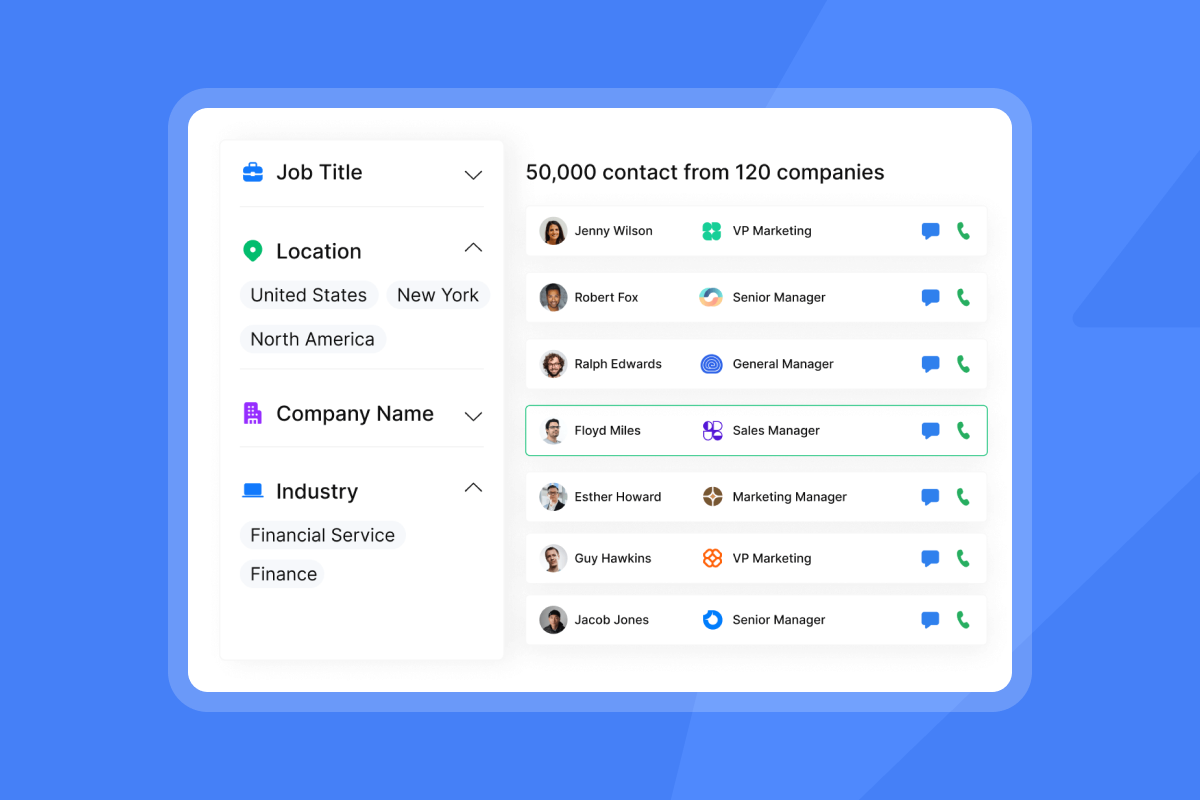
With your target list confirmed, run bulk enrichment using waterfall enrichment, which queries multiple data providers in sequence to maximize match rates and minimize gaps from any single source. Lead Finder's CEO email discovery tool applies this across 5+ providers so you capture executives whose addresses aren't indexed by any single database.
Step 4: validate CEO emails for inbox
Real-time verification runs three checks before any address enters a sequence: syntax validation, domain and MX (Mail Exchange) validation, and Simple Mail Transfer Protocol (SMTP) verification. Addresses that fail any check get removed. This keeps your bounce rate below the 2% threshold where ISP throttling begins, the standard benchmark across major email providers. Catch-all domains (where the server accepts all incoming mail regardless of whether the mailbox exists) require extra caution. Segment them into a separate lower-volume campaign and monitor bounce rates closely since SMTP verification cannot confirm whether an individual mailbox is active on these domains.
Step 5: boost outreach data for personalization
Verified contact data is the floor, not the ceiling. AI enrichment layers company news, recent activity, technology stack data, and trigger events on top of a verified address to give reps the personalization hooks they need for a compelling first line. Instantly Copilot assists with sequence creation, research summaries, and campaign analytics so reps spend their time on conversations rather than data formatting.
Systematic email verification for deliverability
Every verified address passes through three distinct technical checks. Each one catches a different category of bad data.
Prevent invalid email formats
Syntax validation confirms the address structure is correct: a local part, an at-sign, and a domain. Addresses with double dots, missing symbols, or invalid characters fail this check and cause preventable bounces when reps manually enter data into a CRM. This check catches the most obvious errors before any network request is made.
Verify domain existence and MX
Domain and MX validation confirms that the domain exists and has active mail exchange records pointing to a mail server. An address can pass syntax validation and still bounce if the domain has expired or the company has changed its email infrastructure after an acquisition or rebrand.
SMTP verification for deliverability
SMTP verification opens a connection to the receiving mail server and tests whether it will accept delivery for the specific address without sending a message. This catches inactive mailboxes that pass domain checks. Note that SMTP verification cannot reliably confirm active mailboxes on catch-all domains, which return an acceptance signal for any address regardless of whether the individual inbox exists. Those addresses require separate treatment as described in Step 4.
Safeguarding against catch-all bounces
Catch-all domains accept any incoming email regardless of whether the individual mailbox exists, which means an SMTP check returns "accept" even for inactive addresses. Segment catch-all addresses into a separate low-volume campaign and monitor bounce rates closely after the first batch of sends. Do not mix catch-all addresses into your primary high-volume campaign targeting CEO-level contacts.
Recommended CEO email verifiers
Instantly's verification process runs inside the platform before contacts move into an active campaign, keeping verification and sending within a single workflow. The Inbox Placement tests go further by sending test messages to a monitoring network and reporting whether your emails are landing in the primary inbox, promotions tab, or spam folder before you scale.
Auditing your domain health for key accounts
Sourcing and verifying CEO emails correctly is wasted work if the domain you're sending from has a damaged reputation. Domain health monitoring protects everything upstream.
Tracking bounce rates for inbox placement
Keep your bounce rate below 2% to maintain good standing with ISPs. Monitor bounce rates closely at the campaign level when starting any new campaign, and track overall rates over time to catch long-term deliverability trends. If bounces creep above 1%, pause the campaign, re-verify the affected segment, and resume at a lower daily cap.
Warmup sequences for new domains
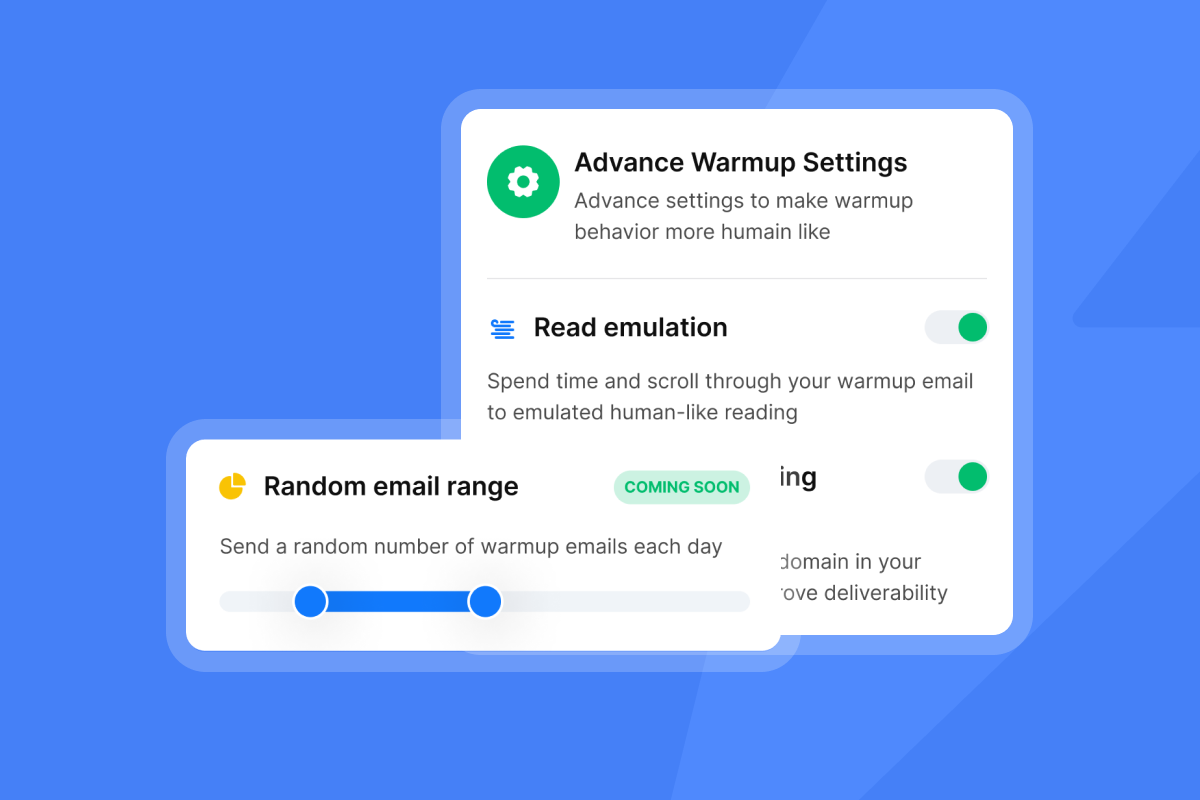
New sending domains need time to build a trust history with inbox providers. Start at 5 emails per day and increase by 5-10 per day over four to six weeks, staying at or below 30 emails per inbox per day even at full ramp. Instantly's deliverability network simulates real human engagement patterns during warmup, which builds domain reputation faster than sending to cold prospects alone. Watch Instantly's deliverability guide for the full warmup process and the specific metrics to track.
Strategic email pacing for deliverability
Erratic volume triggers spam filters. Sending 500 emails on Monday, nothing mid-week, and 1,000 on Friday looks like a spam burst to ISPs monitoring sending patterns. Set campaign-level daily limits that keep volume consistent and predictable. The secondary sending domains guide explains how to distribute volume across multiple domains and inboxes to stay within per-inbox limits while hitting your overall outreach targets.
Checking your domain for blacklists
Monitor your sending domains against major blacklists using tools like MXToolbox. Set up alerts so you are notified when a listing is detected, typically within hours depending on the monitoring interval configured. Confirm that your domains have valid Sender Policy Framework (SPF), DomainKeys Identified Mail (DKIM), and Domain-based Message Authentication, Reporting and Conformance (DMARC) records configured before you send the first email from any new domain. The automated Inbox Placement tests run checks against real inbox providers and flag placement issues before they compound into blacklist incidents.
Complying with privacy laws for executives
CEO email addresses are personal data under most privacy frameworks. Collecting and using them without a lawful basis creates legal and reputational risk, particularly for teams targeting EU companies.
Key compliance rules for B2B outreach
CAN-SPAM (US): US law permits opt-out cold email provided you include a working unsubscribe mechanism, your physical business address, and an honest subject line. Penalties reach $53,088 per email for deliberate violations.
GDPR (EU): GDPR requires a lawful basis before you process a CEO's contact data. For B2B cold outreach, Legitimate Interest is the most commonly used basis when outreach is targeted and relevant to the recipient's professional role, but it requires a documented balancing test. Fines reach up to 20M euros or 4% of global annual revenue. Note that the EU's ePrivacy Directive also applies to electronic communications alongside GDPR, so your compliance posture should address both frameworks. Instantly's email tracking compliance guide covers the practical steps for building a compliant outreach workflow across both regimes.
Outreach safety: consent vs. legitimate interest
Legitimate Interest allows B2B cold email without prior consent if your outreach is targeted, relevant to the recipient's professional role, and includes a clear opt-out. It must be documented and applied consistently across your contact list. Consent, by contrast, requires the recipient to actively opt in before you send. For most B2B CEO outreach that fits a well-defined ICP, Legitimate Interest is the standard legal basis, but confirming the basis with your legal team before scaling EU campaigns is the right step.
Understanding your email data lineage
Knowing where your contact data comes from protects your brand if a prospect or regulator asks. Data lineage means you can trace each address back to its source: which provider supplied it and what legal basis applies. Platforms that aggregate data without transparency on sourcing create compliance exposure you cannot audit. Instantly publishes a Data Processing Agreement that gives compliance-sensitive buyers the documentation trail they need.
Next steps: building your verified CEO contact system
Apply this workflow immediately to reduce wasted outreach effort and protect your domain reputation:
- Source your target accounts using ICP filters and intent signals before touching contact data.
- Run waterfall enrichment to maximize match rates across multiple provider databases.
- Verify every address through syntax, MX, and SMTP checks before adding to sequences.
- Warm new domains for 30 days, ramping from 5 to 30 emails per inbox per day.
- Monitor bounce rates continuously and pause any campaign that crosses 1% bounces.
- Document your data lineage so you can answer compliance questions when they arrive.
Each step protects the one after it. Skip verification and your warmup effort is wasted. Skip warmup and verified contacts still land in spam.
Start building your CEO outreach system
Finding verified CEO email addresses at scale is a three-part system: source with waterfall enrichment for 80%+ match rates, verify with syntax, MX, and SMTP checks to stay below 1% bounces, and protect your domain with warmup and consistent pacing. Treating these as separate tools creates the gaps where deliverability problems hide.
Instantly puts all three layers in one place. Lead Finder gives you 450M+ B2B leads with waterfall enrichment across 5+ providers and built-in verification. A deliverability network with 4.2M+ warmup accounts keeps your sender reputation clean across unlimited sending inboxes. One flat fee. No per-seat penalties as your team grows.
"Being able to connect as many inboxes as you need without a per-user fee is a game-changer. And the Unibox makes managing all those accounts effortless." - Alla L. on G2
Start your free Instantly trial and use Lead Finder to build your first list of verified CEO contacts today.
FAQs
What accuracy rates do email finder tools achieve?
Real-world accuracy across email verification tools consistently falls short of the 97-99% figures most vendors advertise. Tools can achieve higher accuracy on addresses they confidently classify, but catch-all domains and greylisted servers return an "unknown" result rather than a clear pass or fail, which limits the definitive accuracy rate in practice.
What is the benchmark bounce rate for cold email?
Keep your bounce rate below 2% to avoid ISP throttling, the standard benchmark across major email providers. Rates above 5% risk domain blacklisting.
Run every address through three verification steps before it enters a sequence: syntax validation, domain and MX validation, and SMTP verification. Segment catch-all domains into a separate low-volume campaign and monitor bounce rates closely. Use Inbox Placement tests to confirm your domain is landing in the primary inbox before you scale volume.
How do I source executive contacts at SMBs?
For companies under 50 employees, check the company's About Us and Contact pages first since founders often list their email directly, then run the name through a waterfall enrichment tool like Lead Finder to cross-reference against multiple provider databases. For companies between 50 and 200 employees, confirm the CEO is the actual buyer before investing outreach budget at the top of the org chart.
Should I use personal emails for executive outreach?
Stick to verified corporate email addresses for B2B cold outreach. While personal inboxes may seem more accessible, corporate email systems are better suited for professional communication and typically have more predictable filtering patterns. Under the EU's ePrivacy Directive, personal communications channels carry additional compliance considerations that go beyond the Legitimate Interest basis commonly used for corporate B2B outreach, making corporate addresses the safer and more deliverable choice.
Key terms glossary
Blacklist: A list maintained by ISPs and spam-monitoring organizations that flags domains or IP addresses with poor sending behavior. Emails sent from blacklisted domains are blocked or routed to spam automatically.
Bounce rate: The percentage of sent emails that fail to deliver. Hard bounces result from permanent failures such as an invalid address. Soft bounces result from temporary failures such as a full inbox. ISPs use bounce rate as a signal of list quality and sender trustworthiness.
Catch-all domain: A domain configured to accept all incoming email regardless of whether the individual mailbox exists. SMTP verification returns an "accept" signal for every address on a catch-all domain, making it impossible to confirm whether a specific mailbox is active.
DKIM (DomainKeys Identified Mail): An email authentication method that attaches a cryptographic signature to outgoing messages. Receiving mail servers use the signature to verify the message was sent by an authorized source and has not been altered in transit.
DMARC (Domain-based Message Authentication, Reporting and Conformance): A policy framework that tells receiving mail servers how to handle messages that fail SPF or DKIM checks. DMARC also sends reports back to the domain owner so you can monitor authentication failures.
Data lineage: The documented trail that shows where each contact record originated, which provider supplied it, and what legal basis applies to its use. Data lineage lets you answer compliance questions from prospects or regulators.
Domain warmup: The process of gradually increasing daily send volume on a new or dormant sending domain to build a trust history with inbox providers before scaling to full throughput.
Hard bounce: A permanent delivery failure caused by an invalid address, a non-existent domain, or a receiving server that has blocked your domain. Hard bounces carry more weight than soft bounces in ISP scoring algorithms.
Inbox placement: The folder where a delivered email actually lands: primary inbox, promotions tab, or spam. An email that delivers but lands in spam is functionally undelivered for outreach purposes.
ISP throttling: A rate-limiting action by an internet service provider that slows or limits delivery of your emails when your sending patterns or bounce rates trigger their spam-detection filters.
Legitimate Interest: A lawful basis under GDPR that allows B2B cold email without prior consent, provided the outreach is targeted, relevant to the recipient's professional role, includes a clear opt-out, and is supported by a documented balancing test.
MX record (Mail Exchange record): A DNS record that specifies which mail server is responsible for accepting incoming email for a domain. MX validation confirms the domain has an active mail server before an address is added to a sequence.
Sender reputation: A score assigned to your sending domain and IP address by ISPs based on signals including bounce rate, spam complaints, unsubscribe rate, and engagement patterns. A low sender reputation leads to throttling or blacklisting.
SMTP verification: A technical check that opens a connection to the receiving mail server and tests whether it will accept delivery for a specific address, without sending an actual message. SMTP verification catches inactive mailboxes that pass syntax and MX checks.
SPF (Sender Policy Framework): A DNS record that lists the IP addresses and mail servers authorized to send email on behalf of your domain. Receiving servers check SPF records to detect spoofed or unauthorized senders.
Syntax validation: The first step in email verification, which checks that an address is correctly structured: a local part, an at-sign, and a valid domain. Addresses with missing symbols, double dots, or invalid characters fail this check before any network request is made.
Waterfall enrichment: A data sourcing method that queries multiple contact data providers in sequence. If the first provider returns no result, the next attempts the same lookup. This continues until a verified match is found or all providers are exhausted, pushing match rates from the 40-60% typical of single-source tools to 80% or above.
Read next
- Cold Email Subject Lines That Get CEO Replies: How to write subject lines that cut through a crowded executive inbox and drive replies from the contacts you actually want to reach.
- How to Build a Verified B2B Email List for Cold Outreach: The Complete Playbook: A step-by-step system for sourcing, verifying, and maintaining a contact list that keeps bounce rates low and sender reputation clean.
- What’s a Good Cold Email Reply Rate? Instantly’s Benchmarks: Real benchmarks across industries so you can measure whether your sequences are performing, and know exactly what to fix when they are not.



