.svg)
%20(1).svg)


Updated May 15, 2026
TL;DR
Enterprise deals require sign-off from multiple stakeholders across finance, IT, and operations. To close them consistently, map the entire Decision-Making Unit (DMU), engage economic buyers, technical influencers, and champions with role-specific messages, and use clean verified contact data to protect your sender reputation. Multi-threaded outreach dramatically improves win rates compared to single-contact deals. The infrastructure to execute this at scale requires unlimited sending accounts, built-in deliverability protection backed by a 4.2m+ account network, and a verified B2B lead database.
According to Gartner, a typical B2B buying group involves 6 to 10 decision-makers, each arriving with 4 to 5 pieces of independent research. Reaching a single contact and waiting for a response is one of the most common reasons enterprise pipeline stalls. This guide gives you a complete system to map your full buying committee, identify each stakeholder's role, and execute multi-threaded outreach at scale, without burning your domains or exceeding your budget.
Identifying your enterprise buying team
Enterprise deals are consensus decisions. Relying on one contact as your gateway to a closed deal exposes your entire pipeline to a single point of failure. Understanding the full buying committee before you send a single email is how you build a campaign that survives organizational changes and internal politics.
Who sits on the buying committee?
Enterprise purchases involve multiple distinct functional roles across departments. Each role has a different focus, a different concern, and a different message that earns their attention. The five core buying committee roles are:
Role | Primary focus | Identification signal | Outreach angle |
|---|---|---|---|
Economic Buyer | Budget allocation and ROI | VP, C-suite, or Director with P&L responsibility | Revenue impact, cost reduction, risk |
Technical Buyer | Specs, integrations, and security | IT, InfoSec, Engineering, or RevOps titles | Implementation, compatibility, compliance |
User Buyer | Day-to-day usability | Team managers who will use the tool daily | Time saved, ease of use, workflow fit |
Champion | Internal advocacy | Mid-level contact with cross-functional influence | Arm with business case materials and ROI data |
Blocker | Risk and compliance | Finance, Legal, IT Security, or skeptical budget holder | Risk mitigation, compliance posture, failure scenarios |
Blockers are often under-engaged in enterprise outreach. Make sure your sequence reaches this person directly, because blocker objections around risk, compliance, and budget are among the most common causes of late-stage deal stalls alongside legal reviews, procurement, and security assessments.
Identifying economic & technical buyers and activating allies
The economic buyer controls the budget. They're typically a VP, Director, or C-suite leader with profit-and-loss accountability. Look for project or initiative ownership, not just seniority. Press releases that name executives leading strategic programs and job postings listing budget responsibility both signal true authority.
The technical buyer evaluates fit against specifications. They care about integrations, security posture, and compliance. Title alone does not confirm authority. A "Manager of Revenue Operations" may carry more technical weight than a "Director of IT" depending on company structure.
Champions are your internal advocates. Identify them by looking for contacts who engage quickly, ask specific implementation questions, or share information proactively. Once you find them, give them what they need to build the case internally: ROI summaries, case studies, and competitive comparisons specific to their company's situation.
De-risk enterprise sales with multi-threading
Single-threaded enterprise deals are structurally fragile. Multi-threading is the recommended approach for deals above $50,000 in annual contract value, where Gong research shows it boosts win rates by 130%.
Avoid single-contact pipeline risks
When your champion leaves or changes roles, your single-threaded deal resets to zero. This happens more often than most sales teams plan for, because B2B tech roles turn over regularly and a six-month enterprise sales cycle carries real risk of a contact change mid-cycle. Deals that stall often share one common trait: the sales team built a relationship with one person and stopped there.
Research shows that deals that close successfully have far more buyer contacts than those that do not. Won deals in the $50,000 to $250,000 range typically include at least 10 stakeholders. Contact coverage is one of the strongest predictors of close rates.
Why enterprise deals need consensus
Modern enterprise purchases require agreement across Finance, IT, Operations, and often Legal before a contract gets signed. Research from Forrester shows the average B2B purchase involves 13 internal stakeholders plus 9 external participants, including analysts, consultants, and implementation partners. Internal misalignment causes a large share of enterprise deal stalls. Parallel stakeholder engagement fixes this. Multi-threaded outreach helps ensure your message reaches the right people at the right time.
Reaching Finance and IT in parallel, rather than waiting for one to respond before contacting the other, can help accelerate internal alignment and reduce the time deals spend stalled waiting on sequential approvals.
Find decision-makers: enterprise org chart method
Mapping an org chart before you build a list separates accounts you can win from accounts where you waste three months.
Mapping org charts with LinkedIn Sales Nav
Use LinkedIn Sales Navigator's account view to see recent hires, mutual connections, and growing departments. Search for VP and C-suite titles in the function relevant to your solution, then filter down to Directors and Managers who report upward to those executives. Save each relevant profile to a list organized by buying role before you start outreach.
Analyzing public filings for key roles
For publicly traded targets, 10-K annual reports and earnings call transcripts reveal strategic priorities and the leaders driving them. The MD&A section covers financial results, liquidity, and results of operations, which can surface the business challenges and performance gaps a solution like yours addresses. Earnings calls often feature direct C-suite quotes about strategic priorities for the year. If a CFO discusses investing heavily in operational automation, find the VP of Operations and VP of IT at that company.
Mapping accounts to find key players
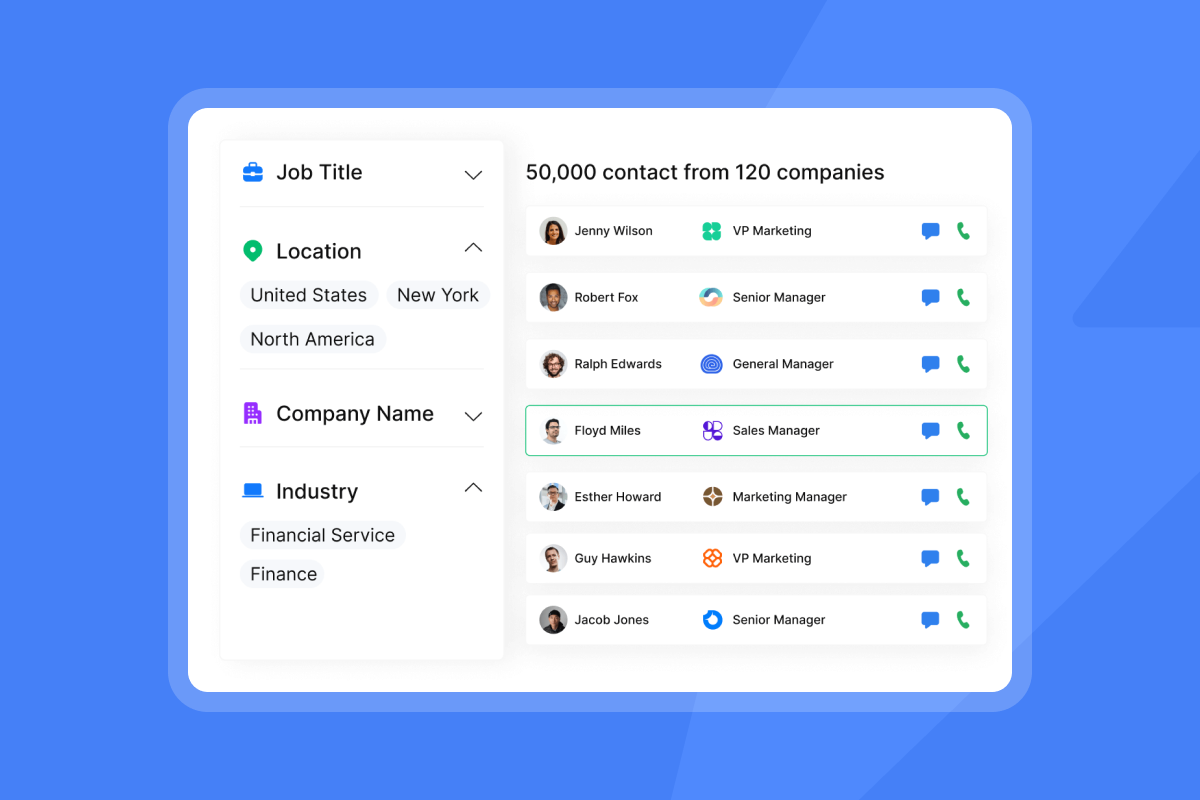
Beyond decision-makers, identify the influencers and gatekeepers who support them. Chief of Staff roles manage information flow to their principal and can shape which vendors get access to the executive's calendar. Procurement professionals typically lead vendor evaluation, with project managers and cross-functional team members supporting the process. Knowing these contacts exist helps you avoid misfires. The Instantly.ai Lead Finder database lets you filter by department and seniority across 450M+ B2B contacts, which cuts this mapping step from hours to minutes.
Mapping org chart reporting paths
You can deduce reporting lines from title progression and tenure data, though these signals are not definitive. Use LinkedIn connection overlap as a loose signal for organizational proximity: shared connections within the same company can suggest team or functional overlap, but connections exist across departments and hierarchies, so treat this as one data point rather than a reliable indicator of reporting structure. In matrix-structured organizations, budget authority is often shared across functional and geographic lines, so it is worth confirming whether a single budget owner exists or whether approval requires sign-off from multiple stakeholders.
How to identify key decision-makers
Job titles are a starting point, not a conclusion. Authority depends on span of control, actual decision-making responsibility, and role scope, not seniority alone. A contact with "Director" in their title might have zero budget authority, while a Senior Manager who owns the product roadmap controls the spending.
Qualifying decision-makers with BANT
Use the BANT framework to verify authority before you invest in a full sequence. For each account contact, ask:
- Budget: Does this person own a cost center or control discretionary spend?
- Authority: Can they approve a purchase at your deal size without committee escalation?
- Need: Is there evidence they experience the problem your solution solves?
- Timeline: Is there a trigger event driving urgency, such as a new hire, budget cycle, or tool renewal?
Email replies that mention needing to loop in Finance or IT directly identify additional stakeholders who should be added to your contact map. Verify their names and roles through direct conversation, then add them to your sequence.
Identify decision-makers by budget
Budget signals are visible if you know where to look:
- Job postings that mention financial oversight or budget ownership in the requirements
- LinkedIn activity where a senior contact has recently joined a company is one of the highest-intent signals available, as new hires often evaluate their current stack within the first 60 to 90 days of starting a role
- Press releases naming executives tied to a new initiative are worth investigating, as they can help you identify who is publicly accountable for a strategic program, though budget authority requires separate verification
- Earnings call language where C-suite names specific spend categories and the leaders responsible
A contact who posts publicly about evaluating tools in your category signals both authority and active intent.
Mapping decision-maker titles by dept
Different departments carry authority in different ways:
- IT and InfoSec: CTO, VP of IT, Director of IT Security, VP of Engineering
- Marketing: CMO, VP of Demand Generation, Director of Marketing Ops, Head of RevOps
- Sales: CRO, VP of Sales, Head of Sales Development, Director of Revenue Operations
- Finance: CFO, VP of Finance, Director of FP&A for larger budget approvals
- HR and People: CHRO, VP of People, Director of Talent Acquisition for HR tech
Title inflation is common in enterprise. A "Manager" at a 5,000-person company may control a larger budget than a "VP" at a 50-person firm. Always cross-reference title against company size and department headcount.
Tracking decision-maker transitions
Executives new to a role often use early tenure to review existing tools and workflows. Contract renewal cycles and routine vendor reviews are natural points where incumbents get reassessed, making new role arrivals a high-priority trigger for outreach. Tracking job changes using LinkedIn alerts or a B2B data tool is one of the highest-converting trigger events in enterprise prospecting. Set up saved searches in Sales Navigator using the "Changed Jobs" filter for target titles in your ICP. When a VP of IT joins a company that fits your profile, that account becomes a top priority immediately.

Streamlining contact discovery for key accounts
Manual research works for a handful of accounts. Running a multi-threaded campaign across 20 enterprise accounts simultaneously requires a repeatable system.
Finding decision-maker contacts and intent signals
Manual research works for a handful of accounts but becomes impractical when running a multi-threaded campaign across 20 enterprise accounts simultaneously. B2B data platforms solve this by providing pre-verified contact information with direct emails and enriched account data. Here is how the approaches compare:
Method | Time per account | Accuracy | Cost |
|---|---|---|---|
Manual research | 2+ hours | Varies widely | Free but high labor cost |
Single-source B2B database | Varies | 50-62% match rate on average | $0.03 to $5+ per contact |
Instantly Lead Finder (waterfall enrichment) | Fast filtering across 450M+ contacts | Waterfall across 5+ providers for higher verification rates | Credits-based from $9/month |
Single-source B2B databases routinely fall short of vendor accuracy claims in practice. Multi-source waterfall enrichment platforms, which verify contacts across multiple providers before confirming an email as valid, achieve far higher match rates. As the B2B email list pricing guide explains, the true cost calculation is cost per verified contact multiplied by the contacts you need to hit your meeting target, not just the sticker price.
Intent data adds another layer by showing which companies are actively researching solutions in your category right now. Combining intent signals with your ICP filters reduces your list to accounts that are both a good fit and actively in-market, which improves reply rates because your message arrives when the problem is front of mind.
Mapping tools for multi-threaded outreach
We built Lead Finder to filter by job title, department, seniority, company size, and location across 450M+ contacts, then push verified emails directly into a sending campaign. For a multi-threaded account list, the workflow is:
- Define your target account list against your Ideal Customer Profile (ICP) criteria (industry, headcount, revenue).
- For each account, build a contact list of 5 to 7 stakeholders covering the economic buyer, technical buyer, user buyer, champion, and blocker roles.
- Export each role group into a separate sequence with role-specific messaging.
- Run waterfall enrichment across 5+ providers to verify emails before they enter your campaign.
Boost deliverability with clean data
Unverified contacts cause hard bounces. Keep hard bounces below 2% of total sends. Going above that threshold signals poor list hygiene to mailbox providers and can trigger deliverability penalties. As the email deliverability guide explains, a persistently high bounce rate can put your domain on a blocklist and reduce inbox placement for every email you send from that domain, not just the bounced ones.
Building your multi-threaded outreach strategy
Building a contact list is 20% of the work. Getting the right message to the right stakeholder at the right time is the other 80%.
Mapping stakeholder outreach sequences and customizing messages by role
Stagger your sends across stakeholders so you do not create a noisy email blitz that alerts the entire account on the same day. Research shows that leading with executives too early can hurt win rates. Build relationships with champions first, then expand to the broader buying committee around the third touchpoint. According to Gong research, win rates drop approximately 6% when an executive is the first contact but rise approximately 5% when executives are introduced around the third touchpoint. Space follow-ups three to five days apart for each role.
A practical pattern: open with your champion contact using a problem-specific angle, then introduce the economic buyer and technical buyer around the third touchpoint, spaced three to five days apart, once internal advocacy is already forming.
Match your message to what each role cares about:
- Economic buyer: Lead with a measurable business outcome, such as cost per meeting, time-to-pipeline, or headcount efficiency. Be direct and specific. Close with one low-friction question.
- Technical buyer: Address the most common technical objection in your category upfront. Name which systems you connect to natively, reference your implementation timeline, and cite a customer in a similar tech stack. The cold email copywriting guide covers the full framework for high-reply sequences.
- Champion: Give them what they need to build the internal case. Reference the problem in their specific context and offer supporting materials they can share with Finance or IT.
For more multi-threaded outreach tactics and copywriting frameworks, see the cold email copywriting guide, email personalization strategies, and advanced follow-up sequences.
Controlling multi-threaded outreach timing
Send windows and pacing prevent account fatigue. Staggering contacts at the same company across multiple days keeps your outreach focused rather than appearing as a broad blast, which aligns with how high-performing sequences are structured. Cap daily sends per inbox at 30 emails for Google Workspace accounts, a deliberately conservative threshold that protects sender reputation, and spread account-level contacts across multiple days. For guidance on running A/Z tests across stakeholder-specific sequences, the subject line testing governance framework covers how to run variant tests without polluting your results with mixed audience data.
Gauging decision-maker response
When five people from the same account are in your sequences simultaneously, managing replies without a centralized inbox becomes chaotic. Instantly's Unibox centralizes all inbound replies across every sending account into a single view so you can see responses from the economic buyer, technical buyer, and champion in one place without logging into multiple inboxes.
"Being able to connect as many inboxes as you need without a per-user fee is a game-changer. And the Unibox makes managing all those accounts effortless." - Alla L. on G2
The AI Reply Agent handles initial reply classification and can respond in under 5 minutes in autopilot mode, or flag responses for human review in Human-in-the-Loop mode, keeping response times tight across a multi-stakeholder campaign.
Ensuring consistent enterprise campaign throughput
Volume without control destroys domain reputation. Every campaign your team runs needs governance, monitoring, and clear success metrics.
Optimize for primary inbox delivery
Three systems need to work together for consistent primary inbox placement.
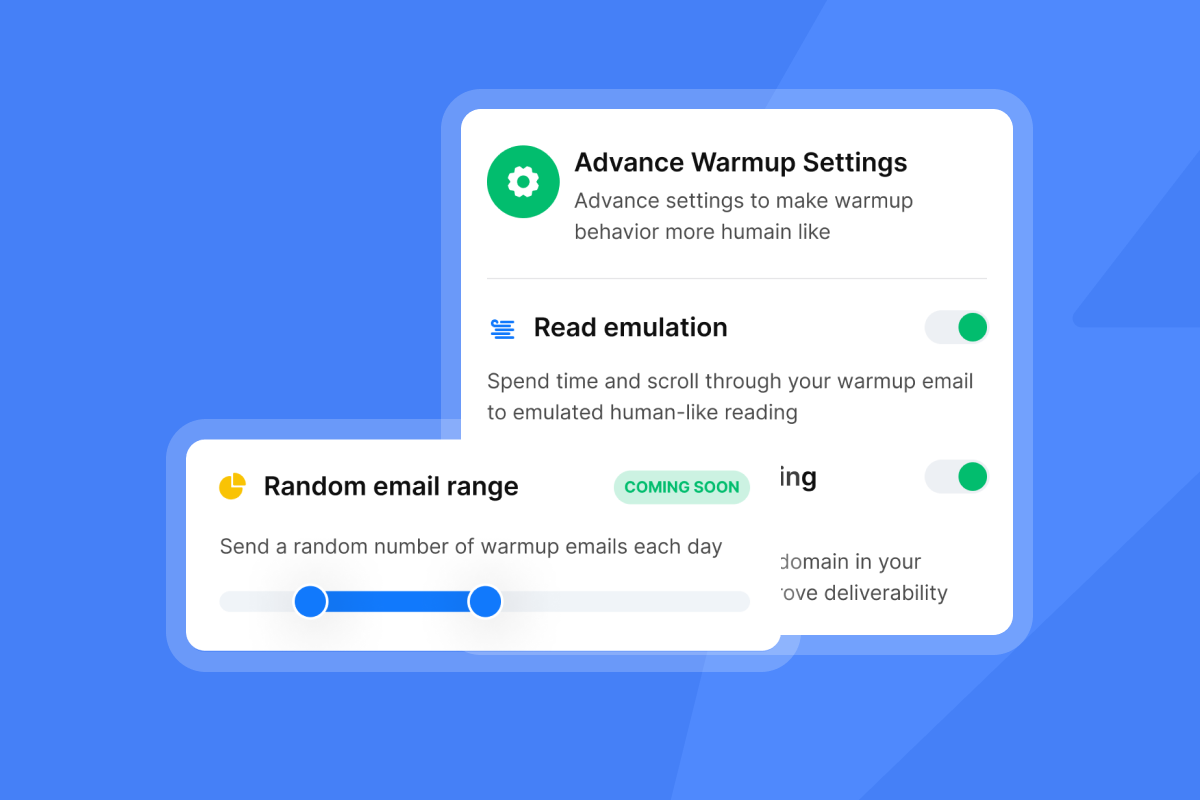
- Warmup: Every new sending domain needs 30 days of warmup before you push it to full send volume. Ramp daily sends from 5 to 15 to 30 per inbox over that period.
- Inbox placement testing: Instantly's automated Inbox Placement tests run scheduled checks and alert you when a domain starts drifting toward spam.
- SISR (Server and IP Sharding and Rotation): For high-volume senders, SISR on the Light Speed plan at $358/month assigns dedicated private IP pools to your sending infrastructure, which isolates your domain reputation from shared-IP risks.
"Its inbox warm-up, sending limits, and reputation management features ensure my emails land in the primary inbox rather than spam." - Steven M. on G2
Admin controls and CRM handoffs
Rogue reps using unsafe automations are a real deliverability risk. Standardize sequences across the team through campaign templates, global block lists, and send-rate caps. Instantly's email outreach plans include global block lists and reputation protection settings that apply account-wide. Pause any campaign automatically if hard bounces reach 2%. Consider using approved sequence templates that maintain consistency across your team.
Pre-approved sequence templates reduce governance risk because the structure and messaging have already been reviewed, and reps are only adjusting personalization variables within those boundaries.
For CRM handoffs, tag every contact with their role (economic buyer, technical buyer, champion) and sync engagement status automatically. We connect natively to HubSpot and to Salesforce via OutboundSync, and the native Clay integration allows enriched contact data to flow directly into your campaigns so AEs see full engagement history across stakeholders when deals advance.
Evaluating multi-threaded outreach success
Track these four metrics against the benchmarks below to evaluate whether your multi-threaded strategy is producing results:
- Account penetration rate: Percentage of ICP accounts where more than one stakeholder is actively engaged. Target 3 or more active contacts per account on deals above $50,000 ACV. Gong research shows that won deals in this range average far more buyer contacts than lost deals, with multi-threaded deals closing at rates up to 130% higher than single-contact deals.
- Meetings set per account: Track at the account level, not the contact level. A healthy enterprise outreach benchmark is 1 to 3 meetings booked per 100 target accounts contacted. If you are running below 1%, audit list quality, reply rate by role, and sequence timing before increasing volume.
- Reply rate by stakeholder role: Segment data by role type to understand where engagement is strongest. Target a minimum of 5% reply rate per role segment. If any role segment falls below 3%, review the message angle for that role against their primary focus using the stakeholder table above.
- Cost-per-meeting: Total platform cost divided by meetings booked (example: at $141/month for a starter stack of Outreach Growth + Lead Finder Growth + Growth CRM, 10 meetings booked = $14.10 per meeting before labor)
Key insights for engaging enterprise accounts
You have the research framework, the data tools, and the outreach mechanics. Now apply them as a system. The following subsections distill the most critical tactics from the guide into quick reference points you can use to audit your existing campaigns or brief new reps before their first account build.
Strategy for targeting key stakeholders
Enterprise deals close through consensus, not single-contact persuasion. Your first task is to map the full buying group, understand what each stakeholder cares about, and reach them with role-specific messages before your competitors do. Gong research shows multi-threaded outreach boosts win rates by 130% on deals above $50,000 in annual contract value. Contact coverage is one of the strongest levers available to enterprise sales teams. Stop searching for the single decision-maker. Start building relationships across the committee.
How to source missing decision-makers
When you cannot find a specific stakeholder, ask the contacts you already have. A reply from a user buyer that says "this looks interesting, but you should talk to someone in IT" is a high-value signal worth acting on immediately in enterprise prospecting. Engineer these referrals by closing first emails with a direct question: "Is there someone on your IT or Finance team who typically evaluates tools like this? I want to make sure they have the relevant technical information." This works because it is direct, low-pressure, and gives the contact an easy way to help.
Pacing outreach to avoid account fatigue
The writing guide recommends capping sends at 30 emails per single inbox per day. This is the practical limit for maintaining sender reputation with Google Workspace inboxes, where domain health starts degrading well before the technical sending ceiling. To scale volume without pushing individual inboxes harder, add inboxes. Instantly's unlimited sending accounts model means you do not pay extra per inbox, so adding 10 warmed inboxes to a campaign is a flat-fee decision, not a per-seat cost calculation.
"Emails land in inboxes, not spam... Simple enough for new SDRs, powerful enough for a full outreach team." - Salam Karam on Trustpilot
Looping in sales leadership for C-suite contacts
Loop in sales leadership when you are engaging a C-suite contact at an enterprise account. Title matching matters in enterprise deals. An email from a VP to a CRO carries more credibility than the same email from an SDR. Consider making it a team standard that accounts above a defined revenue threshold, or with C-suite contacts in the sequence, go through a sales leadership review before the first send goes out. This protects your domain reputation and ensures your most important accounts get your best first impression.
Decision-maker identification checklist
Use this checklist to standardize how your reps research and qualify enterprise accounts before building sequences.
Account-level research:
- Company revenue and headcount confirmed (ICP match)
- Recent funding, acquisition, or leadership changes identified
- Strategic initiatives named in earnings calls or press releases
DMU mapping:
- Economic buyer identified (VP+ with P&L responsibility)
- Technical buyer identified (IT, InfoSec, or RevOps evaluation role)
- User buyer identified (day-to-day manager role)
- Champion candidate identified (mid-level cross-functional contact)
- Blocker identified (Finance, Legal, or Security gatekeeper)
Contact verification:
- All contacts verified through waterfall enrichment (bounce rate target below 2%)
- LinkedIn profiles reviewed to confirm the contact is still in the listed role and company
- Reporting lines mapped (who reports to whom)
- Job tenure noted (flag contacts new to role as high-priority trigger)
Sequence prep:
- Role-specific messaging drafted for each stakeholder type
- Send cap set to 30 emails per inbox per day maximum
- Account-level stagger set so contacts at the same company receive emails on different days
- Warmup confirmed complete for all sending domains (30-day ramp minimum)
Ready to apply this playbook? Start your free trial of Instantly, set up Lead Finder to map your first 5-stakeholder buying committee, and launch a multi-threaded campaign across unlimited sending accounts. Unibox will centralize every reply in one place so you never miss a signal.
FAQs
How many decision-makers are typically involved in an enterprise B2B deal?
Most enterprise deals involve 6 to 10 decision-makers according to Gartner, with Forrester's 2026 research showing an average of 13 internal stakeholders plus 9 external participants for complex purchases. Technology purchases specifically can involve 25 or more people with influence over the final decision.
How much does multi-threading improve win rates?
Gong research shows multi-threaded outreach boosts win rates by 130% on deals above $50,000 in annual contract value. Won deals in the $50,000 to $250,000 range typically include at least 10 stakeholders, compared to far fewer contacts in lost deals.
What is a safe daily email sending limit per inbox for cold outreach?
Cap cold email sends at 30 per inbox per day for Google Workspace accounts. To scale volume, add more warmed inboxes rather than pushing existing ones harder. A 30-day warmup ramp, starting at 5 sends per day and increasing gradually to 30, is required before hitting full volume on any new domain.
How do I find verified contact data for enterprise decision-makers at scale?
Use a B2B data platform with waterfall enrichment across multiple providers to verify emails before they enter your sequences. Instantly's Lead Finder provides access to 450M+ B2B contacts with enrichment from 5+ providers, charging credits only for verified emails. Single-source databases typically deliver 50-62% contact match rates, while multi-source waterfall enrichment achieves far higher verification rates.
What bounce rate threshold damages domain reputation for cold email?
Hard bounce rates above 2% of total sends signal poor list hygiene to mailbox providers and can trigger deliverability penalties. Keep hard bounces below 2% as your working threshold. A persistently high bounce rate can reduce your inbox placement and may result in your domain being added to a blocklist, which affects every email you send from that domain, not just the ones that bounced.
Key terms glossary
DMU (Decision-Making Unit): The full group of stakeholders involved in a B2B purchase decision, including the economic buyer, technical buyer, user buyer, champion, and any blockers or influencers. Enterprise DMUs typically include 6 to 13+ people.
Multi-threading: The practice of engaging multiple contacts at the same target account simultaneously, rather than relying on a single point of contact. Multi-threading reduces deal stall risk and increases win rates by building consensus across the buying committee.
Champion: An internal advocate at the prospect company who believes in your solution and actively promotes it to other decision-makers. Champions are typically end users with cross-functional influence.
SISR (Server and IP Sharding and Rotation): Instantly's enterprise deliverability feature on the Light Speed plan ($358/month) that assigns dedicated private server and IP pools to your sending infrastructure, isolating your domain reputation from shared-IP risks.
Warmup: The process of gradually increasing daily email send volume from a new inbox or domain (typically 5 to 30 emails per day over 30 days) to build a positive sending history with mailbox providers before running full cold email campaigns. See the warmup and domain scaling guide for the full playbook.
Unibox: Instantly's centralized inbox feature that consolidates replies from all connected sending accounts into a single dashboard, allowing sales teams to manage multi-threaded campaign responses without logging into multiple inboxes.
Sender reputation: A score (0-100) that internet service providers use to determine whether your emails reach the primary inbox, the spam folder, or are blocked. Key factors include bounce rates, spam complaint rates, engagement rates, and sending history.
BANT: A sales qualification framework standing for Budget, Authority, Need, and Timeline. Used to assess whether a contact has the financial control and organizational authority to approve a purchase.
Waterfall enrichment: A contact verification method that runs a prospect's email address through multiple data providers in sequence, confirming validity only when at least one provider verifies the address. This process produces higher accuracy rates than single-source verification.
Read next
9 Proven B2B List Building Strategies for Sustainable Growth: How to build, verify, and segment a contact list that keeps bounces low and reply rates strong before your first send goes out.
How to Build a Customer Profile Template That Actually Works: Build an ICP that filters out low-fit accounts and focuses your outreach on the companies most likely to convert.
Cold Email Subject Lines for Follow-Ups: How to Re-Engage Without Being Pushy: How to write follow-up subject lines that get opens from non-responders without damaging the relationship or your sender reputation.



