.svg)
%20(1).svg)


Updated June 10, 2026
TL;DR:
The best AI sales agent for data integration keeps your CRM clean rather than flooding it with duplicate records and broken attribution. Instantly.ai connects with HubSpot via native sync and Pipedrive directly to automate lead sync, classify replies, and log every campaign activity without manual data entry. Strict field mapping and bidirectional sync rules eliminate pipeline data drift so your reporting withstands CFO scrutiny.
An AI sales agent is only as good as the data it feeds back into your CRM. When outbound tools run without strict integration guardrails, contact records drift, duplicates multiply, and meeting attribution breaks down. This guide explains how to connect AI sales agents to HubSpot and Pipedrive without manual reconciliation, covering field mapping, reply classification, activity logging, and how Instantly keeps your CRM as the system of record.
Why CRM integration makes or breaks AI sales agents
The core promise of an AI sales agent is speed: it sources leads, sends emails, classifies replies, and books meetings faster than any manual process, a shift covered in detail in our AI-powered outbound sales automation guide. But speed without structure creates a different problem. You need every action the agent takes to land in your CRM as a clean, timestamped, attributable record, which is exactly what Instantly's AI agents deliver. Without that, your pipeline reports are fiction, no matter how capable your AI sales automation agent is.
What you'll achieve with a properly configured AI sales agent sync:
- Zero manual data entry for outbound activity, freeing reps to focus on actual selling
- Reply sentiment automatically mapped to CRM fields within 5 minutes of reply receipt
- Every meeting attributed to the correct campaign and rep for accurate cost-per-meeting reporting
- Complete audit trails that satisfy compliance and CFO scrutiny
The contrast between a native sync and a fully connected integration is clear. Native CRM sync is one-way for activity data: it moves leads into your CRM but does not log email events, reply classifications, or status changes back. For flexible workflows across thousands of apps, Zapier, Make, or n8n can bridge that gap. For true bidirectional sync that writes every outbound event back to your CRM in real time, you need OutboundSync.
Escaping the manual data trap
Every hour a sales rep spends logging emails, updating contact statuses, and reconciling CRM records is an hour they're not selling. For most teams, that overhead isn't a minor inconvenience. It's a structural drag that compounds across every rep, every week. Automating routine data tasks doesn't just clean up the busywork. It shifts where attention actually goes.
For a team of 10 reps, that can add up to an estimated 20 to 30 hours per week going back into prospecting and closing. The math makes automated, bidirectional CRM sync non-negotiable for any AI outbound motion, especially for sales agents for small teams running lean.
Preventing pipeline data drift
You get pipeline data drift when contact details, deal stages, and activity logs fall out of sync across your tools. It compounds fast, and it's one of the most common AI sales agent mistakes teams make. A rep updates a lead status in Salesforce, the outbound tool does not receive the change, and the AI agent sends three more follow-ups to a contact who already became a customer last week.
Instantly's CRM integration guide identifies incomplete activity timelines and miscounted outcomes as the primary cause of forecast drift and broken attribution. Solving drift means treating the CRM as the single system of record and streaming every outbound event into it in real time.
Building audit ready sync workflows
You need audit-ready workflows most when things go wrong. A deliverability issue, a compliance review, or a board-level pipeline call all require you to trace exactly what happened to a specific contact and when. Structured sync workflows log every email sent, every reply received, and every status change as a timestamped activity, so you can answer those questions in minutes rather than days.
How AI sales agents handle data integration with your CRM
Instantly runs three AI agents: Copilot, AI Sales Agent, and AI Reply Agent. Each one generates data that must flow cleanly into your CRM to be useful. All three consume Instantly Credits, which is a separate subscription from the Outreach plan, starting at $9 per month with a free trial of 100 credits available.
Watch the Instantly AI Sales Agent overview video to see how it sources leads, writes messages, follows up, and books meetings autonomously.
Real time lead record updates
The AI Sales Agent sources leads and launches outbound sequences without waiting for manual input. When it identifies a qualified prospect and adds them to a campaign, that contact record should exist in your CRM before the first email leaves your inbox. Priced at 5 Instantly Credits per generated lead, the agent keeps CRM records current as contact details change, removing the human data-entry step entirely.
Ensuring accurate sentiment scoring
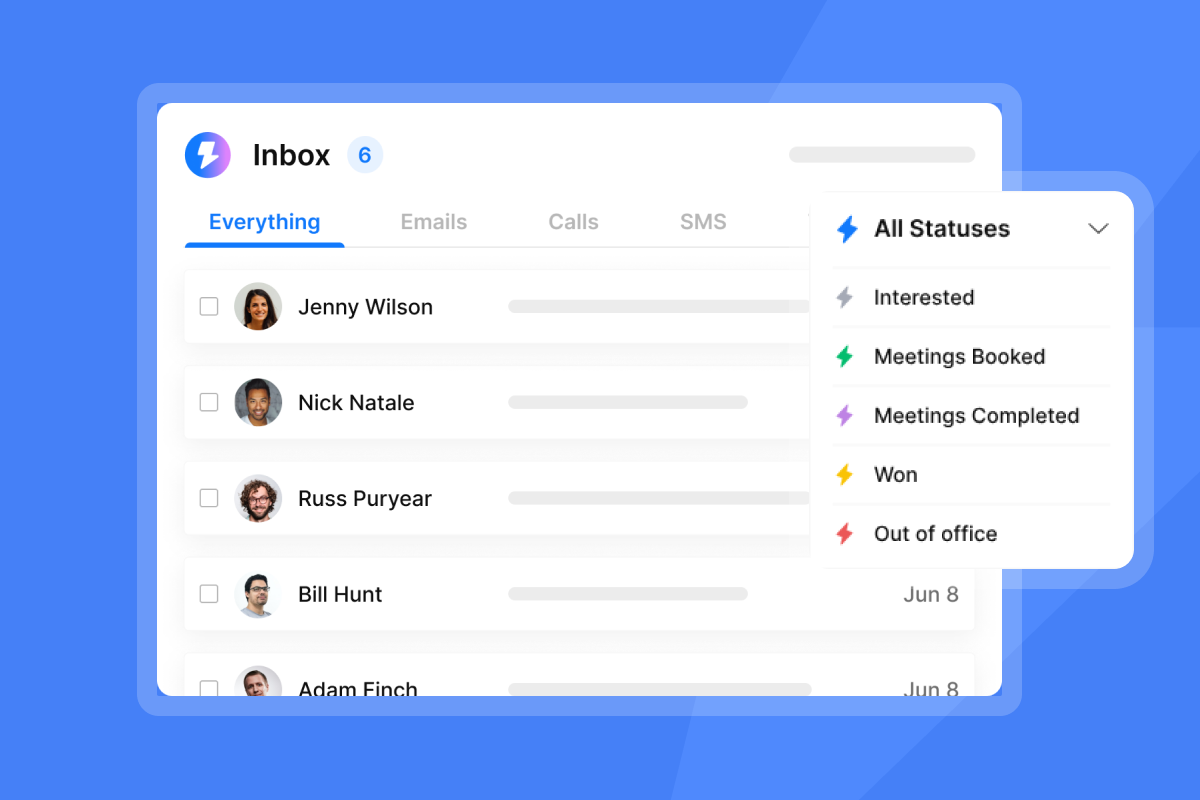
The AI Reply Agent uses NLP to classify inbound replies into default categories like Interested, Not Interested, and Out of Office, plus any custom labels you define (for example, Pricing Inquiry). It costs 5 Instantly Credits per reply and responds in under 5 minutes. Human-in-the-Loop mode lets you review and correct low-confidence classifications before any action fires, and the agent flags cases where confidence is low so nothing slips through unreviewed.
Once a reply is classified as "Interested," the agent triggers an automated response with a booking link, and writes that classification to a custom CRM field so the next pipeline step triggers automatically. As one G2 reviewer noted:
"What stands out to me most is the amazing AI reply agent. It significantly simplifies our tasks by generating very accurate messages that I only need to review, thereby enhancing our efficiency in engaging with long-term leads across various prospects." - Anne S. on G2
Syncing AI bookings to your CRM
When the AI Reply Agent sends a calendar link and a prospect books, you need that meeting to appear in your CRM attached to the correct contact, campaign, and rep. The workflow runs through the native HubSpot connector: the booking event fires a webhook, the connector catches it, and the meeting logs as a Task or Activity on the lead record.
Audit-ready activity logging
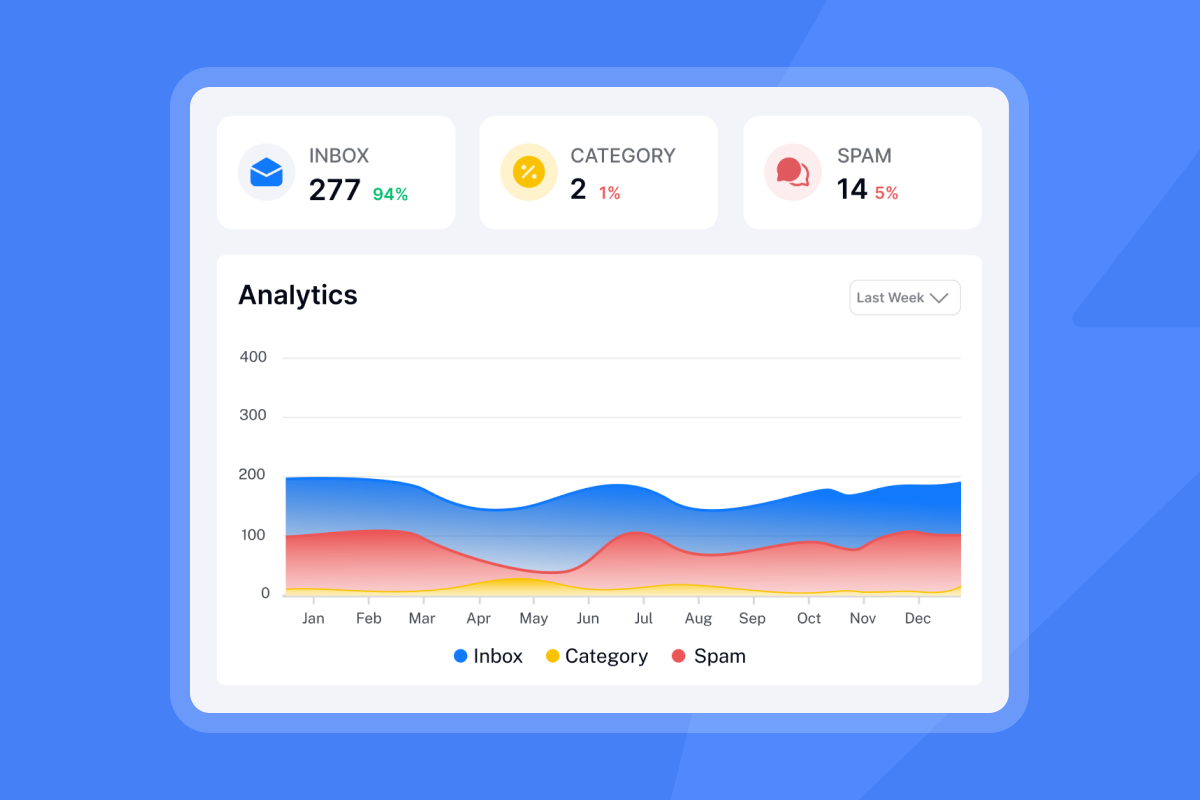
Instantly logs every email sent, every open, every click, every reply, and every status change as a timestamped activity on your CRM contact or lead record. Instantly's native HubSpot integration captures sent emails, replies, opens, clicks, unsubscribes, and bounces, then logs them to the contact's activity timeline. This gives you a complete, auditable timeline for every contact the AI agent touches.
How deeply do your sales tools actually connect?
Integration depth varies widely across outbound platforms. The table below compares Instantly against a typical per-seat AI SDR tool across the dimensions that matter most for data integrity.
Feature | Instantly (OutboundSync/Native) | Generic AI SDR tools |
|---|---|---|
Pricing model | Flat-fee + clear credits, no per-seat tax | Per-seat pricing that scales cost with headcount. Contract terms vary, with some platforms still requiring annual commitments |
CRM sync | Bidirectional via OutboundSync, with full activity logging | Standard API sync. Activity logging depth and documentation transparency vary by platform |
HubSpot sync | Native one-way lead import. Full bidirectional activity sync via OutboundSync, or via custom two-way flows built in Zapier or Make using HubSpot API and Instantly API v2 | Standard HubSpot integration. Sync depth and bidirectional feature coverage vary by platform |
Data lineage | Transparent logs and audit trails in CRM | Variable reporting that may not reconcile with CRM |
Native CRM sync API sync methods
Instantly connects to Salesforce for lead import directly, but you need OutboundSync for full bidirectional activity sync. OutboundSync is built specifically for high-volume outbound operations and is designed to handle the reliability requirements of active campaigns at scale. Per OutboundSync's documentation, it supports Lead, Contact, and Account objects and logs activities as Tasks or EmailMessages, which means your Flows, Reports, and dashboards all work with clean structured data. For the full setup steps, use the OutboundSync configuration guide.
Automating HubSpot property sync
Instantly's native HubSpot integration maps standard fields including email, name, company, and engagement metrics, and custom Instantly fields map directly to HubSpot properties. HubSpot deduplicates contacts by email during imports and updates, per Instantly's HubSpot integration guide. For full activity sync back to HubSpot in real time, OutboundSync provides the structured layer that keeps the HubSpot contact timeline complete. The CRM import guide covers all three CRM imports in one place.
Pipedrive pipeline and activity syncing
Instantly connects directly to Pipedrive so you can import leads from your pipeline and trigger real-time automations when deals, leads, and contacts change. The Pipedrive automation integration turns pipeline activity into actionable events. Use the Pipedrive import guide to pull contacts from a Pipedrive stage into an Instantly campaign, and the Pipedrive connection article to authorize the integration.
Optimizing data sync for mid-market CRMs
For CRMs outside the Salesforce and HubSpot ecosystem, Instantly supports Zapier, Make, and Pabbly, plus a full API v2 with webhooks that lets you build event-driven workflows firing on reply, bounce, or status change. Clay connects to Instantly via a native integration confirmed in April 2026, per the Instantly Help Center guide. Setup requires your Instantly API v2 key inside Clay's integration settings. It works well for enrichment-heavy RevOps stacks where Clay handles data enrichment and Instantly handles sending.

Auditing AI logic for CRM data integrity
Salesforce defines Agentic AI as an AI system that independently creates, executes, and refines its own action plans with autonomy and without step-by-step human oversight. Agentforce embeds this into governed Salesforce workflows, requiring comprehensive data lineage and semantic understanding across siloed systems. For sales leaders, the practical best practice is this: when an AI agent updates a CRM record, you need to know what triggered that update and what it changed. Salesforce confirms auditability as a core principle of agentic deployments, and applying that standard to your outbound stack is how you keep AI tool reports reconcilable with CRM dashboards.
Solving CRM reconciliation gaps
Reconciliation gaps show up as discrepancies between what your outbound tool reports (opens, replies, meetings) and what your CRM shows in pipeline reports. They occur when activity logs are incomplete, when custom field writes fail silently, or when the two systems define "replied" differently. The fix is to audit your CRM's Activity History against Instantly's campaign analytics at a cadence that fits your send volume, and compare the counts. Higher send volumes and active campaigns warrant more frequent checks. If the counts diverge, check for failed OutboundSync webhook deliveries first, then API rate limit logs.
Validating CRM data lineage
Data lineage means you can trace every lead and every data point back to its origin. Instantly's approach keeps the CRM as the system of record with OutboundSync streaming events into CRM objects. A Salesforce admin can open any lead record and see exactly which Instantly campaign sourced it, which email sequence it received, and which reply triggered its current status, all with timestamps.
Why black box AI breaks CRM data
Black-box AI tools update your CRM records without showing you the logic behind the change. A reply gets classified as "Not Interested" but no log shows why. A lead status flips to "Disqualified" but no activity entry explains the trigger. Over time, these silent updates corrupt your pipeline data and make forecasting unreliable, causing reps to distrust the CRM and maintain their own spreadsheets.
Instantly's Human-in-the-Loop mode for the AI Reply Agent addresses this directly: every classification is reviewable, and every Slack notification gives you the option to approve or override before the CRM update fires.
Guaranteeing reliable AI sales attribution
Every meeting, reply, and lead needs a clear source tag that persists from first contact to Closed-Won. Without it, pipeline reports show activity counts but not what drove them. Reps lose credit for deals they sourced, campaigns lose signal for optimization, and forecast calls turn into guesswork. Set source fields in Instantly before any lead enters a campaign, a foundational step for teams evaluating AI sales agents for conversion rates.
Validating leads for AI agents
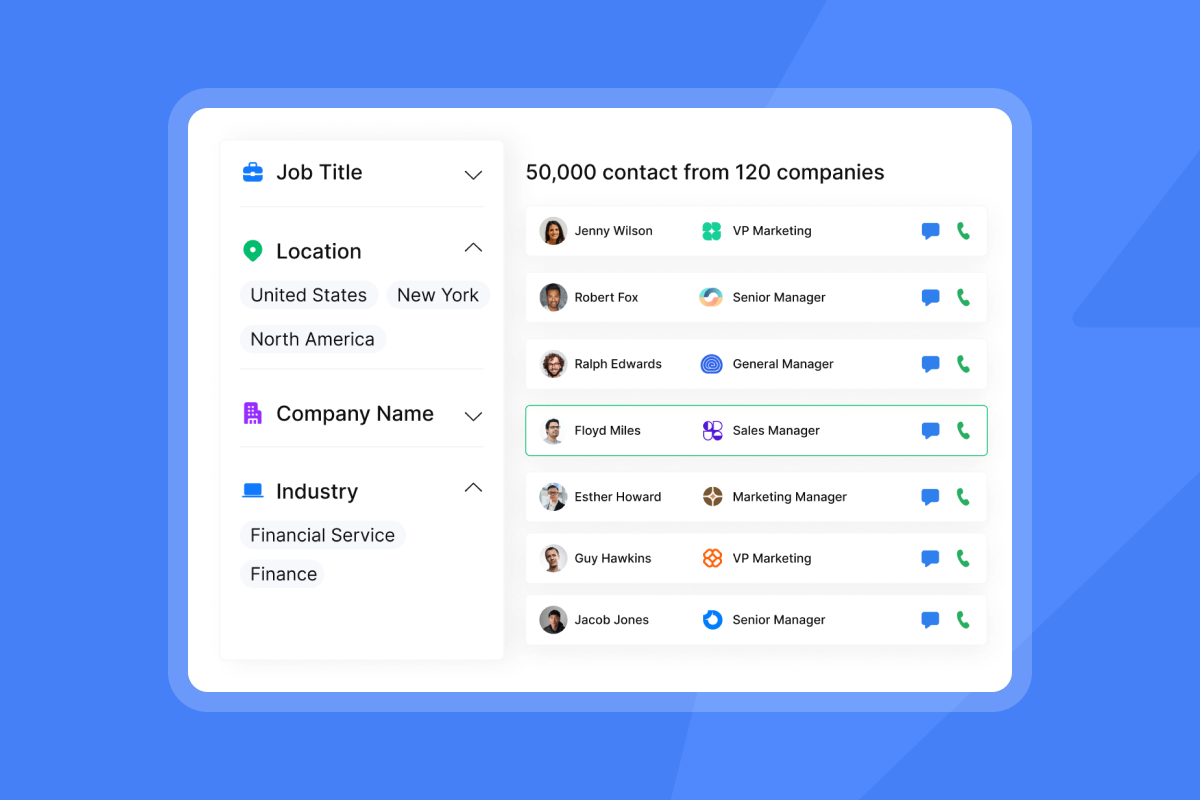
Bad data in means bad CRM records out. SuperSearch, Instantly's built-in lead database, covers 450M+ B2B leads with waterfall enrichment from 5 or more providers. Before any lead enters a campaign, verify email addresses and filter contacts by bounce risk. Keep bounces at or below 1% per campaign. For the Salesforce import, set the source field in your Instantly campaign before syncing so every new lead record carries the correct campaign attribution from day one.
Reply vs. out-of-office vs. unsubscribe classification
The AI Reply Agent classifies replies into precise categories using NLP. Misclassifying an unsubscribe as "Interested" and sending a follow-up is a compliance failure, not just a data error. When the agent is confident, it writes the classification to the CRM custom field automatically. When it is not confident, it routes to your Unibox for manual review before any CRM write occurs.
"Instantly is easy to set up and use. It is designed to scale... It also has a very good database and built-in tools like email validation. It is a good one-stop shop for cold outreach." - Frank on Trustpilot
Meeting attribution and SQL handoff tracking
For every meeting booked through an AI Reply Agent response, configure OutboundSync to write campaign name, sending account, and assigned rep to the CRM record at the moment the booking fires. OutboundSync supports writing campaign and rep attribution fields to CRM records, but confirm which fields are available in your specific OutboundSync configuration before relying on them for reporting. Build a Salesforce Flow triggered on that task to update the lead to your team's equivalent qualified stage and assign it to the correct AE based on your territory configuration. The exact task type label and stage name will depend on your Salesforce picklist setup.
Validating AI outcomes in Salesforce
Build a Salesforce report that filters Activities by type "Email - Instantly Campaign" and groups them by Campaign Name. Cross-reference this with your Opportunity pipeline to calculate pipeline generated per campaign. Running this check weekly lets you catch attribution gaps before they compound into quarterly forecast errors, the core of AI sales agent reporting and analytics.
Steps for secure AI agent deployment
The steps below cover everything you need to go from a new Instantly account to a live, CRM-connected AI agent deployment. Before you start, watch the Instantly co-founder demo for a full product walkthrough and the Instantly CRM walkthrough to see how data flows from campaign to CRM record. Then confirm the prerequisites below are in place before you touch any configuration.
Prerequisites:
- Salesforce edition: Enterprise or higher (Professional can work but carries API call limitations that increase sync failure risk).
- Permissions: System Administrator or custom admin profile with API and object-level access
- Instantly plan: Outreach Growth ($47/month or higher) and an Instantly Credits subscription for AI agents
- HubSpot access: Super Admin or App Marketplace Access permissions
- OutboundSync account: With Instantly and Salesforce/HubSpot configured as source and destination
Configuring CRM picklist sync
Picklist mismatches are the most common cause of silent sync failures. Before you go live, map every Instantly campaign status value to a corresponding Salesforce Lead Status picklist value. If Instantly uses "Interested" and your CRM uses "Hot Lead," the sync writes a blank field. Build a mapping table that translates Instantly labels to your CRM's field values before any record is written. For the full setup sequence, see the AI sales agent implementation guide.
Setting sync frequency and conflict rules
OutboundSync is designed for event-driven sync, which makes it well suited for high-intent signals like replies and bookings where timing matters. For bulk lead imports, batch sync avoids hitting your CRM's API rate limits. Set conflict rules to "CRM wins" for deal stage and ownership fields, and "Instantly wins" for email engagement fields like open count and last reply date. This preserves rep-managed pipeline data while keeping engagement metrics current.
Securing data access for sales reps
Reps should see AI campaign activities on their assigned leads without being able to modify OutboundSync configuration or Instantly integration settings. In your CRM, grant a role read access to the custom Instantly fields and activity history. In Instantly, use team workspaces to restrict who can edit integration settings versus who can only view campaign reports.
Audit AI data flows before rollout
- Set up a Salesforce sandbox and point your OutboundSync configuration to it.
- Run a test campaign with 5 to 10 contacts sourced from SuperSearch.
- Verify activity logging: open each test contact in Salesforce and confirm that sent, reply, and open events appear in Activity History with correct timestamps.
- Test a reply classification: reply to a test email with "I'm interested, let's connect" and confirm the AI Reply Agent classifies it correctly and the CRM custom sentiment field updates within 5 minutes.
- Check picklist values: confirm that the Instantly campaign status maps correctly to the Salesforce Lead Status picklist without blank field writes.
- Confirm deduplication: run the campaign a second time with the same contacts and verify that Salesforce updates existing records rather than creating duplicates.
Standardizing audit trails for sales workflows
A compliance review or a data privacy request requires you to produce a clear record of where each lead came from, what consent basis you had to contact them, and what actions your outbound tool took on their record, the core focus of AI sales agent security and compliance.
Verified contact sources and consent tracking
For leads sourced externally and imported via CSV or CRM sync, the best practice is to record the source in a custom CRM field as close to import time as possible (for example, "Source: LinkedIn Export - June 2026"). Your CRM's import mapping settings or a post-import workflow rule are the most reliable places to apply this. For GDPR-applicable contacts, log the legal basis for processing in a separate CRM field before the lead enters any Instantly campaign. Instantly's Data Processing Agreement covers processing terms and lists restricted data categories that must never be uploaded, including PHI and biometric data.
Full audit trails of AI agent tasks
Every AI agent action (lead generated, email sent, reply classified, meeting booked) fires a webhook that Instantly catches and logs to your CRM as an activity or email record. This creates a complete, chronological audit trail on every contact record. For compliance reviews, export the Activity History report from Salesforce filtered by "Source: Instantly" to get a full log of every AI-driven action during any period.
Admin tools for data compliance
Instantly's admin layer lets sales leaders standardize campaign templates, enforce sending rules, and review AI Reply Agent classifications before they reach contacts. Team workspaces separate rep access from integration configuration. The Unibox centralizes all reply management so admins can monitor AI classification accuracy without digging into individual campaign reports.
Managing your AI tool and CRM sync
The data flow from an Instantly campaign to a clean Salesforce record follows a clear path:
Instantly Campaign -> AI Reply Agent (Sentiment Analysis) -> OutboundSync -> Salesforce Lead Record (Updated Status & Activity Log)
The field mapping table below shows exactly which Instantly fields correspond to Salesforce and HubSpot fields.
Instantly field | Salesforce field | HubSpot property | Sync direction |
|---|---|---|---|
Lead email | Bidirectional | ||
Campaign status | Lead Status (custom picklist) | Lead Status | Instantly to CRM |
Reply sentiment | Custom field (configurable) | Custom property (configurable) | Instantly to CRM (via webhook, custom field configuration required) |
Email activity | Activity History (Task) | Activity History | Instantly to CRM |
Syncing AI lead status to CRM
Map Instantly's campaign statuses (Active, Paused, Interested, Not Interested, Unsubscribed, Bounced) to matching Lead Status values in your CRM. When the AI Reply Agent classifies a reply as "Interested" and updates the contact status in Instantly, the CRM sync fires the corresponding Lead Status update within seconds. Build a Salesforce Flow on that status change to create a follow-up Task and assign it to the rep.
Ensuring unique CRM record creation
Using email address as the unique key keeps contacts deduplicated and analytics trustworthy. Instantly's CRM sync applies idempotency checks before every write: if a record with that email already exists in your CRM, it updates the existing record rather than creating a new one. Configure your deduplication rule to match on email address first, then domain, to prevent duplicate account records.
Troubleshooting failed CRM transfers
- API rate limit hit: Per OutboundSync's documentation, OutboundSync queues failed writes and retries automatically. Check your Salesforce API call log in Setup to confirm sufficient headroom for your send volume.
- Field mapping error: A data type mismatch causes silent failures. Run a field audit after any CRM schema change and update your sync mappings before the next campaign launch.
- Duplicate contact created: Confirm that the email field in Instantly matches the exact email format in Salesforce (no trailing spaces, consistent case). Use Salesforce's Duplicate Management rules as a second protection layer.
- Validation rule failure: Salesforce validation rules that require fields not included in the OutboundSync payload will block the write. Audit your active validation rules and either add the required fields to the payload or adjust the rule logic to allow API writes.
Configuration requirements for CRM sync
- Salesforce: Enterprise edition or higher, System Administrator permissions, Connected App with API access enabled.
- HubSpot: Super Admin or App Marketplace Access permissions.
- Pipedrive: Admin access to authorize the Pipedrive integration.
- Instantly plan: Outreach Growth ($47/month) or higher, plus Instantly Credits subscription for AI Sales Agent and AI Reply Agent (free trial available, then from $9/month).
- OutboundSync account: Required for full bidirectional Salesforce and HubSpot activity sync.
Clean CRM data is not optional when you scale outbound with AI agents. You need bidirectional sync, transparent data lineage, and strict field mapping to prevent the pipeline drift and broken attribution that kill forecast accuracy. Instantly's AI Sales Agent Software is built to make that integration reliable, auditable, and fast to deploy.
Try Instantly free for 14 days and start syncing clean, verified leads to your CRM from day one. No credit card required.
FAQs
Does Instantly have a native Salesforce integration?
Instantly connects to Salesforce for lead import directly, but you need OutboundSync for full bidirectional activity sync. Instantly's native HubSpot integration logs sent emails, replies, opens, clicks, unsubscribes, and bounces to the contact's activity timeline with no custom code.
What Salesforce edition do I need for the Instantly OutboundSync integration?
Salesforce Enterprise edition or higher is recommended for reliable API throughput. Professional edition can work but carries lower API call limits that increase sync failure risk at high send volumes.
How does the AI Reply Agent classify replies, and what does each reply cost?
The AI Reply Agent uses NLP to classify replies into categories including interested, not interested, out of office, and unsubscribe, responding in under 5 minutes. Each classified reply costs 5 Instantly Credits, drawn from your Instantly Credits subscription, which is separate from your Outreach plan.
Can Instantly prevent duplicate records from forming in my CRM?
Yes. OutboundSync matches on email address before every write so existing records update rather than duplicate, and HubSpot deduplicates by email automatically on every import.
What happens to my Instantly account if I do not upgrade after the free trial ends?
The Outreach free trial runs for 14 days with no credit card required. Check instantly's pricing page for current contact and email limits included in the trial, as these figures are updated regularly. After the trial ends, warmup and accounts pause automatically, all campaigns pause, and accounts that are not upgraded are deleted. Activate a paid plan to restore access and resume syncing. Note that OutboundSync offers its own free trial, but trial subscriptions may not include all paid features, so test your full integration stack before your trial period closes.
Key terms glossary
Bidirectional sync: Real-time data flow in both directions between your outbound tool and CRM so updates in either system appear in the other within seconds.
Field mapping: The configuration that tells your integration which data field in one system corresponds to which field in another, preventing mismatched data types and blank field writes.
Idempotency: A sync rule that prevents duplicate record creation by checking if a record with the same unique key already exists before writing.
Picklist: A Salesforce dropdown field with predefined values that must match exactly between systems to prevent silent sync failures.
Sentiment scoring: AI classification of reply tone and intent into categories like interested, not interested, or out of office to trigger the correct next step in your sequence.
Read next
- Email Warmup Guide: Clean Sending, Stronger Inbox Placement: How to warm up new inboxes, set daily send caps, and protect domain reputation before your AI agent runs at full volume.
- 15 Best Ways to Find B2B Sales Leads in 2026: How to source, verify, and segment B2B contacts so your AI agent starts with clean data and keeps bounce rates at or below 1%.



