.svg)
%20(1).svg)


Updated June 10, 2026
TL;DR:
Small sales teams do not need expensive per-seat AI platforms with rigid annual contracts. Instantly.ai gives you unlimited email accounts, built-in warmup on a private network of 4.2M+ accounts, and modular AI agents (AI Sales Agent, AI Reply Agent, Copilot) powered by a transparent credit pool, so you can automate sales tasks with an AI agent instead of adding headcount. Plans start at $47/month flat, compared to $445/month for a five-seat Reply.io Multichannel stack (billed annually) or $935/month with all multichannel add-ons (billed annually), rising to $495/month and $985/month respectively on monthly billing. Run a 30-day domain warmup, keep sends under 30 per inbox per day, and use verified contacts to protect sender reputation.
Instantly is built for small teams that need flat-fee pricing, unlimited email accounts, and a modular AI sales agent that automates lead sourcing and reply handling without per-seat penalties. Most competing tools charge for seats your team will never fully use, turning software into a major budget drain before you book a single meeting.
Each platform is reviewed on setup speed, deliverability features, and pricing structure so you can choose a tool that drives meetings without draining your budget.
Optimizing workflows for small sales teams
A 2 to 5 person SDR team cannot afford wasted time or overspend. Every hour spent configuring a tool is an hour not spent booking meetings, and every dollar lost to per-seat fees could fund lead data or additional inbox infrastructure.
Streamlined onboarding for sales teams
A tool that requires extensive configuration before your team can run a first sequence is adding work, not removing it. Complex enterprise suites with multi-department configuration workflows are built for teams of 50, not 5. Our AI sales agent buyer's guide covers what to look for regardless of team size.
Instantly's setup lets teams connect inboxes, enable warmup, and launch a first campaign quickly. The email outreach plans comparison page shows what each plan includes at signup, and the 14-day free trial requires no credit card.
Clear budget control for sales teams
Per-seat pricing creates a compounding problem for small teams. Add a contract SDR for a three-month sprint on an annual plan and you pay an additional seat for the full year, even after they leave. Drop that rep and the seat cost may not reduce until renewal. Flat-fee tools eliminate this friction entirely because cost stays fixed regardless of how many inboxes you run.
"Instantly makes cold outreach operationally simple at scale. The interface is straightforward, setting up campaigns with multiple inboxes is fast, and the warm-up system helps maintain deliverability when sending higher volumes." - Ivar S. on G2
Reduce ramp time for new SDRs
Enterprise platforms with deep configuration menus, multi-step permission setups, and complex admin roles add days to a new rep's ramp before they send a single email. A focused email engine with a clean UI and pre-built sequence templates gets reps operating faster. The cold email copywriting framework Instantly publishes gives new reps a repeatable starting point without requiring custom training materials.
Team size and scaling considerations
Automation handles follow-ups, reply classification, and lead sourcing. Your reps stay focused on live conversations and deal progression. If your team scales past this range, our best AI sales agents for enterprise roundup covers what changes. The cost difference grows when you add a third or fourth inbox, because a flat-fee model adds no extra seat cost. That is the core structural advantage over per-seat pricing.
Top AI sales agents for small teams
We reviewed these platforms based on setup speed, deliverability tooling, and pricing transparency. The table below summarizes the key differences before we go deeper on each, with a full breakdown in our Instantly vs. competitors comparison.
Tool | Key features | Pricing range (5 users) | Best for |
|---|---|---|---|
Instantly | Unlimited accounts, warmup, AI agents, SuperSearch | $47/mo (Growth) – $97/mo (Hypergrowth), flat-fee regardless of seats | Lean teams needing flat-fee deliverability |
Reply.io | Multichannel, call/SMS, workflow governance | $495/mo (email only) – $985/mo (+ LinkedIn & calls/SMS add-ons) | 5 seats, monthly billing |
Smartlead | Multi-mailbox rotation, warmup, SmartProspect database | $39/mo (Base) – $94/mo (Pro) billed monthly | Volume-focused email infrastructure |
Lemlist | Image personalization, landing pages | $39/mo (Email plan, unlimited users)-$545/mo (5 seats, Multichannel plan) | Personalization-heavy visual outreach |
Apollo.io | 230M+ contact database, built-in sending | $325/mo (Basic) – $495/mo (Professional), 5 seats, billed monthly | Data-first prospecting teams |
Reply.io figures: Multichannel plan at $99/user/month (billed monthly) or $89/user/month (billed annually). LinkedIn automation ($69/user) and calls and SMS ($29/user) are add-ons on both billing cycles.
1. Rapid setup for lean SDR teams
Tools marketed as "AI SDR" products (such as AiSDR or Salesforge) promise autonomous lead sourcing and fast deployment. Their strength is speed: a solo founder can generate leads and fire off sequences without building a dedicated outreach stack. The trade-off is control. These tools typically abstract the sending infrastructure, which means you have limited visibility into inbox health, warmup status, or domain reputation. Watch the Instantly vs. Salesforge comparison to see this trade-off in practice. If your team needs to monitor inbox health, track warmup status, and catch domain issues early, that visibility is worth more than the time saved at setup.
2. Reply.io for workflow governance
Reply.io offers solid multichannel workflow governance with email, LinkedIn, calls, and SMS inside one platform. For a sales leader who needs structured sequence governance and audit trails, the multichannel coverage is appealing.
Reply.io's Multichannel plan costs $89 per user per month on annual billing, putting five seats at $445/month. On monthly billing, the per-user rate is $99, putting five seats at $495/month. Adding LinkedIn automation ($69/user) and calls and SMS ($29/user) brings the five-seat total to $935/month on annual billing or $985/month on monthly billing.
3. Mastering domain warmup with Smartlead
Smartlead focuses on multi-mailbox management and domain warmup. At $94/month for its Pro plan (not per-seat), it sits closer to Instantly's pricing model than Reply.io or Apollo. The platform handles inbox rotation and warmup, which are core requirements for any cold email operation.
Smartlead added SmartProspect, which provides a 300M+ verified business profile database with real-time verification. Smartlead does not include modular AI reply handling or AI lead sourcing at the same depth as Instantly's AI Sales Agent and AI Reply Agent.
4. Lemlist: personalized outreach at scale
Lemlist's differentiation is personalization: image personalization, custom landing pages, and visual elements in emails. For teams selling into creative or consumer-facing markets, this adds a strong angle. Lemlist uses per-seat pricing, so costs scale directly with team size. Confirm current rates on the Lemlist pricing page before comparing against flat-fee alternatives.
5. Apollo.io for data-driven outreach
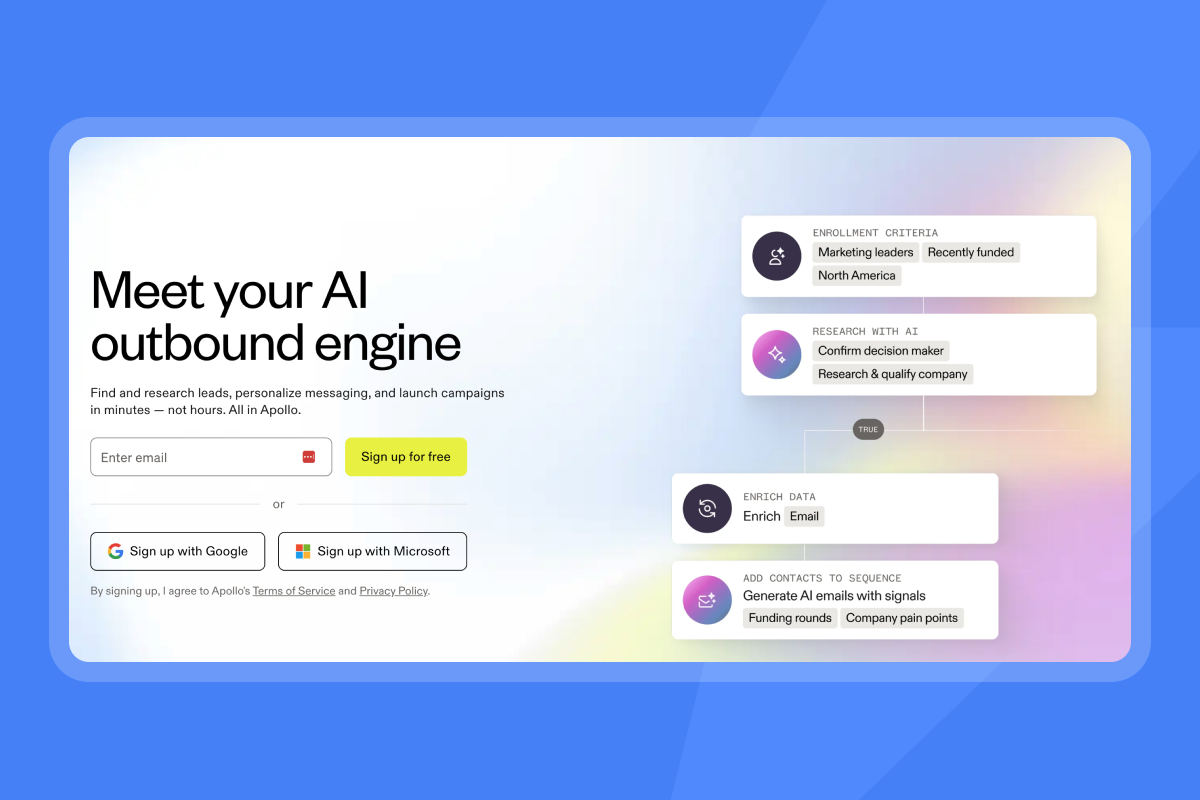
Apollo's core strength is its large contact database combined with built-in outreach sequencing. See the Apollo vs. Instantly comparison for a practical breakdown. Two recurring constraints with Apollo are a steep UI learning curve and inaccurate contact data at scale.
Instantly: simplified cold email for small teams
Instantly is a flat-fee outreach engine that combines unlimited email accounts, built-in domain warmup, and a 450M+ contact database via SuperSearch. It also includes three modular AI agents. The architecture prioritizes deliverability first, so warmup, bounce detection, and sending limits are core defaults on every plan, not optional add-ons.
Modular workflows for sales outreach
Instantly lets you connect unlimited email accounts across all plans and manage every reply in a single Unibox. This means one screen for all inbound replies instead of monitoring multiple inbox tabs across different accounts. Campaign setup, A/Z testing with up to 26 variants, and sequence scheduling all live in the same dashboard.
The AI Sales Agent handles autonomous lead sourcing at 5 Instantly Credits per generated lead. The AI Reply Agent handles inbound replies in under five minutes, with configurable Human-in-the-Loop or Autopilot modes. Both agents run on Instantly Credits, a separate subscription from the Outreach plans, with a free trial available at 100 credits.
Simple pricing without hidden traps
Instantly's Outreach plans are flat-fee and include unlimited email accounts and warmup on every tier. The Instantly Outreach Growth plan starts at $47/month (or $37.60/month on annual billing) and includes A/Z testing, AI Sequence Writer, AI Spam Words Checker, and advanced warmup options as of the January 2026 repackaging. Hypergrowth is $97/month.
The 14-day free trial requires no credit card. When the trial ends, warmup and campaigns pause automatically, and the account is deleted unless you upgrade. No surprise renewal charges. Instantly Credits (the separate subscription powering AI agents and SuperSearch) starts at $0 for a 100-credit free trial, with the Nano paid tier at $9/month for 150 credits.
"I like Instantly because it offers high deliverability, quick setup, and easy management of campaigns... I can add inboxes whenever I need at a low cost." - Josh R. on G2
Ensuring consistent primary inbox reach
Instantly's private deliverability network includes 4.2M+ warmup accounts that exchange emails, open messages, and move them to the primary folder. This creates authentic engagement signals that build ESP trust during the critical early weeks of a new domain's life. For a closer look at the ramp, the email warmup strategies guide covers week-by-week settings for new domains.
The Inbox Placement tool runs automated deliverability tests before and during campaigns, alerting you when placement rates shift. This gives your team a measurable health signal rather than discovering a deliverability problem after reply rates crash.
Scale sales workflows safely
Bounce detection, global block lists, and reputation protection are defaults on all Instantly plans. For high-volume senders who need an additional infrastructure layer, the Light Speed plan ($358/month) includes SISR (Server & IP Sharding & Rotation) with dedicated private IP pools. SISR distributes campaigns across multiple IPs so that a flagged or throttled IP does not pause your entire sending operation while you investigate. Watch the AI Sales Agent walkthrough to see how lead sourcing, outreach, and meeting booking connect in a single automated motion.

Pricing comparison: per-seat vs. flat-fee
Onboarding speed matters. But budget structure determines whether you can sustain the tool past month three. Per-seat pricing and flat-fee models produce very different cost curves for a 2 to 5 person team, and the gap widens as you add inboxes, reps, or channels, a pattern we break down further in our guide to AI sales agent pricing models.
How per-seat pricing compounds against small teams
The math moves against small teams fast. A five-seat Reply.io email-only stack costs $445/month (billed annually). Add LinkedIn automation plus calls and SMS and the full multichannel cost reaches $935/month, or $11,220/year. Layer in enrichment tools and any third-party integrations your workflow requires, and the annual total climbs well beyond the base subscription cost before a single deal closes. Each new channel or rep adds another line item. The cost grows whether or not the pipeline does.
Scenario | Monthly cost (billed monthly) | Annual cost (billed monthly) |
|---|---|---|
Instantly Hypergrowth (flat fee, unlimited accounts) | $97 | $1,164 |
Reply.io Multichannel (5 seats) | $495 | $5,940 |
Reply.io full multichannel (5 seats) | $985 | $11,820 |
Apollo.io Professional (5 seats) | $495 | $5,940 |
Control costs with flat fee models
Instantly's flat-fee structure means adding a new inbox costs nothing extra on the Outreach subscription. You pay $97/month for Hypergrowth whether you run 5 inboxes or 50. The variable cost is Instantly Credits for AI agent usage and SuperSearch lookups, and you control that spend by choosing the right credits tier. A team using 1,500 to 2,000 credits per month stays on the Growth Credits plan at $47/month.
A typical small-team stack (Outreach Growth + Credits Growth + CRM Growth) runs $141/month. Teams focused only on outreach can start with the $47/month Growth plan.
Identifying surprise contract costs
Watch for three specific traps in AI sales tools:
- Annual lock-in at signup: Some tools default to annual billing and require advance notice to cancel. Read the cancellation terms before you sign.
- Credit overage charges: Per-seat tools often sell credits separately, and those costs compound quickly when prospecting at volume. Check whether credits are included in the base plan or metered as a separate line item.
- Add-on stacking: Features that appear included (calls, enrichment, additional sending volume) often require separate paid add-ons, inflating the true monthly cost well above the advertised rate.
Onboarding speed: what week one looks like
Pricing decides whether you adopt a tool. Onboarding speed decides whether your team actually uses it. For a 2 to 5 person SDR team, week one should end with connected inboxes, warmup running, and at least one sequence drafted. Anything that blocks those three outcomes delays pipeline.
How to protect inbox placement from day one
New domains need at least 4 weeks of warmup before you send cold campaigns, with 2 weeks as an absolute minimum for established domains. Start at 5 to 15 emails per day in week one, ramp gradually, and reach 30 by week four. This ramp builds engagement history with ESPs so your domain earns a solid sender reputation before full campaign loads hit it. Instantly's built-in warmup starts automatically when you toggle the warmup switch on a connected inbox.
For teams using secondary sending domains, run the same warmup ramp on each new domain before sending cold outreach from it. Domains are available from Instantly at $15/year per domain if you want to get started without sourcing them separately.
"As a non-technical person, it is so easy to setup cold email campaign, the people at instantly... do a full done-for-you email box setup so u dont have to worry about SPF, DKIM, DMARC all that jazz." - Haris on Trustpilot
Automating data handoffs to CRM
Instantly connects natively to HubSpot, and to Salesforce via OutboundSync, with Zapier, Make, and Pabbly available for other CRM workflows. For teams on HubSpot, the native integration imports contact lists from HubSpot into Instantly. Syncing reply activity back to HubSpot, or creating deals from outreach outcomes, requires OutboundSync or a Zapier workflow. Instantly connects natively to HubSpot, keeping your CRM records in sync automatically.
Clay also has a native Instantly integration (confirmed April 2026), which matters for teams running enrichment workflows before loading contacts into sequences.
Configuring playbooks for fast ramp
Consider setting your send window to 8:30 to 10:30 a.m. local time, a commonly used high-performance window for B2B email. For B2B outreach, Tuesday through Thursday between 8 and 10 a.m. local time consistently produces the highest open rates. A secondary window of 2 to 4 p.m. local time is worth testing once your primary window has two to three weeks of data behind it. Start with two to three copy variants per step using A/Z testing. Cap sends at 30 per inbox per day during the ramp period. The AI agents help center walks through AI Sequence Writer setup for teams who want AI-assisted sequence writing from day one.
Keeping emails out of spam at scale
Getting inboxes connected and sequences running is week one. Keeping emails in the primary folder at volume is the ongoing work. Send limits, list quality, and authentication records all interact with ESP filters. One weak input raises bounce rates or spam complaints and the whole system degrades. These are the defaults to lock in before you scale.
The safe sending ceiling for Google Workspace and Microsoft 365 accounts is 30 emails per inbox per day. ISPs track sending patterns, bounce rates, spam complaints, and authentication records. Industry benchmarks suggest keeping spam complaint rates below 0.1%, with anything above 0.3% considered a serious deliverability risk. Run multiple domains so a health issue on one domain does not shut down your entire outbound motion. The cold email deliverability tips guide covers the key thresholds to monitor across each domain.
Ensuring GDPR and CCPA compliance
Keep these four practices in place from day one:
- Authenticate every sending domain with SPF, DKIM, and DMARC records before sending.
- Include a clear unsubscribe mechanism in every cold email and honor opt-out requests within 24 hours.
- Document your legitimate interest basis for GDPR-governed contacts.
- Never upload restricted data types (PHI, payment card data, biometric data) as specified in the Instantly Data Processing Agreement.
Why verified data prevents hard bounces
Hard bounces are one of the most damaging signals to sender reputation. A bounce rate above 1% is a strong signal to ESP filters that your list is low quality. Use SuperSearch with its waterfall enrichment across 5+ providers to verify contact data before uploading to campaigns. Verified contacts keep bounces at or below the 1% threshold so your domains maintain clean sending histories over time.
How to run a 30-day AI sales agent POC
Deliverability defaults and compliance practices protect your sending infrastructure. A structured POC tells you whether the tool actually moves pipeline. Four metrics are worth tracking across 30 days: cost per meeting, reply classification accuracy, ramp time per new rep, and support resolution speed. Run these checks in parallel and you have a clear picture before any renewal decision.
How to calculate cost per meeting
The formula is: total software cost divided by total meetings booked, the same math our AI sales agent ROI calculator uses to model cost per meeting across tools. For a team using Instantly Hypergrowth ($97/month) plus Supersonic Credits ($97/month), the software cost is $194/month. At 10 meetings booked per month, that is $19.40 per meeting in software cost. The same 10 meetings on a five-seat Reply.io full multichannel stack at $935/month costs $93.50 per meeting in software alone, before any enrichment add-ons.
Audit logic for reply classification
Test the AI Reply Agent in Human-in-the-Loop mode first. Review 50 AI-classified replies across your campaigns to confirm it accurately separates positive replies, out-of-office messages, and unsubscribe requests. Once classification accuracy meets your standard, switch to Autopilot for the categories you trust. The AI Reply Agent responds in under five minutes and costs 5 Instantly Credits per automated reply.
Measuring ramp time for new users
Track the number of days from a new rep's first login to their first campaign send. A focused platform with pre-built templates and clean documentation should minimize that window to days, not weeks. Check the Scaling Sales with AI video for a practical walkthrough of how founders and agencies structure rep onboarding inside Instantly.
Testing help desk and resolution times
During your POC, engage support with at least one technical question and one deliverability question. Measure response time and whether the answer resolves the issue in a single exchange. Reviewers on both G2 and Trustpilot consistently highlight Instantly's support speed as a key differentiator.
Risks and real costs of AI agent adoption
A 30-day POC surfaces performance data. It also surfaces the gaps that vendor demos skip: what the tool cannot classify accurately, where contract terms create lock-in risk, and how long deployment actually takes when a new rep joins mid-quarter. These are the variables worth pressure-testing before you commit.
AI sales agents vs. email automation: what actually differs
Email automation handles sequence delivery: it sends pre-written messages at scheduled intervals based on triggers like opens or replies. An AI sales agent goes further by sourcing leads autonomously, personalizing messages, and handling reply classification and follow-up routing without manual input per contact. Instantly's AI Sales Agent covers lead sourcing and outbound execution. The AI Reply Agent handles the inbound side. Standard sequence automation handles the sending layer in between.
Contract terms for small teams
Avoid tools that default to annual contracts without a monthly option. Multiple G2 reviewers report platforms raising prices substantially on existing annual customers mid-term with little notice. Prefer monthly billing during a POC and switch to annual only after the tool proves out against your meetings-booked target. Instantly offers monthly plans across all tiers with no forced annual lock-in.
Deployment timeline for new sales teams
Use this phased approach, drawn from our AI sales agent implementation guide:
- Days 1 to 3: Connect domains, set up SPF/DKIM/DMARC, connect inboxes, enable warmup.
- Days 4 to 7: Build your initial lead list using SuperSearch or import verified contacts. Configure sequence templates and A/Z variants.
- Days 8 to 30+: Warmup ramp only. No cold outreach until each new domain has completed at least 4 weeks of warmup.
- After warmup: Start cold campaigns at 30 sends per inbox per day, monitor inbox placement tests weekly.
Maintain sender reputation under load
When reply volume spikes after a successful campaign launch, do not increase send volume on the same inboxes. Keep sends capped at 30 per inbox per day. Add new inboxes and run them through the warmup ramp before routing new campaign sends through them. Use the global block list inside Instantly to prevent accidental re-contact with unsubscribed leads across all campaigns.
Watch the Lemlist vs. Instantly vs. Smartlead video for a practical breakdown of the major trade-offs across use cases.
Try Instantly free, start your domain warmup on day one, and let the AI Reply Agent handle inbound triage while your team focuses on live conversations. No credit card required. Start your 14-day free trial and match your Outreach and Credits plan to your expected send volume before the trial ends.
FAQs
How much does a 5-person SDR team save with Instantly vs. Reply.io?
Instantly Hypergrowth costs $97/month flat for unlimited accounts. A five-seat Reply.io Multichannel stack costs $445/month on annual billing or $495/month on monthly billing. The full multichannel stack with LinkedIn automation and calls and SMS add-ons reaches $935/month (annual) or $985/month (monthly). Against Instantly Hypergrowth at $97/month flat, that is a saving of $348 to $888/month depending on the Reply.io billing basis and configuration you compare against.
How many emails can one inbox send per day safely?
The safe daily ceiling for Google Workspace and Microsoft 365 is 30 cold emails per inbox. Exceeding this threshold raises bounce rates and spam complaint rates, which damages sender reputation across all domains tied to your workspace.
How much do Instantly's AI agents cost per use?
The AI Reply Agent and AI Sales Agent each cost 5 Instantly Credits per action (per automated reply or per generated lead). Instantly Credits come from a separate subscription: a 100-credit free trial at $0, then the Nano paid tier at $9/month for 150 credits, scaling up from there.
How long does domain warmup take before I can send cold emails?
Brand new domains need a minimum of 4 weeks of warmup before cold outreach. Established domains with prior sending history can begin cold campaigns after 2 weeks, but 4 weeks remains the safer standard across the board. Start at 5 to 15 emails per day in week one, ramp gradually, and reach 30 by week four. This ramp builds engagement history with ESPs so your domain earns a solid sender reputation before full campaign loads hit it. Skipping warmup entirely results in poor inbox placement from the first send.
Does Instantly require an annual contract?
No. Instantly offers monthly billing across all Outreach, Credits, and CRM plans with no mandatory annual commitment. Annual billing is available at a 10 to 20% discount if you choose it.
Key terminology glossary
Primary inbox: The main folder in Gmail, Outlook, or similar email clients, as opposed to spam, promotions, or social folders. Landing here is the core goal of any outbound deliverability system.
Sender reputation: A score assigned by ISPs to your sending domain and IP based on bounce rates, spam complaints, open rates, and authentication records. A damaged reputation routes emails to spam.
Warmup: The process of gradually increasing send volume from a new inbox over several weeks by exchanging real opens and replies with a network of real accounts. Instantly's warmup network includes 4.2M+ accounts to build authentic engagement signals with ESPs.
SISR: Server & IP Sharding & Rotation. A sending architecture on Instantly's Light Speed plan ($358/month) that distributes campaigns across dedicated private IP pools, so a flagged IP does not shut down your entire sending operation.
Instantly Credits: The separate subscription that powers SuperSearch lead lookups, Copilot, AI Sales Agent (5 credits per lead), and AI Reply Agent (5 credits per reply). Starts with a 100-credit free trial at $0, then $9/month for the Nano tier (150 credits).
Read next
- Cold email subject lines: what to test, what to cut, and how to read the results: A practical guide to running subject line variants, reading open rate data, and cutting what does not move the needle.
- How to A/B test cold emails to improve conversion rates (Full Guide): Step-by-step instructions for setting up A/Z tests, choosing variables, and acting on results without waiting for statistical significance.
- What’s a Good Cold Email Reply Rate? Instantly’s Benchmarks: Instantly’s benchmark data on reply rates by industry and sequence step, with a checklist for diagnosing drop-off. A wider roundup of the best AI sales agents in 2026, covering platforms across team sizes and budgets beyond this small-team shortlist.



