


Updated February 24, 2026
TL;DR: Generic "just checking in" follow-ups kill sender reputation and waste list quality. Advanced personalization using merge tags, spin syntax, and behavioral context can improve your reply rates significantly. Use dynamic variables beyond {{firstName}}, rotate phrasing automatically with spintax, and test everything. We give you the infrastructure to scale this approach across unlimited accounts with built-in A/Z testing, clean variable formatting, and native spintax support that protects deliverability while you personalize at volume.
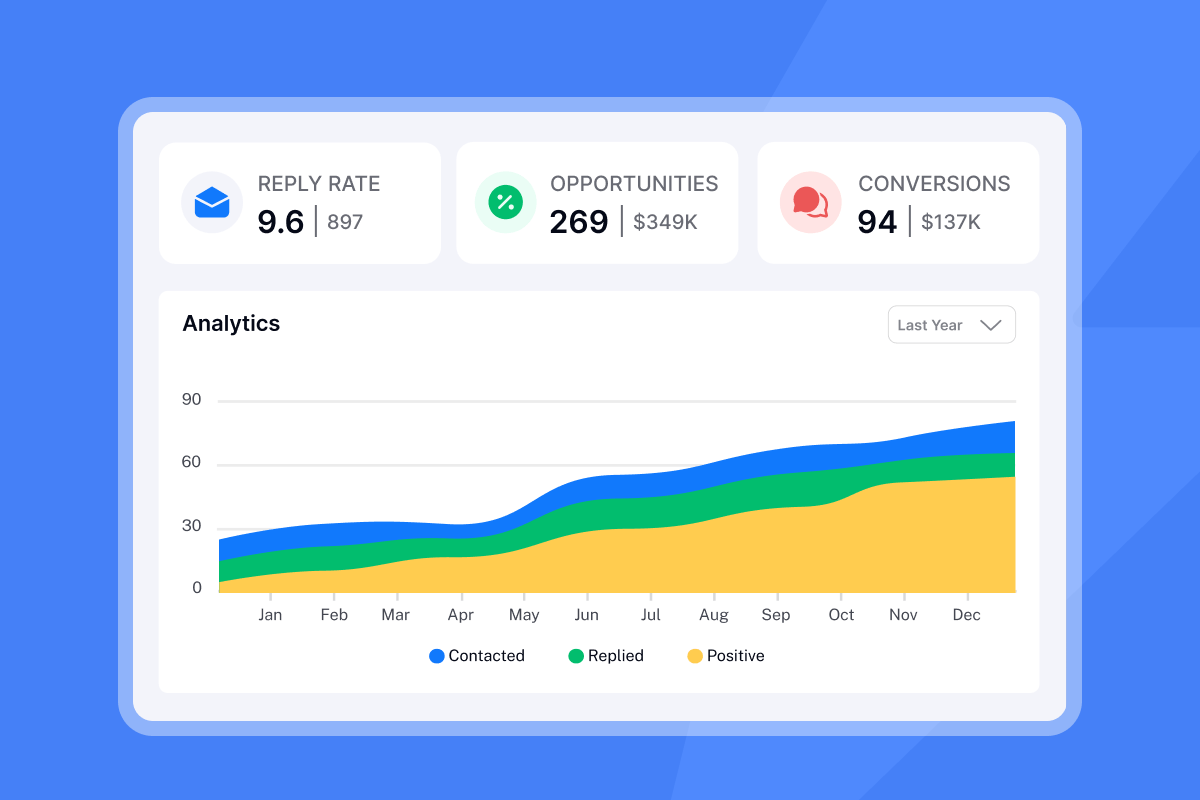
Most follow-up emails are lazy. When you send "Just bumping this" to 1,000 people, you trigger spam filters and burn your domain. A B2B cold email tool with native spintax support and variable formatting handles the technical side of personalization, so you can focus on the message rather than debugging broken merge tags. Personalized emails have 29% higher open rates than generic bulk sends, and personalized subject lines boost reply rates by 30%. The gap between static templates and context-aware reminders determines whether you recover a lead or lose it forever.
If you haven't nailed the fundamentals yet, start with the cold emailing guide before layering in dynamic personalization. Syntax errors on top of weak copy won't move the needle. This guide shows you how to move beyond basic name tags to dynamic content structures that simulate human memory, protect your sender reputation, and scale reply rates across your entire funnel.
Why generic follow-ups fail and personalized reminders convert
Mailbox providers use machine learning to examine clusters of data, including email content, IP address, subject lines, and engagement patterns. When identical content generates low engagement, providers create digital "fingerprints" of those campaigns. Message fingerprinting blocks new emails that match known spam signatures, even if you change minor details.
When you send static reminder templates like "Circling back on this" or "Per my last email," ESPs flag the pattern fast. You need to incorporate advanced personalization so each email appears unique to algorithmic scrutiny while staying relevant to the recipient.
Prospects skip standard follow-up formats on autopilot. When your second touch reads exactly like your first, recipients ignore it. You can improve reply rates by 50%+ with consistent follow-ups, but only when each step adds new value or reframes the original ask.
I treat reminder emails as a logic problem, not just a copywriting task. Use data and syntax to simulate context. Reference the prospect's industry, job title, or a recent company milestone. Change the angle from "Did you see my last note?" to "I saw {{companyName}} just announced Series B. Does this change your timeline for fixing [specific problem]?"
Campaigns with advanced personalization saw reply rates up to 18%, double the average of generic templates.
For a full walkthrough, watch our 13-minute cold email masterclass.
Essential merge tags for high-converting reminders
Basic {{firstName}} insertion is table stakes. High-performing reminders use firmographic and behavioral data to frame the problem around the recipient's specific context.
Firmographic data (company-level): company size, type, industry, revenue. Demographic data (individual-level): name, role, purchasing power per Clearbit. Opportunity data covers funding rounds, mergers, acquisitions, and leadership changes.
| Merge Tag | Use Case | Example Template | Output |
|---|---|---|---|
| {{firstName}} | Personalize greeting | Hi {{firstName}}, quick question about... | Hi Maya, quick question about... |
| {{jobTitle}} | Frame role-specific pain | Most {{jobTitle}}s struggle with attribution | Most Marketing Ops Managers struggle with attribution |
| {{companyName}} | Add context | I noticed {{companyName}} raised Series B | I noticed Acme raised Series B |
| {{industry}} | Reference vertical metrics | {{industry}} teams see 15% lift when... | SaaS teams see 15% lift when... |
For a complete reference on how to set up and format merge tags correctly in your campaigns, see the dedicated guide before uploading your lead list.
When you write to a VP of Sales, frame quota attainment. When you write to Marketing Ops, frame attribution and cost per lead. Use {{jobTitle}} to adjust your opening line. Example: "Most {{jobTitle}}s I talk to struggle with [specific problem]. Does this match your experience at {{companyName}}?"
Instantly's variable system auto-formats company names when you map your CSV correctly, preventing "Acme Inc." or "LLC" from appearing in your copy.
Reference case studies or metrics specific to their vertical. SaaS companies care about churn. E-commerce brands care about cart abandonment. Example: "{{industry}} companies typically see a 15% lift when they fix [problem]. I have a framework that shortens the implementation from 6 weeks to 10 days."
Mention a recent event the prospect attended, content they downloaded, or a mutual connection for social proof. Example: "I noticed you attended [conference]. Did you catch the session on [topic]? I have data that contradicts their main conclusion."
Our SuperSearch pulls 450M+ B2B leads with enriched fields you can map directly into merge tags.
Before you upload leads, ensure your CSV is clean. Column names must start with capital letters and contain no more than 20 characters. We support up to 50 custom variables per campaign. Map columns during upload, and custom variables will appear in the editor's variable menu.
How to use dynamic content blocks for context-aware follow-ups
Spin syntax (spintax)
Spintax rotates phrases automatically so no two emails share identical phrasing. This is critical for reminder emails where you send similar messages to hundreds of prospects. Our spintax format uses {{RANDOM | option1 | option2 | option3}}.
Start simple: {{RANDOM | Hi | Hey | Hello}} {{firstName}} creates three variations. Then layer: I'd {{RANDOM | love to | want to}} {{RANDOM | learn | hear}} more creates four combinations (2 × 2). You can nest variables inside spintax: {{RANDOM | Quick question, {{firstName}} | Pay-Per-Appointment Meetings, {{companyName}}}}. Set fallback values for missing data: Hi {{firstName | there}}.
| Static (Flagged by Filters) | Dynamic (Safe to Scale) | Variations |
|---|---|---|
| Hi Sarah, just checking in | {{RANDOM | Hi | Hey | Hello}} {{firstName}}, {{RANDOM | following up | circling back | checking in}} | 9 unique combinations |
| I wanted to reach out about... | I {{RANDOM | wanted to | thought I'd | should}} {{RANDOM | reach out | follow up | check in}} about... | 9 unique combinations |
This protects your domain from fingerprinting penalties.
For a detailed breakdown, check our spintax blog guide.
"Good deliverability, easy spin tax, can add in lots of personalization clean and simple UI... I built my entire client acquisition system through instantly.ai." - Joshua Blacklidge on Trustpilot
Conditional content for industry-specific messaging
Pre-segment your list by industry and load different sequences per segment, or use our Zapier integration to route leads dynamically. Write multiple spintax branches that cover common verticals: {{RANDOM | For SaaS companies, reducing churn is priority one | E-commerce brands typically focus on cart recovery first | Service businesses care most about booking rates}}. This approach covers broad categories without requiring complex logic.
Behavioral triggers (use carefully)
Reference engagement carefully. Avoid overly specific tracking like "I saw you opened my last email on Tuesday at 2:15 PM." Use soft phrasing: "Bringing this back to the top of your inbox" or "Circling back to see if this is still a priority."
Choose two or three pieces of data at most. Change the subject line, name, and first line, but keep the rest of your template consistent.
Step-by-step setup for personalized reminders in Instantly
Build a 4 to 6 email sequence. Any more won't improve results. Space follow-ups 2 to 3 days apart early, then 6 to 7 days for final attempts. Target Tuesday to Thursday between 9 AM and 11 AM for highest engagement.
- Prepare your data: Export leads to CSV with columns for Email, FirstName, LastName, JobTitle, CompanyName, Industry, and custom fields. Clean duplicates and verify addresses. Follow our CSV upload guide for column naming conventions.
- Configure timing: Set delays to 2 to 3 days for early follow-ups and 6 to 7 days for later touches. Use Campaign Options to define send windows that match your target persona's time zone.
- Preview and launch: Test your email to ensure tags render correctly. Enable our built-in warmup that uses a network of 4.2M+ accounts to build sender reputation. All plans include unlimited email accounts and warmup, starting at $47 per month.
Build your sequence: Create a new campaign and add 4 to 6 email steps. Click the lightning bolt icon to open the variable menu. Select {{firstName}}, {{companyName}}, or custom variables. Type {{RANDOM | option1 | option2}} syntax for spintax directly into the subject or body.Example template:Subject: {{RANDOM | Quick follow-up | Circling back | One more thing}}, {{firstName}}Body:
{{RANDOM | Hi | Hey | Hello}} {{firstName}},

I {{RANDOM | sent | shared | reached out with}} a note last week about {{RANDOM | improving | optimizing | fixing}} [specific problem] at {{companyName}}.

Most {{jobTitle}}s I work with see a {{RANDOM | 20% | 25% | 30%}} lift in [metric] after implementing this in {{RANDOM | 10 | 14 | 21}} days.

Worth a 15-minute call?
For a full visual guide, watch this campaign setup walkthrough. For a complete setup walkthrough covering triggers, delay logic, and deliverability settings, see the full guide to automated reminder emails before configuring your campaign.
"I've been using Instantly for my cold email campaigns and it's made a big difference. The platform is straightforward to set up, easy to run multiple campaigns, and keeps deliverability strong." - Taylor G. on Trustpilot
A/Z testing your reminder variables for maximum reply rates
Start by testing subject lines, then opening lines, then CTAs. Our A/Z testing feature lets you create unlimited variants. Click "Add variant" to duplicate your sequence, then change one variable. Toggle variants on or off as results come in.
Focus on Reply Rate and Positive Reply Rate, not just opens. Preview panes and bots inflate open rates. Replies indicate genuine interest. Auto-optimize A/Z testing analyzes variants automatically and deactivates underperformers. Go to Campaign Options, then Advanced Options, then enable Auto-optimize A/Z testing. Select your winning metric: reply rate, click rate, or open rate.
We support A/Z testing with unlimited variations. This lets you run bracket-style tournaments where you pit four subject lines against each other, then test the winner against new challengers. Our AI Reply Agent handles lead replies in under 5 minutes, with configurable human-in-the-loop approval.
Three formatting mistakes that trigger spam filters
- Broken merge tags: If you send "Hi {{firstName}}" verbatim, you break trust immediately. Ensure your tags match CSV headers exactly. Use simple headers like "FirstName" or "Company" with no spaces or special characters. Set default values to prevent blank spaces:
Hi {{firstName | there}}. Always preview and send a test email to yourself before launching. - Over-personalization: Using home addresses or browsing behavior damages trust. Use data for a reason. Any data you reference should either inform your message or reduce friction for the prospect.
- Formatting inconsistencies: Different fonts or colors when pasting variables signal template use to spam filters. Keep all text in the same font with no styling. Our text-only delivery optimization strips HTML to improve inbox placement.
"Instantly has been a game-changer for our cold email campaigns... The deliverability tools actually work, and their customer support is responsive when we've had questions." - Natalie on Trustpilot
Putting it into practice
You now have the technical infrastructure to scale personalized reminders without burning domains. Audit your current follow-up sequences. Replace "just checking in" with context-aware reminders that reference job titles, industries, or recent company news. Add spintax to rotate greetings, CTAs, and transition phrases. Test one variable at a time and track reply rates.
Start your free trial of Instantly and use our spintax options to go live in minutes!
For copy frameworks organized by who you're writing to, see these reminder email templates by recipient to match your dynamic variables to the right tone and context.
FAQs
What is the best time to send a reminder email?
Tuesday to Thursday between 9 AM and 11 AM yields the highest open and reply rates for B2B. Avoid Mondays and Fridays.
How many reminder emails should I send?
4 to 6 emails total in a sequence is optimal. Space them 2 to 3 days apart early, then 6 to 7 days for final attempts.
What is the difference between a merge tag and dynamic content?
A merge tag swaps one data point ({{firstName}} becomes "Maya"). Dynamic content changes entire phrases or blocks using spintax or conditions.
How do I verify my spintax syntax is working?
Send test emails to yourself with different recipient data. Each test should show different phrasing. Preview mode shows one random variation.
Key terms glossary
Merge Tag: A placeholder code like {{firstName}} that inserts specific user data from your mailing list into emails. Also called substitution string or personalization field.
Dynamic Content: Email content that changes based on recipient data or behavior. Increases engagement by matching individual interests.
Spin Syntax (Spintax): A format using {{RANDOM | option1 | option2}} to create automatic text variations that improve deliverability by preventing identical content across sends.
Deliverability: The ability of an email to land in the primary inbox rather than spam. Affected by content fingerprinting, sender reputation, and engagement patterns.
Message Fingerprinting: Spam filters create digital signatures of campaigns with low engagement and block emails that match those patterns.


