.svg)
%20(1).svg)


TL;DR: Silence after a sales call is an opportunity, not a dead end. Sales leaders can revive stalled leads by implementing structured, value-driven follow-up email sequences. The key is understanding prospect objections, providing new insights with each touch, and using automation tools like Instantly to ensure deliverability and consistent execution across your team. Research shows that 80% of sales require five or more follow-ups, yet many reps stop too early. This approach helps convert "no response" into booked meetings and pipeline growth while protecting your domain reputation.
Updated October 26, 2025
The silence after a sales call can be deafening. You had a productive conversation, outlined clear next steps, and sent that perfect follow-up email. Then nothing. Before you mark that lead as lost, consider this: research consistently shows that 80% of sales require five follow-ups or more, yet most salespeople give up after just one or two attempts. That gap represents lost pipeline.
For sales leaders managing teams of 3-15 reps, stalled leads mean stalled revenue. Read our full guide on proposal email writing guide. The question is not whether to follow up, but how to do it systematically without burning out your team or damaging your sender reputation.
Why do prospects go silent after a sales call?
Understanding why leads go dark helps you craft better follow-ups. Silence rarely means a hard "no." More often, it signals timing issues, shifting priorities, or internal roadblocks you did not discuss on the call.
Common reasons for no response
Prospects go silent for predictable reasons. Your call might have been valuable, but other fires took precedence.
Internal dynamics also create silence. The person you spoke with may need buy-in from stakeholders who were not on the call. Budget approvals can stall. Organizational restructuring can freeze decision-making. Sometimes the prospect is comparing your solution against competitors and has not reached a conclusion yet.
Technical issues matter too. Your follow-up email might have landed in spam, gotten buried in a crowded inbox, or filtered into a folder they rarely check. Even well-crafted emails can miss the primary inbox without proper authentication and sender reputation management. Instantly's email deliverability best practices show how SPF, DKIM, and DMARC authentication help emails reach the primary inbox.
It's not always a 'no'
Silence does not equal rejection. Think of it as a pause, not an ending. Many deals close after the fifth, sixth, or even tenth follow-up touch. Prospects often need time to process information, align internal teams, or wait for budget cycles.
The key is recognizing that your prospect's silence reflects their bandwidth, not your value proposition. See how our scalable cold email software can help improve outreach results. Sales leaders who build systematic follow-up sequences with 5-7 touches spaced 3-5 days apart, capped at 30 sends per inbox per day during warmup, consistently outperform teams that give up early. Instantly's cold email sequence builder helps standardize this process across teams.
What makes a follow-up email effective?
Effective follow-up emails balance persistence with respect by providing measurable new value with each touch. Aim for 3-7 follow-ups spaced 3-5 days apart, each under 150 words, with a single clear CTA. Here are the core elements.
Focus on value, not pressure
Every follow-up must offer something new. Do not just check in or bump your previous message. Instead, share a relevant case study, industry insight, new research that addresses their pain point, or a specific answer to an objection you sensed during the call.
Value-driven follow-ups position you as a helpful resource, not a pushy salesperson. For example, if your prospect mentioned concerns about implementation timelines, your follow-up might share how a similar company reduced onboarding from 8 weeks to 4 weeks using a phased approach. This demonstrates you listened and are thinking about their specific challenges.
Watch this comprehensive tutorial on cold email strategy to see how to structure value-first messaging.
Personalization at scale
Generic follow-ups get ignored. Personalization improves reply rates by showing you remember the conversation and care about their business. Reference specific details from your call, mention recent company news, or acknowledge a challenge they discussed.
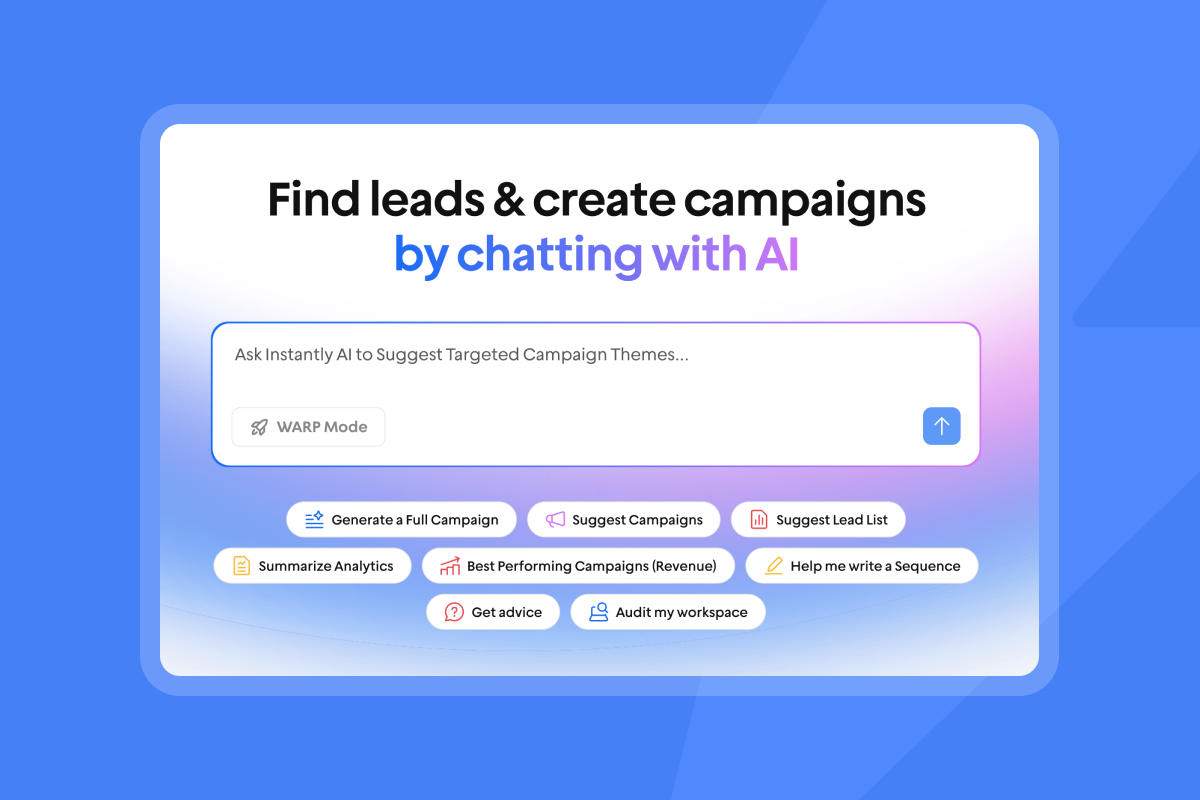
Sales leaders need personalization that scales across their team. Tools like Instantly's AI Copilot can help reps quickly research prospects and generate personalized opening lines without spending 20 minutes per email. One user described the efficiency gains.
Clear call to action
Your call to action should be specific, actionable, and easy to complete. Avoid vague questions like "Any thoughts?" Instead, suggest a concrete next step: "Are you available for a 15-minute call this Thursday at 2:00 PM to discuss how we can address your data quality concerns?"
Low-commitment CTAs work well for re-engagement. Ask if they would like you to send a one-page summary. Request a simple yes or no answer. Give them an easy way to respond without feeling pressured into a meeting they are not ready for yet.
The power of persistence
Studies consistently show that most sales require multiple touchpoints. One follow-up can significantly boost your response rate. Five to seven follow-ups over 2-4 weeks is often necessary before you hear back.
The challenge is maintaining that persistence across your entire team. Sales leaders need systems that standardize the follow-up process, track engagement, and ensure reps do not give up too early.
How to structure your follow-up email sequence
A strategic sequence varies the message, timing, and value proposition with each touch. Here's a proven four-email framework that moves from reinforcement to gentle breakup..
Email 1: The immediate value-add (24-48 hours post-call)
Send this first follow-up within 24-48 hours while the conversation is fresh. Recap key points from your call, reinforce the value proposition, and deliver on any promises you made. If you said you would send a case study, include it. If they asked a question you did not fully answer, address it now.
Keep it brief, around 50-125 words. Reference specific details from your conversation to show you were listening. End with a clear next step, like scheduling a follow-up call or reviewing a proposal.
Subject line example: "Following up on [specific topic] we discussed"
Email 2: Addressing potential objections (3-5 days later)
If you do not hear back, wait 3-5 business days before the second touch. This email should anticipate and address common objections without being confrontational. You might say, "I understand things get busy, or perhaps your priorities have shifted."
Provide new information that overcomes hesitation. Share social proof from a similar customer, address a common implementation concern, or offer a relevant resource. Frame it as helpful context, not a hard sell. Wait 3-5 business days to allow prospects to process your initial message without feeling pressured.
"I have tried many platforms before. Instantly is the best I have used. They introduce new features quite often..." - Selvakumar Palanisamy on Trustpilot
Email 3: New insights or resources (7-10 days later)
The third follow-up, sent 7-10 days after the second, should introduce entirely new value. Share a recent industry report, a relevant webinar on a specific topic, or a free tool that addresses their workflow challenge. For instance, if they mentioned data quality concerns, send a link to a free email verification tool comparison.
This email works well for re-engagement because it does not require a response about your product. You are simply sharing something useful. Many prospects will reply with a "thanks for sharing" that reopens the conversation.
Watch this tutorial on managing follow-up sequences to see how Instantly's interface makes it easy to schedule and track these varied touchpoints.
Email 4: The "breakup" email (14-21 days later)
If silence persists after three value-driven touches, send a polite breakup email 14-21 days later. Acknowledge that you have not heard back and will stop reaching out, but leave the door open for future contact. These emails often provoke a response by creating a sense of loss and giving prospects a final, low-pressure opportunity to re-engage.
Subject line example: "Should I close your file?"
Body: Brief, professional, non-pushy. State you will stop reaching out but remain available if their situation changes. This respects their time while giving them a final opportunity to re-engage.
One user emphasized the value of smart automation for these sequences:
"It's ease of use and simple structure, whether it's pricing, emails, campaigns, warmups, everything is easy and clean" - Grihith Bhoir B. on G2
Key elements for each email
Every email in your sequence should include these components:
- Personalized subject line that references the call or previous conversation, avoiding generic phrases like "just following up"
- Brief opening that acknowledges the previous interaction
- New value specific to that touch (case study, resource, insight, or objection handling)
- Single, clear CTA that is easy to act on
- Professional closing that maintains warmth without pressure and proper email authentication setup to ensure deliverability
Follow-up sequence comparison
Here's how the four emails differ in purpose and execution:
| Timing | Primary Goal | Content Focus | |
|---|---|---|---|
| 1. Value-add | 24-48 hrs | Reinforce value | Recap + promised resources |
| 2. Objection handler | 3-5 days | Address hesitation | Social proof + common concerns |
| 3. Insights share | 7-10 days | Provide new value | Industry research + resources |
| 4. Breakup | 14-21 days | Final re-engagement | Respectful close + open door |

Follow-up email templates for stalled leads
These templates provide a starting framework. Customize them with specific details from your sales calls and industry context.
Template 1: Post-call value reinforcement
Subject: Quick follow-up on [specific topic from call]
Hi [First Name],
Thanks for taking the time to discuss [specific pain point or goal] yesterday. I wanted to follow up with the [case study] I mentioned showing how [similar company] reduced their cost per meeting from $47 to $22 while maintaining a 5.2% reply rate across 8 sending accounts.
[One-sentence summary of the case study and its relevance to their situation]
Based on our conversation about [their challenge], I think [specific feature or approach] could help you [achieve their stated goal].
Are you available for a brief call this [day] at [specific time] to discuss next steps?
Best,
[Your Name]
Template 2: Objection handling focus
Subject: Addressing your question about [specific concern]
Hi [First Name],
I have not heard back since we spoke about [topic], and I wanted to address a concern that often comes up at this stage.
Many teams worry about [common objection related to their situation]. We have found that [specific approach or feature] addresses this by [brief explanation]. For example, one sales team increased their reply rate from 2.8% to 5.1% within 3 weeks by addressing this exact concern.
If [this objection] is holding you back, I am happy to walk through how we handle it. If it is something else, I am all ears.
Would a quick 10-minute call work this week?
Best,
[Your Name]
Template 3: Resource sharing
Subject: Thought you might find this useful
Hi [First Name],
I came across [article/report/tool] about [relevant industry trend or challenge] and immediately thought of our conversation about [their specific challenge].
[Link to resource]
The key takeaway is [one-sentence insight that relates to their business]. This aligns with what you mentioned about [their goal or pain point].
Let me know if this sparks any thoughts or if you'd like to revisit our discussion.
Best,
[Your Name]
Template 4: The polite breakup
Subject: Should I close your file?
Hi [First Name],
I have not heard back regarding [topic] and I will assume your priorities have shifted. I will stop reaching out, but if anything changes or you would like to revisit this in [timeframe, e.g., "next quarter"], please do not hesitate to get in touch.
We wish you all the best with [their stated goal or challenge].
Best,
[Your Name]
Watch this video on AI-powered email management to see how automation can handle routine follow-ups while maintaining personalization.
How Instantly helps automate and scale follow-up emails
Sales leaders need tools that standardize follow-up processes across their team while maintaining deliverability at scale. Manually tracking who needs a third touch on Thursday versus a breakup email next week does not scale past a handful of reps.
Standardize sequences across your team
Instantly allows you to build multi-touch follow-up sequences once and deploy them across your entire team. Each rep can personalize the first line, but the core structure, timing, and value proposition remain consistent. This prevents the common problem of top performers following up persistently while others give up after one try.
The platform's sequence builder includes A/B testing capabilities so you can test different subject lines, CTAs, or email copy variants. Over time, you identify what resonates with your audience and roll those insights across all reps.
One sales leader shared their experience with team standardization:
"Instantly have gone out of their way to create resources to help understand how to use the platform. It did not take me long to get up to speed with it all. Customer service is great, they answer my questions and help me along the way." - Manikaa on G2
Another user emphasized the platform's ease of adoption:
"It was very straight forward to warm up my email addresses/inboxes as well as start my first campaign!" - Verified User in Computer Software on G2
Ensure deliverability and inbox placement
Follow-up sequences only work if your emails land in the primary inbox. Instantly includes built-in warmup for unlimited email accounts, automated inbox placement testing that flags you when primary inbox rates drop below 80%, and a private deliverability network of 4.2 million accounts that mimics real engagement patterns. Keep bounce rates at or below 1% and watch for spam complaint rates above 0.1%, which signal reputation problems.
The platform's inbox placement testing feature automatically checks where your emails land across major providers (Gmail, Outlook, Yahoo) and alerts you if placement drops. This prevents the nightmare scenario where your entire follow-up campaign goes to spam and you do not realize it until the quarter ends.
For high-volume teams, Instantly's Light Speed plan adds SISR (Server and IP Sharding and Rotation) with dedicated IP pools. This isolates your sending reputation and provides more control over deliverability at scale.
One reviewer highlighted the reliability:
"Wish I found this platform sooner! It has all the tools needed for cold outbound in one place. Previously, I was running 3 different systems to get a fraction of the results." - James L. on G2
Watch this guide to cold email deliverability in 2025 for detailed setup instructions.
Automate replies with AI Reply Agent
When follow-ups start generating replies, handling them quickly becomes critical. Instantly's AI Reply Agent can respond to common questions, handle objections, and book meetings in under five minutes. The platform's official documentation confirms that the AI Reply Agent ensures replies go out instantly (under 5 minutes). You configure it to operate in autopilot mode or human-in-the-loop mode where you review responses before they send.
This helps sales leaders scale reply handling without hiring more SDRs. The AI learns from your best responses and maintains consistent messaging across your team. As one user noted:
"Simple and well-designed UX, effective support from both humans and AI for small questions. Additionally, the AI is capable of entering campaign configurations and applying fixes, which is a huge time saver!" - Guillaume N. on G2
Watch this AI agent demo to see how automated reply handling works in practice. For an in-depth look at real-world results, check out this 30-day AI reply agent test.
Centralize lead management with Unibox
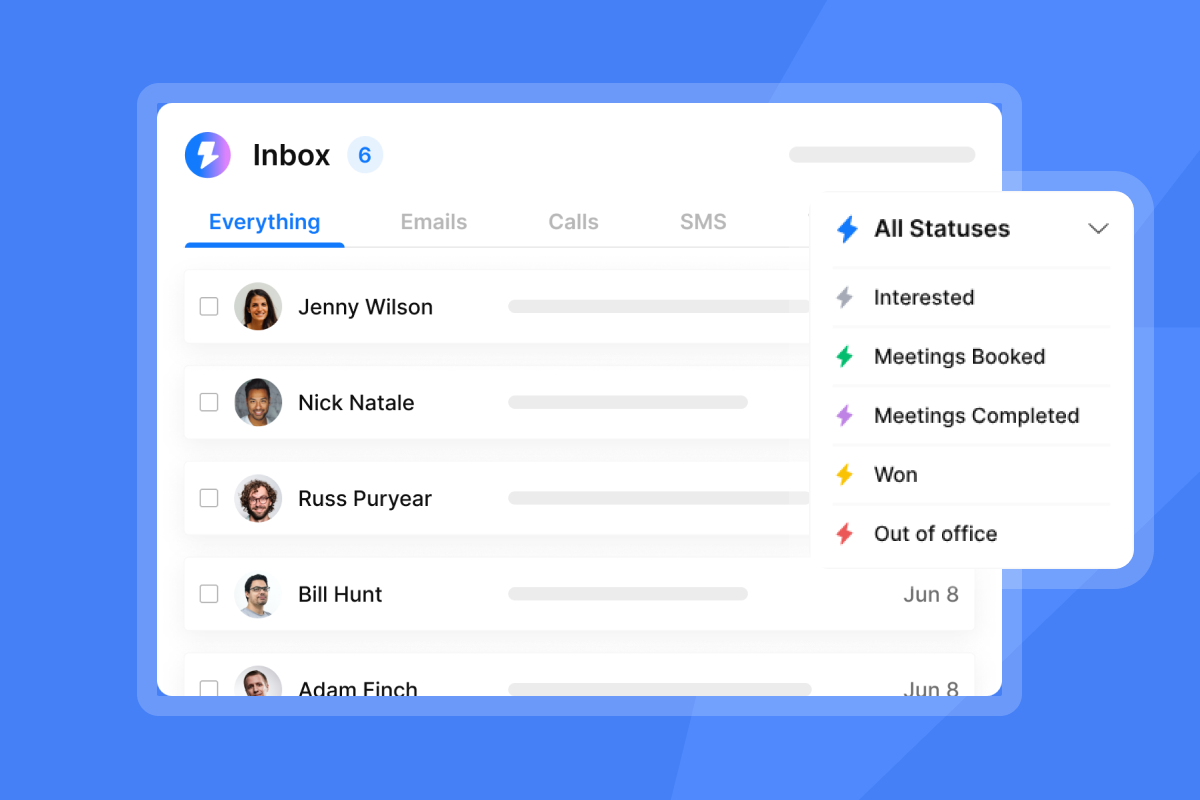
Instantly's Unibox brings all replies from multiple email accounts into a unified inbox, making it easy to track which follow-ups are generating engagement. You can tag leads, assign them to reps, and track conversation history without switching between multiple Gmail or Outlook inboxes.
This centralization is particularly valuable for sales leaders managing distributed teams. You can spot trends (like which follow-up email in your sequence generates the most replies), identify reps who need coaching, and ensure no leads fall through the cracks.
Another user praised the toolkit:
"Great for email deliverability and fast contact finding. They specialize in getting emails delivered at a much higher rate than our previous email provider, and make it generally easy to find contacts, and use AI to assist in writing emails." - Verified User in Internet on G2
Transparent reporting for pipeline health
The platform provides clear reporting on sends, opens, replies, and meetings booked. We break this down further in formal email examples and templates. You can track performance by rep, by sequence variant, and by email in the sequence. This data helps you answer critical questions: Are reps giving up too early? Which follow-up email generates the most responses? Is deliverability degrading?
Unlike platforms with misleading open rates or hidden analytics limitations, Instantly's reporting focuses on metrics that matter for pipeline: verified reply rates, meeting conversion, and cost per opportunity. No billing surprises, no seat-based penalties when you scale from 5 to 15 reps.
One user highlighted the value of reliable analytics:
"I love that Instantly just works and does the basics exceptionally well, focusing on the 'simple things that actually matter'. The interface is intuitive, making the setup process smooth and straightforward." - Chico C. on G2
Another reviewer emphasized the practical benefits:
"Highly recommend for GTM teams. Flexible account linking options, quick and easy setup. Their Fin-Bot is very fast, useful and accurate. I don't have to constantly look up FAQ or mail customer support." - Poushali D. on G2
Best practices for consistent follow-up success
Even with great tools, follow-up success requires operational discipline. These practices help maintain consistent performance across your team.
Maintain list hygiene
Keep bounces below 1% and immediately remove hard bounces to protect sender reputation. A bounce rate above 2% signals serious data quality problems that can blacklist your domain. Instantly's platform includes bounce detection that automatically pauses sequences for problematic contacts.
Bounces kill sender reputation faster than almost anything else. Keep your contact lists clean by verifying email addresses before adding them to sequences. Remove hard bounces immediately and monitor for patterns that suggest data quality issues.
Monitor sender reputation
Track your sender reputation using tools like Google Postmaster Tools and Microsoft SNDS. Watch for spikes in spam complaints or drops in inbox placement. If metrics dip, pause sends, audit your list quality and email content, then resume at a lower volume.
Slow ramp warmup is critical when adding new domains or email accounts to your follow-up sequences. Limit sending to 30 emails per day per inbox initially. Monitor your inbox placement rate weekly and pause sending if it drops below 85%. This approach builds trust with mailbox providers and prevents your follow-ups from landing in spam.
"Their service and support is awesome!" - Jhenil Votiko on Trustpilot
A/B test your subject lines and copy
Continuous testing helps identify what resonates with your audience. Test one variable at a time: subject lines, opening sentences, CTAs, or the timing between follow-ups. Let tests run until you reach statistical significance for meaningful metrics.
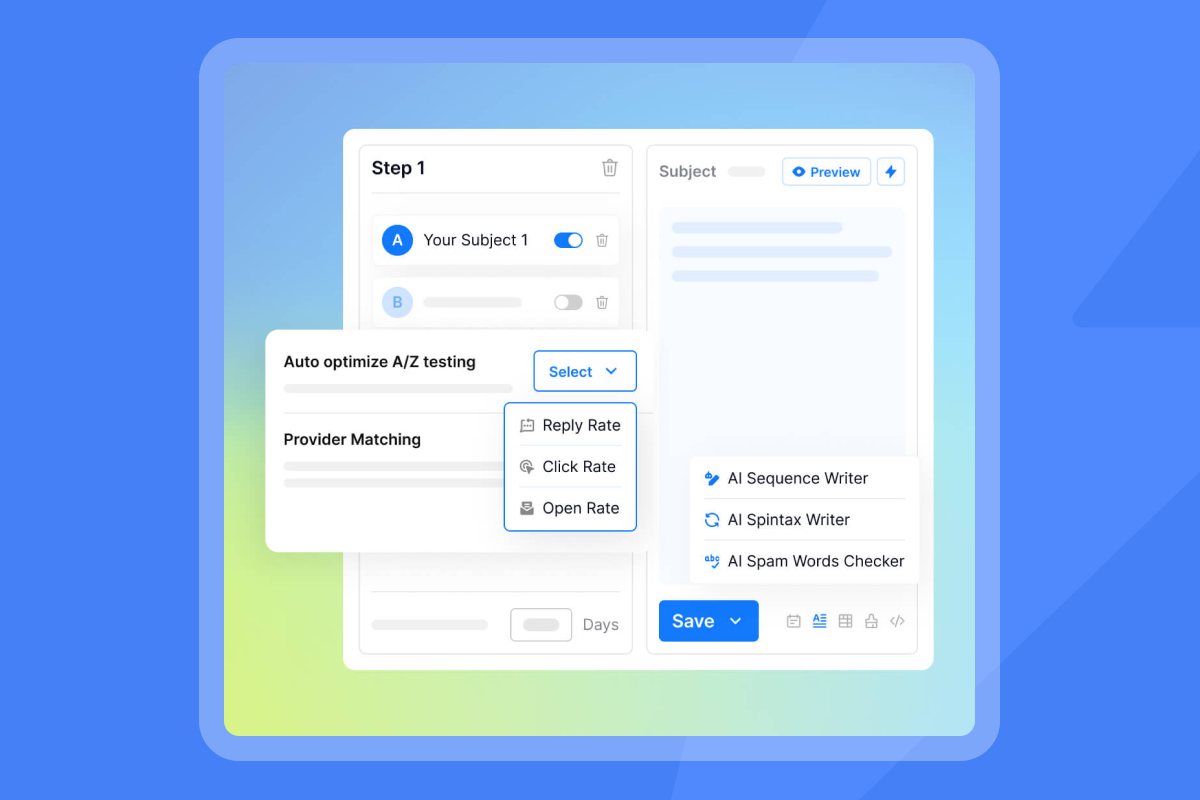
Track not just opens, but replies and meetings. A subject line that boosts opens by 10% is worthless if it decreases replies by 15%. Focus on downstream metrics that tie to revenue. Instantly's reply rate optimization guide provides specific benchmarks: aim for 5-10% reply rates on warmed follow-up sequences, with 10%+ indicating strong performance.
Integrate with your CRM
Connect your follow-up sequences to your CRM so activity logs, replies, and meeting bookings sync automatically. This provides a complete view of each lead's journey and prevents double-touches when reps manually reach out.
Instantly offers native integrations with HubSpot and Salesforce, plus connections via Zapier, Make, and Pabbly for other systems. Proper integration ensures your follow-up data flows into pipeline reports and forecasting.
For a comprehensive setup guide, watch this full Instantly tutorial covering sequences, integrations, and team management. Another detailed walkthrough is available in this Instantly AI beginners guide.
"Instantly has been a game changer for my vertical in merchant service where email marketing is key. I've converted several leads into deals using Instantly and it's paid for itself 5x. On top of that, their customer service is quick and punctual when something comes up." - Philip Hendrich on Trustpilot
Reviving silent leads: A systematic approach, not guesswork
Silence after a sales call is not rejection. It is an invitation for smarter follow-up. Sales leaders who implement structured, value-driven sequences consistently convert more stalled leads into pipeline than teams that give up after one or two attempts.
The key is balancing persistence with respect, providing new value with each touch, and using automation to ensure consistent execution across your team. Tools like Instantly handle the operational heavy lifting (deliverability, warmup, send scheduling, reply management) so your reps can focus on personalization and building relationships.
Ready to get your stalled leads back on track? Try Instantly and apply these follow-up strategies with built-in automation, deliverability protection, and analytics that help you convert more cold leads into booked meetings.
FAQs:
How many follow-up emails are ideal after a sales call?
Most successful sales require 5-12 follow-ups. Send the first follow-up within 24-48 hours, then space subsequent emails 3-5 days apart initially, extending to 7-10 days for later touches. Studies show 80% of sales need five or more touchpoints, yet most reps stop too early. Use a breakup email as your final touch to give prospects one last chance to re-engage. Track your team's average touchpoints and compare against this benchmark to identify coaching opportunities.
What should I do if a prospect still doesn't reply after the breakup email?
Move them to a long-term nurture track with less frequent, lower-touch content like monthly newsletters or quarterly industry updates. Check back every 3-6 months with high-value content such as major product updates, relevant case studies, or significant industry research in case their circumstances changed. Focus your active follow-up effort on leads showing engagement signals. Not every silent lead is lost forever, but they should not consume resources meant for active prospects.
How can I personalize follow-up emails at scale?
Reference specific details from your sales calls in templates, use merge fields for dynamic content, and employ AI tools to quickly research prospects and generate personalized opening lines. Focus personalization on the first few sentences and the value proposition rather than over-personalizing every line. The goal is balancing authenticity with efficiency so reps can send thoughtful follow-ups without spending 30 minutes per email.
What are common mistakes to avoid in follow-up emails?
Avoid generic subject lines like "just following up," repeating the same message in every touch, sending walls of text over 200 words, burying your CTA, and giving up after 1-2 attempts. Do not use pushy language or guilt-trip prospects for not responding. Skip vague CTAs like "any thoughts?" in favor of specific, easy-to-complete actions. Most importantly, do not neglect deliverability fundamentals like warmup, authentication, and list hygiene, or your carefully crafted follow-ups will land in spam.
Key terms glossary
Deliverability: The ability of your emails to reach the primary inbox rather than spam or promotions folders. Deliverability depends on sender reputation, authentication (SPF, DKIM, DMARC), engagement rates, and list quality. Monitoring deliverability is critical for follow-up sequences because even one email landing in spam can derail your entire campaign.
Sender reputation: A score that mailbox providers assign to your domain and IP address based on bounce rates, spam complaints, engagement, and authentication. High sender reputation ensures inbox placement. Low reputation sends your emails to spam. Maintaining sender reputation requires slow ramp warmup, list hygiene, and monitoring bounce rates below 1%.
Unibox: A unified inbox that consolidates replies from multiple email accounts into a single interface. Unibox makes it easy for sales teams to track all follow-up conversations, assign leads to reps, and ensure no replies fall through the cracks. Instantly's Unibox includes tagging, filtering, and integration with CRM systems.
AI Reply Agent: An AI-powered tool that automatically responds to lead replies based on configured rules and training. Instantly's AI Reply Agent can handle objections, answer common questions, and book meetings in under 5 minutes, operating in autopilot mode or with human review before sending.
SISR: Server and IP Sharding and Rotation. A deliverability technique that distributes email sends across dedicated servers and IP addresses, isolating sender reputation and improving inbox placement at scale. Instantly's Light Speed plan includes SISR with private IP pools for high-volume senders who need maximum deliverability control.



