


Updated February 24, 2026
TL;DR: Reminder effectiveness relies on cognitive triggers like scarcity, loss aversion, and the "fresh start effect," not just persistence. While psychology explains why people reply, there is no universal "best time" to send. The data conflicts wildly. Sources report different optimal times, from Tuesday mornings to Thursday late morning to evening sends achieving 50%+ open rates. The only way forward is rigorous A/B testing using your actual audience data. Instantly's A/Z testing, unlimited accounts, and granular analytics let you validate timing hypotheses without burning your primary domain.
Most advice offers a magic number or a perfect day, but the truth is messier. Research on the Zeigarnik effect tells us that unfinished tasks create cognitive tension that persists until resolved. An unanswered email is an open loop. A well-timed reminder scratches that mental itch. Effective reminders are not about pestering. They reduce the cognitive load for your prospect, making it easier to take the next step. By combining behavioral science principles with A/B testing of send windows, you turn ghosted leads into booked meetings. This is the same data-driven mindset behind any strong cold email strategy. Hypothesize, test, measure, and iterate rather than following generic advice. Here is the science behind the nudge and the system to automate it.
Prerequisites for testing reminder timing
Before running send-window experiments, set up three foundations.
Verified contact list: Bounce rates at or below 1%. Use Instantly's verification features before upload to remove invalid addresses that poison domain reputation.
Warmed sending domains: At least 30 days of warmup at gradually increasing volume. New domains lack sender reputation. Instantly's unlimited warmup feature handles this automatically across all accounts. Instantly, the cold email tool built for systematic experimentation, handles warmup automatically across all accounts so your domains build reputation before you run any timing tests.
Baseline metrics: Run one campaign with default send windows (weekday mornings, 9 AM to 5 PM) to establish your baseline open and reply rates. You need a control group to measure lift from timing changes.
The behavioral science behind effective reminders
People ignore emails because they are overwhelmed. Cognitive load measures the mental effort required to process information and make decisions. When an inbox has 200 unread messages, your cold outreach competes for scarce attention.
A reminder cuts through by reducing the friction to act.
Scarcity and loss aversion: Loss aversion research shows that the pain of losing is psychologically about twice as powerful as the pleasure of gaining. Email examples like "Your spot is about to be released" or "This offer expires tonight" trigger an immediate response because people prioritize avoiding loss over securing an equivalent gain.
"Love how Instantly can warm up email domains, taking away all that manual work. Its also super easy to set up campaigns and integrates with Clay so I can just push my contacts from directly from Clay to instantly." - Holly B. on G2
The Fresh Start Effect: The start of a new week, month, or year create mental accounting periods. People treat these moments as opportunities to leave past failures behind and take aspirational action. Google searches for "diet" and gym visits both spike following these landmarks. Frame your reminder with "Kicking off the new quarter" or "As we start the week" to tap into this fresh-start mindset.
Social proof: Robert Cialdini's work on influence defines social proof as people copying the actions of others to decide how to behave. When discussing persuasion, Cialdini describes social proof as safety in numbers. Email examples include "We've had 500 other marketers sign up this week" or "Just spoke with the marketing leads at [Company A] and [Company B] about this solution." Mentioning that hundreds of others have taken the action reduces the perceived risk of saying yes.
These principles work because they reduce the mental effort required to reply. Instead of "Should I respond?" the question becomes "Can I afford not to?"
Optimal timing and frequency by reminder type
One size does not fit all. The right cadence depends on your goal and the urgency of the action.
Appointment and event reminders: High urgency demands high frequency. Send a 24-hour reminder and a 1-hour reminder. Event marketing benchmarks show that well-timed nudges significantly reduce no-shows. For webinars with limited seats, some teams send countdowns in the final 72 hours when recipients have explicitly opted in.
Payment and invoice reminders: Pre-due-date nudges at 7 days and 3 days out set expectations. Post-due-date, switch to 1 day, 7 days, and 14 days. The tone shifts from helpful ("Friendly reminder your invoice is due Friday") to firm but professional ("Your payment is now 7 days overdue").
Cold outreach follow-ups: Avoid linear nagging. Early touches are closer together, then slow over time to avoid fatigue. This spacing pattern starts frequent, then extends intervals as the sequence progresses.
Reminder Type | Recommended Frequency | Optimal Time Window | Psychological Trigger |
|---|---|---|---|
Appointment/Event | 24h + 1h before | Business hours, recipient timezone | Scarcity (limited seats), Loss aversion (miss out) |
Invoice/Payment | 7d, 3d pre-due, then 1d, 7d, 14d post-due | Weekday mornings (9-11 AM) | Loss aversion (late fees), Fresh start (new billing cycle) |
Cold Outreach | Day 1, 3, 7, 14 (increasing spacing) | Test weekday vs. weekend, morning vs. evening | Social proof, Cognitive ease (low-friction ask) |
Long-term Nurture | Monthly or quarterly | First Monday of month (Fresh Start Effect) | Fresh start, Cognitive ease |
The data on follow-up volume: four to nine follow-ups work for most cold outreach. Modern B2B sales data shows that complex deals require significantly more touchpoints than in the past, but for initial outreach campaigns, four to nine follow-ups tends to work when list hygiene is tight and bounce rates stay at or below 1%.
The case for aggressive initial frequency
When a lead is hot or an event is imminent, frequency must increase. A prospect who downloaded your lead magnet 10 minutes ago is more likely to book a demo than someone who visited your site six weeks ago. Strike while attention is high.
Use cases for aggressive cadence: Webinar countdowns benefit from daily reminders in the final 72 hours. Limited-time offers, early-bird pricing, and flash sales demand compressed timelines when recipients have opted in.
The risk: Annoyance and spam reports. If you send aggressively, you must monitor bounce rates and spam complaints in real time. Before scaling frequency, make sure your sequences meet legal requirements. Review the reminder email compliance guide covering CAN-SPAM, GDPR, and CASL rules for cold and transactional sends.
"Deliverability tools that actually move the needle: warmup, inbox rotation, and smart sending windows help us land in Primary instead of Promotions/Spam... Clear analytics: reply rates by step, inbox-level performance, and team dashboards make optimization straightforward." - Anthony V. on G2
The fix: Pair high frequency to ensure your emails get delivered. Instantly's Unibox consolidates replies from all sending accounts so you can quickly spot negative responses, and the unlimited warmup feature helps maintain domain health even when throughput is high. Keep your bounce rate at or below 1%, verify lists before upload, and use Instantly's delivery optimization to send emails as text-only when HTML raises spam flags. For a detailed walkthrough of cold email deliverability best practices, watch The Ultimate Guide to Cold Email Deliverability on the Instantly YouTube channel.
How to A/B test your send windows for maximum reply rates
Generic "best practices" are averages. You need your data. Different studies report conflicting optimal days, from Monday to Thursday, with time windows ranging from early morning to late evening. The contradictions prove that context matters. Your audience, industry, and message all shift the optimal window.
Step 1: Form a hypothesis. "My prospects are executives who check email on Sunday nights" or "Mid-market buyers respond better to Tuesday mornings than Thursday afternoons." Base the hypothesis on your persona's work patterns. Some research suggests executives check email early morning or late afternoon, while mid-level buyers engage more in late morning, but these are averages that may not match your list.
"I love how Instantly has revolutionized my email marketing efforts. Its ability to solve the problem of sending bulk emails across different time zones is essential for global campaigns and ensures that messages reach recipients at the most optimal times." - Sachin J. on G2
Step 2: Set up the test in Instantly. Create Campaign A with a send window of Monday through Friday, 9 AM to 5 PM EST. Create Campaign B with Saturday and Sunday, 8 AM to 10 AM EST. Split your lead list evenly between the two. Use identical copy and subject lines so time is the only variable. A/Z testing is available on the Hypergrowth plan ($97/month or $77.60/month when billed annually).
Instantly's Campaign Options settings let you define specific time blocks for each variant. If you are testing multiple variables at once (subject line variants plus send-window variants), Instantly's A/Z testing feature allows you to run multivariate experiments simultaneously rather than sequential A/B tests that slow down learning.
Step 3: Analyze performance. After 500 emails per variant, review the data. Look at reply rate (not just opens) because replies are the goal. If Campaign A (weekday mornings) delivers a 5.2% reply rate and Campaign B (weekend mornings) delivers 2.8%, you have your answer. Data typically shows weekends underperform for B2B emails because people are off work, but there are exceptions worth testing.
"I like that instantly can handle large scale email campaigns without worrying about deliverability. the automation for inbox rotation, warm up and sending limits makes outreach very smooth and saves a lot of manual work. The most helpful part is the detailed reporting. It shows clear data like open rates, replies, and bounce rates, which I can easily use for analysis and integrate with other BI dashboards." - Anjali T. on G2
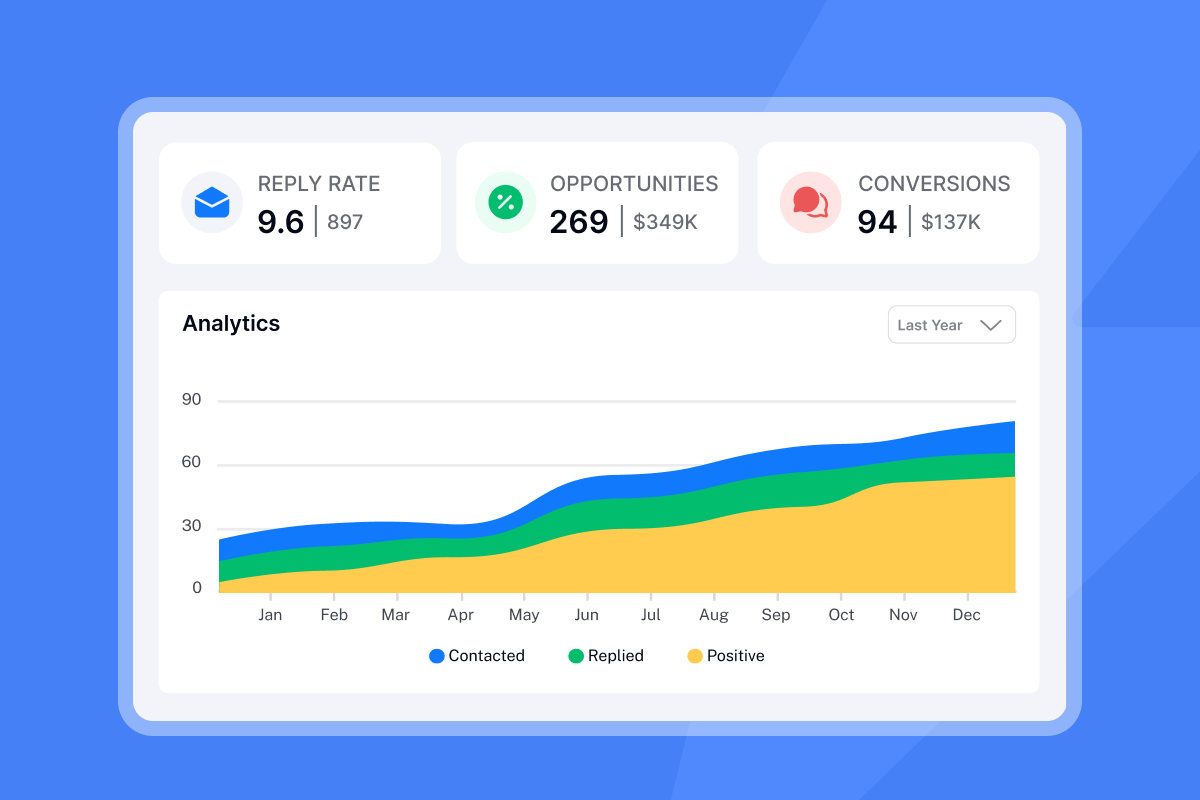
Use Instantly's analytics dashboard to compare metrics between campaigns. Filter results by campaign, compare reply rates by day and time, and identify the winning time slot based on positive replies. For a step-by-step breakdown of how to set up and optimize your campaigns, watch The Best Cold Email Follow Up Strategy on the Instantly channel. For a complete breakdown of which reminder email metrics to prioritize when analyzing test results, beyond open rates, see the step-level analytics guide covering reply rate, conversion, and reply latency.
Growth marketer tip: Pair timing tests with copy tests. Use Instantly's A/Z testing to test subject lines (psychology) alongside timing (logistics). For example, a subject line that wins on opens may lose on replies. Test both dimensions to optimize for the metric that matters.
Writing reminders that convert: The "Clear, Kind, Concise" framework
Reminder copy must be low friction. The recipient already saw your first email. Do not repeat the entire pitch.
Instead, reduce cognitive load with three elements.
Clear: State exactly what is missing or needed. "Re: Our chat about [specific topic]. Any new thoughts on the proposal?" beats "Just following up." Specificity reminds them of the context without forcing them to scroll back through their inbox.
Kind: Assume positive intent. They got busy, not rude. "Bumping this to the top of your inbox in case it got buried" acknowledges the reality of inbox overload. Avoid passive-aggressive language like "Per my last email" or "As I mentioned before."
Concise: Try to keep it under 130 characters. Research on cognitive load shows that long emails require more mental effort and are more likely to be ignored. One sentence of context, one clear ask, one easy next step.
Before: "Just checking in to see if you had a chance to review my previous email about our software solution."
After (Clear, Kind, Concise): "Re: Automating your lead follow-ups. Does Thursday at 2 PM work for a 15-minute call?"
Before: "Following up on the below. Let me know your thoughts."
After: "Your demo link expires Friday. Book your slot here: [link]." The scarcity trigger (expiration) plus the single action (click to book) makes the decision easy.
Once your timing is dialed in, the next variable to optimize is copy. Start with reminder email subject lines that earn the open before testing body copy and CTA variations.
Instantly's personalized lines feature and cold email copywriting framework help you build reminder templates that balance brevity with personalization. For deep-dive copywriting advice, watch Give me 13 mins, and I'll make your cold emails impossible to ignore.
"I really enjoy using Instantly for a variety of reasons. Its simplicity in managing inboxes and campaigns stood out immediately, making it a clear choice over other tools I had used before... The automation of outreach and centralized inbox management means that I can handle multiple campaigns, significantly saving me time and resources." - Nathan D on G2
Psychology gets their attention. Timing gets the action. But guessing costs you meetings and damages domain health. Ready to find your perfect send window? Start your free trial with Instantly and let the data decide.
Frequently asked questions about reminder emails
How many follow-ups is too many? Three to four for cold outreach, more for transactional reminders like invoices or event confirmations. Industry consensus supports four to nine follow-ups if list hygiene is tight and bounce rates stay at or below 1%.
Is it illegal to send reminder emails? No, provided you follow CAN-SPAM and GDPR rules and offer opt-outs. CAN-SPAM allows 10 business days to process unsubscribe requests. For EU recipients, GDPR allows cold B2B emails under legitimate business interest without explicit opt-in, though you must process opt-out requests within the required timeframe.
Should I send reminders on weekends? Test it. B2B emails typically perform best on weekdays during standard business hours, but some audiences (particularly founders and executives catching up on email) may respond to weekend sends.
What is the best time to send a reminder email? There is no universal answer. Studies conflict wildly, reporting everything from Tuesday mornings to Thursday late morning to evening sends. Test your specific audience to find what works.
How do I avoid annoying prospects with reminders? Space follow-ups using increasing intervals (Day 1, 3, 7, 14), keep copy under 50 words, and monitor bounce and spam rates in real time using Instantly's deliverability dashboard.
Key terms glossary
Cognitive load: The amount of mental effort required to process information and complete tasks, directly impacting whether a recipient reads and replies to an email.
Zeigarnik effect: The psychological principle that unfinished tasks create cognitive tension and are remembered better than completed tasks, making unanswered emails persist in the recipient's mind.
Loss aversion: The behavioral tendency to prioritize avoiding losses over acquiring equivalent gains, shown by Kahneman and Tversky to be about twice as powerful.
Fresh Start Effect: The increased likelihood of taking aspirational action following temporal landmarks like the start of a new week, month, or year, researched by Katherine Milkman at Wharton.
A/Z testing: Multi-variant testing that allows simultaneous comparison of more than two email variations, including copy, subject lines, and send windows.
Send window: The specific time block during which emails are allowed to be sent, defined by timezone, days of the week, and hour ranges.


