.svg)
%20(1).svg)


Updated May 15, 2026
TL;DR
Reaching decision-makers requires role-specific templates built around what each buyer type cares about, a proven sequence structure, and deliverability infrastructure that lands emails in the primary inbox. The gap is almost always messaging clarity and infrastructure, not product quality. This guide covers the exact templates for economic buyers, technical buyers, and champions, plus the sequence timing, objection handling, and deliverability system required to make them work.
Most people doing outreach obsess over subject lines while their emails sit unread in executive spam folders. Writing quality is only part of the equation. Your templates also need to speak to the right buyer, and your sending infrastructure needs to deliver them.
Adapting emails by decision-maker type
B2B purchases rarely involve one person. Most deals include an economic buyer (budget authority), a technical buyer (evaluating fit and risk), and a champion (internal advocate). Each has different priorities and different reasons to reply. Generic templates fail because they try to speak to all three at once and end up resonating with none.
Composable execution closes this gap. You build a library of role-specific openings, value props, and CTAs, then assemble them by persona rather than rewriting from scratch.
Technical requirements for email outreach
Before you launch any decision-maker sequence, verify these elements are in place:
- Authentication records: SPF, DKIM, and DMARC configured on all sending domains. Authentication issues cannot be resolved through volume adjustments.
- Verified contact data: Keep bounce rate under 2%. Verify your list before each send to stay within that threshold.
- Warmup completion: At least 30 days per inbox, ramping from 5 sends per day to a maximum of 30.
- Domain reputation baseline: Check all sending domains against major blocklists before first send.
- Reply handling workflow: Clear triage process and AE handoff before replies start arriving.
- Send cap enforcement: Hard cap at 30 emails per inbox per day across all campaigns.
- Suppression rules: Global blocklist and domain-level deduplication active to prevent overlapping outreach.Missing even one of these creates deliverability risk that undermines every template in this guide. Instantly's email deliverability guide for sequences covers the full setup checklist.
Emailing based on decision-maker goals
Pattern interrupts grab attention in crowded executive inboxes, but the line between memorable and gimmicky is thin. Use these sparingly, and always follow with a fast exit that makes it easy to say no or take one small next step:
- Unexpected question: "What would change if your team closed the same pipeline with one fewer tool?" (beats "Are you interested in reducing your tech stack?")
- Candid statement: "This is a focused 15 minutes. You'll know if it fits by the end." (signals respect for their time)
- Contrarian claim: "Your current tool isn't the problem. The data feeding it is." (reframes the conversation)
- Proof before pitch: "[Client Name] hit [specific metric] in [timeframe]. Here's what changed." (leads with outcome, earns the ask)
Email templates for economic buyer approval
Economic buyers focus on ROI, payback windows, and total cost of ownership. They decide based on financial risk and business outcomes, not features. Keep emails under 100 words and lead with a business outcome rather than ROI language.
A/B tested subject lines for DMs
(Note: "A/B testing" is used throughout this section as a general term. Instantly's platform calls this A/Z testing, reflecting the ability to run more than two variants at once.)
Run each subject line against your current control for a minimum of 1,000 sends per variant before drawing conclusions. Track reply rate as your primary signal. Open rates are increasingly unreliable due to Apple MPP and security bots. Retire the lowest performer after each test cycle and replace it with a new challenger. These five are your starting pool:
- "Cost saving idea for [Company]", best for economic buyers with a known cost pain. Swap [Company] for the account name to add a basic personalization signal.
- "Quick question re: [specific metric]"
- "How [Competitor] cut [cost] by [%]"
- "[Client Name] just solved [problem]"
- "[First Name], one number from [Industry]"
Email 1: opening with economic buyer value
Subject: Cost saving idea for [Company]
Hi [First Name],
[Company] teams at [Company Size] stage typically lose [specific hours or dollars] to [specific pain point]. We helped [Similar Company] cut that by [metric] in [timeframe].
Worth a 10-minute call to see if the same applies to you?
[Your Name]
Email 2: your ROI email template
Subject: Quick question re: [specific metric]
Hi [First Name],
[Similar Company] reduced [cost or time metric] by [%] using [specific approach]. For a team your size, that typically means [$X] in annual savings.
Happy to share the breakdown. Does [Day] work?
Email 3: use client success stories
Subject: [Client Name] just did X
Hi [First Name],
[Client Name] was dealing with [same problem]. After [solution], they achieved [specific outcome]. Here's the full case study: [link].
Is this relevant to what you're working on at [Company]?
When to send for more responses
Emails launched on Monday with follow-ups on Wednesday consistently outperform other timing patterns. Send between 9-11 AM in the recipient's local timezone, where B2B open rates consistently peak according to MailerLite and Salesforce data. Cap sends at 30 per inbox per day. Gong's cold email template resource documents the subject line patterns that earn executive replies and is a strong reference for this buyer type.
Email sequence framework for technical buyers
Technical buyers evaluate integrations, data governance, security posture, and implementation risk. They'll decline a meeting if your email reads like a marketing pitch. Reference their specific tech stack or a compliance challenge to earn credibility quickly.
Proven subject lines for technical buyers
- "re: [Their Tech Stack]"
- "SOC 2 compliance for [Company]"
- "How [Similar Company] integrated [Tool]"
- "API question for [CTO/VP Name]"
- "Data governance for [Industry] teams"
Email 1: technical credibility framework
Subject: re: [Their Tech Stack]
Hi [First Name],
We integrate natively with [specific tool they use] and handle [specific technical challenge] without requiring custom middleware. For teams on [their stack], setup follows a documented rollout path with full API access and audit logging from day one.
Worth an architecture walkthrough to confirm it fits your stack?
Email 2: integration governance & security
Subject: SOC 2 compliance for [Company]
Hi [First Name],
Data governance keeps coming up in technical evaluations with [Industry] teams. We cover [specific compliance framework], include full API documentation, and offer [specific integration detail].
Happy to share our security brief. Would your team find that useful?
Email 3: post-sale setup & success
Subject: 90-day setup for [Company]
Hi [First Name],
Implementation planning is often the deciding factor in technical evaluations. Here's how [Similar Tech Company] handled their rollout in [timeframe]: [link or one-sentence summary].
Does [Day] work to walk through a technical overview?
Optimal send times & deliverability
For technical staff, mid-week sends typically outperform early Monday or late Friday. Avoid weekends entirely. Keep bounce rates under 2% and pause immediately if spam signals rise. Distributed send volume across multiple inboxes protects reputation at scale.

Standardizing your outreach email sequences
Deliverability risks often come from reps going rogue with off-brand messaging, unsafe send volumes, or skipping warmup protocols. Standardizing templates across your team prevents this and creates the consistency required to run valid A/Z tests. Use Instantly's sequence builder to give reps a starting point they can adapt within clear guardrails. The Triple-A copywriting method and ChatGPT prompts for campaigns show how to generate variants without burning hours on manual rewrites.
Optimize subject lines for replies
Instantly's A/Z testing feature, available on the Growth plan ($47/month) and above, lets you run structured tests across your entire team rather than relying on individual rep instincts. Per the subject line testing governance guide, you need at least 1,000 sends per variant to reach statistical validity. Run subject line tests first because they have the largest impact on open rates, then test body copy.
Email 1: peer introduction template
Subject: Idea for your team
Hi [First Name],
Sales Development Representative (SDR) teams at [Company Size]-stage companies using [their current tool] typically hit a ceiling around [specific bottleneck]. I think there's a faster path. Happy to walk through it in 15 minutes?
Email 2: champion's path to fast internal wins
Subject: [Mutual Connection] thought of you
Hi [First Name],
Here's a one-line business case if this ever comes up with your manager: [Company] helps [Role] teams [achieve outcome] in [timeframe], which typically means [specific metric improvement].
Let me know if you'd like more detail.
Email 3: champion playbook resources
Subject: ROI calculator for your team
Hi [First Name],
Sharing our [one-pager or ROI calculator] in case it helps with any internal conversations. It maps [specific outcome] to team size and current spend.
Worth a quick call to customize the numbers for [Company]?
Optimal send times for inbox placement
For champions at the manager or team lead level, Monday through Wednesday consistently outperforms late-week sends. Match send windows to their working hours rather than yours, and avoid early Monday morning or late Friday when attention is lowest. Use Instantly's pre-send subject line checklist before any new variant goes live.
Objection handling templates by decision-maker type
Replies that aren't a "yes" are still opportunities. These four templates address the most common objection patterns across buyer types.
Show ROI to bypass price pushback
For economic buyers pushing back on cost:
I appreciate you asking. Can I send over a cost-benefit breakdown based on [Company]'s team size and current spend?
Addressing 'Too Busy' responses
For any role citing timing:
"Totally understandable. Quick check: is that because timing's off, the priority isn't there right now, or the fit isn't clear? Happy to adjust depending on the answer."
Addressing deliverability & setup
For technical buyers concerned about implementation:
Fair concern. Our rollout follows a documented path with full API access and audit logging from day one. Happy to set up a technical walkthrough so your team can confirm it fits your environment?
Crafting competitive response emails
For any role already using a competitor:
"[Competitor] solves [X] well. We're different because [specific differentiator, e.g., flat-fee unlimited inboxes] which matters most for teams dealing with [specific pain point]. Worth a 15-minute comparison?"
Multi-threaded outreach: coordinating across decision-makers
Running simultaneous sequences to three contacts at the same company requires careful timing. Overlapping messages can confuse the buying committee or signal that your outreach is automated and uncoordinated.
Optimizing multi-threaded flows
Start with the champion to validate messaging and build internal awareness. Bring in the economic buyer second, once the champion has confirmed fit. Add the technical buyer third, after the economic buyer has engaged, and before formal procurement begins. Space sequences at least two to three days apart so no single account receives multiple first-touch emails in the same 24-hour window.
Sequence order | Role | Primary focus | Stagger from prior |
|---|---|---|---|
First | Champion | Fit validation, internal awareness | Start of sequence |
Second | Economic buyer | ROI, payback window | 5-7 days after champion |
Third | Technical buyer | Integration, security | 5-7 days after economic buyer |
Streamline handoffs to AEs
When multiple contacts at the same account reply, your SDR needs to see all threads in one place. Instantly's Unibox centralizes replies across all inboxes and campaigns so your team can triage by status, route warm replies to AEs, and keep context intact across threads.
"In my experience, Instantly is easily the most user-friendly and effective for scaling outreach. Being able to connect as many inboxes as you need without a per-user fee is a game-changer. And the Unibox makes managing all those accounts effortless." - Alla L. on G2
Stop conflicting decision-maker emails
Use a global blocklist and domain-level suppression rules so any reply from a contact at a given account pauses all remaining active threads to that company. Instantly's email outreach plans include global blocklist and reputation protection on all tiers. Watch the signal-based cold email webinar for a live walkthrough of coordinating multi-stakeholder outreach.
A/B testing results and performance benchmarks
Data-driven decisions matter more than rep instincts when you're managing a team. Use structured tests to build evidence at the campaign level before locking in standards.
A/B test results: subject lines by role
Role | Typical subject line style | Key focus | What to avoid |
|---|---|---|---|
Economic buyer | Outcome-focused, concise | Business outcomes, pipeline impact | Abstract phrases, jargon-heavy openers |
Technical buyer | Specific to their tech stack, no fluff | Integration, security | Generic, non-specific openers |
Champion | Curiosity-driven, peer tone | Shared context, internal relevance | Hypey, sales-heavy openers |
A/B test results: open & reply rates
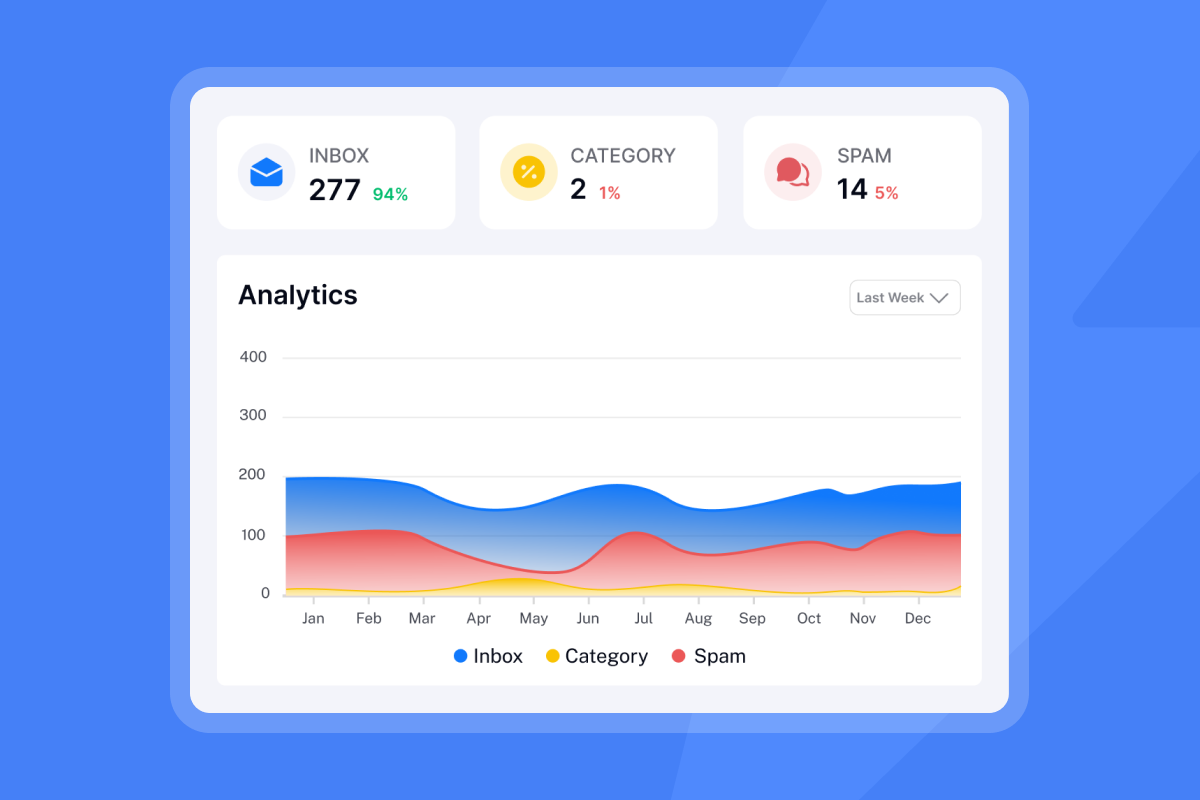
Per the email open tracking guide, open rates are increasingly unreliable due to Apple MPP and security bots. Optimize for reply rate, not opens.
"Instantly makes cold outreach operationally simple at scale. The interface is straightforward, setting up campaigns with multiple inboxes is fast, and the warm-up system helps maintain deliverability when sending higher volumes. It is especially useful for testing messaging, running A/B experiments, and managing several email accounts from one dashboard." - Ivar S. on G2
Email sequence structure & timing
4-7 touchpoints is the optimal range for most B2B decision-maker sequences. Stopping at three abandons too many potential replies, while going beyond seven produces diminishing returns unless each step adds new value. For send timing, emails launched on Monday with Wednesday follow-ups consistently outperform other patterns, with early morning sends in the recipient's local timezone.
Critical inbox deliverability components
Authentication and warmup work together, and neither is optional. Set up SPF, DKIM, and DMARC before sending a single email. Once authentication is in place, warmup builds the reputation that authentication alone can't establish. Instantly's warmup network runs in the background on all plans and is built to protect sender reputation at scale. Learn how it works on the Instantly email warmup page. Ramp gradually: 5 sends per inbox in week one, 15 in week two, 30 by week three. If bounce rates pass 1%, pause and re-verify your list before resuming at a lower cap.
Active monitoring catches problems before they affect pipeline. Instantly's Inbox Placement tool runs automated placement tests and alerts you when emails drift toward spam. The automated test setup guide walks through configuring alerts before live campaigns.
"I appreciate Instantly for its intelligent handling of domain and mailbox rotation as well as provider matching, which is critical for ensuring that my emails land directly in the primary inbox instead of getting caught in spam filters." - Richard E. on G2
Solve common decision-maker email challenges
Most decision-maker sequences fail for predictable reasons. Here are five patterns to fix before launch:
- Sending to the wrong contact first: If the economic buyer ignores you but the champion replies, shift your focus. Use the champion to validate messaging and gather internal context before re-approaching the economic buyer.
- Skipping deliverability setup: Authentication and warmup are prerequisites, not optional extras. A polished template that lands in spam earns nothing.
- Using one template for all buyer types: Economic buyers want financial outcomes. Technical buyers want architecture and security. Champions need shareable materials. Generic copy fails all three.
- Stopping too early: Most teams quit at three emails. Replies continue to come in through the Day 10-17 range, so ending early leaves pipeline on the table.
- Lacking centralized reply management: Without a unified inbox, warm replies from multi-threaded accounts get missed or duplicated. The Instantly Unibox feature keeps all replies centralized
so warm threads don't get missed during handoffs.
When you're ready to run these sequences across unlimited inboxes with built-in warmup and A/Z testing, try Instantly free and apply the ramp template inside the app.
FAQs
How many emails should a decision-maker sequence include?
4-7 touchpoints is the optimal range. Stopping at three leaves pipeline on the table, as replies continue to arrive through the Day 10-17 range.
What is a good reply rate for cold emails to executives?
A campaign reply rate above 5% is a strong benchmark for B2B senders. Optimize for reply rate rather than open rate as your primary signal, since open rates are increasingly unreliable due to Apple MPP and security bots.
How many email accounts should I warm up before launching a decision-maker sequence?
Warm multiple sending domains and inboxes for at least 30 days before launch. Instantly's warmup system covers unlimited accounts on all plans and monitors account health scores in real time.
Should I use ROI language in cold emails to economic buyers?
Avoid it in the opener. Lead with a specific business outcome or a client metric, then introduce the financial case in Email 2 once you have their attention.
How do I prevent different reps from sending conflicting emails to the same account?
Use a global blocklist and domain-level suppression rules so any reply from a contact at a given account pauses all remaining active threads to that company. Instantly's email outreach plans comparison details which blocklist and reputation protection features are included on each tier.
Key terms glossary
Economic buyer: The individual with authority to approve budget, typically at Director, VP, or C-suite level. Cares about payback window and total cost of ownership.
Technical buyer: The evaluator focused on integrations, security posture, and implementation risk. Often a CTO, VP Engineering, or IT Director.
Champion: The internal advocate who drives evaluation and adoption. Needs shareable materials to sell the decision upward.
Composable execution: Building sequences from modular, role-specific copy components (openings, value props, CTAs) rather than writing unique emails from scratch for each contact.
Sender reputation: A score assigned by mailbox providers based on bounce rates, spam complaints, and engagement history. Determines your ability to reach the primary inbox.
A/Z testing: Testing multiple email variants simultaneously to identify which subject lines, openers, or CTAs produce the highest reply rates across your team. Available on the Growth plan ($47/month) with expanded multi-variant capability on Hypergrowth ($97/month).
Primary inbox: The default inbox folder at Gmail, Outlook, and other providers. Emails that land here receive measurably higher open and reply rates than those routed to promotions or spam.
Unibox: Instantly's centralized reply management interface that aggregates responses across all sending accounts and campaigns into a single queue for triage and AE handoff.
Read next
How To Personalize Follow-Up Emails For Higher Conversions: How to add personalization signals beyond first name to follow-up steps so replies keep coming after the first touch.
How to Write Follow-Ups for Cold Leads, Warm Leads, Proposals, and Objections: The follow-up templates and timing logic for cold leads, warm replies, open proposals, and objection responses, organized by scenario.
30-Day Warmup Plan for Sales Teams: How to Get Emails From Spam to Primary Inbox: The 30-day ramp schedule, daily send caps, and inbox health signals to check before launching any new decision-maker sequence.



