.svg)
%20(1).svg)


Updated May 15, 2026
TL;DR
Most sales teams treat data, sending, and CRM as three separate problems. That fragmentation wastes time and hurts deliverability. Instantly.ai combines a 450M+ B2B lead database, flat-fee unlimited email accounts, a 4.2M+ account warmup network, and native CRM integrations, so your team spends less time on admin and more time booking meetings. Apollo and Lemlist offer strong data and personalization, but both carry per-seat pricing that compounds as your team grows. Apollo suits data-heavy teams comfortable with per-seat costs, and Lemlist suits multichannel campaigns with strong personalization needs. Instantly is the better fit for agencies and teams scaling unlimited inboxes on a flat fee.
Most people running outbound spend the majority of their week on tasks that are not selling. Manual prospect research, data entry, and inbox management typically consume more than 70% of available hours for SDRs, founders, agency operators, and sales leaders, leaving less than 30% for actual conversations with prospects. Prospecting automation fixes this by connecting lead research, outreach, and follow-ups into one continuous workflow, so you focus on live conversations instead of copying and pasting between tools.
This guide breaks down how automated list building, sequence execution, reply management, and CRM sync work together, and how Instantly, Apollo, and Lemlist compare on the features that matter most to a growing B2B sales team.
Mastering automated decision-maker outreach
Decision-maker prospecting automation connects every step from identifying a qualified contact to logging replies in your CRM without manual work. You set the criteria, the system finds contacts, sends sequences, pauses on replies, and syncs activity to your pipeline. The Salesforce data on rep time allocation shows reps spend only 28-30% of their week selling, so automation's primary value is reclaiming that lost 70%.
Automated outreach and CRM flows
Connected outreach-to-CRM flows remove the manual step most teams still rely on: a rep marks a reply as "interested," then manually updates the CRM deal. With automation, that intent signal triggers a CRM update, assigns a task to the AE, and logs the email thread, all without the rep touching a separate system. Instantly supports this through its HubSpot automation integration and Pipedrive automation integration, which map lead statuses and campaign events directly to CRM objects.
The practical result is fewer data gaps and faster handoffs. An AE inherits a deal record that already contains the full email thread, the reply date, and the original sequence variant that triggered the response.
Deep CRM sync for reliable data
One-way sync pushes outreach activity into the CRM but does not pull CRM updates back. This creates a blind spot: your outreach tool keeps sending to contacts a rep already called and disqualified. Two-way sync closes that loop. According to the Instantly CRM integration guide, combining Instantly webhooks with OutboundSync streams campaign events into CRM objects and pulls CRM block lists back into Instantly, keeping the CRM as the single system of record with clean, auditable activity data. This directly supports the accurate pipeline reporting that CFOs and RevOps teams require.
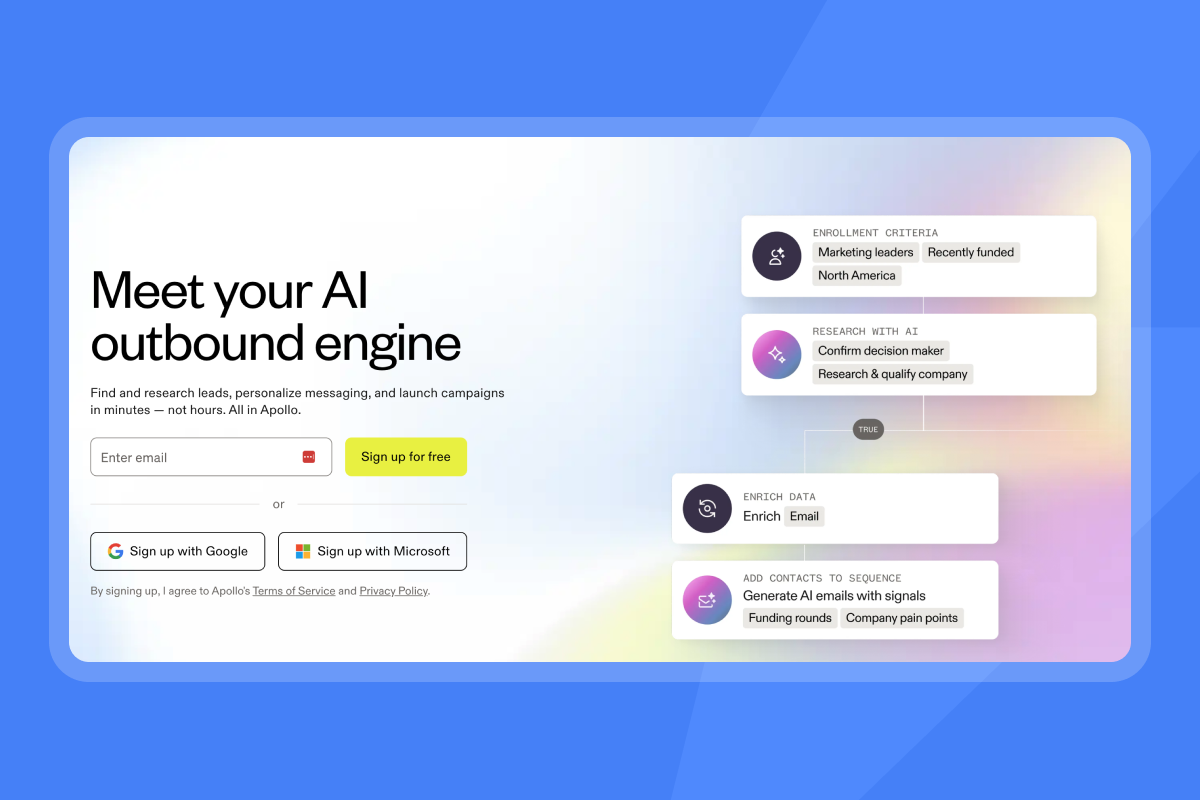
Tools for automated prospect list building
Automated list building replaces manual CSV exports and spreadsheet cleanup with filtered searches against a verified contact database. Data freshness matters most: a contact who changed roles six months ago is a bounce waiting to happen. The tools below approach this problem differently.
Instantly's verified prospect lists
Instantly SuperSearch gives you access to 450M+ B2B leads with filtering by job title, company size, industry, tech stack, and location. The waterfall enrichment layer checks contacts across five or more data providers before returning a result, which reduces the number of invalid addresses that reach your sending domain. Instantly's AI-assisted enrichment pulls confirmed fields, including job title, company name, company description, headcount, and job posting or news data, into AI-generated sequence templates, reducing the time between building a list and sending a first email.
The credit-based model means you pay for the contacts you actually export rather than a fixed seat license tied to headcount, which keeps costs predictable as your prospecting volume shifts between quarters, much like the pricing logic behind the more affordable CRM options on the market. The SuperSearch ROI breakdown covers how to calculate cost per lead against expected reply rates.
Precision filtering in Apollo
Apollo's database contains 230M+ contacts with advanced filtering by job title, seniority, company revenue, and intent signals. The data quality is strong for US-focused outbound. The constraint is pricing: Apollo's Basic plan starts at $49 per user monthly on annual billing, scaling to $119 per user for the Organization tier with a three-user minimum. That means the entry cost for a small SDR team of three is $357 per month before any contact export overages.
Automating Lemlist's list creation
Lemlist includes its own 450M+ lead database (separate from Instantly's SuperSearch) with waterfall enrichment and AI-powered personalization features. Lemlist supports dynamic personalization using data fields from your prospect list, and its AI feature converts LinkedIn bios into customized icebreakers without requiring you to split your database into sub-lists. The trade-off is cost at scale: each additional sending address costs $9 per mailbox per month beyond the included allotment, so agencies or larger teams face compounding inbox costs as they add senders.
Maintain prospect data accuracy and hygiene
Bad data hurts deliverability first, then rep productivity. Invalid addresses contribute directly to bounce rates, and inbox providers evaluate sender reputation as the primary spam filter signal. Once your sender reputation takes a hit from high bounces, every subsequent campaign lands at a disadvantage, regardless of message quality.
Verified contacts and bounce rates
Keep bounces at or below 1% to protect primary inbox placement. A verified send of 1,000 contacts with 8 bounces puts you at 0.8%, which is acceptable. The same list with outdated data can push you above 2%, which is enough to throttle your sends for weeks. Verification before sending is not optional at volume, it is a pre-requisite for consistent inbox placement.
Audit your prospect data sources
Contact enrichment accuracy varies by provider and method. Run every list through a verification step and remove any address that returns a hard bounce indicator before loading it into a sequence. Instantly's automated inbox placement tests let you check domain health before launching campaigns, giving you a read on how your current sender configuration performs across major inbox providers.
Real-time data for outreach
Waterfall enrichment checks multiple providers in sequence and returns the first verified result, which is more reliable than single-source data. The Instantly SuperSearch enrichment applies waterfall logic at the list-building stage for cleaner data before any sequence runs.
Scale outreach with reliable email sequences
Building a list of verified contacts is the input. Getting those emails into the primary inbox is the output. Send timing, warmup state, and sequence structure determine whether your automation produces pipeline or spam complaints.
Optimize send times for inbox placement
Send windows that mimic human behavior reduce the risk of automated filtering. Mid-morning (9-11 AM local time for the prospect) and early afternoon (1-3 PM) are the windows when recipients are most likely to check their inbox, and capping sends at 30 emails per inbox per day keeps your pacing within normal human behavior signals. Rotating IP addresses and distributing send volume across multiple addresses adds another layer of protection by reducing the risk that any single IP accumulates negative signals.
Ensuring primary inbox deliverability
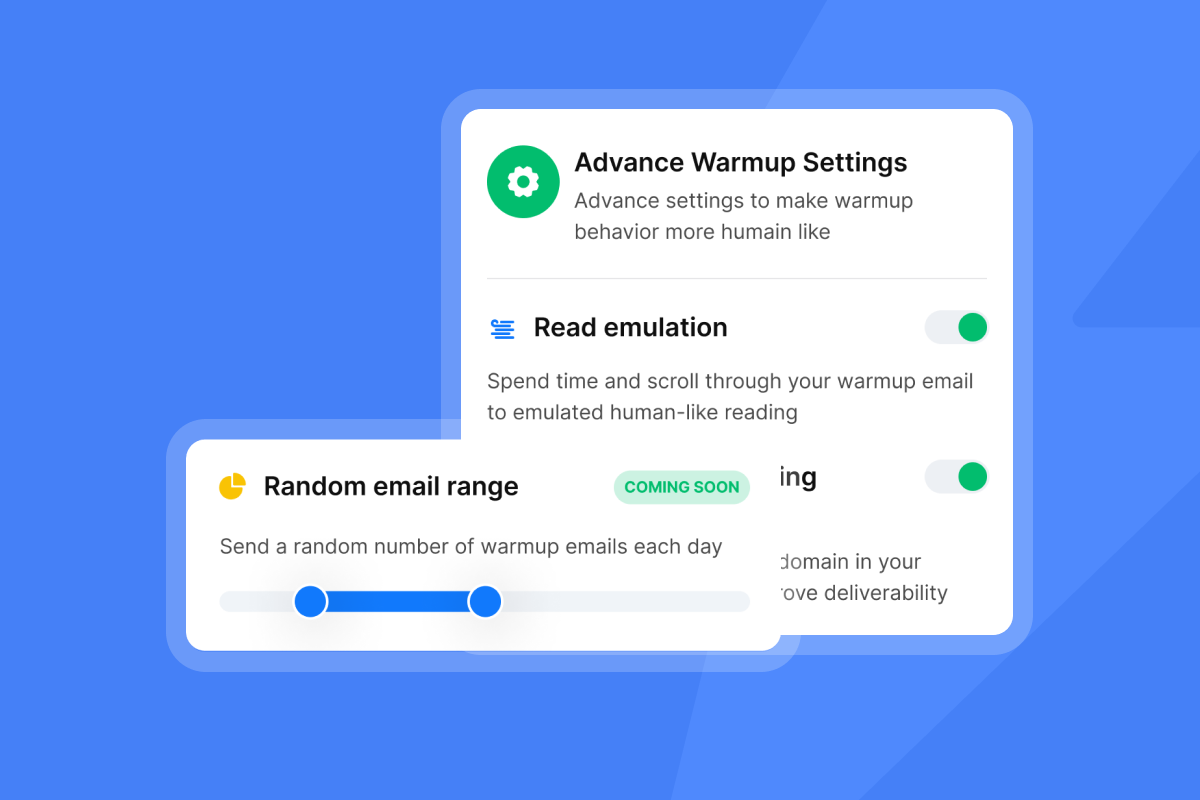
Email warmup is the process of gradually increasing send volume while generating positive behavioral signals, the markers inbox providers use to evaluate your domain. A deliverability network functions by having real email accounts exchange warm-up messages to generate opens, replies, and positive engagement, which builds sender reputation before you run live campaigns.
Instantly's warmup network covers 4.2M+ accounts, and warmup is included on every Outreach plan at no additional cost. The practical ramp: start at 5-10 emails per day in week one, scale to 15-20 by week two, and reach 30 per day by week three. For domains that need extra isolation, the Light Speed plan adds SISR, which gives you dedicated or private server and IP pools so your sending volume stays on infrastructure that only your team uses.
"I like that their email deliverability is on point, and they have an email warm-up tool with a strong reputation. The email deliverability is strong, which is crucial for email campaigns to reach recipients, and their pool of high-quality ESPs from the US is helpful." - Daniel L. on G2
Automating multi-step outreach sequences
A/Z testing lets you run up to 26 variants of a subject line or email body within a single sequence, generating meaningful data on what drives replies at the volume your team sends. The subject line testing governance framework recommends 1,000+ sends per variant before drawing conclusions. Instantly's AI Sequence Writer, included on the Growth plan at $47 per month, drafts multi-step sequences based on your target persona and value proposition.
"Instantly makes cold outreach operationally simple at scale. The interface is straightforward, setting up campaigns with multiple inboxes is fast, and the warm-up system helps maintain deliverability when sending higher volumes. It is especially useful for testing messaging, running A/B experiments, and managing several email accounts from one dashboard." - Ivar S. on G2

Filter replies to prioritize hot prospects
When replies come back across multiple inboxes simultaneously, reps miss hot prospects buried in individual mailboxes and sequences continue running on contacts who already replied asking to be removed. Managing replies at scale requires a centralized system, not inbox-by-inbox monitoring.
Managing all prospect replies
Instantly's Unibox consolidates replies from all connected email accounts into a single dashboard for triage and response management. You can tag conversations by campaign, lead status, or client and respond directly from the centralized interface without switching between email accounts. This is particularly valuable for teams where a single SDR manages multiple sending domains, which is common when running outreach at volume.
"What I like best about Instantly is its ability to scale cold email outreach effortlessly. The unlimited email accounts, warm-up features, and simple campaign setup make it easy to run high-volume, personalized outreach while maintaining good deliverability." - Vasim T. on G2
Auto-pause and reply triage
Automation systems that keep sending to prospects who already replied create compliance risks and brand trust problems. Instantly includes a "Stop sending emails on reply" setting that, when enabled, pauses follow-up emails to any lead who responds, preventing sequences from firing on contacts already in a live conversation. The AI Reply Agent also handles out-of-office detection with an OOO Resume feature that automatically pauses the lead and resumes outreach after their specified return date.
Preventing reply misclassification
AI reply classification assigns intent labels to incoming emails, distinguishing between "interested," "not interested," "out of office," and "referral" categories. When the AI detects missing context or unclear intent, it flags the reply for human review rather than acting on it automatically, so misclassified replies are not auto-archived or lost. Instantly's AI Reply Agent supports a human-in-the-loop mode where the system drafts a response and sends it to Slack for review before sending, so automation handles the draft and a human approves before any reply goes out.
CRM updates for pipeline visibility
Accurate CRM analytics require every email sent, reply received, and meeting booked to flow back into the CRM automatically. When that sync breaks, your CRM shows a pipeline based on incomplete data, producing forecasts that do not match reality and making pipeline reporting harder to defend in exec reviews.
Native integrations vs. Zapier
Native integrations handle field mapping and event triggers directly between two platforms without a middleware layer. For CRM sync, native connections are often preferred. Instantly supports a native HubSpot automation integration, Pipedrive via Make.com, and Salesforce via OutboundSync. The Zapier integration remains useful for connecting Instantly to CRMs like Close, as documented in the Zapier-to-Close CRM setup guide, but for HubSpot, the OutboundSync path gives you more reliable bidirectional flow.
Two-way data flow and team alignment
Bidirectional sync pushes CRM block lists back into Instantly automatically, so suppression records align between marketing ops and sales ops and reduce the risk of re-engaging a prospect who already asked to opt out. The email tracking integrations guide covers how to structure field mapping so that opens, replies, bounces, and custom fields all sync bidirectionally across HubSpot and Pipedrive.
Automating prospect meeting scheduling
After a reply is classified as "interested," the next bottleneck is scheduling. The fastest SDR-to-AE handoff combines an automated reply with a calendar link, then logs the meeting as a CRM opportunity once confirmed. HubSpot's native workflow engine can trigger deal creation automatically when a meeting is scheduled, giving AEs a warm deal record before the first call. Connecting this workflow to Instantly's HubSpot automation integration ensures the full email activity context moves with the deal.
Tool comparison: Instantly vs. Apollo vs. Lemlist
Each tool takes a different approach to automating decision-maker outreach. The comparison below focuses on the criteria that matter most to a sales team evaluating reliability, cost at scale, and integration depth.
Tool | Starting price | Deliverability focus | CRM sync depth |
|---|---|---|---|
Instantly | $47/mo flat-fee (unlimited accounts) | 4.2M+ warmup network, SISR on Light Speed, inbox placement tests | HubSpot, native automations |
Apollo | $49/user/mo (annual billing, Basic plan) | Inbox Ramp Up (current warmup offering, drip-sends emails but does not build sender reputation the way a dedicated warmup network does) | HubSpot integrations listed. Bidirectional sync depth not independently verified |
Lemlist | $79/user/mo monthly ($63/user/mo annual, Email Pro) | Lemwarm (listed as built-in deliverability tool. Feature scope not independently verified from company documentation) | HubSpot and Pipedrive listed as integrations, sync depth and bidirectional capability not independently verified from company documentation |
For supplementary viewing, an independent article covers the Apollo vs. Instantly comparison, and independent video walkthroughs cover the Lemlist vs. Instantly walkthrough and a four-tool comparison.
CRM integration and team adoption
Apollo and Lemlist list Pipedrive among their integrations. Instantly's documented CRM integrations cover HubSpot (native) and Salesforce (via OutboundSync). Instantly's HubSpot automation integration maps campaign events to contact properties without custom development. Apollo's sync is well-documented but adds cost per rep as your team grows. Lemlist's HubSpot integration has workflow edge cases flagged in community discussions, worth testing in a proof-of-concept before committing.
Preventing bad data and bounces
Instantly's waterfall enrichment across five or more providers, combined with automated inbox placement tests, gives you two checkpoints before a send: verify the contact data, then verify your domain health. Apollo self-reports a 91% accuracy rate for its verification process, but third-party testing has found bounce rates can exceed safe thresholds on verified-only exports, and the risk rises further when catch-all and unverified emails are included, so enabling Apollo's optional waterfall enrichment with a validator like ZeroBounce is a recommended best practice before sending at volume. Lemlist's waterfall enrichment also addresses data gaps, and its Lemwarm tool is listed as a built-in deliverability feature, though network size and warmup depth have not been independently verified from company documentation.
Pricing for growing sales teams
The flat-fee vs. per-seat pricing model analysis shows a clear inflection point: at three or more reps, per-seat tools start compounding costs in ways that flat-fee tools do not. Instantly's Growth plan at $47 per month covers unlimited email accounts regardless of how many reps connect inboxes. For agencies or sales teams managing multiple domains, Instantly's unlimited account model is the only structure where adding inboxes does not change the monthly invoice.
Quick team onboarding and adoption
Setup time matters when a new hire is expected to run live campaigns within their first week. Watch the Instantly demo walkthrough to see the full campaign setup process, and the help center documentation covers domain configuration, warmup setup, and sequence building in sequential guides. The pre-send QA checklist gives new SDRs a repeatable process for validating campaigns before launch.
Apollo's onboarding is thorough at the Professional tier and above, but support quality on lower tiers has drawn negative feedback related to billing disputes and slow response times. Lemlist earns a 4.6/5 on G2 but carries a steeper learning curve for multichannel sequences.
Each component of decision-maker prospecting automation contributes to a different part of the result. Verified data keeps bounces low and protects your domain, warmup builds sender reputation before live campaigns run, two-way CRM sync removes manual logging from your reps' workflow, and flat-fee pricing keeps costs predictable as your team grows. Try Instantly free to access SuperSearch, connect unlimited email accounts, and run your first automated sequence, or review the Instantly pricing page to see how the flat-fee model compares to your current per-seat stack.
FAQs
How do I ensure reliable CRM data sync?
Use native bidirectional integrations rather than Zapier where possible. For HubSpot, Instantly's native integration streams campaign events into CRM objects and pulls CRM block lists back into Instantly, keeping the CRM as your system of record with auditable activity data.
How accurate is automated contact enrichment?
Accuracy varies by provider and enrichment method. Waterfall enrichment, which checks contacts across multiple providers in sequence, improves accuracy by filling gaps that any single source would miss, making it the more reliable option for high-volume outreach.
Can I target multiple contacts at one account automatically?
Yes. You can build campaigns that target multiple contacts at the same account with staggered delays and conditional logic based on company-level or contact-level engagement signals. Instantly's sequence builder supports A/Z testing of up to 26 subject line or email body variants per step, letting you run data-driven tests to identify which copy drives the highest reply rates.
How long does integration and campaign launch take?
Initial setup with native integrations typically takes hours or days rather than weeks, since native connections use simple configuration instead of custom connector builds. Plan a 3-6 week warmup ramp before running full-volume campaigns: start at 5-10 emails per inbox per day in week one and reach the 30-per-day cap by week three.
Key terms glossary
Primary inbox: The main inbox tab in Gmail or the default inbox folder in Outlook where legitimate, non-promotional emails appear, as opposed to spam, promotions, or other filtered folders.
Sender reputation: A score assigned by email providers based on your sending behavior, including bounce rates, spam complaints, and engagement signals, which determines whether your emails land in the primary inbox or spam.
Warmup: The process of gradually increasing email send volume from a new or dormant domain while generating positive engagement signals to build sender reputation before running live campaigns.
Waterfall enrichment: A contact verification method that checks multiple data providers in sequence and returns the first verified result, improving accuracy by filling gaps that any single source would miss.
List hygiene: The practice of regularly cleaning your contact database by removing invalid addresses, hard bounces, and unsubscribers to protect deliverability and sender reputation.
Bounce rate: The percentage of emails that fail to deliver, calculated as bounced emails divided by total sends, with rates above 1% signaling poor list quality that can damage sender reputation.
Two-way sync: Bidirectional data flow between your outreach tool and CRM that pushes campaign activity into the CRM and pulls CRM updates (like block lists and deal status) back into the outreach tool, keeping both systems aligned.
Send window: The time range during which your outreach tool distributes emails, typically set to mimic human sending patterns like mid-morning or early afternoon in the prospect's local time zone.
A/Z testing: Running up to 26 variants of a subject line or email body within a single sequence to identify which messaging drives the highest reply rates at volume.
Unibox: A centralized inbox dashboard that consolidates replies from all connected email accounts into a single view for triage, tagging, and response management without switching between individual mailboxes.
SISR: Dedicated or private server and IP rotation available on Instantly's Light Speed plan, isolating your sending volume on infrastructure that only your team uses for added deliverability control.
Read next
9 Proven B2B List Building Strategies for Sustainable Growth: Cover nine tested strategies for building B2B prospect lists that hold up over time, from sourcing and filtering to data quality practices that keep bounce rates low.
How to send personalized cold emails that land in the primary inbox (deliverability): Learn how personalization and deliverability work together, covering the sending practices, domain setup, and message construction that help personalized emails reach the primary inbox.
Email warmup guide: how to ramp new inboxes and protect sender reputation: Follow a step-by-step ramp plan for new and re-activated inboxes, including daily send caps, warmup duration, and the health signals to monitor before going live.



