.svg)
%20(1).svg)


Updated February 24, 2026
TL;DR: Sending 10,000 emails per day requires infrastructure, not just volume. Agencies that succeed at scale use horizontal distribution (350+ email accounts sending 30 emails each) rather than pushing hundreds through one inbox. The math is simple: Google caps safe cold outreach at 30-50 emails per day per account, while Microsoft 365 allows 10,000 per day but filters aggressively past similar thresholds. To reach 10,000 daily sends safely, you need dedicated IP rotation infrastructure (SISR), programmatic campaign management via API, and flat-fee economics that don't penalize you for adding accounts. We break down the exact roadmap agencies use to maintain 40%+ open rates and 5-10% reply rates at this volume.
Scaling to 10,000 daily emails forces a shift from operator to systems engineer, the same shift behind any serious sales automation for agencies build. The fundamentals of cold email scaling, list hygiene, warmup, and deliverability, become non-negotiable constraints rather than nice-to-haves once you're operating at this volume. Most agencies hit a ceiling around 1,000 sends per day because they treat email like a megaphone when they should treat it like a distributed network.
Push 200 emails through one inbox and Gmail's filtering kicks in long before you hit the 2,000-email daily cap. The inbox burns, domains get flagged, and open rates collapse.
The agencies that scale safely think like infrastructure architects, and they budget for it with flat agency pricing instead of per-seat fees. They distribute load, automate warmup across hundreds of nodes, and use API endpoints to orchestrate campaigns without touching the UI.
The scalability bottleneck: volume vs. deliverability
Scalability in cold email means increasing volume without degrading inbox placement or reply quality, the core promise of unlimited sending accounts for agencies.
Why vertical scaling triggers spam filters
Google Workspace officially allows 2,000 emails per day per user with a cap of 3,000 unique recipients over a rolling 24-hour window. Microsoft 365 permits 5,000 recipients per day for paid accounts and 10,000 total sends.
These are system limits, not safe cold outreach thresholds, and tracking them properly matters (see our 12 tested email tracking tools roundup). Industry practice recommends 20-25 cold emails per day per account for new domains and 30-50 for aged, warmed inboxes.
Why the gap? ESPs track unique recipient counts, ramp velocity, and engagement patterns. A new inbox jumping from 10 sends to 300 in two days looks like a compromised account. Vertical scaling treats one inbox like a firehose. Horizontal scaling treats the inbox pool like a load balancer. Instantly provides the cold email infrastructure that makes horizontal scaling practical. Unlimited accounts, automated warmup, and flat-fee pricing that doesn't compound costs as you add inboxes.
The horizontal scaling solution
Horizontal scaling, the model behind the best cold email software for agencies, distributes your 10,000 daily emails across hundreds of accounts, each staying well within safe limits.
The math is straightforward:
- Target per account: 30 emails/day (conservative safe zone)
- Daily volume goal: 10,000 emails
- Accounts needed: 10,000 ÷ 30 = 334 accounts minimum
Agencies typically provision 3 email accounts per domain, so 334 accounts require roughly 112 domains. For redundancy and rotation flexibility, plan 150+ domains. At standard bulk rates, expect $125-188 per month in domain costs for infrastructure that handles 10,000 daily emails.
"Instantly has been a game-changer for our cold email campaigns. We're launching an intensive outreach campaign, and the platform makes it incredibly easy to manage multiple email accounts, warm them up properly, and track performance across campaigns." - Natalie on Trustpilot
The infrastructure required for 10k daily sends
Horizontal scaling solves the math problem but creates an operational one. You need three infrastructure layers: unlimited account economics, reputation-protecting delivery architecture, and programmatic campaign control.
Unlimited accounts and flat-fee economics
Traditional sales engagement platforms charge per seat. For 334 accounts, the cost difference is structural:
Table 1: Per-Seat Platform Costs at Scale
Platform | Per-Seat Cost | 334 Accounts/Month | Annual Cost |
|---|---|---|---|
Apollo.io Professional | $79/seat | $26,386 | $316,632 |
Apollo.io Organization | $119/seat | $39,746 | $476,952 |
Table 2: Instantly Flat-Fee Pricing (Unlimited Accounts)
Plan | Monthly Cost | Annual Cost | Accounts Included |
|---|---|---|---|
Growth | $47 | $451 | Unlimited |
Light Speed | $358 | $3,435 | Unlimited |
We offer unlimited email accounts on all plans, inverting the cost structure. One Growth plan subscription covers 10 accounts or 500, the monthly cost stays flat.
"With Instantly I can drop 50 (or more) emails into one campaign and scale crazy fast. I'm saving well over $5000 per month vs competitor products and will easily be over $7000 per month in savings once I add the rest of my emails." - Arjun S on G2
The flat-fee model changes behavior. Agencies can safely provision extra domains, rotate accounts aggressively, and experiment with A/Z testing across dozens of variants without per-seat fees compounding. For a detailed breakdown, review our Email Outreach plans comparison.
Server and IP rotation (SISR) explained
Unlimited accounts solve the cost problem but introduce a reputation risk: if all 334 accounts send from the same IP block, one bad actor can taint the entire pool. This is where Server & IP Sharding & Rotation (SISR) becomes critical.
On our Light Speed plan, SISR automatically assigns your campaigns dedicated server and IP blocks. Instead of sharing a public IP pool with thousands of other senders, your campaigns route through private, monitored infrastructure. The system continuously tracks IP performance and rotates out any IP showing degraded reputation before it impacts your campaigns.
IP sharding distributes your campaigns across multiple dedicated IPs rather than one. If one IP faces throttling or a temporary block, other IPs keep delivering while you investigate. Our SISR documentation confirms the infrastructure handles this automatically, eliminating the need to purchase and manage private proxies yourself.
For agencies sending 10,000+ emails daily, our tests show SISR delivers 15-25% better inbox placement rates compared to shared infrastructure.
"We manage multiple sender domains, sequences, and integrations (Google Sheets + Zapier) without issues. It's made our outreach process 10x more efficient." - Abdulrahman Nashaat Abdulrahma on Trustpilot
SISR is available on the Light Speed plan at $286.30/month annually.
API automation for campaign management
Managing 334 accounts and 10,000 daily sends through a web UI is a non-starter. Every lead upload, campaign launch, and reply check becomes a bottleneck.
Our API v2 provides REST endpoints for campaign creation, lead injection, analytics retrieval, and reply handling. The developer portal is interactive, you can test endpoints directly from the browser after adding your API key. This enables workflows like:
- Automated lead enrichment and injection: Pull leads from Clay or Apollo, enrich with waterfall verification, push directly to active campaigns via API without CSV exports.
- Dynamic campaign orchestration: Spin up new campaign variants programmatically, assign leads based on ICP scoring, and rotate sending accounts based on real-time health metrics.
- Reply triage and CRM sync: Use webhook endpoints to push replies to Slack, update HubSpot deal stages, or trigger AI Reply Agent handling based on sentiment classification.
We built API v2 with double the endpoints of v1 and made it available starting on the Growth plan, giving smaller teams the same programmatic control that enterprise agencies use.
"I like that instantly can handle large scale email campaigns without worrying about deliverability. The automation for inbox rotation, warm up and sending limits makes outreach very smooth and saves a lot of manual work. The most helpful part is the detailed reporting." - Anjali T on G2
For technical teams, the API migration guide documents strict REST standards, snake_case field naming, and Bearer token authentication. For teams integrating AI-powered workflows into their campaign infrastructure, review the mcp server privacy guide covering security risks and best practices before connecting external agents to your outreach stack.

Execution roadmap: from 0 to 10,000
Scaling to 10k daily sends requires a phased approach. Rushing domain setup or skipping warmup burns months of work in days.
Phase 1: Domain acquisition and DNS automation
Start by provisioning 150 domains through a registrar that supports bulk management and API-based DNS updates. GoDaddy and Namecheap both offer bulk purchasing and programmatic record management.
For each domain, configure three DNS records:
SPF (Sender Policy Framework): Authorize sending IPs. For Google Workspace, add v=spf1 include:_spf.google.com ~all as a TXT record. Keep total DNS lookups under 10 to avoid SPF breakage.
DKIM (DomainKeys Identified Mail): Generate a key pair in your email provider, publish the public key as a TXT record at selector._domainkey.yourdomain.com, and enable signing. DKIM attaches a cryptographic signature verifying the email has not been altered.
DMARC (Domain-based Message Authentication): Add a DMARC policy TXT record at _dmarc.yourdomain.com. Start with v=DMARC1; p=none; rua=mailto:dmarc@yourdomain.com to monitor without blocking. Gmail's bulk sender rules (effective February 1, 2024) require SPF or DKIM alignment plus a published DMARC policy.
Our SPF, DKIM, and DMARC guide provides detailed setup walkthroughs. Timing: Set up SPF and DKIM immediately after domain purchase. Wait 48 hours for DNS propagation before adding DMARC.
Phase 2: The 30-day warmup ramp
New domains have zero sender reputation. Warmup gradually builds engagement history that signals to ESPs your accounts are legitimate.
We include unlimited automated warmup on all plans, participating in a deliverability network with millions of accounts. Enable warmup for every new inbox immediately after DNS configuration.
Warmup schedule (example for 10 accounts ramped simultaneously):
Week | Daily Sends per Account | Total Network Volume | Engagement Pattern |
|---|---|---|---|
1 | 5-10 | 50-100 | High open rate, natural timing |
2 | 10-20 | 100-200 | Varied reply rate (15-40%) |
3 | 20-30 | 200-300 | Low spam rate (<0.1%) |
4 | 30-40 | 300-400 | Ready for cold outreach |
Plan at least 2 weeks of warmup for new inboxes on aged domains. For brand-new domains, 4 weeks is safer. The pattern should always be gradual: 20/day → 30/day → 45/day increases over days or weeks, never overnight spikes.
Configure advanced warmup options to emulate realistic behavior:
- Weekday-only sending: Disable warmup on weekends to match business patterns.
- Read emulation: Vary open times (some emails opened immediately, others after several hours).
- Variable reply rates: Most warmup services maintain reply rates between 15-40% during warmup to mirror realistic engagement.
"I love how Instantly manages the email setup and warming up of multiple domains, which drastically reduces my workload." - Jonathan C. on G2
After 30 days, inbox health scores should stabilize. At that point, you can begin cold outreach at 20-30 emails per day per account, scaling to the full 30-50 target over the next 2 weeks.
Phase 3: Dynamic load balancing via API
With 334 warmed accounts ready, the challenge shifts to lead distribution and content variation.
Spin syntax uses curly braces and pipes to create template variations: {Hi|Hello|Hey} {firstName} produces three greetings. Our AI Sequence Writer generates these variations automatically. The goal is to ensure each email appears individually crafted, as Gmail tracks content fingerprints across high-volume sends.
Inbox rotation distributes your lead list across all active sending accounts. Rather than assigning 10,000 leads to one campaign with one sender, you create campaign variants and rotate senders programmatically. Our campaign options allow you to assign multiple sending accounts to a single campaign, automatically round-robining leads across the pool.
For API-driven workflows:
- Segment leads by ICP score using your data enrichment provider.
- Assign high-value segments to your healthiest inboxes (those with best warmup scores and lowest bounce history).
- Create A/Z test variants with different subject lines, opening hooks, and CTAs.
- Use our API to inject leads into specific campaign variants based on real-time health metrics pulled from the analytics endpoint.
"Setting up new domains and inboxes, as well as rotating them, is incredibly straightforward, which helps me increase my sending volume while maintaining good deliverability." - Verified user on G2
For a step-by-step implementation guide, watch our cold email system setup. Before injecting leads into your campaign variants, run them through email api data enrichment to cut bounce rates and verify addresses. A single bad batch can damage the domain reputation you spent 30 days building.
Managing replies and workflows at scale
Ten thousand daily sends can generate 500-1,000 replies per day at a 5-10% reply rate. Without centralized tooling, checking 334 inboxes manually is impossible.
Centralizing and automating reply management
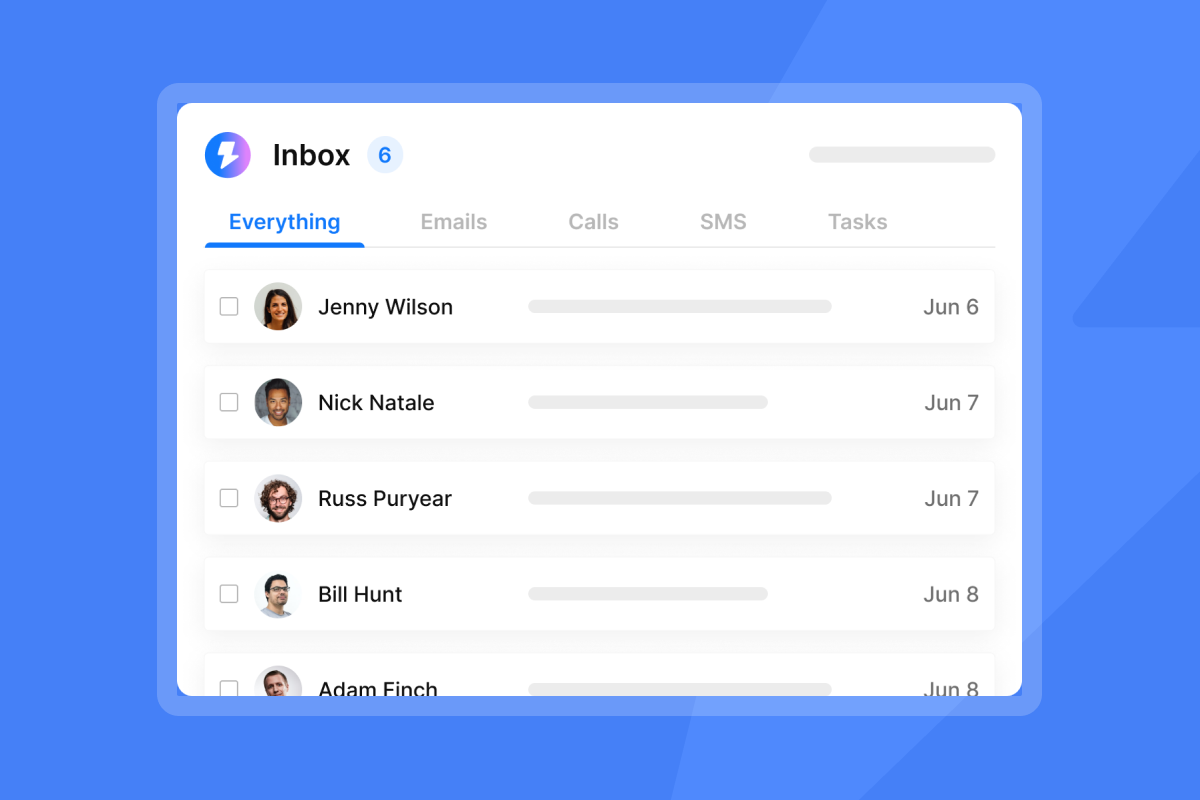
Our Unibox aggregates all replies from multiple email accounts into one interface, making 334 inboxes manageable. Every reply appears in a single stream with full conversation history, CRM status, and campaign context.
The Unibox includes filters for sentiment (Interested, Not Interested, Out of Office) and actions (Reply needed, Booked meeting, Closed), so no high-intent reply sits unread while you check other accounts.
Our AI Reply Agent reads incoming email replies, interprets intent, and drafts contextual responses automatically. The agent responds in under 5 minutes after a lead replies, keeping conversations warm without requiring a human in the loop for every message.
Operating modes:
- Human-in-the-Loop: The AI drafts a response and sends it to Slack for approval. Review, edit if needed, and approve the send.
- Autopilot: The AI sends responses automatically for common scenarios (confirming interest, sending calendar links, handling out-of-office).
You control the agent's behavior by defining role, tone, and key product details.
Cost: The AI Reply Agent consumes 5 credits per reply. Credit packages range from $9/month for 150 credits to $197/month for 10,000-200,000 credits. At 10,000 sends/day and an 8% reply rate with 50% AI handling, that's 400 AI replies per day or 12,000 per month.
"The UI is clean, campaigns are easy to set up, and deliverability controls are clearly built by people who actually understand cold email... What I appreciate most is the speed and reliability." - Linus Friis on Trustpilot
For implementation details, review the and watch our video on cold email below.
Measuring success and ROI
High-volume campaigns generate mountains of data. The metrics that matter tie directly to revenue.
Key metrics for high-volume agencies:
- Reply rate: Target 5-10% for B2B campaigns. Our 2026 benchmark report shows top performers exceed 10%, with an overall average of 3.43%. Plan for 1-2% in weeks 1-2, 3-4% by weeks 3-4, and 5%+ by weeks 5-8 as engagement signals strengthen.
- Open rate: Target 40%+ with verified lists. The 2026 average is 27.7%, but top cold emailers achieve 70-88% with strong subject lines. Treat opens as directional due to image-blocking and privacy features.
- Bounce rate: Keep hard bounces below 1%. Bounces above 2% trigger aggressive filtering. We automatically suppress bounced addresses via global block lists.
- Inbox placement: Our automated Inbox Placement tests seed your emails to monitored inboxes and report placement by provider and folder.
- Meetings booked: Aim for at least 1% of sends converting to meetings by day 60. At 10,000 sends/day over 30 days, that's 3,000 booked calls from 300,000 total sends.
- Spam complaint rate: Gmail requires under 0.3%. Always include clear unsubscribe links and honor opt-outs within 24 hours.
Cost per meeting: Calculate total monthly cost divided by meetings booked. For a Light Speed setup (domains ~$188 + plan $286.30 + credits $197 = ~$671/month), strong performance yields costs well under $2 per meeting, compared to $50-150 per booked call via paid ads.
"I appreciate Instantly's pricing, which is quite reasonable and crucial for me since I am starting with a limited budget... It serves as my main cold email outreach engine, keeping my processes streamlined and in check." - Jonathan C on G2
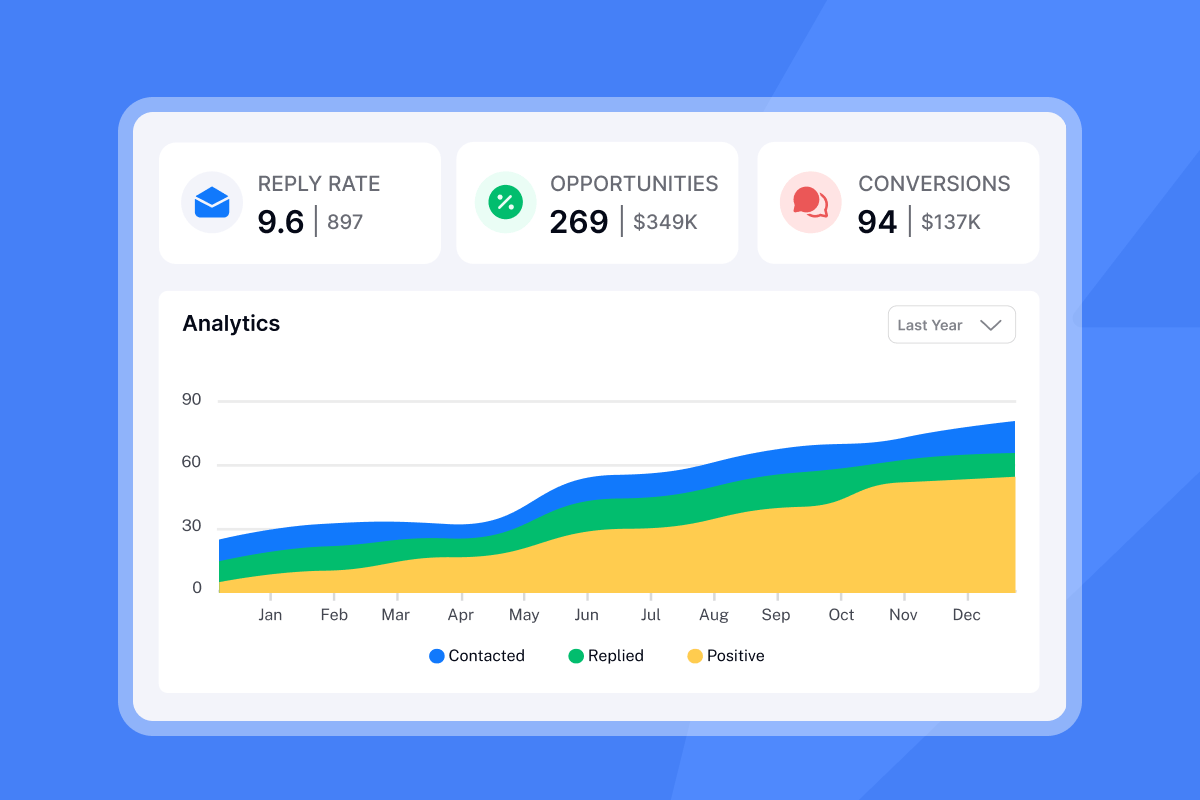
For ongoing optimization, track these metrics weekly in our analytics dashboard and correlate changes with campaign variables (subject line, send time, ICP segment, warmup health). Export the data via API and build custom BI dashboards if you need cross-campaign roll-ups or attribution modeling. For agencies evaluating whether to build on top of a dedicated sending API or use an all-in-one platform, see the email API comparison guide covering the top options available in 2026.
Systems scale, chaos does not
Scaling cold email to 10,000 daily sends is about building infrastructure that distributes load, automates reputation management, and handles replies without human bottlenecks.
The agencies that succeed at this scale treat email like a distributed system. They provision 150+ domains, warm 334+ inboxes over 30 days, use API endpoints to orchestrate campaigns programmatically, and rely on SISR technology to isolate reputation risk across dedicated IP pools. They measure success with reply rates above 5%, bounce rates below 1%, and predictable cost per meeting.
The math is repeatable. The infrastructure is accessible. The constraint is operational discipline. Warm properly, rotate intelligently, and keep list hygiene tight.
Ready to build your 10k-per-day engine? Start with Instantly right now to test horizontal scaling with unlimited accounts and built-in warmup. When you hit consistent volume and need dedicated IP infrastructure, upgrade to Light Speed for SISR and priority support. We scale with you, one infrastructure layer at a time.
For hands-on guidance, watch our Ultimate Guide to Cold Email Deliverability and review the cold email strategy documentation for sender limits, warmup schedules, and domain rotation best practices.
Frequently asked questions
How many email accounts do I actually need for 10,000 daily sends?
Plan for 334-400 accounts at 25-30 emails per account per day, distributed across 112-150 domains with 3 accounts per domain for safe rotation.
What is the total monthly cost for a 10k/day setup?
Light Speed plan ($286.30/mo annual) plus ~150 domains ($125-188/mo) plus credits for AI replies ($197/mo) totals roughly $600-700/month, compared to $26,000+/month on per-seat platforms for the same account count.
How long should I warm up new domains before sending cold campaigns?
Plan 2 weeks minimum for new inboxes on aged domains, 4 weeks for brand-new domains, ramping from 5 to 30 sends per day gradually to build engagement history.
Does SISR require manual configuration or additional fees?
We automatically enable SISR on Light Speed and above with no additional configuration. We handle server and IP assignment, rotation, and monitoring as part of your plan.
Can I use the API on the Growth plan or only on enterprise tiers?
API v2 access is included starting on the Growth plan at $47/month, making programmatic campaign management accessible for small teams scaling horizontally.
Key terms glossary
SISR (Server & IP Sharding & Rotation): Infrastructure technique that distributes email sends across multiple dedicated servers and rotating IP addresses to prevent spam filter triggers from high volume. We include SISR on Light Speed plan and above.
Horizontal scaling: Distributing email volume across many domains and inboxes (e.g., 334 accounts at 30 sends each) rather than pushing high volume through one inbox, preventing rapid sender reputation deterioration and reducing blocklist risk.
Spin syntax: Template variation method using curly braces and pipes (e.g., {Hi|Hello|Hey}) to create multiple versions of text within a single template, making each email appear unique to ESP fingerprint detection.
Warmup: The process of gradually increasing email sending volume from a new or cold inbox over 2-4 weeks to build sender reputation, automated by our private deliverability network of 4.2M+ accounts.
API endpoint: A specific URL in our API where you send requests to create campaigns, add leads, or retrieve analytics programmatically, eliminating manual UI work for high-volume operations.



