.svg)
%20(1).svg)


Updated April 13, 2026
TL;DR: Structured onboarding sequences increase first-year client retention by up to 25%. This playbook gives you templates, timing rules, and deliverability steps to onboard clients without tool sprawl or per-seat costs. Send a Day 0 welcome within minutes of contract signing. Follow up at Day 7, Day 14, and Day 30 with one clear CTA per email. Warm every sending account for at least 14 days before launch. Keep daily sends at 100 per inbox for best deliverability, and use a unified inbox to manage all replies across accounts.
Most agency operators running sales automation for agencies spend weeks perfecting the sales pitch and then go quiet the moment a client signs. That silence is expensive. Poor onboarding causes 23% of customer churn overall, and the first 30 to 90 days after a client signs are the window where the relationship either locks in or falls apart. Client onboarding emails set the tone for everything that follows, and this playbook breaks down the exact templates, timing, and deliverability steps to automate the process across dozens of accounts without inflating software costs.
Why client onboarding emails matter for agencies
A welcome email is a single message. An onboarding sequence is a system, laid out step by step in our 30-day onboarding checklist. The distinction matters because a well-structured onboarding flow includes three to seven coordinated emails sent over one to two weeks, each designed to move the client toward their first meaningful outcome. That structured approach separates agencies that keep clients for years from those that lose them in the first quarter.
Onboarding emails reduce churn
The numbers prove it. Implementing a systematic onboarding program increases retention by 25% in the critical first year. Beyond raw retention, onboarding email flows consistently outperform standard marketing emails, generating higher open rates and click-through rates compared to regular campaign sends. Clients who receive structured, timely communication in the first month stay longer and require less reactive account management later.
Defining project boundaries
The first email sequence, built with the right marketing agency tools, does more than welcome a client. It defines the rules of engagement. A clear onboarding communication plan sets SLA expectations (for example, "our team responds to non-urgent queries within 24 business hours"), establishes the weekly reporting cadence, and documents scope limits before they become a difficult conversation. Setting these boundaries in writing during onboarding prevents scope creep better than any contract clause.
Establish agency credibility early
A professional, consistent sequence proves you have a repeatable system before you deliver a single result. Clients who receive a structured "meet the team" communication during onboarding are more likely to renew than those who don't. Introducing account managers and technical leads by name, with their specific role in the campaign, builds the trust that keeps clients renewing when early results are mixed.
Crafting high-impact onboarding emails
Every email in your sequence typically includes four components: a clear subject line, a one-sentence value restatement, one piece of useful information, and a single CTA. Each email should have one goal and one action for the client to take, per best practices for onboarding sequences.
Crafting your initial onboarding email
The Day 0 email needs three things: a thank-you that restates the core value you sold, the single most important next step (usually a kickoff call link), and a firm timeline for what happens next. Use six to ten words in your subject line because mobile screens cut off at 30 to 43 characters, so "Welcome to [Agency Name], here's your kickoff link" outperforms longer alternatives.
Day 0 welcome email template:
Subject: Welcome to [Agency Name], here's your kickoff link
Hi [First Name],
Thank you for signing on. Our goal for the next 30 days is [core outcome agreed in the proposal].
Your kickoff call is scheduled for [Date/Time]. Here's the link: [URL].
Before the call, please complete: [one specific action, e.g., fill out the brief linked here].
I'll follow up on Day 7 with your first campaign status update.
[Your Name]
[Your Title]
Client onboarding email schedule
Space your emails correctly. It matters as much as the copy. Research on effective onboarding sequences recommends spacing emails over seven to fourteen days to give clients time to act on each one before the next arrives. Sending too quickly creates anxiety, and sending too slowly signals disorganization.
Day | Suggested email purpose | CTA |
|---|---|---|
Day 0 | Welcome, kickoff call link, next step | Schedule kickoff call |
Day 3 | Meet the team | Connect with your contacts |
Day 7 | Week 1 progress update | Review campaign setup |
Day 14 | First data milestone | Book check-in call |
Day 30 | Performance summary, next phase | Approve next 30-day plan |
Onboarding communication plan
The most common pitfall is sending emails without a connecting narrative. Each message should reference the previous one and preview the next so the client feels they're moving forward. A progress indicator showing where the client stands in onboarding (for example, "Step 2 of 4 complete") increases engagement because clients can see the path rather than following it blindly.
Avoid these common mistakes:
- Sending more than one CTA per email
- Burying the most important information below a long preamble
- Skipping the Day 30 email because you assume no news is good news
- Using generic subject lines like "Quick update" that get ignored
Onboarding email playbook and templates
Templates fall into three categories: SaaS client onboarding (product activation metrics), lead-gen client onboarding (campaign setup milestones, warmup health, and reply rates), and content client onboarding (delivery and feedback loops). This playbook focuses on lead-gen agencies because deliverability and sequence timing have the most direct impact on client retention. The Instantly template library offers over 600 templates you can adapt for client-facing onboarding sequences.
Optimal timing for client onboarding emails
Day 0: immediate welcome email
Send the Day 0 email within minutes of contract signing. This email should stay tight: the kickoff call link, one action item, and a clear outline of what the client receives in the next 30 days. Keep body copy to 75 to 125 words for maximum impact, per email length research.
Initial setup for inbox placement
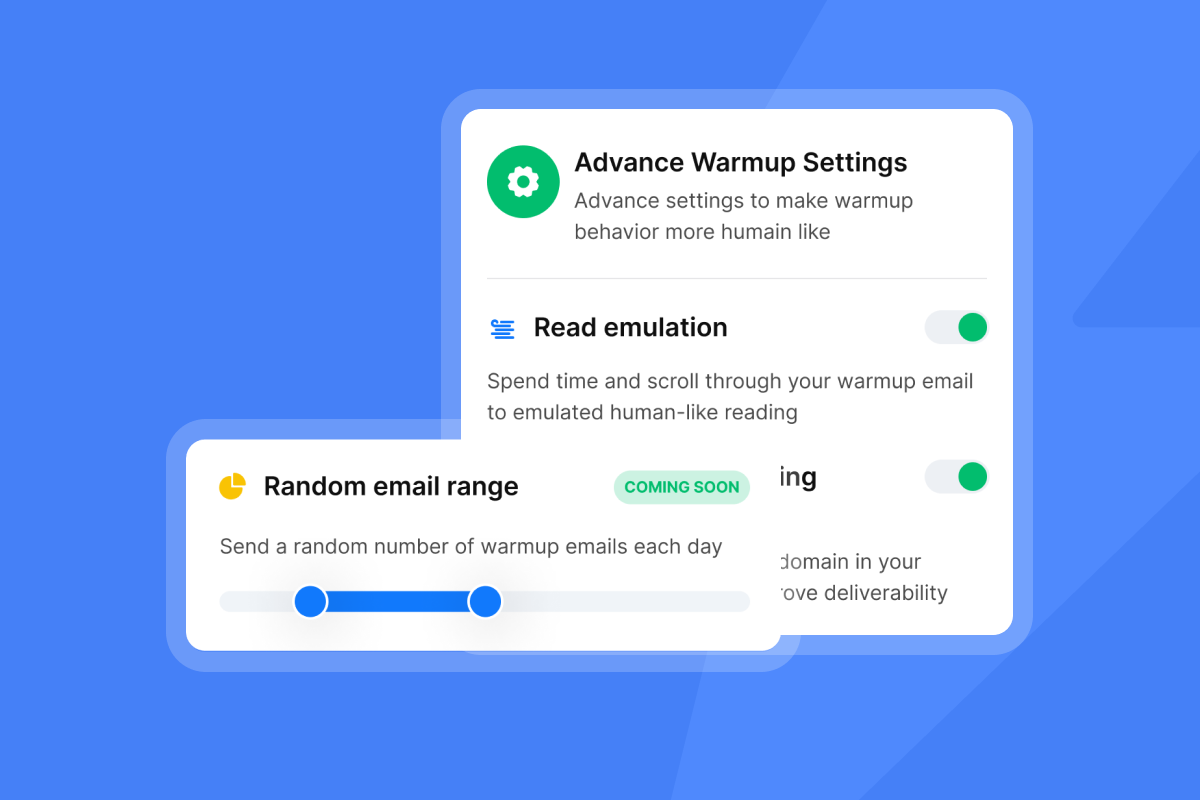
Before any onboarding email sends, every new client inbox needs to go through warmup, part of running unlimited sending accounts for agencies. Instantly's deliverability network of 4.2M+ accounts handles this automatically by mimicking real engagement patterns on new sending accounts. The Inbox Placement tool then runs automated tests to confirm each account lands in the primary inbox before you scale volume.
"I especially like the email warm-up tool. This tool automatically mimics human behavior and runs in the background to build a sender reputation for multiple new email accounts, ensuring emails land in the primary inbox rather than spam." - lucky b. on G2
The account readiness guide outlines the specific health thresholds an account must hit before you start sending client campaign emails.
Week 1: defining initial client objectives
Use the Day 7 email to accomplish one thing: confirm alignment on the KPIs that define success for this client. For lead-gen clients, that means reply rate targets, monthly meeting volume, and benchmark cost per meeting. Keep this email brief and focused with bullet points and a link to a shared tracking document.
Weeks 2-4: showing early value and progress
The Day 14 email is your chance to show progress metrics. Even if the campaign is still in warmup, you can report on deliverability health, domain scores, or verified contacts loaded. Milestone-based emails sent at 7, 14, and 30 days show clients the engine is running, which prevents the anxious "what's happening?" message that costs account managers time.
Day 14 progress email template:
Subject: [Campaign Name]: your Week 2 health report
Hi [First Name],
Here's where we stand:Sending accounts: [X] warmed and activeContacts verified: [X] out of [X] (bounce rate: [X]%)First campaign launches: [Date]
We're on track for first replies by [Date]. I'll send the full campaign kickoff summary next week.
Any questions before then? Reply here.
30-day feedback for sequence optimization
Use the Day 30 email to close onboarding and open the ongoing retainer relationship. Ask one specific question: "Based on this first month, what's the single thing you'd want us to improve in month two?" This gives you data to act on rather than sentiment to manage.
Client-specific email personalization that works
Moving beyond first-name merge tags is where agencies separate themselves. Effective personalization in onboarding means referencing the client's specific goal, industry, or previously stated challenge in each email, not just their name.
Client-specific goals and metrics
Reference activation rate and time-to-value when you write to SaaS clients. For lead-gen clients, focus on reply rates and booked meetings. A B2B reply rate of 5-10% is a solid target, with top-performing campaigns reaching 15% or higher when list quality and inbox placement are both strong. This specificity shows the client that your process is built around their outcome, not a generic agency template.
Customize emails by industry vertical
Adjust your case studies and proof points to match the client's industry in every onboarding email that includes social proof. Reference a healthcare tech win for healthcare clients, not generic proof. Generic proof falls flat and signals that your agency uses the same playbook for everyone.
Humanize onboarding: meet your team
Send a brief "meet your team" email between Day 0 and Day 7 to introduce the account manager and the technical lead handling campaign setup. Two to three sentences per person with a headshot and their direct email address keeps the introduction concise. Research indicates that personal connections with team members during onboarding can improve retention, making this a valuable email in the sequence.
Boost engagement with tiered content
Match the depth of content to the client's sophistication level. A first-time cold email client needs a short explainer on how warmup works, while an experienced SaaS growth team wants the technical breakdown of your A/Z testing setup and deliverability scoring. You can watch the cold email personalisation masterclass to see how to build dynamic content structures that adapt to different audience types.

Templates to boost client onboarding engagement
Your first onboarding email playbook
The master sequence for a lead-gen agency looks like this:
- Day 0 - Welcome: Contract confirmed, kickoff call link, one action item, 30-day roadmap preview.
- Day 3 - Meet the team: Account manager and technical lead introductions, direct email addresses.
- Day 7 - Setup status: Warmup health, contacts loaded, first campaign launch date.
- Day 14 - Campaign live: First deliverability data, expected reply window, next check-in.
- Day 30 - Performance audit: Reply rate, cost per meeting, next phase proposal, one feedback question.
High-performing onboarding sequences contain four to six emails that start with welcome and move through progress milestones to a final feedback checkpoint. The same structure maps cleanly to an agency context when you substitute feature spotlights with campaign milestones.
Activating client onboarding templates
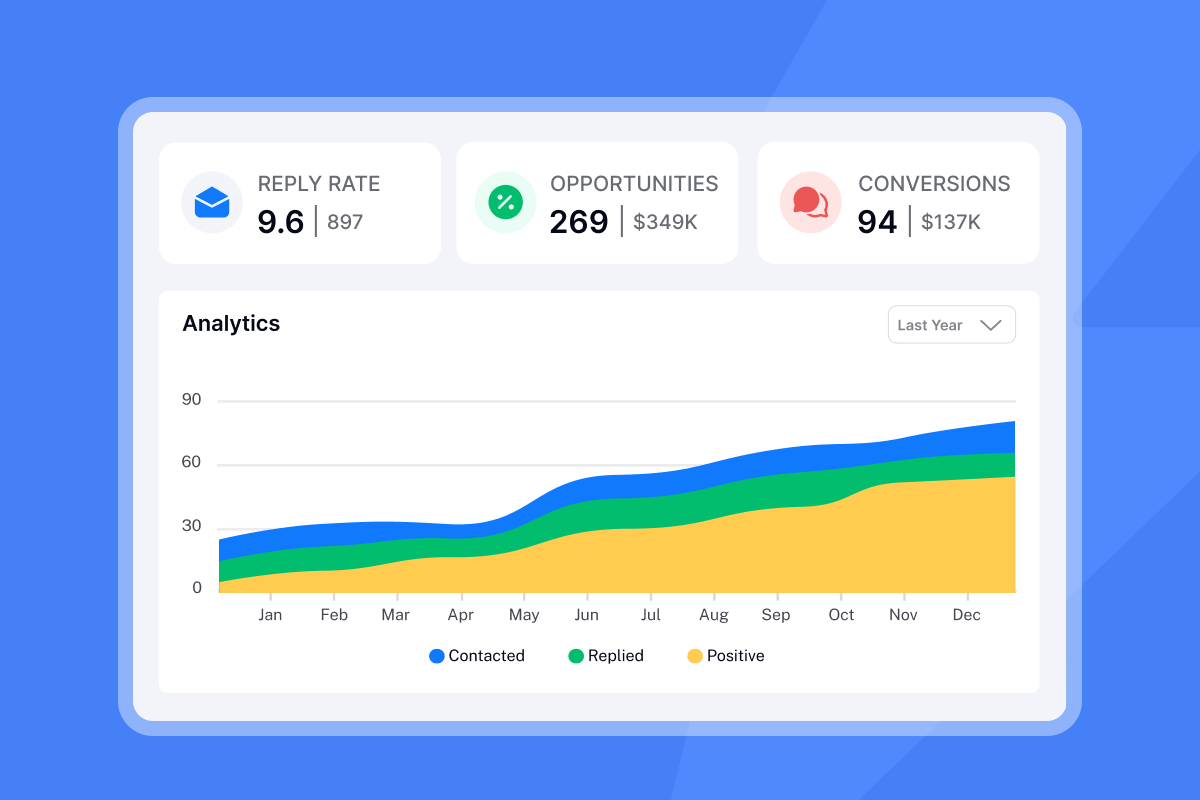
Create a new campaign in the Sequences tab, paste each template into its corresponding step, and set the send delays to Day 0, Day 3, Day 7, Day 14, and Day 30. Then enable A/Z testing on the subject lines for your Day 7 and Day 14 emails to find which variant drives higher open rates across your client base. The A/Z test runner splits traffic automatically and reports the winner in the campaign analytics dashboard.
"I find Instantly easy to set up with really nice UX, making the onboarding process smooth. The platform excels in scalability, allowing me to send a large volume of emails and manage workspaces effectively for sales and marketing." - Frank S. on G2
For more on building high-converting email copy inside sequences, the cold email copywriting framework in the Instantly Help Center walks through the exact structure that drives 400+ replies monthly.
First client check-in blueprint
Week 1 check-in template:
Subject: [Client Name]: your week 1 status
Hi [First Name],
Three quick updates:Sending accounts: [X] active and warmingContact list: [X] verified contacts loadedFirst sends scheduled: [Date]
Full campaign dashboard access: [link]
Anything you need before launch? Just reply here.
30-day email performance audit template
Day 30 performance audit template:
Subject: Your 30-day performance summary: [Campaign Name]
Hi [First Name],
Here's the Month 1 summary:Emails sent: [X] across [X] active accountsReply rate: [X]% (benchmark: 5-10%)Meetings booked: [X]
Highlight: [Specific win, e.g., "Three replies came from the healthcare vertical, strong signal for Month 2 targeting."]
Month 2 proposal: [Link to proposal doc]
Let me know if you'd like to review this on a call. I'm available [date/time options].
Deliverability best practices for onboarding campaigns
Your onboarding work achieves nothing if emails land in spam. The ultimate guide to cold email deliverability covers the technical foundations. Here are four key actions to prioritize for agency onboarding campaigns.
Onboarding email warmup guide
Every new sending account needs a minimum 14-day warmup period before you begin the onboarding sequence. During warmup, Instantly's deliverability network of 4.2M+ accounts sends and receives emails on behalf of the new account, building sender reputation with inbox providers gradually. Skipping this step is the single most common reason agency emails land in spam on day one.
"I find Instantly's user interface easy to use, which makes warming up emails a breeze... the email warm-up feature ensures my emails don't end up in spam. This feature is valuable because it makes it easier to reach my customers and others I communicate with via email." - Khalid A. on G2
The Inbox Placement automated tests verify on an ongoing basis that warmed accounts continue landing in the primary inbox rather than drifting toward promotions or spam as campaign volume increases.
Send timing for consistent inbox placement
After warmup, timing and pacing protect your sender reputation. The best days for opens and clicks are Tuesday and Wednesday, with morning send windows (8:30 to 10:30 a.m. local time) consistently outperforming afternoon sends. Do not scale past 100 emails per domain per day. This is the boundary between building sender reputation and burning it. If you need more volume, add more warmed inboxes rather than pushing individual accounts past that threshold. The secondary sending domains guide explains how to distribute sends across client domains safely.
Ensure onboarding email validity
Bad contact data spikes bounce rates, and high bounce rates damage domain reputation, meaning future emails land in spam even for clean contacts. Before loading any client contact list into a campaign, verify every address using SuperSearch's waterfall enrichment, which runs contacts through five or more verification providers. Keep bounce rates at or below 1% per campaign. If they exceed that threshold, pause sends, re-verify the list, and restart at a lower daily cap.
Keep onboarding emails out of spam
Run this checklist before activating any client onboarding sequence:
- Use the AI Spam Words Checker in Instantly to scan every email for trigger words before launch.
- Keep email body copy to 75-125 words and avoid image-heavy layouts in early sends.
- Consider removing HTML formatting for the first three emails in the sequence and testing plain text versions.
- Set up a global block list to prevent sending to addresses flagged in previous campaigns.
- Monitor open rates daily in the first week, because a drop below 20% signals a deliverability problem that needs immediate attention.
Measuring and optimizing onboarding email performance
Essential onboarding email KPIs
Track these four KPIs for every client onboarding sequence:
KPI | Benchmark | Fix |
|---|---|---|
Welcome open rate | 30-60% | Test subject variants with A/Z testing |
Reply rate | 5-10% (top: 15%+) | Shorten copy, add one specific question |
Bounce rate | Under 1% | Re-verify list, lower send cap |
30-day retention | Begin renewal discussion | Add Day 14 email if missing |
Welcome emails consistently produce the highest open rates in any onboarding campaign, with 30-60% being a realistic target for a well-warmed, list-verified sequence. If your welcome email open rate falls below 25%, the issue is usually a deliverability problem (inbox not warmed, or landing in promotions), not copy quality.
A/B testing strategy for onboarding emails
Test one variable per email, not multiple at once. Start with subject lines because they have the highest impact on open rates. For the Day 7 update email, run two subject line variants: one that leads with a specific number ("Your campaign: 847 contacts verified") and one that leads with a progress signal ("Week 1 setup complete, here's what's next"). Run each variant to at least 250 contacts before reading results, and push toward 500+ when you want higher confidence, per Instantly's A/B testing framework. The A/Z Testing guide in the Instantly Help Center covers how to set up variants and read the results.
Boost client engagement and replies
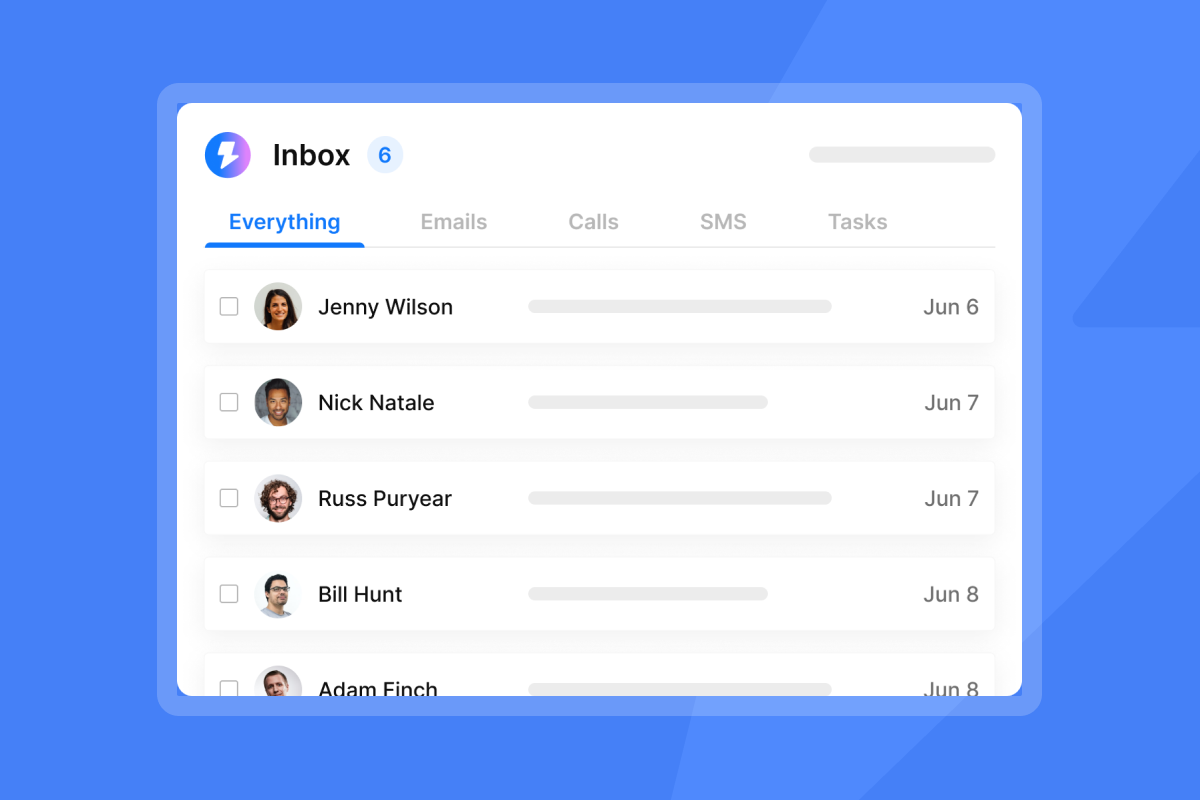
Managing replies across 10, 25, or 50 active client accounts without a unified inbox means logging in and out of individual accounts multiple times per day. You'll miss messages when volume spikes. The Unibox in Instantly consolidates all incoming replies from every connected account into a single view, filtered by campaign and client, and that operational difference is what lets an agency scale past ten clients without reply management becoming a full-time job.
"I like the unified inbox because it allows me to manage conversations from multiple inboxes without the inefficiency and mess, and it helps me focus on high-intent, positive replies without the distraction of managing separate email clients for each sending account." - Jethu Ram P. on G2
Pinpointing onboarding funnel leaks
To identify where clients stop engaging in your onboarding sequence, review the campaign analytics for each sequence step and look for a sudden drop in open rate or a spike in unsubscribes. Common patterns include drop-offs between mid-sequence emails and at the end of the first month. When you find the leak, run an A/Z test on that specific email's subject line and body before changing anything else in the sequence.
Onboarding emails that drive results
Blueprint for lead-gen client onboarding emails
Many lead-gen agencies use a five-touchpoint onboarding flow: Day 0 welcome with kickoff link, Day 3 team introduction, Day 7 setup status, Day 14 first deliverability data, and Day 30 performance summary with next-phase proposal. The step-by-step cold email walkthrough shows how agencies structure sequences to close high-value clients at scale.
Growth agency onboarding flow
Growth agencies use automated sequences to handle the logistics of onboarding so account managers can focus on strategy calls rather than sending status update emails manually. With unlimited email accounts on a flat fee, agencies can set up separate sequences for multiple new clients, each with its own contact list and send schedule, without adding a new software seat per client.
"I use Instantly for Cold Outreach Emails for me and my clients. It pretty much covers everything I need like domains, emails, deliverability, AI Integration, and API... They help me whenever I have issues with campaigns, managing them with ease for me and my clients." - Riccardo C. on G2
For a practical example of building a complete agency campaign workflow, the AI agency cold email walkthrough covers the full setup process from scratch.
Why these onboarding emails convert
The psychology behind a four-to-six email onboarding sequence is straightforward: it mimics the natural rhythm of a professional relationship where someone checks in at the right intervals, shares relevant information each time, and asks a clear question before going quiet. Clients who receive that structure feel managed and respected, while clients who receive nothing after signing feel forgotten. The follow-up framework from the Instantly copywriting masterclass addresses this specifically, covering the timing and tone that keeps recipients engaged throughout a multi-step sequence. The result is a system that junior staff can run without constant oversight, and that is the operational test every repeatable agency process needs to pass.
Ready to automate your client onboarding and manage every reply in one place? Start Instantly for free and load your first onboarding sequence today.
Read next
- How to Write Follow-Ups by Scenario
- Follow-Up Timing: Send Time Optimization
- AI Cold Email Reply Management for Agencies
FAQs
How many emails should a client onboarding sequence include?
A high-performing agency onboarding sequence contains four to six emails, starting with a Day 0 welcome and running through Day 7, Day 14, and Day 30 milestones. Adding more emails without a clear milestone trigger for each one increases unsubscribes without improving retention.
What are the best times to send client onboarding emails?
Send on Tuesday or Wednesday with the send window set to 8:30 to 10:30 a.m. in the recipient's local time zone. Mid-week mornings typically show strong engagement, though testing your specific audience's patterns will give you the most reliable data.
How do you re-engage a client who stops responding during onboarding?
Send one direct re-engagement email with a subject line that references a specific milestone ("Quick question about your Day 14 campaign status") and one concrete question rather than a generic check-in. If there is no response after one follow-up, escalate to a phone call before assuming the relationship is at risk.
What features do agencies need to send onboarding emails at scale?
Agencies managing ten or more client accounts need unlimited sending accounts, built-in warmup, and a unified inbox that consolidates all replies in one place. Instantly's Growth plan starts at $47/month with unlimited accounts and warmup included, compared to per-seat tools that bill per inbox.
How do you keep onboarding emails out of the spam folder?
Warm every new sending account for at least 14 days before your first send, verify all contact addresses to keep bounce rates below 1%, cap sends at 50 per inbox per day, and scan every email for spam trigger words before launching. Run automated Inbox Placement tests to confirm accounts land in the primary inbox before you increase volume.
Key terms glossary
Unibox: A centralized inbox inside Instantly that consolidates replies from all connected email accounts into one view, filtered by campaign or client, so agencies manage responses without logging into each sending account individually.
Sender reputation: A score assigned by inbox providers like Gmail and Outlook to a sending domain or IP address, based on factors including bounce rate, spam reports, and engagement history. A strong sender reputation means emails land in the primary inbox, while a poor one means spam or outright rejection.
Warmup: The process of gradually increasing send volume from a new email account over 14 to 30 days by sending and receiving emails through a trusted network. Warmup builds sender reputation with inbox providers before live campaign sends begin.
A/Z testing: A method of testing multiple email variants simultaneously (Instantly supports up to 26 variants per test) to identify which subject line, body copy, or CTA drives the highest open or reply rate across a campaign.
Inbox placement: A measurement of where a sent email lands in the recipient's inbox, specifically whether it reaches the primary tab, the promotions tab, or the spam folder. Instantly's Inbox Placement automated tests run checks across multiple email providers to confirm placement before a campaign goes live.
Waterfall enrichment: A contact verification method that runs each email address through multiple data providers in sequence, stopping when a verified result is returned. Instantly's SuperSearch uses five or more providers in this cascade to improve data accuracy and reduce bounce rates.# Client onboarding email best practices: agency playbook



