.svg)
%20(1).svg)


Updated April 20, 2026
TL;DR: Most agency deals close only after five or more follow-ups, yet 92% of reps stop after just four attempts. A systematic, value-driven follow-up sequence that handles objections, uses personalization, and runs on automated timing separates agencies that close consistently from those that lose deals to silence. Instantly automates this across unlimited inboxes with its Sequence Builder, Unibox for centralized reply management, and AI Reply Agent that responds to leads in under five minutes, so your follow-up engine runs even when your team doesn't.
Most agencies lose deals not because their service is bad, but because their follow-up sequence stops at email two. The prospect goes quiet, the rep moves on, and the deal dies. Closing a client agreement rarely happens on the first pitch. It requires a strategic multi-touch sequence that handles objections, reinforces value, and maintains momentum without sounding desperate. This guide gives you exact templates, timing rules, and automation workflows to turn stalled proposals into signed contracts.
Maximize deals with follow-up outreach
Your follow-up emails do more than remind a prospect you exist. Use them to re-engage cold threads, address unspoken objections, build credibility through social proof, and move leads through your pipeline at a pace that works for both sides. Understanding each of these roles separates a high-converting sequence from a string of generic "just checking in" messages.
Most deals close after follow-up #5
The follow-up persistence data favors agencies that keep showing up. 80% of sales require five or more follow-ups beyond the initial contact, but 44% of salespeople give up after just one attempt. Only 8% follow up more than five times. That gap is where deals are lost, not won.
According to our research, 55% of cold email replies come from follow-ups, not the first email. The first email captures 58% of replies in a sequence, and the remaining 42% accumulates across subsequent touches. Persistence signals credibility, and each new email is another opportunity to land on the right day, at the right moment, with the right message.
Watch the follow-ups masterclass module for a breakdown of how each touch in a sequence plays a distinct role in moving prospects forward.
Ideal send times for client follow-ups
Tuesday through Thursday, 9-11 AM local time drives the highest B2B engagement for follow-ups. Wednesday specifically shows a 7.2% reply rate and a 37% open rate, while Monday sits at the bottom with reply rates under 6.5%.
We found that reply rates peak between 7 AM and 11 AM, even when open rates climb higher in the afternoon. People open emails passively, but they reply when they are in an active work mindset. For agencies running campaigns across multiple time zones, this distinction matters: a 10 AM send without time-zone targeting can arrive at 3 AM for a segment of your list, hurting engagement even when the copy is strong.
Errors delaying deal close
Your follow-up sequence fails to close deals for these reasons:
- Generic copy: "Just following up" signals zero additional value and gets ignored or deleted.
- No clear next step: Every email must end with one specific, low-friction ask. "Happy to jump on a 15-minute call Thursday?" beats "Let me know if you have any questions."
- Wrong cadence: Static spacing looks automated and damages sender reputation. Graduated spacing mimics human behavior and protects deliverability.
- Missing personalization: Mass-blast language without role or company context reads like spam, because it usually is.
- Stopping too early: Quitting at email two when the data shows deals close at email five or later means giving up just before the finish line.
Optimal send windows for prospect follow-ups
Timing is not just about what day you send. It is about matching the send trigger to the prospect's state of mind at that exact point in the relationship.
First follow-up after no reply
Send your first follow-up two to three days after the initial email. Your goal at this stage is not to restate the entire pitch. Bump the thread and add one new piece of value: a case study, a relevant stat, or a short resource. Research confirms the optimal gap is 2-5 days between a cold email and first follow-up. Anything shorter feels aggressive; anything longer loses context.
Keep this email under 100 words: one sentence referencing the first email, one value-add, one ask.
Post-demo: guide to agreement
Send within 24 hours of the demo. You'll find prospects most receptive immediately after a call while the conversation is still fresh. This email should summarize the two or three specific points that resonated, outline the exact next steps, and include a direct path to the contract or proposal. Waiting three days at this stage costs momentum and allows competing priorities to fill the gap.
For a real example of a sequence that closed a five-figure client, see this cold email sequence breakdown.
Proposal follow-up strategy and timing
Follow up two to three business days after sending a proposal. Skip "Did you get a chance to look at the proposal?" and instead surface and answer one question prospects often have but never ask: payment terms, onboarding timelines, or what the first 30 days look like. This positions you as proactive and makes the prospect feel supported rather than pressured.
Data backs this up: first follow-up messages achieve an 8.4% reply rate, making the initial follow-up your single highest-converting touchpoint in the post-conversation sequence. That number drops sharply with each subsequent attempt, which means the timing and quality of your first follow-up directly determines whether a warm prospect moves forward or goes cold.
Confirming verbal yes to contract
When a prospect says yes verbally, send the contract link as soon as possible, ideally the same day. Delays allow doubt to creep in and competing priorities to surface. Keep the email short: confirm the agreement, share the signing link, state the kickoff date. No lengthy recaps.
Ideal number of follow-up emails
A well-structured sequence runs five to eight touches. Here is a sample cadence:
Touch | Timing | Goal |
|---|---|---|
Email 1 | Day 0 | Open with your value and a proof point |
Email 2 | Day 3 | Share a case study or insight |
Email 3 | Day 6-7 | Provide proof via result or mini case study |
Email 4 | Day 10-14 | Address common objections or share ROI data |
Email 5 | Day 21 | Send a respectful breakup email |
The 3-7-7 follow-up cadence captures 93% of total replies by Day 10. Beyond that, incremental replies are marginal. Use days 14 to 21 for a final attempt, then move the lead to a long-term nurture list rather than burning the thread further.
Crafting follow-ups that book demos
The mechanics of a high-converting follow-up differ from cold outreach. The prospect already knows who you are, so every subsequent email needs to earn its place in their inbox.
A/B test subject lines for inbox placement
Subject lines in follow-up emails serve two jobs: they get the email opened and they keep the thread intact. Using the same or closely related subject line threads the follow-up to the original email in most email clients, which increases context and reply rates. For A/B testing, focus on variations of curiosity and specificity rather than clickbait. According to our follow-up subject line research, subject lines that reference a specific pain point or recent event consistently outperform generic openers.
The cold email subject line checklist walks through how to scan for spam trigger words, validate personalization tokens, and protect sender reputation before any campaign goes live.
Use spin syntax in Instantly to create subject line variations automatically:
{{RANDOM|Following up on {{companyName}}|Quick question {{firstName}}|One more thought on this}}
Spin at the sentence or section level rather than swapping individual words. Every variation must preserve the same meaning, tone, and grammatical correctness.
Hook prospects with immediate value
The best follow-up email offers new value before asking for a signature. This could be a one-paragraph summary of a relevant case study, a data point specific to the prospect's industry, or a short resource that addresses a challenge they mentioned during a call.
A practical structure:
- One-line reference to the previous email ("Following up on the proposal I sent Tuesday.")
- Value insert ("We helped [client type] reduce their cost per meeting using the same approach.")
- Single low-friction ask ("Worth a 15-minute call this week?")
The cold email copywriting framework that our team uses to generate 400+ replies monthly covers the exact structure for follow-ups at each stage.
Unique proof points for ROI
Social proof in a follow-up email carries more weight than a feature list because it shows outcomes rather than promises. A one-sentence case study is more persuasive than a paragraph of service description. Match the proof point to the prospect's situation: if they're in HR tech, cite an HR tech result; if they raised budget concerns, use a cost-efficiency stat. Specificity is what makes proof land.
"I particularly like the email moment tool because, with its help, I'm able to handle multiple emails effortlessly, preventing them from going into spam folders, which significantly improves my communication with clients. This tool stands out because it not only enhances my workflow but also protects my email reputation." - mohammad s. on G2
Specific calls-to-action for conversion
Every follow-up email needs exactly one call to action. More than one splits attention and reduces replies. Match the CTA to the funnel stage:
- Early follow-up (no demo yet): "Does Thursday at 10 AM work for a quick call?"
- Post-demo: "Here is the contract link. Ready to sign off on Monday?"
- Stalled proposal: "Would a 15-minute Q&A this week help move things forward?"
- Breakup: "Happy to reconnect in Q3 if timing changes. Should I set a reminder?"
Low-friction CTAs tend to outperform aggressive meeting requests, per B2B cold email statistics. Frame your ask as a low-commitment question rather than a demand for calendar time. Low friction wins.
Boost replies with scannable content
Emails of 50 to 125 words correlate with higher reply rates in large-scale datasets. Long emails in a follow-up context read as desperation. Keep paragraphs to one or two sentences, use bullet points when listing items, and bold one key phrase per email at most. White space is your ally.
For a walkthrough on the anatomy of a high-converting cold email, the anatomy masterclass module covers structure, length, and formatting in detail.
Follow-up email templates by scenario
First email ignored? Follow-up template
Subject: {{RANDOM|Following up {{firstName}}|Quick one for {{companyName}}|Bumping this to the top}}

Hi {{firstName}},

Wanted to resurface this in case it got buried.

[One-sentence value-add: relevant case study or data point tied to their role or industry.]

Does {{RANDOM|Tuesday|Wednesday|Thursday}} work for a quick 15-minute call?

[Your name]
Email to re-engage post-demo
Subject: {{RANDOM|Next steps from our call|Quick recap {{firstName}}}}

Hi {{firstName}},

Thanks for the time today. A few things we covered:

- [Benefit #1 they responded to]
- [Benefit #2 aligned to their goal]
- [Implementation timeline]

I've attached the proposal. Ready to {{RANDOM|kick off|get started}} [specific date]?

[Your name]
Convert stalled proposals to yes
Subject: {{RANDOM|One thing I forgot to mention|Proposal question}}

Hi {{firstName}},

Circling back on the proposal from [date].

A common question I get at this stage: [Address the most likely objection, e.g., onboarding timeline or ROI guarantee].

[One-sentence answer or proof point.]

Are you still looking to move forward, or should I {{RANDOM|follow up in a few weeks|check back in Q3}}?

[Your name]
Convert verbal yes to signature
Subject: {{companyName}} agreement + next steps

Hi {{firstName}},

Great talking today. Excited to get {{companyName}} {{RANDOM|set up|launched|rolling}}.

Signing link: [URL]

Once signed, we'll {{RANDOM|schedule your kickoff for [date]|start onboarding immediately}}.

Any questions before then, just reply here.

[Your name]
Template: final breakup email
Subject: {{RANDOM|Stepping back for now|Closing the loop {{firstName}}}}

Hi {{firstName}},

I realize the timing might not be right, and I don't want to keep cluttering your inbox.

If {{RANDOM|priorities shift|timing changes|Q3 looks different}}, happy to reconnect. No pressure either way.

Wishing {{companyName}} a strong {{RANDOM|quarter|year}}.

[Your name]
For 600 additional templates you can adapt for different verticals and funnel stages, the Instantly template library is a practical starting point.
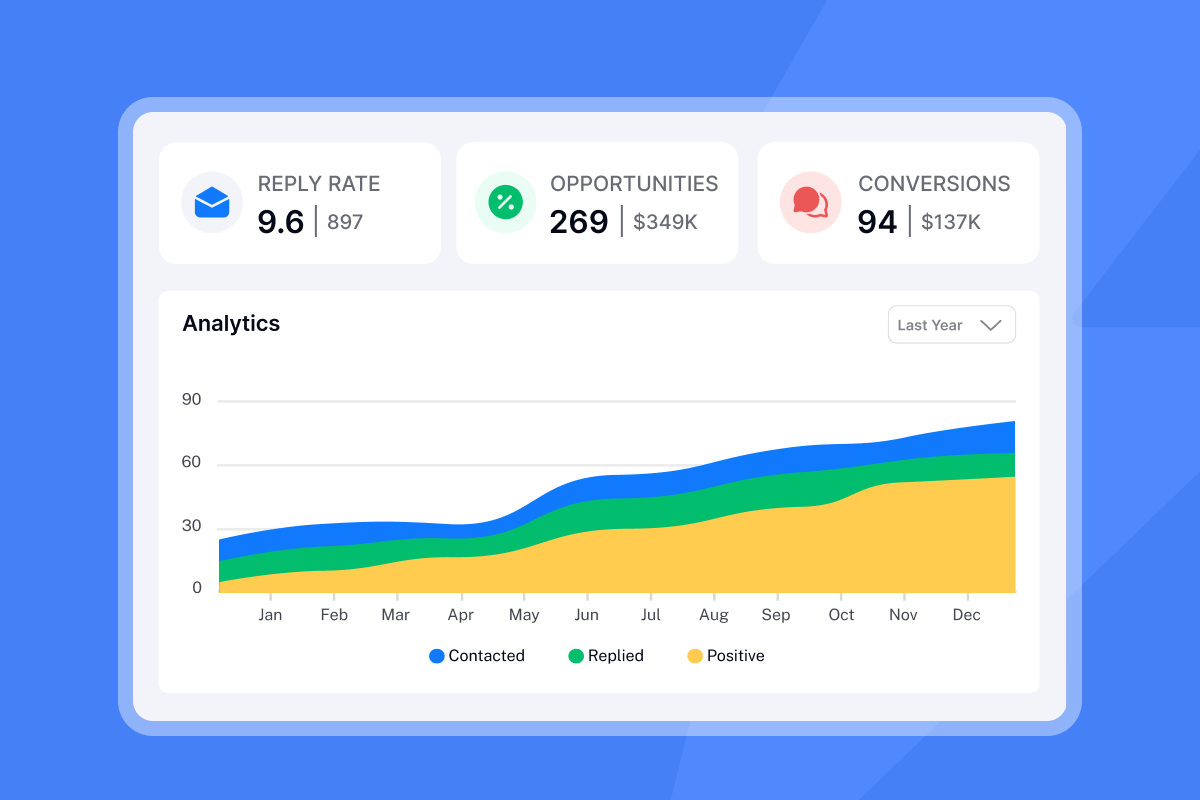

Handling objections in follow-up emails
Objections in the follow-up stage are buying signals dressed up as resistance. Treat each one as a specific question that needs a specific answer.
Address client pricing questions
When a prospect stalls on price, the instinct is to discount. The better move is to reframe ROI. Calculate the cost per meeting or cost per client acquired using your service, and compare it to their current cost. Run the math on what they spend today on internal sales resources versus the pipeline value your agency delivers at your proposed fee.
A practical framing: "Based on the results we saw with [similar client], the average cost per booked meeting was $[X]. Would it help to walk through what that looks like for your pipeline?"
Equipping their team for internal buy-in
When a prospect says they need to "run it by the team," offer a one-page summary they can share, a short slide deck, or a 5-minute Loom video walking through the key points. This removes the burden of translation from your champion and increases the quality of the internal pitch.
"I love how simple Instantly is to use, which allows me to effortlessly manage my tasks without any steep learning curve. The ability to schedule emails at specific times and zones is incredibly convenient, especially for cold outreach in multiple regions." - Verified user on G2
Re-engage "later" prospects
When a prospect says "the timing is bad," consider setting a specific follow-up date rather than an open-ended "I'll check back in." A concrete timeframe keeps the relationship active without pressure and gives you a natural reason to reconnect.
For leads that have gone completely dark after three or more touches, use a trigger-based re-engagement email. Reference something specific: a funding announcement, a hiring post, a product launch, or a news event. "Saw that {{companyName}} just [event]. Thought our [relevant case study] might be useful context right now."
Set that date as a task in your CRM or pause the sequence in Instantly until the target date hits. The Unibox lead status guide walks through how to apply custom labels and statuses to separate "reply later" leads from active ones.
Handling rival solution comparisons
If a prospect mentions they are evaluating another option, ask what specific criteria matter most to them, then map your strengths directly to those criteria. For agency operators, the most common differentiators worth addressing are pricing structure (flat-fee versus per-seat), deliverability tooling, and whether the platform scales without compounding costs as you add inboxes.
Automating follow-ups without losing personalization
Manual follow-ups don't scale. If your team is copying and pasting emails, checking each inbox individually, and tracking sequences in a spreadsheet, you're spending hours on work a system can handle in seconds. The goal of automation is to handle the mechanical parts so your team focuses on live conversations with interested leads.
"Everything is really intuitive, the warmup function is great because you have full control of everything and bulk edits are a game changer. Unibox, CoPilot and AI agents are everything would could ever want." - Mathieu F. on G2
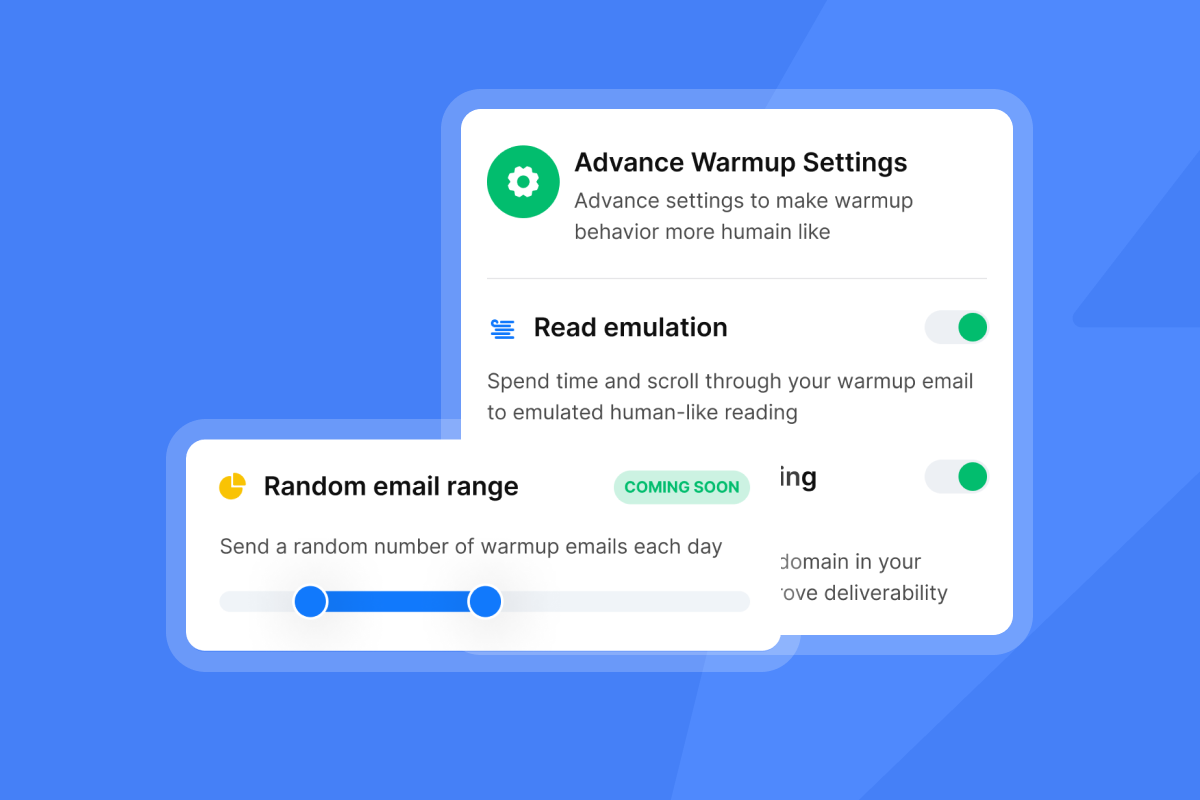
Create Instantly client follow-up flows
Building a multi-step follow-up sequence in the Instantly Sequence Builder comes down to three steps:
- Build your sequence with 5-8 touches spaced at Day 0, 3, 6-7, 10, and 21. Add personalization tokens (
{{firstName}},{{companyName}}) in both the subject line and body. - Set stop conditions to pause the sequence automatically when a lead replies. This prevents automated emails from firing after a live conversation has started.
- Enable the AI Reply Agent to handle initial reply classification in under five minutes, using Human-in-the-Loop mode so you review and approve before any high-value response goes out.
For a step-by-step walkthrough of how to build this type of sequence for an agency, getting clients with cold email shows the full setup from list to first reply.
Choose tokens that boost replies
Spin syntax in Instantly lets you create natural variation across a sequence without writing individual emails. A well-built spin block looks like this:
{{RANDOM|Hi|Hello|Hey}} {{firstName}}, I'd love to {{RANDOM|learn|hear|find out}} more about the way you {{RANDOM|handle|manage|deal with}} outreach at {{companyName}}.
Every option must preserve the same meaning, tone, and grammatical structure. Spinning word-by-word creates fragmented copy. The personalization and deliverability guide covers how to combine tokens and spin syntax without triggering spam filters.
A/B testing subject lines and CTAs
Instantly's A/Z testing feature lets you run multiple variants of a subject line or email body simultaneously and automatically routes traffic to the best performer. Set your winning metric to reply rate, not open rate. Open rate data is increasingly unreliable due to Apple Mail Privacy Protection and bot prefetching, as this open tracking accuracy analysis explains.
When the auto-optimize feature is enabled, the algorithm analyzes all variants and deactivates underperformers once a winner emerges. You don't need to manually monitor and pause variants.
Identify leads for manual follow-up
Not every reply should be handled by automation. The Unibox consolidates every reply across all your email accounts into a single interface, so you can see who responded, what they said, and what their current status is without switching between inboxes.
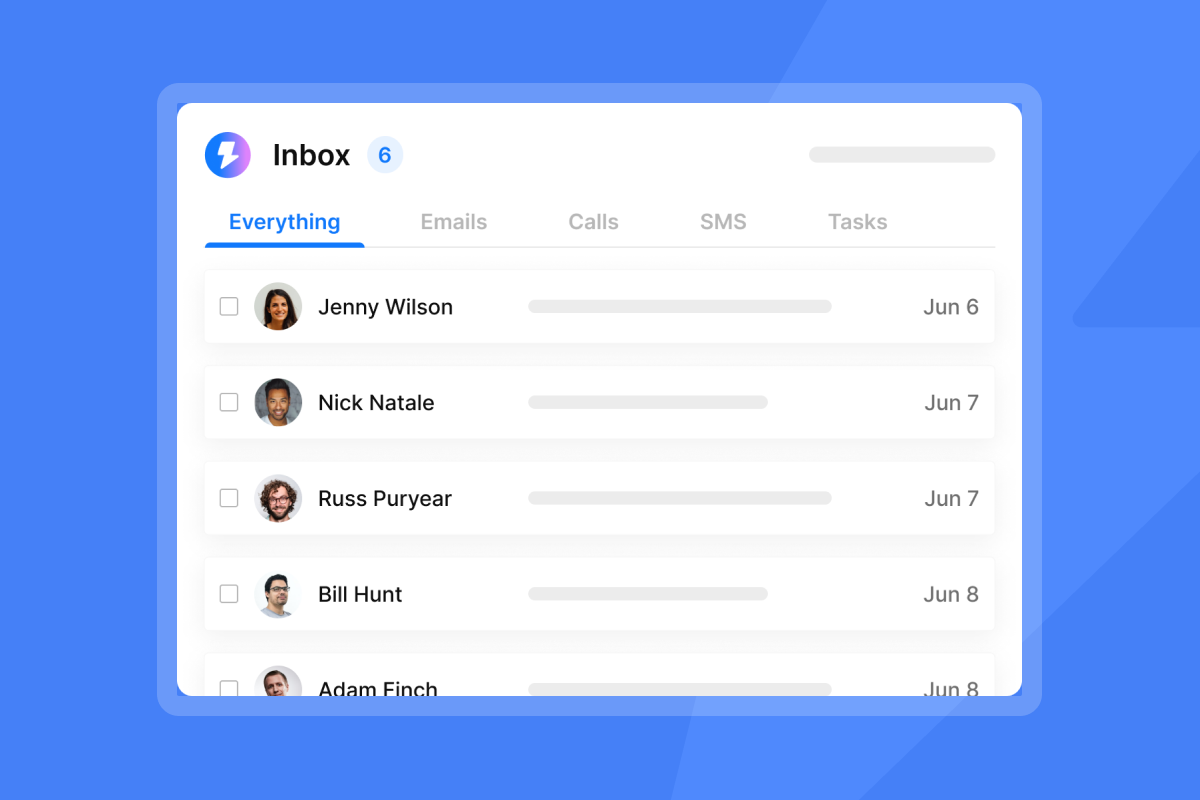
When a lead replies with a specific objection, a pricing question, or a request for more information, that's your signal to pause the automated sequence and write a context-rich manual reply. Apply a custom label such as "Objection: Price" or "Needs Internal Approval" so your team knows exactly where each lead sits.
The AI Reply Agent handles routine replies in under five minutes using either Autopilot mode (fully automated) or Human-in-the-Loop mode (AI drafts, you approve before sending). For high-value agency deals, Human-in-the-Loop gives you speed without sacrificing control.
A/B test follow-ups for higher conversions
Running a sequence once and accepting the results keeps agencies at mediocre reply rates. Systematic testing is what compounds improvement over time.
Reply rate benchmarks and highest-converting replies
Use these as your baseline targets when evaluating sequence performance:
- Elite campaigns: 10%+ reply rate
- Top quartile: 5.5% reply rate
- Average: 3.43% reply rate
A single-email campaign hits the highest per-email reply rate at 8.4%, but a two-email sequence (initial plus one follow-up) produces the highest overall response rate at 6.9%. Adding a follow-up to a single-email campaign can increase total replies by up to 49%. Track cumulative reply rate across the full sequence, not just the first email.
Winning variants across sequence tests share three characteristics: they are short (under 100 words), they reference something specific to the prospect, and they ask for one thing. Variants that fail tend to restate the original pitch, use vague subject lines, or include multiple asks. Test one variable at a time. A minimum of 200 contacts per variant is required, though 500+ per variant is recommended specifically for detecting smaller lifts under 15% and reaching statistical significance in B2B cold email. The subject line testing governance framework explains how to build a disciplined testing process that produces statistically valid results.
For broader cold email benchmarks at scale, Instantly's 2026 Cold Email Benchmark Report analyzes billions of emails and shows an overall average reply rate of 3.43%, with top performers exceeding 10%.
A/B testing your follow-up cadence
Beyond copy, test the timing of your sequence. Run one group with a faster cadence (Day 2, 5, 10) and another with a slower cadence (Day 3, 7, 14). Measure cumulative reply rate at Day 21. Faster cadences tend to work better for warm leads and post-demo follow-ups, while slower cadences suit cold sequences where prospects need more time between touches.
For a practical breakdown of what a 25% reply rate sequence looks like, the masterclass formula video covers the exact structure.
Avoid follow-up email mistakes and boost deals
Sending the right email at the wrong time, or from a damaged domain, costs you deals even when your copy is strong.
Crafting follow-up send windows
Fully authenticated domains achieve 2.7x higher inbox placement compared to unauthenticated sends. Before launching any follow-up sequence, confirm SPF, DKIM, and DMARC are configured. Set your send window to 9 AM to 11 AM local time for the prospect. Cap sends at no more than 30 emails per inbox per day, and use graduated spacing between follow-ups rather than static intervals. Static spacing looks automated and can reduce engagement.
Warm for at least two weeks before sending any campaign emails, ramping from 5 to 15 to 30 sends per inbox per day. If bounce rates push above 2% or placement dips, pause sends, re-verify the list, and restart at a lower cap.
"Instantly maintains my email reputation, preventing my emails from being marked as spam and instead landing in the recipients' inboxes. This is crucial because it ensures that my communication remains reliable and professional." - adnan k. on G2
How to handle delayed follow-ups
If you missed the ideal 2-to-3 day window, acknowledge the gap briefly and re-anchor with value: "I know I'm a bit late circling back on this, but I came across [relevant case study] and thought it was worth sharing." One sentence is enough. Then move directly to the value-add and the ask.
Subject line strategy for follow-ups
Keep your follow-up subject lines consistent with or closely related to the original email. Threading emails in Gmail and Outlook keeps context intact and reduces cognitive load on the prospect. For later-stage follow-ups that open a fresh thread, use a subject line that references the previous conversation without restating the pitch, such as "One more thought on {{companyName}}'s pipeline." For additional subject line examples and strategies, check out Instantly's follow-up subject line guide.
Crafting confident follow-up emails
Desperate language ("I really hope we can work together") signals low confidence and triggers avoidance. Write from a position of authority. You have something valuable. The email exists to give the prospect a clear path to access it.
Confident phrasing patterns:
- "Based on what you mentioned, [X] would apply directly to your situation."
- "Happy to put together a 1-pager that addresses this. Want me to send it over?"
- "Let me know if [date] works. Otherwise, I'll try back next week."
For more on how personalization signals respect rather than automation, the personalisation masterclass module is worth 10 minutes of your time.
When is your final follow-up?
The endpoint of a sequence is typically email five through eight, depending on lead source and deal size. After the final follow-up, move the lead to a long-term nurture list rather than letting them sit in a stalled campaign. Low-pressure nurture emails can keep the door open without burning the domain by sharing case studies or relevant market data at intervals that respect inbox limits. Some leads do re-engage well after the initial sequence ends.
The Instantly cold email strategy guide covers how to structure the end-of-sequence transition and maintain domain health across long-running nurture campaigns.
For agencies ready to move from manual follow-ups to a systematic, scalable outreach engine, try Instantly free and build your first multi-step follow-up sequence in the Sequence Builder. Manage every reply from a single Unibox, let the AI Reply Agent handle routine responses in under five minutes, and scale across unlimited inboxes without a per-seat tax.
Follow-up email sequence checklist
Use this checklist before launching any follow-up campaign to protect deliverability and maximize replies.
Domain and deliverability:
- SPF, DKIM, and DMARC are configured and verified
- Inboxes have completed at least two weeks of warmup
- Daily send cap is set to no more than 30 per inbox
- Bounce rate threshold monitoring is active with auto-pause enabled
- Send window is set to 9 AM to 11 AM local time for the prospect
Sequence structure:
- Sequence runs 5 to 8 touches with graduated spacing (Day 0, 3, 6-7, 10, and 21)
- Each email adds new value rather than restating the pitch
- Stop conditions pause the sequence when a lead replies
- Spin syntax is applied at the sentence or section level, not word-by-word
- Personalization tokens include at minimum
{{firstName}}and{{companyName}}
Copy and CTA:
- Each email is under 125 words
- Every email ends with exactly one clear CTA
- Subject lines thread correctly to the original email
- No generic "just checking in" language appears in any step
- Breakup email is included as the final touch
Testing and tracking:
- A/Z test is set up for at least two subject line variants
- Winning metric is set to reply rate, not open rate
- Unibox is configured with custom labels for reply categorization
- AI Reply Agent is enabled for initial reply classification
FAQs
How many follow-up emails should I send to a potential client?
Send five to eight follow-up emails spaced over 21 days, using a graduated cadence of Day 0, Day 3, Day 6-7, Day 10, and Day 21. 80% of sales require five-plus follow-ups to close, so stopping at two or three means leaving most of your pipeline on the table.
What is the best time to send a follow-up email to a potential client?
Send follow-up emails on Tuesday, Wednesday, or Thursday between 9 AM and 11 AM in the prospect's local time zone, where reply rates consistently peak according to follow-up timing benchmarks. Wednesday shows the highest reply rate at 7.2%, and reply rates across all days are strongest during morning hours rather than the afternoon.
How long should a follow-up email to a potential client be?
Keep follow-up emails between 50 and 125 words, a range that correlates with higher reply rates across large-scale datasets. Shorter emails signal confidence rather than desperation.
What should I include in the subject line of a follow-up email?
Use a subject line that threads to the original email or references something specific to the prospect's company or a pain point they mentioned. Avoid generic phrases like "Following up" on their own, and test at least two variants from launch. The Instantly follow-up subject line guide provides 50+ examples with reply rate data.
How do I automate follow-up emails without losing the personal feel?
Use spin syntax to create natural variation across email steps, apply personalization tokens for name and company, and set stop conditions that pause automation the moment a lead replies. Instantly's Sequence Builder handles the mechanical side while keeping every email specific to the recipient, so the automation stays invisible and the personalization stays real.
Read Next
- 12 Proven Tactics to Land in the Primary Inbox
- How to Safely Scale New Sending Accounts
- 7 High-Converting Workflows to Copy
Key terms glossary
Spin syntax: A templating method that randomly selects from a set of pre-written phrase options within a single email template, creating unique variations at send time to avoid pattern detection by spam filters. In Instantly, the format is {{RANDOM|option one|option two|option three}}.
Unibox: Instantly's centralized inbox that consolidates replies from all connected email accounts into a single view, letting your team manage conversations, apply status labels, and trigger manual follow-ups without switching between accounts.
Sender reputation: A score assigned by email providers like Google and Microsoft based on engagement signals including bounce rate, spam complaints, and reply rate. A high sender reputation increases the probability that your emails land in the primary inbox rather than spam or promotions.
A/Z testing: A feature in Instantly that runs multiple variants of a subject line or email body simultaneously, measures performance by reply rate or click rate, and automatically deactivates underperforming variants once a winner is identified.
Graduated spacing: A follow-up timing strategy that increases the number of days between each email touch (Day 3, then Day 7, then Day 14) rather than sending at a fixed interval. Graduated spacing mimics natural human behavior and reduces spam filter risk.



