.svg)
%20(1).svg)


Updated: May 22, 2026
TL;DR
Free CEO email finders cap you at 50 unified credits monthly (Hunter.io) or 5 (RocketReach), which works for small-scale testing but not for consistent prospecting. Manual LinkedIn research costs roughly $7.25 per contact in rep labor when you factor salary against time. Instantly.ai's SuperSearch gives you 450M+ verified contacts with built-in outreach, bringing that cost to under $0.05 per contact at scale. For teams sourcing contacts regularly, a paid platform recovers its cost in saved rep hours within the first week.
If you lead a sales team and are deciding whether free email finders can support a consistent prospecting motion, this guide is for you. Most teams running outbound prospecting focus on what a tool costs per month and miss what bad data costs per quarter. A rep who spends two hours a day manually tracking down CEO email addresses burns roughly $15,000 a year in salary, and that does not count the bounces that follow. This guide breaks down the real cost of manual research, the hard limits of free email finders, and exactly when your team needs a paid platform to protect deliverability and hit quota.
How email finder tools verify contacts
Before comparing tools and pricing, you need to understand what "verified" actually means, because not all tools define it the same way.
Systematic email address inference
Most email finders start with pattern matching. They take a company domain, cross-reference naming conventions like first.last@company.com or first@company.com, and return the most probable address. Pattern matching tends to perform better when the domain follows a consistent, well-documented naming convention, but accuracy can drop for smaller companies or executives using non-standard formats.
Email validation to prevent bounces
Real-time SMTP validation goes beyond pattern guessing. The tool connects to the recipient's mail server, runs an MX record lookup, confirms the mailbox exists, and checks for role accounts or disposable addresses without sending an email. This is what separates a verified contact from a guessed one.
Tools that skip this step return contacts that look valid but bounce. According to email deliverability benchmarks, a bounce rate above 2-3% puts your sender reputation at risk, and anything above 5% is critical damage territory.
Email finder value: quality vs. quantity
Finding an email address is the easy part. Confirming it will still reach a live inbox without destroying your domain health is the hard part. This is where free tools fall short and where the deliverability impact of unverified data becomes a real pipeline problem. Many free and freemium tools offer some level of catch-all domain detection, labeling those addresses as "risky" rather than blocking them outright. That still leaves the call to you, without a systematic workflow to act on it before a sequence launches.
Free manual CEO email research guide
Free options have a real place in sales, but their limits become clear fast when you map them against actual quota targets.
LinkedIn and free tiers: real limits on real prospecting
LinkedIn is the most common starting point for finding CEO contact information. You can confirm job title, company size, and tenure in a few clicks. The problem is that LinkedIn does not surface email addresses directly, so reps combine profile data with pattern guessing and send anyway. That process produces a list with no verification layer.
Hunter.io's free plan gives you 50 unified credits per month. For an SDR working a mid-market pipeline, these can run out quickly depending on how many new accounts they work each week. RocketReach's free tier is reportedly even more limited, offering 5 monthly lookups with basic person search and a browser extension.
Time cost per verified email
The hidden cost of manual research is not the software subscription, it is the rep hours. Using a $60,000 SDR base salary (roughly $29/hour) and the 15-minute estimated average time per contact for manual C-level email sourcing, each verified email costs approximately $7.25 in base wages alone. Fully loaded costs including benefits, taxes, tools, and management push the true figure higher. For a list of 500 contacts, that is $3,625 in research time before a single email sends.
Automated tools complete the same lookup in a fraction of the time, removing that bottleneck entirely for teams running a consistent prospecting motion.
Paid email finders: features, costs, and data quality
Paid tools solve the volume and accuracy problem, but the model varies widely across platforms.
Apollo plans: costs and quota impact
Apollo is a strong sales intelligence platform with broad data coverage and built-in outreach capabilities. Their annual plans run $49 to $119 per user per month, and monthly billing runs $59 to $149 per user. A five-rep SDR team on the mid-tier plan pays roughly $295 to $595 per month in seat fees alone, and that figure scales linearly with every new hire.
For teams managing mailbox health alongside headcount growth, this per-seat structure adds friction. You pay more as headcount grows, regardless of whether send volume increases proportionally.
Prospeo pricing and verification features
Prospeo operates as a standalone verification and finder tool with a credit-based model. It covers bulk search and SMTP validation, but it sits outside your sending infrastructure. That means CSV exports, manual imports, and the risk of data decaying between the time you pull a list and the time you send. For a comparison of pricing models across the category, standalone tools consistently add workflow friction that costs time even when they save money on the subscription line.
Fast, verified email acquisition
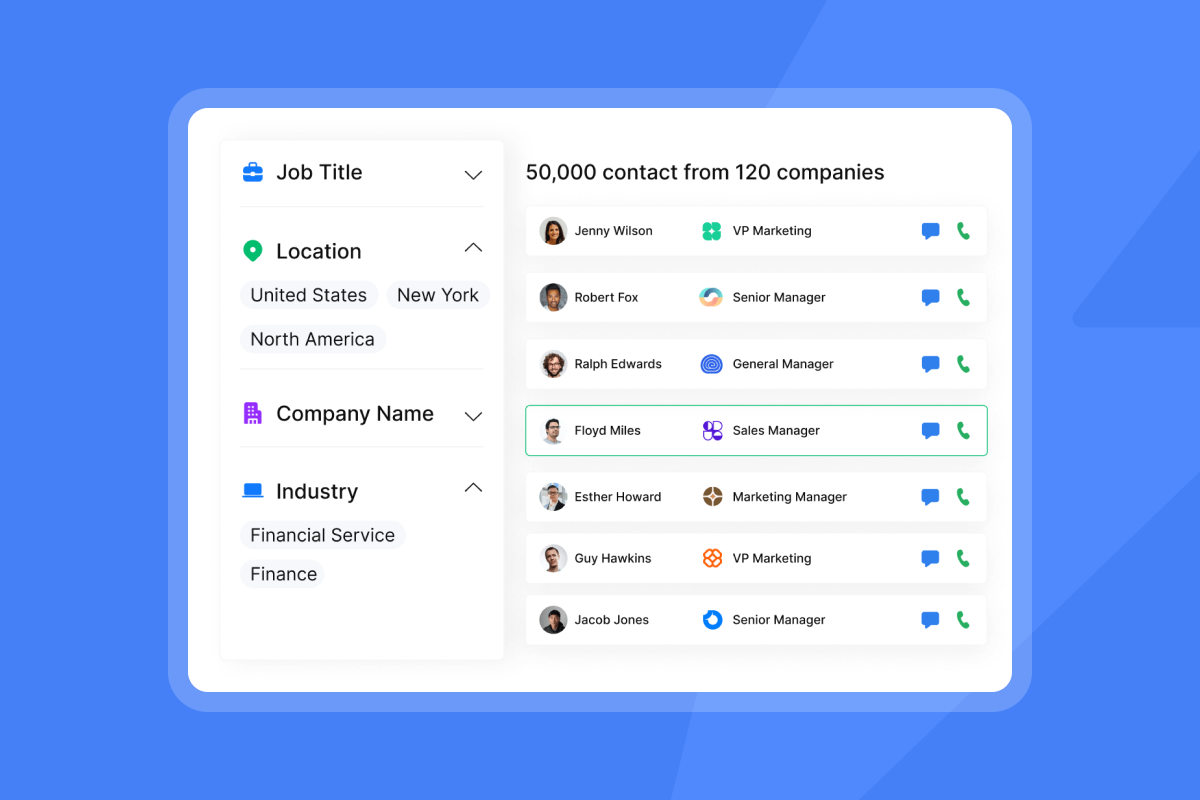
Instantly's SuperSearch integrates lead finding directly into the outreach workflow. The database covers 450M+ contacts with waterfall enrichment across 5+ providers, which means the system queries multiple data sources in sequence to return the highest-confidence result. This removes the export-import cycle entirely and lets your reps move from a filtered list of CEO contacts to an active sequence without leaving the platform.
SuperSearch is available as a separate subscription starting at $47/month for 1,500-2,000 credits, and it layers directly on top of Instantly's outreach plans so contacts flow straight into sequences without a CSV handoff.
Ensuring accurate prospect data
Instantly runs real-time verification on pulled contacts, flagging valid, catch-all, and invalid addresses before a sequence launches. Catch-all domains (where the server accepts all mail regardless of whether the mailbox exists) are common enough in B2B databases that most contact lists of any meaningful size will include them. Full SMTP validation surfaces these addresses before a sequence launches so you can decide how to handle them, rather than discovering the problem after your bounce rate climbs.
Cost-benefit: free vs. paid at scale
The comparison shifts dramatically depending on volume. Here is how the tools stack up across the dimensions that matter most to a sales team.
Feature | Free tools (Hunter/RocketReach) | Apollo | Instantly |
|---|---|---|---|
Monthly volume limit | 5-25 lookups | Unlimited email credits with plan | 450M+ database, flat-fee |
Verification depth | Basic / varies by tool | Multi-step SMTP included | Waterfall enrichment, real-time SMTP |
Pricing model | Free (hard caps) | $49-$149/user/month | $47/month flat (Growth plan) |
Outreach integration | Manual export required | Built-in sequences | Built-in sequences, no CSV export |
Low-volume prospecting: when free tools are enough
Free tiers make sense when you are a solo founder validating a new offer with fewer than 10 target accounts. The 25-search cap on Hunter is enough for a hyper-targeted account-based play where you research every contact individually. At this stage, the cost of a paid subscription outweighs the time saved.
50-500 contacts: when to pay for finders?
Once a team needs to build a pipeline consistently with a regular flow of new contacts per month, manual methods become untenable. For example, at 50 contacts monthly, a rep spends roughly 12.5 hours on research alone, which is $362 in salary at $29/hour. The Instantly Growth plan at $47/month can pay for itself quickly from that labor savings alone.
Here's a practical next step: calculate how many hours your team currently spends on manual research each week. Multiply that by your average hourly rate to see the true cost, then compare it to the flat monthly cost of a paid platform.
500+ emails: ROI for scaling outreach
At 500 or more contacts per month, the ROI comparison is not close. A team of five SDRs running 100 contacts each generates $3,600 in monthly labor cost from research alone. On top of that, unverified lists increase bounce rates, which damages sender reputation and can pull deliverability for every domain in your stack.
Cost per verified contact: method comparison
Method | Time per contact | Hourly cost | Cost per contact |
|---|---|---|---|
Manual research (estimated) | ~15 min | $29 | ~$7.25 |
Instantly SuperSearch Growth plan ($47/mo) | Seconds (via database) | Flat fee | ~$0.042 at 1,000 contacts (annual billing) |
Instantly SuperSearch Supersonic ($97/mo, 5,000–7,500 credits) | Seconds (via database) | Flat fee | ~$0.019–$0.029 |

Best use cases for free email finders
Free tools are not useless. They are the wrong instrument for a team running a consistent outbound motion, but they still fit three specific scenarios:
- Small, highly targeted account plays: When your target list is small enough that you can verify each contact individually, manual research can produce accurate results. That level of care is not scalable, but it can work for highly targeted outreach.
- One-off contact updates: Free tiers can cover occasional one-off lookups where volume is too low to justify a paid subscription.
- Zero-budget validation: A bootstrapped founder validating an offer before any revenue comes in can run a meaningful pilot on free tools. The constraint forces precision, since limited monthly searches mean you pick targets carefully.
Beyond these scenarios, the friction from free tools compounds fast. A practical next step: count how many new contacts your team needs per month, then check that number against the 25-search cap on free tiers. If you are already over that limit, the labor cost figures in the next section will show you what that gap is actually costing.
If you're unsure which path fits your situation, start by tracking how many hours your team spends on contact research this week. That baseline will tell you whether manual methods are sustainable or if automation will deliver faster ROI.
Beyond free: when paid tools drive results
The problems with free and manual approaches compound at the team level in ways that do not show up in the initial cost calculation.
Why manual email search fails at scale
Manual research can produce inconsistent output across reps. Approaches vary widely, verification methods differ, and the result is a list with no standardized quality level. This makes campaign performance data unreliable and subject line testing meaningless because the variable is the data, not the copy.
A Head of Sales running a team of five cannot build a repeatable system on manual research. The labor cost alone is considerable, and the process has no governance layer, no quality benchmark, and no way to catch bad data before it goes into a live sequence.
Ensuring consistent team outreach
Centralizing data sourcing and sending in one platform removes the manual handoff between tools. When your reps pull contacts from SuperSearch and push them directly to a sequence, the export-import steps where contact data typically goes stale are removed.
Instantly's flat-fee Outreach plans cover unlimited email accounts and warmup on every tier, which means adding three new SDRs does not change your monthly bill. For context on how contact volume affects your sending plan, see the uploaded contacts limits guide.
"I really appreciate how Instantly simplifies both lead generation and cold email outreach... Manually handling these tasks would be incredibly time-consuming, but Instantly automates these processes exceptionally well, saving me a great deal of time and effort daily." - Mohammad A. on G2
Minimizing bounce risk for inbox placement
Bad data does not just waste a send. It raises your bounce rate, which signals to inbox providers that you are sending to stale or invalid addresses. Once your bounce rate exceeds 2-3%, you are in warning territory. Above 5%, you face real deliverability damage that can affect every campaign running on that domain.
Instantly's built-in Inbox Placement monitoring gives you a live view of domain health before and during campaigns. The warmup network builds sender reputation by generating positive engagement signals across 4.2M+ accounts before your campaigns launch, so new inboxes earn trust with inbox providers systematically rather than going in cold.
Accurate data sync with CRM
Exporting a CSV from a standalone finder, cleaning it, importing it into your CRM, and pushing it to your outreach tool introduces multiple handoff points where contact data can break or go stale. Native integrations with HubSpot and Salesforce via OutboundSync close that loop, so contact records stay current and CRM reporting reflects actual pipeline activity. The email tracking integrations guide covers how to set this up without creating data silos.
The hidden cost of manual email sourcing
Manual research carries two hidden costs that rarely appear on budget spreadsheets: the rep hours spent tracking down contacts, and the deliverability damage from unverified lists. Both compound over time, and both hit hardest when your team is scaling prospecting volume.
How rep hours add up
At the $60,000 average base salary for a US SDR, each working hour costs roughly $29 in base wages before benefits and overhead. A rep spending two hours per day on manual prospecting research burns $58 per day in direct labor, or about $1,160 per month. On a five-rep team, that is $5,800 per month in labor that never appears on the software budget line.
The B2B email list pricing analysis puts this in context: once you calculate cost per meeting using fully-loaded rep time, manual research almost always costs more than a paid data platform even at a single-seat level. Add the speed-to-contact advantage, where pulling a verified CEO list from SuperSearch takes minutes versus hours of LinkedIn digging, and every day your reps spend on data entry is a day a faster competitor is already in the prospect's inbox.
Safeguarding your deliverability
Lists built from free tools and manual guessing carry deliverability risk even when individual contacts look accurate. Catch-all addresses pass basic checks but produce unpredictable bounce behavior at volume. By the time a deliverability crash shows up in your metrics, the damage to your sender reputation has been accumulating for some time, and recovery can take weeks depending on severity. Fixing the issue requires pausing campaigns, re-verifying lists, and rebuilding domain health, which pulls sending capacity at exactly the time your team needs it most.
Which email finder fits your sales team?
The right choice depends on volume, team size, and how tightly you need to protect domain health.
Free email accuracy for sales teams
Free tiers return pattern-matched addresses, and verification depth varies widely by tool. Some run basic MX record checks only, while others include SMTP validation. At very small volumes, manually cross-checking each result before sending can reduce the risk of bounces, but no free tier provides the waterfall enrichment that raises confidence at higher volumes. As volume increases, manual verification becomes harder to sustain and inconsistencies in the process are more likely to surface. At scale, data quality issues directly increase bounce rates and reduce primary inbox placement.
Paid email cost per verified contact
Instantly's Growth Outreach plan ($47/month) covers unlimited email accounts and warmup. SuperSearch is a separate subscription at $47/month and is the plan that sources contacts. These are two distinct products that can be combined. The SuperSearch Growth plan includes 1,500-2,000 credits per month, which at the standard average of 1.5 credits per verified contact yields approximately 1,000-1,333 verified contacts per month. Spread across 1,000 contacts, the SuperSearch cost alone works out to roughly $0.038 per verified contact on the annual plan ($37.60/month, 20% annual discount). If you run both plans together, the combined monthly cost starts at $94/month (or around $75.20/month on annual billing, both Outreach Growth and Credits Growth plans at 20% annual discount: $37.60 + $37.60).
At the SuperSearch Supersonic tier ($97/month for 5,000–7,500 credits), and applying the standard 1.5 credits per verified contact, that yields approximately 3,333–5,000 contacts per month at roughly $0.019–$0.029 per verified contact. The labor cost figures earlier in this guide show how quickly that gap widens as monthly contact volume increases. For a full breakdown of how seat-based versus flat-fee models compare at different team sizes, the pricing models comparison walks through the total cost of ownership math.
Risks of mixing free and paid tools?
Importing a free-tier list into a paid sending tool transfers the data quality problem to your infrastructure. Catch-all addresses, invalid contacts, and outdated records follow the CSV wherever it goes. The paid tool's warmup and IP rotation protect your sender reputation from volume spikes, but they cannot fix a list where a large share of addresses were never valid.
Secondary domain scaling only works if the underlying data is clean. Dirty lists degrade multiple domains at once, which multiplies the deliverability damage across your entire sending stack.
What lead volume requires paid tools?
A practical threshold: if your team sources executive contacts on a regular basis, compare the $47/month flat fee against the $7.25-per-contact manual research cost before assuming free tools are the cheaper option. If your team runs outbound prospecting as a regular part of its workflow, the 25-search monthly cap on free tiers slows down every rep who hits that limit, and the CSV handoff between separate finder and sending tools adds steps that free tools cannot eliminate.
For a practical comparison of how Instantly stacks up against per-seat tools on cost and features, the pricing models comparison covers the total cost of ownership differences in detail.
Try Instantly free to run SuperSearch against your target account list and compare the verified contact output against what your team currently sources manually. See the time and cost difference firsthand.
FAQs
What is the free search limit on Hunter.io for CEO email lookups?
Hunter.io's free plan reportedly allows 25 email searches and 50 verifications per month, with campaign sending capped at 500 recipients. That is enough for light testing but not enough to support a consistent SDR prospecting motion.
What bounce rate damages my sender reputation?
A bounce rate above 2-3% signals poor list hygiene to inbox providers and puts your sender reputation at risk. Above 5% is critical and can result in emails being filtered to spam across your entire sending domain.
How many CEO contacts can an SDR find manually per hour?
Industry observations on manual C-level prospecting suggest expert researchers find around 30 decision-maker email addresses in an 8-hour day, roughly 3-4 contacts per hour or about 15 minutes per contact.
What is the cost difference between manual sourcing and Instantly SuperSearch?
Based on a $60,000 SDR base salary (roughly $29/hour) and a 15-minute average research time per contact, the estimated labor cost per manually sourced contact is approximately $7.25 in base wages alone. Fully loaded SDR costs including benefits, taxes, tools, and management run $110,000-$130,000 annually, which would push the true per-contact cost considerably higher. Instantly's SuperSearch Growth plan costs $47/month on monthly billing or $37.60/month on annual billing (20% annual discount). At the standard average of 1.5 credits per verified contact across 1,500-2,000 credits per month, that brings the cost per verified contact to roughly $0.035-$0.047 on monthly billing, or approximately $0.032–$0.042 on annual billing. Either way, that delivers substantial cost savings versus the $7.25 manual research estimate.
When does it make financial sense to pay for a CEO email finder?
Once your team needs consistent access to verified contacts on a regular basis, the labor cost of manual research typically exceeds the $47/month price of Instantly's Growth plan. At that point, the math favors a paid platform.
Key terms glossary
Catch-all domain: A mail server configured to accept emails sent to any address at a domain, regardless of whether the specific mailbox exists. Catch-all addresses may pass basic verification checks but produce unpredictable bounce behavior at volume.
SMTP validation: A real-time check that connects to a recipient's mail server to confirm a specific mailbox exists, without sending a live email. Full SMTP validation includes MX record lookups and role/disposable account detection.
Sender reputation: A score assigned by inbox providers based on your sending history, including bounce rates, spam complaint rates, and engagement signals. Poor sender reputation reduces primary inbox placement and can result in emails going directly to spam.
Waterfall enrichment: A data sourcing method that queries multiple providers in sequence and returns the highest-confidence result. Instantly's SuperSearch uses waterfall enrichment across 5+ providers to improve accuracy on contact data.
Bounce rate: The percentage of sent emails that fail to deliver. Hard bounces from invalid addresses damage sender reputation more severely than soft bounces from temporary failures. Keep hard bounce rates below 2% to maintain inbox placement.
Read next
- Cold Email Sequence Guide: How to Build, Test, and Optimize a Multi-Step Cadence: Once your contact list is verified and loaded, this guide walks through how to structure a sequence that drives replies without burning domain health.
- Email List Cleaning Guide: Build Healthier Lists & Stronger Campaigns: Use this step-by-step process to remove bounced addresses, handle catch-all risks, and clear outdated records before they reach a live sequence and damage your sender reputation.
- Cold Email Open Rates: What the Data Says and How to Improve Yours: Benchmarks for open rates by industry and send volume, with the send-window and subject line adjustments that improve open rates.



