.svg)
%20(1).svg)


Updated April 13, 2026
TL;DR: Manual client onboarding emails are best for high-ticket strategic accounts where a personal touch justifies the time investment. Automated drip campaigns are the right choice for agencies scaling beyond ten clients, because they deliver a consistent, measured experience without adding headcount. The strongest approach combines both: a personal first message followed by a rule-based sequence running across unlimited sending accounts. Instantly's flat-fee model means you add accounts without paying a per-seat penalty, which is exactly how agencies protect margins as volume grows.
You cannot scale an agency if every new client requires your team to manually trigger five different welcome emails. Manual sends create delays, inconsistency, and a creeping drain on the hours your team should spend booking meetings instead.
This guide compares one-to-one client onboarding emails against automated drip sequences, shows you where each approach wins, and walks you through a hybrid system that protects sender reputation while keeping your margins intact.
Role of the new client onboarding email
A client onboarding email is a one-to-one message sent to a new client, either automated within minutes of signup or manually by an account manager for high-touch accounts. It differs from a mass email or email blast because it carries specific personal context: the client's name, their service scope, the next steps you've agreed on, and a direct line back to the person managing their account.
This approach works well at low volume, but it does not scale. Research from SPP shows manual onboarding consumes more than five hours per client across tasks like sending welcome emails, setting up project folders, and chasing incomplete forms. When agencies automated this process, hands-on time dropped to roughly five minutes.
Structure of a new client onboarding email
A strong manual onboarding email references something specific from the sales call, states one clear next step with a deadline, names the account manager with direct contact details, and confirms the agreed scope. Compare that to a generic blast that starts with "Welcome to our agency!" and links to a PDF. The generic version signals the client is one of many. The personalized version signals they matter. The cold email personalization masterclass from Instantly covers the specific signals that make a message feel one-to-one even at scale.
Client onboarding email scenarios
Manual, one-to-one onboarding is the right call in these specific situations:
- High-ticket contracts where the white-glove relationship justifies an account manager's time.
- Complex service setups that require access to the client's ad accounts, CRM, analytics tools, and social profiles.
- Initial hand-off from sales to client success, where a personalized introduction from the new account owner builds immediate trust.
Outside these scenarios, manual sends introduce more risk than reward.
Defining automated client drip sequences
A drip campaign is a series of automated emails sent on a set timing or triggered by specific client actions, where each message moves the client toward a defined outcome. Drip campaigns send a limited number of emails automatically based on actions or status changes, and they can be personalized with data like the contact's name and references to what they did. For agencies, that outcome typically centers on getting clients set up, engaged, and producing measurable results.
How drip campaigns drive engagement
Marketing automation ROI data shows automated emails generate 320% more revenue than non-automated emails, and despite making up just 2% of email sends, automated messages drove 37% of all email-generated sales in 2024. The takeaway is direct: automation does not reduce the quality of the client experience. It makes the experience consistent, which manual sends cannot guarantee once you're managing multiple clients simultaneously.
Designing your drip campaign flow
A standard agency client onboarding drip typically runs three to seven emails, with spacing based on client behavior rather than fixed intervals. A common three-email approach:
- Email 1 (Welcome): Sent immediately after contract sign. Confirms the relationship, introduces the team, and states the first action.
- Email 2 (Setup confirmation): Sent 1-2 days later. Sets the expectation for the first check-in call.
- Email 3 (Feedback check-in): Sent 7-10 days in. Opens the feedback loop and confirms the path to the first deliverable.
Instantly's email threading feature keeps all follow-ups in the same thread, which makes the sequence read as a continuous conversation rather than separate blasts.
Onboarding email options: manual vs. drip
The decision comes down to time, cost, and the volume of clients you're managing. Here is a direct comparison across both approaches:
Time, cost, and scale
Criteria | Manual | Automated drip |
|---|---|---|
Time per client | 5+ hours | Minimal ongoing input |
Cost at 20 clients | High staff cost | $47-97/mo flat fee |
Scalability | Capped by headcount | High |
Hybrid approach
Criteria | Hybrid (manual + automated) |
|---|---|
Time per client | Setup + personal first touch |
Cost at 20 clients | $47-97/mo + staff time |
Scalability | High with flat-fee infrastructure |
Personalization | High (automated + personal triggers) |
Tailored onboarding experience
Automated systems personalize at scale using variables and conditional logic. A sequence can insert the client's company name, their specific service tier, and adjust the message body based on whether they are a new or returning client, all without a human touching the send button. The custom variables guide from Instantly shows exactly how to build these variable-driven messages.
Scaling onboarding without cost sprawl
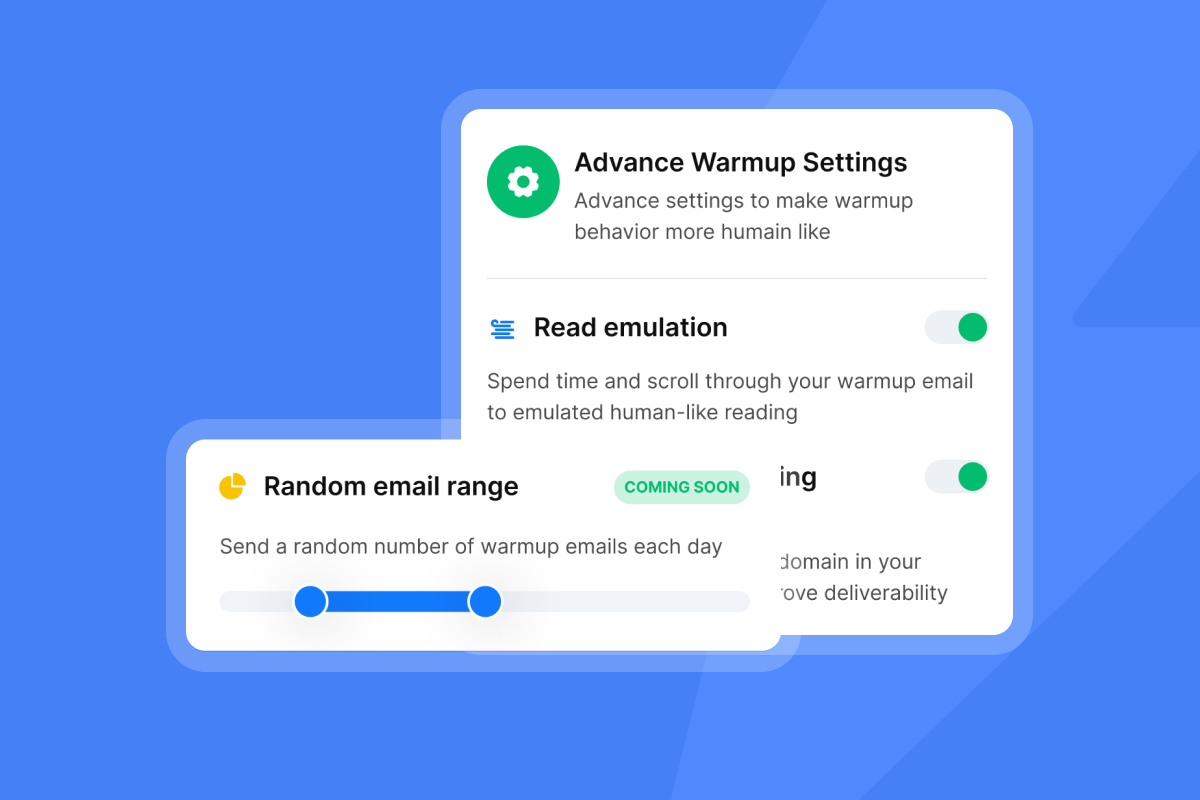
Per-seat pricing is the silent margin killer for growing agencies. A five-person agency using a per-seat platform can face $250-350 or more per month in seat fees alone, before accounting for mailbox or contact limits. Instantly's Growth Outreach plan at $47 per month includes unlimited email accounts and unlimited warmup across the entire workspace, not per seat and not per inbox. As your agency adds clients and inboxes, the cost stays flat while per-seat costs compound.
Setup time: manual vs. automated
A drip sequence requires upfront setup, but then runs without ongoing input. That investment pays back fast when you're onboarding multiple clients per month. One agency operator's experience captures the efficiency well:
"I really enjoy using Instantly for a variety of reasons. Its simplicity in managing inboxes and campaigns stood out immediately... The automation of outreach and centralized inbox management means that I can handle multiple domains, track performance in real time, and manage warm-up processes efficiently." - Nathan D. on G2
Maximize onboarding email responses
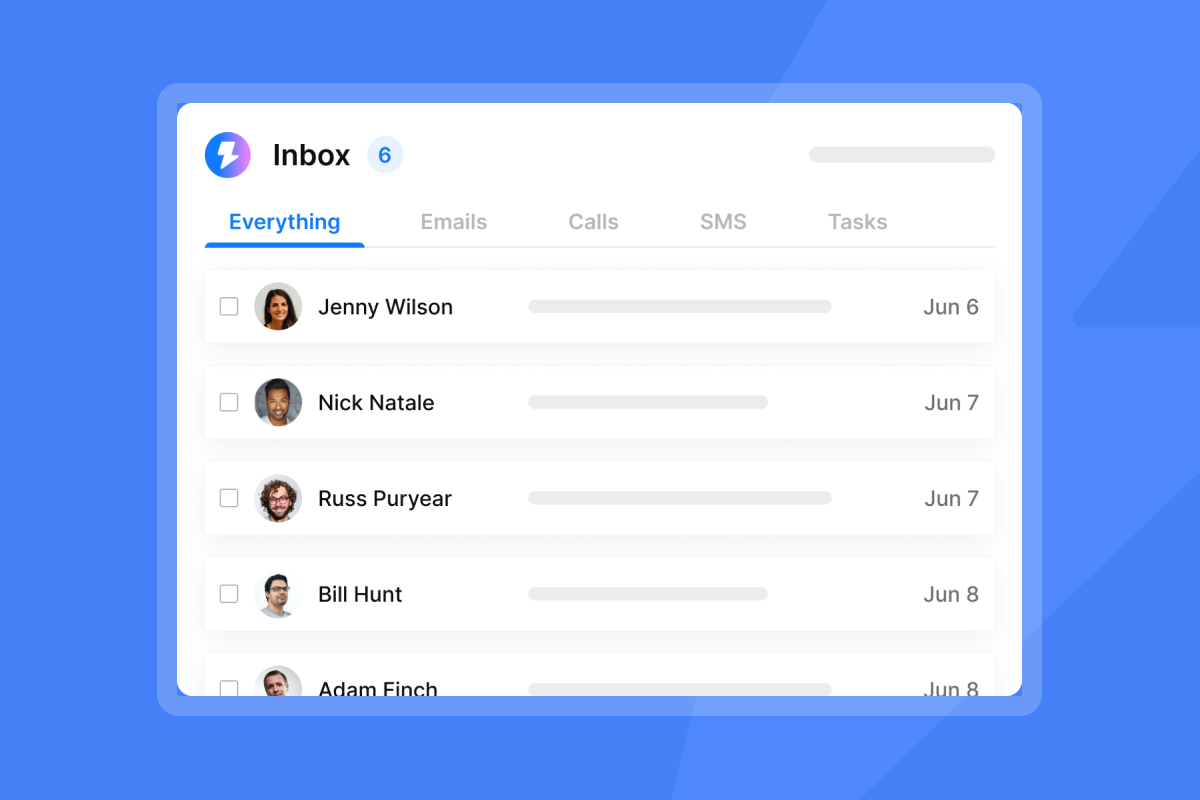
At volume, replies from ten or more clients across multiple domains become unmanageable without a centralized view. Instantly's Unibox aggregates replies from every connected account into one dashboard, flags sentiment using AI, and lets junior staff action responses without needing access to each individual inbox.
Reputation risks: drip vs. direct onboarding
Manual sends carry low deliverability risk because volume is naturally low, while automated drips introduce risk only when poorly configured: high bounce rates from unverified lists, no warmup on new inboxes, or volume spikes that trigger spam filters. Keep bounce rates at or below 1% and cap sends at no more than 30 emails per inbox per day.

When to use personalized onboarding emails
Manual onboarding belongs in a specific set of situations. Use it deliberately rather than by default.
Onboarding strategic accounts
High-ticket clients expect a named account manager who knows their business. The first email should reference the specific goals discussed during the sales process, name the kickoff call date, and give a direct phone number. This initial personal contact justifies premium pricing and sets the tone for a long-term relationship.
Tailoring onboarding for complex offers
When a new client needs to grant access to their ad manager, CRM, and analytics stack, a manual email is often more effective for the first message because it opens the door for a phone call or video walkthrough. Capturing target audience, goals, and tools typically requires a questionnaire and a call, which is hard to automate without a human first establishing the context.
Building trust with personalized onboarding
A direct email from the account manager creates a named point of contact that clients can reply to. This matters especially in the early weeks of an engagement, when clients are most likely to have questions, and a fast personal response signals that your agency takes the relationship seriously.
Choosing automated drips for onboarding
For most agency client volumes, automated drips are the right default choice, not the fallback.
Drip campaigns for bulk onboarding
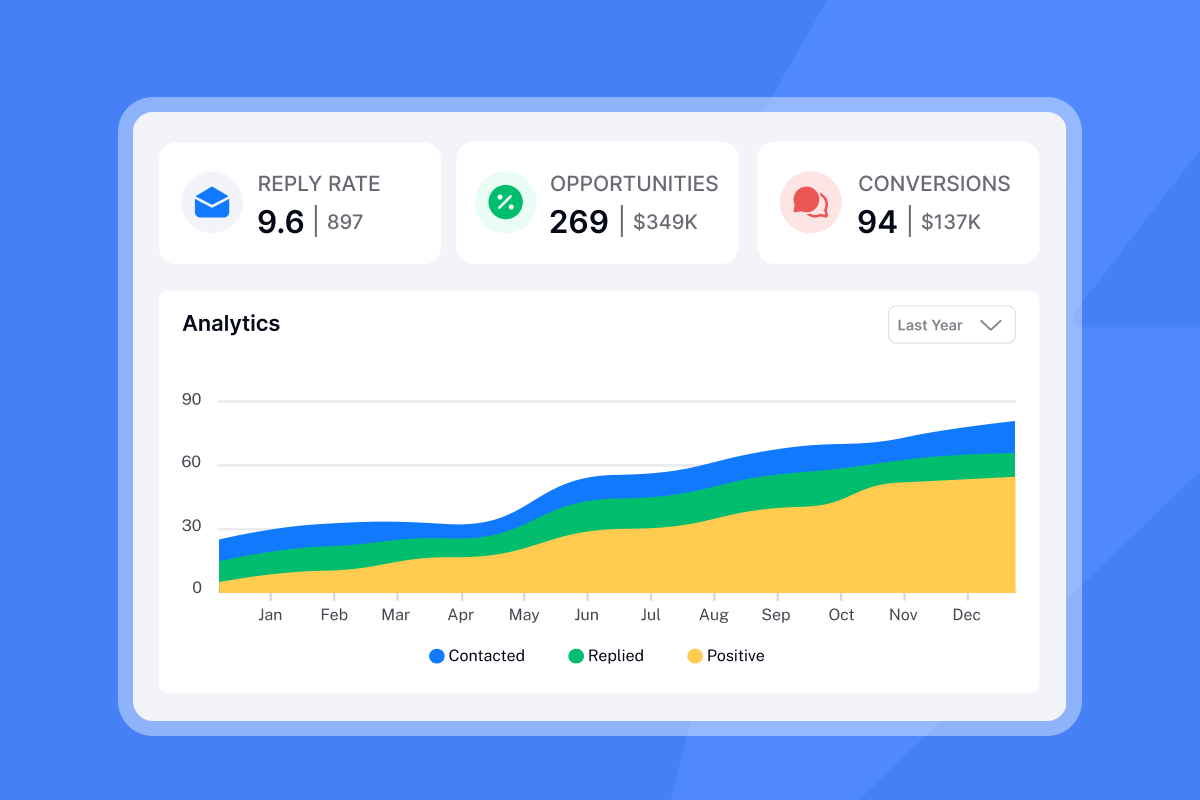
When you add several clients per month, manual sends create queue buildup and human error. Automated sequences remove both problems. You build the sequence once, test it, and it runs consistently for every new client. Instantly's A/Z testing feature lets you test multiple sequence variants simultaneously so you continuously improve open and reply rates without restarting from scratch.
Predictable client onboarding experiences
Repeatable systems allow junior staff to manage campaigns independently. When the sequence is built and documented, a new hire can monitor replies in Unibox, escalate flagged responses, and report on campaign health without requiring oversight on every email:
"The VIP services has been paramount in setting up a cold email campaign, something I have zero knowledge of." - Verified user on G2
Scale operations without sprawl
Tool sprawl is a common margin leak for agencies managing warmup in one platform, sending in another, and tracking replies in a third. Instantly consolidates deliverability, sending, lead enrichment via SuperSearch, and reply management into one workspace, eliminating the integration tax and giving your team a single place to report on campaign performance across every client account.
Build your hybrid client onboarding system
The best agencies use manual emails as a trigger and automation as the engine.
Deploy your first onboarding drip
A practical ramp plan for a new client account:
- Day 0: Send a personal welcome email from the account manager referencing the kick-off call date.
- Days 2-3: Automated email confirms setup status and reports first progress update.
- Days 7-10: Automated email opens the feedback loop before the first deliverable is due.
The Instantly step-by-step client acquisition guide walks through this process in detail.
Set personalization rules for onboarding
Spin syntax lets you vary message copy dynamically so each email reads as unique, even when sent from an automated sequence. A basic example: {{Hi|Hello|Hey}} {{firstName}}, great to have you on board at {{companyName}}.
You can also use conditional variables to adjust message content based on industry or service tier. If the client is in SaaS, the email references software workflows. If they are in professional services, it references client acquisition. The AI Reply Agent handles responses in under five minutes, using either autopilot mode or Human-in-the-Loop approval, which saves the account manager from manually triaging replies across every active client campaign.
Efficiently scale client onboarding emails
Scaling from 100 to 1,000+ emails per week is a function of inbox count and ramp discipline. With unlimited inboxes on Instantly's flat fee, you add inboxes without adding cost. Warm each new inbox for at least two weeks before using it for client sends, and distribute volume across accounts to keep individual inbox throughput at no more than 30 emails per inbox per day. This distributed approach helps maintain consistent deliverability as you scale client campaigns.
A/B test email send windows
Send window testing gives you data on when your clients' contacts are most likely to open and reply. Test morning sends (8:30-10:30 a.m. local time) against afternoon sends (1:00-3:00 p.m. local time) across two equal list splits. Run the test for a few weeks to gather meaningful data before reading results. The A/Z testing feature in Instantly makes this a built-in workflow rather than a manual tracking exercise.
Avoid spam traps for new client emails
Deliverability is the variable most agencies underestimate until a campaign drops. These steps keep your sends out of spam.
Secure inbox placement with warmup
Primary inbox placement requires new sending accounts to build sender reputation before handling real client campaigns. Instantly's email warmup tool operates across a network of 4.2 million+ accounts that mimic human engagement behavior, sending and replying to system-generated messages in the background to signal that the account is active and trusted. Warm new inboxes for at least two weeks before adding them to client campaigns, and keep warmup active in parallel with live sending.
Prevent bounces and spam traps
Bounce rate above 1% signals to inbox providers that your list is dirty, which degrades sender reputation fast. Verify every contact list before uploading it to your sequence. Instantly's waterfall enrichment via SuperSearch cross-checks leads against five or more data providers, reducing the chance that an outdated email address slips into an active campaign.
Track sender health for inbox placement
Check each sending domain against major blacklists at least once per week during active campaigns. Instantly's reputation protection and bounce detection flags problematic accounts automatically. If a domain shows health degradation, pause it immediately, re-verify the contact list, and restart sends at a conservative daily cap while the inbox rebuilds trust. Instantly's rotating IP and sending algorithm protects sender reputation at scale.
Deliverability: test subjects and send times
Use Instantly's automated Inbox Placement tests to check where a message lands before sending it to your client list. The test shows whether the email hits the primary inbox, Promotions folder, or spam across major providers. Run this test every time you change sender names, body copy, or sending infrastructure. Underlying deliverability factors drive inbox placement outcomes, so test before sending rather than diagnosing after a campaign drops.
Try Instantly free and build your first automated client onboarding sequence across unlimited inboxes, with warmup, Unibox, and A/Z testing included from day one.
FAQs
Manual vs. automated client onboarding?
Manual onboarding is best for high-ticket accounts where a named account manager relationship justifies the time investment. For all other clients, automated drip sequences deliver a consistent experience at a fraction of the staff cost, significantly reducing the hands-on time required.
Ideal drip onboarding campaign length?
A well-structured onboarding drip runs three to seven emails, starting with an immediate welcome and ending with a feedback check-in before the first deliverable, with HubSpot's onboarding sequence guidance pointing to four to six emails for high-performing sequences. Space emails based on client behavior rather than fixed calendar intervals.
Personal automation for onboarding?
Yes. Spin syntax such as {{Hi|Hello|Hey}} {{firstName}} and conditional variables based on industry or service tier let automated emails read as personally written without a human composing each one. Instantly's custom variables feature and AI Reply Agent handle both send personalization and reply management automatically.
Onboarding email reply rate benchmarks?
For warm onboarding sequences sent to clients who have already signed, a well-optimized drip targeting a 5-10% reply rate is a reasonable benchmark based on industry data, with excellent sequences reaching 10-15%. Instantly's 2026 cold email benchmarks show that top-performing campaigns exceed 10% reply rates, while average campaigns achieve 3.43%.
Read next
- How to Write Follow-Ups by Scenario
- Follow-Up Timing: Send Time Optimization
- AI Cold Email Reply Management for Agencies



