.svg)
%20(1).svg)


Improve your Email Deliverability in 2026
A practical guide to improving email deliverability, building sender trust, protecting your reputation and reaching more inboxes
Cold email deliverability can feel technical, but the fundamentals are straightforward. Mailbox providers are constantly deciding whether a sender looks trustworthy, and the way you set up, send, and maintain your outreach influences that decision.
You do not need to become a deliverability expert. Whether you are a founder, salesperson, recruiter, or marketer, the goal is the same: build a healthy sending reputation, reach the right people, and avoid behaviors that make your outreach look risky.
This guide explains the principles behind good email deliverability, why they matter, and the habits that help protect inbox placement as your outreach scales.
What is email deliverability?
Email deliverability is the likelihood that a message reaches the recipient’s inbox rather than being filtered into spam or rejected altogether.
Every time you send an email, providers such as Gmail and Outlook evaluate signals that help them decide how much they trust the sender. These signals can include:
- The reputation and history of the sending account and domain
- How quickly sending volume increases
- The quality and accuracy of the contact list
- How recipients engage with or react to messages
- Whether the domain and mailbox are authenticated correctly
There is no single setting that guarantees inbox placement. Deliverability is the result of many signals working together over time.
How to improve email deliverability
Improving email deliverability means giving mailbox providers consistent reasons to trust your sending. Trust is built through a combination of factors.
There is no single setting that guarantees better inbox placement. Instead, the most effective approach is to consistently maintain the signals of a legitimate sender.
These nine email deliverability best practices cover the fundamentals that have the greatest impact on inbox placement.
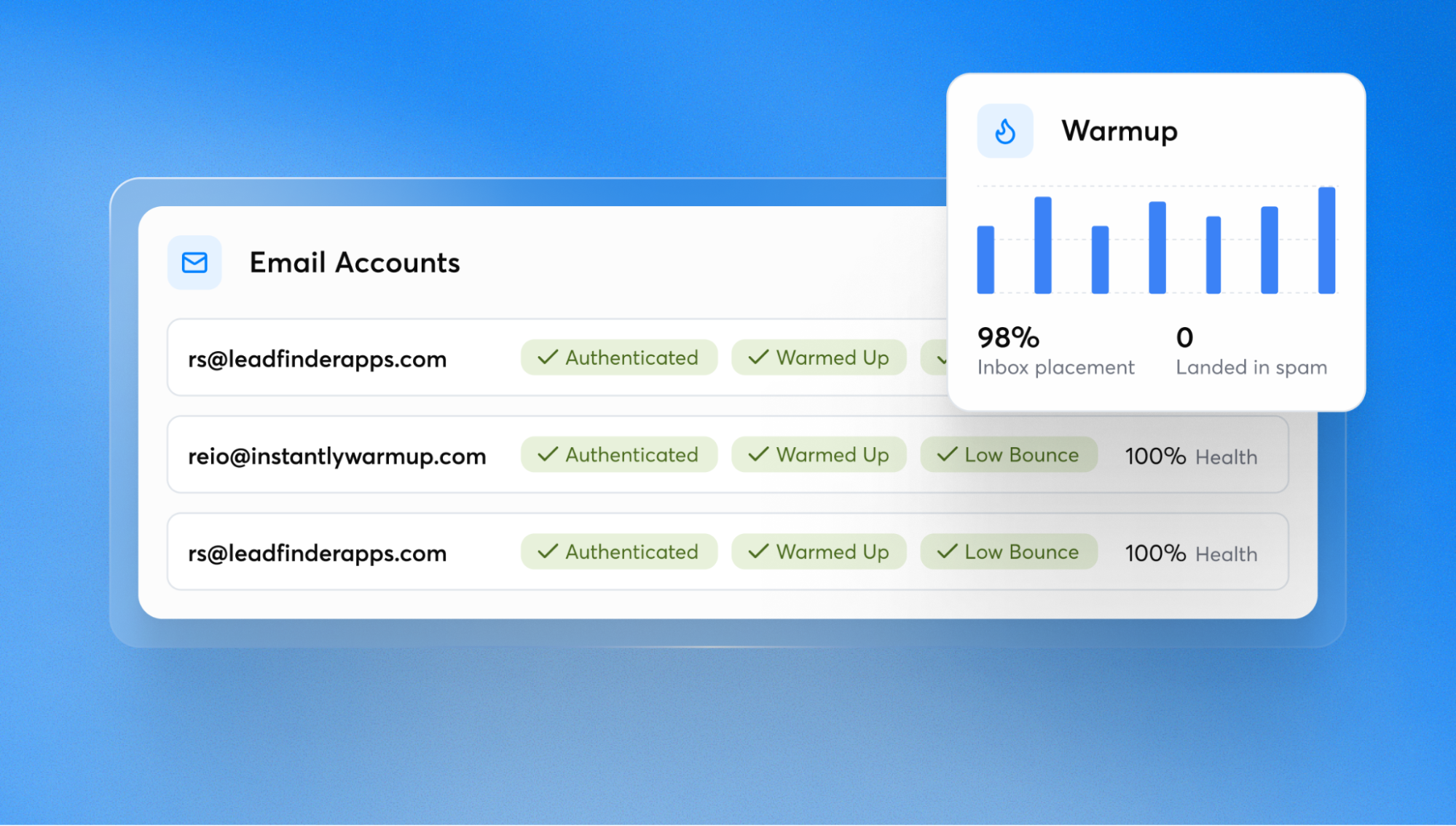
Email deliverability best practices: 9 fundamentals for better inbox placement
1. Build sender reputation gradually
A new email account has little or no sending history. Moving immediately from zero activity to high-volume cold outreach can look unusual to mailbox providers. A safer approach is to establish sending activity gradually and increase volume over time. The process is commonly known as email warmup.
The principle is simple: consistency is more trustworthy than sudden spikes. Pre-warmed infrastructure can shorten this process, but its reputation still needs to be protected once you start sending.
💡 How Instantly helps
Instantly lets you turn on email warmup for connected email accounts, and also offers Pre-warmed Accounts for teams that want infrastructure that is ready to send sooner. Pre-warmed Accounts include warmed Google Workspace inboxes with SPF, DKIM, and DMARC already set up.
2. Get email authentication right
SPF, DKIM, and DMARC are authentication records that help mailbox providers verify that messages are genuinely being sent on behalf of your domain. Think of them as identity checks for email.
Authentication has become increasingly important as mailbox providers tighten their requirements. Get these records right before you start sending rather than treating authentication as a later optimization.
💡 How Instantly helps
Instantly checks authentication when you connect an email account and flags missing or misconfigured settings. Pre-warmed Accounts come with SPF, DKIM, and DMARC already configured.
3. Distribute sending instead of overloading one mailbox
Scaling cold email safely is not simply a matter of sending more messages from the same inbox. Concentrating large volumes in one mailbox can create an unnatural sending pattern and put that mailbox’s reputation at risk.
A more resilient approach is to distribute outreach across multiple appropriately configured mailboxes and keep daily sending volume modest. Many teams also use a separate domain for cold outreach so that their primary business domain is insulated if an outreach mailbox encounters reputation problems.
💡 How Instantly helps
Instantly gives you several ways to add and distribute sending accounts, including Pre-warmed Google Accounts, DFY Google Accounts, AirMail accounts, or your existing inboxes. You can also use dedicated sending domains to help protect your primary company domain.
4. List quality matters as much as sending setup
Even a well-configured sender can run into deliverability problems when the underlying contact data is poor. Invalid, outdated, unverified, or indiscriminately purchased addresses increase the likelihood of bounces and negative engagement signals.
Verify addresses before sending to reduce avoidable bounces. Good targeting matters too, as relevant emails are less likely to generate negative engagement.
💡 How Instantly helps
You can verify email addresses inside Instantly using Instantly Credits before launching a campaign. Subsequently, helping catch invalid or risky addresses early so you can reduce bounces and protect sender reputation.
5. Treat bounce rate as an early warning signal
Bounce rate measures how many emails could not be delivered. A rising bounce rate can indicate problems with list quality, sending infrastructure, or both.
Monitor bounce rate throughout your campaigns and investigate sustained increases early. If it starts climbing, check your contact data and sending setup before continuing to scale.
💡 How Instantly helps
Instantly automatically pauses campaigns when bounce rate exceeds the configured threshold, which is 5% by default after at least 200 emails have been sent. The Deliverability AI Agent, available on Hyper Growth and above Email Outreach plans, also monitors workspaces, campaigns, sending accounts, and bounce rate for potential issues.

6. Make opting out easy
A clear unsubscribe mechanism gives recipients a simple way to say they do not want future messages. That is better for the recipient and healthier for the sender than forcing someone to mark a message as spam.
One-click unsubscribe is also part of the expectations placed on many bulk senders. Make unsubscribe and suppression handling part of your normal campaign setup.
💡 How Instantly helps
Instantly makes it easy to add an unsubscribe link to campaigns and automatically maintains a suppression list so contacts who opt out are not contacted again.
7. Keep the first email simple
The first message in a cold outreach sequence should feel like a genuine person-to-person email. Short, conversational copy with minimal formatting generally creates fewer unnecessary filtering signals than an image-heavy marketing-style message.
Links, attachments, tracking pixels, aggressive promotional language, and complex formatting can all add risk, especially in an initial message. Keep the first touch simple and only add links or other elements when they are necessary.
💡 How Instantly helps
Instantly includes an Advanced Deliverability setting that lets you automatically send the first email in every campaign as text-only, making it easier to apply this best practice consistently.
8. Consider provider matching
Provider matching means sending from Gmail to Gmail, Outlook to Outlook, and so on when possible. Keeping traffic within the same provider can help create more natural sending patterns and is one tactic teams may use as part of a broader deliverability strategy.
Provider matching is an additional optimization rather than a replacement for good sender reputation and authentication.
💡 How Instantly helps
Instantly can automatically match providers, such as Gmail-to-Gmail and Outlook-to-Outlook, so you do not have to manage provider matching manually.
9. Remember that nobody can guarantee the inbox
No sending platform can honestly guarantee inbox placement because the final decision belongs to mailbox providers. Their filtering systems continuously assess sender, message, recipient, and behavioral signals.
Focus instead on reducing avoidable risk and maintaining sending behavior that mailbox providers can trust.
Common email deliverability issues
Cold emails landing in spam or a sudden drop in inbox placement can happen when mailbox providers detect changes in your sending behavior. Rapid increases in volume, sending too much from a new domain, authentication problems or concentrating too much activity in a small number of mailboxes can all contribute.
Changes to campaign content, such as adding more links, images, attachments or promotional language, could also affect placement.
High bounce rates are more commonly associated with list quality. Rising spam complaints and unsubscribe rates can indicate that targeting or messaging is not relevant enough to the people receiving your emails.
Avoid diagnosing deliverability from a single metric. A declining reply rate, for example, could indicate an inbox placement problem, but it could just as easily come from weaker targeting or messaging. Check the wider trend before changing your sending setup.
How to test email deliverability
Regular testing helps you identify and fix email deliverability issues before they affect a larger campaign. Start by checking that SPF, DKIM, and DMARC are configured correctly, then run inbox placement tests to see whether emails reach the inbox, another folder or spam.
Test using the same domains, mailboxes and representative copy used in your campaigns. Helping you spot changes early and improve email deliverability before small problems become harder to resolve.
Repeat these checks regularly and compare inbox placement with bounce rates and sender reputation. Helping you spot changes early and improve email deliverability before small problems become harder to resolve.
Cold email deliverability vs email marketing deliverability
Cold email deliverability and email marketing deliverability rely on many of the same signals, including sender reputation, authentication, list quality, sending behavior and recipient engagement. The main difference is the relationship you have with the recipient.
Email marketing is generally sent to people who have opted in or already have a relationship with the business. Cold email reaches new prospects, so there is less existing trust to work with.
The same email deliverability best practices apply to both, but cold outreach requires greater care around targeting and sender reputation.
How to monitor email deliverability over time
Email deliverability can change even when your campaigns and sending setup remain the same. Mailbox providers continually reassess senders, so deliverability needs to be monitored throughout the life of your campaigns.
Watch for changes in bounce rates and inbox placement, as these can provide early signs that sender reputation is deteriorating. Trends are usually more useful than individual fluctuations, so compare cold email performance over time and investigate sustained declines.
Regular monitoring makes it easier to catch email deliverability issues before they affect a larger share of your outreach. If performance starts to fall, identify what changed before increasing sending volume or making broader changes to your campaigns.
How email deliverability best practices work together
Email deliverability depends on how these practices work together. Authentication and sending history establish trust, while accurate contact data and relevant outreach reduce the negative signals that can damage it. Regular monitoring then helps you spot problems before they affect a larger share of your campaigns.
Improving one area can help, but lasting improvements usually require you to look at the wider sending setup.
Email deliverability checklist before you send
Before launching a cold email outreach campaign, check that:
- Your sending accounts have established a healthy sending history
- SPF, DKIM, and DMARC are configured correctly
- Sending is distributed sensibly across mailboxes
- Cold outreach is separated from your primary business domain where appropriate
- Your contact data has been verified and is relevant to the campaign
- Bounce rate and other deliverability signals are being monitored
- The first email is short, simple, and conversational
- Unnecessary links, attachments, images, and tracking are avoided in the first touch
- Recipients have a clear way to unsubscribe
- Provider matching is used where it makes sense
How Instantly improves email deliverability
The principles above apply regardless of which cold email platform you use. The role of software is to make those best practices easier to apply consistently, especially as sending volume and the number of mailboxes grow.
Instantly brings the tools for managing sending accounts and deliverability into the same workflow as your cold email campaigns. Features such as the Deliverability AI Agent can surface issues across campaigns and sending accounts, while account options such as DFY, Pre-warmed and AirMail give teams different ways to build their sending infrastructure.
If you’d rather have experts manage this for you, Instantly’s VIP Program gives you a dedicated team to build and manage your outbound campaigns. The team manages your campaigns and uses performance and reply data to make ongoing improvements, including changes that can help protect deliverability.
AI Sales Agent can also automate more of the prospecting and outreach process while your campaigns run on the same sending infrastructure. Start your free Instantly trial.
Final thoughts
Good deliverability comes from building and maintaining sender trust over time. Get the setup right, monitor what happens once campaigns are running and address problems before increasing volume.
As your outreach grows, keep checking that the sending reputation supporting it remains healthy.
Want to put these principles into practice?
Instantly is designed to help teams apply deliverability best practices while managing and scaling cold outreach. Explore the platform or speak with the team for personalized guidance on your setup and sending strategy.
Frequently Asked Questions About Email Deliverability
How can I improve email deliverability?
Focus on building a trustworthy sending history and maintaining it. Authenticate your domain, use verified contact data, increase sending volume gradually and monitor inbox placement so you can identify problems early.
What are the most important email deliverability best practices?
The most important practices are proper email authentication, gradual and consistent sending, good list quality, relevant outreach and ongoing monitoring.
What is a good email deliverability rate?
A high delivery rate does not necessarily mean your deliverability is good. An email can be successfully delivered but still land in spam. Inbox placement, bounce rates and sender reputation provide a more complete picture of deliverability.
How is cold email deliverability different from email marketing deliverability?
Both rely on similar technical and reputation signals, but email marketing typically reaches opted-in recipients who already know the sender. Cold email starts without that existing relationship, making sender trust particularly important.
Related Content
- Cold Email Deliverability: Learn how to improve inbox placement and build a stronger sending reputation.
- Email Tracking and Deliverability: Understand how email tracking can affect inbox placement.
- Email Deliverability for Sequences: Learn how to maintain strong deliverability across your email sequences.
- AI SDR Email Deliverability: Learn how to protect inbox placement when scaling outreach with AI SDRs.
- Email Deliverability Tools: Compare tools that help you monitor and improve email deliverability.
- Email Deliverability Test: Learn how to test your emails and identify inbox placement problems.
- Email Deliverability Solutions: Explore ways to diagnose and fix common deliverability problems.
- Email Deliverability Checklist: Check your setup before launching your next email campaign.


