.svg)
%20(1).svg)


Updated April 20, 2026
TL;DR: A personalized client onboarding email built on discovery call data, industry context, and stated goals reduces agency churn far more than generic templates with a first-name merge tag. True personalization means referencing exact pain points, goals, and industry context from your sales conversation, not just "Hi {{First_Name}}." Using Instantly's custom variables and sequence variants, you can automate bespoke onboarding emails across unlimited client accounts without writing a single email by hand. Protect your sender reputation with proper warmup and authentication, or those carefully crafted welcome emails will land in spam before a client ever reads them.
Most agency operators waste hours writing manual welcome emails or settle for generic templates that make new clients feel like a support ticket. Neither approach scales, and both quietly hurt client retention before the first invoice clears.
This guide shows how to extract specific data from your sales calls, map it to dynamic fields in Instantly, and trigger fully automated onboarding sequences that feel hand-written for every new client you sign.
Boost client LTV with tailored welcome emails
The onboarding window is the highest-leverage moment in any agency-client relationship. Over 20% of voluntary churn is linked to poor onboarding, and companies with structured onboarding processes have seen retention rates increase by up to 50%. Those numbers translate directly to revenue: increasing retention by just 5% can lift profits by 25% to 95%.
Your onboarding email is the first signal a new client receives about how you will treat them as a customer. Get it right and you build immediate trust. Get it wrong and you hand them a reason to have buyer's remorse before the first deliverable ships.
Kickstart client retention with onboarding
A structured onboarding sequence does more than deliver information. For agencies, it reduces time spent firefighting unhappy accounts and creates a repeatable system for building client confidence from day one. The onboarding email is not an admin task. It is the first revenue protection step in the client relationship, and 43% of client churn occurs within the first 90 days.
Stop losing clients with generic emails
A generic "Hi {{First_Name}}, welcome aboard!" email actively works against you. Clients who just signed a contract are looking for confirmation they made the right decision. A template that could have been sent to any account signals the opposite. Personalization is not a nice-to-have at this stage. It is the difference between a client who renews and one who quietly asks for a refund.
When to personalize, when to automate
Personalization and automation are not opposites. The goal is to automate the delivery while personalizing the data. Any element that is static (your agency name, contact details, resource links) should be templated. Any element specific to the client (their goals, their industry, their stated pain point) should come from your CRM as a dynamic field. This split lets you send 50 onboarding emails a week with zero manual writing while every client reads something that sounds written for them specifically.
What makes an onboarding email feel personalized
Inserting a first name is a minimum, not a strategy. Real personalization uses data points that only appear in a conversation, not a contact record. When a client reads their own language reflected back, their specific goal named correctly, and their industry's challenges acknowledged, they feel heard rather than processed.
Mine your discovery call for custom content
Your discovery call is a data source. Before the call ends, document these fields in your CRM:
- Stated pain point: The specific problem they described in their own words
- Primary goal: The exact metric or outcome they mentioned (e.g., "25 qualified meetings per month")
- Industry vertical: Their sector and any niche they specified
- Tech stack: Tools they mentioned using or integrating with
- Competitor mentioned: Any competitor they referenced
- Custom terminology: Phrases or internal language they used that you should mirror
These map directly to custom variables in Instantly. The custom variables guide walks through setting up fields like {{Stated_Pain_Point}}, {{Client_Goal_1}}, and {{Industry_Vertical}} so every sequence step pulls from the same data set automatically.
Acknowledge specific client goals
Reference the goal explicitly in your subject line and the first two sentences of your email. A subject line referencing a specific outcome ("Getting started on your goal of 25 qualified meetings/month") outperforms a generic "Welcome to the team" because it proves you were paying attention. The cold email copywriting framework in Instantly's Help Center applies here: open with the specific outcome, then explain the first steps toward it.
Adjust next steps to each client
A client who hired you for lead generation needs different next steps than a client who hired you for SEO. Use sequence variants (covered in the section below) to swap out the "Your first 30 days" section based on the service type stored in their CRM record. This avoids the awkward experience of a client reading about a deliverable that has nothing to do with why they hired you.
Optimize sender name and signature
Send onboarding emails from the account manager's individual name, not a generic "info@" or "team@" address. Clients bought from a person and want to hear from that person. Add the email signature with a photo, direct line, and calendar link so the client has a clear human to reach, which reduces time-to-first-reply and sets a professional tone from the first message.
Automate custom client welcome sequences
A single welcome email is not a sequence. Clients need multiple touchpoints in the first two weeks to stay oriented and feel confident in the relationship. We built Instantly's sequence engine so you can automate multi-step campaigns that pull from the same CRM data set across every step, keeping personalization consistent across every email in your sequence, whether that's 4 touchpoints or 7.
1. Personalize emails with client data
In Instantly, custom variables work by mapping column headers in your contact CSV or CRM export to variable names you reference in the sequence editor. If you have a column named Industry_Vertical, map it as a custom variable and reference it as {{Industry_Vertical}} in your email copy. When the email sends, Instantly replaces that tag with the value from the contact record. Steven M. described the result:
"Instantly makes it easy to tailor messaging at scale using dynamic fields and flexible sequences, allowing me to adjust copy based on persona, account type, or campaign goal while keeping things automated." - Steven M. on G2
Keep variable stacks to three to five per email. More than that risks awkward phrasing if any field is missing.
2. Implement reusable email layouts
Build one master layout for each service line you offer (lead generation, SEO, content, PPC). Each layout shares a fixed structure: greeting, goal acknowledgment, first 30-day roadmap, key contacts, and a CTA. The sections that change are the goal acknowledgment and roadmap blocks, which pull from dynamic fields. This approach lets a junior team member create a fully personalized onboarding sequence by filling in five CRM fields, not writing from scratch. For HTML-formatted emails, Instantly's HTML sequence guide covers how to insert variables inside HTML blocks without breaking the rendering.
3. Prevent bad CRM data from breaking emails
Bad data produces embarrassing emails. "Hi , your account is ready" destroys the personalization effect immediately. Set fallback values for every variable before your sequence goes live. In Instantly, when a variable is unavailable, the platform replaces it with your fallback text, so the greeting reads "Hi there" rather than breaking. Preview your sequence with sample contacts before activating to catch missing fields before they reach a client.
4. Set up conditional content blocks
Instantly's approach to conditional logic is to create separate sequence variants, each targeted at a specific segment defined by a CRM field value. Build Variant A for SaaS clients and Variant B for professional services clients, then assign contacts to the correct variant based on their Industry_Vertical field during import. For more advanced dynamic copy, Instantly's AI Spintax Writer (available on Hypergrowth and above) generates spin syntax automatically so different recipients receive distinct phrasing within the same variant. You can also use Liquid Syntax to change email copy dynamically based on date and time, which is useful for time-sensitive onboarding milestones.
5. Create client-specific welcome sequences
Map your sequence steps to the client's first 30 days:
- Day 1: Welcome email with goal acknowledgment, key contact introduction, and onboarding call invite
- Day 3: Resource email with assets specific to their industry and service type
- Day 7: Check-in email referencing a specific milestone from the onboarding call
- Day 14: Progress email with early results or next phase outline
- Day 30: Follow-up email to maintain ongoing engagement
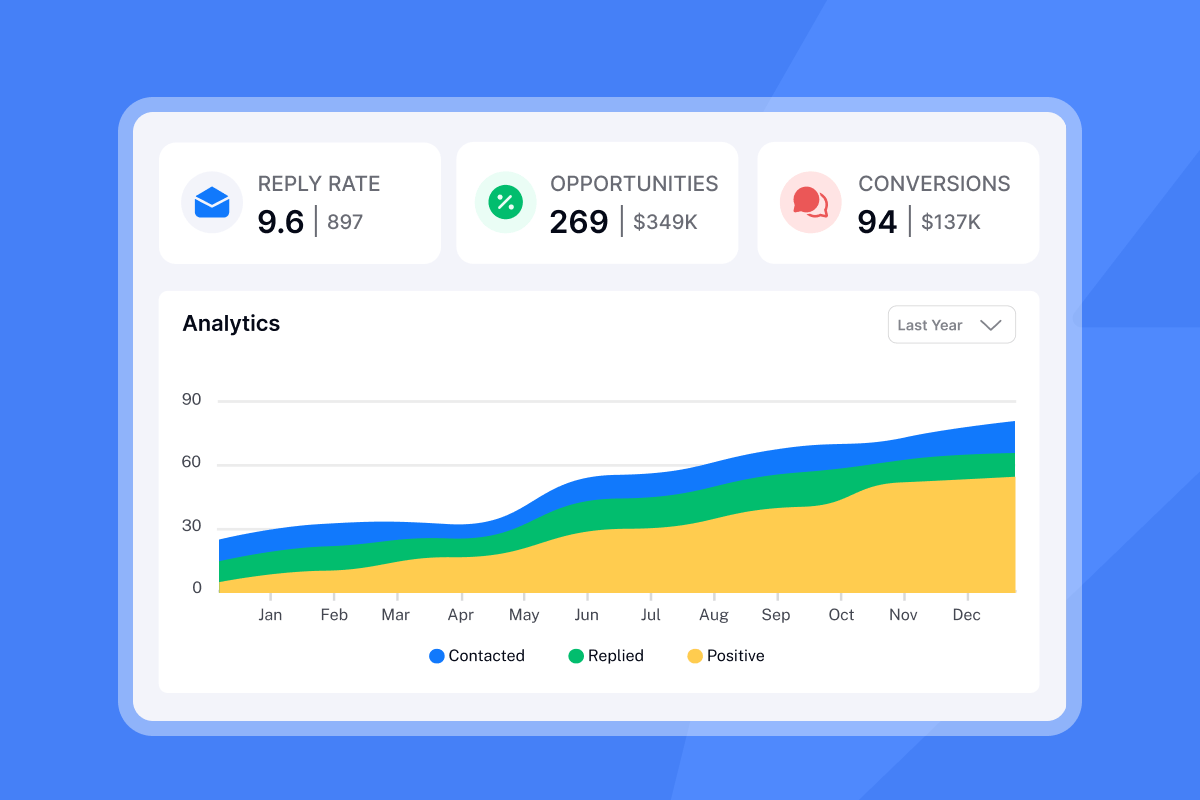
Each step pulls from the same CRM data set, so {{Client_Goal_1}} stays consistent across all five emails without any manual updates.

Scale personalization across client accounts
Scaling personalized onboarding across multiple client accounts requires a system, not individual effort. We offer a flat-fee unlimited accounts model so you can add sending domains for each client without a per-seat cost that compounds as you grow. Levent Y. noted the practical benefit:
"The interface is really simple and user-friendly, which makes it easy to handle the many variables in my emails and to create and follow a lot of campaigns." - Levent Y. on G2
Adjust by industry for relevance
Create industry-specific onboarding templates and tag contacts by vertical in your CRM. A fintech client and a healthcare client face different compliance contexts, buyer cycles, and success metrics. Referencing those differences in the onboarding email shows you understand their world, not just their contract value.
Auto-populate service offerings and milestones
Store each client's contracted services as a CRM field and use {{Contracted_Services}} to auto-populate the "What we're working on together" section of your welcome email. Use Instantly's CRM pipeline to mark onboarding steps as complete as clients move through the sequence, giving your account management team a live view of where each client is in their first 30 days without chasing email threads across inboxes.
Introduce your dedicated client team
Include a short team introduction block in Day 1 that names the specific people working on the account: the account manager, the strategist, and the operations lead. Pull names from CRM fields so the introduction stays accurate even when your team changes. Rohith C. from G2 captured the value of this approach:
"The unibox is really clean and organizes my replies all in one place in such a user-friendly manner. Instantly allows me to connect hundreds of inboxes and send mass emails on a scheduled basis, automatically organizing which inbox to send with on which day and spreading it all out." - Harvey S. on G2
Make clients feel heard from day one
The operational step most agencies skip is documenting the discovery call systematically. Without a structured note-taking process, CRM fields stay empty and personalization fails. Build a post-call checklist your closers complete right after every signed contract.
Your checklist should cover:
- Primary goal and success metric the client mentioned
- Pain points discussed during the call
- Industry vertical and company stage
- Tech stack and potential integration needs
- Any competitors mentioned
- Project lead contact details and preferred communication method
- Proposed onboarding call timing
Once the fields are in your CRM, map them to your Instantly contact import template. Keep column headers consistent with your variable names so Stated_Pain_Point maps directly to {{Stated_Pain_Point}}, making import a one-click process rather than a remapping exercise every time. Use the exact language the client used during the call. Deep personalization research shows that mirroring a client's own language significantly increases the sense of being understood and builds immediate rapport.
Crafting personalized onboarding email sequences
Every onboarding email should follow a consistent structure regardless of industry. This table shows the key blocks and the variable each one draws from:
Block | Purpose | Variable used |
|---|---|---|
Subject line | Personalize to client |
|
Opening | Acknowledge stated pain point |
|
Roadmap | Outline first 30 days by service |
|
Team intro | Name account contacts |
|
CTA | Book onboarding call or next step | Static calendar link |
Sample onboarding emails by agency type
Apply this structure across different service lines:
- Lead-gen agency example: A subject like "Getting started on your
{{Primary_Goal}}" can reference the client's stated objective. The body might acknowledge their pain point about lead quality by referencing{{Stated_Pain_Point}}and{{Industry_Vertical}}. - SEO agency example: Try a subject such as "Next steps for
{{Client_Company_Name}}'s SEO program" paired with a timeline variable. The opening could focus on a primary keyword goal using{{Primary_Keyword_Goal}}to address the organic traffic gap they described. - PPC agency example: A subject referencing budget and keyword goal, such as "
{{Budget_Allocated}}budget plan for{{Primary_Keyword_Goal}}," sets clear expectations. The body might reference a competitor mentioned during the sales call using{{Competitor_Mentioned}}to differentiate positioning. - Content agency example: Consider a subject like "Content strategy for
{{Industry_Vertical}}: first 30 days" to set the scope. The opening could acknowledge their company stage with variables such as{{Company_Stage}}and{{Stated_Pain_Point}}. - Web dev agency example: A timeline-focused subject using
{{Project_Type}},{{Start_Date}}, and{{Delivery_Date}}creates clarity. The body might reference their existing{{Tech_Stack}}to explain your integration approach.
Deliver personalized client resources
Attach or link to resources relevant to the client's industry and service type, not a generic onboarding PDF that applies to every account. Use Loom video links embedded in your onboarding email to deliver a short screen-recorded walkthrough of exactly how you will approach the client's goal, adding a human element no text block can replicate.
Humanize your team introductions
Avoid corporate headshots and generic bios. Include one sentence about why each team member is the right person for this client's vertical: "Sarah leads all fintech accounts and spent three years running paid acquisition for two Series B companies in your space." This one line builds more client confidence than a list of credentials.
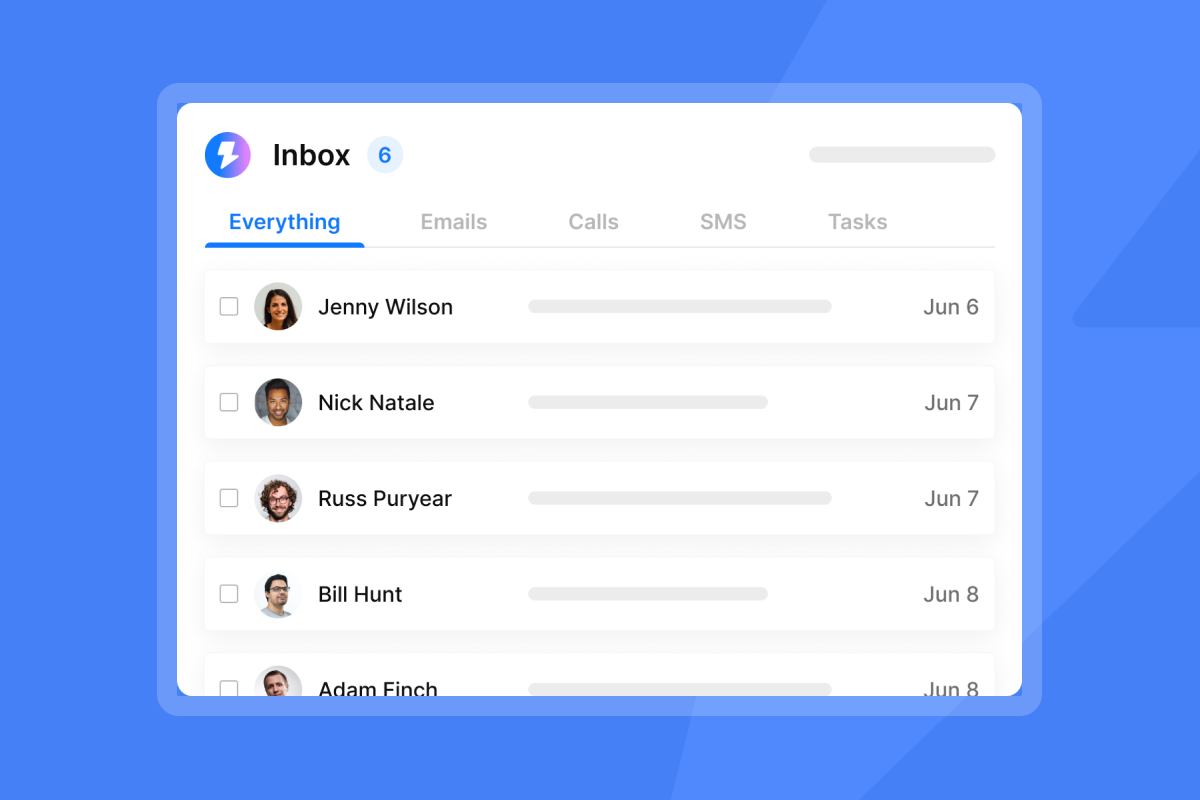
Once onboarding sequences are active, all client replies aggregate in Instantly's Unibox, giving your team a single command center for every account rather than logging into dozens of separate inboxes.
"The amazing AI reply agent... significantly simplifies our tasks by generating very accurate messages that I only need to review, thereby enhancing our efficiency in engaging with long-term leads." - Anne S. on G2
Preserve sender reputation: don't make these errors
Personalized onboarding emails only work if they reach the primary inbox. Welcome emails sent from a cold domain or an under-warmed inbox land in spam, which is the worst possible first impression you can give a new client.
Authenticate domains and keep emails lightweight
Avoid heavy HTML, large images, or excessive links in your first onboarding email. Email fingerprinting is a real deliverability risk when multiple emails share the same layout, domain patterns, or tracking pixels. Keep your first onboarding email close to plain text with one CTA link. Authenticate every sending domain with SPF, DKIM, and DMARC records before any sequence goes live. The email deliverability guide covers the exact configuration steps for each record type.
Avoid stacking too many variables
Automation fails when variables stack awkwardly. "We will help you with your goal of to increase MQLs" is what happens when a fallback value is missing and no preview check was run. Limit variables to three to five per email, set fallback text for every field, and preview every sequence against at least three test contacts before activating.
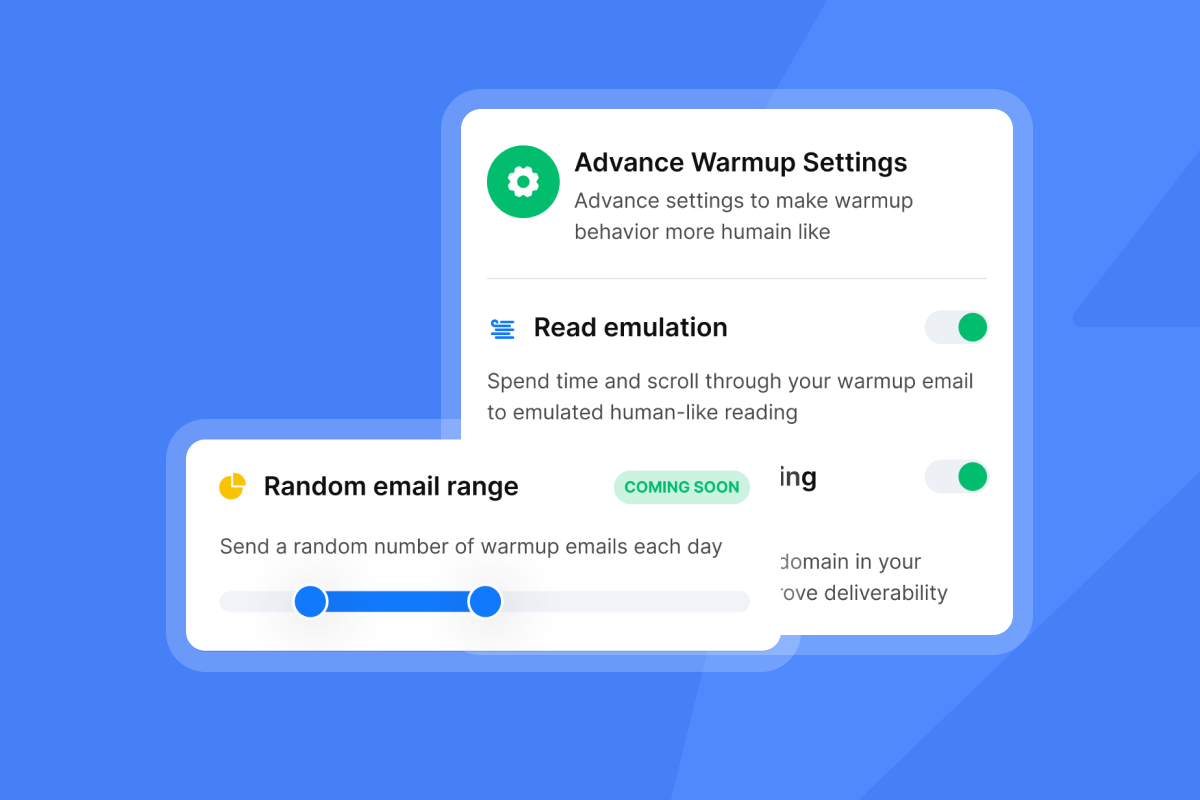
For dedicated client domain accounts, use secondary sending domains to protect your primary corporate domain, and cap individual inbox sends at 30 emails per day during warmup. Our warmup network of 4.2M+ accounts builds sender reputation gradually so new client-facing domains earn trust before volume ramps.
Keep onboarding communication focused on orientation
Onboarding emails are not sales emails. Avoid urgency language, discount offers, or referral requests in the first sequence. Your new client just signed and paid. They need orientation, confidence, and a clear picture of what happens next. Every email in the first 30 days should answer one question: "Am I in good hands?" Richard E. highlighted how inbox placement directly underpins this trust:
"Intelligent handling of domain and mailbox rotation as well as provider matching... is critical for ensuring that my emails land directly in the primary inbox instead of getting caught in spam filters." - Richard E. on G2
Cost comparison: flat-fee vs. per-seat onboarding tools
Agencies running 10 to 50 client accounts face a real cost decision when choosing how to manage onboarding sequences. Per-seat models compound quickly as you add inboxes, while flat-fee models stay predictable.
Model | 5 users | 20 users | 50 accounts | Unlimited accounts |
|---|---|---|---|---|
Per-seat ($79/user/mo) | $395/mo | $1,580/mo | $3,950/mo | N/A |
Flat-fee (Instantly Hypergrowth) | $97/mo | $97/mo | $97/mo | Included |
Per-seat example based on Apollo's Professional plan at $79/user/month. Instantly pricing reflects the Hypergrowth plan at $97/month ($77.60/month on annual billing).
Our flat-fee pricing model means adding a new client account costs nothing extra. All plans include unlimited email accounts and warmup, so your onboarding infrastructure scales with your client roster, not your headcount.
The system described here (extracting discovery call data, mapping it to custom variables, automating multi-step sequences, and protecting sender reputation from day one) is repeatable and junior-staff-friendly once it is built. Try Instantly free and use unlimited email accounts to build your first automated onboarding sequence without adding headcount or paying per-seat fees.
FAQs
How deep should personalization go in a client onboarding email?
Reference key discovery call data points beyond the client's name, such as their stated pain point, primary goal, and industry vertical. More than five dynamic variables per email risks awkward phrasing when a field is empty, so set fallback values for every variable before activating.
Can you automate personalized client onboarding emails without losing authenticity?
Yes, and when done correctly, automation produces more relevant emails than manual writing because it enforces consistent use of the CRM data you actually captured. Use custom variables for client-specific data and static blocks for agency-standard information, then run a preview check against three test contacts before every send.
What tech stack do you need for scalable personalized onboarding?
You need a CRM to store discovery call data, a sequence tool with custom variable support, and a deliverability setup with SPF, DKIM, and DMARC on every sending domain. Instantly combines all three on a Growth plan at $47/month, removing tool sprawl.
How do I track onboarding email performance?
Track reply rate as your primary metric, not open rate. Open rate data is unreliable due to Apple Mail Privacy Protection and security bots. Use Instantly's A/Z testing feature to test subject lines once you have statistically valid send volume per variant, and measure success by replies received and onboarding calls booked, not opens.
Read Next:
- Do you really need email tracking
- Cold email subject lines for follow-ups
- Email tracking myths debunked
Key terms glossary
Custom variable: A placeholder in an email template that pulls unique data from your CRM contact record when the email sends. Examples include {{Industry_Vertical}}, {{Primary_Goal}}, or {{Stated_Pain_Point}}.
Conditional logic: A rule that swaps email content blocks based on a CRM field value, so SaaS clients see different copy than professional services clients within the same sequence. In Instantly, you implement this by creating separate sequence variants for each segment.
Sender reputation: A score ISPs assign to your sending domain and IP based on bounce rates, spam complaints, engagement, and authentication records. Low reputation sends your onboarding emails to spam even when the content is perfect.
Unibox: Instantly's centralized inbox that aggregates replies from all connected email accounts into one interface. This prevents client replies from being scattered across dozens of separate inboxes.
Spin syntax: Dynamic text variations automatically inserted into email copy so different recipients receive distinct phrasing, reducing the risk of spam filters flagging identical messages sent at scale.



