.svg)
%20(1).svg)


Updated March 13, 2026
TL;DR: Bulk email tracking is more than open rates. At team scale, every tracking pixel adds sender reputation risk unless you pair it with domain warmup, custom tracking domains, and paced sends. Flat-fee platforms like Instantly give sales leaders unlimited sending accounts, aggregate campaign analytics, and team governance in one place, making it possible to track at volume without per-seat costs that compound as you add inboxes. Tools like HubSpot Sales Hub and Apollo charge per seat, which means doing the right thing (spreading volume across many inboxes) costs more the larger your team grows. The targets to own: open rate 35-50%, reply rate 5-10%, bounce rate below 1%.
Most teams treat email tracking as a plugin. Add a Chrome extension, watch for open notifications, and call it done. That works fine for one rep sending 20 emails a day, but it breaks down fast when you're managing a team of SDRs across 30 domains and thousands of sends per week, because the same tracking pixels that tell you who opened can quietly push your emails to spam if they're not configured correctly.
Effective bulk outreach tracking requires a feedback loop that improves campaigns without burning your sender reputation. This guide covers the infrastructure, features, and team controls required to track sales emails at scale, for sales leaders managing teams and sequences, not individuals managing one inbox.
What is bulk email tracking software?
Bulk email tracking software monitors recipient behavior (opens, clicks, replies) across high-volume campaigns so sales teams can optimize performance at the sequence and campaign level. Bulk email tracking is not a read-receipt tool. These platforms aggregate behavior signals across thousands of sends, multiple inboxes, and entire sequences, feeding that data back into campaign decisions.
The difference from personal trackers is fundamental. Personal email trackers typically cover a small volume per month, which suits freelancers and individual consultants. Bulk platforms handle something structurally different:
- Account rotation: Spreading sends across multiple domains and inboxes to protect sender reputation.
- Aggregate reporting: Campaign-level analytics across the full team, not one inbox at a time.
- Sequence intelligence: Triggering follow-up steps based on engagement signals.
- Deliverability infrastructure: Built-in warmup, IP rotation, and health monitoring to offset the reputation cost of tracking pixels.
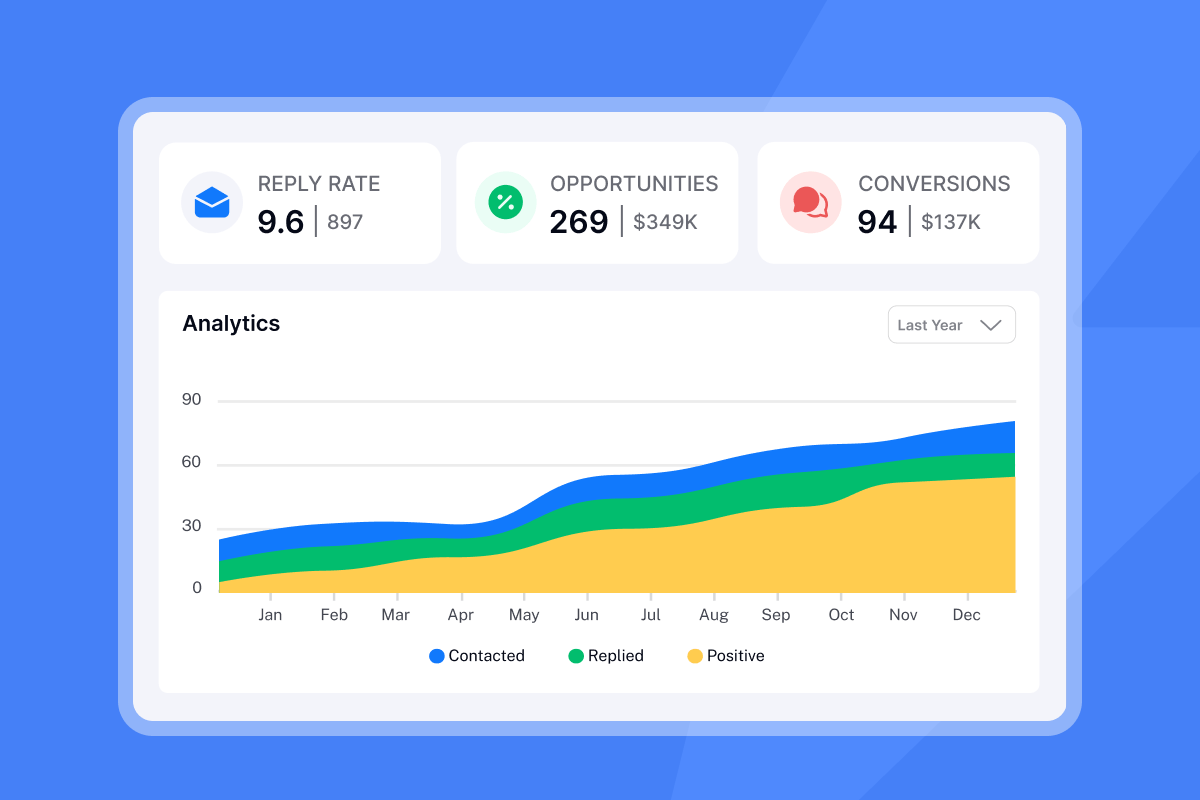
The core purpose is understanding recipient intent to drive revenue, not vanity metrics. A 60% open rate with zero replies tells you something is broken, while a 38% open rate with an 8% reply rate tells you the campaign is working. Average reply rates have hovered around 5-6% in recent benchmarks. Teams that track sequence-level engagement data can identify where that drop happens and fix it.
Key features of enterprise-grade email tracking tools
Enterprise tracking tools go well beyond ping-on-open. Here is what the feature set needs to cover when you are managing a team.
Real-time notifications: Alerts fire the moment a prospect engages, which lets you route hot leads to an Account Executive for a same-day call while intent is still high. A click on a pricing link mid-sequence is a buying signal. A notification that fires three days later is useless.
Multi-metric analytics: Open rates, click-through rates, reply rates, bounce rates, and sentiment classification (positive, negative, neutral replies) all need to be visible in one place. As Improvado's research notes, tracking pixels also capture timestamp and device data, which can inform optimal send windows for each segment.
CRM sync: Engagement data needs to flow into your CRM automatically. Connecting open, click, and reply events to contact records lets your AEs see exactly what a prospect engaged with before a call. We built CRM reporting that tracks pipeline outcomes from campaigns, moving beyond raw email metrics to pipeline impact.
Personalization at scale: Dynamic fields ({{firstName}}, {{companyName}}) and spintax keep messages unique across high-volume sends. Our spintax guide explains how the technique creates variations across thousands of sends, which prevents spam filters from flagging identical content at volume.
Automated follow-up triggers: If a contact clicks a link but does not reply, a triggered follow-up step can advance them in the sequence automatically. This builds a feedback loop between tracking data and sequence behavior, where engagement signals drive the next action rather than a fixed calendar.
Contact verification: Clean lists are the foundation of accurate tracking data. Bounces inflate your bounce rate, suppress true open rate data, and damage domain reputation. A bounce rate above 1% is a signal to pause, re-verify the list, and resume at a lower daily send cap.
"I also appreciate the ability to upload bulk email files quickly and with minimal fuss. It allows me to send multiple emails out very quickly with minimal effort." - Roger W on G2
Deliverability at scale: How to track without burning domains
Tracking is a deliverability trade-off because every pixel you embed and every redirect link you insert adds signals that spam filters evaluate. Most tracking guides skip this entirely, so here is what actually happens at the technical level and how to manage it when you are sending at team scale.
How tracking pixels trigger spam filters
A 1x1 pixel image is embedded in your email HTML. When a recipient opens the email, their client requests that image from a remote server, which logs the event. The problem at scale is the domain serving that image. If you use a default tracking domain shared by thousands of other senders, shared tracking domain risks affect every email routed through that infrastructure. One high-volume spammer on that shared pool can push your emails to spam folders.
Spam filter policies from Gmail and other providers also flag open tracking pixels from known tracking services with increasing frequency, particularly since 2024. The Email on Acid tracking guide confirms that aggressive filters now treat pixels from certain services as suspicious regardless of the sender's own reputation.
Custom tracking domains
The fix is a custom tracking domain (CTD). You create a CNAME DNS record that points a subdomain (for example, track.yourdomain.com) to your email platform's tracking infrastructure. The tracking still works, but the domain visible in your email links matches your sending domain rather than a shared service URL. DNS propagation typically takes 48 to 72 hours, so build this into your setup timeline before any campaign launch.
Our fingerprinting and deliverability guide covers exactly how this protects your reputation at volume, and our secondary sending domains strategy guide explains how to structure domain rotation across a larger team.
Warmup as the antidote to tracking risk
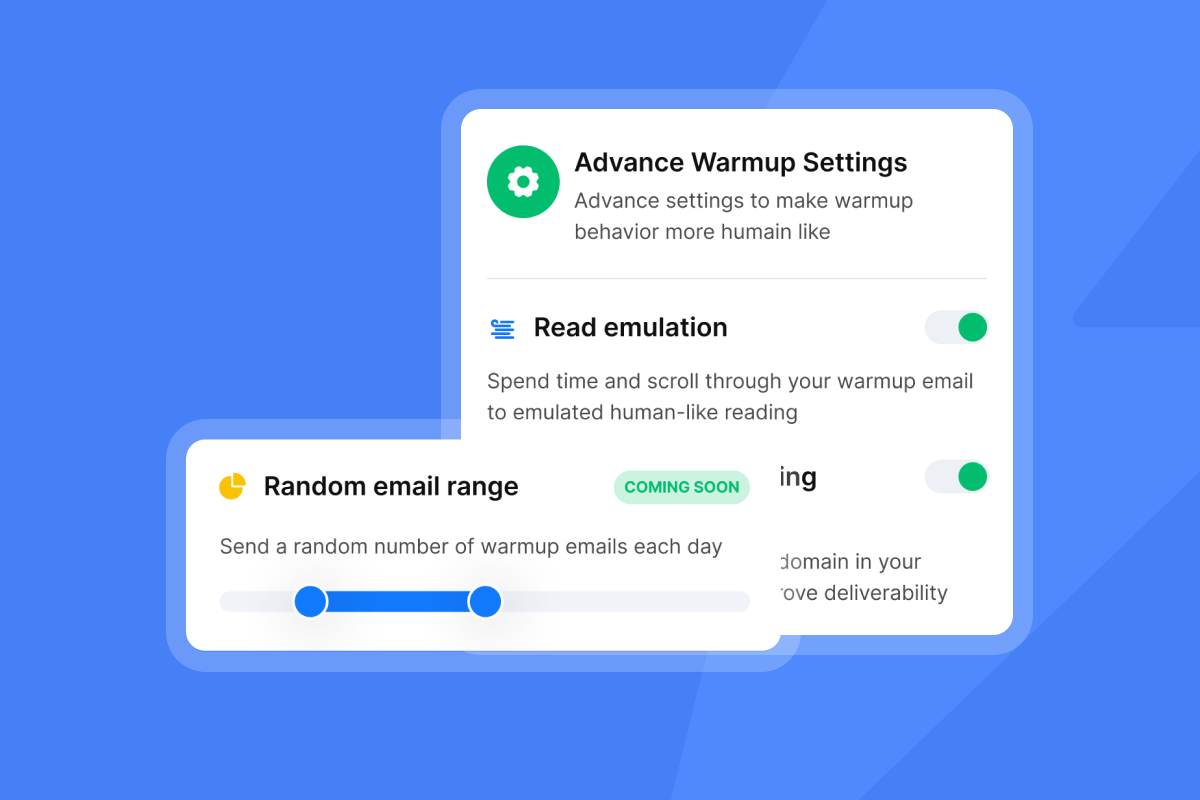
A new domain sending 500 emails per day with tracking enabled is a spam filter's target, so warmup is the process of building sender reputation before you scale. Start at 5 emails per day per inbox, ramp to 15, then cap at 30. Pushing past 30 sends per inbox per day increases the risk of triggering volume-based spam detection, regardless of how clean your list is.
We run warmup in the background automatically across all plan tiers. Our warmup filter guide explains how to keep warmup traffic from cluttering rep inboxes during the ramp period. For teams running at higher volumes, our IP rotation guide details how traffic is automatically moved away from underperforming IPs to maintain consistent inboxing rates.
For a full walkthrough of how this system works in practice, the Ultimate Guide to Cold Email Deliverability covers the core concepts in detail.
Handling machine opens and SEG inflation
Secure Email Gateways (SEGs) used by enterprise recipients pre-fetch pixels and inflate open counts. Our SEG detection feature identifies these machine opens and separates them from genuine human engagement, keeping your open rate data accurate and preventing you from triggering follow-up sequences for prospects who never actually saw your email. Apple Mail Privacy Protection causes a similar problem, with machine-triggered open estimates ranging from 40 to 50% of reported opens, which is why reply rate is the more reliable performance indicator for team reporting.
For cases where you want to eliminate pixel risk entirely, our delivery optimization tool supports text-only sends that remove the tracking pixel from the HTML. You lose open data, but protect deliverability on high-stakes segments.
"Instantly is a good platform for bulk email marketing as I'm using it since long time. There are different features and filters are also available for better deliverability like inbox placement test etc. You can also sent email in different time zones in Instantly." - Sachin Jha on Trustpilot

Admin controls and team management
Tracking data is only useful if your team generates it consistently. Rogue reps using unapproved tools, off-brand templates, or personal Gmail accounts create gaps in aggregate reporting and expose your domains to reputation and compliance risk.
Standardization across reps
Centralized template and sequence management means every rep runs the same approved copy, the same follow-up cadence, and the same tracking configuration. When you A/B test a subject line, results apply to the whole team rather than just one rep's inbox, which is how you build a repeatable process that scales without depending on individual rep judgment.
Role-based access
Not every team member needs edit access to campaign settings. Admins control who can modify sequences, who can view analytics, and who can add or remove sending accounts. This prevents accidental changes to live campaigns and keeps tracking configuration consistent across all inboxes.
Workspaces for team segmentation
Workspaces let you group inboxes, campaigns, and reporting by region, product line, or team. For sales leaders managing multiple business units, workspaces provide separation in reporting while sharing the same platform infrastructure and flat-fee billing. Our agency pricing guide details how workspace structure works in practice for multi-team setups.
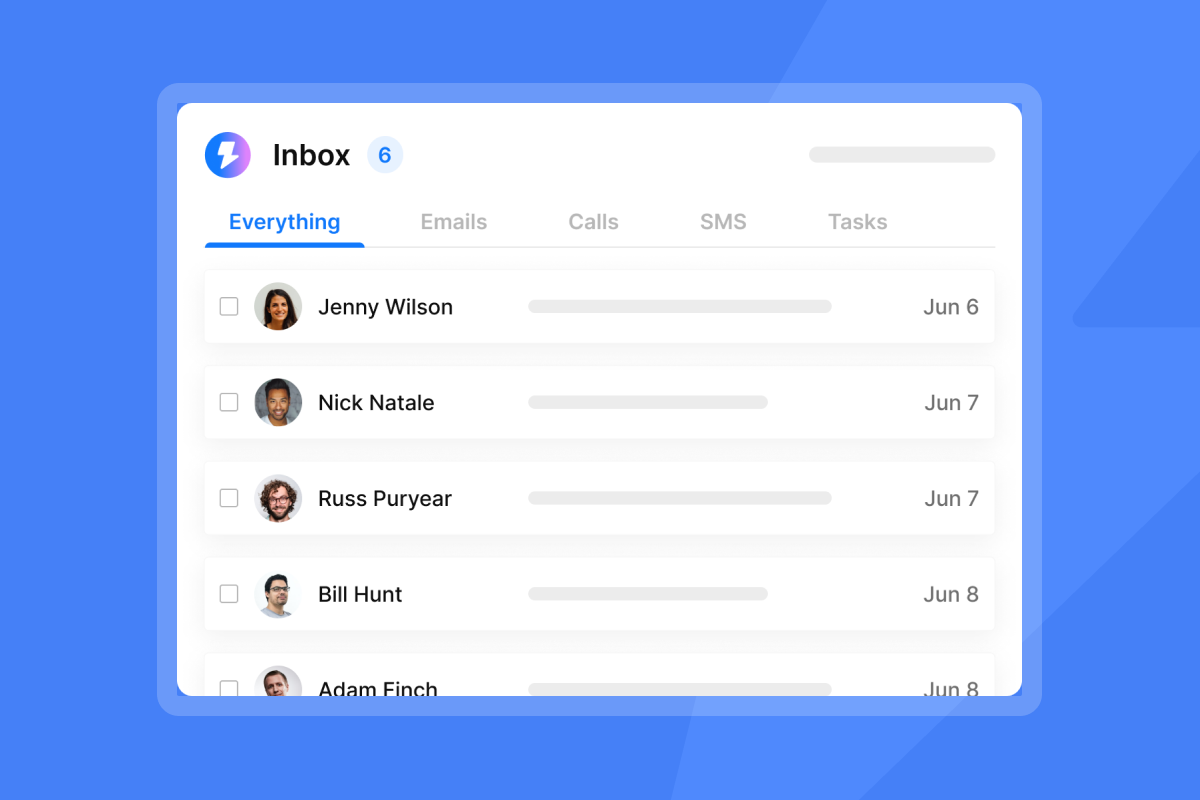
Unibox for centralized reply management
All replies from all sending accounts land in one unified inbox. AI labels classify responses automatically (interested, not interested, out of office, referral, etc.), so reps spend time on live conversations rather than sorting through noise across a dozen separate inboxes. Our AI reply agent pricing overview explains how the classification layer works for teams handling high reply volume.
"I appreciate that Instantly is our go-to sales tool for outreach, list building, lead management, and sales activities... I also like how we don't miss emails anymore as we can track our sequences in one place, which helps with optimizing spam, bounce rates, and open rates, thus enhancing our sequences." - Sohaib I. on G2
For a full hands-on look at campaign setup and team configuration, this Instantly demo walkthrough by the co-founder covers the full interface.
Reporting and auditability: Metrics that withstand scrutiny
Your CFO does not care about open rates. They care about meetings booked, pipeline created, and cost per opportunity, so your reporting needs to connect tracking data to those outcomes rather than surface email engagement stats that don't reconcile with CRM numbers.
Team performance reporting
Compare rep-level performance on reply rates, meeting conversion, and sequence completion, not just volume. A rep sending 200 emails per day at a 2% reply rate is underperforming a rep sending 80 emails at a 9% reply rate. Tracking data tells you which sequence step, which subject line, and which follow-up timing is generating responses, giving you the inputs to coach reps on the right variable.
A/B testing with real data
Our A/Z testing capability supports unlimited email variants per campaign. Subject line tests, body copy variants, and CTA changes are all tracked at the campaign level, so results are statistically meaningful across the full team's sends rather than anecdotal from one rep's 50-email experiment.
Benchmarks to measure against
Based on Martal's B2B cold email statistics and industry benchmarks, here are the targets to aim for:
Metric | Good | Excellent | Warning signal |
|---|---|---|---|
Open rate | 35-45% | 50%+ | Below 30% |
Reply rate | 5-8% | 10%+ | Below 3% |
Bounce rate | Under 1% | Under 0.5% | Above 2% |
Meeting rate | ~1% of sends | 1.5%+ of sends | Below 0.5% |
Teams consistently hitting 7-9% reply rates are outperforming the market. Below 3% almost always points to a copy, list quality, or deliverability problem, and tracking data at the sequence level tells you which variable to fix first. For context, well-targeted SDR teams typically book meetings from approximately 1% of total sends when deliverability is solid.
The SDR team tracking audit checklist
Use this before switching platforms or diagnosing a deliverability drop:
- Are all reps using a custom tracking domain, not the platform default?
- Is every sending inbox warmed for at least 30 days before scaling?
- Is daily send volume capped at 30 emails per inbox?
- Is bounce rate below 1% across all active campaigns?
- Are reply rates logged in CRM and reconciled with tracking data?
- Are machine opens from SEGs and Apple MPP filtered from open rate calculations?
- Are all reps running from approved sequences, not ad-hoc one-off sends?
- Are A/B test results reviewed at least bi-weekly to improve copy?
Pricing and value: Flat-fee vs. per-seat models
The pricing model shapes your ability to scale tracking safely. This is an operational decision as much as a financial one.
The per-seat cost trap
Per-seat tools penalize you for the right behavior. Best practice for bulk outreach is spreading volume across many inboxes at a max of 30 sends per inbox per day, and if a tool charges per seat or per mailbox, doing this correctly costs more every time you add an inbox. HubSpot Sales Hub Professional runs $90 to $100 per seat depending on billing frequency. Apollo follows a similar per-user model, which adds friction the moment you try to rotate across secondary sending domains.
The flat-fee advantage
We charge a flat fee per workspace with unlimited sending accounts on every tier. The Growth Outreach plan starts at $37 per month and includes unlimited email accounts and built-in warmup. Adding 20 inboxes for domain rotation costs nothing extra. This is the economic model that makes safe scaling practical.
A simple cost-per-meeting calculation
For a team on the Hypergrowth plan ($97/month), running 10 warmed inboxes at 25 sends per day across 20 business days:
- Total sends: 10 x 25 x 20 = 5,000 emails per month
- At a 6% reply rate: 300 replies
- At a 15% meeting conversion from replies: 45 meetings
- Cost per meeting: $97 / 45 = approximately $2.16
That math changes fast with per-seat tools where each additional inbox requires a license. For the full outreach plans comparison, the help center breaks down every feature tier.
Top email tracking software solutions for bulk outreach
Tool | Pricing model | Unlimited accounts | Warmup included | Best for |
|---|---|---|---|---|
Instantly | Flat-fee per workspace | Yes | Yes (all tiers) | Scaling SDR teams, deliverability-first outreach |
HubSpot Sales Hub | Per seat | No | No | Inbound CRM ecosystems, warm prospect sequences |
Mixmax | Per user | No | No | Individual Gmail productivity, high-touch one-to-one sends |
Per user | Yes | No | Multi-channel outreach (email + LinkedIn + calls) |
HubSpot is strong when your team already lives in the HubSpot CRM and runs sequences to warm prospects. Their Sales Hub pricing guide shows it provides deep marketing-sales alignment tools, but it is built for inbound-assisted workflows, not high-volume cold outreach with domain rotation.
Mixmax and similar individual productivity tools excel for personal Gmail use. These tools are designed for high-touch one-to-one communication, not the team governance and multi-inbox rotation that bulk outreach requires. HubSpot frames tracking as a tool for individual rep productivity, which reflects the product design philosophy.
"I love how Instantly significantly eases my cold outreach efforts. The platform's automation capabilities save me a lot of time, transforming what used to be a big task into a manageable one. The advanced scheduling tools and the ability to create launch campaign sequences are features I find particularly easy and efficient, streamlining my workflow immensely. I also appreciate the email warming tool, which allows me to send bulk numbers of legitimate emails efficiently." - Arshan K. on G2
"I find Instantly very easy to use and set up, which takes up minimal time for me." - Roger W. on G2
Choosing the right tracking engine
Tracking is a system, not a feature. A single open-tracking pixel tells you almost nothing useful at scale, but a properly structured platform with custom tracking domains, warmed inboxes, aggregate analytics, and team governance tells you which sequences convert, which reps need coaching, and where your pipeline is leaking.
The best tracking stack for a B2B sales team managing volume scales with revenue, not headcount. Flat-fee pricing with unlimited accounts means you can spread volume, protect domains, and ramp gradually without the cost penalizing you for doing it correctly.
Ready to audit your team's current tracking setup? Try Instantly free and run the checklist above to identify where your current system is leaving pipeline on the table.
Frequently asked questions
Does email tracking affect deliverability?
Yes, if you use default shared tracking domains, but setting up a custom tracking domain (CNAME) tied to your own sending domain eliminates the shared-reputation risk. Pairing this with a 30-day warmup period before scaling sends manages the remaining exposure.
Can I track emails sent from Outlook and Gmail?
Yes. Most bulk platforms, including Instantly, connect via IMAP/SMTP (email protocols for inbox access) or API, which means they work with both Gmail and Outlook accounts. The outreach plans comparison covers supported account types across tiers.
What is a good open rate for bulk cold email?
Aim for 35-50%, and treat anything below 30% as a deliverability warning indicating emails are not consistently reaching the primary inbox. Apple Mail Privacy Protection inflates open counts by pre-fetching tracking pixels server-side, so reply rate is the more reliable performance indicator for team reporting.
How many emails should one inbox send per day?
Cap sends at 30 per inbox per day, which is the safe ceiling for maintaining sender reputation while tracking is active. Use multiple inboxes to scale total campaign volume rather than pushing individual inbox throughput higher.
**What is the average reply rate for cold email?
**The average B2B cold email reply rate was 5.8% in 2024, according to Belkins' cold email benchmark report. Teams hitting 7-10% are outperforming the category, and below 3% consistently points to a copy quality, list verification, or deliverability problem that sequence-level tracking data can help isolate.
Key terminology
Custom tracking domain: A subdomain (for example, track.yourdomain.com) connected via a CNAME DNS record to your email platform's tracking infrastructure. It replaces the platform's default shared tracking domain, protecting your sender reputation from shared-pool risk while preserving full tracking functionality.
Spintax: A formatting technique that randomizes words and phrases within email templates to generate unique message variations at scale. It prevents spam filters from flagging identical content sent across thousands of recipients in a single campaign.
Throughput: The number of emails sent per inbox per day. Safe throughput for cold outreach with tracking enabled is capped at 30 sends per inbox. Use inbox rotation across multiple warmed accounts to increase total campaign volume while keeping each inbox within safe limits.
Warmup: The process of gradually increasing email send volume from a new inbox to build sender reputation before running full-scale campaigns. A standard ramp runs 30 days, increasing from 5 to 15 to 30 sends per day.
Bounce rate: The percentage of sent emails that were undeliverable. Keeping this below 1% protects domain reputation and ensures tracking data reflects genuine recipient behavior. Above 2% is a signal to pause sends and re-verify your contact list.



