.svg)
%20(1).svg)


Updated April 22, 2026
TL;DR B2B contact data decays at 22.5% per year, so static lists age out faster than most teams realize. Automating sourcing via APIs and webhooks replaces manual CSV uploads with a continuous lead flow that keeps pipeline coverage predictable Automated verification before sending keeps bounce rates below 2%, protecting your sender reputation and primary inbox placement. Connecting your data provider, outreach tool, and CRM through Zapier, Make, or direct API removes the handoff failures that break most list-building stacks. Instantly's Lead Finder (450M+ verified B2B leads) combined with its API and native integrations gives you a composable system where data, sending, and reply handling live in one place.
Most sales teams treat B2B email list building as a manual chore. They scrape contacts, upload CSVs, and trust that bounce rates stay low enough to avoid a deliverability crash. Bounce rates rarely cooperate. Sales reps already spend 70% of their time on non-selling tasks, and manual lead sourcing is one of the largest contributors to that drain.
The fix is not buying a bigger static list. It is building a continuous, automated data stream that sources, verifies, enriches, and syncs contacts directly into your outreach campaigns and CRM without manual uploads at every step.
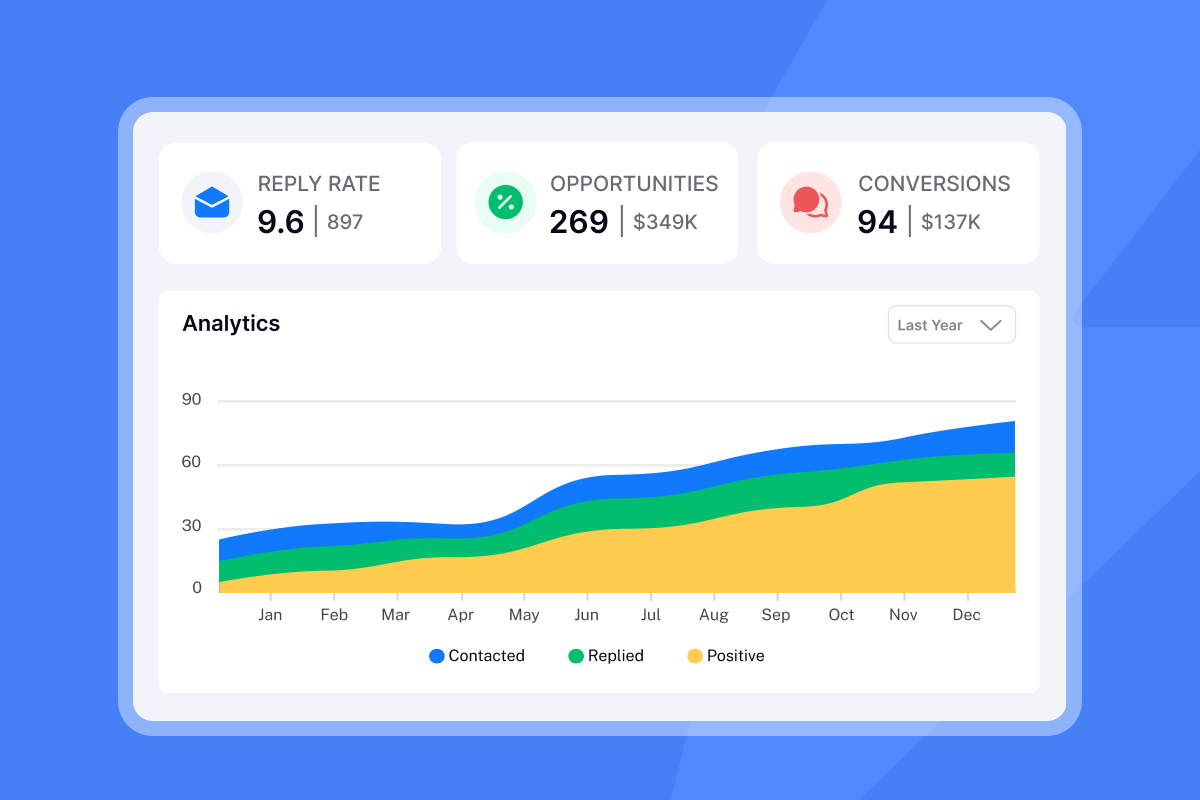
The ROI of smart B2B lead generation
The problem with manual list building is not just time. It is what that time costs in pipeline.
High cost of manual lead sourcing
Manual qualification and data entry eat 40-60% of SDR time, according to Landbase's 2026 analysis of the real cost of manual lead qualification. For a team of five SDRs at an average loaded salary of $80,000 per year, that translates to $160,000 to $240,000 annually in direct labor cost spent on tasks that do not produce meetings.
The throughput hit compounds that financial damage. Reps who spend their mornings building lists cannot spend them calling. Fewer dials per day means fewer meetings set, which means less pipeline coverage and a harder quarter for the entire team.
Ensure verified contacts, reduce bounces
Bad data damages more than productivity. It crashes your deliverability. B2B contact data decays at approximately 2.1% per month, or 22.5% per year, as professionals change jobs, companies merge, and email addresses expire. With 30% of the workforce changing jobs annually, a list you sourced six months ago has already lost approximately 12.6% of its valid addresses.
When you send to stale addresses, bounce rates climb. When your bounce rate crosses 2%, ISPs throttle delivery, and above 5% you risk blacklisting. A single campaign with a dirty list can damage a domain that took 30 days of warmup to build, costing you the month's pipeline target.
Automated verification, triggered at the point of sourcing rather than the morning of a send, keeps this risk contained.
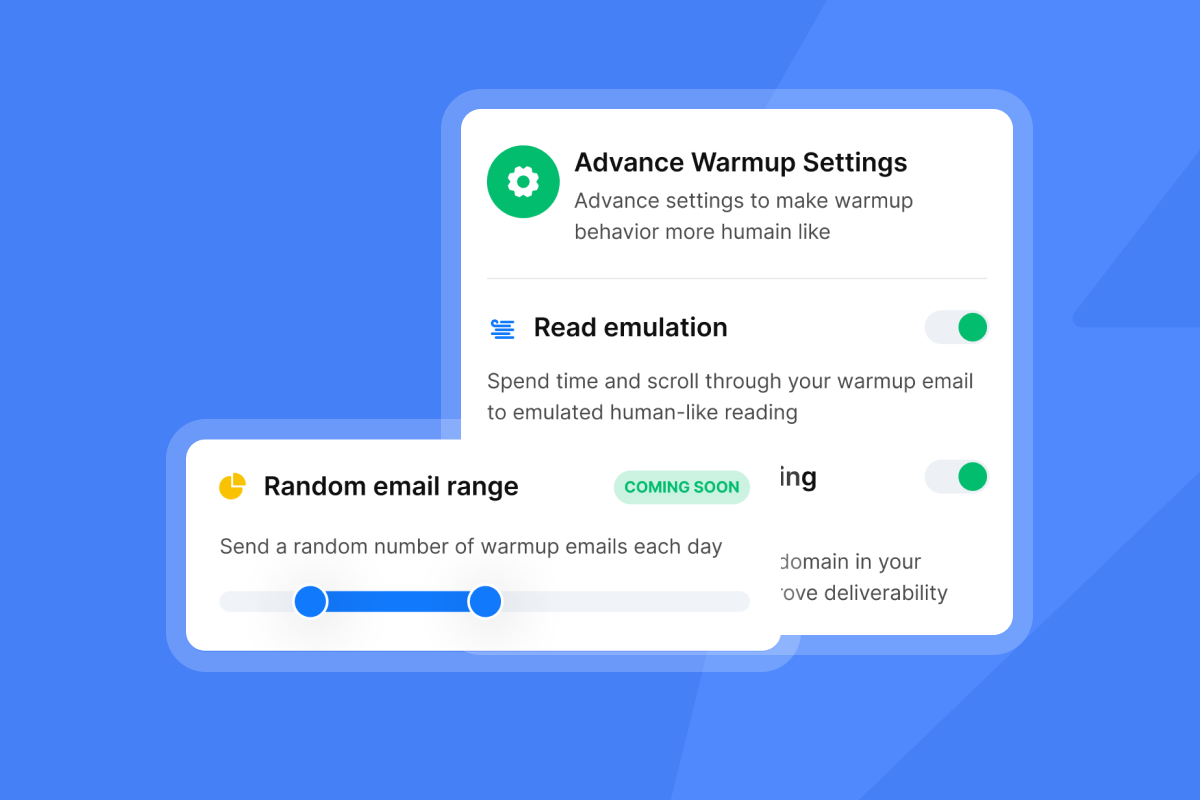
Automated sourcing fuels pipeline growth
Continuous sourcing solves the feast-or-famine cycle. When your data pipeline runs on a schedule rather than a sprint, reps always have fresh, verified contacts waiting in their queue. Pipeline coverage becomes predictable because the top of the funnel never empties between manual scraping sessions.
"Instantly makes it much easier to manage and run multiple campaigns simultaneously, allowing me to handle outreach at scale with ease... I find it particularly useful for keeping my outreach efforts organized without introducing unnecessary operational complexity." - Sachin M. on G2
Strategic setup for automated B2B lists
Building an automated list system means choosing the right architecture before you write a single integration. The three components are: how you source contacts, how you push them into your stack, and whether you build that workflow yourself or use a platform.
Sourcing verified B2B contacts via APIs
An API (Application Programming Interface) connects two software systems so they can exchange data on demand. In a list-building context, your outreach platform calls a data provider's API and requests contacts that match a set of filters, then receives a structured response it can act on immediately.
Instantly's Lead Finder supports natural language AI prompts alongside granular filters covering job title, seniority, company size, industry, revenue, technology stack, and funding status. You can search for "Directors of Engineering at Series B SaaS companies in the US with 50-100 employees" and get back a verified contact list without touching a spreadsheet.
The practical advantage over manual sourcing is repeatability. You define the search criteria once, connect it to a workflow, and the system pulls fresh contacts on a schedule. The Lead Finder import documentation confirms that the platform runs duplicate detection before importing, so existing leads in your campaigns are not re-added.
"I love how Instantly makes it incredibly easy to find B2B leads, which used to be a significant challenge for me. The enormous database of 450 million data points streamlines my lead generation process, allowing me to simply input keywords and obtain compatible results." - shavez k. on G2
Instant data syncs with webhooks
Webhooks work opposite to API calls. Instead of your system polling a data source at regular intervals, the data source pushes new contacts to you the moment a trigger fires.
A Zapier study found that 98.5% of polls returned no new data across 30 million requests, meaning teams relying on API polling spent 66 times more server resources for the same outcome a webhook delivers immediately. For list building, this matters because lead data tied to a specific trigger (a funding round, a new hire announcement, a form fill) is most actionable in the first 24-48 hours.
Webhooks make signal-based outreach possible. Watch signal-based cold email at scale from Instantly's channel for a live demonstration of connecting data triggers to an automated outreach workflow.
Platforms vs. scripts: Which scales?
Teams often debate whether to build custom Python scripts for list automation or use an iPaaS (integration platform as a service) like Zapier or Make. The answer depends on your team's technical resources and your volume requirements.
Factor | Custom Python script | Zapier | Make |
|---|---|---|---|
Setup time | Days to weeks | Hours | Hours |
Technical skill required | Developer needed | None | Low-code |
Maintenance cost | High (ongoing) | Low | Low |
Cost at scale | Server costs only | Per-task pricing adds up | More affordable at volume |
Error handling | Flexible custom logic | Basic retry logic | Visual error paths |
Flexibility | High | Limited by available Zaps | High with routers |
Custom scripts give full flexibility but require a developer to build, maintain, and debug. Make's per-operation pricing is more affordable at high volumes than Zapier's per-task model, and its visual branching logic handles complex routing that most RevOps leaders can manage without writing code.
Establishing a reliable B2B data stream
Once you choose your architecture, the next step is configuring the data stream itself so it runs continuously, not just when someone remembers to press a button.
Source verified contacts via APIs
Two use cases justify API-based sourcing over manual search for most B2B teams.
Use case 1 (funding and company events): Trigger a pull from your data provider whenever a target company closes a Series B funding round. Filter for Directors of Engineering or VPs of Product at tech companies with 50-100 employees and a specific technology stack. These contacts are highly relevant because funding events correlate directly with new budget, new hiring, and new tooling decisions. You can layer in hiring signals at the same time: a company posting multiple SDR roles signals sales expansion, which is a strong intent indicator for outreach tools and CRM platforms.
Teams can apply dozens of filter criteria simultaneously, from company size and industry to technology adoption and hiring activity, to build precision-targeted lists. Both event types produce contact lists that are more contextually relevant than a static ICP search run once per quarter.
Watch unlimited leads using N8N from Instantly's channel for a live walkthrough of connecting data sources to an automated outreach workflow.
Set up recurring B2B list pulls
Recurring pulls prevent the pipeline from drying up between campaigns. Define your ICP filters, set a cadence (daily, weekly, or triggered by event), and configure your workflow tool to run the pull automatically. New contacts land in a staging area for verification before they enter a campaign.
Instantly's Zapier integration supports automated lead addition from a Google Sheet or connected data source into a specific campaign, including a skip option for contacts that already exist in other campaigns. The same recurring trigger logic applies in Make: the scenario runs on a schedule, pulls new contacts, verifies them, and routes them into the appropriate campaign without human intervention.
Prevent duplicate contacts and bounces
Duplicate contacts inflate your send volume, waste credits, and can trigger spam complaints if a prospect receives two identical sequences from the same company.
Use email address as the primary unique identifier. The Lead Finder import feature enables duplicate detection to prevent re-uploading existing leads when contacts are added via Lead Finder or imported through integrations. In Zapier or Make, add a "search before create" step that checks whether the contact's email already exists in the campaign or CRM before inserting a new record.
Combined with a global block list (contacts who have unsubscribed or bounced previously), this prevents your pipeline from recycling bad data that has already damaged your sender reputation.

Prevent bounces: Automated contact verification
Verification is the checkpoint between sourcing and sending. Skipping it because you trust your data provider is one of the most common reasons bounce rates spike unexpectedly.
When to auto-verify new leads
Verify at the point of ingestion, not the morning of the send. Contacts you source today may carry stale addresses if your data provider has not refreshed records recently. Verifying at ingestion means every contact in your staging area has been checked within the last 24-48 hours before it enters a live campaign.
For teams using Lead Finder's waterfall enrichment across 5+ providers, the enrichment layer cross-references multiple data sources to increase accuracy. High-quality B2B data providers deliver 97%+ accuracy with email bounce rates below 1%, compared to the industry average of 50% accuracy from most providers.
Instantly's automated inbox placement tests add another layer by checking whether your sending infrastructure is landing in the primary inbox, not just whether the destination address is valid.
Instant vs. scheduled email checks
Real-time API verification checks a single email address the moment it enters your workflow and returns a validity status before the contact moves to the next step. Batch verification runs on a schedule against a queue of new contacts.
For high-velocity teams adding hundreds of contacts per day, batch verification is more resource-efficient. For lower-volume, high-value campaigns targeting Tier 1 enterprise accounts, real-time verification at point of entry is worth the added API cost because the stakes per contact are higher.
Filter out invalid email addresses
Set workflow rules to automatically flag or delete catch-all addresses before they reach a campaign. Catch-all addresses accept all incoming mail regardless of whether the mailbox exists, making bounce risk unpredictable. Hard-invalid addresses should be deleted entirely.
Target a bounce rate consistently below 2%. When bounce rate crosses 2%, ISPs throttle delivery, and above 5% blacklisting risk rises sharply. A catch-all filter in your verification step catches the ambiguous cases that most teams ignore until their sender score drops.
In Instantly, the reputation protection and bounce detection features monitor these signals continuously. Read more about how to treat deliverability as a system in our email deliverability guide for sequences.
Syncing verified leads to your pipeline
Clean data in your outreach tool is only half the equation. If that data does not sync accurately to your CRM, your pipeline reporting breaks, reps duplicate effort, and the CFO stops trusting the numbers.
Ensuring CRM data accuracy
Your outreach tool and CRM must mirror each other on every contact status change: new lead added, email replied, meeting booked, lead marked interested. Without bidirectional sync, sales reps work from stale CRM records while the outreach tool holds more current data, and that gap costs deals.
Instantly supports two-way sync with HubSpot via OutboundSync, streaming Instantly events into CRM objects and syncing CRM block lists back to Instantly. The CRM stays the system of record with clean, auditable activity data, which is exactly what a quarterly business review requires.
"I love... the seamless integration with HubSpot, ensuring synchronization between outreach efforts and our CRM... The easy integration with tools like HubSpot, Clay, Airtable, and n8n enhances our workflow significantly." - Chico C. on G2
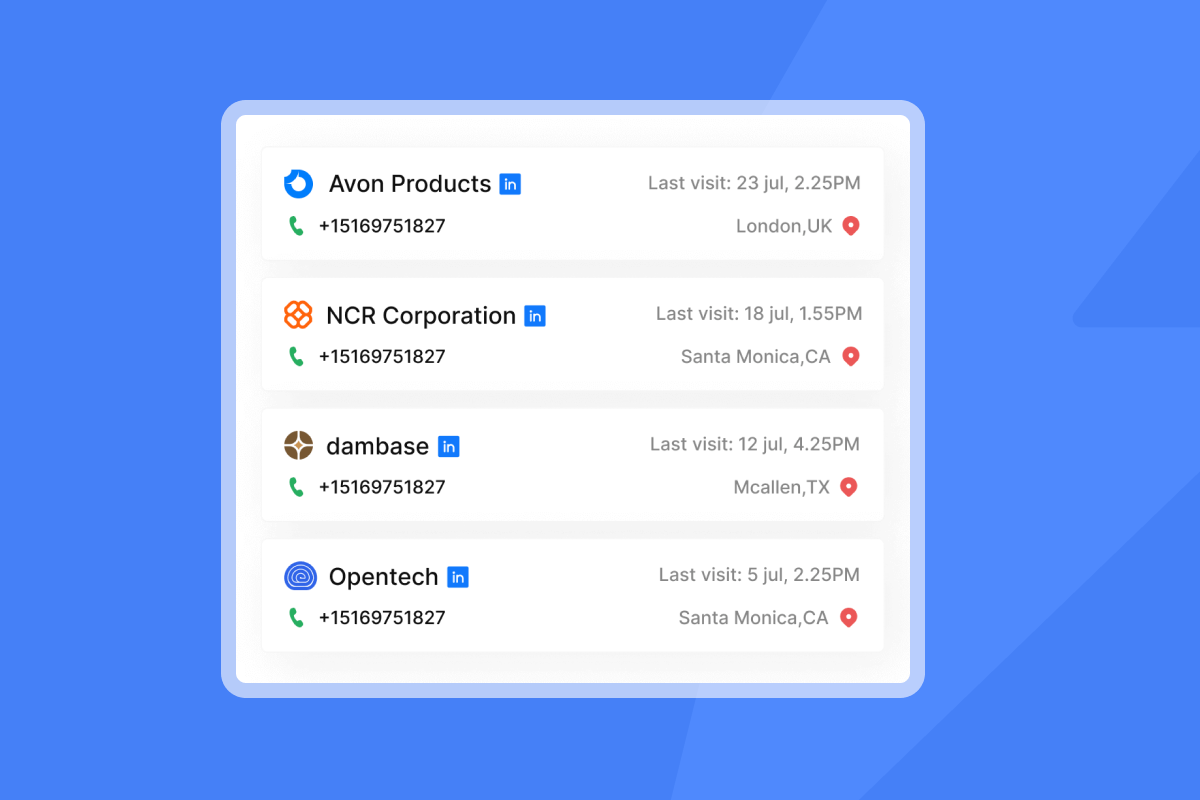
Ensuring B2B data quality in CRM
Data governance starts with handling opt-outs across all systems simultaneously. When a contact unsubscribes from an Instantly campaign, that status must sync to HubSpot within minutes, not days. Delays can put reps at risk of contacting someone who has explicitly asked not to be contacted.
The Zapier HubSpot contact integration handles the positive-signal handoff automatically. Pair it with a block-list sync workflow in the other direction, and opt-outs propagate across your stack without manual intervention.
For a broader look at tracking privacy and compliance, including Legitimate Interest documentation and CCPA obligations, our email tracking privacy guide covers the sales leader's obligations in detail.
Deduplicating contacts for clean data
Use email address as the primary unique identifier when syncing to CRM. Email catches most duplicates in standard CRM configurations, which typically use email for automatic deduplication.
In Zapier or Make, add a "search before create" step before every CRM upsert. Search by email first. If a match exists, update the existing record. If no match, create a new one. This upsert logic prevents CRM clutter and keeps contact counts accurate for reporting.
Updating CRM with enriched B2B leads
Enrichment adds context that improves rep targeting and AE handoff quality. Key data points to automate via Lead Finder's enrichment layer include job title, seniority level, company revenue band, industry vertical, technology stack, and recent funding events.
When a rep opens a CRM record and sees that the contact is a VP of Engineering at a 150-person Series B SaaS company running Salesforce and AWS, they enter the conversation with context. That context reduces the time from first reply to qualified meeting, which is the metric that actually moves pipeline.
Reliable list automation with Zapier and Make
Concrete workflow examples remove the ambiguity from "automate your list building." Here are two setups that cover the most common use cases for sales teams.
Automate B2B list sourcing with Zapier
A complete Zapier workflow for sourcing, verifying, and syncing a new lead follows these steps:
- Trigger: New row added to Google Sheet (via a scheduled Lead Finder export or inbound form).
- Filter: Check that the email field is not empty and the contact does not already exist in the campaign.
- Add to Instantly campaign: Use the Zapier campaign integration, paste the Zapier API key, and choose whether to skip leads already in other campaigns.
- Create HubSpot contact: Use the Zapier HubSpot contact workflow to upsert the contact on email address.
- Notify via Slack or Discord: Trigger a Slack or Discord alert when a lead is marked Interested, so the AE team picks up warm replies fast.
This workflow runs automatically on your chosen schedule. No CSV downloads. No manual uploads.
Make: Efficient email list workflow
Make's visual scenario builder handles more complex routing logic than Zapier's linear structure. A standard Make scenario for list automation works like this:
- Webhook trigger: Receive a new lead payload from your data provider or form.
- Router: Branch the scenario based on company size to route leads into the correct campaign and rep pool.
- CRM module: Search for an existing contact in HubSpot by email. If found, update the record with enriched fields. If not found, create a new contact.
- Pipedrive action (optional): Add interested leads to Pipedrive automatically when they reply and are marked Interested in Instantly.
For teams building more advanced AI-driven workflows, the cold email outreach with N8N walkthrough demonstrates how to connect N8N's automation engine to Instantly for greater flexibility.
Error handling and retry logic
Workflows break. APIs time out, rate limits trigger, and data payloads occasionally arrive malformed. Building retry logic into your workflow prevents a temporary outage from creating a silent gap in your pipeline.
Workflows break. APIs time out, rate limits trigger, and data payloads occasionally arrive malformed. Building retry logic into your workflow prevents a temporary outage from creating a silent gap in your pipeline.
In Make, the error handler module lets you define what happens when a step fails: retry after a set interval (minimum one minute), skip the record and log the failure, or alert a Slack channel. In Zapier, enable auto-replay on failed tasks. For Python-based scripts, use database transactions so that if a step crashes mid-process, the entire operation rolls back rather than leaving half-written records in your CRM.
When you build retry logic and monitoring into your workflows, temporary API issues become minor annoyances rather than silent pipeline gaps.
How Light House Capital Group Generated $500K in Contracted Fees in 30 Days
See how Light House Capital Group used Instantly to generate $500K in contracted fees within 30 days through a scalable outbound outreach strategy.
Maintaining list accuracy for deliverability
Automation does not eliminate the need for ongoing monitoring. It shifts your role from manual data entry to quality oversight, which is a much better use of a sales leader's time.
Evaluating list health by bounces
The rule is direct: if your bounce rate approaches 2% on any campaign, pause sends, pull the contact list, and re-verify every address before resuming. Do not wait until the end of the week. Set a daily alert in your outreach tool so you catch warning signs early.
Check Instantly's campaign analytics dashboard to see bounce rates at the campaign level, giving you the signal you need to act before a 2% threshold becomes a 5% blacklist risk. Our email open tracking guide explains why reply rates and bounce rates are more reliable performance signals than open rates alone.
Assessing email list verification
Data decay is relentless. B2B email addresses show 22.5% annual decay, which means a list verified four months ago has likely lost more than 7% of its valid addresses. High-velocity teams running active outbound should re-verify monthly. Lower-volume teams can verify quarterly at minimum.
The re-verification cadence depends on how old the list is and how active the target industry is for job changes. Tech sees higher-than-average tenure churn, which accelerates email address decay relative to more stable industries.
Continuous enrichment helps with job changes. Monitoring enrichment signals via Lead Finder's LLM-assisted enrichment lets you flag contacts whose company or title has changed and suppress or update them before sending.
This matters particularly for multi-step sequences. Sending a sequence that addresses someone by a title they held months ago looks careless and hurts reply rates.
Setting up automated quality reports
A weekly list quality report gives you the audit trail that CFOs and compliance teams require. Include these five metrics in every weekly review:
- Bounce rate by campaign (target under 2%).
- Verification pass rate on new contacts added that week.
- Duplicate detection count (contacts caught and suppressed before adding).
- Enrichment coverage (percentage of contacts with complete fields: title, company, email).
- Opt-out sync lag (time between an unsubscribe in Instantly and an update in CRM).
For a deeper look at building analytics workflows that hold up under scrutiny, our email tracking integrations guide covers how to sync CRM, calendar, and outreach data without creating reporting silos.
"The automation for inbox rotation, warm up and sending limits makes outreach very smooth and saves a lot of manual work. The most helpful part is the detailed reporting. It shows clear data like open rates, replies, and bounce rates, which I can easily use for analysis and integrate with other BI dashboards." - Anjali T. on G2
Troubleshooting automated list quality
Even well-designed workflows produce edge cases. Here is how to handle the most common ones.
Instantly connects natively to HubSpot. For broader iPaaS connectivity, Zapier and Make cover additional integrations including Pipedrive, HighLevel, and RB2B.
The Pipedrive automation integration and HighLevel automation integration are available through the platform's automation layer. The RB2B integration feeds anonymous US website visitors directly into your sourcing pipeline by identifying them and pushing enriched records to your campaigns.
Daily sourcing runs keep the pipeline topped up for most teams. The practical constraint is your outreach throughput. Cap individual inboxes at 30 emails per day to protect sender reputation. Size your daily sourcing pull to match the total capacity across your active inboxes, and factor in time for verification and enrichment before contacts enter a live sequence.
How often should automated sourcing run?
For most B2B teams, daily sourcing runs are the right cadence. This keeps the pipeline topped up without flooding your campaign queue with more contacts than your send volume can process within 30 days.
The practical constraint is your outreach throughput. Cap individual inboxes at 30 emails per day to protect sender reputation. Size your daily sourcing pull to match the total capacity across your active inboxes, and factor in time for verification and enrichment before contacts enter a live sequence.
Automate existing B2B contact enrichment
Re-enrich your existing CRM database using the same logic as new contact sourcing. Export your CRM contacts, run them through Lead Finder's waterfall enrichment (which cross-checks against 5+ data providers), and reimport the updated records.
Landbase's analysis found that high-quality B2B data providers deliver 97%+ accuracy, compared to the 50% industry average. If your CRM was populated with a batch purchase from a lower-quality vendor, re-enriching via a multi-provider waterfall approach can reclaim a significant portion of contacts previously marked as invalid. The AI-powered cold email system walkthrough demonstrates how to connect enrichment APIs to Instantly for end-to-end automation.
Preventing duplicate B2B list entries
Ready to stop babysitting your list-building process? Try Instantly free and use Lead Finder and the built-in API to set up your first automated sourcing workflow today. The Growth plan starts at $47/month and includes 1,500-2,000 credits per month with unlimited sending accounts and warmup built in.
If you manage multiple campaigns across different ICPs, use Instantly's campaign-level duplicate suppression (skip leads already in other campaigns) to add a second protection layer at the outreach tool level, separate from CRM deduplication. Our email tracking implementation checklist walks through how to build these governance controls into your 30-day team rollout.
Instantly in Action
Tymely Generated $1.2M in Sales Pipeline
Discover how Tymely generated 21 enterprise opportunities using Instantly's cold email outreach platform.
Read next
Email deliverability guide for sequences — Warmup, health monitoring, and compliance strategies for outbound campaigns.
Build cold email workflows with Zapier and Make — Step-by-step integration guides for automating your outreach stack.
Email tracking integrations — How to sync CRM, calendar, and workflows without data silos.
How fast does B2B contact data actually decay?
When your bounce rate crosses 2%, ISPs throttle delivery, and above 5% you risk blacklisting. Keep your target below 2%, and if any active campaign approaches that threshold, pause sends and re-verify the list before resuming.
What bounce rate triggers a deliverability risk?
When your bounce rate crosses 2%, ISPs throttle delivery, and above 5% you risk blacklisting. Keep your target below 2%, and if any active campaign approaches that threshold, pause sends and re-verify the list before resuming.
How many emails can one inbox send per day safely?
Cap individual inboxes at 30 emails per day to protect sender reputation. With unlimited accounts on any Instantly Outreach plan, you scale total daily volume by adding inboxes rather than pushing per-inbox throughput beyond safe limits.
Should I use Zapier or Make for Instantly list-building workflows?
For simple, linear workflows (new lead to campaign to CRM), Zapier is faster to set up. For branching logic like routing leads to different campaigns by company size or territory, Make's visual scenario builder handles complexity more efficiently and is less expensive than Zapier's per-task pricing at high volumes.
How many B2B leads does Instantly's Lead Finder database contain?
Lead Finder contains 450M+ verified B2B leads with waterfall enrichment across 5+ data providers and LLM-assisted enrichment for precision targeting. The Growth plan provides 1,500-2,000 credits per month at $47/month, scaling to 10,000-200,000 credits on the Hyper Credits plan at $197/month.
Key terms glossary
API (Application Programming Interface): A connection that lets two software systems exchange data on request. In list building, your platform calls a data provider's API to pull contacts that match defined filters, then acts on the response immediately.
Webhook: An event-driven notification that pushes data from one system to another the moment a trigger occurs. Webhooks eliminate constant API polling, cutting wasted resource calls by 98.5% compared to interval-based polling.
Waterfall enrichment: A method of verifying or enriching contact data by sequentially querying multiple data providers until a valid result is returned. Instantly Lead Finder uses 5+ providers in its waterfall to improve accuracy above single-source lookups.
Sender reputation: A score assigned by ISPs to your sending domain and IP based on engagement signals, bounce rate, and spam complaints. Keeping bounce rates below 2% and warming new inboxes over 30 days are two of the most direct ways to protect it. Learn more in our email deliverability guide.
Catch-all address: An email address configured to accept all incoming mail regardless of whether the specific mailbox exists, making bounce risk unpredictable. Filter catch-all addresses out before adding contacts to active campaigns.



