.svg)
%20(1).svg)


Updated June 26, 2026
TL;DR: Manual lead triage burns expensive AE time and slows speed-to-lead on your best prospects. AI-driven qualification tools, like an AI sales agent, parse actual reply intent (not just open rates) to separate hot leads from noise automatically. Instantly.ai's AI Reply Agent handles this with Human-in-the-Loop and Autopilot modes, routing qualified replies through Unibox into your CRM within minutes. Start with verified data from SuperSearch, cap sends at 30 per inbox per day, and run a structured 30-day proof of concept before full deployment to validate accuracy and protect domain reputation.
If you are a head of sales or RevOps manager running a team of SDRs and AEs, this guide is for you. The biggest bottleneck in modern outbound sales is not generating replies. It is qualifying them before they hit your calendar. Most sales teams are drowning in leads but starving for the right ones, and that gap costs AE hours, pipeline coverage, and quota, a gap Instantly's AI agents are built to close.
Automating lead qualification with AI changes that equation. This guide covers how AI SDR tools parse reply intent, route high-fit prospects, update CRM records, and protect your domain health in the process, the exact kind of task modern AI agents are purpose-built to handle.
What manual lead sorting actually costs you
Most teams undercount this cost because it hides inside the workday. A rep reads 40 replies, finds two worth acting on, and logs nothing unusual. Those 38 other reads had a price. Here is where it shows up.
AE hours are your most expensive triage tool
Industry research shows sales reps spend only 28% of their time on active selling. The remaining 72% goes to non-selling tasks, and reply triage is one of the largest line items in that bucket. When your best reps are reading through "not interested" replies, out-of-office bouncebacks, and unsubscribe requests, you are paying for work that a classification model can handle in milliseconds.
The table below shows where that time goes and what AI qualification changes:
Manual vs. AI qualification speed
Metric | Manual triage | AI qualification |
|---|---|---|
Time to review and classify one reply | Several minutes per reply | Under 5 minutes per reply |
Classification categories handled | Limited, typically a handful of broad categories | Extensive, covering a wide range of intent types including positive signals, objections, and opt-outs |
CRM update | Manual entry, often delayed | Automatic on classification |
Availability | Business hours only | 24/7 |
Consistency | Varies by rep | Standardized logic every time |
The consistency row matters most for a team of 3-15 reps. Two reps reading the same reply will classify it differently. One marks "interesting, follow up later" as a nurture candidate. Another closes the thread as cold. That inconsistency makes your pipeline data unreliable and your reporting impossible to reconcile with CRM reality.
Why manual triage kills conversion
Every sales leader knows speed-to-lead drives conversion. Respond to a lead within five minutes and you can increase conversion chances by up to 100x compared to a 30-minute delay. When a rep has to wade through 40 replies before finding the one that says "yes, send me a calendar link," that window closes. Manual sorting is not just slow, it is selectively slow on your best leads.
Where AI qualifies leads best
Define "qualified" in your AI context with three criteria:
- Intent signal: The reply contains a clear buying signal (meeting request, product question, referral request).
- Firmographic fit: The contact matches your ICP on company size, geography, and industry.
- Timing: The prospect is actively evaluating now, not "maybe next quarter."
AI tools that check intent alone will flood your calendar with poor-fit meetings. Pair intent classification with firmographic verification before any lead reaches an AE. Clean input data (verified contacts, accurate job titles, current company size) produces accurate output classifications. The GTM Engineering model, popularized by tools like Clay, applies the same logic: enriched prospect data before classification produces more accurate output than raw, unfiltered lists. See how Artisan compares to other AI SDR tools before you commit budget.
Parsing intent: how tools identify sales leads
Not all replies mean the same thing, and the gap between what a prospect writes and what they actually intend is where manual triage breaks down. Here is how modern AI tools close that gap before a rep ever reads the thread.
Decoding prospect reply signals
Rule-based keyword matching was the first attempt at reply triage. If the reply contained "interested," it went to the hot folder. If it contained "unsubscribe," it triggered removal. This approach fails on indirect signals. "We already use a solution like yours" is a competitive objection, not a disqualification. "Can you send more information?" is a soft positive signal, not a meeting request.
Modern AI classification uses semantic understanding to infer meaning beyond keyword patterns. The model maps input to predefined intent categories using context. This enables a distinction between "Not interested right now" (timing objection, route to nurture) and "We already have a vendor" (competitive objection, route to a competitive play sequence).
Instantly's AI Reply Agent applies this semantic approach to classify replies automatically and draft responses in under five minutes, either for Autopilot sending or Human-in-the-Loop review.
How AI sorts prospect intent
Build your AI qualification system to handle at least six reply categories:
- Positive/interested: Explicit request for a demo, pricing, or calendar link.
- Objection: "Too expensive," "not the right time," "we already have something."
- Out of office: Auto-reply indicating the prospect is unavailable with a return date.
- Referral: "You should talk to [name], they handle this."
- Unsubscribe: Clear opt-out request that must trigger immediate removal.
- Clarification request: A follow-up question indicating low-level interest.
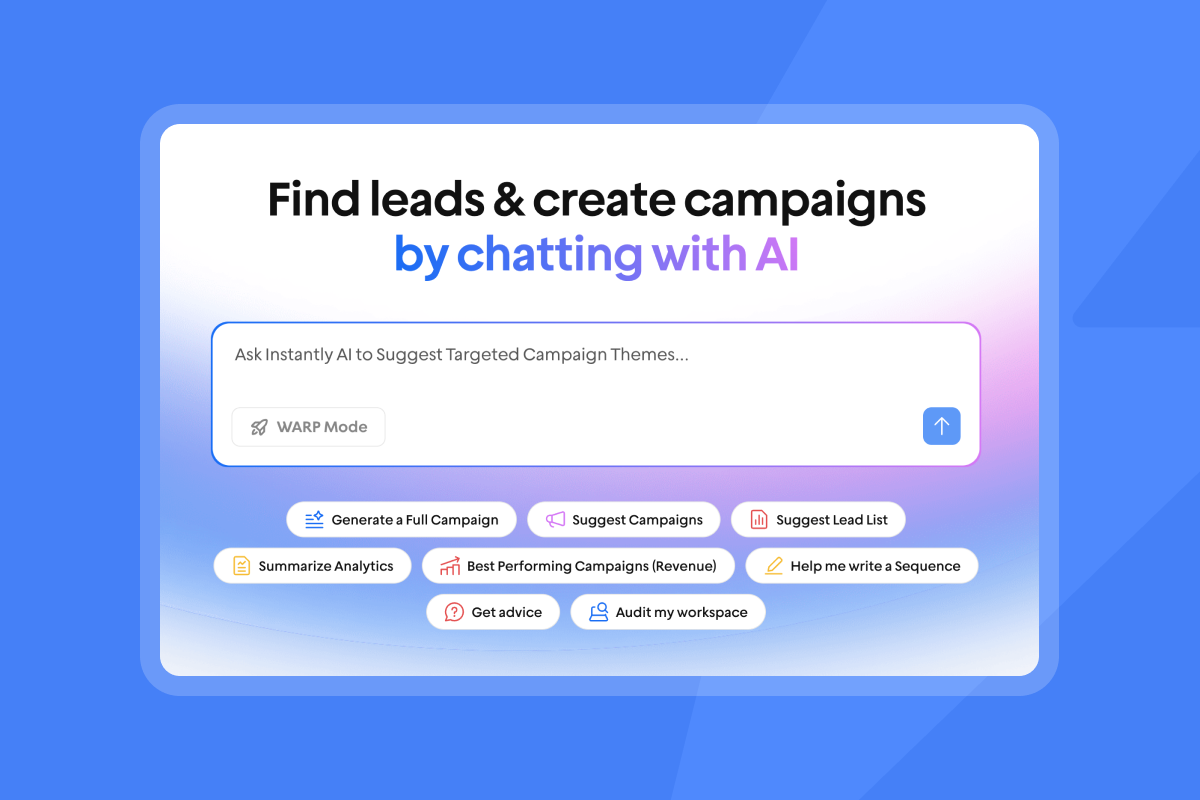
Instantly's Unibox uses AI Custom Reply Labels to sort replies into these categories automatically and trigger the correct follow-up action for each. The Unibox centralizes all replies across every sending account in one dashboard, so a team running 20 inboxes sees one unified view rather than 20 separate threads.
The Out-of-Office Resume feature pauses campaigns for contacts who are away and automatically resumes outreach when they return, preventing wasted sends and protecting sender reputation during a prospect's absence.
Automate bookings based on prospect readiness
Qualification without booking automation creates a new bottleneck. A rep still has to act on every hot reply in time. Here is how to close that gap with a repeatable five-step flow, part of a broader plan to automate your SDR workflow.
Automated scheduling rules for SDRs
Here is how to automate qualification and booking in five steps:
- Initial send: Your campaign delivers a personalized email from a warmed inbox through Instantly, staying within recommended daily send limits per account.
- Reply detection: Instantly's AI Reply Agent detects the inbound reply and classifies intent within minutes.
- Draft generation: The Agent drafts a context-aware response, or sends it automatically in Autopilot mode.
- Human approval (HITL mode): A Slack notification pushes the draft to your team channel for one-click approval or edit.
- CRM update: Qualified lead status updates automatically in HubSpot with classification notes. This flow eliminates the manual lag between "lead replied" and "meeting booked" that causes conversion leakage.
Conditional booking based on lead score
Not every "interested" reply deserves the same response. A decision maker who meets your ICP profile warrants different handling than a contact who does not, regardless of their level of interest. Conditional booking logic uses two score inputs:
Score type | Data sources | Example criteria |
|---|---|---|
Profile score | Company size, industry, geography, job title | Meets your minimum company size, operates in a target industry, holds a decision-making title |
Behavior score | Reply content, link clicks, email opens, sequence stage | Early reply timing, buying signal mentions, engagement frequency |
A qualified lead meets both thresholds. Strong profile fit with no engagement stays in the sequence. High engagement with poor profile fit routes to a low-touch nurture track instead of an AE calendar.
Admin controls for lead triage
Set these governance controls before going live:
- Daily booking caps: Limit meetings auto-confirmed per rep per day to avoid calendar overload.
- Round-robin routing: Distribute qualified leads across reps by territory, vertical, or account size.
- Approval gates: Require manager sign-off on any lead that meets your defined enterprise criteria, such as company size or estimated deal size.
- Exclusion lists: Block domains on your global do-not-contact list from ever reaching the booking step.
Automating lead scoring and CRM record updates
Qualification that does not write back to your CRM is qualification that disappears. Your pipeline data is only as accurate as the last update, and manual entry delays that by hours. Here is how to keep records current without rep intervention.
CRM field mapping and real-time updates
Every qualified reply should trigger a real-time CRM update. Manually updating lead status after each reply breaks under volume and rep turnover. Our AI sales agent CRM integration guide covers how to automate that update. Connect Instantly's HubSpot integrations to push classification data as the reply is processed, not at the end of the day when a rep finally checks their inbox.
Map these fields before you connect your AI qualification tool to your CRM:
- Company name, domain, size, and geography
- Job title and seniority
- Reply intent tag
- Sequence name and step number at which the reply occurred
Enrichment providers can fill firmographic gaps the moment a reply comes in. The strongest qualification setups pull live firmographic data from enrichment sources at the point of reply and route to the correct rep immediately. Pre-screen contacts on firmographic fit before they enter your campaign, so the AI classification layer works on pre-verified leads rather than raw, unfiltered lists, a step that dedicated AI sales prospecting tools handle upstream.
Verifying lead source data integrity
Build your AI qualification on verified contact data. Keep bounces below 1% by verifying every contact before it enters a campaign. Instantly's SuperSearch database covers 450M+ B2B leads with waterfall enrichment from five or more providers. Verification costs 0.25 credits per lead. For a list of 2,000 contacts, that is 500 credits, a low price to protect the domain reputation of your entire sending infrastructure.
The deliverability prerequisites for running AI qualification safely:
- Warmup period: Run Instantly's built-in warmup for at least 30 days on every new inbox before any live sends, ramping from 5 to 15 to 30 sends per day.
- Send cap: Stay within 30 emails per inbox per day per Instantly's cold email strategy guidance.
- Domain structure: Connect 2-3 email accounts per secondary sending domain to distribute volume and protect sender reputation.
- Inbox Placement tests: Run automated Inbox Placement tests before launching any new campaign to confirm primary inbox delivery.
"I like that their email deliverability is on point, and they have an email warm-up tool with a strong reputation. The email deliverability is strong, which is crucial for email campaigns to reach recipients." - Daniel L. on G2

Optimizing lead handoffs for rep efficiency
Qualification accuracy means nothing if the right lead reaches the wrong rep. Routing logic determines whether that work converts to pipeline or stalls in someone's queue.
Mapping leads by territory and tier
Qualification without routing causes deal conflict and delays response. A qualified lead that lands in the wrong rep's queue can sit for hours. Set territory rules based on:
- Company size: Small (under 500 employees), midsize (500-1,000 employees), enterprise (1,000+).
- Geography: By country, state, or region mapped to rep coverage.
- Vertical: Industry-specific routing for reps with domain expertise.
- Account tier: Named accounts vs. general market routing. Set these rules before your first campaign goes live, not after replies start coming in. When the AI Reply Agent classifies a lead as "interested," routing logic runs on that classification and assigns the lead to the correct rep.
Syncing lead intel to AE calendars
A booked meeting is only useful if the AE walks in prepared. The handoff from AI qualification to AE calendar should include:
- Company name, size, and vertical
- Campaign name and subject line the prospect responded to
- AI-generated qualification summary (why this lead met the threshold)
- Any prior touchpoints in the sequence
This context should live inside the calendar invite, not in a separate CRM record the AE has to dig for before the call.
Managing disqualified lead workflows
"Not ready yet" is not the same as "never." Leads that do not qualify now still have value if you route them correctly. Build a low-frequency nurture sequence for leads that show soft engagement but do not meet the full qualification threshold. For hard disqualifications (competitive rejections, wrong person, unsubscribes), update CRM status immediately and add the domain to your global block list to prevent future campaigns from reaching the same contact.
Verifying lead precision before live deployment
Before you go live at full volume, test the system against real data. Accuracy problems caught here cost nothing. The same problems caught after launch cost pipeline.
Validating AI lead scoring logic
Pull 50 historical replies from your CRM or Unibox before you go live at full volume. Run them through the AI classification settings you configured and compare the AI's output against the outcome you know each reply produced. If the AI's accuracy falls short, your intent-mapping instructions need refinement. Common causes:
- Intent categories are too broad ("interested" covers too many different reply types).
- Instructions lack examples of edge cases (sarcasm, multi-part questions, partial objections).
- The AI lacks context on your product or ICP to distinguish relevant from irrelevant buying questions.
Tracking precision and recall metrics gives you a quantitative accuracy score to report to leadership and a baseline to improve over time.
30-day POC: measuring AI SDR precision
Run your AI qualification rollout as a structured proof of concept rather than a full launch:
Phase | Duration | Key milestones |
|---|---|---|
Setup | First week | Secondary domains live, AI Reply Agent in HITL mode, intent categories defined |
Warmup | First 30 days (weeks 1-4) | Inboxes warming, sends ramping 5 to 15 to 30 per day in parallel |
HITL test | Week 5 onward, after warmup completes | First campaign live to 200-400 verified contacts, all drafts reviewed manually, overrides logged |
Audit & refine | Mid-period | Classification accuracy measured, intent instructions refined |
Autopilot launch | After accuracy validation | Clear categories switched to Autopilot, ambiguous categories remain HITL |
Track key metrics: reply rate, meetings booked per week, and bounce rate. Monitor bounces closely throughout the POC and pause sends if rates climb, as high bounce rates draw scrutiny from email providers and can affect deliverability across your sending infrastructure.
Common AI lead qualification flaws
Three failure modes are most common in early deployments:
- Sarcasm and irony: "Sure, I'd love another cold email" reads as positive to keyword systems. Semantic models handle this better but still need HITL backup for edge cases.
- Multi-part questions: A reply with a product question AND a pricing objection in the same message may be classified on only the first signal.
- Language variation: Non-native English, mixed-language responses, and highly formal registers can confuse models trained on US business English.
Build a review queue in your HITL setup specifically for replies flagged as ambiguous.
Aligning AI logic with your ICP
Your AI qualification is only as specific as the ICP definition you feed it. Before configuring intent categories, document your minimum company size for ROI, buying authority titles vs. influencer titles, strong vs. weak product-market-fit industries, and deal-breaker signals (competitor lock-in, explicit budget below your minimum).
Instantly's SuperSearch filters on these firmographic criteria before a contact ever enters a campaign, meaning your AI qualification layer works on pre-screened leads rather than a raw list. Pair this with GDPR-compliant outreach practices by documenting your legitimate interest basis for each segment before launching. Under GDPR, B2B cold email is legal when you rely on legitimate interests under Article 6(1)(f), pass the three-part legitimate interest test, and document your legal basis.
Clarifying automated lead scoring logic
Scoring logic that runs unchecked drifts over time. Prospect language changes, ICP criteria shift, and edge cases accumulate. A short weekly audit keeps the system honest and gives you data you can defend in a pipeline review.
Measuring AI lead qualification accuracy
Run a weekly audit from day one:
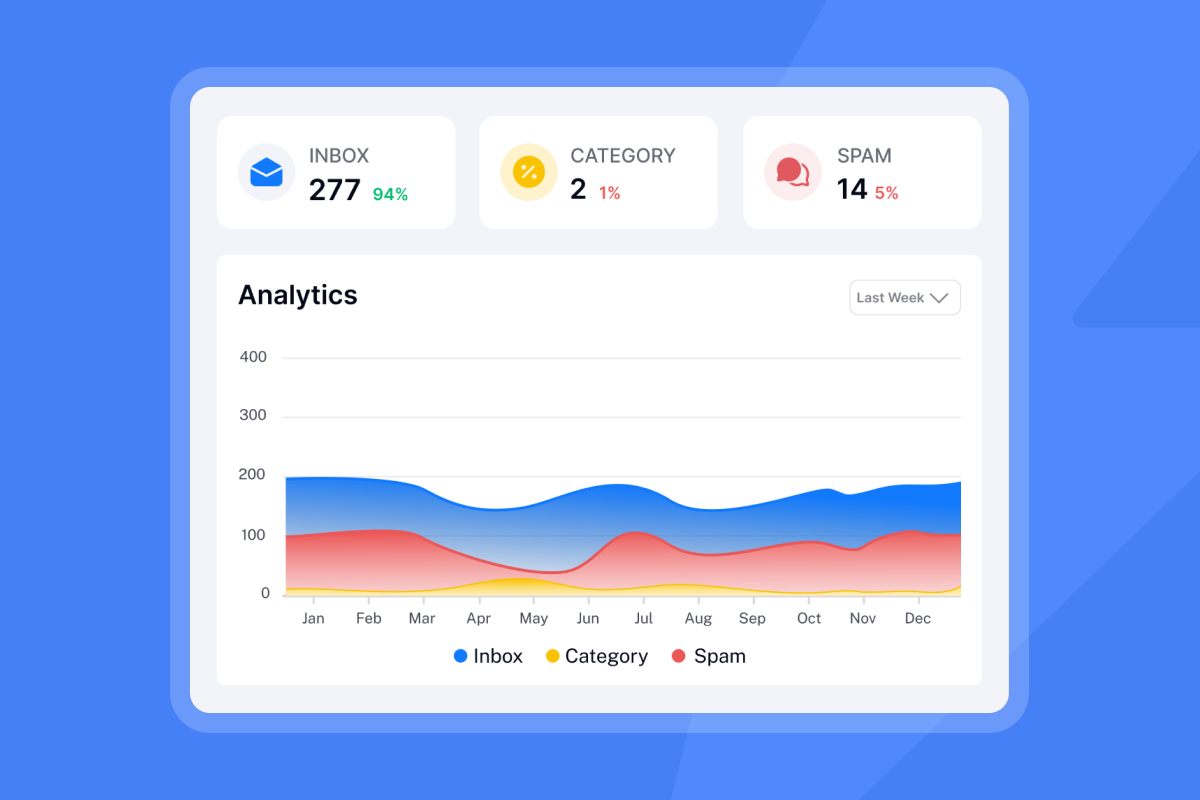
Export all AI-classified replies from your most recent sending period. Review a selection of classified replies and check each classification against the actual outcome. Calculate precision (qualified leads that were actually qualified, divided by all leads flagged as qualified). Log any discrepancies in a shared doc with the specific reply text and the correct classification. Review this log monthly and use the patterns to update your AI intent instructions. This audit process also gives you defensible data when leadership asks how the system performs.
Configuring automated lead filters
Negative filters prevent unqualified leads from ever reaching the classification layer:
- Competitor domains: Block your own competitors' email domains at the campaign level.
- Free email providers: Flag Gmail, Yahoo, and Hotmail addresses for separate routing or disqualification in pure B2B campaigns.
- Job title exclusions: Remove titles below the seniority threshold before the list enters the campaign.
- Bounce history: Any contact that hard-bounced in a prior campaign goes to a permanent suppression list.
Managing incorrectly flagged leads
When the AI Reply Agent misclassifies a reply, the HITL workflow catches it before damage is done. Configure Slack notifications so every draft reply lands in your team channel for review. Approvals take seconds from Slack rather than requiring a rep to log into the platform. This is how Instantly's AI sales agent stays accurate over time.
Build a dedicated review queue for the "ambiguous" category. Any reply the AI flags as uncertain should route to HITL by default, regardless of your general Autopilot setting. This catches edge cases without slowing down clear-cut classifications. Watch this AI workflow breakdown for a practical look at how structured reply handling is built at scale.
"Instantly AI Sales Agent was a huge time-saver for me. It was able to source quality leads and write emails on my behalf, which made my workflow much easier." - Akira M. on G2
Ramp time for AI qualification setup
Plan at least 5 to 6 weeks from domain setup to full Autopilot deployment, since warmup alone requires 30 days before any live sends go out:
Phase | Duration | Key milestones |
|---|---|---|
First few days | Secondary domains configured, SPF/DKIM/DMARC verified | |
Warmup | First 30 days (weeks 1-4) | New inboxes warming, sends ramping from 5 to 15 to 30 per day |
HITL POC | Week 5 onward, after warmup completes | First campaign live, all drafts reviewed manually |
Accuracy audit | Once first replies are classified | Classifications reviewed, instructions refined |
Autopilot transition | After validation | Clear categories set to Autopilot, ambiguous to HITL |
Do not skip warmup to save time. Teams that push sends from day one regularly hit deliverability problems that take longer to fix than the warmup would have required. Protect your domain reputation from the start.
Lead qualification automation checklist
Use this checklist to verify your AI SDR qualification system before going live:
- Infrastructure: Set up 2-3 secondary sending domains with 2-3 email accounts per domain, keeping sends within the recommended 30 emails per inbox per day to protect deliverability.
- Warmup: Run Instantly's built-in warmup for at least 30 days minimum before launching any live campaign sends.
- Data hygiene: Verify all contacts before import using SuperSearch to screen for invalid and risky addresses before they enter your campaign.
- Intent mapping: Define positive, negative, objection, referral, and OOO reply triggers in your AI Reply Agent instructions.
- Human-in-the-Loop: Connect the AI Reply Agent to Slack for manual approval of high-value reply drafts.
- CRM sync: Map custom fields so qualified leads update automatically in HubSpot with classification tags and sequence context.
- Accuracy audit: Run a 50-reply validation test before full launch and set a weekly review cadence.
- Exclusion lists: Configure competitor domains, free email providers, and seniority filters before campaign activation.
AI lead qualification works when three things stay in sync: clean input data that filters poor-fit contacts before they enter your campaign, intent classification that routes replies to the right rep within minutes, and a weekly audit that keeps accuracy defensible. Get those three right and your AEs stop burning time on triage and start spending it on qualified pipeline. Try Instantly free for 14 days and run the AI Reply Agent through HITL mode on your first campaign. Test the Unibox for centralized reply management and verify your first list through SuperSearch before a single send goes out.
FAQs
How many emails should each inbox send per day?
Instantly's guidance is 30 emails per inbox per day maximum, with new inboxes ramping gradually during the warmup period, typically starting at 5 emails daily, stepping to 15, then reaching 30 over 2-3 weeks. Exceeding this range during early sending stages increases spam placement risk and can trigger provider penalties.
What is an acceptable false positive rate for AI lead qualification?
Track precision weekly by sampling AI-classified replies and comparing them against actual rep outcomes. Use a confusion matrix approach to calculate how many "qualified" flags were genuinely qualified, and refine your intent instructions when misclassification patterns emerge. This audit process also gives you defensible data when leadership asks how the system performs.
Does Instantly's AI Reply Agent require a separate subscription?
Yes. The AI Reply Agent runs on Instantly Credits, a separate subscription from the Outreach plan. Credits start at $9 per month (Nano tier, 150 credits), with the AI Reply Agent using 5 credits per reply handled. The Outreach Growth plan starts at $47 per month.
How long does it take to set up AI lead qualification on a new domain?
The timeline from domain setup to full Autopilot deployment varies, but plan for at least several weeks to complete warmup, HITL testing, and accuracy auditing before switching to full automation. The warmup period alone requires at least 30 days. The exact timeline depends on how quickly your intent instructions reach acceptable accuracy, so treat the switch to Autopilot as a milestone to earn, not a date to schedule.
Does Instantly's AI Reply Agent classify replies in languages other than English?
For mixed-language replies or highly formal registers that sit outside typical business English patterns, build an "ambiguous" category in your intent mapping and route those replies to HITL review as a precaution during your initial POC period.
Key terms glossary
AI Reply Agent: Instantly's automated reply classification and drafting tool. Operates in Autopilot mode (sends automatically in under 5 minutes) or Human-in-the-Loop mode (drafts for human approval via Slack before sending). Powered by Instantly Credits at 5 credits per reply.
Unibox: Instantly's reply inbox that pulls responses from all connected sending accounts into one dashboard, with AI Custom Reply Labels for automatic categorization by intent type.
HITL (Human-in-the-Loop): A qualification mode where the AI drafts a reply but requires human review and approval before it sends. Useful during initial deployment and for high-value lead categories on a permanent basis.
Precision: The share of leads flagged as "qualified" by the AI that are genuinely qualified. Calculate it as true positives divided by the sum of true positives plus false positives. A higher precision means fewer false alarms reaching your AE calendar.
SuperSearch: Instantly's B2B lead database covering 450M+ verified contacts, with waterfall enrichment from multiple providers. Used to verify contact data before import, reducing bounce rates and protecting sender reputation.
Read next
- AI Reply Agent guide: how to set up and run automated reply handling: Learn how to configure intent categories, connect Slack for HITL approvals, and move from draft review to Autopilot once classification accuracy is validated.
- Cold email reply rate benchmarks: what good looks like in B2B outbound: See the reply rate, meeting rate, and bounce rate numbers that signal a healthy campaign versus one that needs list or copy work.
- A step-by-step outbound lead generation strategy for consistent 5% reply rates: A structured walkthrough covering domain setup, list hygiene, sequence structure, and send pacing to hit and hold a 5% reply rate at scale.



