.svg)
%20(1).svg)


Updated June 26, 2026
TL;DR: AI SDRs combine data enrichment APIs, large language models, and CRM sync protocols to automate outbound sales. Their success depends entirely on the underlying deliverability infrastructure. Many platforms promise fully autonomous outreach but ignore domain burnout and CRM data pollution. Instantly.ai addresses deliverability by combining unlimited email accounts, a private warmup network of 4.2M+ accounts, and human-in-the-loop AI reply handling so you can scale outreach safely without per-seat penalties. Cap sends at 30 emails per inbox per day and rotate across secondary domains. Always keep a human in the loop for high-value accounts.
Who this guide is for: Sales leaders and RevOps managers evaluating AI SDR platforms for a B2B outbound team. The technical detail in each section is here to help you ask better questions during demos and POCs, not to serve as a developer integration guide. If you are an engineer building a custom AI SDR stack, this will give you useful context, but the advice is framed around platform selection and operational governance, not implementation architecture.
Most AI SDR implementations fail not because the AI writes bad copy, but because emails land in spam. If your bounce rate exceeds 1% or your primary domain gets blacklisted, no AI personalization will recover your pipeline. Data hygiene, mailbox rotation, and CRM handoff logic each play a direct role in whether outreach reaches the primary inbox and converts into meetings. This guide breaks down how each component works so you can evaluate any AI sales agent platform with confidence.
How an AI SDR system is structured
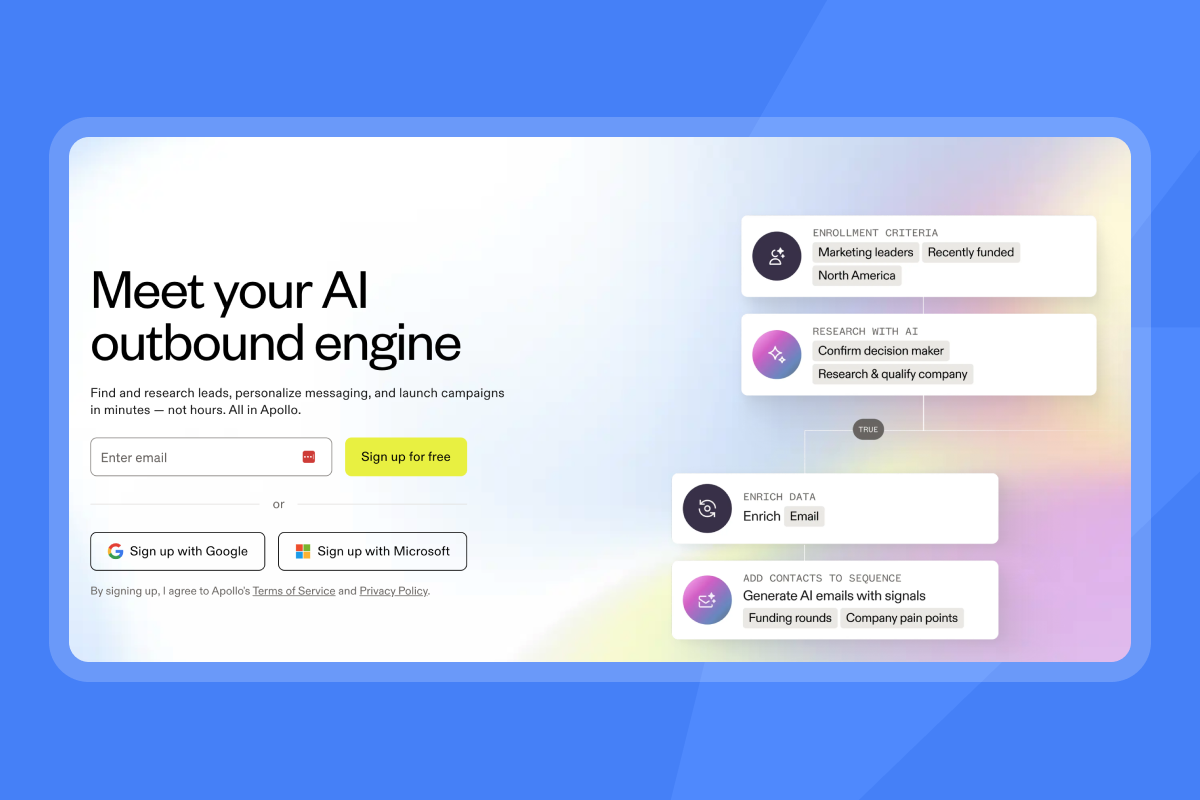
An AI SDR is not a single tool. It is a pipeline of interconnected systems, each responsible for a specific stage of the outbound process, and platforms increasingly package that pipeline as a single AI sales automation agent you can configure end to end. Understanding each component helps you identify where a platform is strong, where it cuts corners, and what that means for your pipeline when you compare the best AI SDR tools for outbound B2B sales.
The four stages every AI SDR runs through
An agentic sales agent uses an AI model as its core reasoning engine, connects to external data sources and CRMs, and maintains context across interactions. According to IBM, agentic AI is an artificial intelligence system that accomplishes a specific goal with limited supervision. In a multiagent setup, each of the AI agents handles a specific subtask and an orchestration layer coordinates their outputs toward the overall objective.
Where platforms differ is in how reliably each stage executes and how well the components hand off to each other. Gaps between stages, such as a missed CRM status update or an undetected hard bounce, are where domain reputation and pipeline coverage take the most damage. Here is how the four stages work:
- Lead ID and research: The platform sources and filters prospects using signal-based targeting. Rather than processing a bulk list, it detects buying signals such as website visits and technology stack changes, then triggers enrichment only for prospects showing active intent.
- Outreach execution: The LLM orchestration layer generates and sends personalized emails through rotated mailboxes, applying prompt constraints to keep output brand-safe and within defined length limits.
- Engagement and qualification: The feedback loop monitors replies in real time, classifies intent using zero-shot classification prompts, and routes positive responses to Account Executives.
- Conversion and handoff: The delivery infrastructure closes the loop by pushing full conversation context, sentiment scores, and engagement history into the CRM and reassigning lead ownership. Not every AI SDR platform covers all four stages. Some focus on prospecting and enrichment only. Others specialize in reply handling or CRM handoff. A small number attempt end-to-end coverage. Before committing to a platform, map which stages it owns natively and where you will need additional AI SDR and BDR tools or manual process to close the gaps.
Comparison: Inbound vs. outbound AI SDR modalities
Modality | Primary goal | Key tooling | Trigger event |
|---|---|---|---|
Inbound AI SDR | Real-time website engagement, trial conversion | Conversational AI on site | Website visit, chat interaction, or form submission |
Outbound AI SDR | Cold prospecting, pipeline generation | Cold email platforms | List upload or intent signal |
Integrating AI SDRs into CRM workflows
AI SDRs connect to CRMs such as HubSpot via REST APIs and webhooks. When an email is sent, opened, or replied to, the system fires a real-time event to the CRM to update lead status, log activity, or trigger internal alerts. For teams that need full bidirectional sync, Instantly supports HubSpot integration natively. Native integrations handle contact pushes and outcome fields, but activity-level logging and real-time status updates back into Instantly typically require the webhook layer to close reporting gaps.
AI SDR prospecting: Data hygiene and accuracy
Prospecting quality determines everything downstream. Bad contact data inflates bounce rates, damages domain reputation, and wastes sequence capacity on contacts who will never receive your email. These protocols exist to catch bad data before it reaches your sending queue, and they are core building blocks of an automated SDR workflow.
Automated data verification protocols
Verify each address through three sequential checks before any email leaves your queue:
- Syntax validation: Confirms the address format is structurally valid.
- MX record lookup: Confirms the domain is real and has an active mail server.
- SMTP handshake emulation: Opens a connection to the recipient's mail server and confirms whether the specific mailbox exists without transmitting any message content.
Hard bounces (permanent delivery failures) damage sender reputation immediately, so keeping your bounce rate at or below 1% is a hard operational threshold. Instantly includes reputation protection and bounce detection features.
Detecting high value prospect intent
Signal-based targeting flips the bulk list model by starting with buying signals rather than hoping a massive list contains relevant prospects. Specific triggers include a target account visiting a pricing page multiple times in one week, a competitor page view captured via intent data, or a technology stack change detected via third-party data providers. When a signal fires, the system triggers enrichment and sequence enrollment automatically, which improves both reply rates and list hygiene because you contact fewer people who are more likely to respond. Watch the signal-based cold email webinar from Instantly for a live client campaign example.
Automating prospect data enrichment
Waterfall enrichment queries multiple data providers in a defined priority sequence. If the first provider returns no match, the system queries the second, then the third, until it finds a verified record or exhausts all options. Single-provider enrichment leaves a meaningful portion of your list unmatched. A waterfall of three to four providers closes that gap by querying fallback sources automatically when the primary provider returns no result.
Instantly's SuperSearch provides access to 450M+ B2B leads with waterfall enrichment across five or more providers, including LLM-assisted enrichment for higher data accuracy. The credit-based model means you pay for verified results, not raw lookups.
Automated bounce logic and verification
When a hard bounce is detected, your AI SDR platform should pause that contact automatically before another send attempt is made. Any platform that routes this to a manual review queue will push your bounce rate past the 1% threshold quickly when running at volume. Confirm with your vendor exactly which actions trigger automatically on a hard bounce, what gets logged, and whether rerouting to healthy accounts in the rotation is handled by the system or requires manual intervention.
Standardizing AI email output for sales teams
AI-generated email is only as useful as the data feeding it. Without structured CRM inputs and defined prompt constraints, output becomes generic, inconsistent, and hard to audit at scale. The sections below cover CRM field injection into LLM prompts, the trade-offs between A/Z testing and fully dynamic generation, spam filter avoidance, and the prompt constraints that make AI output repeatable across reps.
Injecting CRM data into AI sequences
AI SDRs pull structured data from CRM fields such as company size, industry, and recent activity and inject that data into LLM prompts. The prompt pipeline follows a clear structure: a system prompt defines brand voice, CRM fields provide structured context, and prospect-specific enrichment data provides the personalization layer.
Merge tags vs. AI personalization is a distinction that matters for quality control:
- Merge tags (basic): Simple string replacement like
{{first_name}}or{{company}}. Fast to set up, easy to audit, zero compute cost per email. - AI-generated personalization (advanced): The LLM reads a prospect's LinkedIn profile, recent company news, or technology stack and writes a custom introductory sentence. This produces higher-quality first lines but requires guardrails to prevent generic or incorrect output.
AI-generated personalization introduces variance that is hard to audit at scale. Without prompt constraints, output quality depends on the LLM's defaults rather than your brand standards, which makes QA across a rep team impractical.
AI-generated content vs. template variants
Fully dynamic AI-generated emails create unlimited unique outputs, but this increases footprinting risk. Spam filters detect writing patterns common across many messages. The AI also produces robotic-sounding copy when it lacks sufficient prospect context.
Structured A/Z testing constrains output to up to 26 predefined variants and is more predictable and easier to measure because you control the variables. Instantly's Growth plan includes A/Z testing and the AI Sequence Writer, giving teams a practical middle ground between static templates and fully dynamic generation. For a practical example, this deep-personalization workflow shows how to combine AI generation with structured sequences at scale.
Avoiding spam filters in AI campaigns
Repetitive templates trigger fingerprinting detection. Fingerprinting occurs when email service providers identify common structural patterns across a high volume of messages from the same sender. Spin syntax generates phrasing variations so each outgoing email appears unique. AI-generated rephrasing goes beyond spin syntax by producing contextually varied intros, subject lines, and calls to action so no two messages share enough structure to trigger bulk-sending algorithms.
Automated guardrails for email QA
Prompt constraints are the technical mechanism that prevents rogue AI output. Practical guardrails include:
- Negative constraints: "Do not mention pricing" or "Do not claim market leadership"
- Length checks: Maximum character counts for subject lines and body copy
- Tone enforcement: Explicit instructions to maintain a professional but approachable voice
- Brand safety filters: Block output containing forbidden keywords or unverified claims
These constraints reduce variance and give you a documented reference point for QA reviews, but they do not eliminate non-determinism entirely. Even with tight guardrails, output can shift across runs, so treat constraints as a floor for consistency, not a guarantee. When multiple reps run sequences simultaneously, version-control your prompts so every rep works from the same approved set and deviations are visible.

Send-time optimization: The technical mechanism
Sending at the wrong time reduces open rates and wastes a sequence step. Send-time optimization works at two levels: scheduling by recipient time zone and controlling daily send volume per inbox. Both affect deliverability and reply rates.
Optimizing delivery by recipient zone
The system detects the prospect's local time zone via IP-based geolocation or company headquarters data and schedules sends to land during active working hours. A message that arrives while the prospect is at their desk is more likely to get read before it is buried by later email. For B2B outreach, that typically means targeting mid-morning on weekdays and avoiding early Monday and late Friday sends.
Pacing and throttling for deliverability
The single most important operational rule in AI SDR infrastructure is this: never scale past 30 emails per single inbox per day. When your total send volume grows, you add more sending accounts, not more sends per account. Overloading one inbox triggers anti-abuse systems that undermine every other optimization in the stack.
Multi-mailbox rotation is the engine that prevents domain burnout. Inbox rotation distributes sending volume across multiple mailboxes and domains in a strategic, automated pattern, so email providers see multiple low-volume senders rather than one high-volume sender. This aligns with legitimate business communication patterns and keeps any single domain off blacklist radar.
Instantly provides unlimited email accounts and warmup on every plan, which means you add inboxes without paying per-seat penalties as your team scales, and the same platform powers Instantly's AI agents. The Light Speed plan adds SISR (Server and IP Sharding and Rotation), providing dedicated private IP pools for teams sending at high volume and needing an additional layer of reputation separation.
Standardizing email warmup protocols
Email warmup simulates natural two-way conversations on new domains to build ISP trust before you begin cold outreach. The warmup network sends and receives emails on new domains, marks messages as important, and moves them out of spam to establish positive reputation signals.
Mailbox rotation alone will not work without warmup because ISPs must recognize and trust your sending identities before they deliver emails to the primary inbox. Instantly's private deliverability network includes 4.2M+ real accounts used for automated warmup. Warm for 30 days. Ramp daily sends from 5 to 15 to 30 per inbox. If bounce rates exceed 1% or inbox placement dips below 80%, pause immediately and run automated inbox placement tests to identify the issue before it costs you pipeline.
How AI models triage and sort incoming replies
Reply handling is where most AI SDR platforms introduce the most risk. Misclassified replies can result in follow-ups to opted-out prospects or missed opportunities that never reach an AE. The sections below explain how the system detects, classifies, and routes replies, and where human oversight is non-negotiable.
Monitoring inbox events via webhooks
The system monitors incoming replies in real time using persistent mailbox connections or API webhooks that push notifications the moment a reply arrives. Webhooks are preferred for real-time response routing at scale because they provide low-latency change detection without polling overhead.
Automating reply sentiment analysis
LLMs analyze incoming replies and assign a sentiment label with a confidence score. The model classifies text into categories without needing prior training examples for each prospect. Common categories include positive (interest or forward movement), negative (decline or removal request), out-of-office (automated absence response), and referral (redirect to different contact).
Instantly's AI Reply Agent reads, classifies, and drafts responses in under five minutes, 24/7, so positive replies do not go cold while reps are away from the inbox.
Reply rates vary significantly by industry, targeting precision, and sequence quality. Instantly's 2026 cold email benchmark report puts the B2B average at 3.43% across all sectors. Use that as a baseline for evaluating your own campaigns, not as a performance guarantee.
Out-of-office and auto-reply filtering
The system filters automated replies using regex pattern matching and NLP classification. Regex patterns detect common OOO phrases such as "out of office," "back on," and "auto-reply." NLP then classifies responses as automated vs. human-written. When an OOO is detected, the system pauses the sequence for that contact and does not trigger follow-up emails. This filtering also prevents OOO replies from polluting engagement analytics and artificially inflating reply rate reporting.
Validating AI decisions with human audit
Fully autonomous reply handling carries real risk for high-value accounts. If the AI misclassifies a negative reply as an OOO, it may send follow-ups to a prospect who explicitly opted out. If it misclassifies a nuanced, interested reply, the AE never sees the opportunity.
Instantly's Unibox consolidates all replies across every mailbox into a single interface so your team manages AI-generated conversations at scale without switching between accounts. The AI Reply Agent runs in two modes: Human-in-the-Loop (HITL), where the AI drafts a reply and a rep reviews, edits, and approves before it sends, and Autopilot, where the AI sends directly. Use HITL for high-value accounts and Autopilot for lower-priority segments to balance speed with brand safety.
How AI SDRs maintain CRM data integrity
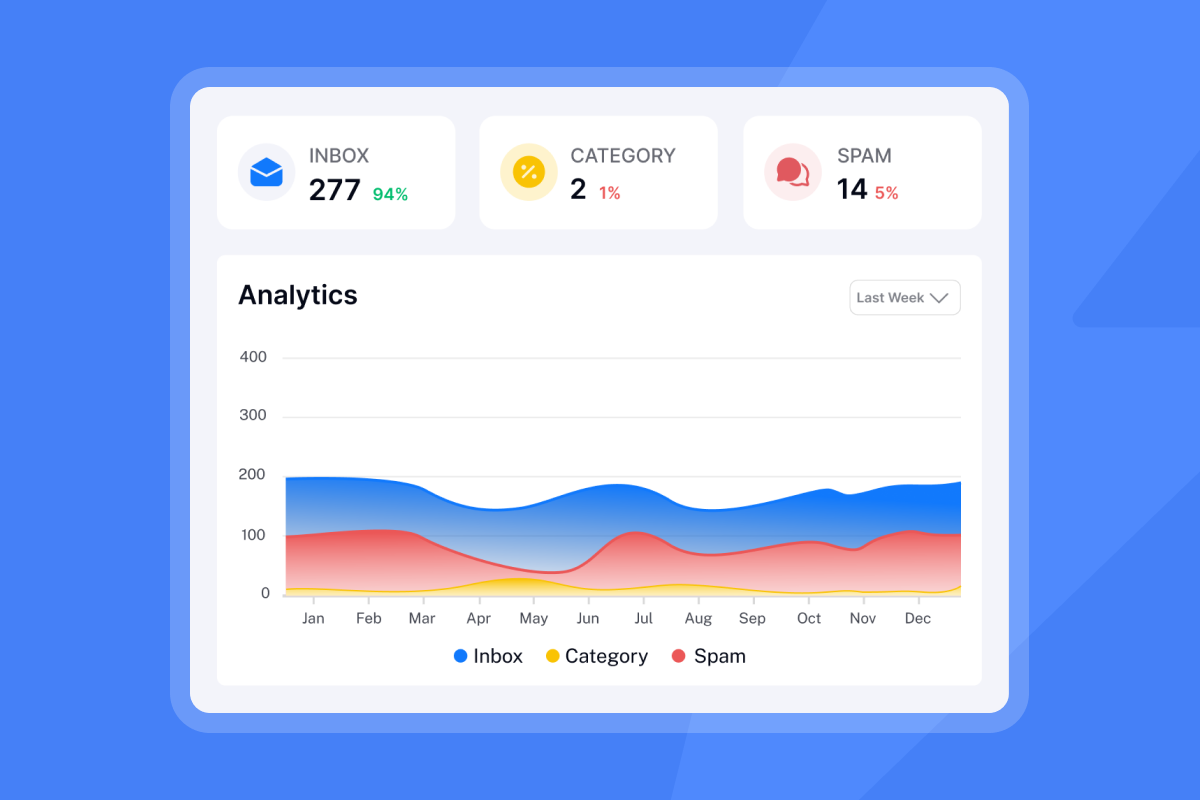
CRM data quality degrades fast when AI systems write to it without the right controls. Duplicate records, overwritten fields, and missing activity logs are common failure modes. The sections below cover sync architecture, custom field mapping, and write permissions, each of which introduces a specific failure mode if misconfigured.
Comparing bidirectional and push sync
One-way sync moves contact records and basic outcome fields from the AI SDR into the CRM but does not update the AI SDR when the CRM record changes. This creates a common failure mode: a rep manually moves a lead to "Closed Lost" in the CRM, but the AI SDR continues sending because it never received the status update.
Bidirectional sync maintains real-time updates in both systems, preventing duplicate outreach and broken attribution. Instantly supports HubSpot integration natively for contact pushes and outcome fields. For full bidirectional sync including activity-level logging, add the webhook layer or use API v2. Closing that loop early keeps your CRM data clean.
Custom object sync requirements
AI SDRs generate data points that standard CRM contact records do not have native fields for: reply sentiment labels, sequence step numbers, and enrichment source flags. Map these to custom objects or custom fields in HubSpot before you go live, not after. Define the fields, set the data types, and test the mapping in a sandbox environment so your CRM activity timeline reflects the full picture of AI interactions.
Tracking AI interactions in your CRM
Every AI interaction, including emails sent, replies received, and sentiment classifications, should be logged in the CRM activity timeline. This audit trail gives AEs full context when they take over a conversation and satisfies compliance requirements for teams operating under GDPR or CCPA.
Preventing CRM data overwrites
Field-level write permissions are a configuration choice, not a system default. A practical starting point is to allow the AI to create new activity records and update fields like next steps, meeting scheduled, and contact roles, while restricting stage changes and account ownership updates to AEs only. Define these rules before go-live, document them in your CRM admin settings, and review them any time you expand the AI SDR's scope or add new sequence types.
CRM handoff workflow for a qualified lead:
When a positive reply is detected, the handoff workflow executes three steps:
- Notification: An alert fires to the assigned AE (via Slack or email) with the reply text and sentiment context so the rep can act immediately.
- Context transfer: The full email thread, sequence history, and enrichment data push to the CRM record before the AE opens it.
- Ownership change: Lead ownership reassigns from the AI SDR to the AE in the CRM, and the Instantly sequence pauses to prevent any further automated sends.
Protecting sender reputation in AI campaigns
Deliverability problems compound quickly. A domain that takes 30 days to warm up can be blacklisted in 48 hours if bounce rates spike or send volume is mismanaged. The sections below cover the monitoring, safety switches, and governance controls that keep your sending infrastructure healthy at scale.
Real-time domain health analytics
The system monitors SPF, DKIM, and DMARC records continuously alongside bounce rates and blacklist status:
- SPF: Specifies which mail servers are authorized to send for your domain
- DKIM: Uses a digital signature to confirm the message was not altered in transit
- DMARC: Specifies what happens to messages that fail SPF or DKIM checks and where to send reporting data
Domains that have not configured all three correctly risk having emails quarantined or rejected entirely. Instantly's automated inbox placement tests run continuously and alert you when placement drops, giving you a real-time view of domain health before a deliverability problem becomes a pipeline problem.
Preventing domain blacklisting
Automated safety switches must pause campaigns if a domain's bounce rate exceeds 1% or if the domain appears on a major blacklist. Waiting for a human to notice and react is too slow. Confirm that your platform auto-pauses the affected campaign and triggers an admin notification immediately. Rerouting volume to healthy accounts in the rotation and flagging the mailbox in the CRM are configuration-dependent steps that vary by platform, so verify exactly how your vendor handles each before go-live. This is exactly why secondary sending domains matter: no single domain should carry enough volume to become a single point of failure.
Managing AI sequence guardrails
AI SDR governance covers three areas:
- Admin controls: Set per-mailbox daily send limits (maximum 30 per inbox), define approved copy variations, and restrict which prospect segments get AI-generated replies vs. human handling.
- GDPR/CCPA compliance: Process unsubscribe requests within 10 business days under CAN-SPAM. Under GDPR, there is no grace period, so removal must happen immediately upon request. Document a Legitimate Interest Assessment, include a visible opt-out in every outbound email, and maintain a Data Processing Agreement with your email vendor. Instantly's DPA under Foo Monk LLC covers sub-processor restrictions and data category limitations, but your team must conduct the LIA and manage opt-out lists operationally.
- Audit trails: Log every AI-generated communication with a timestamp and sequence step so compliance reviews have a clear, permanent record to work from.
Getting started with deliverability-first AI SDR infrastructure
The difference between an AI SDR that books meetings and one that burns your domain comes down to operational discipline: programmatic data hygiene that keeps bounce rates at or below 1%, multi-mailbox rotation that distributes volume safely across unlimited accounts, and strict CRM handoff logic that prevents duplicate outreach and data overwrites.
Most platforms promise autonomous magic. The responsible approach focuses on transparent infrastructure you can audit, measure, and scale without per-seat penalties or domain risk. Start by setting up multi-mailbox rotation with proper warmup protocols, then layer in AI reply handling with human oversight for high-value accounts. Monitor domain health continuously and pause immediately if bounce rates or blacklist status deteriorate.
Start your 14-day free trial of Instantly to set up multi-mailbox rotation and test the AI Reply Agent with built-in deliverability guardrails.
FAQs
What is the difference between agentic AI and generative AI?
Generative AI models create content based on learned patterns. Agentic AI extends that capability by applying generated outputs toward specific goals, with limited human supervision, the same distinction our complete guide to AI SDRs walks through in more depth. According to IBM, the key difference is that agents can interact with external tools and databases, call APIs, search the web, and take actions in real time. A generative model answers a question. An agentic system can act on the answer. In an AI SDR context, the LLM writes the email, but the agent decides when to send it, monitors the reply, classifies intent, and updates the CRM record without waiting for a human to initiate each step.
How do AI models categorize prospect replies?
LLMs use zero-shot classification prompts to analyze reply text and assign a sentiment label (positive, negative, OOO, referral) along with a confidence score. Replies below a defined confidence threshold are routed to a human for manual review before any follow-up action is taken.
How does AI automate multi-touch prospect sequences?
Most platforms use conditional branching logic to execute multi-step campaigns automatically. A typical rule fires the next sequence step after a set number of days with no reply, though the exact trigger conditions, such as day count and step logic, are configured per platform and per campaign. Branch conditions should evaluate in real time against CRM status so sequences pause when a prospect replies or opts out. Confirm with your vendor whether this evaluation is synchronous (immediate) or runs on a polling interval, as a lag here can result in automated sends reaching a prospect who already replied.
What triggers CRM sync errors?
Sync errors are typically triggered by API rate limits, mismatched field data types, or CRM validation rules blocking writes to required fields. Testing field mappings and validation rules in a CRM sandbox before going live is the operationally sound way to surface mismatches, such as a field typed to accept dates receiving email addresses, before they corrupt live campaign data or reporting.
How do AI SDRs prevent duplicate outreach?
Instantly's global block list applies across all campaigns simultaneously so no contact receives outreach from two sequences at once. Before enrolling a prospect in a new sequence, check that they are not already active in another. The global block list handles cross-campaign exclusions, but sequence-level enrollment checks remain an operational step your team should build into campaign setup.
Key terms
Bounce rate: The percentage of emails that fail to deliver. Hard bounces (permanent failures) damage sender reputation immediately, so auto-pause campaigns when this exceeds 1%.
SPF, DKIM, DMARC: Email authentication protocols. SPF authorizes mail servers, DKIM verifies message integrity, and DMARC instructs receivers how to handle authentication failures.
Warmup: Simulating natural email conversations on new domains to build trust with ISPs before sending cold outreach. A standard ramp runs 5 to 15 to 30 sends per day over 30 days.
Waterfall enrichment: Querying multiple data providers sequentially to find verified contact information. Improves match rates by querying fallback providers automatically when the primary source returns no result. Three to four providers in sequence consistently outperform single-provider lookups on list coverage.
Zero-shot classification: An LLM analyzes reply text and assigns a sentiment category with a confidence score without needing prior training examples for each specific prospect.
HITL (Human-in-the-Loop): A workflow mode where AI drafts a response and a human reviews, edits, and approves before it sends. The operationally sound choice for high-value accounts where a misclassified reply can cost a deal.
Read next
- The ultimate guide to reducing email bounce rates: what causes hard and soft bounces, how to keep your rate at or below 1%, and the hygiene steps to run when bounce rates climb.
- How to use secondary domains for cold email safety: how to set up and warm secondary sending domains so no single domain carries enough volume to become a deliverability risk.
- Email sequence timing and cadence: optimal send times and intervals: the send windows, follow-up intervals, and step counts that hold reply rates without burning out your list.



