.svg)
%20(1).svg)


Updated June 2, 2026
TL;DR:
Email format discovery is a systematic process, not a guessing game. By sourcing two or three confirmed executive addresses from public records, you can reverse-engineer the company's format and apply it accurately to every target on your list. The critical step most teams skip is verification: B2B email addresses decay at an estimated 2.1% per month, and bounce rates above 2% risk triggering ISP monitoring that suppresses inbox placement broadly. Instantly.ai's SuperSearch removes the need for manual pattern discovery by giving you direct access to 450M+ pre-verified B2B leads and a 4.2M+ account warmup network, cutting guesswork and protecting your primary inbox placement.
Most sales teams obsess over email copy while their reps quietly damage domain health by guessing executive email addresses. A sustained bounce rate above 2% risks triggering ISP-level monitoring that suppresses inbox placement across your recipients broadly, not just the contacts who bounced.
Email format discovery turns address guessing into a repeatable system that any rep can follow, any ops lead can audit, and any domain health dashboard can verify. This guide covers the full process: sourcing public executive emails, decoding company naming conventions, applying formats to unlisted contacts, and verifying every address before a single send goes out.
This guide is written for sales ops and RevOps leads managing team-level prospecting workflows.
Finding hidden emails: the format logic
Email format discovery is a deductive process, not a guessing game. Before you generate a single address, you need to understand how the target company structures its naming conventions, why that structure is consistent across employees, and which patterns appear most frequently in B2B domains. This section walks through the logic behind domain pattern analysis, the reason companies standardize on one format, and the specific naming conventions your target accounts are most likely to use.
What domain pattern analysis is
Domain pattern analysis is the process of identifying the standard email naming convention a company uses across all employees, then applying that pattern to generate candidate addresses for contacts who aren't publicly listed. It differs from general domain analysis (which focuses on DNS records and MX servers) because the focus here is on the human-readable format of the address itself.
Why companies standardize on one naming convention
The core insight is that companies almost never use more than one naming convention. Most B2B companies apply a single naming convention consistently across every employee, even though the range of documented patterns across the broader market is wide. Once an IT team sets the format, every new inbox follows it. That means finding two or three confirmed addresses for a company's executives gives you the template for every other employee at that domain.
Common B2B email naming patterns
The patterns below cover the naming conventions that appear most frequently in B2B prospecting, though the first three do the majority of the work across most domains:
Pattern | Example |
|---|---|
firstname.lastname | |
flast | |
firstname | |
lastname.firstname | |
f.lastname | |
firstname_lastname | |
lastname | |
firstnamel | |
f.m.lastname | |
firstname.m.lastname | |
f_lastname | |
firstname-lastname | |
firstnamelastname | |
firstname.lastnameN |
Once you confirm which pattern a company uses, you can build accurate addresses for every executive on your target list without sending a single test email.
Overcome outreach & prospecting hurdles
Teams spending time manually guessing formats and testing addresses are spending prospecting hours that should go toward live conversations. At team scale, that cost compounds quickly across your team.
The bigger risk is what happens when guessing fails silently. A hard bounce from an invalid address doesn't just waste one send, it signals to ISPs that your list hygiene is poor. Understanding domain patterns also gives you a fallback when enrichment tools return no result. If SuperSearch can't find a verified email for a specific contact, knowing the company's confirmed format lets you generate a high-confidence candidate address, verify it, and keep your bounce rate well under the 1% safe target. This approach treats deliverability as a system built from list hygiene upstream, as the email deliverability for sequences guide explains, rather than a problem you fix downstream after bounces appear.
"I like how easy Instantly makes scaling outbound reach without sacrificing deliverability or personalization... Its inbox warm-up, sending limits, and reputation management features ensure my emails land in the primary inbox rather than spam." - Steven M. on G2
Source executive contacts from public records
The first step in email format discovery is finding at least two confirmed email addresses for executives at your target company. Public records are surprisingly rich for this, and you don't need to buy a list or install a browser extension to get started.
Press releases for email intel
Press releases are a reliable and often overlooked source for confirmed B2B email addresses. The "Media Contact" section almost always includes a direct email for a comms or PR lead. That one confirmed address gives you a strong signal of the company's naming convention. Finding a second address from another source then confirms the pattern.
Search Google for site:company.com "press release" "contact" or "@company.com" "press contact" to surface indexed releases. For historical coverage, check press distribution services that publish contact emails directly in their indexed releases.
Verify executive emails via SEC data
For U.S. publicly traded companies, SEC EDGAR is a free, authoritative source of executive contact data. Proxy statements (DEF 14A filings), 10-K annual reports, and S-1 registration statements include executive officer sections with contact methods.
To use EDGAR, access the Company and Person Lookup tool, search for the company by name, then filter by filing type. DEF 14A proxy statements are most useful for finding executive contact information. Inside the document, use Ctrl+F to search for "contact," "email," or the executive's name.
Extracting executive emails from LinkedIn
LinkedIn profiles and company pages sometimes display email addresses in the "Contact Info" section or in About summaries where executives share their direct contact. Use LinkedIn to identify executive full names, titles, and roles, then apply your confirmed domain pattern to generate a candidate address. What creates compliance risk is using automated browser extensions that scrape data without authorization, as covered in the tools section below. Manual review of a publicly visible profile is different from automation, but note that LinkedIn's Terms of Service restrict copying contact data from the platform even manually, so use LinkedIn primarily for name and role confirmation rather than direct email extraction.
Finding exec emails in author bios
Company blogs are underutilized for email intelligence. Many B2B companies publish author bios on blog posts that include a direct email or at minimum confirm the author's full name in a format that maps to the company's naming convention. A bio reading "John M. Doe, VP of Sales" combined with one confirmed format email from the same company lets you generate john.m.doe@company.com with high confidence. Check the blog's author archive pages, which sometimes expose contact metadata not visible on the post itself.
Speaker data for email pattern analysis
Conference agendas, webinar registration pages, and speaker directories frequently publish business email addresses directly. Trade conferences in your vertical often publish speaker bios that include business contact information. Search "@company.com" site:conferencewebsite.com or look for the speaker's name plus company name in event programs. Even one confirmed address from this source locks in the pattern for the entire company.
Reverse-engineering executive email formats
With confirmed addresses in hand, the reverse-engineering step is mechanical. You're looking for the pattern that maps a name to an address, then applying it at scale.
Follow this process for each target company:
- Collect 2-3 confirmed addresses from public sources (press releases, EDGAR, blog bios, speaker pages).
- Map name to address for each one. Write out the full name and the email side by side.
- Identify the pattern by comparing all three examples. If all three follow
first.last, the company usesfirstname.lastname. - Check for C-suite exceptions. Very senior executives sometimes use short aliases (
j.doe@instead ofjohn.doe@), which can mislead pattern identification if used as your only data point. - Apply the pattern to your full target list at that company, using the confirmed format and the same domain.
- Verify every generated address before importing to your CRM or campaign tool.
This approach lets you build a batch of accurate addresses in minutes rather than hours, applying one confirmed format to every person at that company on your list.
Verify email patterns across roles
Patterns can vary by department or seniority, though this is less common than most people assume. The more frequent exception is that very senior executives (C-suite, founders) use short-form aliases while everyone else follows the standard format. For these contacts, direct sourcing from public statements or EDGAR filings is more reliable than pattern application. For sales, marketing, and operations contacts at the VP and Director level, the standard company pattern applies in the vast majority of cases.
Handling exceptions and edge cases
Four situations break standard pattern logic and need specific handling:
- Acquisitions: A company that has gone through an acquisition may use a different email domain or naming convention than its parent, depending on how the acquiring company handled the integration. Practices vary widely. Check the press announcement and the acquired company's current domain before applying the parent company's pattern.
- Hyphenated surnames: Hyphenated surnames are handled differently across organizations, with no consistent standard. Generate multiple candidate variants and verify each one rather than assuming a default format will apply:
mary-anne.smith@maryanne.smith@m.smith@
- Apostrophes in names: Strip the apostrophe by default and generate both variants, then verify both before selecting the one that passes:
jomalley@j.omalley@
- Common name collisions: When two employees share a name, companies add a middle initial (
john.m.doe@) or a department prefix. Middle initial insertion is the cleaner fallback, as sequential numbers (john.doe2@) signal a collision and are harder to predict.

Tools to automate email format discovery
Manual OSINT works well for high-priority target accounts. At scale, tools reduce the time per contact from minutes to seconds. Here is how the main options compare on the factors that matter most for team-level deployment:
Tool | Lead database | Pricing model | Verification |
|---|---|---|---|
Instantly SuperSearch (powered by Instantly Credits) | 450M+ contacts, 5+ provider waterfall | From $9/mo (Nano), free trial available | Yes, tags valid / risky / invalid |
Apollo | 230M+ contacts | Per-seat or usage-based | Partial |
ZoomInfo | 321M+ profiles | Annual contract, per-seat | Partial |
Pattern-focused, limited contacts | Freemium + usage-based | Multi-step: syntax, DNS, MX, SMTP |
The structural difference for RevOps leaders is that per-seat pricing from Apollo and ZoomInfo compounds as your SDR team grows, while flat-fee models keep costs predictable regardless of headcount. The email tracking pricing models guide breaks down total cost of ownership differences, including how per-seat fees compound at team scale.
Ensuring accurate executive email addresses
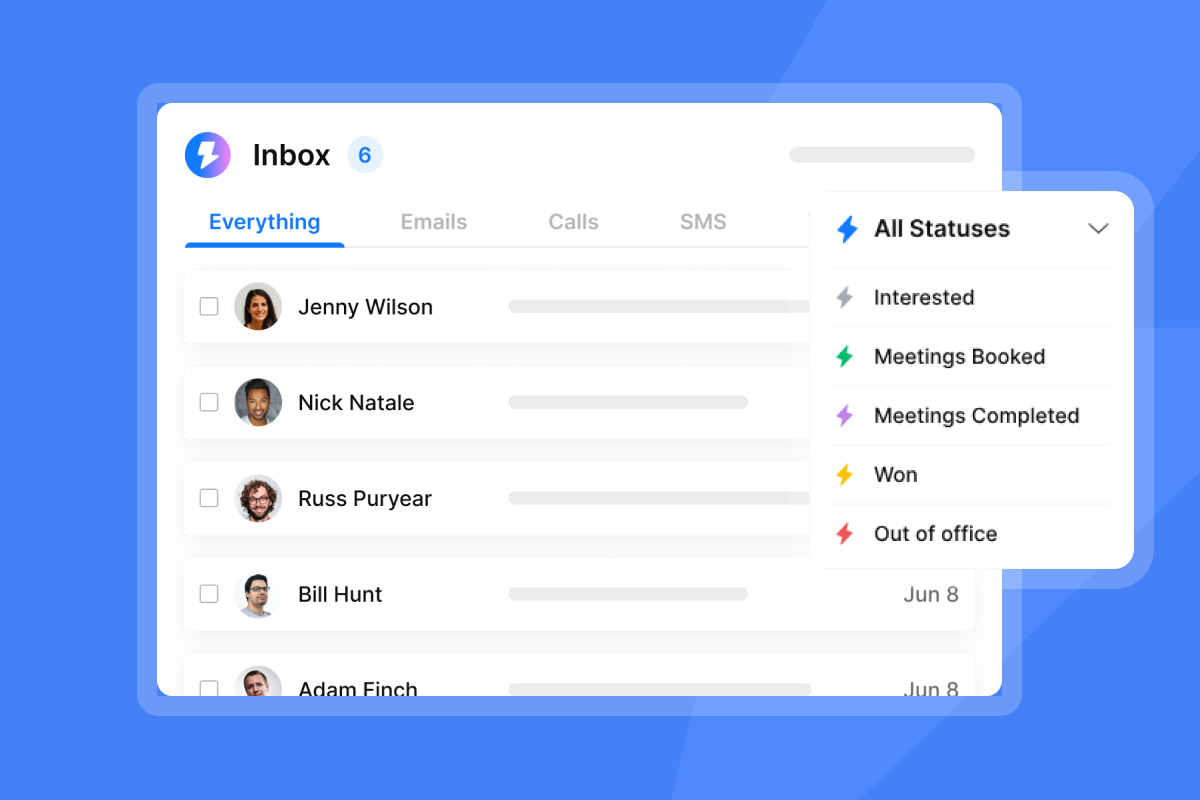
Instantly SuperSearch pulls from a database of 450M+ pre-verified B2B leads and runs waterfall enrichment across 5+ data providers sequentially. Those verified contacts feed into campaigns backed by a 4.2M+ account warmup network that keeps your sender reputation healthy before a single cold send goes out. Waterfall enrichment pushes match rates even higher by checking each provider in sequence when the previous one returns low confidence or no result. The platform tags every contact as valid, risky, or invalid, which means you're not exporting raw addresses and hoping for the best.
Browser extensions for email formats
Free browser extensions are the most common tool for individual rep use and also the most common source of data quality and security problems at team scale. Security research has flagged certain free extensions for embedding scripts that can access session data and exfiltrate it externally. Because extensions integrate directly into the browser rather than generating visible process events, these threats are harder to detect than traditional malware.
Beyond security, free extensions often rely on outdated databases. With B2B email addresses decaying at an estimated 2.1% per month, a year-old crawl source carries a large proportion of invalid addresses that feed directly into your bounce rate.
Watch the 2026 cold email rules video to see how that compounds at team scale. From a compliance standpoint, you have no visibility into what data an extension accesses, where it stores contact information, or whether that storage meets GDPR's data minimization requirements. That's an audit risk a vetted platform with a published DPA avoids entirely.
Auditable email pattern APIs
For teams that need to integrate email discovery into their CRM workflow or automate list enrichment at high volume, API-based tools provide the control and auditability that browser extensions cannot. Instantly's native integrations with HubSpot, Clay, Zapier, and Make allow you to push verified contacts directly into your CRM without manual export steps, creating a clean data trail from lead source to CRM entry to campaign send that holds up to ops review. See the full Instantly integrations collection for current connector options.
Ensuring email format accuracy
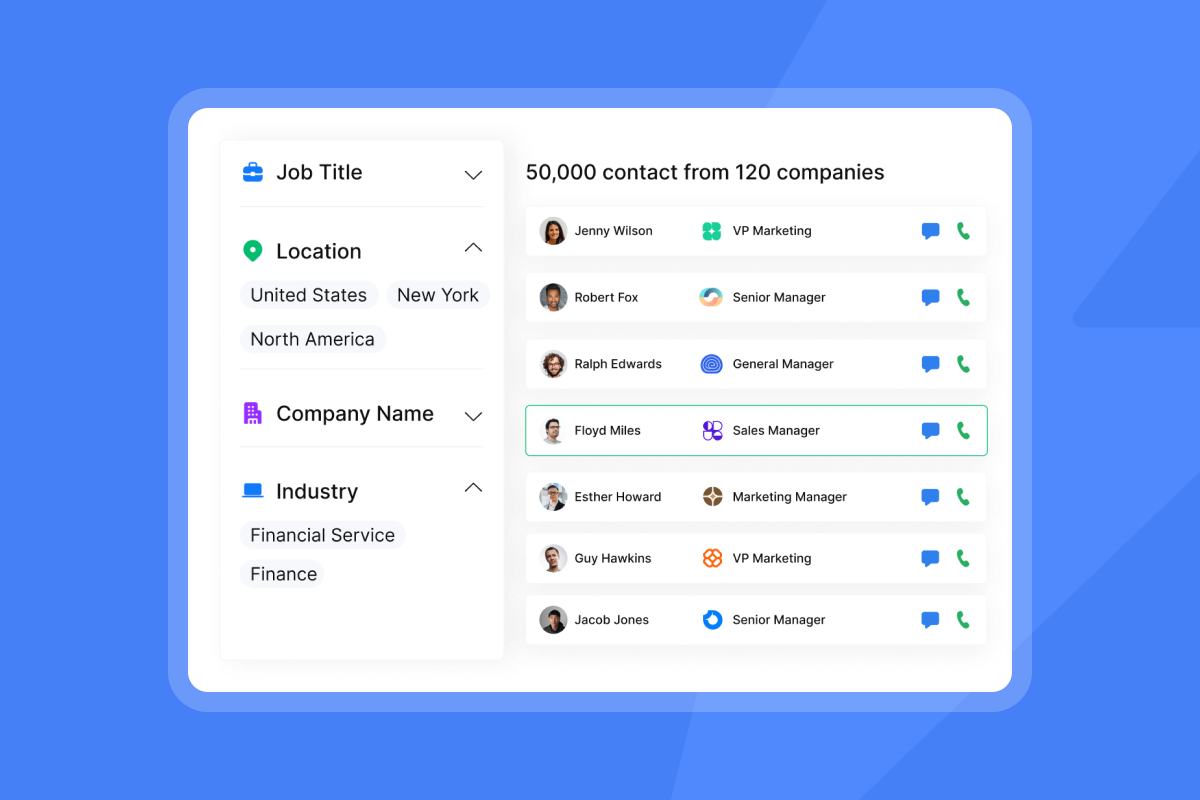
SuperSearch gives your team a single interface to search, filter, and enrich contacts by job title, seniority level, department, industry, location, company revenue, and tech stack. You can filter specifically for management-level contacts in a target department, which is the core use case for executive email discovery at scale. Every result includes a verification status, so reps know which addresses are ready for sequencing and which require a second look.
Assemble valid emails for high-value leads
Once you've applied a confirmed domain pattern to your target list, those addresses aren't campaign-ready yet. The final step is verification, which separates high-confidence candidates from addresses that will bounce and damage your sender reputation. This process turns pattern-based discovery into deliverability-safe prospecting.
Validating your contact addresses
Verification is not optional. It's the step that separates deliverability-safe prospecting from domain-damaging guesswork. A verification tool checks whether the mailbox exists at the receiving server without actually sending an email. For standard mailboxes, this produces a clear valid or invalid result.
The exception is catch-all domains, which accept all incoming mail regardless of whether the specific mailbox exists. Industry estimates suggest a meaningful share of B2B domains use this configuration, and catch-all addresses carry considerably higher bounce rates than standard verified addresses. SuperSearch tags catch-all addresses as "risky" so you can decide whether to include them based on your current domain health status.
"I appreciate Instantly for its intelligent handling of domain and mailbox rotation as well as provider matching, which is critical for ensuring that my emails land directly in the primary inbox instead of getting caught in spam filters." - Richard E. on G2
Precision naming for email discovery
Common names are the most frequent source of collision-related address errors. When you find john.smith2@company.com in a public source, that tells you a second John Smith joined after the first. The correct address for your target depends on when they joined. For contacts where you can't confirm timing, treat numbered variants as risky until verified. Middle initial insertion (john.m.smith@) is the most readable professional fallback for collision handling.
Prevent bounces: special character rules
Hyphens and apostrophes in names break standard pattern matching in predictable ways. As noted above, apostrophes are almost universally removed by organizations in practice, so convert O'Brien to obrien or o.brien by default. Hyphens in names are handled differently across organizations, with no consistent standard. Generate all three variants and verify each one:
mary-anne.smith@maryanne.smith@m.smith@
Use whichever passes.
Handling middle names for email accuracy
Middle initials matter most at large companies with common first and last name combinations. The pattern first.middleinitial.last@ (e.g., john.m.doe@company.com) serves as a readable fallback when the standard format would produce a collision. If you see this pattern used even once at a company, check whether it's the standard rather than an exception before applying it selectively across your list.
Prevent bounces: validate email formats
Deliverability is a system, not a send-time fix. The work you do at list-building directly determines whether your campaigns land in the primary inbox or trigger ISP monitoring. Watch the How We Send 100,000 Cold Emails/Day breakdown to see how infrastructure discipline at the data layer separates teams that scale cleanly from teams that hit walls mid-campaign.
Pre-send email address checks
Before any campaign launches, run your full contact list through a verification pass. In Instantly, you import your list and run verification as a pre-send step directly in the platform, with results tagged by status so your reps see which contacts are campaign-ready. The Instantly Inbox Placement tool also lets you run automated placement tests that show where your emails land across major providers before you go live, giving you an auditable quality check that withstands CFO scrutiny.
Understanding bounce rate thresholds
The numbers here are non-negotiable. A bounce rate below 1% is the safe operating range. Below 0.5% is excellent. Above 2% sustained over several days risks ISP-level monitoring that suppresses inbox placement not just for bounced addresses but broadly across those providers.
The Instantly cold email strategy guide is clear: keep bounces at or below 1%. If they rise, pause, re-verify the list, and restart at a lower send cap.
At 30 emails per inbox per day (the recommended daily ceiling) with a contact list carrying 8% invalid addresses, you generate 2.4 hard bounces per inbox per day. That is a bounce rate of 8%, four times the 2% threshold at which ISP monitoring kicks in. This math is why list verification before sending isn't optional.
Domain hygiene for inbox placement
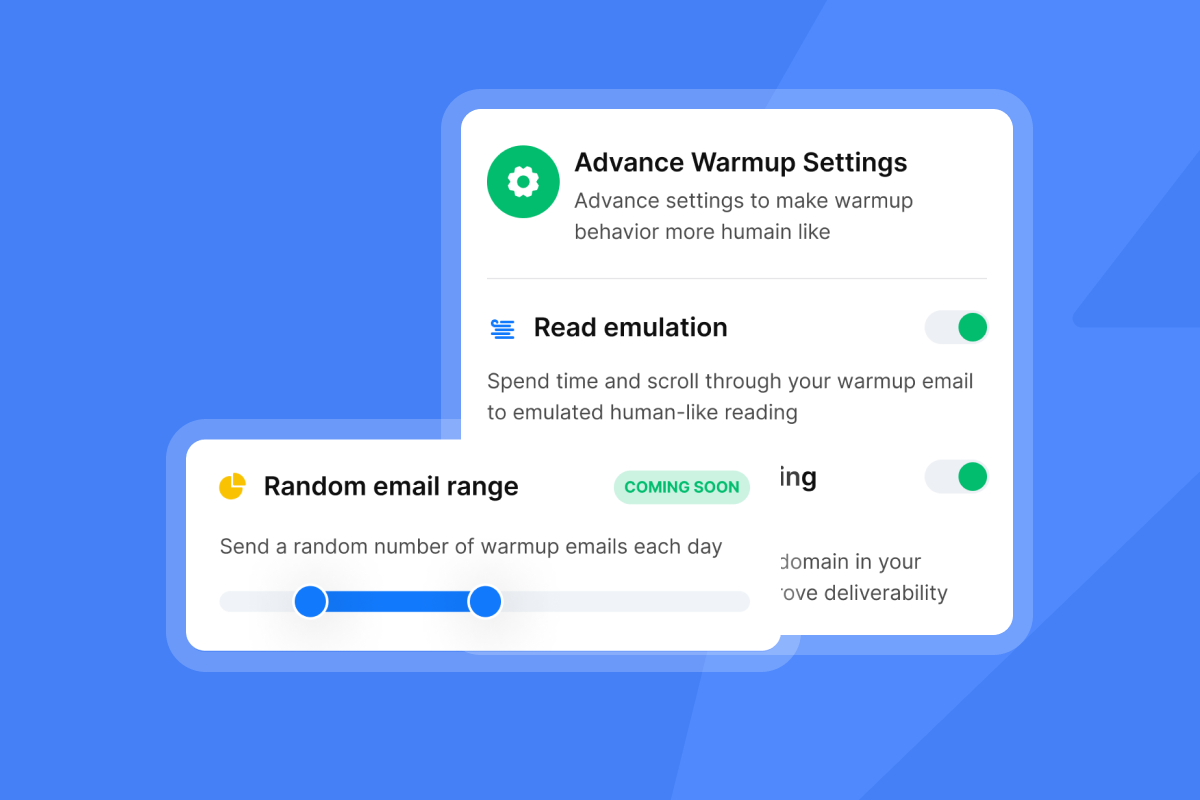
Bounce rate is one input to domain health. The full system includes email warmup, IP rotation, and sending algorithms that distribute volume across multiple inboxes. Instantly's warmup network runs automatically on all plans, which means new inboxes earn trust before they send to cold lists. Scaling with secondary sending domains further distributes sending risk so that one inbox's deliverability issue doesn't affect your entire campaign.
Staying compliant with email data rules
Building accurate prospect lists from public sources is legal when done correctly. The compliance lines are clear, and staying on the right side protects both your brand reputation and your sending infrastructure.
Safeguarding email data privacy
Two frameworks govern most B2B cold outreach. CAN-SPAM (US) is an opt-out law: you can send cold email without prior consent if your messages include a physical postal address, a working opt-out mechanism, and honest subject lines. GDPR (EU/UK) requires a lawful basis before you contact someone. For B2B cold outreach, legitimate interest applies when your message is relevant to the recipient's professional role, includes a clear opt-out, and processes only the data necessary for that purpose.
GDPR fines reach 4% of global annual revenue or 20 million euros, whichever is higher, and GDPR requires opt-outs honored within 24-48 hours in practice versus CAN-SPAM's 10-business-day window.
Instantly provides a Data Processing Agreement and publishes a sub-processor list for customers who need compliance documentation. The email tracking privacy and compliance guide covers how to operationalize these requirements across your full campaign workflow.
Preventing deliverability crashes
The connection between compliance and deliverability is direct. High bounce rates from poor list hygiene trigger ISP penalties. Unresolved opt-out requests generate spam complaints that damage your sender reputation. Both feed the same outcome: your domain gets suppressed and your monthly pipeline targets fall short. Compliance hygiene and deliverability hygiene are the same operational process. Inbox Placement automated tests give you an auditable quality check before campaigns go live, confirming placement across major providers so problems surface before they damage your domain.
Verify email formats for deliverability
Accurate email formats and verified addresses are the upstream inputs that determine whether campaigns reach the primary inbox. Every address generated from a pattern should pass verification before entering your CRM. This single process step, pattern confirmation followed by verification, is what separates teams that hit consistent pipeline targets from teams that fight deliverability fires mid-quarter.
Troubleshooting email pattern challenges
Even a well-built pattern discovery process will hit edge cases where standard logic breaks down. The fixes are systematic once you know what to look for. This section covers the most common pattern challenges teams encounter and the repeatable steps that resolve them.
Improving email pattern accuracy when conventions don't match
Use three confirmed addresses rather than one or two before locking in a pattern. A single data point can be an alias or an exception. Three matching examples give you the standard with confidence. When you find mismatched patterns in your confirmed sample, the company likely experienced a system migration or acquisition that introduced a second convention without fully deprecating the first. Segment addresses by approximate hire date or seniority. Older employees sometimes retain legacy formats while newer hires follow the current convention. Use verification to determine which generated address is active rather than guessing from the pattern alone.
Maintaining valid email addresses: how often?
List decay makes schedule-based hygiene mandatory. At an estimated 2.1% decay per month , a 90-day-old list carries roughly 6% invalid addresses by calculation alone, meaning a quarterly refresh cycle still requires re-verification before each campaign. Re-verify any contact segment before each campaign, especially if the list is more than 30 days old. In fast-moving sectors like tech, decay can accelerate beyond that baseline, making pre-campaign verification a non-negotiable step. The B2B email list pricing and ROI guide covers how to factor decay costs into your cost-per-meeting calculations accurately.
Legal use of domain pattern analysis
OSINT involves gathering information from publicly available sources (company websites, press releases, SEC filings, conference programs) without violating terms of service or bypassing authentication systems. What creates legal risk is using tools that violate a platform's terms of service or access data that is not publicly available. When using domain pattern analysis for B2B outreach, the key GDPR requirement is that each email you send must be relevant to the recipient's professional role and include a clear opt-out. Using a verified, publicly confirmed format to contact someone about a genuinely relevant business topic is distinct from mass unsolicited blasting of speculatively generated addresses with no lawful basis. Keep the purpose-limitation principle in mind: generate only what you need, verify before sending, and honor opt-outs immediately.
Stop letting your reps guess email addresses one at a time and absorb the deliverability cost when they get it wrong. Instantly SuperSearch gives your team access to 450M+ pre-verified B2B leads with waterfall enrichment across 5+ providers, a 4.2M+ account warmup network to protect your sender reputation, built-in verification status on every contact, and flat-fee pricing that doesn't scale with headcount. Start your free trial and run your first pattern-based prospecting list inside the platform today.
FAQs
What is the most common B2B email format?
The most common B2B email format varies by company size. At companies with 1,000+ employees, firstname.lastname (john.doe@company.com) tends to dominate. At mid-size companies in the 51-500 employee range, first-initial + last name (jdoe@company.com) is more prevalent. At companies under 50 people, first name alone is frequently the standard. Confirming three addresses from public sources at a target company will identify which convention that specific company uses.
What bounce rate is safe for cold email campaigns?
Keep your bounce rate at or below 1% per campaign, with below 0.5% considered excellent. A rate above 2% risks suppressing inbox placement broadly across ISPs, so verify every list before sending and cap sends at 30 emails per inbox per day.
What is a catch-all domain and why does it matter for prospecting?
A catch-all domain accepts all incoming mail regardless of whether the specific mailbox exists, which means standard verification cannot confirm individual address validity. Tag catch-all contacts as risky and handle them separately from confirmed valid addresses before including them in a campaign.
Is generating email addresses from domain patterns legal?
Using publicly available information (press releases, SEC filings, conference programs) to confirm a naming convention is legal OSINT, but each address you use for outreach must comply with applicable law. Under GDPR, your message must be relevant to the recipient's professional role, include a clear opt-out, and be sent under a documented lawful basis such as legitimate interest.
Key terms glossary
Email format discovery: The process of identifying a company's standard email naming convention by sourcing confirmed executive addresses from public records, then applying the pattern to generate accurate addresses for contacts who aren't publicly listed.
OSINT (Open-Source Intelligence): Information gathered from publicly available sources such as websites, press releases, SEC filings, and public directories without violating terms of service or bypassing authentication. The foundational method for domain pattern analysis in B2B prospecting.
Catch-all domain: A domain configuration that accepts all incoming mail regardless of whether the specific mailbox exists, making standard SMTP-based verification unreliable. These addresses carry higher bounce risk and require special handling before campaign inclusion.
Bounce rate: The percentage of sent emails rejected by the receiving server, calculated as (bounced emails divided by total sent) multiplied by 100. The safe operating threshold for cold email is below 1%, with above 2% risking ISP-level sender reputation penalties.
Waterfall enrichment: A data sourcing method that checks multiple providers sequentially, moving to the next when the previous returns low confidence or no result. This approach improves email match rates measurably compared to relying on a single data source.
Read next
- B2B Email List Building: Automating & Scaling Lead Generation: How to source, verify, and structure a contact list that feeds campaigns without inflating your bounce rate.
- The Ultimate Guide to Reducing Email Bounce Rates: The causes behind hard and soft bounces, the thresholds that trigger ISP monitoring, and the verification steps that keep your domain healthy.
- Email Warmup Guide: Clean Sending, Stronger Inbox Placement: The ramp schedule, daily send caps, and health checks that build sender reputation before your first cold sequence goes out.



